
A real-time MIDI player and visualiser built in Python.

Project description
Python MIDI Visualiser 🎹

A real-time MIDI player and visualiser built with Python and Pygame.
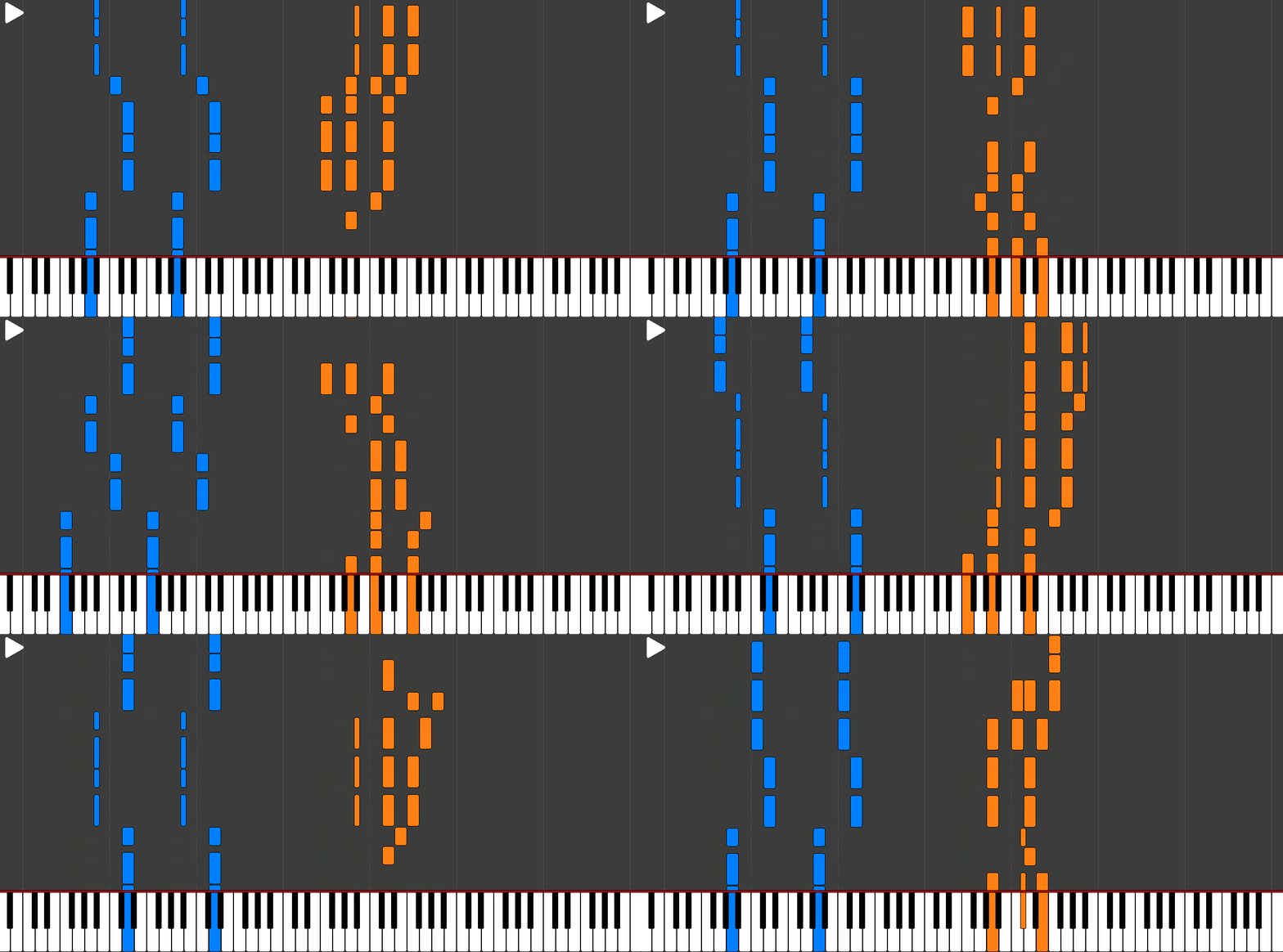
This tool can be run from the command line to open any .mid file as a dynamic, scrolling piano roll, synchronising the on-screen notes with the audio output.
Key Features
- 🎵 MIDI File Parsing: Uses the Mido library to load and interpret note events and channels from MIDI files
- 🎹 Real-time Piano Roll: Dynamically renders scrolling notes as the music plays
- 🔊 Synchronised Audio: Plays the MIDI data through Pygame's audio mixer, synchronised with the visuals
- ⏯️ Playback Control: Includes standard playback features like play, pause, and restart, controlled via keyboard shortcuts
- 🎨 Multi-channel Colouring: Automatically assigns different, clear colours to notes from different MIDI channels
Installation and Usage
To use the tool, you can simply install it using pip:
pip install midi-visualiser
It can then be used in the command line through the midi-visualiser command. The command has two different modes:
-
Visualising a single song:
midi-visualiser path/to/your/song.mid -
Loading a playlist from a directory:
midi-visualiser path/to/your/songs/folder/When a path to a directory is provided, all
.midfiles in the directory will be loaded and can then be switched between using the left and right arrow keys.
Example Songs
The project is packaged with 10 example songs, which will be automatically loaded when the midi-visualiser command is run without specifying any arguments.
Playback Controls
The following keyboard shortcuts are available while the visualiser window is active:
| Key | Action |
|---|---|
| Space | Play / Pause the current song. |
| R | Reset the current song to the beginning. |
| ← / → | Cycle to the previous/next song in the current playlist. |
| Q | Close the application window. |
Development Setup
This project uses uv as a package and virtual environment manager. To set up the project for development, follow these steps:
-
Clone the repository:
git clone https://github.com/benjaminrall/midi-visualiser.git
cd midi-visualiser
-
Run the application using uv:
uv run midi-visualiser
This will automatically install any required packages and run the command in a virtual environment, including any changes to the source code.
License
This project is licensed under the MIT License. See the LICENSE file for details.
Release history Release notifications | RSS feed


Download files
Download the file for your platform. If you're not sure which to choose, learn more about installing packages.
Source Distribution
Built Distribution
Filter files by name, interpreter, ABI, and platform.
If you're not sure about the file name format, learn more about wheel file names.
Copy a direct link to the current filters
File details
Details for the file midi_visualiser-0.1.10.tar.gz.
File metadata
- Download URL: midi_visualiser-0.1.10.tar.gz
- Upload date:
- Size: 225.6 kB
- Tags: Source
- Uploaded using Trusted Publishing? No
- Uploaded via: uv/0.7.19
File hashes
| Algorithm | Hash digest | |
|---|---|---|
| SHA256 |
f112caf0a9811c858a0a74f18d755d02ee808ae5c3f011f24b88606809d21ce0
|
|
| MD5 |
767af4b02be58ddc8aabc394215780e4
|
|
| BLAKE2b-256 |
5b478d83fc8dc0e6b4995cb3067f94e4a9584185ad4020332a1e5fb335ffaa9d
|
File details
Details for the file midi_visualiser-0.1.10-py3-none-any.whl.
File metadata
- Download URL: midi_visualiser-0.1.10-py3-none-any.whl
- Upload date:
- Size: 225.4 kB
- Tags: Python 3
- Uploaded using Trusted Publishing? No
- Uploaded via: uv/0.7.19
File hashes
| Algorithm | Hash digest | |
|---|---|---|
| SHA256 |
5f47938966c79f22a103b647f422a8c3b4bddb54851e75122f2561271b6940f7
|
|
| MD5 |
0ea0862123c4e5480ffe67900e8af963
|
|
| BLAKE2b-256 |
28a74e1967b9e59657d415d1c564fae2c019b1bb47fee2548df1c90f5339c928
|






