
MifBlender
Your AI assistant, working inside a running Blender.
428 typed tools for modeling, materials, UVs, rigging, animation, physics, geometry nodes and rendering.
Each one checks its parameters, does the work on Blender's main thread and reads the result back.




Start in one line
With uv installed and Blender closed:
uvx mifblender-mcp setup
It finds your Blender installs and AI apps, shows what it will do and asks first. Then it installs and enables the add-on, and adds MifBlender to the apps you pick. Restart your AI app, open Blender, and ask:
Call bl_status, then add a rounded cube with a brushed metal material and render a preview.
Free for any use, including commercial work. No account. Everything runs on your computer.
See what it can do
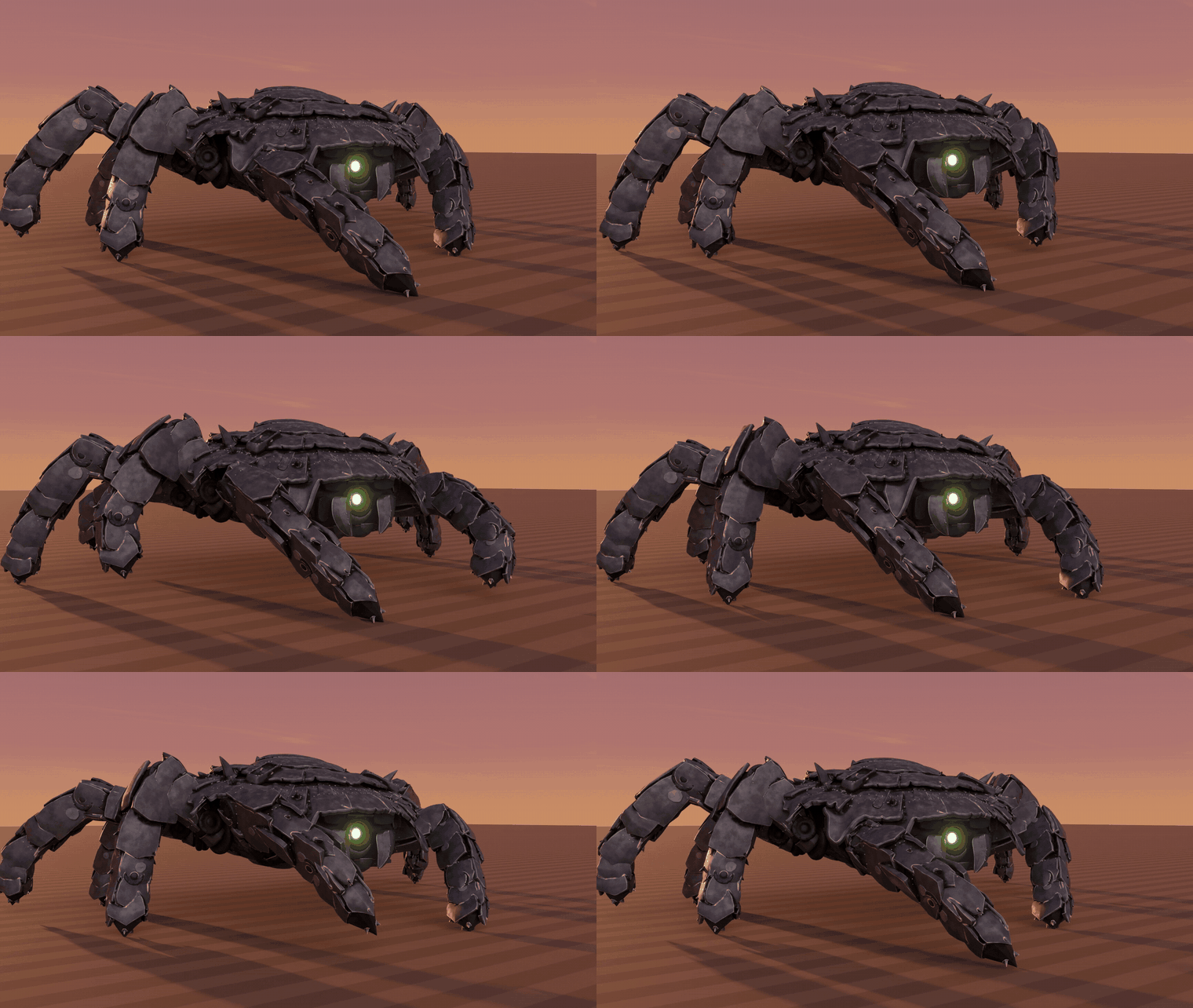
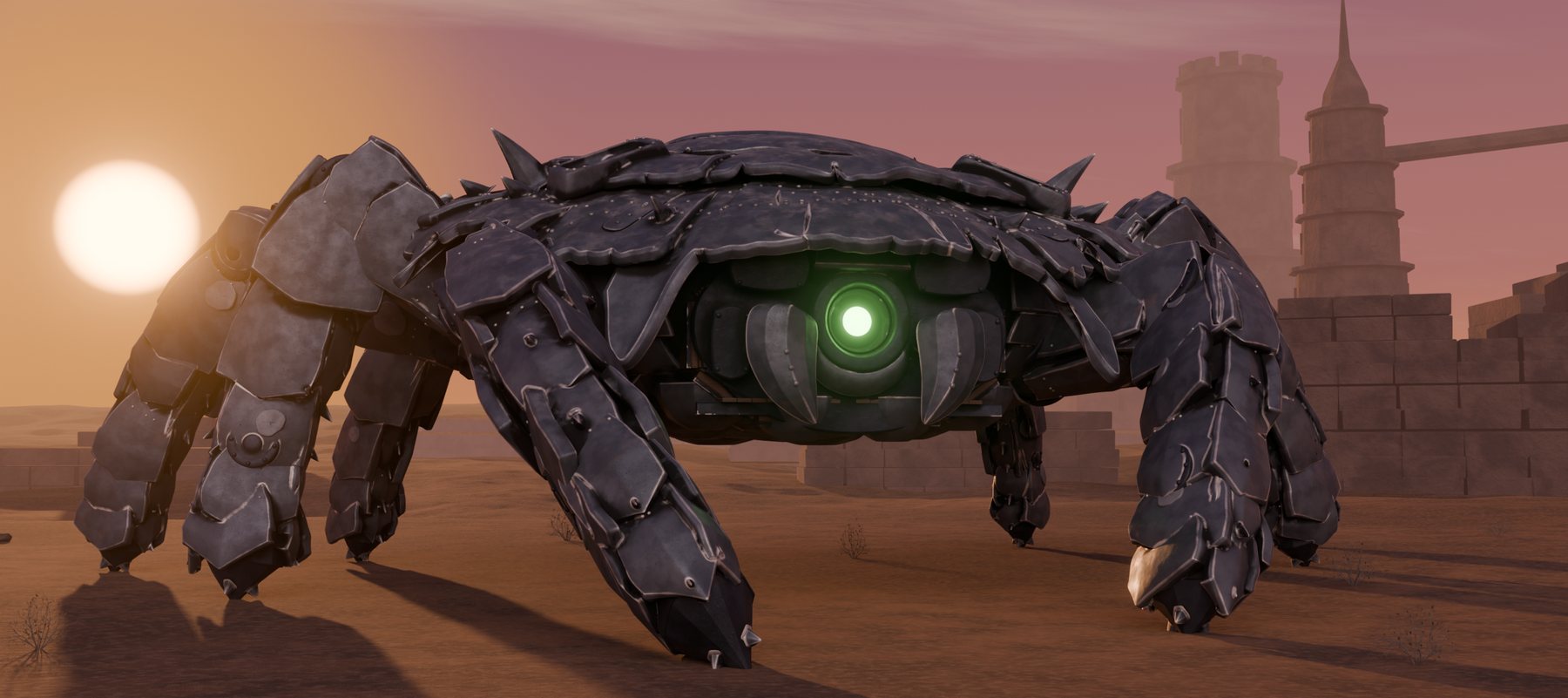
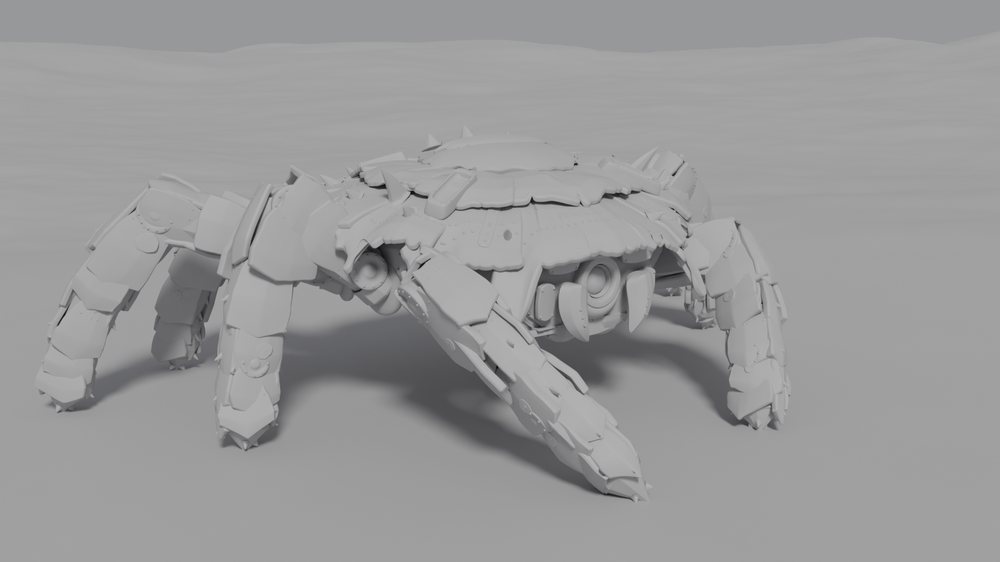
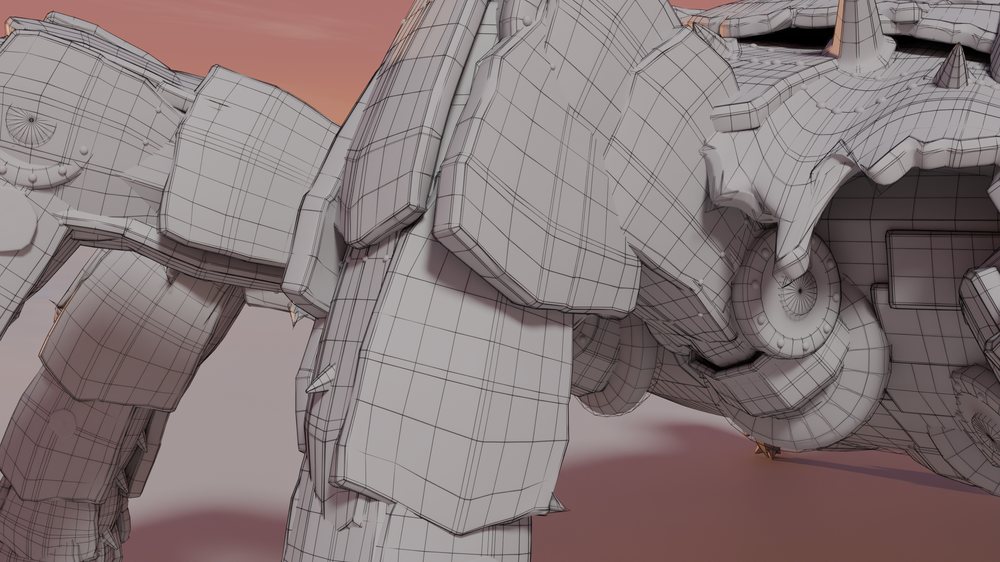
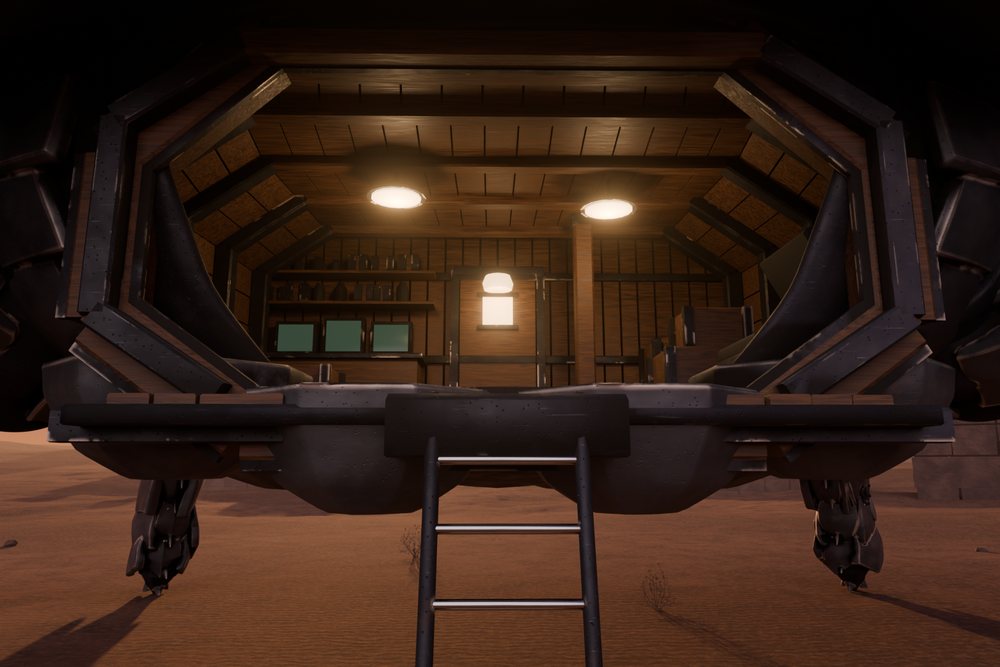
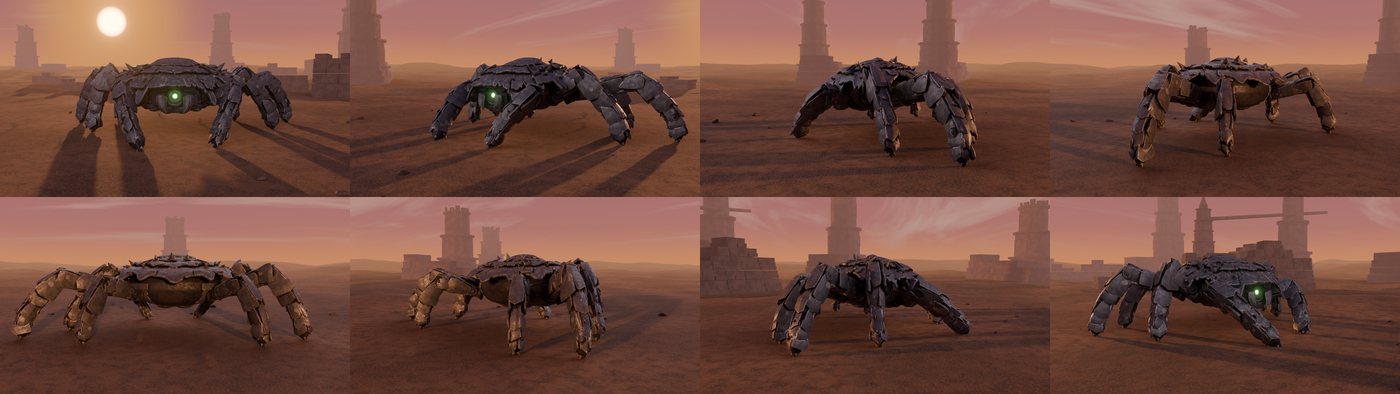
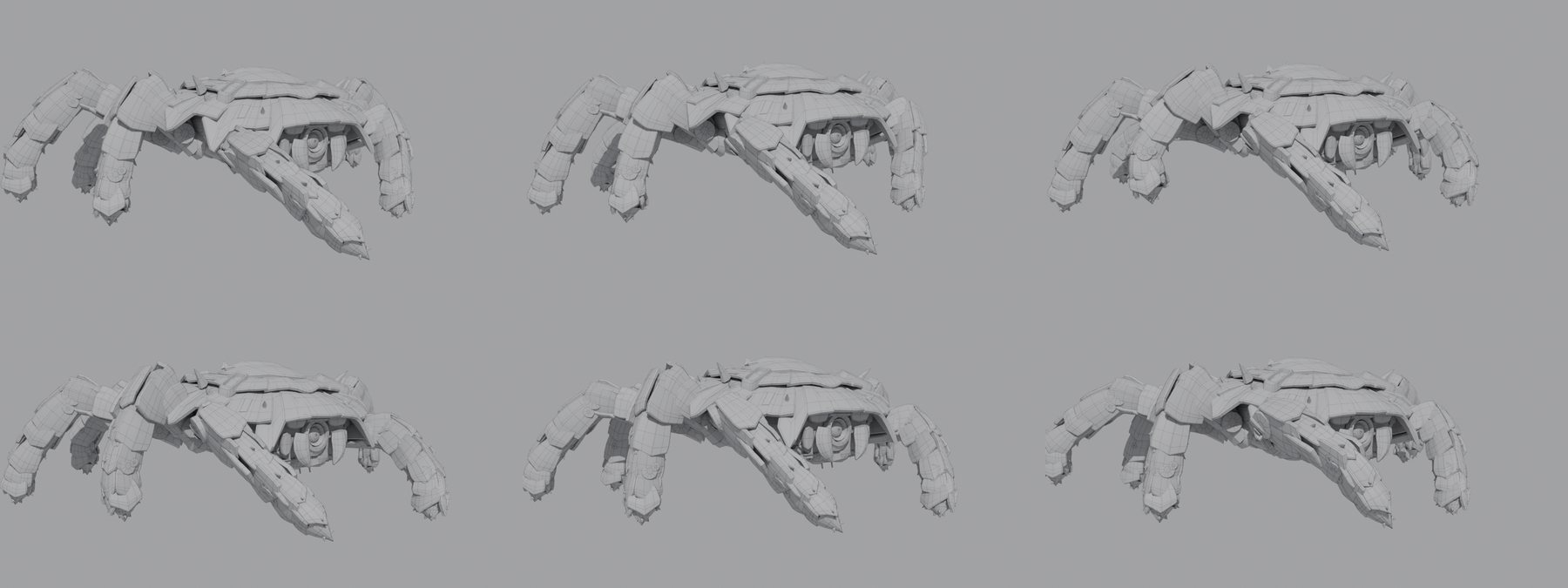
The crab walker: 515 pieces, an interior, a rig and a walk cycle, built with these tools in a long, guided session.
| The form, in clay | The topology |
|---|---|
 |
 |
| The cabin | Every angle |
|---|---|
 |
 |
From images to a model
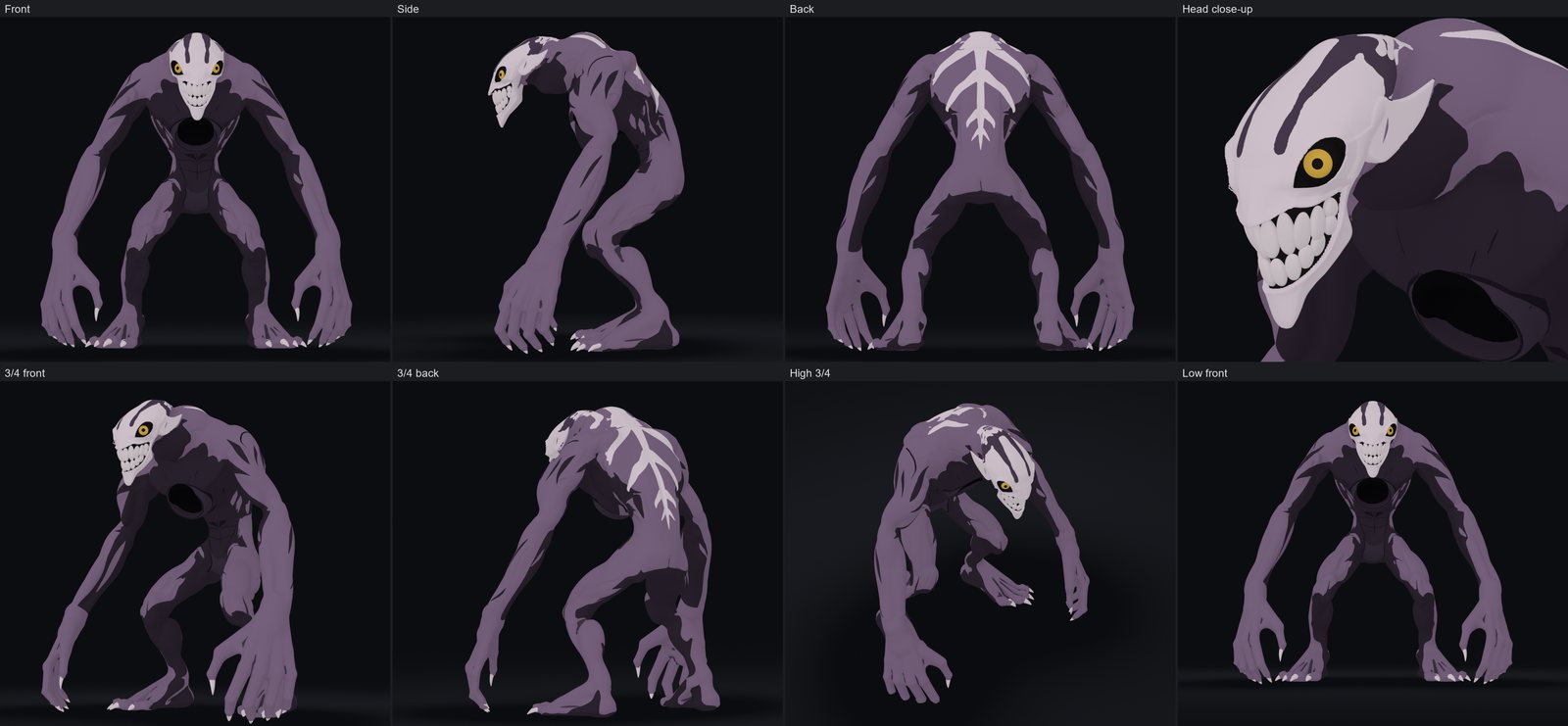
The creature was built from one six-view character sheet in eight staged sessions, from blockout to a rigged walk. Each
session started fresh, with only the saved file and a running journal to go on, and every round was checked against the sheet
with bl_compare_to_reference.
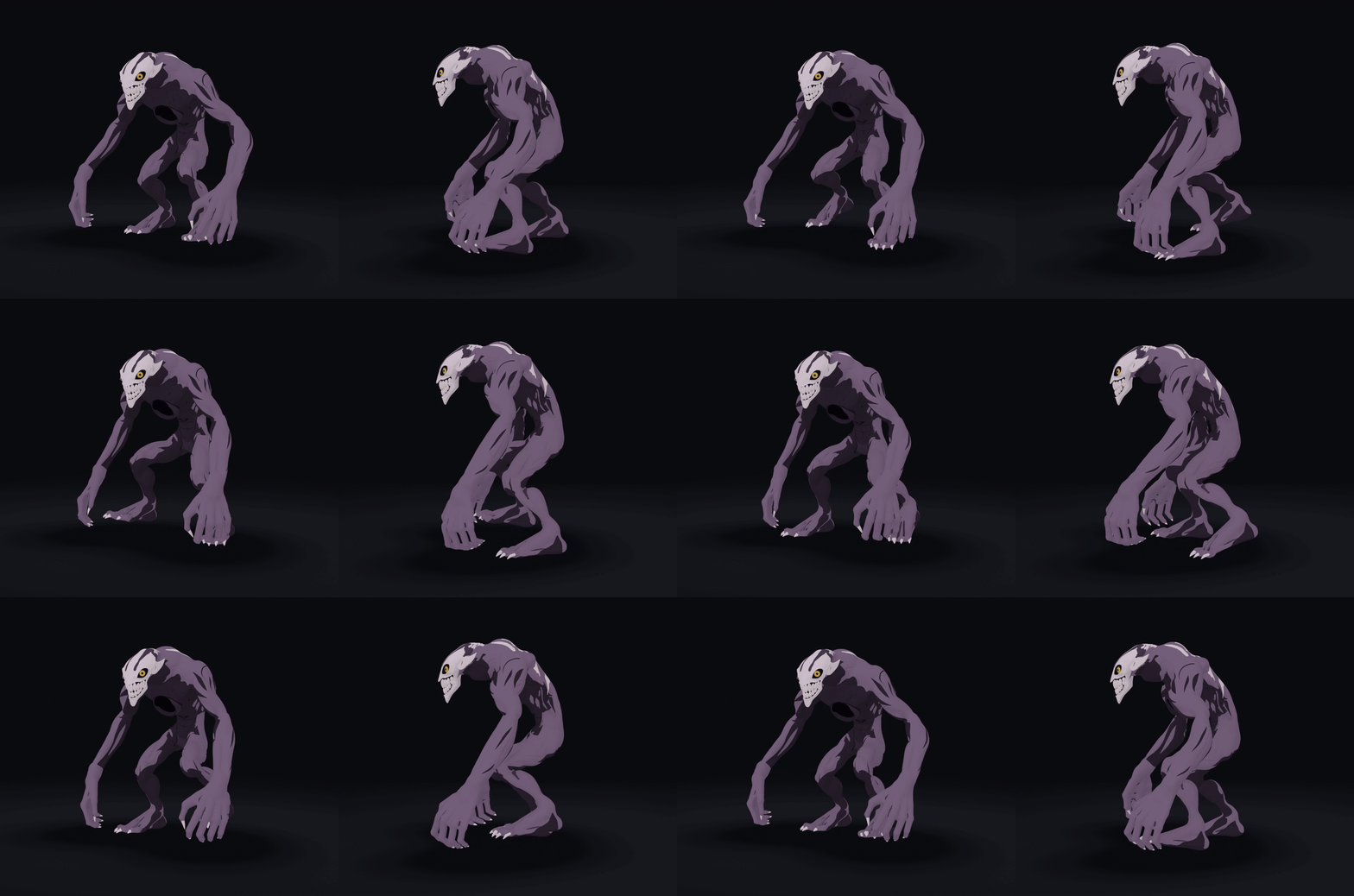
The finished model: 910,104 vertices with a painted tone on each vertex, and a 77-bone rig with IK on the arms and legs. In the walk loop, rendered in Cycles, the planted feet slide at most 1.9 mm per frame, the last frame matches the first exactly, and the claws stay within 0.008 mm of the fingers.
| Reference and model | The face |
|---|---|
 |
 |
What the build taught:
- A good score is not a good look. The outline matched the sheet at .88 to .90 while the body still read as a balloon. Numbers catch the shape, and someone still has to look at the picture.
- Stop when the rounds stop helping. When the scores had been flat for half an hour, more rounds bought nothing, so the work moved to the next stage.
- Reference views can disagree. On a painted sheet, the 3/4 views did not match the front, side and back, so the build held to those three.
- Honest numbers can fall. Real fingers scored lower than the mitts they replaced, because the mitts had covered the painting by accident. Silhouette fit after the surface stage: front .85, side .89, back .84.
- A dense mesh needs another way to weight. Blender's heat weighting failed on a mesh this size, so the weights were computed from capsules around each bone instead.
One prompt, one model
Each of these was built from the one prompt under it:
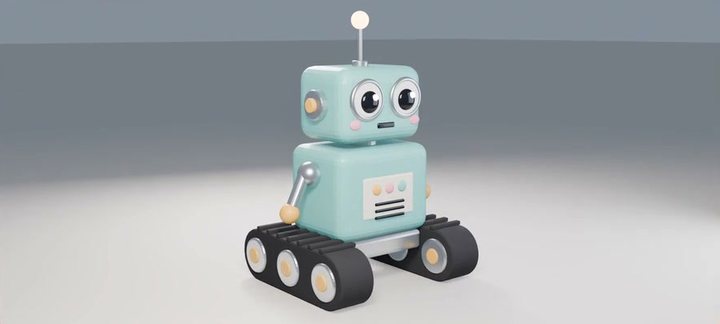 "Model a cute boxy robot with antenna, round eyes and tank treads, lit for a nice render." |
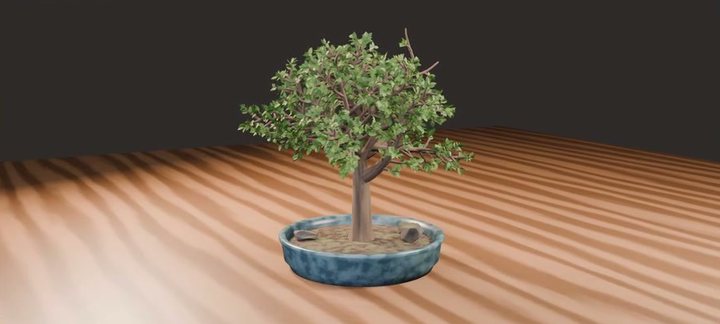 "Model a bonsai tree in a shallow ceramic pot with a few small rocks, lit for a nice render." |
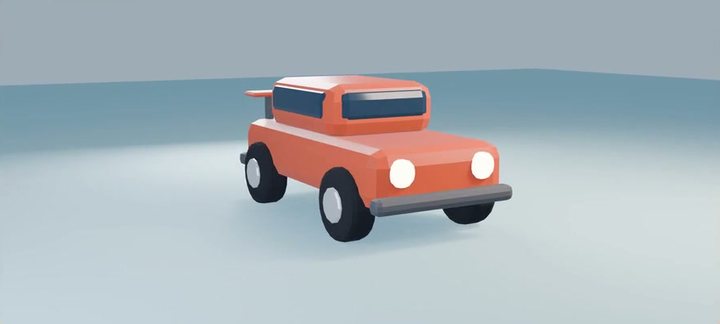 "Model a low-poly cartoon car with round wheels, headlights and a little spoiler, lit for a nice render." |
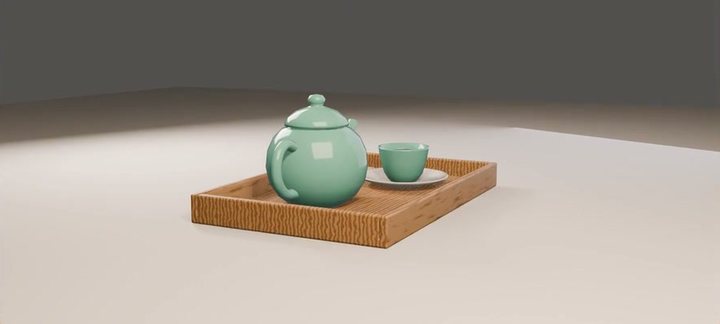 "Model a cute ceramic teapot with a cup and saucer on a small wooden tray, lit for a nice render." |
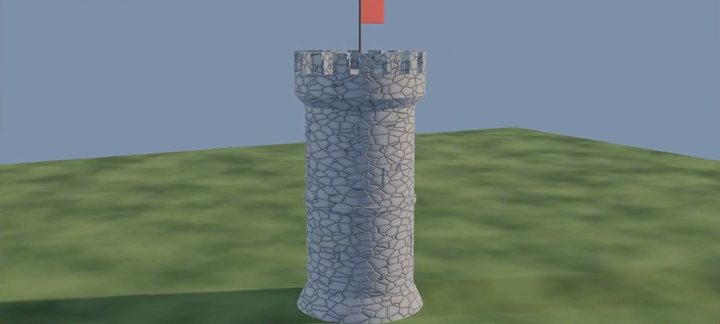 "Model a stone castle tower with battlements, arrow slits and a flag on top, lit for a nice render." |
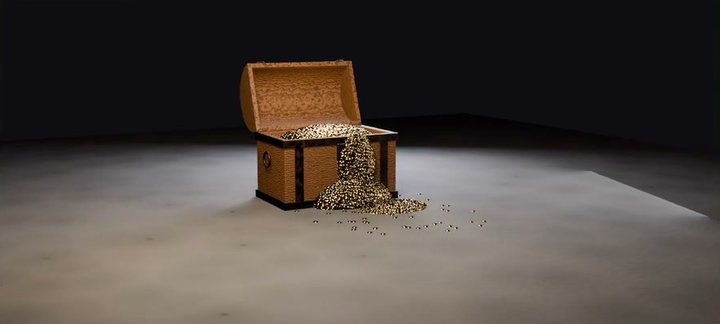 "Model a wooden treasure chest with iron bands, its lid open, and gold coins spilling out, lit for a nice render." |
Simulation, shading and scale
Scripted scenes, each built entirely from typed calls:
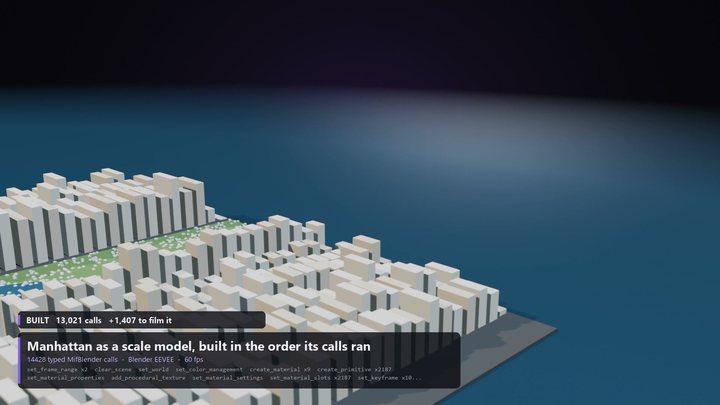 Manhattan as a scale model |
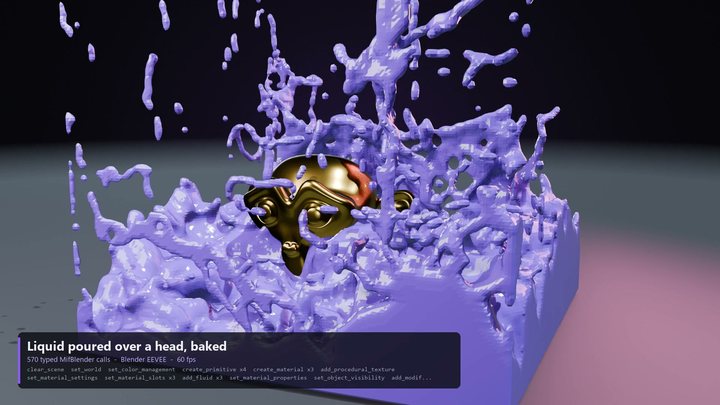 A baked liquid sim |
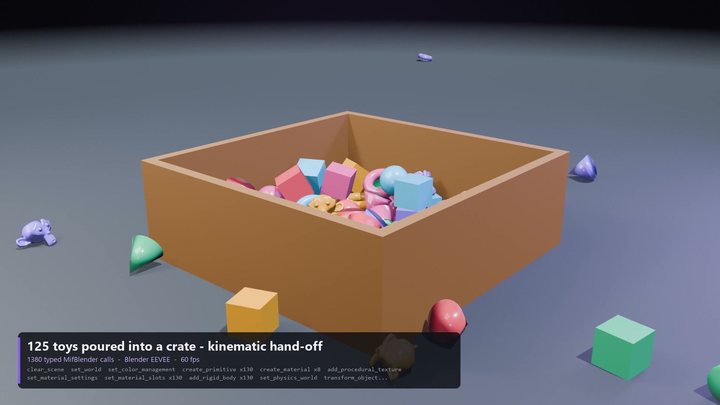 125 rigid bodies |
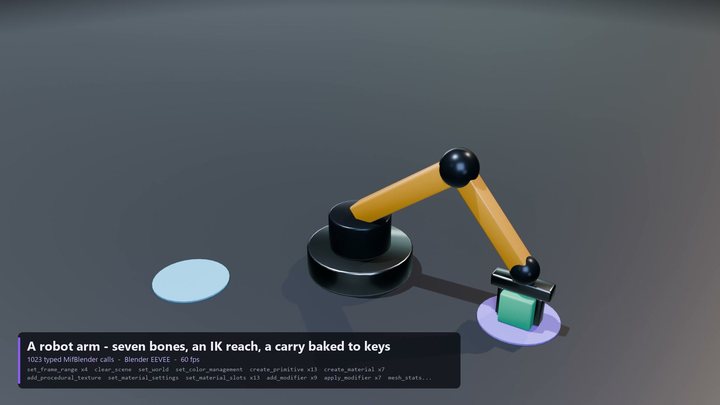 IK with a baked carry |
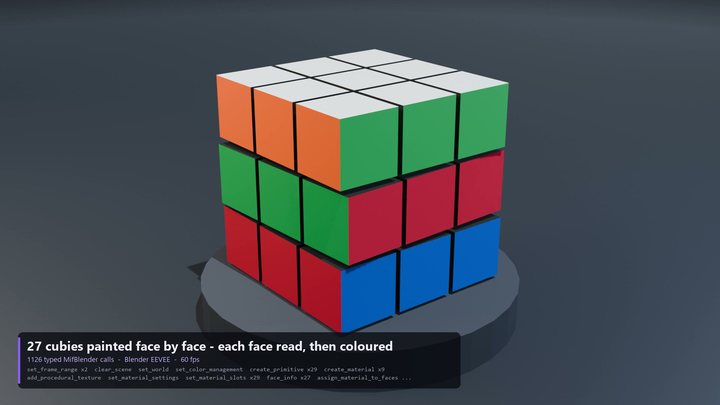 27 cubies, painted face by face |
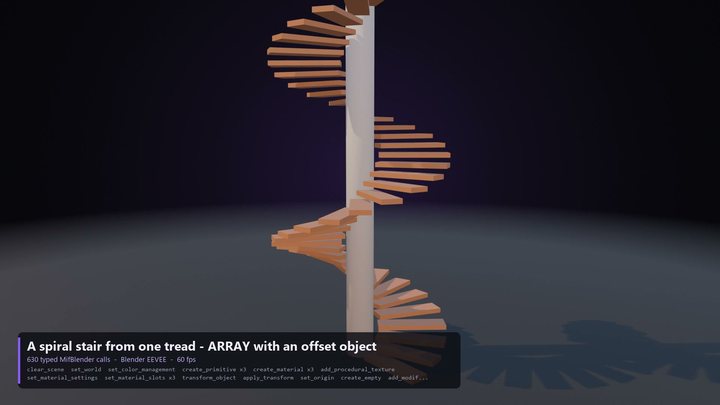 A spiral stair from one tread |
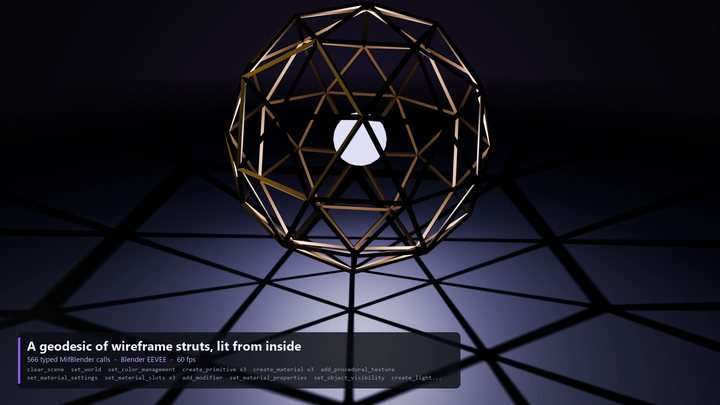 A geodesic lit from inside |
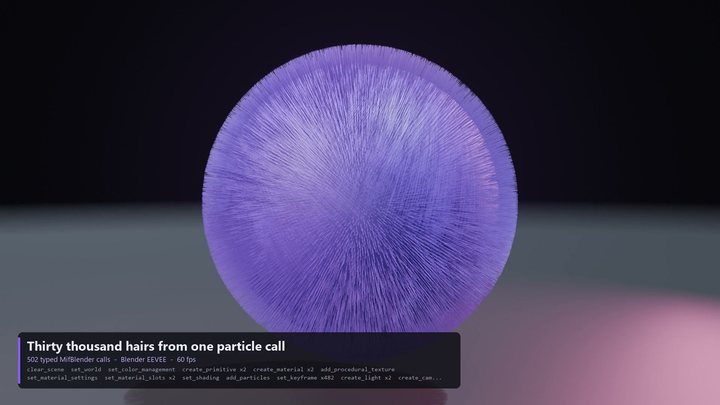 30,000 hairs from one call |
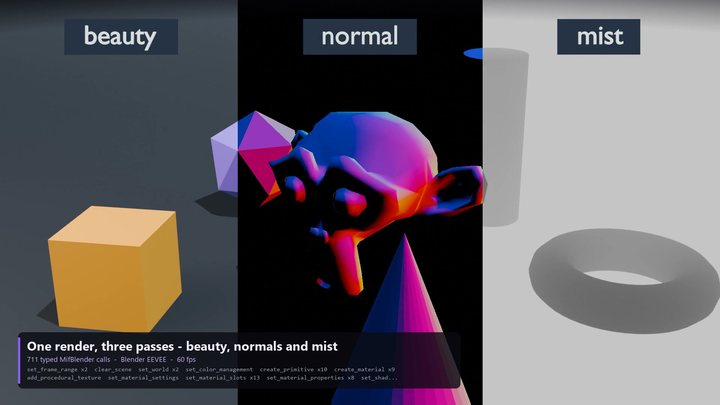 Render passes |
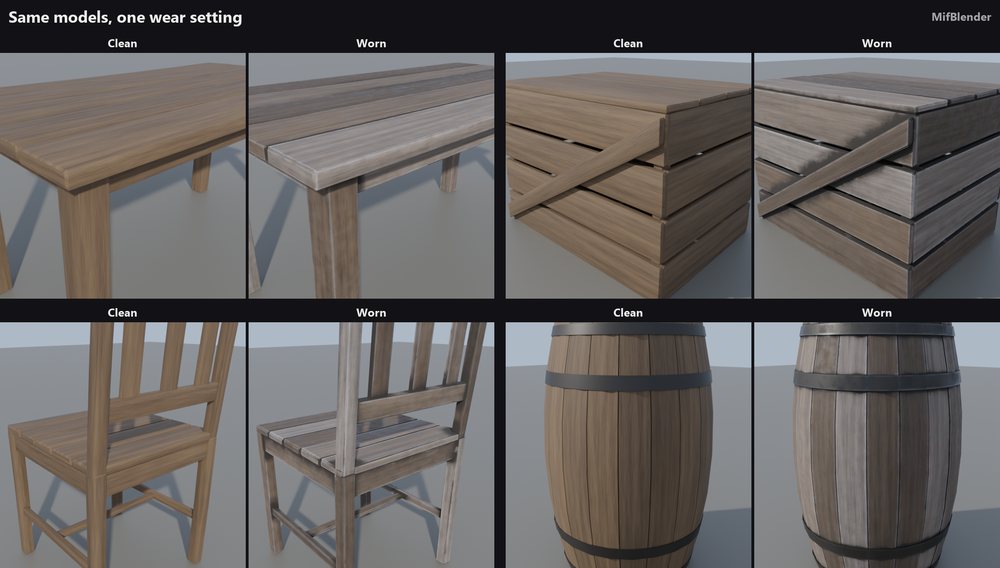
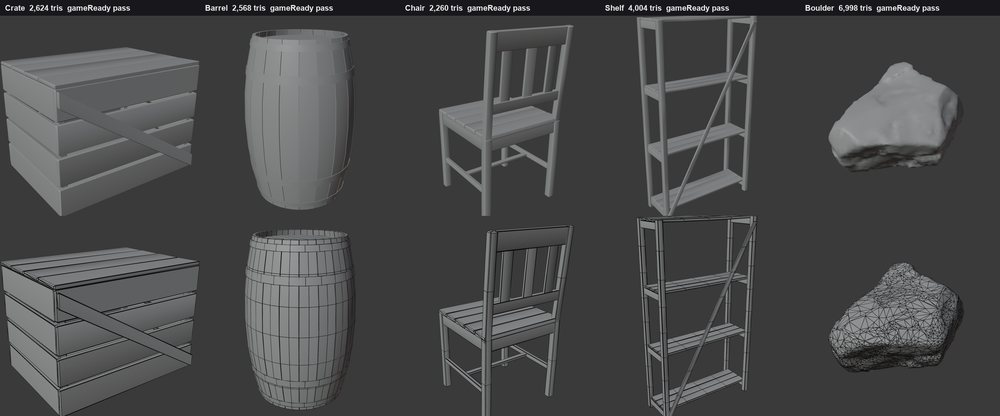
Game props
| Clean to worn, from one setting | Topology you can check |
|---|---|
 |
 |
What is in it
| Area | Examples |
|---|---|
| Modeling | primitives, mesh editing, bevels, booleans, modular kit pieces, rocks and trees built by rule |
| Materials and UVs | shader node graphs, texture sets, baking, unwrapping |
| Rigging and animation | armatures, Rigify, poses, keyframes, walk cycles |
| Simulation | rigid bodies, cloth, particles, geometry nodes |
| Rendering | lights, cameras, Cycles and EEVEE stills and sequences, compositing |
| Checking | mesh quality reports, comparing a render to a reference image, reading results back |
A lean default sends only find_tools, mif_call and run_python up front and finds the rest on demand, so a long session
stays small. Set MIF_TOOL_PACKS=blender to load all 428 tools, or name the packs you want; there are 13.
AI apps
setup knows Claude Code, Claude Desktop, Cursor, Windsurf, VS Code and Codex. For any other MCP client, start this as a stdio
server:
uvx mifblender-mcp
Useful setup options: --dry-run shows the plan and changes nothing, --check reports what is set up, --upgrade moves the
add-on and the apps to this version together, and --uninstall removes them. If several Blenders are found, it asks which.
Settings
Set these in the client's env block when you need them:
| variable | default | |
|---|---|---|
MIF_BLENDER_PORT |
8792 |
the port the add-on listens on |
MIF_BLENDER_TOKEN |
set by setup |
must match the add-on's Token preference |
MIF_TOOL_PACKS |
lean |
lean, blender, or a list of packs |
MIF_BLENDER_TIMEOUT |
180 |
seconds one call may take |
Safety
- Everything stays on your computer. The add-on listens on
127.0.0.1only, andsetupgenerates a private token that links it to your AI apps. Neither makes any network call of its own. run_pythonis on by default and runs any Python inside Blender. Untick Allow run_python in the add-on's preferences to limit the assistant to the typed tools.- The
bl_gen_*tools are generative: they send a prompt to a ComfyUI you run yourself, and do nothing without one. Every other tool builds from explicit parameters. SetMIF_GENERATIVE=off, or untick Allow generative tools, to switch them off.
Tested on
Blender 3.6.23, 4.2.17, 4.4.0, 5.0.1 and 5.2.1, on Windows. macOS and Linux have not been tested yet; reports are welcome.
License
Free, source available. The add-on is MIT. The server is free for any use, including commercial work, and you may share it unchanged through the channels its license names; you may not sell it or publish changed copies. It is not an open source license. See LICENSE.txt. Some comments cite internal documents that are not published.
MifBridge
MifBlender is the Blender half of MifBridge, a paid product that adds Unreal Engine 5.3 to 5.8 and the tools that move models between the two. MifBlender stands on its own and needs neither.
Questions and bug reports: open an issue.
1 maintainer

Metadata
1 maintainer
Release files for mifblender-mcp 1.3.1
For a detailed explanation of source distributions (sdists) and built distributions (wheels), please see the package formats documentation.
Source distribution (sdist)
| File | Size | Uploaded | Provenance | Actions |
|---|---|---|---|---|
| mifblender_mcp-1.3.1.tar.gz | 2.7 MB | With provenance | Details for mifblender_mcp-1.3.1.tar.gz |
Built distribution (wheel)
| File | Interpreter | ABI | Platform | Actions Reset |
|---|---|---|---|---|
| mifblender_mcp-1.3.1-py3-none-any.whl | Python 3 | none | any | Details for mifblender_mcp-1.3.1-py3-none-any.whl |
Total release size: 5.4 MB
Release files / mifblender_mcp-1.3.1.tar.gz
| Download URL | mifblender_mcp-1.3.1.tar.gz |
|---|---|
| Size | 2.7 MB |
| Tags | Source |
|
SHA-256 checksum How to use checksums |
cdf84949273e65c9da26fd6c69164571231d2bf3c4942c810ac36f3f28ecc2c9
|
|
BLAKE2b-256 checksum How to use checksums |
e6cb6e056306dffac02917fa766966a39a90b6a87d603f027cb4a988167b3900
|
| Upload date | |
|
Uploaded using Trusted Publishing? What is trusted publishing? |
Yes |
| Uploaded via |
twine/7.0.0 CPython/3.13.16
|
Provenance
Provenance describes where a file came from. On PyPI, provenance is shared via attestations, which provide a verifiable record of the build or publishing details. View details, limitations and caveats.


PyPI Publish Attestation
PyPI verified that this artifact, at this checksum, originated from the publisher listed below.
Signed by GitHub Actions, verified by PyPI on Nov 9, 2026.
Transparency logRelease files / mifblender_mcp-1.3.1-py3-none-any.whl
| Download URL | mifblender_mcp-1.3.1-py3-none-any.whl |
|---|---|
| Size | 2.7 MB |
| Tags | Python 3 |
|
SHA-256 checksum How to use checksums |
fa96a130b2be2fe7476808dd4db8aa2d0bccfda68757788dd1c6b4defe364732
|
|
BLAKE2b-256 checksum How to use checksums |
aefa577d53828900564ad1356885a9dcd8db006d69c32db7d0228aadb93627ed
|
| Upload date | |
|
Uploaded using Trusted Publishing? What is trusted publishing? |
Yes |
| Uploaded via |
twine/7.0.0 CPython/3.13.16
|
Provenance
Provenance describes where a file came from. On PyPI, provenance is shared via attestations, which provide a verifiable record of the build or publishing details. View details, limitations and caveats.
PyPI Publish Attestation
PyPI verified that this artifact, at this checksum, originated from the publisher listed below.
Signed by GitHub Actions, verified by PyPI on Nov 9, 2026.
Transparency logSecurity for mifblender-mcp 1.3.1
Provenance
Provenance describes where a file came from. On PyPI, provenance is shared via attestations, which provide a verifiable record of the build or publishing details. View details, limitations and caveats.
Full provenance
Both files in this release have been uploaded with provenance metadata.
Attestation for mifblender_mcp-1.3.1.tar.gz
PyPI Publish Attestation
PyPI verified that this artifact, at this checksum, originated from the publisher listed below.
Signed by GitHub Actions, verified by PyPI on Nov 9, 2026.
Transparency logA note on package security
PyPI is a repository for distributing packages, not a service for auditing them. While third-party security researchers and our staff do their best to detect and remove malicious packages, PyPI cannot guarantee the quality, security or suitability of any given package.
To learn more about protecting yourself from malicious actors, visit our package security documentation.













