

millwork
A modern UI framework for Python


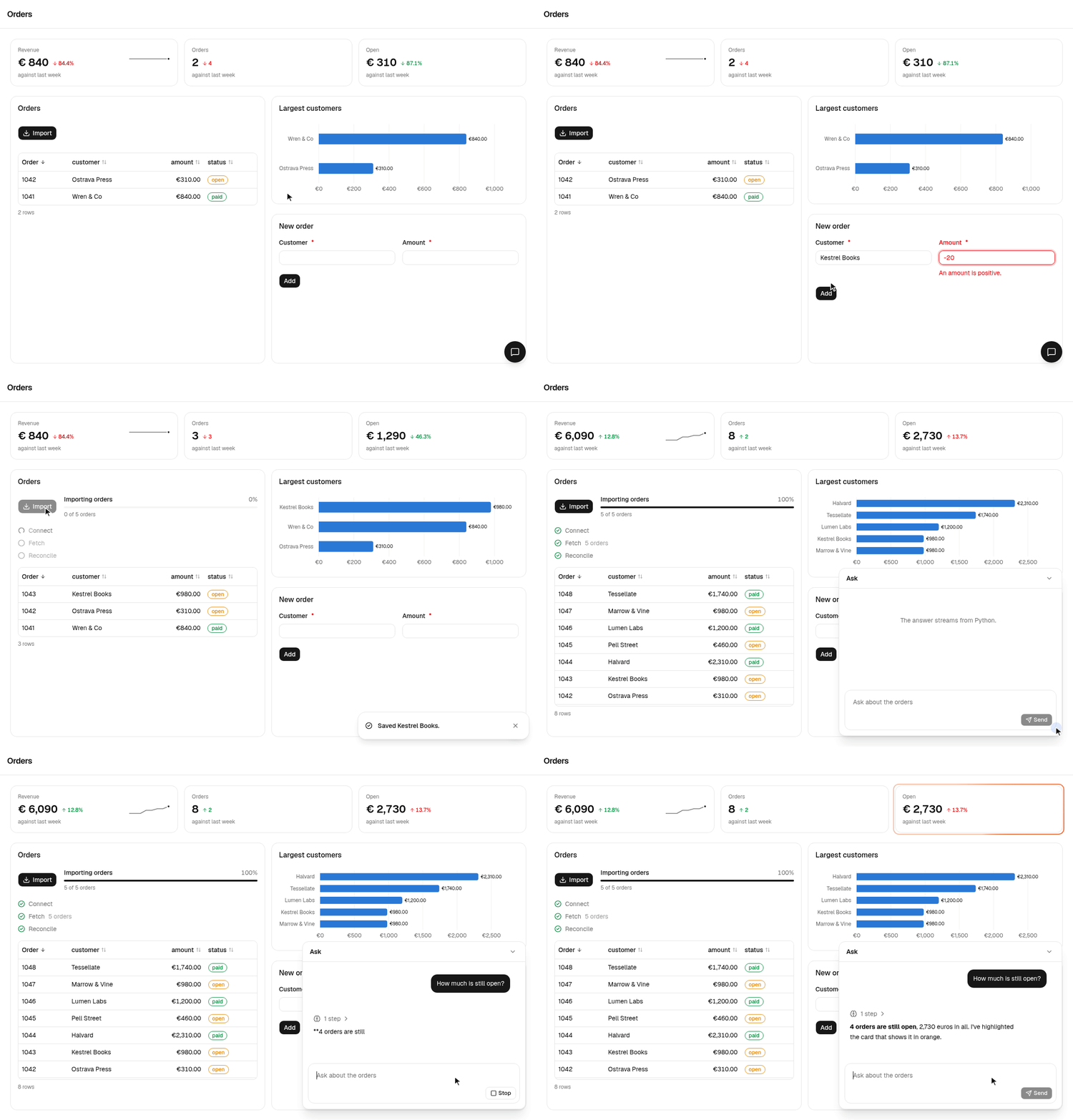
A page is a Python function of the session's state. A handler changes the state, the page renders again, and the browser receives a patch. The React bundle ships inside the package, so a project is Python only.
import millwork as mw
from millwork import ui
from pydantic import BaseModel


class State(BaseModel):
    clicks: int = 0


app = mw.App("hello", state=State)


@app.page("/")
def home(s: mw.Session[State]) -> ui.Component:
    return ui.Page(
        ui.Text(f"Clicked {s.state.clicks} times."),
        ui.Button("Add one", on_click=lambda s, _: setattr(s.state, "clicks", s.state.clicks + 1)),
    )
Installation
uv add millwork  # or `pip install millwork`
uv run millwork run app.py
Examples
Four example apps are in examples/. Each has a
look of its own, tests, and a page that shows it in use and says how it
is made.
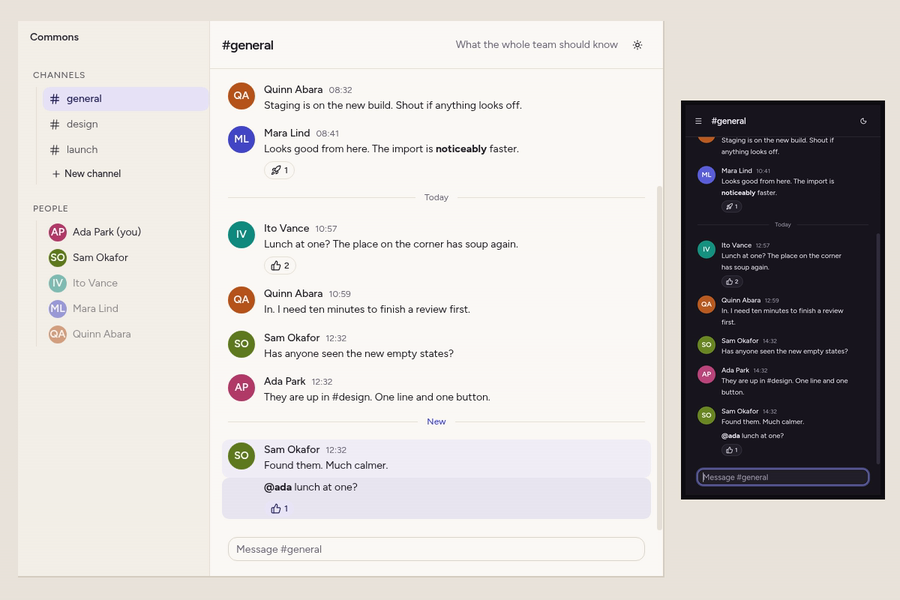
Team chat Channels with messages that arrive as they are sent, who is typing, unread counts and reactions, on a desk and on a phone. |
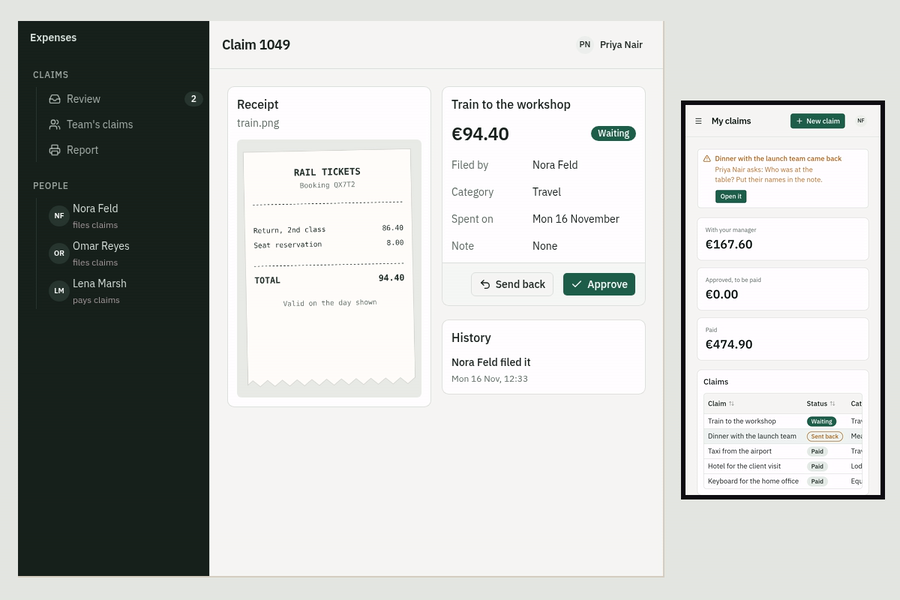
Expense claims Sign-in for three kinds of people, a claim filed with its receipt, reviewed beside it and paid, and a report that prints. |
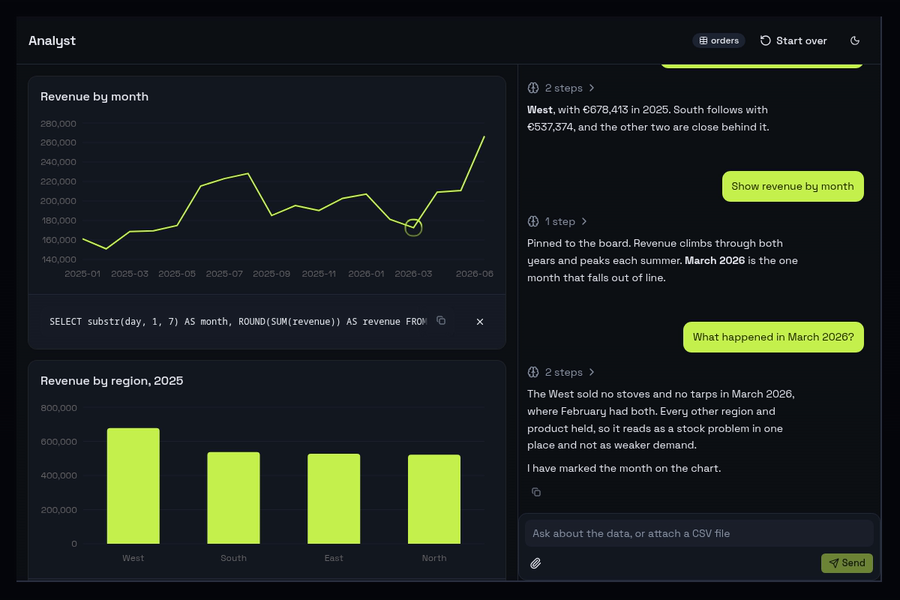
Analyst A chat that answers questions about data, pins charts to a board and marks what an answer is about. It runs on a script, or on an LLM with an API key. |
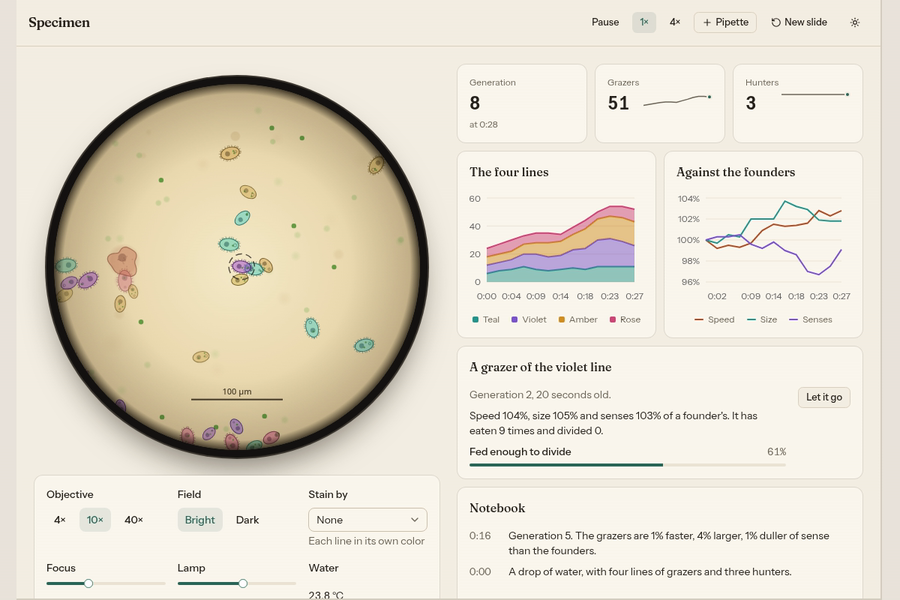
Microscope A simulation game of a drop of water in which cells evolve over the generations, drawn on a canvas by a component of the app's own and moved on by a clock on the server. |
What is included
- A catalog of components on shadcn/ui: layout, text, inputs, feedback, tables, charts, forms from Pydantic models, files, tasks with progress, a chat surface that streams replies from Python, and much more. Have a look at https://millwork-ui.com --> Components.
- One model of state. Python owns the state; a control is owned by Python or by the browser.
- Long work as tasks, with progress, steps and cancellation drawn by the page, and chat replies that stream text, reasoning and tool steps.
- Files over the session's socket. Uploads, downloads and inline images travel on the same connection as everything else, so replicas need no sticky routing and no shared storage.
- Sign-in with password, OAuth and proxy-header providers behind one
on_loginhook, and a theme file in the shadcn token vocabulary for colors, fonts and logos. - A test harness that drives a page without a browser: open it, click, change, submit, and read what the tab would have received.
- One process to run.
millwork runserves an app on a port or a unix socket, behind a proxy and under a path prefix, with a health route for the host.
The manual
The manual is at millwork-ui.com.
The manual itself is a millwork app. Every example in it runs, with the Python code beside it. The chapters cover pages and routing, state and handlers, signing in, theming, testing and running, and every component has a live example. It also runs locally:
uv run millwork docs
Then open http://127.0.0.1:8008.
millwork reference prints the catalog as one Markdown table of every
component, its props with their types and defaults, the session's and the
app's calls, the icon names, the form widgets and the formats. The hosted
manual serves the same text at
millwork-ui.com/llms.txt, for a model
that needs easy lookup.
With words behind it, the command looks one thing up in the reference and in the manual, and prints the few parts that are about it:
millwork reference ui.Table        # an entry, and the manual's section on it
millwork reference shared data     # by what it is about
millwork reference modal           # by what it is called in other frameworks
millwork reference testing.md      # a page of the manual
millwork reference --index         # prints every name
millwork shot app.py /orders saves a picture of a page, taken with a
browser that is already on the machine. An agent can look at what it
built without setting up a headless browser.
Status
millwork is still in beta and moving fast. Version 1.0.0 will be the first stable release.
Contributing
Bug reports and fixes are welcome. CONTRIBUTING.md has the setup, the checks a change has to pass, and how to propose a larger one.
License
Apache-2.0.
1 maintainer

Metadata
1 maintainer
Release files for millwork 0.5.2
For a detailed explanation of source distributions (sdists) and built distributions (wheels), please see the package formats documentation.
Built distribution (wheel)
| File | Interpreter | ABI | Platform | Actions Reset |
|---|---|---|---|---|
| millwork-0.5.2-py3-none-any.whl | Python 3 | none | any | Details for millwork-0.5.2-py3-none-any.whl |
Release files / millwork-0.5.2-py3-none-any.whl
| Download URL | millwork-0.5.2-py3-none-any.whl |
|---|---|
| Size | 1.4 MB |
| Tags | Python 3 |
|
SHA-256 checksum How to use checksums |
95c21c6e8a836709e4fd11d07d6e34f17ad64862f389a56b16e8336fe2f35c53
|
|
BLAKE2b-256 checksum How to use checksums |
1c3e15b2003c5a8494d4c6af94d2c9dcb3634d852b308a6c1a5b709cfd4421f8
|
| Upload date | |
|
Uploaded using Trusted Publishing? What is trusted publishing? |
Yes |
| Uploaded via |
twine/7.0.0 CPython/3.13.16
|
Provenance
Provenance describes where a file came from. On PyPI, provenance is shared via attestations, which provide a verifiable record of the build or publishing details. View details, limitations and caveats.


PyPI Publish Attestation
PyPI verified that this artifact, at this checksum, originated from the publisher listed below.
Signed by GitHub Actions, verified by PyPI on Nov 17, 2026.
Transparency logSecurity for millwork 0.5.2
Provenance
Provenance describes where a file came from. On PyPI, provenance is shared via attestations, which provide a verifiable record of the build or publishing details. View details, limitations and caveats.
Full provenance
1 file in this release has been uploaded with provenance metadata.
Attestation for millwork-0.5.2-py3-none-any.whl
PyPI Publish Attestation
PyPI verified that this artifact, at this checksum, originated from the publisher listed below.
Signed by GitHub Actions, verified by PyPI on Nov 17, 2026.
Transparency logA note on package security
PyPI is a repository for distributing packages, not a service for auditing them. While third-party security researchers and our staff do their best to detect and remove malicious packages, PyPI cannot guarantee the quality, security or suitability of any given package.
To learn more about protecting yourself from malicious actors, visit our package security documentation.














