
MindRoom
AI agents that know you and your work, in a chat app anyone can use.
Open source under Apache 2.0 · Any model, local or cloud · Self-host the whole stack
Website · Docs · Showcase · MindRoom Chat · Quick start





https://github.com/user-attachments/assets/f8325b3c-7ed0-4cd7-bc77-0c4cd74f226e
MindRoom gives you a personal agent for your calendar, notes, trips, and homelab, and shared agents for your team's email, documents, and code. Every agent is a real user on Matrix, the open chat standard, so you talk to it in MindRoom Chat, in any other Matrix client, or in Slack, Telegram, WhatsApp, and Discord through bridges. Pick a local model for your private life or a frontier model for hard problems, and self-host the whole stack or run only the agents on your own computer.
| Any computer | macOS app |
|---|---|
uvx mindroom run
Installs and starts MindRoom with a starter agent, then pairs it with your MindRoom Chat account. |
brew install --cask mindroom-ai/tap/mindroom
A native app that runs your agents on your Mac in the background. Needs an Apple silicon Mac with macOS 14 or later. |
Chat with your agents on the web, on the Mac, on iPhone and iPad, and on Android (in beta). See Quick Start for every way to run it.
See it in action
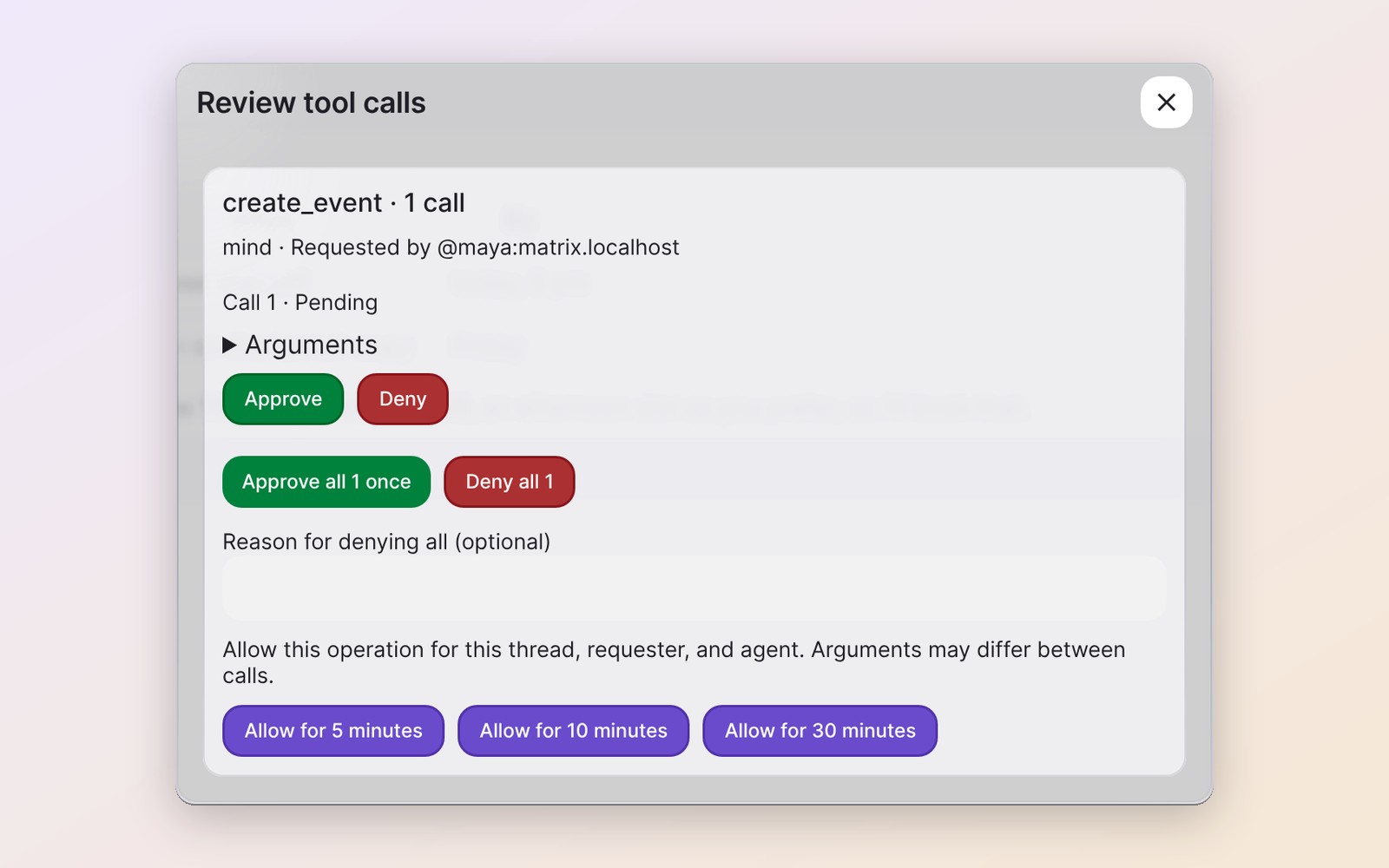 Approve before it acts |
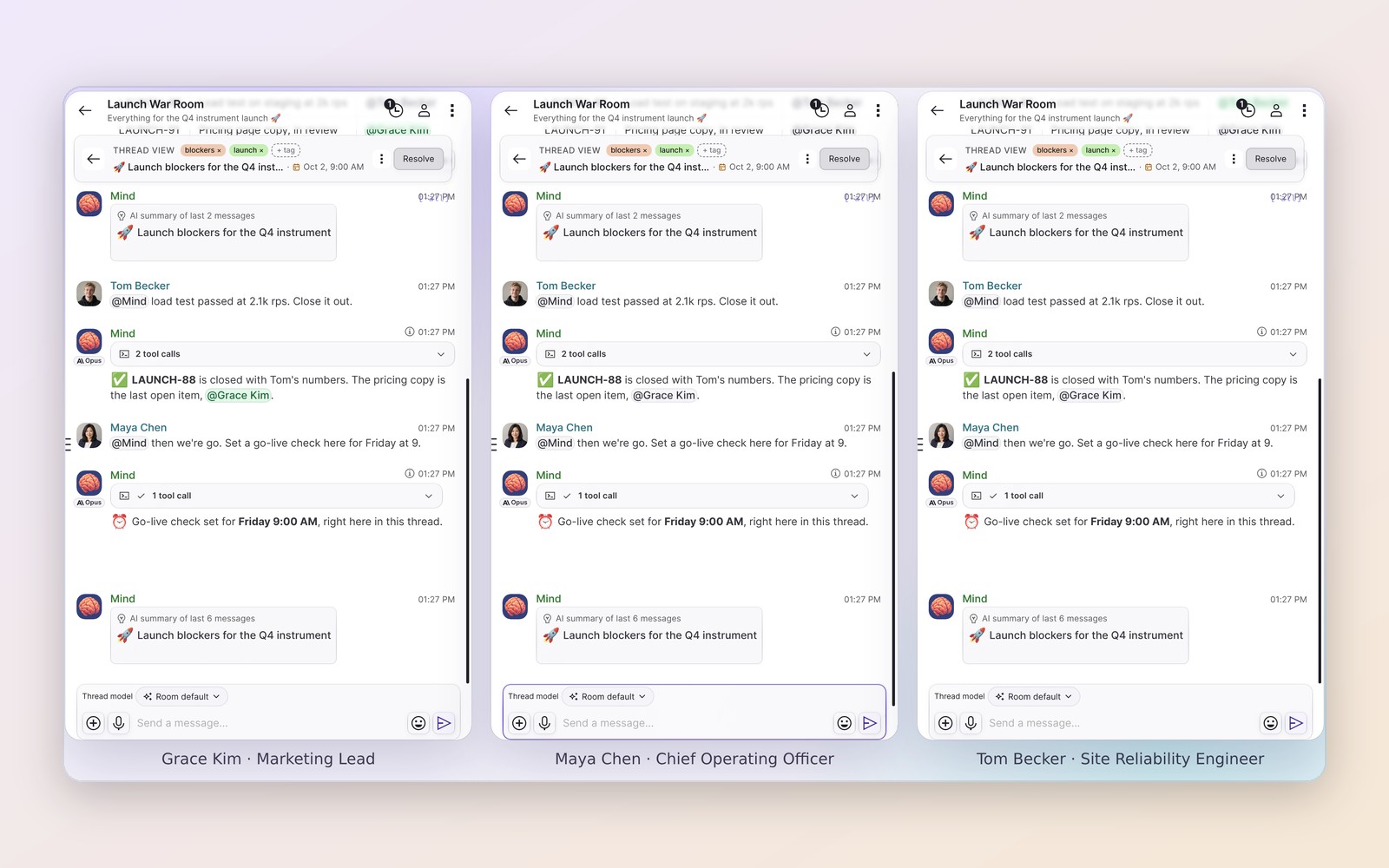 The whole team, one thread |
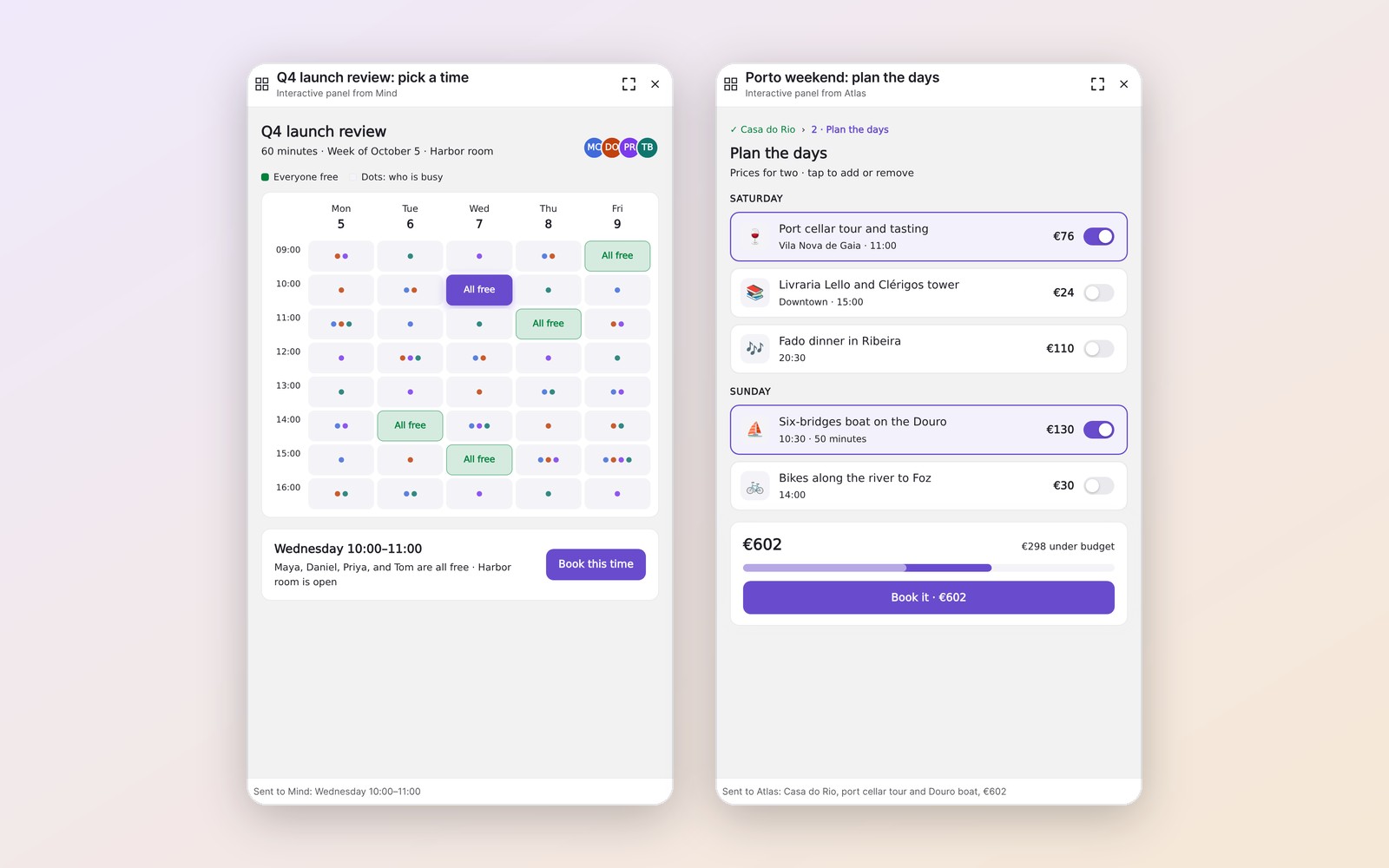 Canvases you can click |
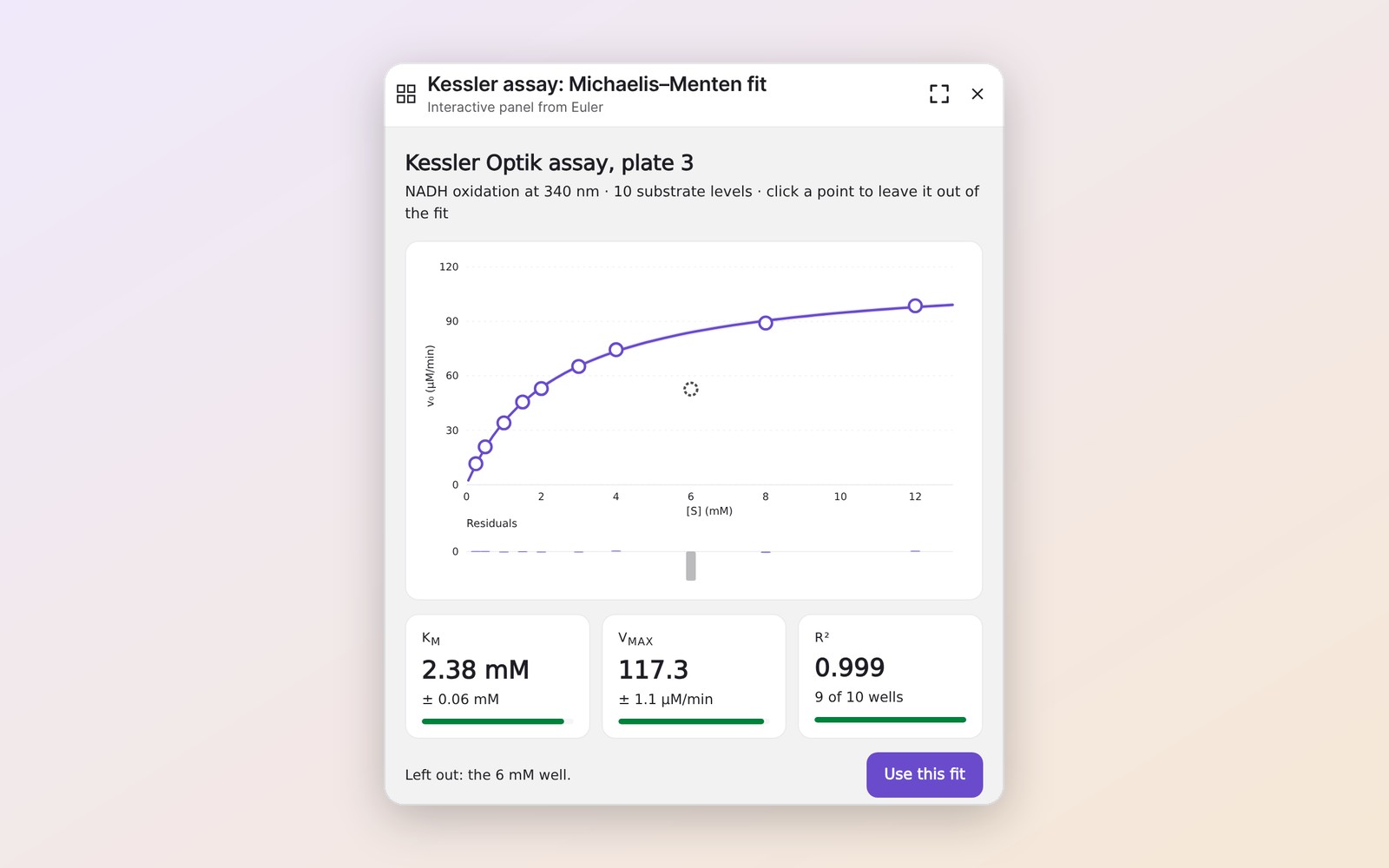 Data you can explore |
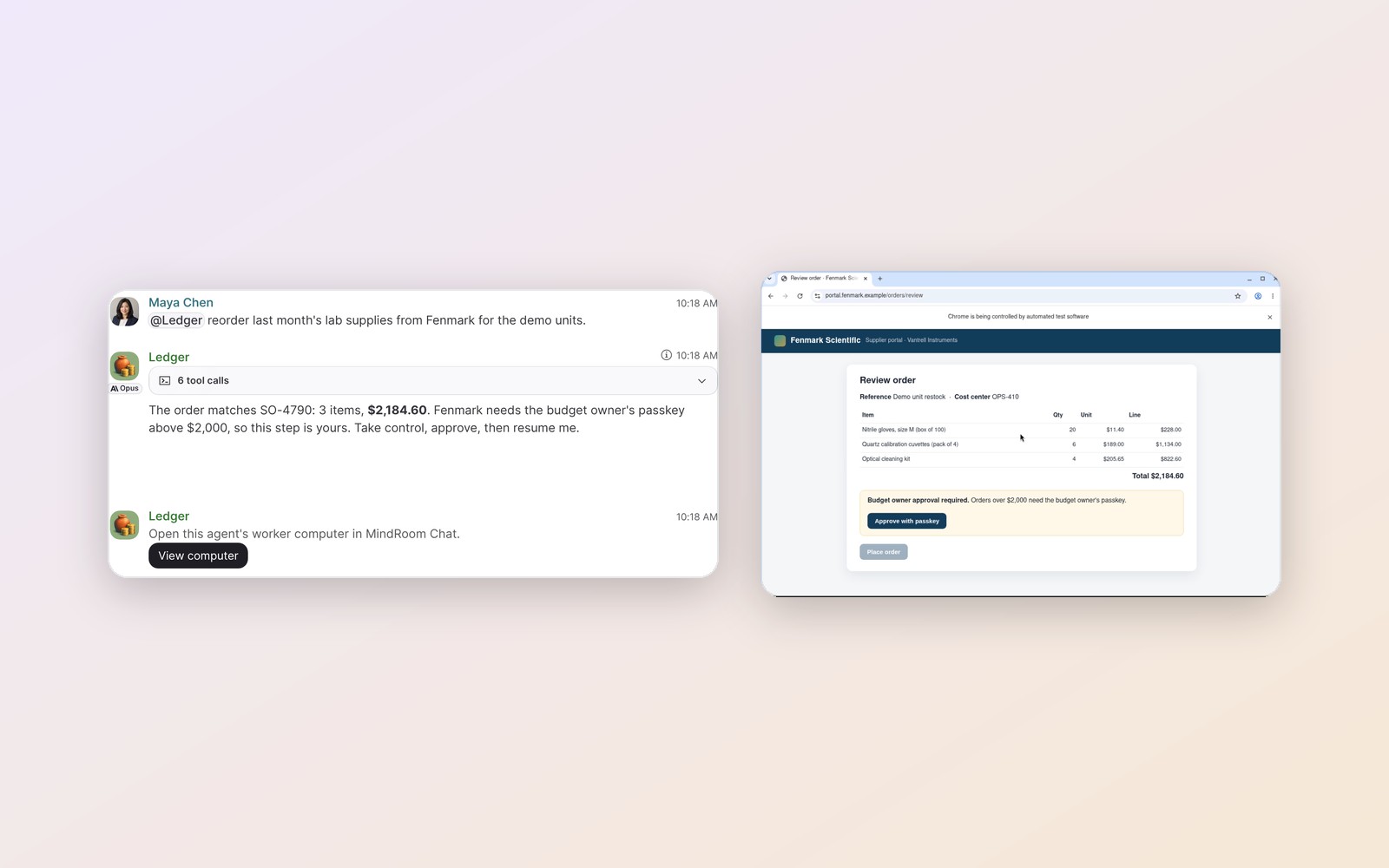 It drives, you take the wheel |
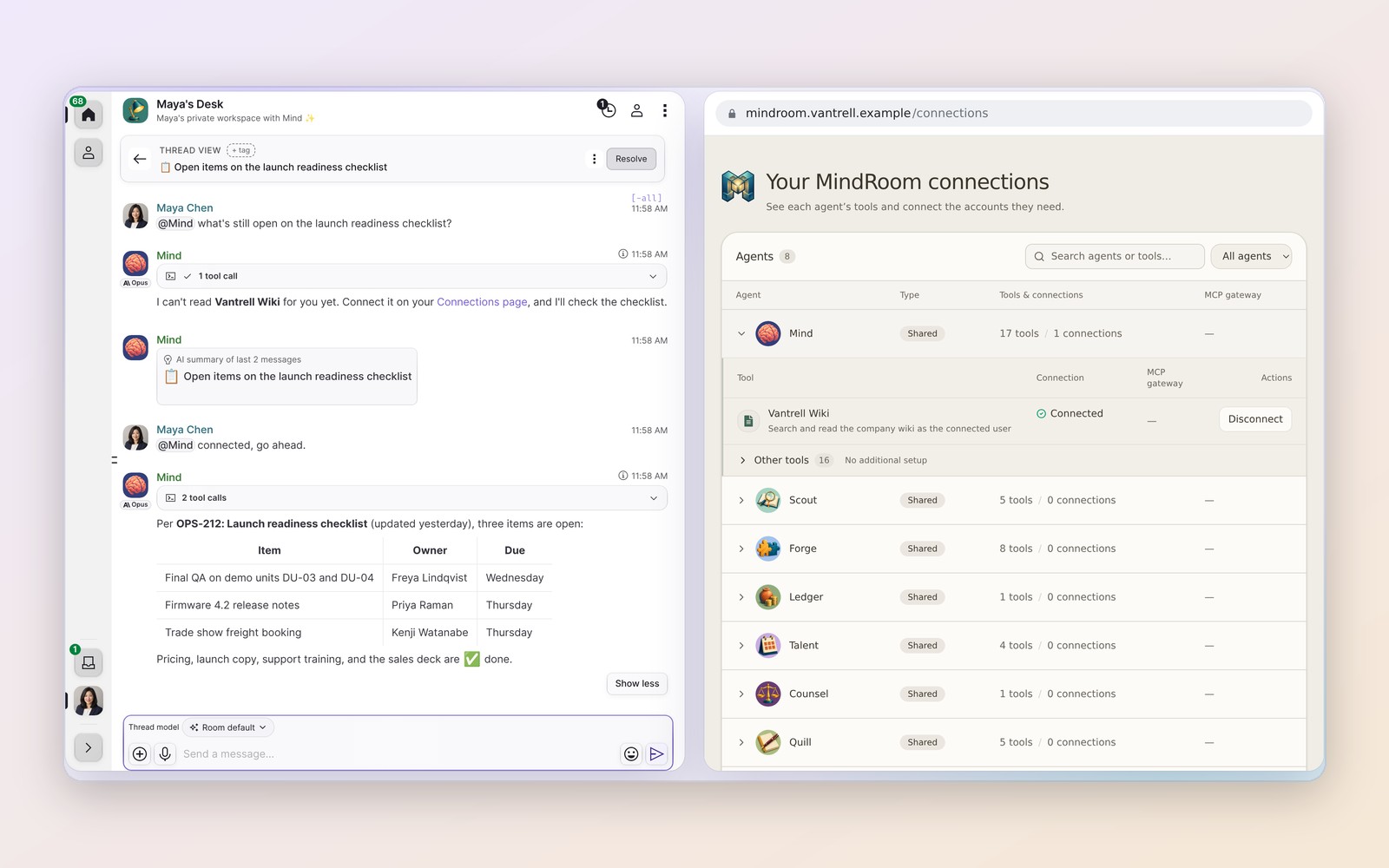 Connect once, then just ask |
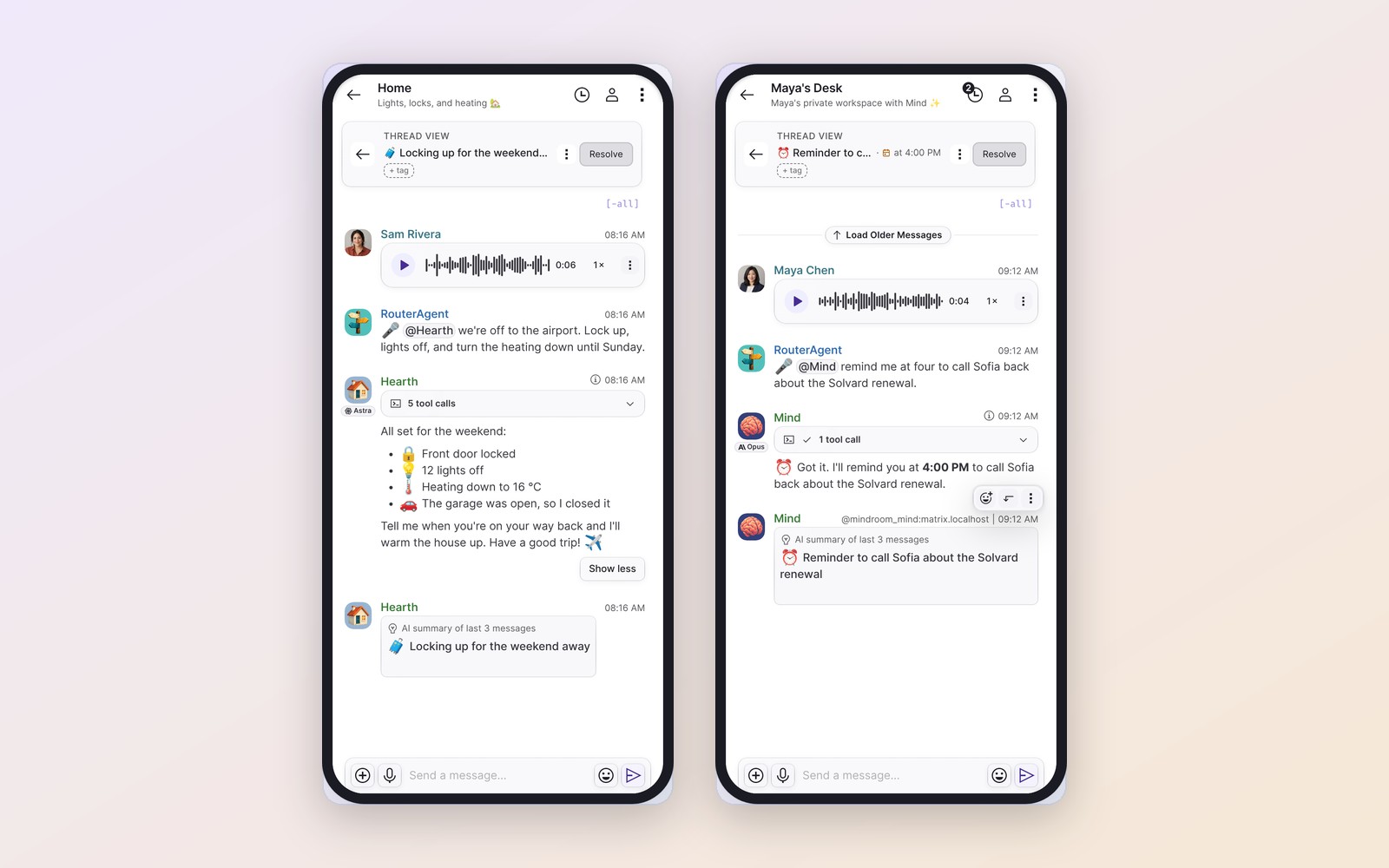 From your phone |
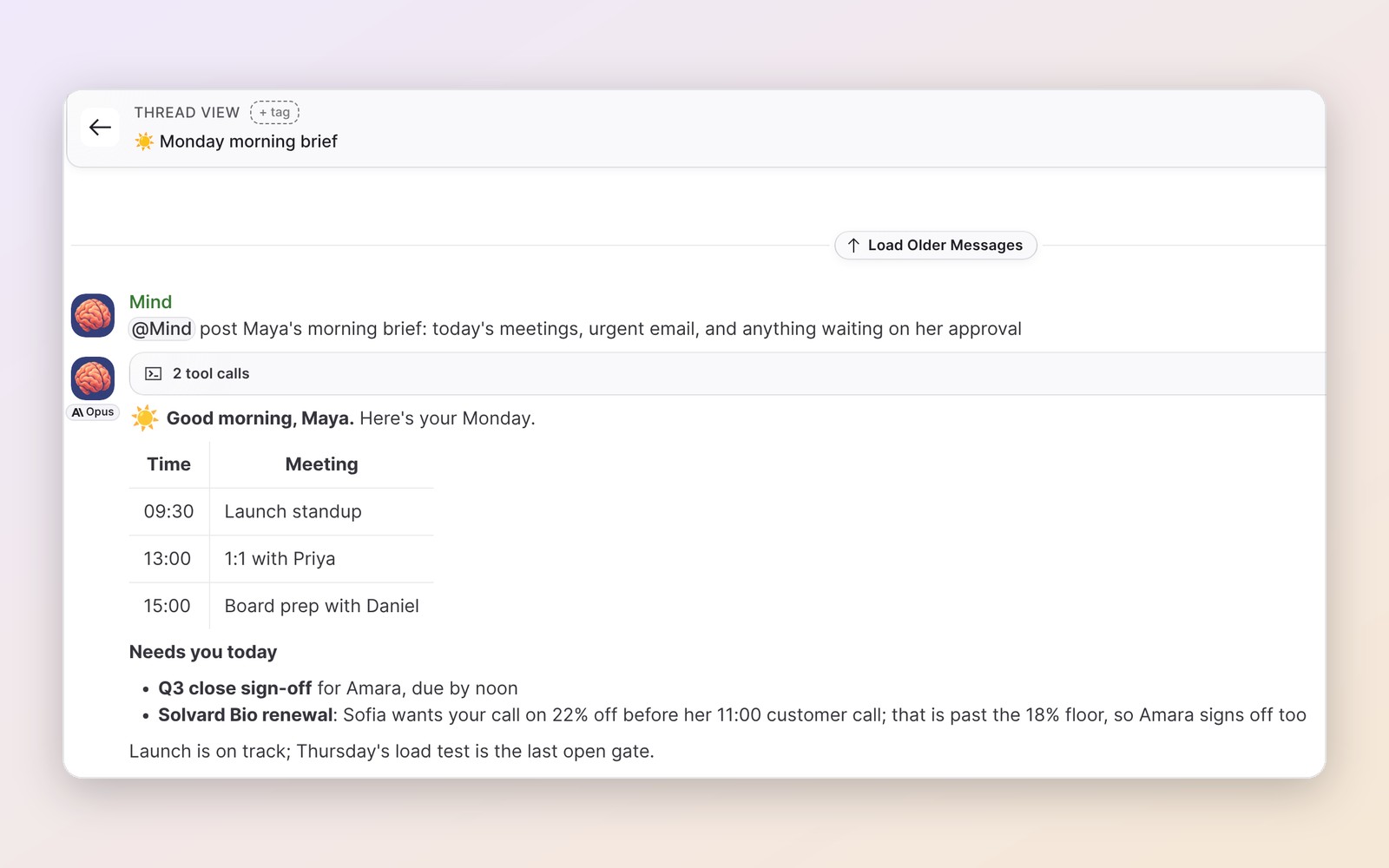 Your morning, already handled |
These are stills from the showcase recordings: MindRoom Chat and a real MindRoom backend, with a fictional company and scripted model responses.
What people use it for
| Personal | Work |
|---|---|
|
|
Why MindRoom
|
🔌 Connected to your tools and documents |
🔒 Private where it matters |
|
🧠 Memory that keeps improving |
🛡️ Safe to give real access |
|
💬 A chat app built for agents |
🌉 Works where you already are |
Full feature list
Agents and teams
- Multi-agent orchestration — define specialist agents and teams in
config.yamlor the dashboard; a built-in router picks the responder when you don't @-mention one, mentioning several agents makes them collaborate in a thread, and agents can hand tasks to each other or run reusable workflows (Teams, Agent Orchestration). - Adaptive participation — in a thread with several people, agents you opt in that already replied there decide for themselves when an untagged message is theirs to answer, and a judge can decide whether a new message should interrupt the current task or wait (Threads).
- Personal rooms and access control — each person can get a private room with their own agent, and each agent answers only the people and rooms you allow (Personal Rooms, Access Control).
Memory and learning
- Persistent memory — agents remember people, preferences, and context across conversations and platforms (Mem0 + ChromaDB, stored on your disk).
- Automatic skill learning — opt-in background reviews turn work an agent repeats into a small library of reusable skills, following the self-improvement loop of Hermes Agent (Skills).
- Knowledge bases (RAG) — point an agent at a folder or Git repository; MindRoom indexes it and can watch it for changes (Knowledge Bases).
Tools and computers
- 100+ tool integrations — Gmail, GitHub, Google Docs, Google Drive, Home Assistant, shell, Python, web search, any MCP server, and more, plus native Matrix tools and a per-thread
todoplanner. - A real browser you can take over — an agent works in its own persistent Chromium browser that you watch live in MindRoom Chat, take control of for a login or passkey, and hand back (Worker Computer).
- Reach any computer you pair — your agents can run on a server across the world and still use your laptop: turn on the desktop bridge on any machine, and the agent can use the apps and folders you allow and run the commands you approve, over end-to-end encrypted Matrix with no open ports or VPN (Desktop Bridge).
- Lean prompts — minimal mode gives an agent one Bash tool that calls its other tools, and dynamic tools load rarely used tools only when needed, so each request carries fewer tokens (Minimal Mode, Dynamic Tools).
In the chat
- Interactive canvases — an agent can open a page it wrote, such as a dashboard, slide deck, form, or picker, beside the conversation, and what you pick there comes back as your next message (Interactive Canvases).
- Approvals and questions — one-tap approval cards show exactly what will be sent and to whom, a scheduled send can be approved when it is scheduled, and agents can ask multiple-choice questions you answer with a click (Tool Approval, Interactive Questions).
- Streaming responses — agents type into the room with progressive edits, visible tool traces, and cancellation.
- Voice — voice messages are transcribed, agents can join Element Call voice calls and talk in real time, and text-to-speech tools use OpenAI, Groq, ElevenLabs, and Cartesia (Voice Messages, Voice Calls).
- Model routing — a different model per agent, room, or thread (
!modeland!room_model); route sensitive rooms to local Ollama and everything else to a cloud model.
Automation
- Scheduling & automation — cron or natural-language scheduled tasks (
!schedule), including silent checks that post only when they find something, plus supervised background Python watchers that can call governed agent tools and wake the agent only when something changes, and external triggers that let any process wake an agent with one HTTP request.
Safety and privacy
- Isolated execution — shell, Python, and coding tools can run in container workers with no access to the primary process's secrets, with per-tool approval rules and approved egress for locked-down environments (Workers & Sandboxing).
- End-to-end encryption — rooms can be end-to-end encrypted with Matrix's Olm/Megolm (End-to-End Encryption).
Run it anywhere
- Works with other apps — bridges bring the same agents to Slack, Telegram, WhatsApp, Discord, and email, an OpenAI-compatible API serves them to LibreChat, Open WebUI, and other clients, and an MCP gateway shares their tools with Claude Code and Codex (Bridges).
- Native macOS app — runs your agents on your Mac in the background, with a menu bar companion and one-click local model setup (macOS App).
- Web dashboard — create and configure agents, teams, models, tools, credentials, and knowledge bases by clicking instead of editing YAML; chat stays in your Matrix client.
- Plugins & hooks — drop-in plugins add custom tools, skills, and OAuth providers, and a typed event-hook system (per-hook timeouts, fault isolation) lets them observe and transform messages; reload plugins at runtime with
!reload-plugins. - Hot reload & restart-safe —
config.yamland plugin changes apply live without bringing down the stack, and conversations resume seamlessly after a restart: session history and turn state are durable on disk, so agents pick up where they left off without double-replying. - Enterprise deployment — the same runtime scales from a laptop to multi-tenant Kubernetes with Helm charts.
Why we built this
AI apps can connect to your email, calendar, and documents now, but each one ties those connections to one company. Connect your inbox to ChatGPT, and OpenAI's servers process it for OpenAI's models only. Want Claude for writing or Gemini for research? Connect everything again, hand your data to another company, and teach it about you from scratch.
MindRoom turns that around:
- Connect once, use any model. Your accounts, memory, and documents live in MindRoom, which can run on your own machine, and every agent uses them with the model that fits: Claude, GPT, Gemini, or a local model.
- You decide who sees what. A cloud model sees only what its agent sends it, and an agent on a local model, with local memory and your own server, keeps everything at home.
- One place, everywhere you chat. Agents live in shared rooms on Matrix and follow you to Slack, Telegram, WhatsApp, and Discord through Matrix bridges, with their memory intact.
Federation even lets agents cross organization boundaries:
Your client asks in their Discord:
Client: Can our architect AI review this with your team?
You: Sure! @assistant please collaborate with them

Your Assistant: [Joins from your Matrix server]
Client's Architect AI: [Joins from their server]
Together: [They review architecture, sharing context from both organizations]
Two AI agents from different companies collaborating — impossible with app-bound assistants.
How It Compares to OpenClaw and Hermes
OpenClaw and Hermes Agent are self-hosted assistants that pipe an agent into chat apps you already use. MindRoom plays in the same space but makes different architectural bets:
- Multi-agent and multi-user by default. Both are personal-first: one owner talking to their assistant. In MindRoom every agent is a real Matrix user, so you run a fleet of specialists and teams, share them with family, a project, or a whole company, and scope access per user and per room.
- An AI-native interface on an open protocol. With WhatsApp, Signal, or Telegram as the front end, you rent UX from platforms that were never designed for agents and can cut bots off at any time. MindRoom's home is Matrix, with MindRoom Chat tuned for AI: collapsible tool-call traces, model metadata on every response, streaming with in-place edits, response cancellation, and first-class threads. Bridges to those apps are additive, not the foundation.
- Sandboxing with real secrets isolation. Execution tools (shell, Python, coding) can run in isolated container workers with no access to the primary process's secrets — your agent uses credentialed tools (Gmail, GitHub, ...) while the code it executes can never read those credentials. Per-tool approval rules and egress approval add human-in-the-loop control.
- Batteries included. 100+ built-in tool integrations with typed configuration, OAuth flows, and automatic dependency installation — plus OpenClaw-compatible skills on top.
Coming from OpenClaw? MindRoom imports OpenClaw workspaces (SOUL.md, MEMORY.md, skills) and ships an openclaw_compat tool preset.
Quick Start
Hosted Matrix + local MindRoom (fastest)
MindRoom runs on your machine; Matrix is hosted at mindroom.chat and the chat UI at chat.mindroom.chat.
The only prerequisite is uv, which installs Python automatically if needed.
uvx mindroom run
# First run: choose a model provider; anthropic, openai, and openrouter also ask for an API key (Enter skips).
# MindRoom writes ~/.mindroom/config.yaml and ~/.mindroom/.env with hosted defaults,
# then prints a link and QR code: approve it with your MindRoom Chat account,
# or enter the code in MindRoom Chat -> Settings -> Local MindRoom.
# Finally, Enter keeps MindRoom running in the background as a login service (systemd or launchd); n runs it here
Coding agents and scripts can answer every question with flags instead: OPENAI_API_KEY=sk-... uvx mindroom run --provider openai --service.
To create or review the files without starting, run uvx mindroom config init (optionally with --provider codex or another preset), edit ~/.mindroom/.env, and then run uvx mindroom run.
See the hosted Matrix deployment guide for full details.
Self-hosted, from source
Requires Python 3.12+ and uv.
For the dashboard in a fresh source checkout, install Node.js 24 and Bun so the first run can build missing assets, or set MINDROOM_FRONTEND_DIST to a prebuilt dashboard directory.
The repository dev shell provides Node.js 24 and Bun.
git clone https://github.com/mindroom-ai/mindroom
cd mindroom
uv sync

# Create a starter config with an Anthropic model and self-hosted Matrix settings.
uv run mindroom config init --path ./config.local.yaml --matrix-server self-hosted --provider anthropic

# Set MATRIX_HOMESERVER, ANTHROPIC_API_KEY, and any required registration credentials.
$EDITOR .env
# Replace each owner placeholder with your quoted Matrix user ID.
$EDITOR config.local.yaml

# Optional: bootstrap this checkout's local Synapse + MindRoom Chat stack.
# MINDROOM_CONFIG_PATH=./config.local.yaml uv run mindroom local-stack-setup --synapse-dir local/matrix

# Start MindRoom with the generated config.
uv run mindroom run --config ./config.local.yaml
The checked-in config.yaml is a development setup with local model endpoints.
In config.local.yaml, replace every __MINDROOM_OWNER_USER_ID_FROM_PAIRING__ with your quoted Matrix user ID, such as "@alice:matrix.example.com".
See the manual configuration and account provisioning instructions for homeserver setup.
The starter creates the Mind agent in the personal room.
With dashboard assets available, open http://localhost:8765. Without assets and Bun, the API is available at http://localhost:8765/api but the dashboard is unavailable. Matrix E2EE support is installed by default.
macOS app
The macOS app provides a native window and menu bar companion for local agents and computer access.
It bundles uv, uses ~/.mindroom for config and state, and manages the mindroom service launchd service.
The signed app requires an Apple silicon Mac.
brew install --cask mindroom-ai/tap/mindroom
Open MindRoom from /Applications to set up local agents, manage computer access, or open chat and the configuration dashboard.
Run AI on this Mac offers one-click local model setup; see the hardware recommendations for Qwen3.8 27B and smaller models matched to your Mac's memory.
See the macOS app guide for setup, updates, and uninstall instructions.
First steps
In the MindRoom chat client (hosted at chat.mindroom.chat, or bundled with the local stack):
You: @assistant What can you do?
Assistant: I can coordinate our team of specialized agents...

You: @research @analyst What are the latest AI breakthroughs?
[Agents collaborate to research and analyze]
How Agents Respond
Agents and teams respond using Matrix thread relations to keep conversations organized. If your client or bridge only sends plain replies, MindRoom keeps them in an existing thread when the reply chain eventually reaches a threaded ancestor or proven thread root. Plain replies that never reach threaded context still stay plain replies.
- Mentioned agents and teams respond - Tag them to get their attention
- Single responder continues - In a thread with one person, the agent or team that answered keeps responding without a tag
- Multiple agents collaborate - Mention multiple agents when you want an ad-hoc collaboration
- Smart routing - The router picks the best agent or team for a new thread when you don't tag one
- Group threads stay human-first - Once two or more people talk in a thread, agents answer only when tagged, so they don't interrupt
- Adaptive participation - An agent with
participationenabled that has already replied in a group thread decides for each untagged message whether it can help, so nobody has to tag it - DMs need no mentions - Agents respond naturally in 1:1 rooms, and you can add more agents to a DM for private collaboration
Chat commands
!help [topic]- Get help!reload-plugins- Reload configured plugins (admin only)!schedule <task>- Schedule a task!list_schedules- List scheduled tasks!cancel_schedule <id>- Cancel a scheduled task!edit_schedule <id> <task>- Edit an existing scheduled task!config <operation>- Manage configuration!desktop [setup|status|confirm|rotate|disconnect]- Manage your Desktop target!mode <agent> minimal|standard|show|reset- Switch one agent between standard tools and a Bash-only interface!model [name|list|reset]- Show or switch the model used in the current thread!room_model [name|list|reset]- Show the room model default or switch it (set/reset require a room admin)!thread_mode [room|thread|reset|show]- Show or switch the thread mode used in the current room (room admin only)!encrypt [confirm]- Enable end-to-end encryption for this room (irreversible, room admin only)!e2ee- Show encryption diagnostics for this room!hi- Show welcome message
Configuration
Everything lives in config.yaml: agents, teams, models, rooms, knowledge bases, voice, memory, and authorization.
The web dashboard edits the same file, so you can point-and-click instead of writing YAML.
Either way, changes are hot-reloaded and take effect without a restart.
agents:
  assistant:
    display_name: Assistant
    role: A helpful AI assistant
    model: default
    rooms: [lobby]
    tools: [matrix_message]
    accept_invites: true  # Accept all, none, or matching inviter ID patterns
    knowledge_bases: [engineering_docs]

models:
  default:
    provider: anthropic
    id: claude-sonnet-5-5

knowledge_bases:
  engineering_docs:
    path: ./knowledge_docs
    watch: true

voice:
  enabled: true
  stt:
    provider: openai
    model: gpt-transcribe

mindroom_user:
  username: mindroom_user  # Immutable once the account is created on first run
  display_name: MindRoomUser

administrators: ["@alice:example.com"]
room_defaults:
  invite_users: ["@alice:example.com"]

authorization:
  config_command_enabled: false
Environment variables go in .env next to the selected config file (~/.mindroom/.env for the hosted path):
MATRIX_HOMESERVER=https://your-matrix.server
ANTHROPIC_API_KEY=your-key-here
# Dashboard API key; generate one with `openssl rand -hex 32`.
# Set it empty (MINDROOM_API_KEY=) only with `--api-host 127.0.0.1`; `mindroom run` listens on every interface by default.
MINDROOM_API_KEY=replace-with-a-long-random-secret
Select another config with mindroom run --config /path/to/config.yaml or export MINDROOM_CONFIG_PATH=/path/to/config.yaml before running the CLI.
MindRoom selects the config before loading the .env beside it.
Teams, per-room models, context compaction, history controls, and memory backends are covered in the configuration docs and at docs.mindroom.chat.
Deployment
- Own homeserver — set
MATRIX_HOMESERVERand run against any Synapse, Conduit, or Dendrite instance. - Local stack —
mindroom local-stack-setupbootstraps a local Synapse + MindRoom Chat via Docker. - Hosted Matrix — run only the backend locally against hosted Matrix at mindroom.chat, pairing via chat.mindroom.chat (guide).
- Docker — single-container runtime (guide).
- Kubernetes — Helm charts for enterprise-scale, multi-tenant deployments (guide).
- NixOS LXC (Incus) — the author's favorite for personal use: mindroom-ai/lxc-nixos provisions a persistent, agent-controlled NixOS container with the full stack, which the agent can rebuild and manage itself while the host controls what it sees.
- Bridges — connect Slack, Telegram, WhatsApp, and more via docs/deployment/bridges.
Why Matrix?
Matrix is an open, federated messaging protocol with a decade of production use, including large government and healthcare deployments. By building on it, MindRoom inherits instead of reimplements:
- End-to-end encryption (Olm/Megolm)
- Federation — your agent can join rooms on other homeservers, including other organizations'
- Mature clients on every platform (Element, Cinny, FluffyChat)
- 50+ maintained bridges to Slack, Telegram, Discord, WhatsApp, IRC, email, and more
Matrix adoption at a glance
- 10+ years of development by the Matrix.org Foundation, with €10M+ invested and 100+ core contributors
- 35+ million users globally
- German healthcare: 150,000+ organizations on TI-Messenger
- French government: 5.5 million civil servants on Tchap
- Defense: NATO, U.S. Space Force, and other defense organizations
- Built for European privacy standards (GDPR)
Architecture
- Matrix: any homeserver (Synapse, Conduit, Dendrite, ...)
- Agents: Python, built on Agno and mindroom-nio
- AI models: Anthropic, OpenAI, Google, Ollama, Bedrock, or any OpenAI-compatible endpoint
- Memory: Mem0 + ChromaDB vector storage, persistent on disk
- UI: web dashboard for administration; MindRoom Chat (or any Matrix client) for chat
See docs/architecture for internals.
Note for Self-Hosters
This repository contains everything you need to self-host MindRoom.
The saas-platform/ directory contains infrastructure specific to running MindRoom as a hosted service and can be safely ignored by self-hosters.
Contributing
We welcome contributions! See AGENTS.md for the current development workflow and quality checks.
License
- Repository (except
saas-platform/): Apache License 2.0 - SaaS Platform (
saas-platform/): Business Source License 1.1 (converts to Apache 2.0 on 2030-02-06)
Acknowledgments
Built with:
- Matrix - The federated communication protocol
- Agno - AI agent framework
- mindroom-nio - Python Matrix client
1 maintainer

Metadata
1 maintainer
Release files for mindroom 2026.10.159
For a detailed explanation of source distributions (sdists) and built distributions (wheels), please see the package formats documentation.
Built distribution (wheel)
| File | Interpreter | ABI | Platform | Reset |
|---|---|---|---|---|
| mindroom-2026.10.159-py3-none-any.whl | Python 3 | none | any | Details |
Release files / mindroom-2026.10.159-py3-none-any.whl
| Download URL | mindroom-2026.10.159-py3-none-any.whl |
|---|---|
| Size | 7.5 MB |
| Tags | Python 3 |
|
SHA-256 checksum How to use checksums |
7616cecb7d811efb63f6e127003dd7f11c6dd03c00251ff2b4d6ec4c78817b7d
|
|
BLAKE2b-256 checksum How to use checksums |
a4c70ee8c8e29f81b59f3a582f6d547f2bd30419603ed5650379618fbfe2b358
|
| Upload date | |
|
Uploaded using Trusted Publishing? What is trusted publishing? |
Yes |
| Uploaded via |
twine/7.0.0 CPython/3.13.14
|
Provenance
Provenance describes where a file came from. On PyPI, provenance is shared via attestations, which provide a verifiable record of the build or publishing details. View details, limitations and caveats.


PyPI Publish Attestation
PyPI verified that this artifact, at this checksum, originated from the publisher listed below.
Signed by GitHub Actions, verified by PyPI on Oct 5, 2026.
Transparency log













