
minecraft-remote-api / Naohiro2g
Python Client/API package for Minecraft Remote
Write Python code to build automatically in the latest Minecraft world. This repository is dedicated to API development. If you intend to write user code, please refer to the sample repository mc_remote_samples.
マイクラリモコンのためのPythonクライアント/APIパッケージ
Pythonコードを使って最新のマインクラフトの世界で自動建築が可能になります。 このリポジトリはAPI開発用です。ユーザーコードを記述したい場合は、サンプルリポジトリ mc_remote_samples をご参照ください。
Package Information
- package name(パッケージ名):
minecraft-remote-api - description(概要):
Python Client/API for Minecraft Remote - version(バージョン):
1214.10.11 - module name(モジュール名):
mc_remote - author(著者):
Naohiro2gfrom Code2Create.Club - license(ライセンス):
MIT
Works with Minecraft Remote (McRemote) plugin for PaperMC servers. A sandbox server is available for testing.
You can find the latest version of the package on PyPI.
PaperMCサーバー用のMinecraft Remote(McRemote)プラグインと連携します。テスト用にサンドボックスサーバーもご利用いただけます。 このパッケージの最新版は PyPI にあります。
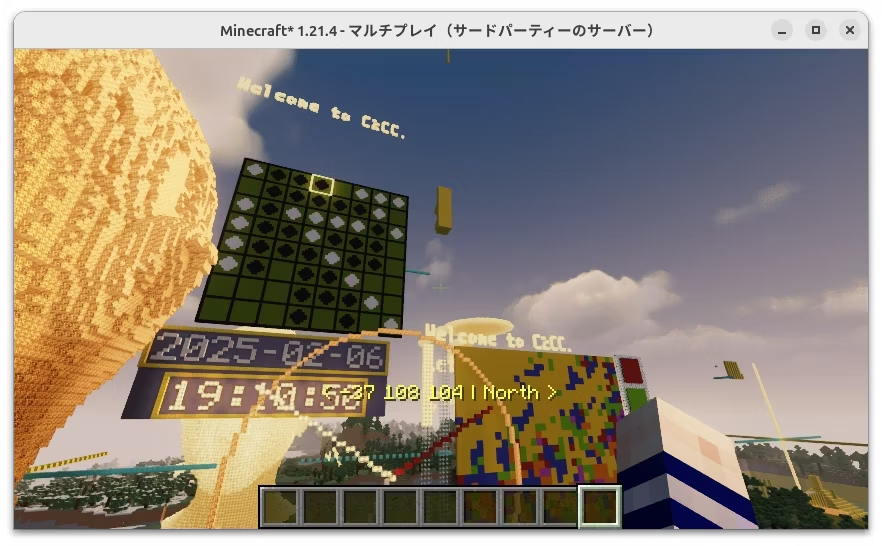
Very Important Preparation / 非常に重要な準備作業
Edit these parameters in param_mc_remote.py to suit your environment.
param_mc_remote.pyのパラメータを自分の環境に合わせて編集してください。
PLAYER_NAME = "PLAYER_NAME"  # set your player name in Minecraft
PLAYER_ORIGIN = Vec3(2000, 0, 2000)  # PO.x, PO.y, PO.z
ADRS_MCR = "mc-remote.xgames.jp"  # mc-remote sandbox server
PORT_MCR = 25575  # socket server port
-
You must be logged in as the Minecraft server player with the same name as
PLAYER_NAMEto use this API.- Server address:
mc-remote.xgames.jp - Server port:
25565(No need to specify because it is the default port for Minecraft.)
- Server address:
-
PORT_MCRis the port for the socket server. The default value is25575, but you can change it to any port you like. If you are using your own PaperMC server, make sure to set the same port in theplugins/McRemote/config.yml. -
PLAYER_ORIGINdefines the origin of the building coordinate system. Building coordinates are computed relative to this origin. For example, executingsetBlock(5, 68, 5, block.GOLD_BLOCK)will place a gold block at coordinates(2005, 68, 2005). -
APIを利用するには、PLAYER_NAME と同じ名前でMinecraftサーバーにログインしている必要があります。
- サーバーアドレス:
mc-remote.xgames.jp - ポート番号:
25565(マインクラフトのデフォルトポートなので指定不要)
- サーバーアドレス:
-
PORT_MCRはソケットサーバーのポート番号です。デフォルト値は25575ですが、任意のポートに変更可能です。自前のPaperMCサーバーを利用する場合は、plugins/McRemote/config.ymlに同じポートを設定してください。 -
PLAYER_ORIGINは建築座標系の原点となり、設定値からの相対座標でブロックが配置されます。たとえば、setBlock(5, 68, 5, block.GOLD_BLOCK)を実行すると、実際には座標(2005, 68, 2005)に金ブロックが設置されます。
If you are using your own PaperMC server, be sure to load the McRemote plugin. While running the server on your own PC offers a compact setup, if your PC is underpowered, it is preferable to use a server on another machine.
自前のPaperMCサーバーを利用する場合は、必ず McRemote プラグインをロードしてください。自分のPCでサーバーを構築するのが最もコンパクトですが、PCの性能が低い場合は他のマシン上のサーバーを利用することをおすすめします。
Discord Community and Sandbox Server / Discordコミュニティとサンドボックスサーバー
Join our Discord community for Minecraft Remote to ask questions and share your experiences with other users. We also offer a sandbox server for testing purposes—the perfect environment to experiment with the API without worrying about breaking anything. Visit the mc-remote-chat channel on our Discord server for support.
マイクラリモコン専用のDiscordコミュニティでは、質問を投稿したり、他のユーザーと経験を共有したりできます。さらに、テスト用のサンドボックスサーバーも用意しているので、APIの実験や新しいアイデアの試行を安心して行えます。サポートが必要な方は、Discordサーバー内の mc-remote-chat チャンネルをご利用ください。
Installation and Update / インストールと更新
If you have pyenv / poetry installed(pyenv / poetryがインストールされている場合)
poetry install

# Make sure the virtual environment (.venv/) is created,
# and from now on, please work in that environment.
# 仮想環境(.venv/)が作成されたのを確認し、今後は、その環境内で作業してください。
to update the package, run (パッケージを更新するには、次のコマンドを実行):
poetry update
If you don't have pyenv / poetry installed(pyenv / poetryがインストールされていない場合)
pip install minecraft-remote-api
to update the package, run (パッケージを更新するには、次のコマンドを実行):
pip install minecraft-remote-api -U
Run Examples (サンプルを実行)
cd examples
python hello.py
python axis_flat.py
About the Minecraft Remote Project
Minecraft Remote (or mc-remote) is a remote control system for Minecraft. The client communicates with a dedicated server provided by the McRemote plugin—which runs alongside your PaperMC server—while the API facilitates user interaction, allowing users to write code and perform automatic construction.
It is based on projects such as RaspberryJuice by zhowei, mcpi by martinohanlon, and JuicyraspberryPie by wensheng—all of which are designed to "support LEARNING" rather than conventional "EDUCATION", and reflect the collective wisdom and effort of their communities. The project is also strongly influenced by Dr. Mitchel Resnick (MIT)'s Lifelong Kindergarten.
References:
- https://github.com/zhuowei/RaspberryJuice
- https://github.com/martinohanlon/mcpi
- https://github.com/wensheng/JuicyraspberryPie
- https://www.media.mit.edu/groups/lifelong-kindergarten
The Clear Mission of the Minecraft Remote Project
To Support the Acquisition of a Self-Learning Approach (for Beginners)
The primary goal is to foster a self-directed, exploratory learning approach rather than merely focusing on technical skills.
Technical Skills Acquired Through the Self-Learning Approach
- Coding concepts and techniques
- Techniques for open source development using Git/GitHub
- Techniques for realizing/expressing one's own ideas
Key Points for Maintaining Motivation in Self-Learning
- Provide the latest version of Minecraft as an engaging playground and sandbox.
- Enable the reuse of code assets developed from previous projects.
- Support a wide range of programming languages including Python, Scratch, C#, Java, etc. We are currently prioritizing the preparation of a Scratch version.
- Expand beyond the Minecraft world to include 3D environments like Unity, Blender, and Houdini.
- Supports output to 3D worlds and plans to support input—enabling interactive experiences that connect digital, real, and other virtual worlds.
- Integrate artificial intelligence technologies. For instance, allow playing rock-paper-scissors with hand gestures in the Minecraft world using computer vision and machine learning.
Minecraft Remoteプロジェクトについて
Minecraft Remote / mc-remote(マイクラリモコン、あるいは、エムシーリモート) は、Minecraftのリモコンシステムです。クライアントは、PaperMCサーバーと併走して稼働する McRemoteプラグイン が提供する専用サーバーと通信を行い、一方、APIはユーザーとのやり取りを円滑にする役割を果たし、ユーザーがコードを記述して自動建築を実現できるようにします。
このプロジェクトは、zhoweiによるRaspberryJuice、martinohanlonによるmcpi、およびwenshengによるJuicyraspberryPieなどの、知識注入型の 「教育」 というよりも 「学習支援」 の意図を強く持ったプロジェクト群および、そのコミュニティの知恵と努力の成果に基づいています。また、Dr. Mitchel Resnick(MIT)のライフロングキンダーガーテンの影響を強く受けています。
リファレンス:
- https://github.com/zhuowei/RaspberryJuice
- https://github.com/martinohanlon/mcpi
- https://github.com/wensheng/JuicyraspberryPie
- https://www.media.mit.edu/groups/lifelong-kindergarten
Minecraft Remoteプロジェクトの明確なミッション
(初学者の)自学自習アプローチ習得を支援すること
技術スキル習得は二の次とし、自発的な学びの姿勢を育むことを目的とします。
自学自習アプローチ習得の題材とする技術スキル
- コーディングの概念と手法
- Git/GitHubを活用したオープンソース開発の手法
- 自分のアイデアを実現/表現する技術
自学自習のモチベーション維持における重要なポイント
- 魅力的なプレイグラウンド、サンドボックスとして最新版マインクラフトを利用可能にすること
- 過去のプロジェクトで培われてきたコード資産を活用できるようにすること
- Python、Scratch、C#、Java他、幅広い言語の利用を可能にすること (Scratch版の準備を急務としている。)
- マインクラフト世界だけでなく、Unity、Blender、Houdiniなどの3D世界の利用を可能にすること
- 3D世界への出力に加え入力対応も計画中 — これにより、デジタル世界、現実世界、およびその他の仮想環境と連携するインタラクティブな体験を実現する
- 人工知能技術の応用、例えば、コンピュータービジョンと機械学習を利用し、マインクラフト世界の中の手とじゃんけんができる仕組みなど。
Hacking, coding, and tinkering are the core of this project. We aim to create a system that allows users to explore and learn through their own experiences. The project is open to everyone, and we welcome contributions from all who share our vision.

1 maintainer

Metadata
1 maintainer
Release files for minecraft-remote-api 1214.10.13
For a detailed explanation of source distributions (sdists) and built distributions (wheels), please see the package formats documentation.
Source distribution (sdist)
| File | Size | Uploaded | |
|---|---|---|---|
| minecraft_remote_api-1214.10.13.tar.gz | 29.2 kB | Details |
Built distribution (wheel)
| File | Interpreter | ABI | Platform | Reset |
|---|---|---|---|---|
| minecraft_remote_api-1214.10.13-py3-none-any.whl | Python 3 | none | any | Details |
Total release size: 55.1 kB
Release files / minecraft_remote_api-1214.10.13.tar.gz
| Download URL | minecraft_remote_api-1214.10.13.tar.gz |
|---|---|
| Size | 29.2 kB |
| Tags | Source |
|
SHA-256 checksum How to use checksums |
0e62439f502ad690ac25301fe4efe22401838ba80c8a76aeb7c54079e76c6745
|
|
BLAKE2b-256 checksum How to use checksums |
dec95a6f58c253e803dca0fcdcde93e38a4d4879f41bd2f1a9efd827b0668a70
|
| Upload date | |
|
Uploaded using Trusted Publishing? What is trusted publishing? |
No |
| Uploaded via |
poetry/2.1.3 CPython/3.11.9 Linux/6.11.0-25-generic
|
Release files / minecraft_remote_api-1214.10.13-py3-none-any.whl
| Download URL | minecraft_remote_api-1214.10.13-py3-none-any.whl |
|---|---|
| Size | 25.9 kB |
| Tags | Python 3 |
|
SHA-256 checksum How to use checksums |
ae7a910182b9de90658c6a7b8f928f3a257bbbdce1fe005c23364a7ea5b9a6ae
|
|
BLAKE2b-256 checksum How to use checksums |
231fe463201309a3a064c4f31509b6a2ee050f690b6de2cfc1cf4998e508a240
|
| Upload date | |
|
Uploaded using Trusted Publishing? What is trusted publishing? |
No |
| Uploaded via |
poetry/2.1.3 CPython/3.11.9 Linux/6.11.0-25-generic
|














