
Minecraft Server Creator - Manage Minecraft servers

Project description

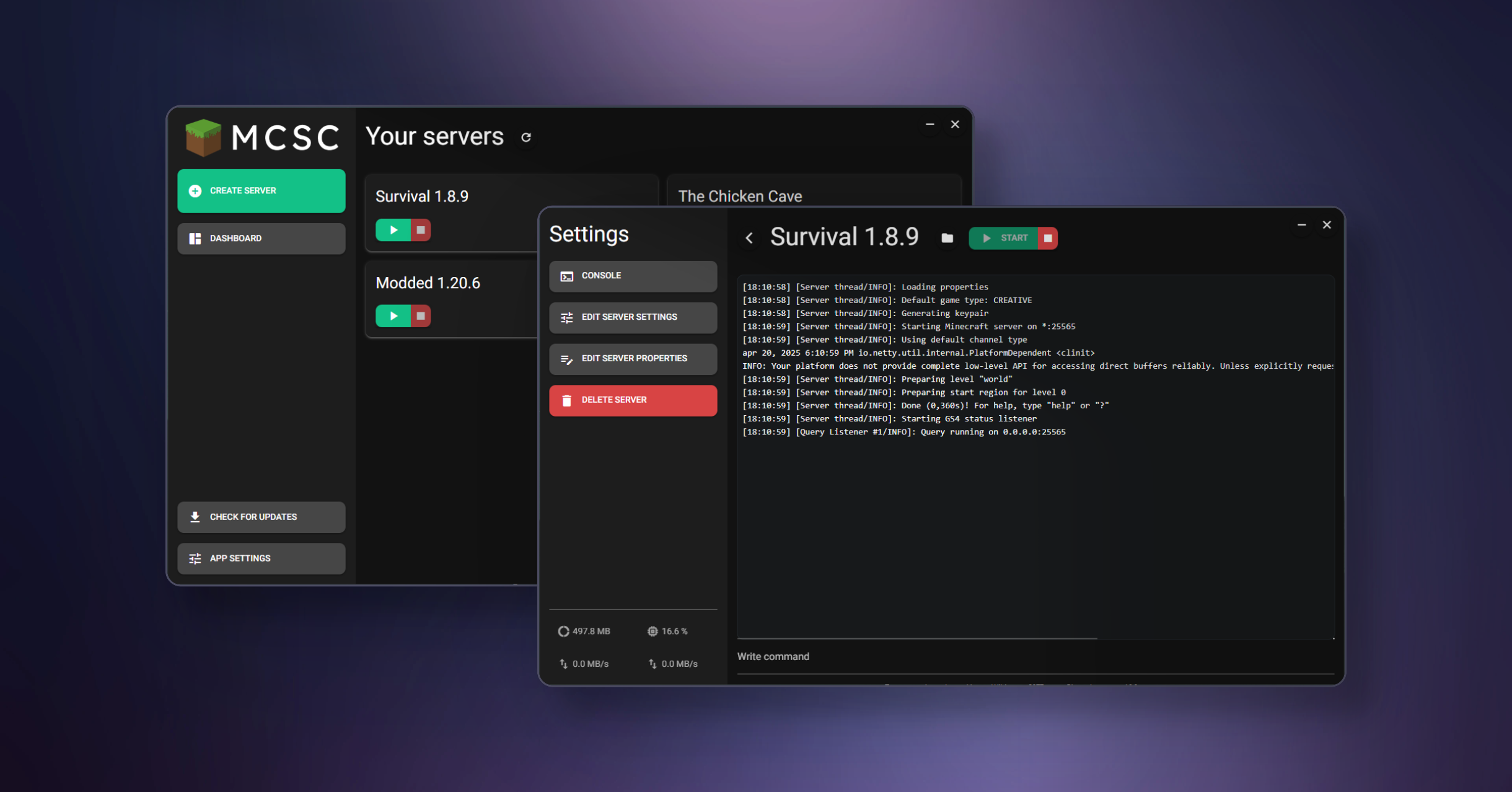
MCSC - Minecraft Server Creator
MCSC is a user-friendly tool written in Python with a GUI that simplifies the process of creating and managing Minecraft servers. Whether you're a beginner or experienced, MCSC allows you to easily set up, run, and control multiple Minecraft servers from a single interface.
Warning: MCSC is still in development, thus it may not be completely error free.
Features
- Create Multiple Servers: Set up and manage multiple Minecraft servers from within the app.
- Start/Stop Servers: Easily start and stop your Minecraft servers directly from the GUI.
- Console Interaction: Read the console output in real-time and send commands to the Minecraft server console.
- Edit server.properties: Customize your Minecraft server settings by editing the
server.propertiesfile with a built-in editor. - User-Friendly GUI: A simple and intuitive interface designed for both beginners and experienced users.
- Manage Server Instances: Keep track of all your servers in one place.
Installation
To install and run MCSC on your local machine:
-
Clone the repository:
git clone https://github.com/ddavidel/minecraft-server-creator.git -
Navigate to the project folder and install the required dependencies:
pip install -r requirements.txt -
Run the application by double clicking
START.bator with the following command:python ServerCreator.py
Upcoming Features
- Support for more server types: In the future updates, MCSC will support creating and managing many popular Minecraft server types.
- Plugin and Mod Manager: Easily manage plugins and mods.
Release history Release notifications | RSS feed


Download files
Download the file for your platform. If you're not sure which to choose, learn more about installing packages.
Source Distribution
Built Distribution
Filter files by name, interpreter, ABI, and platform.
If you're not sure about the file name format, learn more about wheel file names.
Copy a direct link to the current filters
File details
Details for the file minecraft_server_creator-2.0.4.tar.gz.
File metadata
- Download URL: minecraft_server_creator-2.0.4.tar.gz
- Upload date:
- Size: 37.1 kB
- Tags: Source
- Uploaded using Trusted Publishing? No
- Uploaded via: twine/6.2.0 CPython/3.12.0
File hashes
| Algorithm | Hash digest | |
|---|---|---|
| SHA256 |
3f44c579e6c26b7312af8f0afe619a7a2b5d92e99aaf207b633f5ab223e163bf
|
|
| MD5 |
829f0ce928e2acb4c2a67dbd1cf1780e
|
|
| BLAKE2b-256 |
21c3f1f58b231ef614acb9b426f05369e137905572e07ad7d1441a19a249b06b
|
File details
Details for the file minecraft_server_creator-2.0.4-py3-none-any.whl.
File metadata
- Download URL: minecraft_server_creator-2.0.4-py3-none-any.whl
- Upload date:
- Size: 42.0 kB
- Tags: Python 3
- Uploaded using Trusted Publishing? No
- Uploaded via: twine/6.2.0 CPython/3.12.0
File hashes
| Algorithm | Hash digest | |
|---|---|---|
| SHA256 |
38a72f7d88425893bf9250e82bf13a19669e2fdabb587fd9ea2750aa45f28594
|
|
| MD5 |
e7e84cc28bcc3f89e8924ce701fd9e85
|
|
| BLAKE2b-256 |
4eafa6fda88dae198f0821f8d8b5709d5f518e6e40a93b895a2bcd577cb400b0
|






