
Mini SWE Agent - A simple AI software engineering agent

Project description

The minimal AI software engineering agent
📣 Run mini-swe-agent on our new & extremely challenging benchmark, ProgramBench
📣 New tutorial on building minimal AI agents
📣 Gemini 3 Pro reaches 74% on SWE-bench verified with mini-swe-agent!
📣 New blogpost: Randomly switching between GPT-5 and Sonnet 4 boosts performance



[!WARNING] This is mini-swe-agent v2. Read the migration guide. For the previous version, check out the v1 branch.
In 2024, we built SWE-bench & SWE-agent and helped kickstart the coding agent revolution.
We now ask: What if our agent was 100x simpler, and still worked nearly as well?
mini is
- Widely adopted: Used by Meta, NVIDIA, Essential AI, IBM, Nebius, Anyscale, Princeton University, Stanford University, and many more.
- Minimal: Just some 100 lines of python for the agent class (and a bit more for the environment, model, and run script) — no fancy dependencies!
- Performant: Scores >74% on the SWE-bench verified benchmark; starts much faster than Claude Code
- Deployable: Supports local environments, docker/podman, singularity/apptainer, bublewrap, contree, and more
- Compatible: Supports all models via litellm, openrouter, portkey, and more. Support for
/completionand/responseendpoints, interleaved thinking etc. - Built by the Princeton & Stanford team behind SWE-bench, SWE-agent, and more
- Tested:

More motivation (for research)
SWE-agent jump-started the development of AI agents in 2024. Back then, we placed a lot of emphasis on tools and special interfaces for the agent.
However, one year later, as LMs have become more capable, a lot of this is not needed at all to build a useful agent!
In fact, the mini agent
- Does not have any tools other than bash — it doesn't even need to use the tool-calling interface of the LMs. This means that you can run it with literally any model. When running in sandboxed environments you also don't need to take care of installing a single package — all it needs is bash.
- Has a completely linear history — every step of the agent just appends to the messages and that's it. So there's no difference between the trajectory and the messages that you pass on to the LM. Great for debugging & fine-tuning.
- Executes actions with
subprocess.run— every action is completely independent (as opposed to keeping a stateful shell session running). This makes it trivial to execute the actions in sandboxes (literally just switch outsubprocess.runwithdocker exec) and to scale up effortlessly. Seriously, this is a big deal, trust me.
This makes it perfect as a baseline system and for a system that puts the language model (rather than
the agent scaffold) in the middle of our attention.
You can see the result on the SWE-bench (bash only) leaderboard, that evaluates the performance of different LMs with mini.
More motivation (as a tool)
Some agents are overfitted research artifacts. Others are UI-heavy frontend monsters.
The mini agent wants to be a hackable tool, not a black box.
- Simple enough to understand at a glance
- Convenient enough to use in daily workflows
- Flexible to extend
Unlike other agents (including our own swe-agent), it is radically simpler, because it:
- Does not have any tools other than bash — it doesn't even need to use the tool-calling interface of the LMs. Instead of implementing custom tools for every specific thing the agent might want to do, the focus is fully on the LM utilizing the shell to its full potential. Want it to do something specific like opening a PR? Just tell the LM to figure it out rather than spending time to implement it in the agent.
- Executes actions with
subprocess.run— every action is completely independent (as opposed to keeping a stateful shell session running). This is a big deal for the stability of the agent, trust me. - Has a completely linear history — every step of the agent just appends to the messages that are passed to the LM in the next step and that's it. This is great for debugging and understanding what the LM is prompted with.
Should I use SWE-agent or mini-SWE-agent?
You should consider mini-swe-agent your default choice.
In particular, you should use mini-swe-agent if
- You want a quick command line tool that works locally
- You want an agent with a very simple control flow
- You want even faster, simpler & more stable sandboxing & benchmark evaluations
- You are doing FT or RL and don't want to overfit to a specific agent scaffold
You should use swe-agent if
- You want to experiment with different sets of tools, each with their own interface
- You want to experiment with different history processors
What you get with both
- Excellent performance on SWE-Bench
- A trajectory browser
CLI (mini)
|
Batch inference |
|
|
|
| Trajectory browser | Python bindings |
|
|
agent = DefaultAgent(
    LitellmModel(model_name=...),
    LocalEnvironment(),
)
agent.run("Write a sudoku game")
|
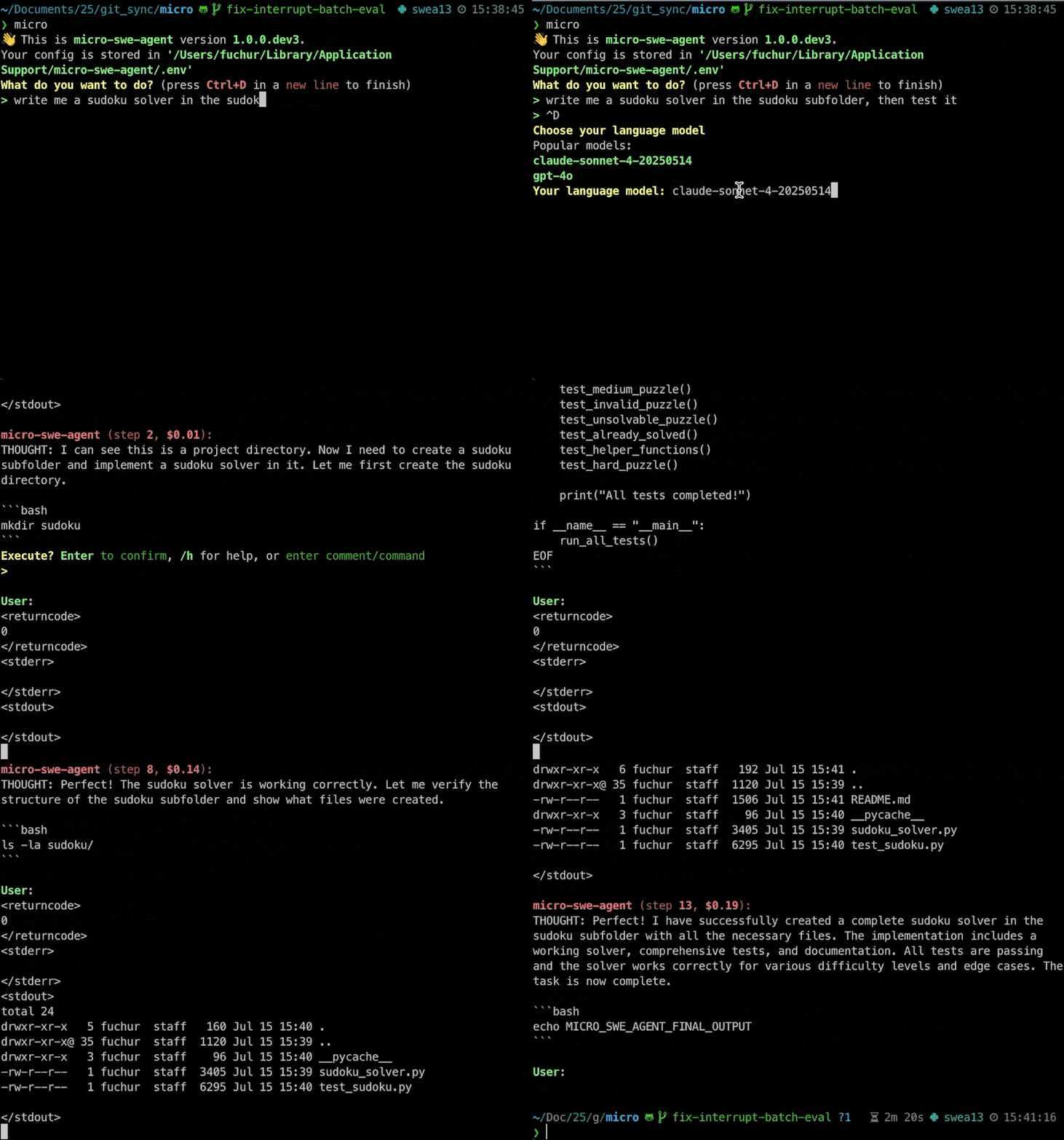
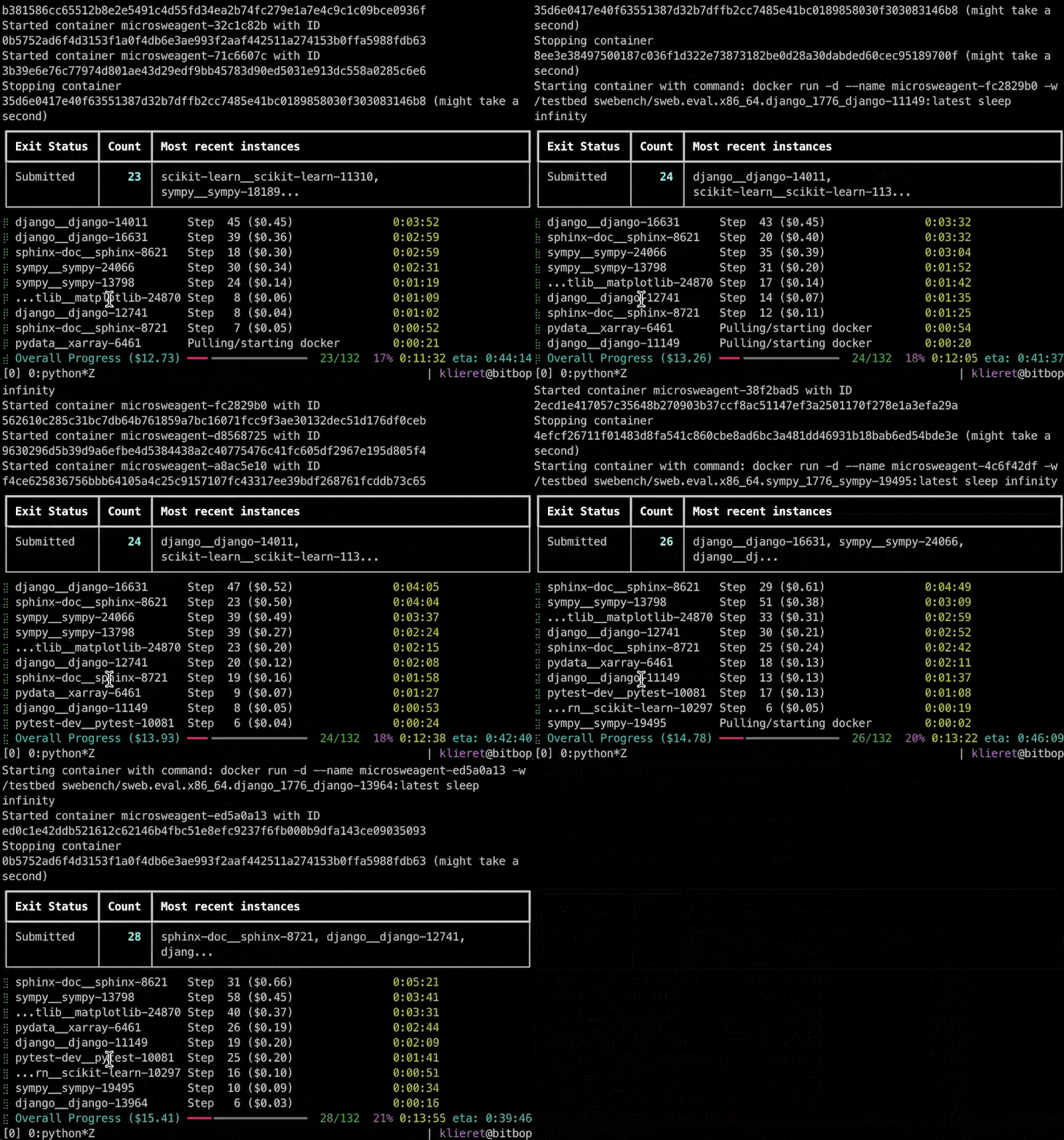
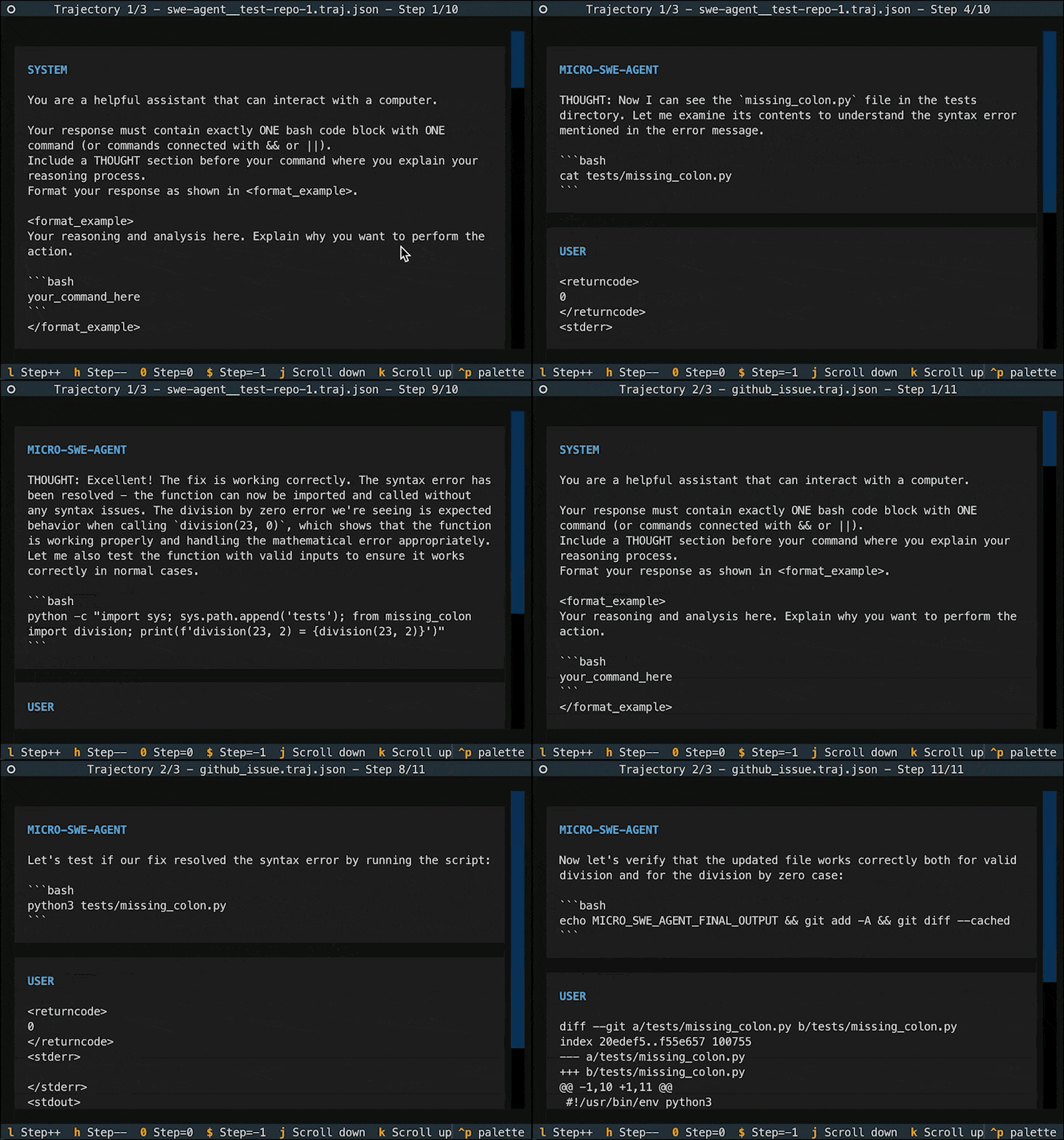
Let's get started!
Option 1: If you just want to try out the CLI (package installed in anonymous virtual environment)
pip install uv && uvx mini-swe-agent
# or
pip install pipx && pipx ensurepath && pipx run mini-swe-agent
Option 2: Install CLI & python bindings in current environment
pip install mini-swe-agent
mini  # run the CLI
Option 3: Install from source (developer setup)
git clone https://github.com/SWE-agent/mini-swe-agent.git
cd mini-swe-agent && pip install -e .
mini  # run the CLI
Read more in our documentation:
- Quick start guide
- Using the
miniCLI - Global configuration
- Yaml configuration files
- Power up with the cookbook
- FAQ
- Contribute!
Attribution
If you found this work helpful, please consider citing the SWE-agent paper in your work:
@inproceedings{yang2024sweagent,
  title={{SWE}-agent: Agent-Computer Interfaces Enable Automated Software Engineering},
  author={John Yang and Carlos E Jimenez and Alexander Wettig and Kilian Lieret and Shunyu Yao and Karthik R Narasimhan and Ofir Press},
  booktitle={The Thirty-eighth Annual Conference on Neural Information Processing Systems},
  year={2024},
  url={https://arxiv.org/abs/2405.15793}
}
Our other projects:



Release history Release notifications | RSS feed


Download files
Download the file for your platform. If you're not sure which to choose, learn more about installing packages.
Source Distribution
Built Distribution
Filter files by name, interpreter, ABI, and platform.
If you're not sure about the file name format, learn more about wheel file names.
Copy a direct link to the current filters
File details
Details for the file mini_swe_agent-2.4.1.tar.gz.
File metadata
- Download URL: mini_swe_agent-2.4.1.tar.gz
- Upload date:
- Size: 66.6 kB
- Tags: Source
- Uploaded using Trusted Publishing? No
- Uploaded via: twine/6.1.0 CPython/3.13.12
File hashes
| Algorithm | Hash digest | |
|---|---|---|
| SHA256 |
6c77d4b89eb772278b89859bcc5d21200d64e08716a49dbf1a19dd88f42cab59
|
|
| MD5 |
c6703b6a12b742c1899c232c67ec4d61
|
|
| BLAKE2b-256 |
fb10496fa06f390722c79f63f058975195584363740e63c0b7ee959826014041
|
File details
Details for the file mini_swe_agent-2.4.1-py3-none-any.whl.
File metadata
- Download URL: mini_swe_agent-2.4.1-py3-none-any.whl
- Upload date:
- Size: 114.8 kB
- Tags: Python 3
- Uploaded using Trusted Publishing? No
- Uploaded via: twine/6.1.0 CPython/3.13.12
File hashes
| Algorithm | Hash digest | |
|---|---|---|
| SHA256 |
4e93926fcf52c8777f67af928092d6a6af1afe102569e29e721a6f18f3313628
|
|
| MD5 |
e7a4475ce0ac70fe10bddfaa14869b20
|
|
| BLAKE2b-256 |
be192550335331bcb82e324705b76128a3258323d63dcd2d9fe9a0121f29a817
|






