
MiniCS Lite
Mini ChatML Studio Lite — a local-first studio for building high quality
LLM datasets. MiniCS combines a ChatML-aware dataset library, a hybrid RAG +
knowledge-graph grounding engine, an LLM authoring toolbox and a markdown
editor into a single desktop application (Flask + PyWebView). Everything lives
inside your own ~/.minics folder — no cloud, no accounts, no lock-in.
MiniCS is a mixed project. It combines two sibling codebases: ChatML Studio, a platform for handling datasets and entries, and Tyness, a tiny documental harness for enhancing LLM capabilities with embed databases. MiniCS Lite distills both into one small, local-first tool — the root projects will keep growing with more capabilities.
MiniCS is OpenAI-protocol first. Any OpenAI-compatible endpoint works: OpenAI, Azure-style gateways, vLLM, llama.cpp (
llama-server), LM Studio, Ollama's OpenAI shim, or anything else speaking/v1/chat/completionsand/v1/embeddings.
Highlights
| Area | What you get |
|---|---|
| Dataset library | Datasets, ChatML entries with system/user/assistant roles, draft → review → approved workflow, automatic versioning on every message edit, structural ChatML validation. |
| Grounding engine | Import PDF, DOCX, TXT, Markdown, LaTeX — every file is converted to cleaned markdown (optionally repaired by the LLM), then chunked and indexed. |
| Hybrid retrieval | ChromaDB vector search plus Ladybug graph topology, fused with Reciprocal Rank Fusion (RRF). Each side degrades gracefully when the other is unavailable. |
| LLM everywhere | Enhance fields, suggest tags, evaluate entries against 6 quality dimensions, generate grounded new entries, clean markdown, extract graph entities. Structured output with 3 fallback strategies. |
| Background-first | Long operations (import, indexing, evaluation) run on a worker thread pool with live progress streamed to the UI over Server-Sent Events, backed by a concurrency-safe SQLite writer thread. |
| Chat with switches | Per-conversation toggles for RAG, graph and grounding — retrieval and injection are separate, so you can preview what would be used without forcing it into the prompt. |
| Export anywhere | ChatML, JSONL, Alpaca, ShareGPT and Markdown — byte-identical from UI, CLI or Python. |
| Themable UI | 15 hand-tuned themes — System, Light, Dark, Ocean, Forest, Sunset, Nord, Rose, Midnight, Paper, Mono, Grape, Dracula, Catppuccin Mocha and Solarized — with native dark form controls, tinted shadows and themed scrollbars. Themes are pure CSS-variable swaps. |
A walkthrough of the web app
The screenshots below (from docs/screenshots/) follow a
real end-to-end session against two local model servers: a llama.cpp
llama-server instance serving the chat model and an Ollama instance
serving the embedding model — exactly the split-endpoint setup MiniCS is
designed for.
1. Home / Dashboard
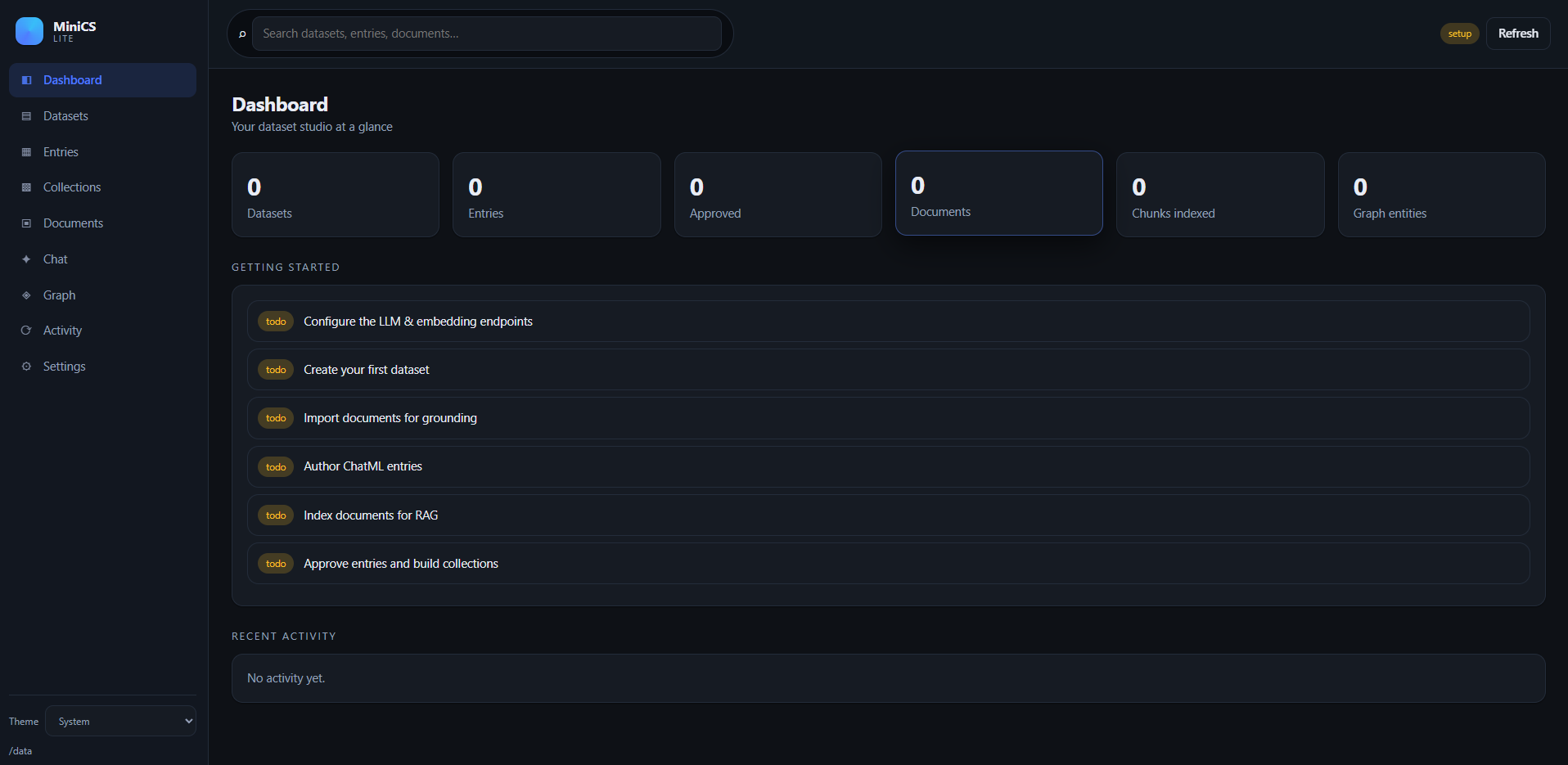
The landing screen. Live counters for datasets, entries, approved entries, documents, indexed chunks and graph entities, a Getting started checklist that ticks itself off as you complete each step, and a recent-activity feed. Everything in the sidebar — Datasets, Entries, Collections, Documents, Chat, Graph, Activity, Settings — is one click away.
2. Settings — wiring up the endpoints
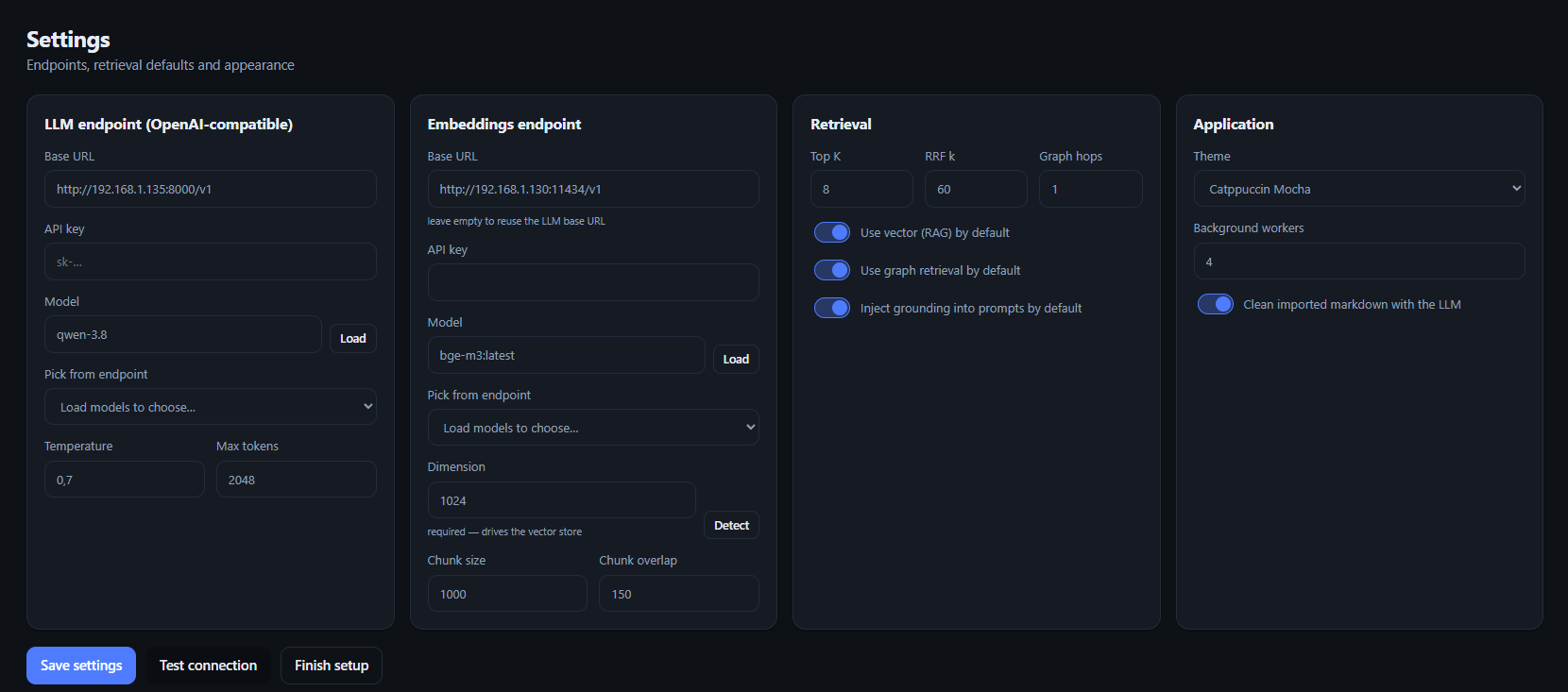
Here the app is pointed at the two local servers: the LLM endpoint is a
llama-server instance (qwen-3-8 on :8000/v1) and the embeddings
endpoint is Ollama (bge-m3:latest on :11434/v1, 1024 dimensions — hit
Detect to sniff it automatically, since it drives the Chroma vector store).
The Retrieval panel tunes the hybrid search defaults (Top K, RRF k, graph
hops), and the Application panel picks one of the 15 themes (Catppuccin Mocha
here) and the background-worker pool size. Test connection validates both
endpoints before Finish setup locks them in.
3. Creating a dataset
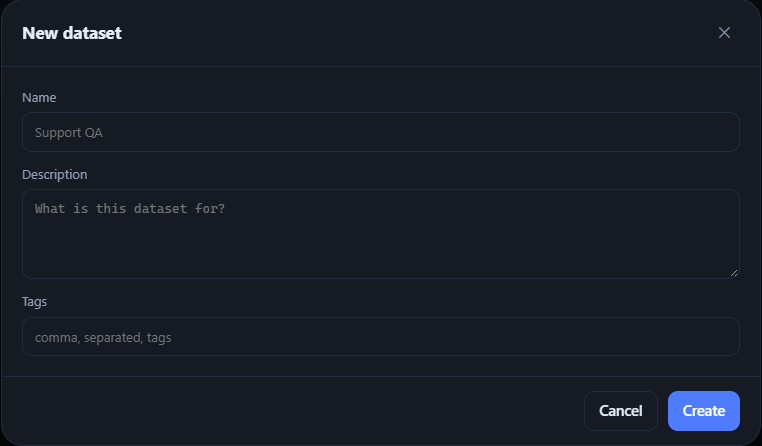
Datasets are the top-level containers for training examples. Give one a name, a short description and optional comma-separated tags — that's all it takes.
4. Creating an entry
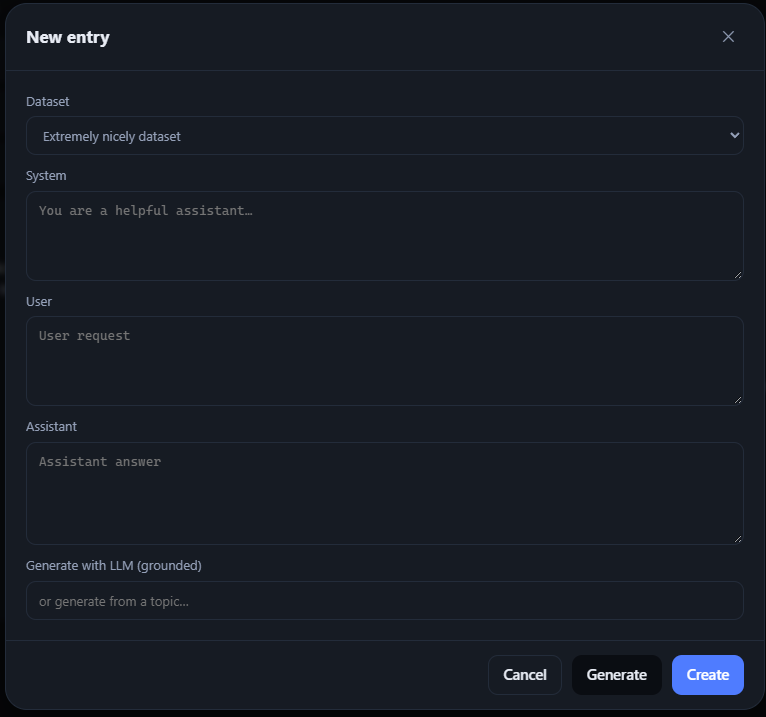
Each entry is a ChatML conversation: system, user and assistant messages. Fill them by hand, or type a topic into Generate with LLM (grounded) and let the model draft the whole entry using your imported documents as context.
5. The entry editor
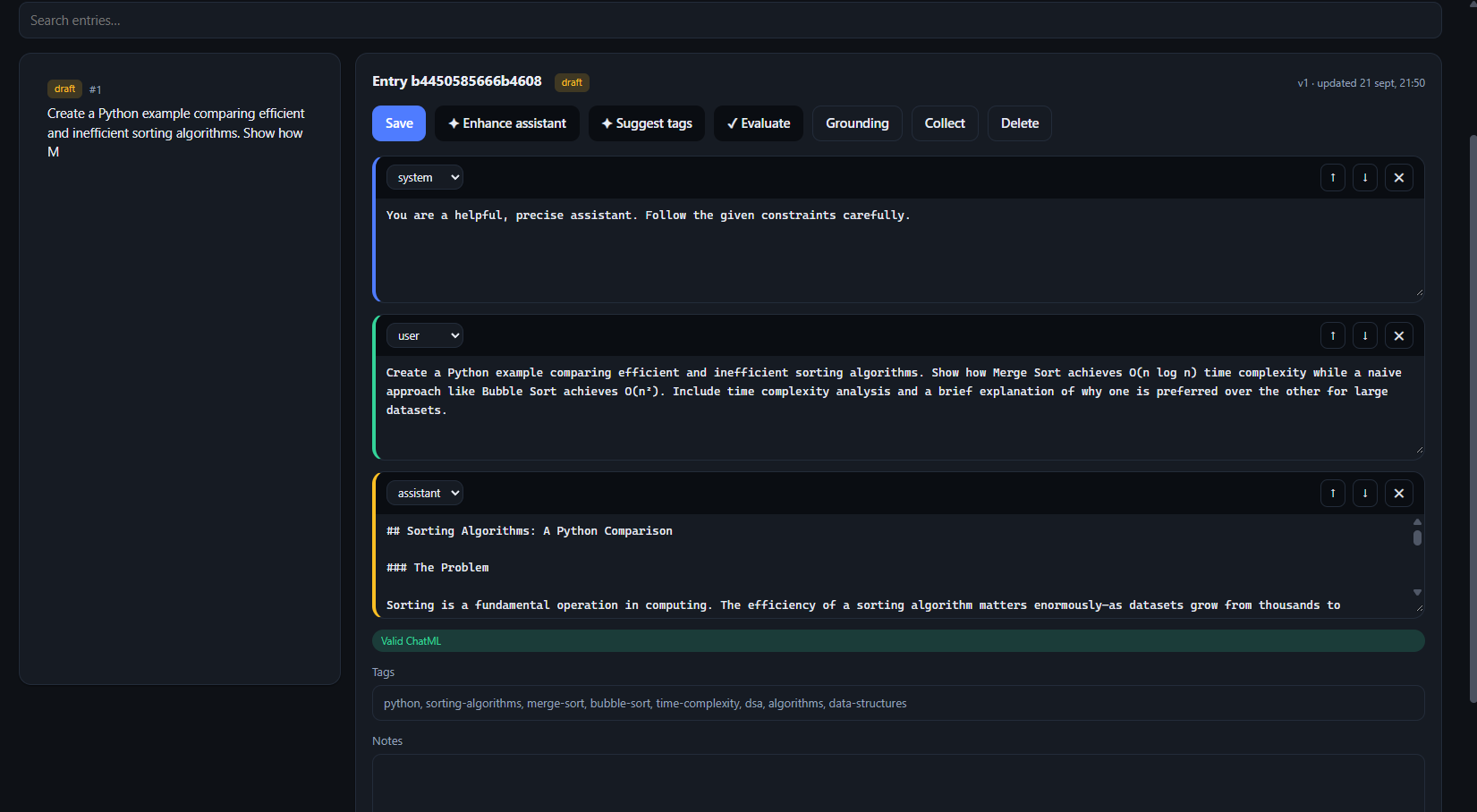
The generated entry lands in the editor. Messages can be reordered, deleted and switched between roles; a Valid ChatML banner confirms the structure in real time. The LLM helpers are one click away — Enhance assistant, Suggest tags (in action here) and Evaluate against the six quality dimensions — and every message edit bumps the entry version automatically.
6. Importing a markdown document
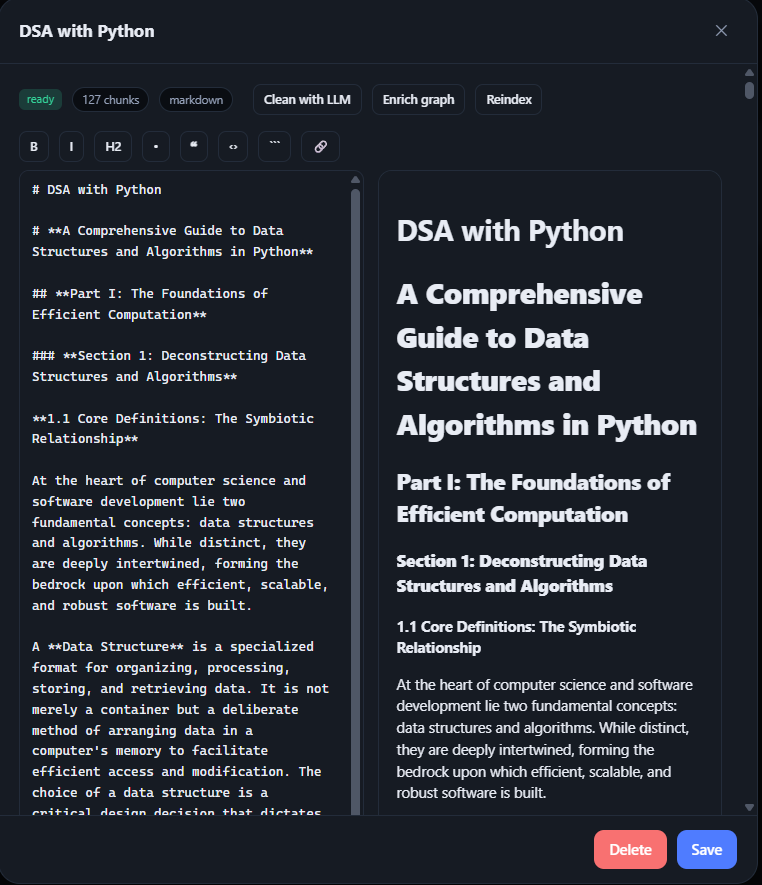
Dropping a markdown file (or PDF/DOCX/TXT/LaTeX — it gets converted) opens the document viewer: a split-pane markdown editor with live preview and formatting toolbar. This one has been chunked into 127 chunks, ready to index. From here you can Clean with LLM, Enrich graph and Reindex without leaving the dialog.
7. Querying the knowledge graph
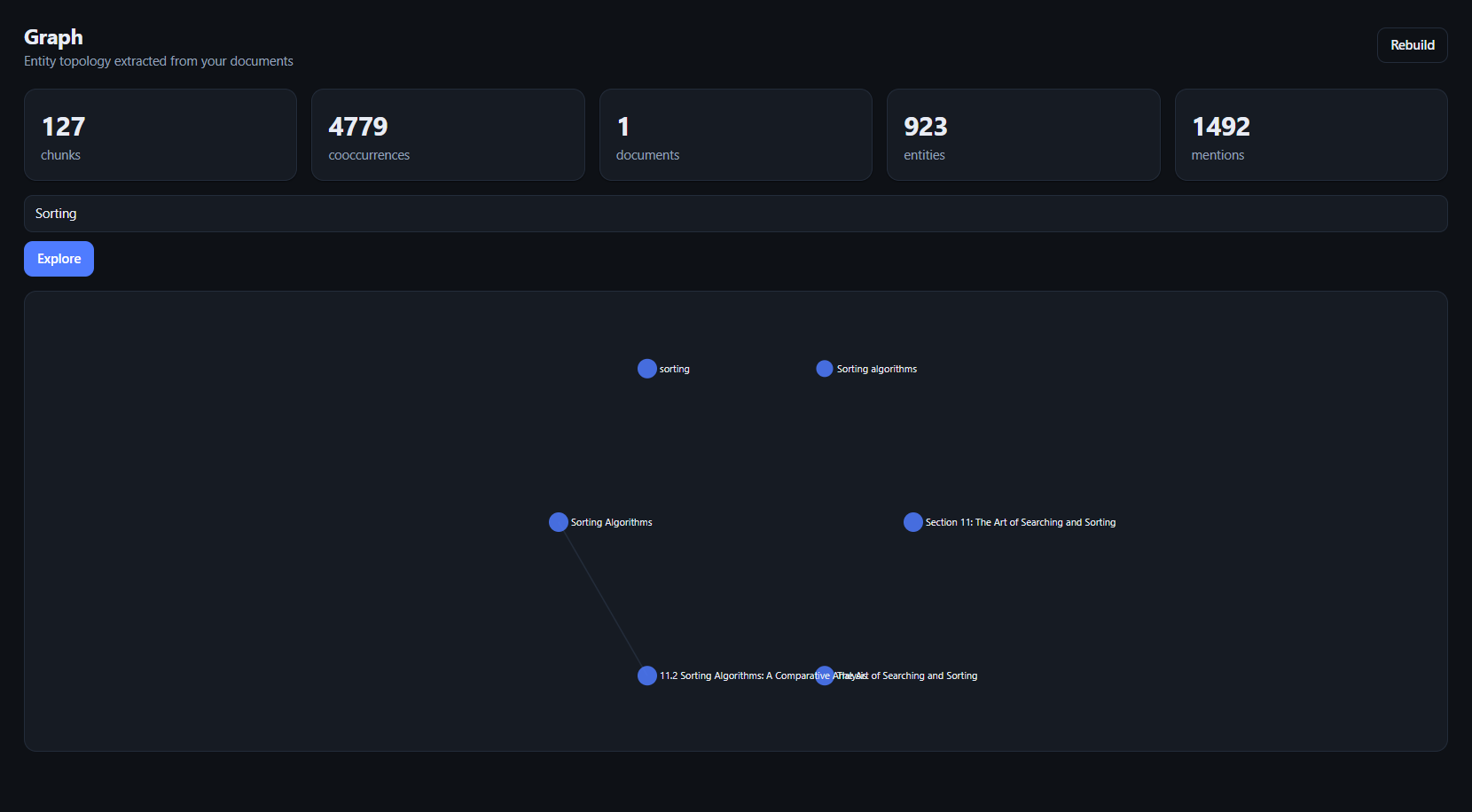
The Graph screen shows the entity topology extracted from your documents —
923 entities, 1492 mentions and 4779 co-occurrences from a single import.
Type a query (Sorting here) and hit Explore to render the matching
sub-graph; Rebuild regenerates the whole topology from the index.
8. Testing the LLM
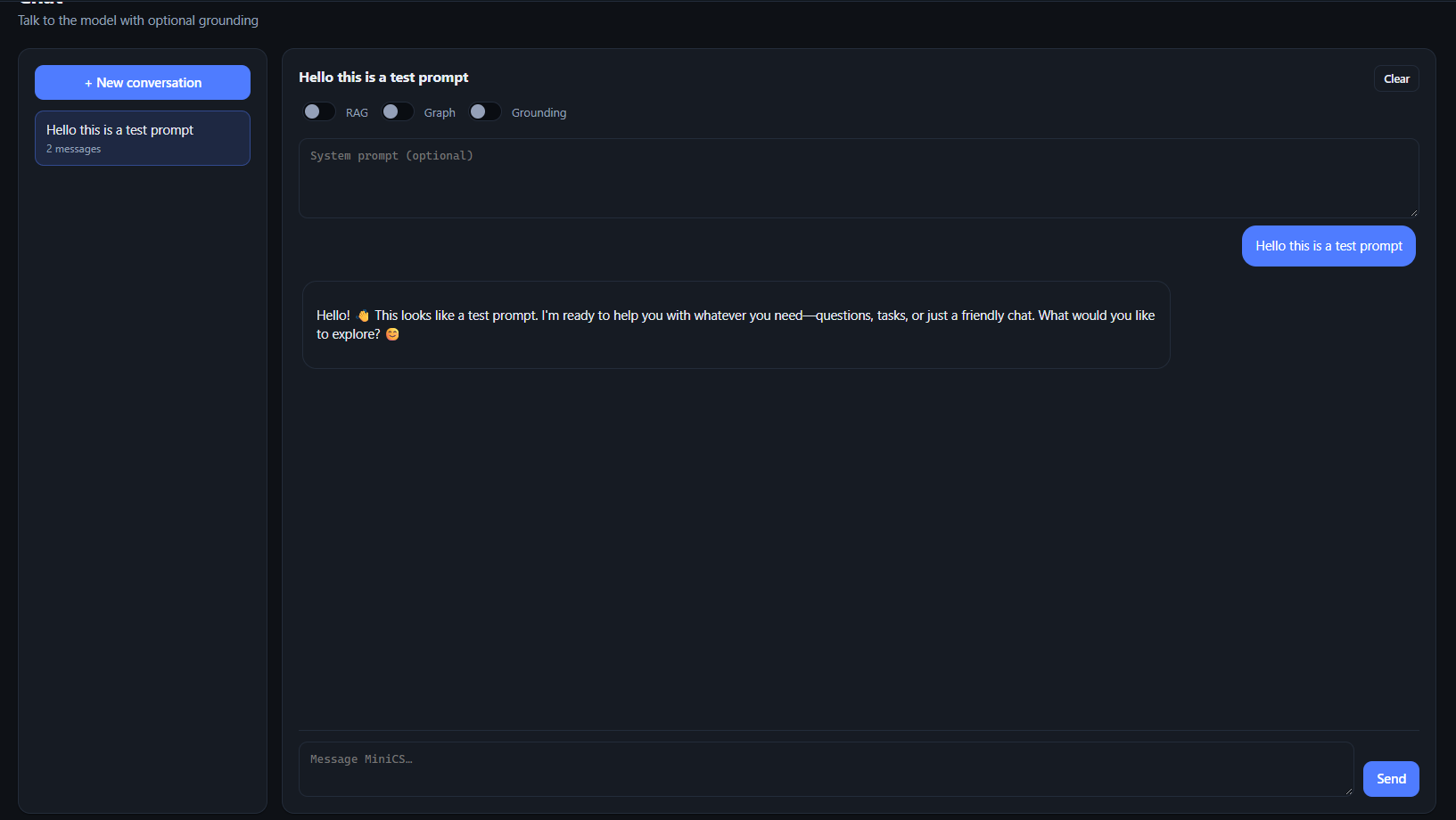
Chat is where the model gets smoke-tested. Each conversation carries its own RAG, Graph and Grounding toggles — you can preview what retrieval would inject without forcing it into the prompt. This call is a plain sanity-check prompt with all toggles off.
9. Creating a collection
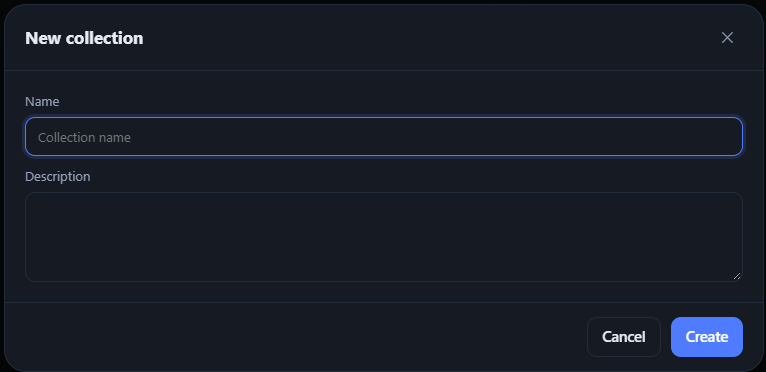
Collections are curated sets of entries destined for export — a name and a description and you're in.
10. Curating and exporting
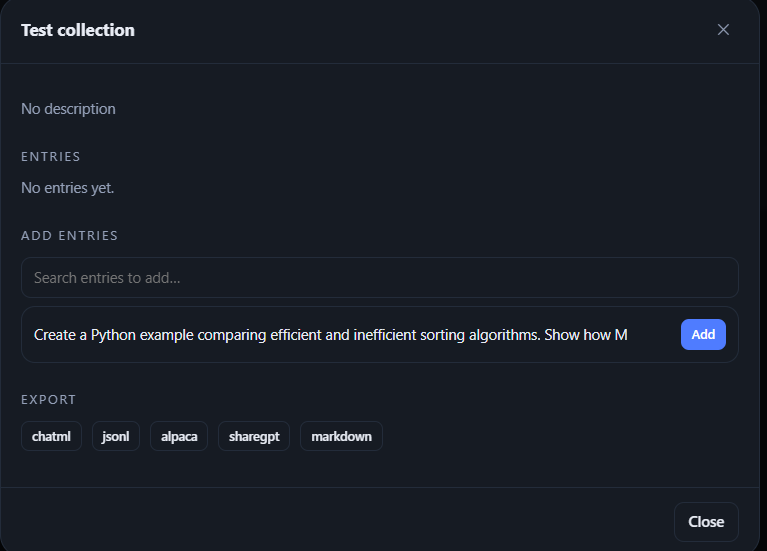
Search your entries and Add them to the collection, then download the whole set in one click — ChatML, JSONL, Alpaca, ShareGPT or Markdown — byte-identical whether exported from the UI, the CLI or Python.
That's the full loop: configure → create → author → import → ground → chat → curate → export.
Quick start
The package is live on PyPI, so the fastest way in is simply:
pip install minichat-studio      # from PyPI: https://pypi.org/project/minichat-studio/

minics init                      # create ~/.minics
minics setup                     # interactive LLM + embedding wizard
minics                           # launch the desktop app (default command)
Or run it with Docker — a prebuilt server image is published on GHCR, no local build required:
docker pull ghcr.io/jasonjimnz/minics:latest
docker run -d -p 8765:8765 -v minics-data:/data ghcr.io/jasonjimnz/minics:latest
For development, install from a clone instead:
git clone https://github.com/jasonjimnz/minics.git
cd minics
pip install -e ".[dev]"
Point the wizard at any OpenAI-compatible chat endpoint and any embedding endpoint (they may be different servers). The embedding dimension is detected automatically and required — Chroma collections are created with it.
Example notebook: MiniCS + vLLM on Google Colab
Prefer to see the library in action before installing anything? The
examples/colab-vllm
notebook runs the whole MiniCS library programmatically on a free Colab T4
GPU — vLLM serves a small chat LLM and an embedding model in the
background, and the notebook builds a knowledge base end to end (documents →
hybrid retrieval → grounded chat → dataset authoring → JSONL export). See
docs/colab-example.md.
Other entry points:
minics serve --port 8800        # Flask only, opened in a browser
minics models                   # list models from the endpoint
minics search "what is RRF?"    # hybrid retrieval from the terminal
minics export <collection> -o out.jsonl --format jsonl
minics documents --import paper.pdf --index
minics reindex                  # rebuild the vector index + graph
python -m minics --help         # everything else
Run as a server (Docker)
A prebuilt server image is published on GHCR for every release — pull it directly instead of building:
docker pull ghcr.io/jasonjimnz/minics:0.3.3 # or :latest
The container keeps the whole store in a volume and auto-creates it on first start — no setup steps on the host:
docker run -d -p 8765:8765 -v minics-data:/data ghcr.io/jasonjimnz/minics:latest
docker compose up -d --build   # or build locally: docker build -t minics-lite .
Open http://localhost:8765, finish setup in the UI. Details in
docs/docker.md.
Use it as a library
MiniCS is a library first; the Flask API and the desktop shell are thin layers
on top of a single application context (minics.services.context.AppContext).
from minics.services.context import get_context

ctx = get_context()
dataset = ctx.datasets.create("Support QA", tags=["support"])
entry = ctx.entries.create(dataset.id, user="What is RRF?", assistant="A fusion method.")
ctx.indexer.index_document(ctx.documents.import_file("handbook.pdf").id)
result = ctx.retriever.retrieve("how does fusion work?")
print(result.context_text())
What's inside
~/.minics/
├── config.json        # LLM / embedding / retrieval / app settings
├── minics.sqlite3     # datasets, entries, collections, documents, chats (WAL)
├── vectordb/          # ChromaDB persistent store (cosine space)
├── graphdb/           # Ladybug graph database (minics.graph)
├── documents/
│   ├── originals/     # untouched uploads, kept for provenance/re-extraction
│   └── markdown/      # cleaned markdown used for chunking + grounding
├── logs/
└── cache/
Override the location with the MINICS_HOME environment variable (used by the
test suite to run against throwaway homes).
Architecture
CLI / PyWebView ──► Flask API ──► services (library API) ──┬─► SQLite (single writer thread)
                                                           ├─► ChromaDB (vectors)
                                                           ├─► Ladybug (graph)
                                                           └─► OpenAI-compatible LLM + embeddings
minics.core— paths, config, SQLite (WAL + serialised writer thread), in-process event bus, background job manager, generic pydantic repository.minics.domain— pydantic entities (Dataset, Entry, Collection, Document, Conversation, …). Storage-agnostic: serialised to rows and to JSON.minics.llm— OpenAI/LangChain client factory, embeddings, structured output with fallbacks, all authoring helpers and prompts.minics.rag— markdown-aware chunking, heuristic entity extraction, Chroma store, Ladybug graph, RRF fusion, hybrid retriever.minics.documents— PDF/DOCX/TXT/Markdown/LaTeX → clean markdown.minics.services— the library API: datasets, entries, collections, documents, authoring, chat, export.minics.server— Flask app factory, REST API blueprints, SSE event stream, and the no-build static SPA.minics.desktop/minics.cli— the PyWebView desktop shell and the CLI.
Every layer is documented in depth in docs/:
| Document | Contents |
|---|---|
| Documentation index | Reading order and full map of the docs. |
| Architecture | Layers, request lifecycle, threading model, design decisions. |
| Libraries | Every dependency, why it's there and where it's used. |
| Configuration | Every config key, the setup wizard, MINICS_HOME, secrets masking. |
| Core & backend | SQLite writer, event bus, job manager, repositories, services, CLI, desktop shell. |
| LLM layer | OpenAI protocol client, embeddings, structured output + truncation handling, prompts, authoring helpers. |
| RAG & graph | Conversion, chunking, entity extraction, Ladybug schema, Chroma, indexing pipeline, RRF hybrid retrieval. |
| HTTP API | Full REST reference, SSE event stream, job workflow, error mapping. |
| Docker | Server container: build, run, Compose, volumes, first-run setup, troubleshooting. |
| Frontend | The no-build SPA: modules, hash routing, SSE, themes, markdown, graph view, every screen. |
| Development | Environment, tests, fixtures, style, migrations, how to contribute. |
| Colab + vLLM example | Run the whole MiniCS library programmatically on a free Google Colab T4 GPU with vLLM serving the models — the examples/colab-vllm notebook. |
The 60-second tour
- Settings → point MiniCS at your chat + embedding endpoints, hit Test connection, Finish setup.
- Documents → drop a PDF/DOCX/TXT/MD/TeX file. It is converted to markdown, cleaned (heuristically, plus the LLM if enabled), chunked along headings, embedded into Chroma, and wired into the entity graph.
- Datasets / Entries → author ChatML entries by hand or generate them from a topic grounded in your documents. Enhance, tag and evaluate with the LLM; every message edit bumps the entry version.
- Collections → curate approved entries and export to ChatML / JSONL / Alpaca / ShareGPT / Markdown.
- Chat → talk to your model. Toggle RAG / graph / grounding per
conversation; answers cite the chunks they used as
[n]references. - Graph → explore the entity topology extracted from your documents.
- Activity → every long operation is a background job with live progress, cancellable at any time.
Development
pip install -e ".[dev]"
pytest -q          # tests (no model server required — embeddings are faked)
ruff check src tests
The test suite runs against an isolated MINICS_HOME with deterministic fake
embeddings, so it needs no network access. See
docs/development.md.
Contributing
Contributions are welcome! MiniCS is a small project maintained in tiny, versioned increments, so keep pull requests focused. Contributors must follow the project's core principles:
- Runs everywhere. The application must work on any OS — Linux, macOS and Windows — using Python 3.12 or newer. Avoid OS-specific code paths unless they are guarded and tested.
- Local-first. No cloud, no accounts, no telemetry; everything stays in
~/.minics. - OpenAI-protocol only. Talk to models exclusively through the OpenAI-compatible HTTP protocol.
- Lite by design. MiniCS Lite is the compact edition: the root projects (ChatML Studio and Tyness) are the ones that will grow bigger and gain more capabilities over time.
See docs/development.md for environment setup, tests and style conventions.
Status
Version 0.3.3 is ready. The project is still a beta and intentionally
a small project — a lite blend of ChatML Studio and Tyness — built in
small, versioned increments (see git log).
| Artifact | Where |
|---|---|
| Python package | PyPI — minichat-studio |
| Server image | GHCR — ghcr.io/jasonjimnz/minics |
License
MIT — see pyproject.toml.
1 maintainer

Release files for minichat-studio 0.3.3
For a detailed explanation of source distributions (sdists) and built distributions (wheels), please see the package formats documentation.
Source distribution (sdist)
| File | Size | Uploaded | |
|---|---|---|---|
| minichat_studio-0.3.3.tar.gz | 123.5 kB | Details |
Built distribution (wheel)
| File | Interpreter | ABI | Platform | Reset |
|---|---|---|---|---|
| minichat_studio-0.3.3-py3-none-any.whl | Python 3 | none | any | Details |
Total release size: 261.7 kB
Release files / minichat_studio-0.3.3.tar.gz
| Download URL | minichat_studio-0.3.3.tar.gz |
|---|---|
| Size | 123.5 kB |
| Tags | Source |
|
SHA-256 checksum How to use checksums |
1db4acf6e78d6f7ec79e47a2cd87e686ba8ab2f88521b3f311e1aa4f38a4c075
|
|
BLAKE2b-256 checksum How to use checksums |
7deab6d2720cce6f55133fd782d75edb1d02ae612b3980429b3a1fbdf2aec50d
|
| Upload date | |
|
Uploaded using Trusted Publishing? What is trusted publishing? |
No |
| Uploaded via |
twine/7.0.0 CPython/3.13.0
|
Release files / minichat_studio-0.3.3-py3-none-any.whl
| Download URL | minichat_studio-0.3.3-py3-none-any.whl |
|---|---|
| Size | 138.2 kB |
| Tags | Python 3 |
|
SHA-256 checksum How to use checksums |
50311aeec9a949de18061966e6c2b65fcb0e24c5a407fb84712c39dba61262d9
|
|
BLAKE2b-256 checksum How to use checksums |
78d27f1dc5a013b02fed9e918b71b068e5c38822092aaffcb53d98faeff56524
|
| Upload date | |
|
Uploaded using Trusted Publishing? What is trusted publishing? |
No |
| Uploaded via |
twine/7.0.0 CPython/3.13.0
|














