
Specialized MiniMax Model Context Protocol (MCP) server designed for coding-plan users

Project description









Specialized MiniMax Model Context Protocol (MCP) server designed for coding-plan users, featuring AI-powered search and vision analysis APIs optimized for code development workflows. Unlike the standard MiniMax-MCP, this version provides coding-specific tools (for examples: coding_plan_search and coding_plan_vlm) that integrate seamlessly with MCP clients like Claude Desktop, Cursor, Windsurf, OpenAI Agents and others to enhance your coding experience.
Documentation
Quickstart with MCP Client
- Get your API key from MiniMax.
- Install
uv(Python package manager), install withcurl -LsSf https://astral.sh/uv/install.sh | shor see theuvrepo for additional install methods. - Important: The API host and key vary by region and must match; otherwise, you'll encounter an
Invalid API keyerror.
| Region | Global | Mainland |
|---|---|---|
| MINIMAX_API_KEY | go get from MiniMax Global | go get from MiniMax |
| MINIMAX_API_HOST | https://api.minimax.io | https://api.minimaxi.com |
Claude Desktop
Go to Claude > Settings > Developer > Edit Config > claude_desktop_config.json to include the following:
{
  "mcpServers": {
    "MiniMax": {
      "command": "uvx",
      "args": [
        "minimax-coding-plan-mcp",
        "-y"
      ],
      "env": {
        "MINIMAX_API_KEY": "insert-your-api-key-here",
        "MINIMAX_MCP_BASE_PATH": "local-output-dir-path, such as /User/xxx/Desktop",
        "MINIMAX_API_HOST": "api host, https://api.minimax.io | https://api.minimaxi.com",
        "MINIMAX_API_RESOURCE_MODE": "optional, [url|local], url is default, audio/image/video are downloaded locally or provided in URL format"
      }
    }
  }
}
⚠️ Warning: The API key needs to match the host. If an error "API Error: invalid api key" occurs, please check your api host:
- Global Host:
https://api.minimax.io - Mainland Host:
https://api.minimaxi.com
If you're using Windows, you will have to enable "Developer Mode" in Claude Desktop to use the MCP server. Click "Help" in the hamburger menu in the top left and select "Enable Developer Mode".
Cursor
Go to Cursor -> Preferences -> Cursor Settings -> MCP -> Add new global MCP Server to add above config.
That's it. Your MCP client can now interact with MiniMax through these tools:
Transport
We support two transport types: stdio and sse.
| stdio | SSE |
|---|---|
| Run locally | Can be deployed locally or in the cloud |
Communication through stdout |
Communication through network |
Input: Supports processing local files or valid URL resources |
Input: When deployed in the cloud, it is recommended to use URL for input |
Available Tools
| tool | description |
|---|---|
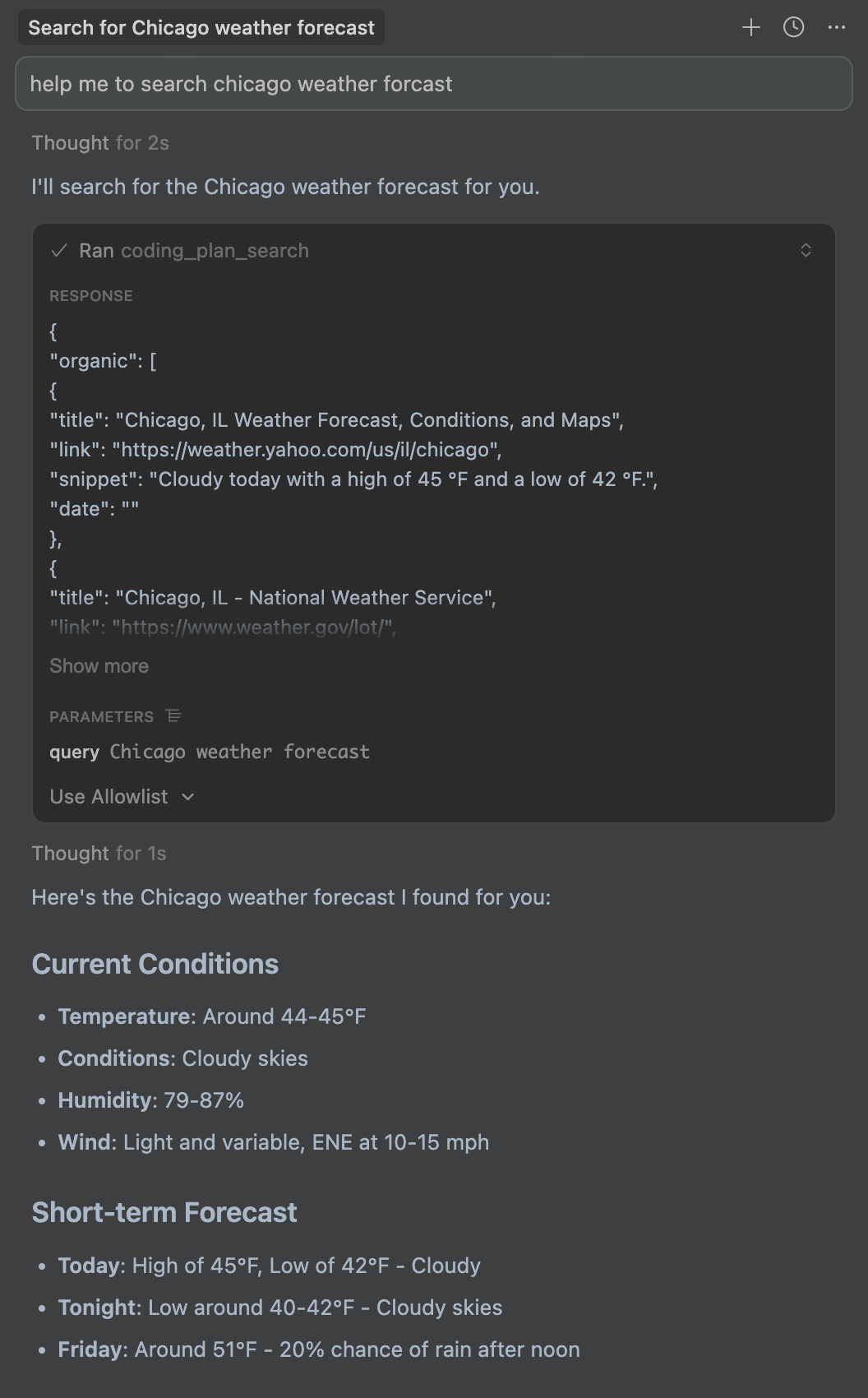
coding_plan_search |
Performs web searches and returns organic search results along with related search queries |
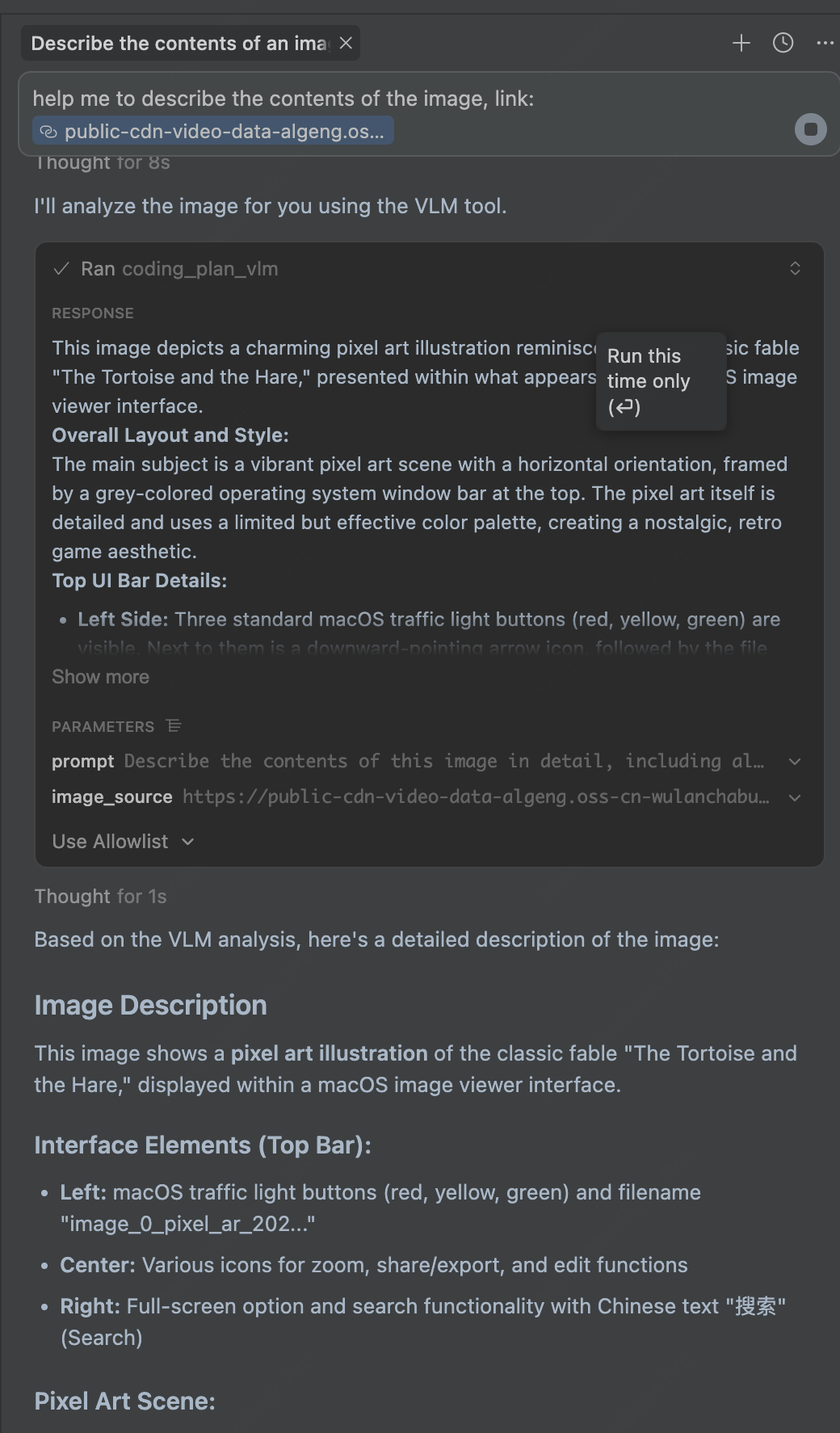
coding_plan_vlm |
Analyzes images with AI based on text prompts, extracts information and answers questions about images |
Release Notes
November 20, 2025
🆕 What's New
- Web Search: New
coding_plan_searchtool - perform web searches and get organic results with related search queries - Vision Language Model: New
coding_plan_vlmtool - analyze images using AI based on text prompts
📈 Features
coding_plan_search- Search the web and get structured results including titles, links, snippets, and related searchescoding_plan_vlm- Analyze images from URLs or local files, supporting JPEG, PNG, GIF, and WebP formats
FAQ
1. invalid api key
Please ensure your API key and API host are regionally aligned
| Region | Global | Mainland |
|---|---|---|
| MINIMAX_API_KEY | go get from MiniMax Global | go get from MiniMax |
| MINIMAX_API_HOST | https://api.minimax.io | https://api.minimaxi.com |
2. spawn uvx ENOENT
Please confirm its absolute path by running this command in your terminal:
which uvx
Once you obtain the absolute path (e.g., /usr/local/bin/uvx), update your configuration to use that path (e.g., "command": "/usr/local/bin/uvx").
Example usage
⚠️ Warning: Using these tools may incur costs.
1. Web Search
Use the coding_plan_search tool to search for information on the web:
2. Image Analysis
Use the coding_plan_vlm tool to analyze images with AI:


Download files
Download the file for your platform. If you're not sure which to choose, learn more about installing packages.
Source Distribution
Built Distribution
Filter files by name, interpreter, ABI, and platform.
If you're not sure about the file name format, learn more about wheel file names.
Copy a direct link to the current filters
File details
Details for the file minimax_coding_plan_mcp-0.0.1.tar.gz.
File metadata
- Download URL: minimax_coding_plan_mcp-0.0.1.tar.gz
- Upload date:
- Size: 14.1 kB
- Tags: Source
- Uploaded using Trusted Publishing? No
- Uploaded via: twine/6.2.0 CPython/3.12.2
File hashes
| Algorithm | Hash digest | |
|---|---|---|
| SHA256 |
d8a8c04d848d6b4066142df0ff68a04e634317bed28c23ea96050aef78ae4642
|
|
| MD5 |
d427b3a3cd1c150ffccb159eba1cf81b
|
|
| BLAKE2b-256 |
e5f2f445cb48c8586683f74dd14ae7328ecd12a305d9ab7bca2fa56314c47fab
|
File details
Details for the file minimax_coding_plan_mcp-0.0.1-py3-none-any.whl.
File metadata
- Download URL: minimax_coding_plan_mcp-0.0.1-py3-none-any.whl
- Upload date:
- Size: 15.4 kB
- Tags: Python 3
- Uploaded using Trusted Publishing? No
- Uploaded via: twine/6.2.0 CPython/3.12.2
File hashes
| Algorithm | Hash digest | |
|---|---|---|
| SHA256 |
bfe8b330fc4284b4cf3fe6d33b11468f2132c8f04d15fe2e09cfbdaae9143c7b
|
|
| MD5 |
8a6a0774a7edc032d3bff002ae11aade
|
|
| BLAKE2b-256 |
0ee525682c23aa3983ab2715331fbed28771d8121969d332e383e42baf22fb8a
|






