
👷♂️Minion is Agent's Brain. Minion is designed to execute any type of queries, offering a variety of features that demonstrate its flexibility and intelligence.

Project description




Minion

Minion is Agent's Brain. Minion is designed to execute any type of queries, offering a variety of features that demonstrate its flexibility and intelligence.

Installation
Basic Installation
git clone https://github.com/femto/minion.git && cd minion
pip install -e .
cp config/config.yaml.example config/config.yaml
cp config/.env.example config/.env
Docker Installation
git clone https://github.com/femto/minion.git && cd minion
cp config/config.yaml.example config/config.yaml

# Set your API key
export OPENAI_API_KEY=your-api-key

# Build and run (basic install)
docker-compose build
docker-compose run --rm minion

# Build with optional dependencies
docker-compose build --build-arg EXTRAS="gradio,web,anthropic"
# Or install all extras
docker-compose build --build-arg EXTRAS="all"

# Run a specific example
docker-compose run --rm minion python examples/mcp/mcp_agent_example.py
Edit config/config.yaml:
models:
  "default":
    api_type: "openai"
    base_url: "${DEFAULT_BASE_URL}"
    api_key: "${DEFAULT_API_KEY}"
    model: "gpt-4.1"
    temperature: 0
See Configuration for more details on configuration options.
Quick Start
Using CodeAgent (Recommended)
from minion.agents.code_agent import CodeAgent

# Create agent
agent = await CodeAgent.create(
    name="Minion Code Assistant",
    llm="your-model",
    tools=all_tools,  # optional
)

# Run task
async for event in await agent.run_async("your task here"):
    print(event)
See examples/mcp/mcp_agent_example.py for a complete example with MCP tools.
Using Brain
from minion.main.brain import Brain

brain = Brain()
obs, score, *_ = await brain.step(query="what's the solution 234*568")
print(obs)
See Brain Usage Guide for more examples.
Quick Demo
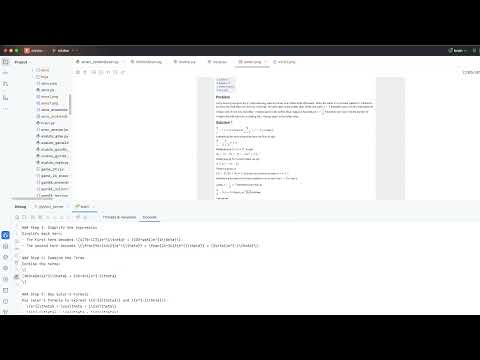
Click to watch the demo video on YouTube.
Working Principle

The flowchart demonstrates the complete process from query to final result:
- First receives the user query (Query)
- System generates a solution (Solution)
- Performs solution verification (Check)
- If unsatisfactory, makes improvements (Improve) and returns to generate new solutions
- If satisfactory, outputs the final result (Final Result)
Documentation
- CodeAgent Documentation - Powerful Python code execution agent
- Brain Usage Guide - Using brain.step() for various tasks
- Skills Guide - Extend agent capabilities with modular skills
- Benchmarks - Performance results on GSM8K, Game of 24, AIME, Humaneval
- Route Parameter Guide - Route options for different reasoning strategies
- Auto-decay Guide - Automatic context management for large tool responses (Experimental)
Configuration
Configuration File Locations
- Project Config:
MINION_ROOT/config/config.yaml- Default project configuration - User Config:
~/.minion/config.yaml- User-specific overrides
Configuration Priority
When both configuration files exist:
- Project Config takes precedence over User Config
This allows you to:
- Keep sensitive data (API keys) in your user config
- Share project defaults through the project config
Environment Variables
Variable Substitution: Use ${VAR_NAME} syntax to reference environment variables directly in config values:
models:
  "default":
    api_key: "${OPENAI_API_KEY}"
    base_url: "${OPENAI_BASE_URL}"
    api_type: "openai"
    model: "gpt-4.1"
    temperature: 0.3
  "azure-gpt-4o":
    api_type: "azure"
    api_key: "${AZURE_OPENAI_API_KEY}"
    base_url: "${AZURE_OPENAI_ENDPOINT}"  # e.g., https://your-resource.openai.azure.com/
    api_version: "2024-06-01"
    model: "gpt-4o"  # deployment name
    temperature: 0
Loading .env Files: Use env_file to load environment variables from .env files (follows Docker .env file format):
env_file:
  - .env        # loaded first
  - .env.local  # loaded second, can override values from .env
Inline Environment Variables: Define environment variables directly in config:
environment:
  MY_VAR: "value"
  ANOTHER_VAR: "another_value"
Variables from all sources (system environment, .env files, inline environment) will be available for ${VAR_NAME} substitution throughout the configuration.
Supported API Types
| api_type | Description | Required Fields |
|---|---|---|
openai |
OpenAI API or compatible (Ollama, vLLM, LocalAI) | api_key, base_url, model |
azure |
Azure OpenAI Service | api_key, base_url, api_version, model |
azure_inference |
Azure AI Model Inference (DeepSeek, Phi) | api_key, base_url, model |
azure_anthropic |
Azure hosted Anthropic models | api_key, base_url, model |
bedrock |
AWS Bedrock (sync) | access_key_id, secret_access_key, region, model |
bedrock_async |
AWS Bedrock (async, better performance) | access_key_id, secret_access_key, region, model |
See config/config.yaml.example for complete examples of all supported providers.
MINION_ROOT Detection
MINION_ROOT is determined automatically:
- Checks
MINION_ROOTenvironment variable (if set) - Auto-detects by finding
.git,.project_root, or.gitignorein parent directories - Falls back to current working directory
Check the startup log:
INFO | minion.const:get_minion_root:44 - MINION_ROOT set to: <some_path>
Warning: Be cautious - LLM can generate potentially harmful code.
Related Projects
- minion-agent Production agent system with multi-agent coordination, browser automation, and research capabilities
- minion-code Minion's implementation of Claude Code
Community and Support
WeChat Group (minion-agent discussion):

Optional Dependencies
The project uses optional dependency groups to avoid installing unnecessary packages. Install only what you need:
# Development tools (pytest, black, ruff)
pip install -e ".[dev]"

# Google ADK and LiteLLM support
pip install -e ".[google]"

# Browser automation (browser-use)
pip install -e ".[browser]"

# Gradio web UI
pip install -e ".[gradio]"

# UTCP support
pip install -e ".[utcp]"

# AWS Bedrock support
pip install -e ".[bedrock]"

# Anthropic Claude support
pip install -e ".[anthropic]"

# Web tools (httpx, beautifulsoup4, etc.)
pip install -e ".[web]"

# Install ALL optional dependencies
pip install -e ".[all]"

# You can also combine multiple groups:
pip install -e ".[dev,gradio,anthropic]"
Release history Release notifications | RSS feed


Download files
Download the file for your platform. If you're not sure which to choose, learn more about installing packages.
Source Distribution
Built Distribution
Filter files by name, interpreter, ABI, and platform.
If you're not sure about the file name format, learn more about wheel file names.
Copy a direct link to the current filters
File details
Details for the file minionx-0.1.5.tar.gz.
File metadata
- Download URL: minionx-0.1.5.tar.gz
- Upload date:
- Size: 2.0 MB
- Tags: Source
- Uploaded using Trusted Publishing? No
- Uploaded via: twine/6.1.0 CPython/3.11.4
File hashes
| Algorithm | Hash digest | |
|---|---|---|
| SHA256 |
73e22d59b25cd3ef3dce529db56ce08a3128d8b1a480d5acb9b9884d3819f1e4
|
|
| MD5 |
c3cf2c414fd21f02a47718a765647391
|
|
| BLAKE2b-256 |
4536a6c3c01f0e84072a2dc0e365123cd46f9d6658d548e405f02c1fe69e9370
|
File details
Details for the file minionx-0.1.5-py3-none-any.whl.
File metadata
- Download URL: minionx-0.1.5-py3-none-any.whl
- Upload date:
- Size: 349.6 kB
- Tags: Python 3
- Uploaded using Trusted Publishing? No
- Uploaded via: twine/6.1.0 CPython/3.11.4
File hashes
| Algorithm | Hash digest | |
|---|---|---|
| SHA256 |
014014cdd447ea6065010ba6478ea3391d8f696803fb1d2e995d9665292486c6
|
|
| MD5 |
80f39391f6a59eaad7c3f6ef77b2fef8
|
|
| BLAKE2b-256 |
1482b64a30a3617730650c8e0df30e4b9971595b89fc4927358bc9ed4da21202
|






