
MiProbe Sensor Serial Logging Tool.

Project description
MiProbe Data Logging Tool and Python Libraries
A USB/Serial data logging tool and python functions/libraries for MiProbe Sensor boards developed by under various U.S. Department of Energy Small Business Innovative Research grant awards for Burge Environmental, Inc.
Supported Platforms
Linux, Mac, and FreeBSD on amd64 and aarch64 system architectures.
Installation & Usage
python3 -m pip install miprobe
The executable, miprober, is installed to ~/.local/bin on Linux and BSD systems and ~/Library/Python//bin on Mac OS X using homebrew.
miprober Usage
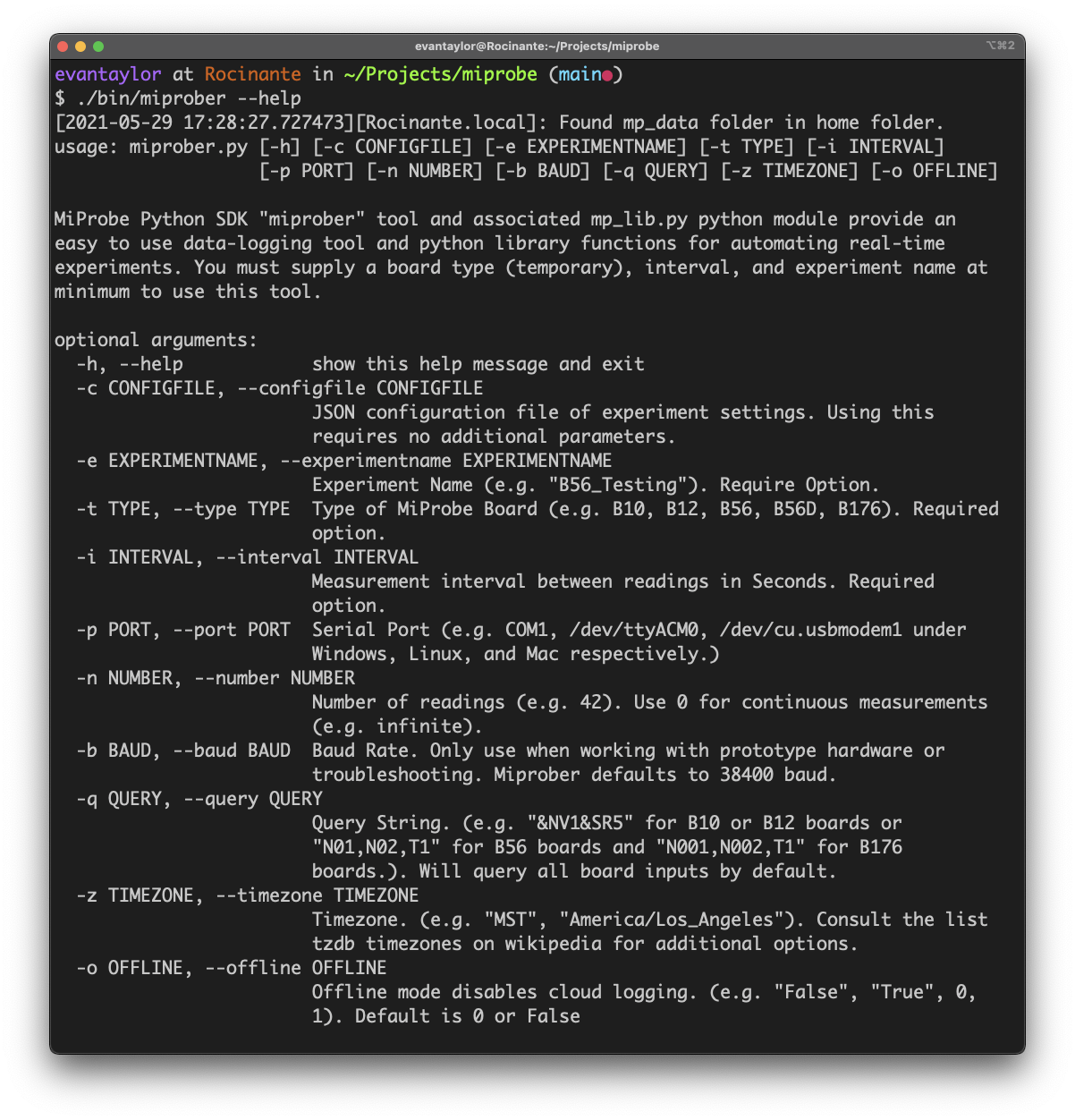
The miprober executable is an example python script that provides a simple interface for initializing automated data logging experiments using MiProbe system boards using the supplied mp_lib.py library.
miprober -type "B56" -experimentname "ExperimentName" -interval 60 -number 1000 -query "N01,N02,N03,T1"
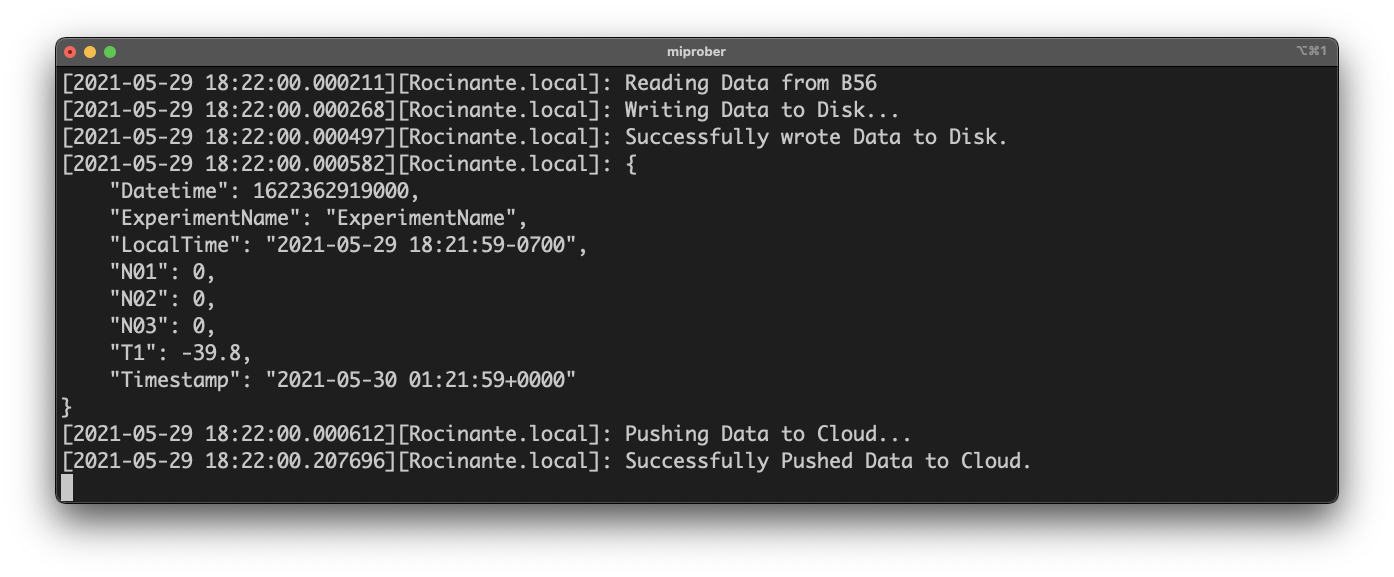
Passing no arguments or configuration file to miprober will default to loading the latest_config.json file.
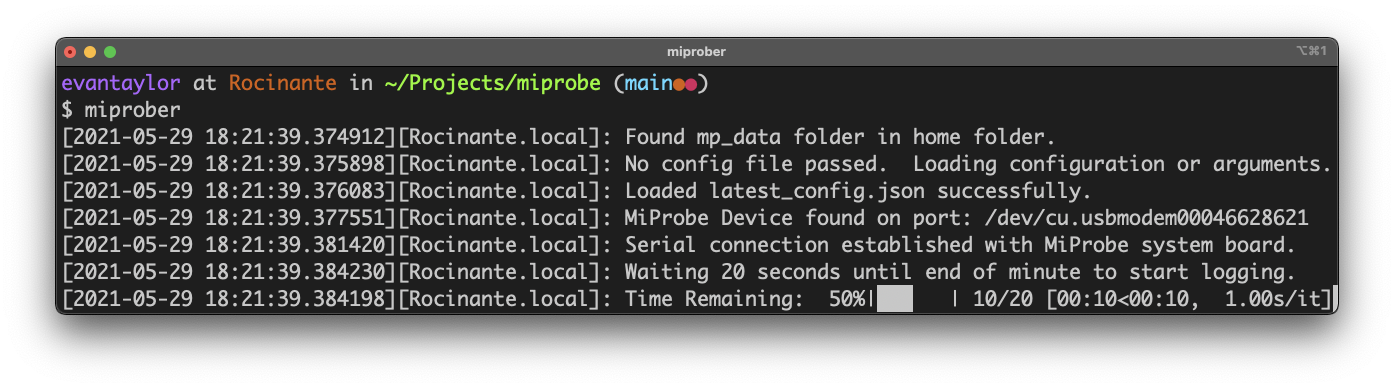
API.key and API.url files
On first-run miprober will create a folder $HOME/mp_data and request a API URL endpoint and Key. These files are stored in the mp_data folder as API.key and API.url respectively and are provided by the MiProbe team to access the MiProbe Cloud database servers.
mp_lib usage
mp_lib provides simple functions for initializing serial connections with MiProbe devices, querying them for sensor data, and pushing the data to an API server for further processing or database storage.
Experimental Network Logger JSON API
Since version 0.5 miprober now runs a flask server to allow a HTTP/JSON api for checking on data logger status over local networks.
Supply the device name or IP address to query the system on port 5000 using http get requests:
Get current experiment configuration:
http://device:5000/miprobe/config
Get latest reading off device:
http://device:5000/miprobe/latest/json
Get a JSON dump of ALL readings stored to /mp_data/ExperimentName.csv:
http://device:5000/miprobe/dump/json
Highly experimental:
Instruct miprober to immediately query the board, pushing data to the API server and responding in JSON to the query request.
http://device:5000/miprobe/query/json
DynamoDB API Server (Example)
Example code for a rudimentary Python/Flask API Server to receive data using AWS API Gateways and Lambda Functions is provided for testing. See api_server folder for example.
You will need to configure your DynamoDB Tables to use ExperimentName and Timestamp as the has key and range key for the Data_DB table and just the ExperimentName as the Hash key for the ExperimentID_DB table.
Release history Release notifications | RSS feed


Download files
Download the file for your platform. If you're not sure which to choose, learn more about installing packages.
Source Distribution
Built Distribution
Filter files by name, interpreter, ABI, and platform.
If you're not sure about the file name format, learn more about wheel file names.
Copy a direct link to the current filters
File details
Details for the file miprobe-0.6.9.tar.gz.
File metadata
- Download URL: miprobe-0.6.9.tar.gz
- Upload date:
- Size: 12.1 kB
- Tags: Source
- Uploaded using Trusted Publishing? No
- Uploaded via: twine/3.4.1 importlib_metadata/4.2.0 pkginfo/1.7.0 requests/2.25.1 requests-toolbelt/0.9.1 tqdm/4.61.0 CPython/3.9.5
File hashes
| Algorithm | Hash digest | |
|---|---|---|
| SHA256 |
deda6c94ef5dbbf71e351929dea6edcc600ac9a9b5d329f57da39be63274b171
|
|
| MD5 |
ef82f36d02fc40e8d9b610360c38f118
|
|
| BLAKE2b-256 |
4a1ba11f87030db9a69f5af50f7e281e6863442821ee8c790c4736f13810f2a3
|
File details
Details for the file miprobe-0.6.9-py3-none-any.whl.
File metadata
- Download URL: miprobe-0.6.9-py3-none-any.whl
- Upload date:
- Size: 10.9 kB
- Tags: Python 3
- Uploaded using Trusted Publishing? No
- Uploaded via: twine/3.4.1 importlib_metadata/4.2.0 pkginfo/1.7.0 requests/2.25.1 requests-toolbelt/0.9.1 tqdm/4.61.0 CPython/3.9.5
File hashes
| Algorithm | Hash digest | |
|---|---|---|
| SHA256 |
6b6e91afe203bc5220bcef13507ffe4569c204b887f09e49b7eed3e2d14308c6
|
|
| MD5 |
93a17e13f3b3829cbc382989ad81d873
|
|
| BLAKE2b-256 |
9e24556ada9ccf69c265f8a00b6e9f83529e6889e8ce00d2b8258ca5dad6643a
|






