
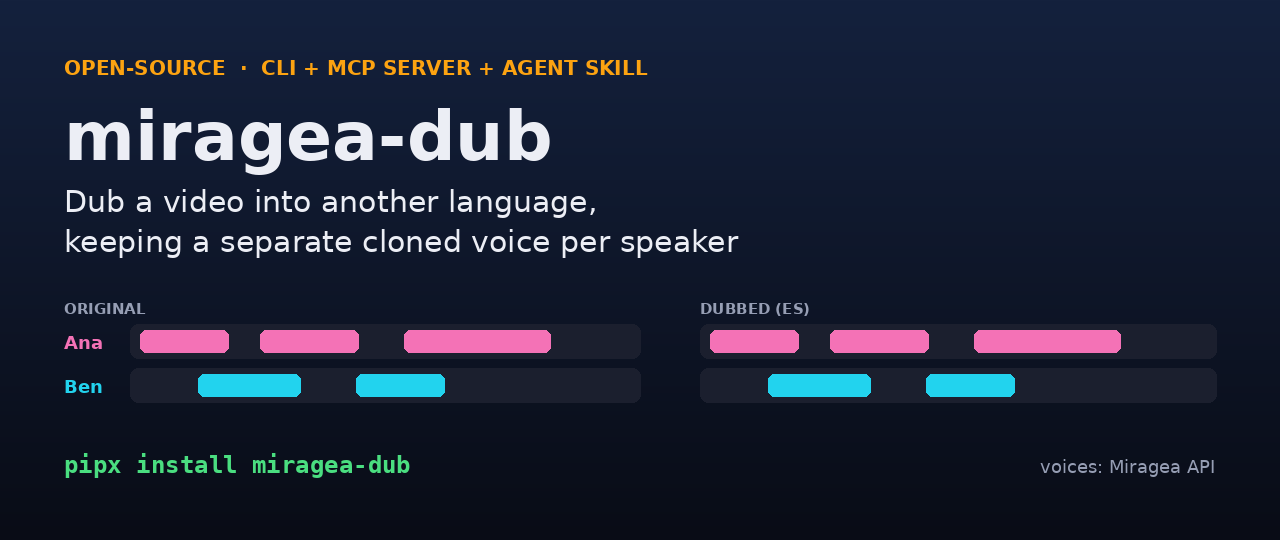
miragea-dub: multi-speaker AI video dubbing, open source
miragea-dub is an open-source command-line tool, MCP server and Agent Skill that dubs a video into another language while keeping a separate cloned voice for every speaker. It transcribes the video, works out who speaks when, lets you (or your AI agent) translate each line, clones every speaker's voice from the video itself with the Miragea voice API, fits each translated line into the original timing, ducks the original audio underneath, and exports a dubbed MP4, a stand-alone audio track for YouTube multi-language audio, and SRT/VTT subtitles. MIT licensed, Python 3.10+, works offline in demo mode.


Demo: a real two-speaker dub
An English clip with two speakers (Ana and Ben) dubbed into Spanish. Both voices were cloned from the clip itself, nothing was pre-recorded:
- Watch the dubbed MP4 (Spanish, burned-in subtitles, original English kept as 2nd audio track)
- Original English audio
- Spanish subtitles and timing report
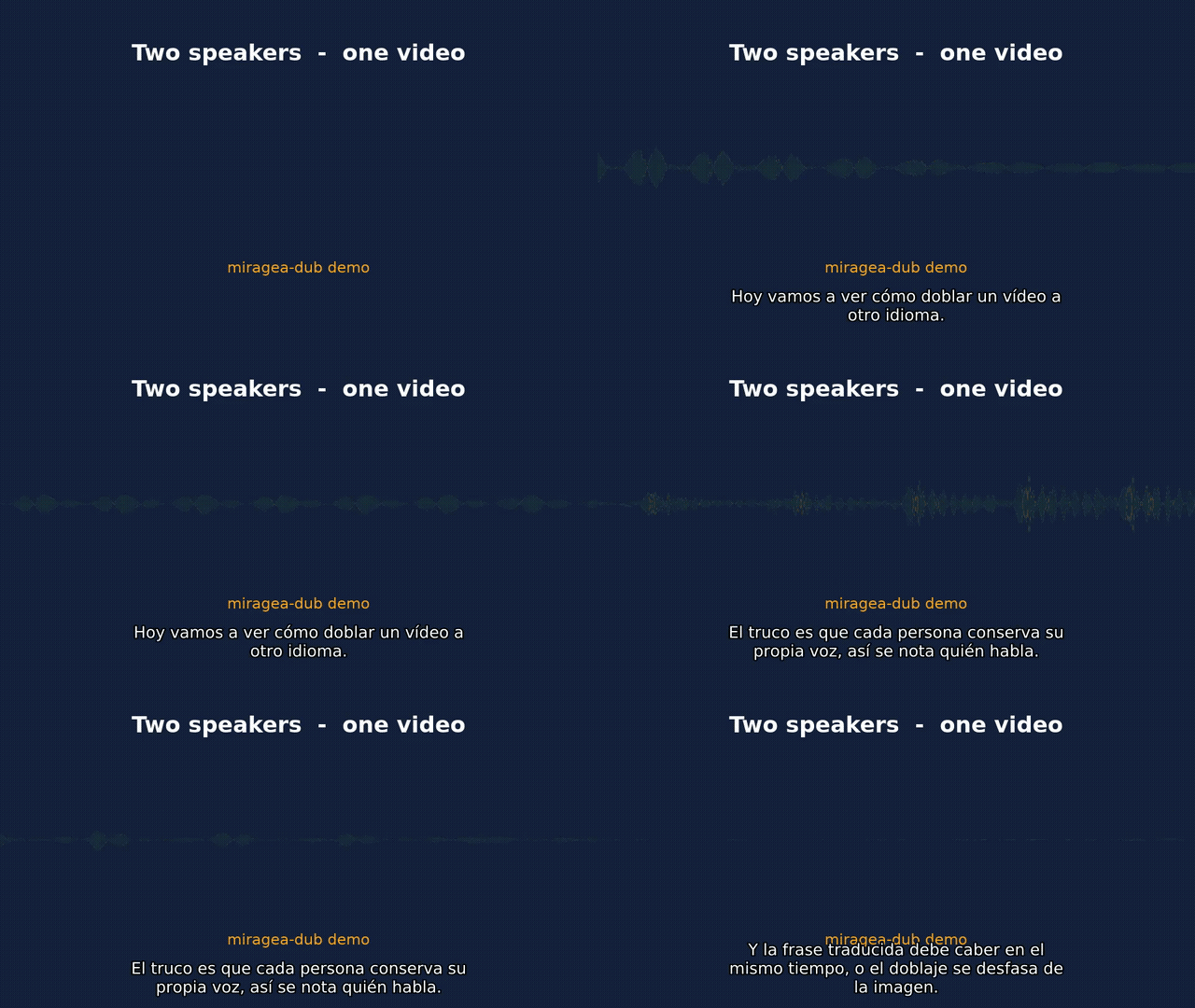
Round-trip check: transcribing the Spanish track again returns the translated script almost word for word, and the diarizer assigned all 6 lines to the right speaker.
Quick start
pipx install miragea-dub          # or: uvx miragea-dub ...   (needs ffmpeg on PATH)
miragea-dub demo                  # offline end-to-end run with test tones, no key needed
export MIRAGEA_API_KEY=...        # create a key at https://miragea.ai/workspace/api
miragea-dub doctor                # checks ffmpeg, key, connectivity

# 1) transcribe + find speakers -> dub.json
miragea-dub prepare interview.mp4 --to es --speakers 2
# 2) translate: let your AI agent fill "translation" in dub.json, or use any OpenAI-compatible LLM
miragea-dub translate interview.dub/dub.json --translator openai
# 3) voice, fit, mix, export
miragea-dub render interview.dub/dub.json --model expressive
# or all in one:  miragea-dub dub interview.mp4 --to es --translator openai
Outputs next to the video: interview.es.mp4 (dub track + original track + subtitles), interview.es.m4a, .srt, .vtt and interview.es.report.json.
How it works
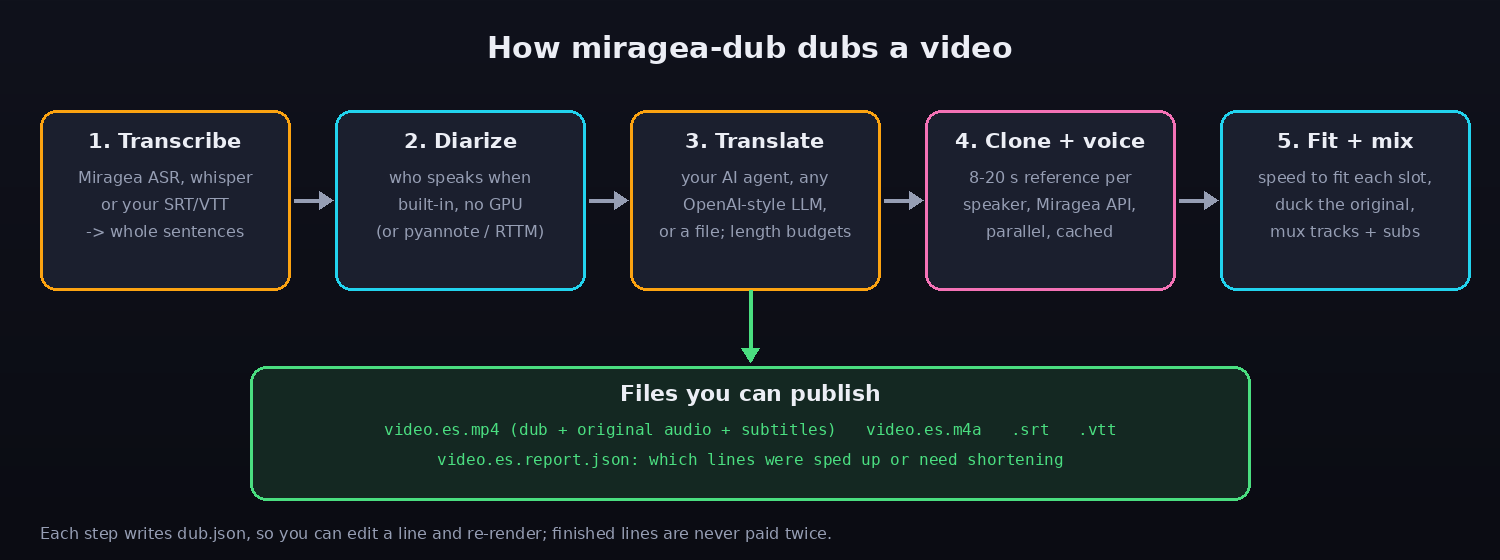
- Transcribe: Miragea speech-to-text (no GPU), local
faster-whisper, or your own SRT/VTT/JSON. Miragea returns subtitle cues cut at a fixed width, so cues are regrouped into whole sentences using the punctuated full text. - Diarize: a built-in, GPU-free speaker clustering on voice features (or
pyannote, or an RTTM file). Speaker tags already in your transcript ([Ana] ...,S2: ...) are kept. - Translate: every line gets a length budget so the translation can be spoken inside the original time slot. Backends:
agent(your AI agent editsdub.json),openai(any OpenAI-compatible endpoint),file,copy. - Clone and voice: an 8-20 second reference clip is cut per speaker from the video, hosted on a temporary public link, and each line is synthesized with that voice through the Miragea API. Requests are idempotent and cached, so a re-run never pays twice.
- Fit and mix: lines are sped up (up to 1.35x by default) to fit, the original audio is ducked under speech (or removed, or replaced by your music stem, or separated with Demucs), then everything is muxed.
Real timing report
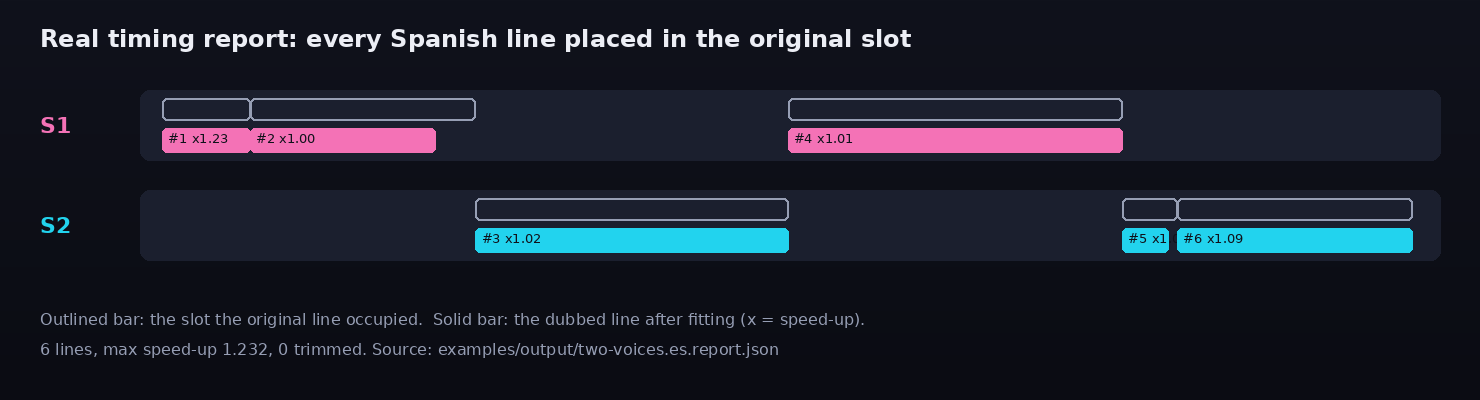
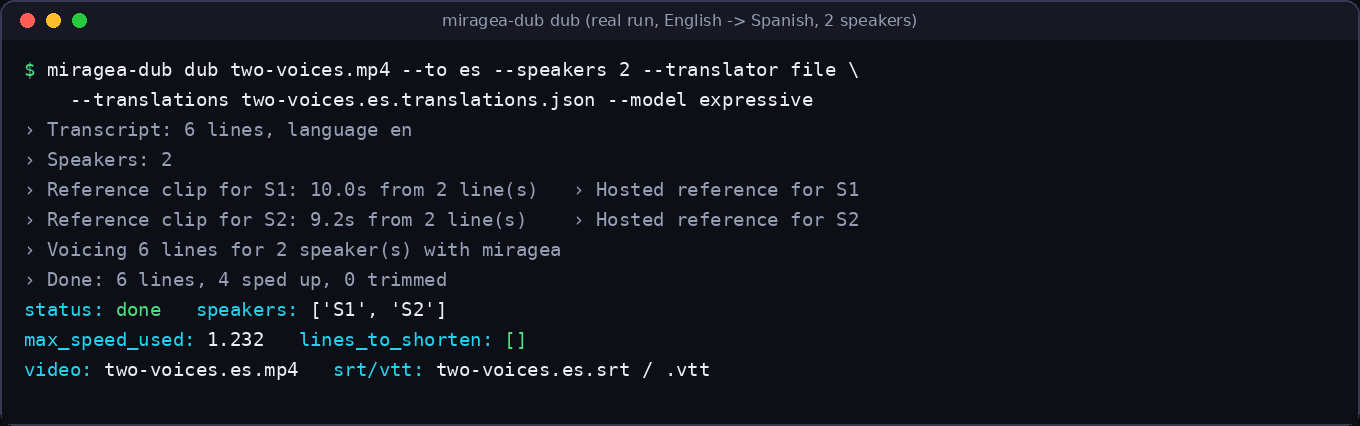
Lines that could not fit even at the speed limit are listed in lines_to_shorten; shorten them in dub.json and run render again (only changed lines are re-voiced).
Use it from an AI agent
MCP server (Claude Desktop, Claude Code, Cursor, VS Code, Windsurf):
{ "mcpServers": { "miragea-dub": { "command": "uvx", "args": ["--from", "miragea-dub", "miragea-dub-mcp"],
  "env": { "MIRAGEA_API_KEY": "your-key" } } } }
Tools: prepare_dub, save_translations, show_project, estimate_dub, render_dub, list_voices. The agent is the translator, so no second LLM key is needed.
Agent Skill: install video-dubbing from miragea-skills, or tell your agent: Install https://miragea.ai/skills/miragea-audio/install.md.
How it compares
| miragea-dub | VideoLingo | pyvideotrans | Hosted dubbing apps | |
|---|---|---|---|---|
| License | MIT | Apache-2.0 | GPL-3.0 | closed SaaS |
| Interface | CLI + MCP + Agent Skill | Streamlit app | desktop GUI + CLI | web app |
| Separate cloned voice per speaker | yes (from the video itself) | depends on TTS backend | depends on backend | yes |
| Runs without a GPU | yes (cloud ASR + voices) | local models recommended | optional | n/a |
| Your AI agent can drive it | yes (MCP, skill) | no | no | usually no |
| Editable project file between steps | dub.json |
partly | partly | web editor |
| Speaker count / timing report | yes | no | no | varies |
Star counts at time of writing: VideoLingo 19.1k, pyvideotrans 19.7k. Those projects are bigger and have GUIs; miragea-dub is the small, scriptable, agent-friendly option.
FAQ
How do I dub a video into another language with AI? Install miragea-dub, run miragea-dub dub video.mp4 --to es --translator openai, and you get a dubbed MP4 plus subtitles.
Can I dub a video with two or more speakers and keep each voice? Yes. Speakers are separated by diarization (or by tags in your own transcript) and each one is cloned from their own lines.
Does it work for a YouTube video with multiple audio tracks? The .m4a output is the stand-alone dubbed track you can upload as an additional language audio track; the .mp4 already carries dub and original tracks.
Is there a free open-source alternative to ElevenLabs or HeyGen dubbing? The pipeline, diarization, timing fit and mixing are free and MIT; the voices come from the Miragea API, which needs a key.
Can an AI agent (Claude, Cursor, Codex) dub videos? Yes, through the MCP server or the video-dubbing skill. The agent writes the translations itself.
How do I keep the dubbed speech from running longer than the original? Every line gets a word or character budget before translation, long lines are sped up to the limit, and what still does not fit is reported for shortening.
Does it keep background music? By default the original audio is ducked under speech. Use --background file with a music stem, demucs to separate stems, or remove.
Which languages? Anything your translator and the Miragea voices handle; the repo's own example is English to Spanish.
Troubleshooting
litterbox upload failed (HTTP 403): the default--ref-host autoalready falls back to other free hosts; or use--ref-host "cmd:your-upload-command {path}", orprefix:with--ref-dirfor your own server.- Wrong speaker count: pass
--speakers N, or supply--transcriptwith[Name]tags. - A line sounds rushed: shorten its
translationindub.jsonand runrenderagain. 401: create a key at https://miragea.ai/workspace/api andexport MIRAGEA_API_KEY.
Development
uv venv && uv pip install -e ".[dev]"
python -m pytest        # 28 tests, offline: Miragea API is mocked with httpx.MockTransport
python docs/make_images.py
Base URL defaults to https://miragea.ai/v1 (override with MIRAGEA_BASE_URL). See CHANGELOG and llms.txt. MIT, see LICENSE.
1 maintainer

Metadata
1 maintainer
Release files for miragea-dub 0.1.0
For a detailed explanation of source distributions (sdists) and built distributions (wheels), please see the package formats documentation.
Source distribution (sdist)
| File | Size | Uploaded | Provenance | Actions |
|---|---|---|---|---|
| miragea_dub-0.1.0.tar.gz | 48.8 kB | Without provenance | Details for miragea_dub-0.1.0.tar.gz |
Built distribution (wheel)
| File | Interpreter | ABI | Platform | Actions Reset |
|---|---|---|---|---|
| miragea_dub-0.1.0-py3-none-any.whl | Python 3 | none | any | Details for miragea_dub-0.1.0-py3-none-any.whl |
Total release size: 98.7 kB
Release files / miragea_dub-0.1.0.tar.gz
| Download URL | miragea_dub-0.1.0.tar.gz |
|---|---|
| Size | 48.8 kB |
| Tags | Source |
|
SHA-256 checksum How to use checksums |
d90cb235e129386ebc4df555f3d4c9eb273feb979b09c59ea8bc1dc3f7b42bd2
|
|
BLAKE2b-256 checksum How to use checksums |
7bc532a7077995ef483b938bbb404e6bc9d0172d3305da18ecc53309836b1124
|
| Upload date | |
|
Uploaded using Trusted Publishing? What is trusted publishing? |
No |
| Uploaded via |
uv/0.13.1 {"installer":{"name":"uv","version":"0.13.1","subcommand":["publish"]},"python":null,"implementation":{"name":null,"version":null},"distro":{"name":"Debian GNU/Linux","version":"13","id":"trixie","libc":null},"system":{"name":null,"release":null},"cpu":null,"openssl_version":null,"setuptools_version":null,"rustc_version":null,"ci":null}
|
Release files / miragea_dub-0.1.0-py3-none-any.whl
| Download URL | miragea_dub-0.1.0-py3-none-any.whl |
|---|---|
| Size | 49.9 kB |
| Tags | Python 3 |
|
SHA-256 checksum How to use checksums |
e96c3f26c3f55b0a779c275ae3320a3e5d0488b1cafe64518a865dc77a86a64c
|
|
BLAKE2b-256 checksum How to use checksums |
247ee1563a1c685fa91c5ed8adea2b1a26e90b6935993f1b329443a626ef9430
|
| Upload date | |
|
Uploaded using Trusted Publishing? What is trusted publishing? |
No |
| Uploaded via |
uv/0.13.1 {"installer":{"name":"uv","version":"0.13.1","subcommand":["publish"]},"python":null,"implementation":{"name":null,"version":null},"distro":{"name":"Debian GNU/Linux","version":"13","id":"trixie","libc":null},"system":{"name":null,"release":null},"cpu":null,"openssl_version":null,"setuptools_version":null,"rustc_version":null,"ci":null}
|
Security for miragea-dub 0.1.0
Provenance
Provenance describes where a file came from. On PyPI, provenance is shared via attestations, which provide a verifiable record of the build or publishing details. View details, limitations and caveats.
No provenance found
None of the files in this release were uploaded with provenance metadata.
A note on package security
PyPI is a repository for distributing packages, not a service for auditing them. While third-party security researchers and our staff do their best to detect and remove malicious packages, PyPI cannot guarantee the quality, security or suitability of any given package.
To learn more about protecting yourself from malicious actors, visit our package security documentation.













