
miragea-podcast: open-source AI podcast generator (NotebookLM-style two-host audio from any URL, PDF or topic)
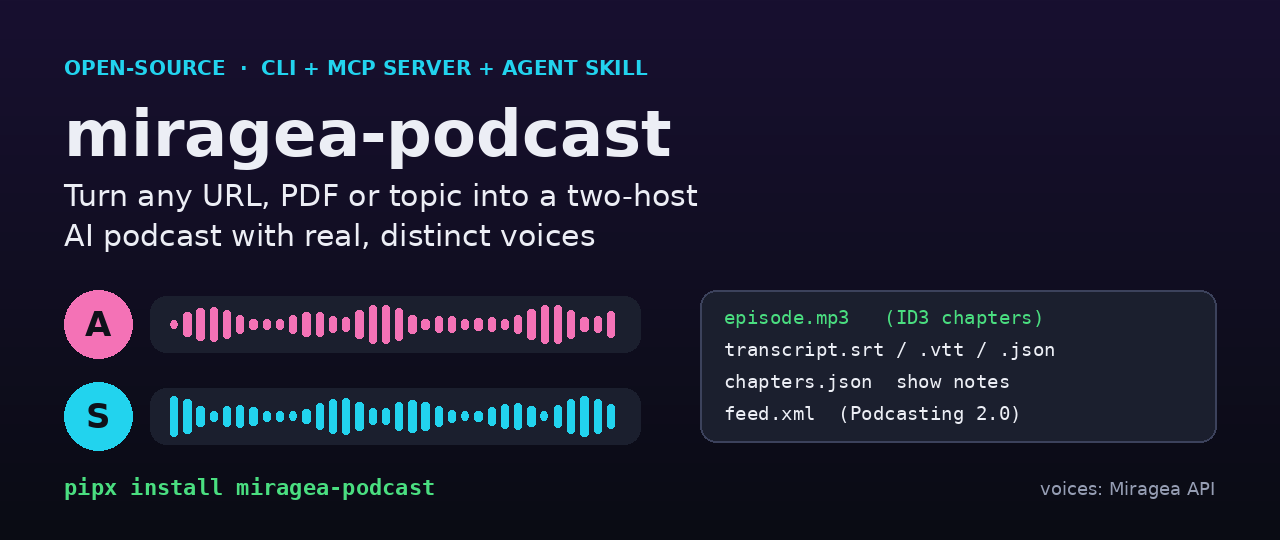
miragea-podcast is an open-source (MIT) AI podcast generator that turns a web page, PDF, text file or plain topic into a finished two-host (or up to six-voice panel) podcast episode. Your AI agent or any LLM writes a natural conversation script, and miragea-podcast voices each host with a distinct cloned or saved voice through the Miragea voice API. It then mixes real turn-taking (interruptions, overlaps, laughs, pauses) and writes an MP3 with ID3 chapters, SRT/VTT/JSON transcripts, show notes and a Podcasting 2.0 RSS feed. It ships as a CLI, an MCP server (Claude Desktop, Claude Code, Cursor, VS Code, Windsurf) and an Agent Skill. It needs no GPU, no local TTS model and no second LLM key when an agent writes the script.
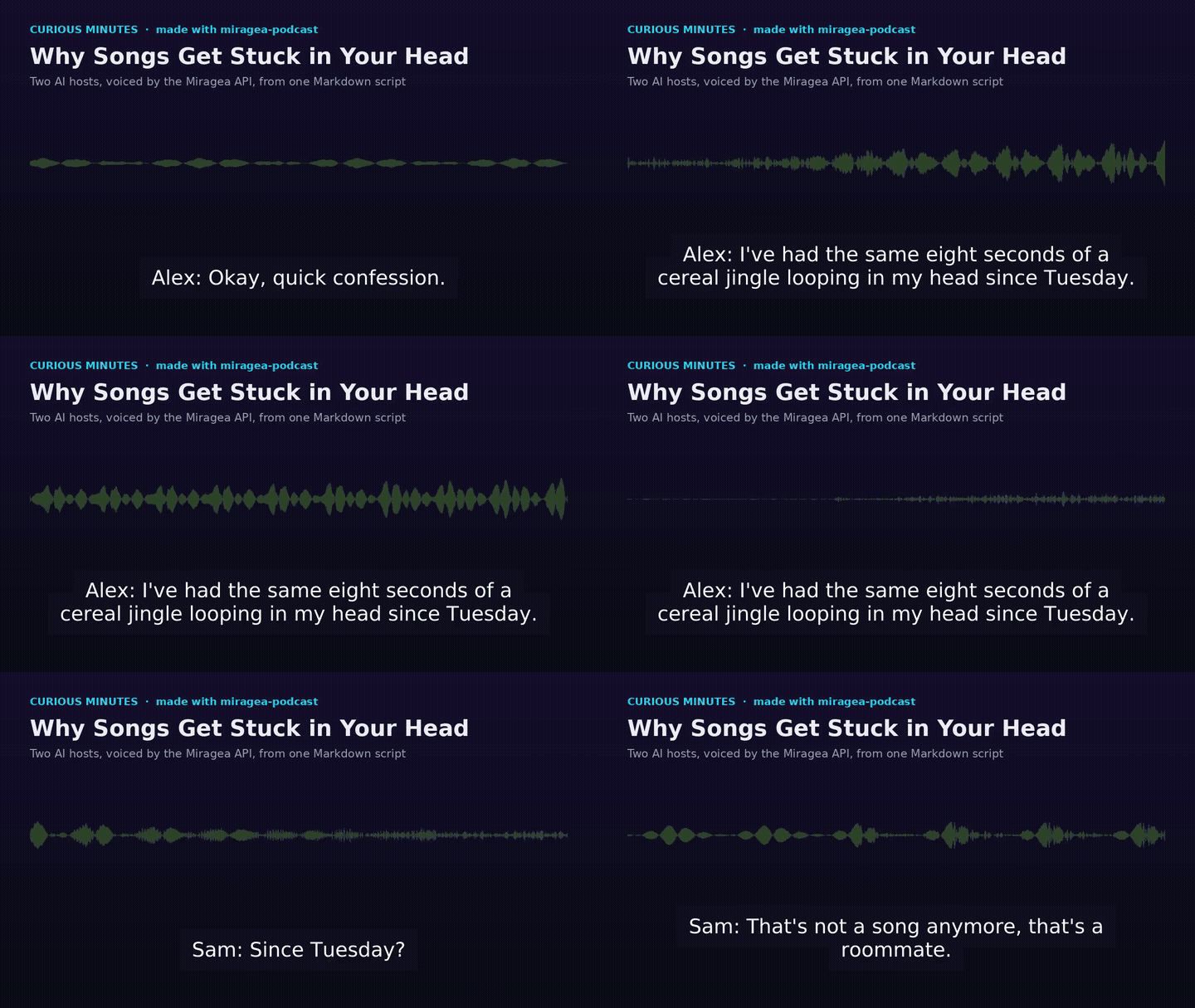
Listen to the demo episode (MP3, 85 s) · Watch it with captions (MP4) · Read the script · PyPI
Contents
- Quick start
- How it works
- Real demo output
- Use it from Claude, Cursor or any MCP client
- Use it as an Agent Skill
- Script format
- Voices
- CLI reference
- Publish as a real podcast (RSS)
- How it compares
- FAQ
- Development
Quick start
# 1. Install (Python 3.10+ and ffmpeg)
pipx install miragea-podcast          # or run without installing: uvx miragea-podcast ...

# 2. Add your Miragea API key (create one at https://miragea.ai/workspace/api)
export MIRAGEA_API_KEY=...
miragea-podcast doctor                # free check: key, network, ffmpeg

# 3. Free dry run with placeholder tones (no credits, no network)
miragea-podcast make examples/earworms.md --preview

# 4. The real episode: one voice per host, cloned from public samples
miragea-podcast make examples/earworms.md --intro-music chime --outro-music chime \
  --host "Alex=https://example.com/alex.wav|Exact words spoken in alex.wav." \
  --host "Sam=https://example.com/sam.wav|Exact words spoken in sam.wav."
Or straight from a source, if you have an OpenAI-compatible LLM key (PODCAST_LLM_API_KEY, PODCAST_LLM_BASE_URL, PODCAST_LLM_MODEL):
miragea-podcast create https://en.wikipedia.org/wiki/Earworm --minutes 5 --style deep-dive \
  --host "Alex=..." --host "Sam=..."
Using Claude Code, Codex or Cursor instead? You don't need an LLM key at all: the agent writes the script. Agents can also add the general Miragea integration with: Install https://miragea.ai/skills/miragea-audio/install.md.
How it works
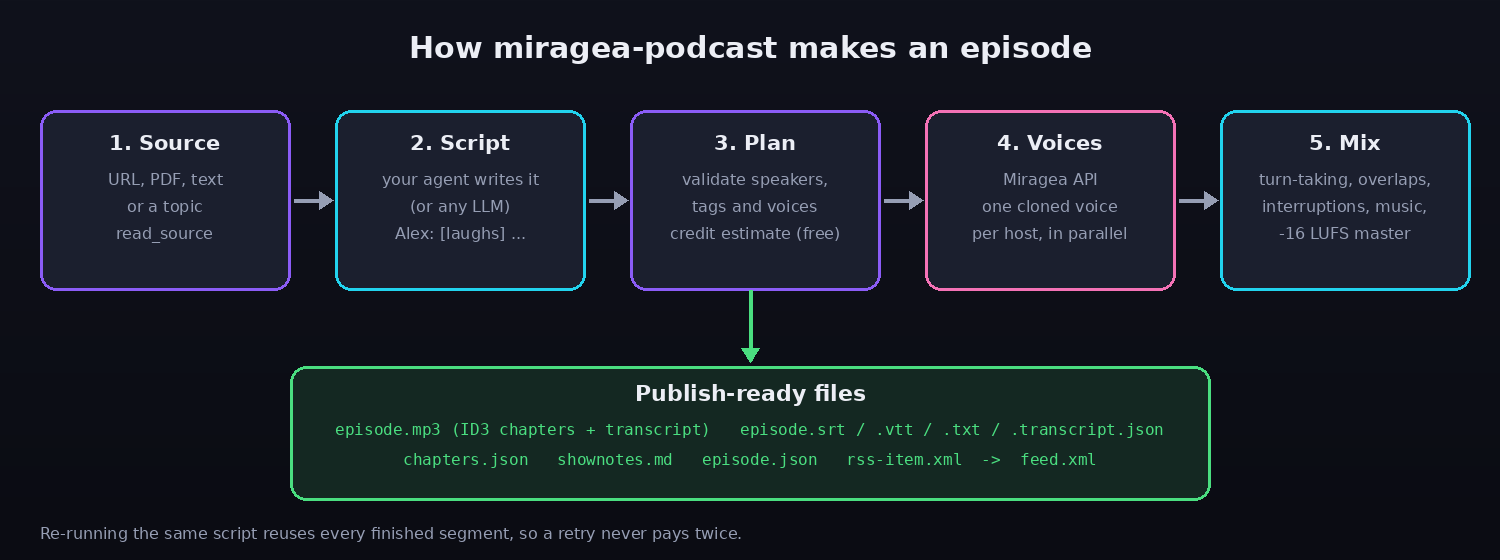
- Source.
extract/read_sourcepulls readable text from HTML pages, PDFs, TXT and Markdown, and skips navigation and scripts. - Script. One brief (
prompt,script_guide) tells any writer the exact format, the word target (150 words per minute) and the delivery tags. Six styles are built in: deep-dive, debate, interview, explainer, news-brief and panel. - Plan (free). It parses the script, gives each speaker a distinct voice, maps English tags such as
[laughs]to the labels Miragea accepts, drops unsupported tags with a warning, splits long turns at sentence boundaries and estimates credits. - Voices. Segments are generated in parallel, and each request carries a deterministic idempotency key and a local cache. If a run stops halfway, run the same command again: finished segments are reused and nothing is billed twice.
- Mix and publish. It trims silence, keeps natural gaps, starts
[interrupts]and[overlap]turns early so voices really overlap, adds optional intro/outro music, masters to -16 LUFS (the usual podcast target), embeds ID3 chapters and the transcript, then writes every companion file.
Real demo output
Everything below came from one real run of examples/earworms.md (207 words, 2 hosts, 3 chapters, 15 voice requests). No numbers were edited.
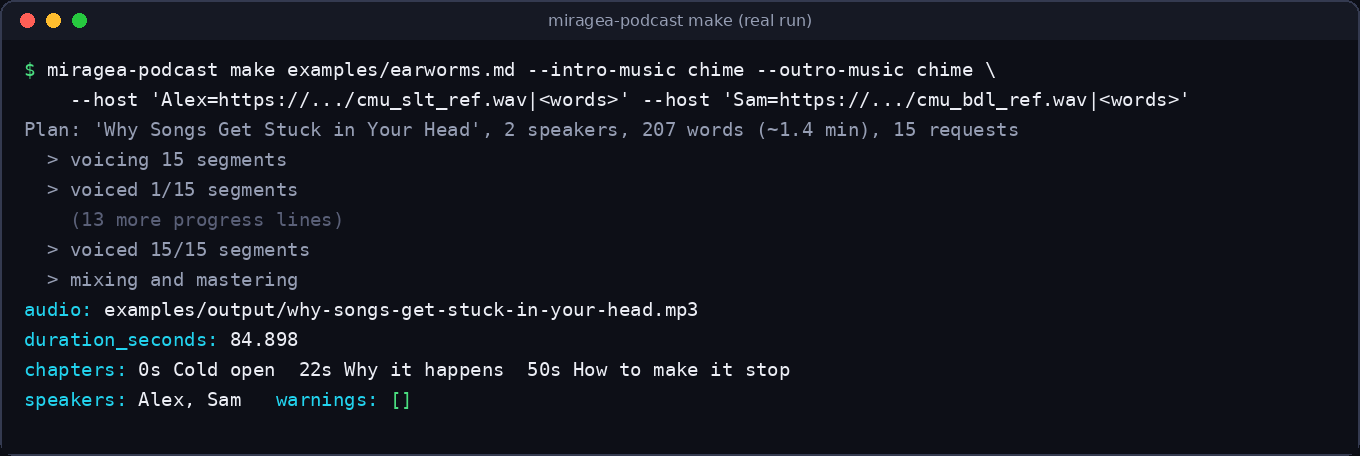
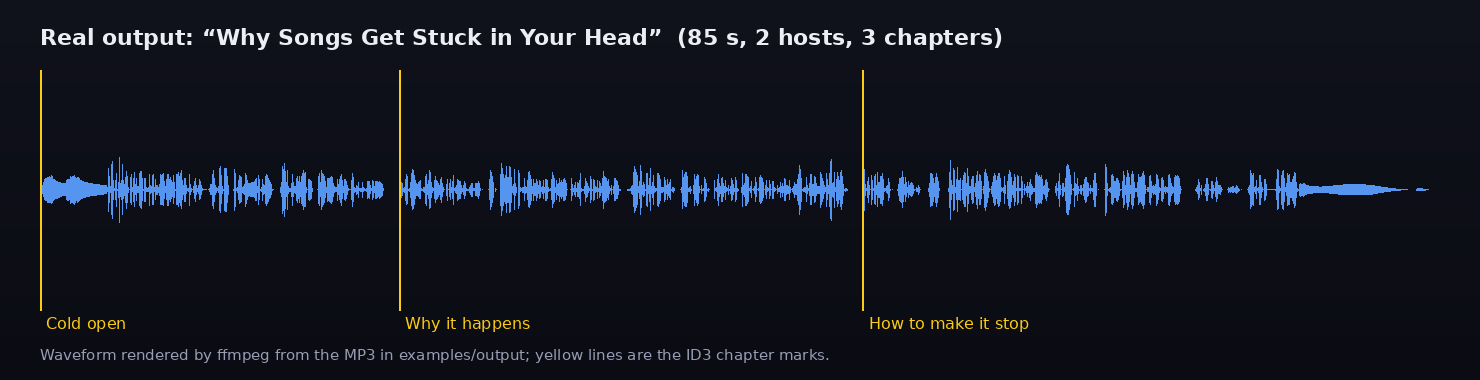
Files in examples/output/:
| File | What it is |
|---|---|
why-songs-get-stuck-in-your-head.mp3 |
The episode: 128 kbps MP3 with ID3 title, chapters (CHAP/CTOC), transcript (USLT) |
.srt / .vtt / .txt |
Speaker-labelled transcript for YouTube, players and show notes |
.transcript.json |
Podcasting 2.0 JSON transcript |
.chapters.json |
Podcasting 2.0 chapters (Apple Podcasts, Pocket Casts, Podverse, Fountain) |
.shownotes.md |
Title, summary, hosts and timestamped chapters |
.episode.json / .rss-item.xml |
Metadata and a ready-made <item> for your feed |
As a check, we sent the finished MP3 back through Miragea speech recognition, and it returned the script word for word apart from one homophone ("cereal" heard as "serial").
The two demo voices are cloned from short CMU ARCTIC recordings (speakers slt and bdl; free for any use, Copyright 2003 Carnegie Mellon University).
Use it from Claude, Cursor or any MCP client
The MCP server exposes 7 tools: read_source, script_guide, list_voices, list_tags, plan_podcast, create_podcast, build_feed. It also has one prompt, make_podcast. The agent writes the script itself, so it needs no LLM key.
Claude Code
claude mcp add miragea-podcast -e MIRAGEA_API_KEY=<your-key> -- uvx --from miragea-podcast miragea-podcast-mcp
Claude Desktop, Cursor, Windsurf (claude_desktop_config.json, ~/.cursor/mcp.json, ...)
{
  "mcpServers": {
    "miragea-podcast": {
      "command": "uvx",
      "args": ["--from", "miragea-podcast", "miragea-podcast-mcp"],
      "env": { "MIRAGEA_API_KEY": "<your-key>" }
    }
  }
}
miragea-podcast config vscode (or cursor, windsurf, claude-desktop, claude-code) prints the exact snippet. Then ask: "Turn https://example.com/article into a 5-minute two-host podcast, with Alex and Sam."
Use it as an Agent Skill
skills/ai-podcast/SKILL.md teaches Claude Code, Codex, Cursor and other SKILL.md-aware agents the whole workflow: read, brief, write, plan, make, publish. It is also part of the miragea-skills collection:
npx skills add https://codeberg.org/miragea-voice/miragea-skills.git
Script format
---
title: Why Is the Ocean Salty?
description: Two hosts untangle a question every kid asks.
language: en
---

## Cold open
Alex: [excited] Okay, I learned something wild this week.
Sam: [chuckles] You say that every week.
Alex: Rain slowly dissolves minerals out of rocks—
Sam: [interrupts] Wait, so the salt starts on land?
Alex: [overlap] On land!
[pause 0.6s]

## Where the salt goes
Sam: Rivers carry those minerals to the sea...
Name: textis one turn.## Headingstarts a chapter. 2 to 6 speakers.- Delivery tags go right before the words they colour:
[laughs],[chuckles],[sighs],[gasps],[whispers],[excited],[surprised],[shouts],[clears throat]and more (miragea-podcast tags).*laughs*and(laughs)work too. [interrupts]and[overlap]change timing as well as delivery: the turn starts before the other voice has finished.[pause 1.5s]inserts silence. JSON scripts ({"chapters": [{"title", "turns": [{"speaker", "text"}]}]}) are accepted too.
Voices
Each speaker gets their own voice in one of three ways:
| Spec | Meaning |
|---|---|
--host "Alex=actor:ID" |
A voice saved in your Miragea account (miragea-podcast voices) |
--host "Alex=Emma" |
A saved voice by name |
--host "Sam=https://host/sam.wav|exact words in the sample" |
Zero-shot clone from a public sample (10 to 30 s of clean speech). Adding the transcript after | gives the best match. |
Options can follow after ;, for example Sam=actor:123;speed=1.05. A TOML file works too (--hosts-file hosts.toml). Only clone voices you have the right to use.
CLI reference
| Command | What it does | Credits |
|---|---|---|
doctor |
Checks key, API, ffmpeg, saved voices | free |
voices, tags |
Lists saved voices and delivery tags | free |
extract SOURCE |
Prints the text pulled from a URL/PDF/file | free |
prompt SOURCE |
Prints the script-writing brief plus source, for any LLM | free |
write SOURCE -o script.md |
Writes a script with an OpenAI-compatible LLM | LLM only |
plan script.md --host ... |
Validates and estimates | free |
make script.md --host ... |
Produces the episode (--preview is free) |
yes |
create SOURCE --host ... |
write + make |
yes |
feed DIR --base-url ... |
Builds feed.xml from a folder of episodes |
free |
mcp, config CLIENT |
Runs the MCP server / prints client config | free |
Useful flags: --style, --minutes, --cast "Name=role", --model expressive|standard, --intro-music FILE|chime, --outro-music, --cover art.jpg, --max-credits N, --gap 0.32, -o DIR, --json.
Environment: MIRAGEA_API_KEY (required), MIRAGEA_BASE_URL (default https://miragea.ai/v1), MIRAGEA_OUTPUT_DIR, MIRAGEA_DEFAULT_MODEL, MIRAGEA_CONCURRENCY (1-8).
Publish as a real podcast (RSS)
# upload ./episodes to any static host (S3, R2, GitHub/Codeberg Pages, Netlify), then:
miragea-podcast feed ./episodes --base-url https://cdn.example.com/show \
  --title "Curious Minutes" --author "You" --image https://cdn.example.com/show/art.jpg --email you@example.com
The feed is RSS 2.0 with iTunes tags and Podcasting 2.0 podcast:transcript, podcast:chapters and podcast:person. Submit its URL to Apple Podcasts, Spotify for Creators or the Podcast Index. Preview episodes are never published.
How it compares
| miragea-podcast | NotebookLM Audio Overviews | podcastfy | open-notebook | |
|---|---|---|---|---|
| Open source | Yes (MIT) | No | Yes (Apache-2.0) | Yes (MIT) |
| Edit the script before voicing | Yes, plain Markdown | No (prompt steering only) | Yes (transcript file) | Partly |
| Choose or clone host voices | Any saved or cloned voice per host | Fixed voices | Depends on TTS provider | Depends on TTS provider |
| Interruptions and overlapping speech | Yes ([interrupts], [overlap]) |
Yes | No (turns play one after another) | No |
| Chapters, SRT/VTT, RSS feed | Yes, all built in | No | Transcript only | No |
| MCP server + Agent Skill | Yes | No | No | No (has its own API) |
| Keys needed | Miragea only (agent writes the script) | Google account | LLM key + TTS key | LLM key + TTS key + database |
| Runs without a GPU | Yes | n/a (hosted) | Yes with cloud TTS | Yes with cloud TTS |
Comparison as of November 2026, based on each project's public docs. Corrections are welcome via issues.
FAQ
How do I make a podcast from a PDF with AI?
Run miragea-podcast prompt paper.pdf --minutes 8. Paste the brief into any LLM (or let your agent read it), save the script, then miragea-podcast make script.md --host ... --host .... With an LLM key set, miragea-podcast create paper.pdf --host ... --host ... does it in one step.
Is there an open-source NotebookLM Audio Overview alternative?
Yes. miragea-podcast produces the same two-host "deep dive" format, but you can read and edit the script, pick or clone each host's voice, set the length and style, and you get chapters, transcripts and an RSS feed.
Can I use my own voice as one of the hosts?
Yes. Record 10 to 30 seconds of clean speech, upload it somewhere public (a direct file URL), and pass --host "Me=https://.../me.wav|the exact words you said".
How do I add an AI podcast tool to Claude Desktop or Cursor?
Add the MCP config shown above, restart the client and ask for an episode. The agent calls read_source, writes the script with script_guide, checks it with plan_podcast and renders it with create_podcast.
How long can an episode be?
script_guide accepts up to 90 minutes. Long turns are split at sentence boundaries automatically, and runs are resumable, so long episodes are practical.
How much does an episode cost?
plan prints a credit estimate before anything is spent, and --max-credits refuses to run above your limit. Tags, plans, previews and cached re-runs are free. See miragea.ai for current plans.
Does it support languages other than English?
The script format and mixing are language-agnostic. Set language: in the front matter and write the script in that language. Subtitles handle CJK width correctly.
Why is the voice generation not local?
Local multi-speaker TTS needs a GPU, large models and fragile dependencies, and those are the most common issues in similar projects. Cloud voices from one API mean pipx install and an API key are all you need.
Troubleshooting
| Symptom | Fix |
|---|---|
MIRAGEA_API_KEY is not set |
Create a key at https://miragea.ai/workspace/api and export it (or put it in the MCP env block) |
synthesis_failed |
Check that each reference URL is public and returns the audio file directly (curl -I URL), then rerun the same command: finished segments are reused |
ffmpeg not found |
brew install ffmpeg, sudo apt install ffmpeg or winget install ffmpeg |
| Tag ignored warning | That tag isn't offered on the chosen model; miragea-podcast tags lists the valid ones |
over_budget |
The estimate exceeded --max-credits; nothing was spent |
Development
git clone https://codeberg.org/miragea-voice/miragea-podcast.git && cd miragea-podcast
uv venv && uv pip install -e '.[dev]'
pytest            # 36 tests, offline: the Miragea API is mocked with httpx.MockTransport; needs ffmpeg
ruff check .
python docs/make_images.py   # re-render README images and the demo video from examples/output
Project layout: src/miragea_podcast/ (script.py parser and segmenter, voices.py, tags.py, synth.py parallel cached synthesis, mix.py timeline, mastering and ID3 chapters, subtitles.py, rss.py, sources.py, server.py MCP, cli.py), skills/ai-podcast/, examples/, tests/.
License
MIT. Demo voices are derived from CMU ARCTIC (free for any use). "NotebookLM" is a trademark of Google LLC; this project is not affiliated with Google.
1 maintainer

Metadata
1 maintainer
Release files for miragea-podcast 0.1.0
For a detailed explanation of source distributions (sdists) and built distributions (wheels), please see the package formats documentation.
Source distribution (sdist)
| File | Size | Uploaded | Provenance | Actions |
|---|---|---|---|---|
| miragea_podcast-0.1.0.tar.gz | 4.9 MB | Without provenance | Details for miragea_podcast-0.1.0.tar.gz |
Built distribution (wheel)
| File | Interpreter | ABI | Platform | Actions Reset |
|---|---|---|---|---|
| miragea_podcast-0.1.0-py3-none-any.whl | Python 3 | none | any | Details for miragea_podcast-0.1.0-py3-none-any.whl |
Total release size: 4.9 MB
Release files / miragea_podcast-0.1.0.tar.gz
| Download URL | miragea_podcast-0.1.0.tar.gz |
|---|---|
| Size | 4.9 MB |
| Tags | Source |
|
SHA-256 checksum How to use checksums |
84b0b528405c5595cf044e86211484adbc9373259bbee310b39ae62bbc5e1a78
|
|
BLAKE2b-256 checksum How to use checksums |
ebdf65b7bbd0991ba7c95047c2a51f5e6afa23be6af7f5913641138542af45dc
|
| Upload date | |
|
Uploaded using Trusted Publishing? What is trusted publishing? |
No |
| Uploaded via |
uv/0.13.1 {"installer":{"name":"uv","version":"0.13.1","subcommand":["publish"]},"python":null,"implementation":{"name":null,"version":null},"distro":{"name":"Debian GNU/Linux","version":"13","id":"trixie","libc":null},"system":{"name":null,"release":null},"cpu":null,"openssl_version":null,"setuptools_version":null,"rustc_version":null,"ci":null}
|
Release files / miragea_podcast-0.1.0-py3-none-any.whl
| Download URL | miragea_podcast-0.1.0-py3-none-any.whl |
|---|---|
| Size | 60.2 kB |
| Tags | Python 3 |
|
SHA-256 checksum How to use checksums |
cd74849f8a55b86ec9c4f54f17a4e70e8bfd622165b15263e23a988521886d0e
|
|
BLAKE2b-256 checksum How to use checksums |
c58f5c35d501aa5d652b5e2b04d9a6f435cc385519eb2cfafbaac831e87a1a5c
|
| Upload date | |
|
Uploaded using Trusted Publishing? What is trusted publishing? |
No |
| Uploaded via |
uv/0.13.1 {"installer":{"name":"uv","version":"0.13.1","subcommand":["publish"]},"python":null,"implementation":{"name":null,"version":null},"distro":{"name":"Debian GNU/Linux","version":"13","id":"trixie","libc":null},"system":{"name":null,"release":null},"cpu":null,"openssl_version":null,"setuptools_version":null,"rustc_version":null,"ci":null}
|
Security for miragea-podcast 0.1.0
Provenance
Provenance describes where a file came from. On PyPI, provenance is shared via attestations, which provide a verifiable record of the build or publishing details. View details, limitations and caveats.
No provenance found
None of the files in this release were uploaded with provenance metadata.
A note on package security
PyPI is a repository for distributing packages, not a service for auditing them. While third-party security researchers and our staff do their best to detect and remove malicious packages, PyPI cannot guarantee the quality, security or suitability of any given package.
To learn more about protecting yourself from malicious actors, visit our package security documentation.













