
Mirobody
Self-hosted AI health data engine: every source, one standard, answers that cite their source.
English · 中文





Last year's checkup wrote A1c, this year's panel HbA1c, the new clinic
Glycated Hemoglobin. One test, three names, nothing to compare. Mirobody takes
health information from any source, in any format, under any name, and settles
it into one language and one system, then answers over that record, every number
citing its source: traceable, comparable, chartable. How has my blood pressure
moved? Are mom's diabetes markers improving? What changed across my child's
checkups? Self-host it all, and your health record stays in your hands.

Three files, three names for the same test, one LOINC code. The agent finds all three, aggregates the trend, and names the file every number came from.
What Mirobody does
- One record for the whole family. Invite a partner, a parent, even a child who never signs in at all, and keep the household's health history in one place.
- Every source, one record. Garmin, Oura and Whoop connect directly; anything already written into Apple Health comes with it; PDFs, phone photos, spreadsheets, exports: 23 file types in all, and Mirobody reads them.
- No hallucinations, everything traceable. Every indicator lands in one settled system: either it gets a definite code, or it says it could not resolve one. It never invents one in between. Built and tested against real reports, in English, Chinese and Japanese.
- The agent reasons only over coded data. Trends by minute, hour, day, week or month, drawn as a chart; a baseline and how far a number has moved in one call; comparisons across labs, files and devices, because one standard (LOINC and UCUM) sits under all of them. It reads medications and genetic variants too.
- Runs on a laptop. Four containers, 791 MiB resident, under 5% CPU idle. No GPU, no Node.js.
- Your model, your key, your data. Model calls go to the model you chose. Everything else stays on your machine.
Try it in 60 seconds
One command, five spellings: watch which ones it recognises, and which one it
refuses. No key, no config, no network, and with uvx, no install either:
uvx mirobody resolve "LDL cholesterol" 血红蛋白 ヘモグロビン "空腹血糖(GLU)" 血脂

血红蛋白 and ヘモグロビン: two languages, one code, 718-7. 血脂 (lipids)
names a category, not one observation, so it resolves to nothing. The
resolver would rather return nothing than guess a code, because a wrong one
puts two different tests on the same trend line.
from mirobody.engine import resolve, resolve_reading

resolve("血红蛋白").loinc                                # '718-7'   any language, one code
resolve("total cholesterol").loinc                     # '2093-3'  [Mass/volume]
resolve_reading("total cholesterol", "5.0", "mmol/L")   # '14647-2' [Moles/volume]
resolve_reading("total cholesterol", "193", "mg/dL")    # '2093-3'  the unit picks the code

resolve("中性粒细胞百分比").loinc                          # '26511-6' Neutrophils/Leukocytes
resolve_reading("中性粒细胞", "62 %", None).loinc          # '26511-6' a percentage...
resolve_reading("中性粒细胞", "4.2", "10*9/L").loinc       # '26499-4' ...and a count are two codes
resolve("血脂").resolved                                 # False    a category, not an observation
Pass the value and the unit when you have them. A different unit means a different test, and LOINC folds that into the code's own identity, so one name is deliberately several codes. → Engine reference · Indicators
Collect · Translate · Agent

An indicator takes three steps from arriving to being cited. Each one leaves a trace, so the answer at the end can be followed back to the page it came off:
| Stage | What it does | Where |
|---|---|---|
| ① Collect | Lab reports, wearables, phone photos, genetic files, all pulled in. The source file is kept as it was, so every indicator points back to the page it was read from. | collect/ |
| ② Translate | One name to one code, one unit to UCUM, offline and deterministic. A1c, HbA1c and Glycated Hemoglobin become the same test here. |
engine.py · translate/ |
| ③ Agent | Ask over the coded record. Trend a value by minute, hour, day, week or month; get count, min, max, avg or change over any window in one call; compare across labs and devices, because they share one code. It charts the result in its reply, reads medications and genetic variants too, and names the file every number came from. | agent/ |
① records how the source spelled it, ② decides what it actually is, ③ answers on that footing. Comparing a number across two labs, charting three years of it, computing a baseline: all of it rests on the code ② hands over.
The agent does not have to be ours. Every tool it uses is served at /mcp
as well, gated per user. Claude Desktop, Cursor or your own loop run the same
tools over the same record, and get back the same indicators.
Garmin, Oura and Whoop connect with your own credentials from each vendor; the setup guide walks it through. Apple Health goes another way: a client on the phone hands the data over, so any band, ring or scale reaches your record the moment it writes into Apple Health, with nothing to integrate here at all.
Privacy
Nothing leaves your machine except calls to the model you chose. Reading a
photo of a report, pulling indicators out of a PDF, answering your question:
all three call it. Which provider and which model is the one key in your .env.
② Translate stays local entirely: a name to a code, a unit to UCUM, looked up against a bundle that ships inside the package. No key, no network, no GPU, no model. Your record lives in your own Postgres, in containers you run, and nothing here reports usage anywhere.
One key, and it is the only secret you hold. Put an
OpenRouter key (OPENROUTER_API_KEY), a
Gemini key (GOOGLE_API_KEY), an
OpenAI key (OPENAI_API_KEY) or an
Anthropic key
(ANTHROPIC_API_KEY) in the .env beside compose.yaml, then
docker compose restart. DeepSeek, DashScope or any OpenAI-compatible gateway
works alone too. Which model chats, which reads report photos, which extracts
indicators and which embeds are four lines in
config.llm.yaml, and that file names the variable
(api_key: OPENROUTER_API_KEY), never the secret. mirobody doctor prints
what each surface selected, and names the fix where one has nothing.
The quickstart ships its secrets as placeholders, and encryption at rest does not yet cover every field. Before this reaches a network you do not control, read SECURITY.md: it also lists exactly what the server calls off your machine.
🚀 See it end to end
git clone --depth 1 https://github.com/thetahealth/mirobody.git && cd mirobody
git lfs install && git lfs pull   # the resolver's LOINC bundle, 13 MB; a fresh clone holds a pointer stub until you do
./deploy.sh                       # Postgres + pgvector, Redis, server, worker → http://localhost:18060
(--depth 1 skips the history of superseded frontend builds; drop it if you
plan to send a pull request.)
Two things deploy.sh will stop and tell you about, both with the fix in the
message: one checkout at a time, because compose.yaml pins the stack's
subnet, so a second one needs a different mirobody_network subnet; and a
Docker that refuses named volumes (rootless, hardened) needs bind mounts
instead, which is what compose.override.yaml.example is for.
Sign in as you@mirobody.ai, code 111111, no mail provider needed. An
account of your own is one request away:
curl -X POST localhost:18060/password/register -H 'Content-Type: application/json' \
     -d '{"email":"me@example.com","password":"at-least-8-chars"}'
SEED_DEMO_DATA is on by default, so two accounts are already there with
2,019 indicators between them: you, and mom@mirobody.ai, who shares her
record with you view-only. Set it to false to hold real data and neither
account is created. Settings → Add member covers someone who will never
sign in at all, a parent, a child, with a record you hold on their behalf.
Drop a file on the Data page and watch it become indicators.
demo/upload/ holds four files the seed deliberately leaves out: a
lab PDF, a phone photo of a printed report, a spreadsheet and another lab's
CSV export. Each analyte comes out with a value, a unit and a LOINC code,
linked back to the page it was read from.

Ask how the cholesterol has moved and the agent finds every file that carries
it: one lab writes Cholesterol, Total where the others write
Total Cholesterol-TC, and both are 14647-2. It charts the trend and names
the file each number came off: 4.60 → 4.45 → 4.38 mmol/L. Ask for a baseline
or a monthly average instead and the same tool aggregates over the whole
record, rather than handing back rows for the model to add up itself.
Ask the same question of the record shared with you and it is a different person's answer, from data you can only view. That sharing is a care circle: invite-only, off by default, and strictly permission-checked.

Each of those three words is one check, and they all live in one function.
resolve_subject is the only way an account reaches a record that is not its
own — being in a circle together grants nothing by itself.

→ The four-minute walkthrough ·
examples/06_care_circle_rules.py prints the
whole sharing decision table offline ·
Docker deployment ·
Configuration
Check any of it yourself
Every figure below comes with its source: a command you can run, or a public dataset.
- 261/261 on the tests an ordinary checkup prints, in English, Chinese
(Simplified and Traditional) and Japanese. The set is deliberately the least
flattering one — everyday panels, written the way a report prints them, which
is what every new user tries in their first minute.
test_engine_coverage.pyprints the score when you run it. - 13 wearable vendors, read field by field: 289 of 447 fields carry a LOINC code, each with a confidence and the vendor document it came from, and 71 quantities are declined with the reason rather than guessed. The device crosswalk is the table.
- Three open benchmarks, public datasets, one command each: longitudinal health agents, medical hallucination, harmful medical advice. mirobody-eval · datasets · arXiv:2604.02834.
- The package names the vocabulary that answered you:
mirobody.BUNDLE_VERSION→loinc-2.83+2026.09.17-aacb2c715b56, the release, the cut date, and a digest over the bundle's own contents. - 315 standard device indicators and 331 UCUM units with dimensional analysis. The full counts, and what the LOINC 2.83 cut keeps and drops, are in Standardization in depth.
pip install mirobodyis 2 packages, numpy the only dependency.
The engine powers Theta Wellness, a live consumer health product with 5,000+ registered users.
🔌 Use it, extend it
| You want | Do this |
|---|---|
| Offline resolution and units in your code | pip install mirobody — no key, no network |
| A document turned into indicators | pip install 'mirobody[parse]' — PDF, image, Excel, Word, PowerPoint, text; only a scanned page reaches a vision model |
| These tools in Claude Desktop, Cursor or your own loop | Settings → MCP: every agent tool is also served at /mcp, gated per user |
| Your app talking to a deployment | The HTTP API, against the deployment you run — your app, your data layer |
| A new tool or device provider | Drop a file into mirobody/agent/tools/ or mirobody/collect/providers/ and restart, or pip install a package declaring a mirobody.providers / mirobody.tools / mirobody.agents entry point |
| Your own agent harness | pip install 'mirobody[agent]' for the middleware and virtual-filesystem backends, or point AGENT_DIRS at your directory to replace the shipped agent outright |
→ API overview · MCP integration · Adding tools · Bringing your own agent
🤝 Contributing
The highest-leverage contribution is a term the resolver gets wrong. Run
mirobody resolve "<term>"; if the answer is wrong or empty,
report it
or add a row to resolver_overrides.tsv
plus a case to test_engine_coverage.py —
the coverage score is the review.
pip install -e '.[test]' && pytest -q && lint-imports
→ CONTRIBUTING.md · Local Python setup · Repository layout · Roadmap · CHANGELOG · SECURITY
📚 Documentation, and what shaped this
docs.mirobody.ai, in English and Chinese — start
at the Quickstart or the
API reference. The Quickstart also
ships with the code, as docs/quickstart.md, so it cannot
drift from the commands in this repository; the contributor guides are in
docs/.
Mirobody's design draws on the following standards and projects, with thanks:
HL7 FHIR,
Regenstrief Institute (LOINC),
UCUM, OHDSI OMOP,
Open Wearables,
Open mHealth / IEEE 1752,
wearipedia,
dlt / Airbyte / Singer,
deepagents and LangChain. The
terminology licences this ships under are in
LICENSE-3RD-PARTY.
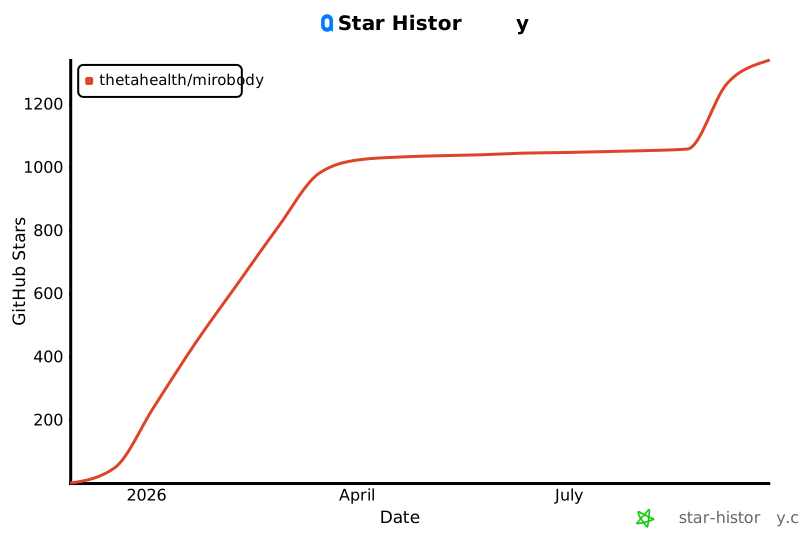
If it read a report for you, a star helps the next person find it. Releases land most weeks — Watch for them.
Apache 2.0 · © 2026 Theta Health
1 maintainer

Release files for mirobody 1.5.0
For a detailed explanation of source distributions (sdists) and built distributions (wheels), please see the package formats documentation.
Source distribution (sdist)
| File | Size | Uploaded | |
|---|---|---|---|
| mirobody-1.5.0.tar.gz | 14.0 MB | Details |
Built distribution (wheel)
| File | Interpreter | ABI | Platform | Reset |
|---|---|---|---|---|
| mirobody-1.5.0-py3-none-any.whl | Python 3 | none | any | Details |
Total release size: 28.2 MB
Release files / mirobody-1.5.0.tar.gz
| Download URL | mirobody-1.5.0.tar.gz |
|---|---|
| Size | 14.0 MB |
| Tags | Source |
|
SHA-256 checksum How to use checksums |
70382822febf96e7e0fcaa40ad012f6f0864e5526287622544aeff1266d265c4
|
|
BLAKE2b-256 checksum How to use checksums |
68edf8caa60b14f5743244bc3cb88e821edae4ef10d5739541767216bcc93f82
|
| Upload date | |
|
Uploaded using Trusted Publishing? What is trusted publishing? |
No |
| Uploaded via |
twine/7.0.0 CPython/3.12.14
|
Release files / mirobody-1.5.0-py3-none-any.whl
| Download URL | mirobody-1.5.0-py3-none-any.whl |
|---|---|
| Size | 14.1 MB |
| Tags | Python 3 |
|
SHA-256 checksum How to use checksums |
10be084ab4d4dd6880d93da5778bccfdcef223d2205a82c0c2b184894c29b265
|
|
BLAKE2b-256 checksum How to use checksums |
1e92aa536ca9d68a544a26fd293df56133c6ccd54b0d16bad03ce458c7984ba4
|
| Upload date | |
|
Uploaded using Trusted Publishing? What is trusted publishing? |
No |
| Uploaded via |
twine/7.0.0 CPython/3.12.14
|














