
CLI and GUI launcher for the Mirumoji project, an open-source, self-hostable Japanese language immersion tool.
Verified details
These details have been verified by PyPIProject links
GitHub Statistics
Maintainers

Project description
Overview
Mirumoji is an open-source, self-hosted Japanese immersion toolkit. Drop in any video, anime episode, drama or audio clip and it gives you: clickable tokenized subtitles with dictionary pop-ups, Whisper-powered transcription, instant SRT/clip extraction, and one-click Anki deck export — all in Docker, all running on your own machine.
Optional
OpenAIIntegration - Customizable GPT Breakdowns of Subtitles -
Optional
ModalIntegration - Install a CPU only version and run all GPU tasks on the cloud -
Preview
You can see a preview of the application's frontend (No backend running)
Here
Features
Interactive Video Player
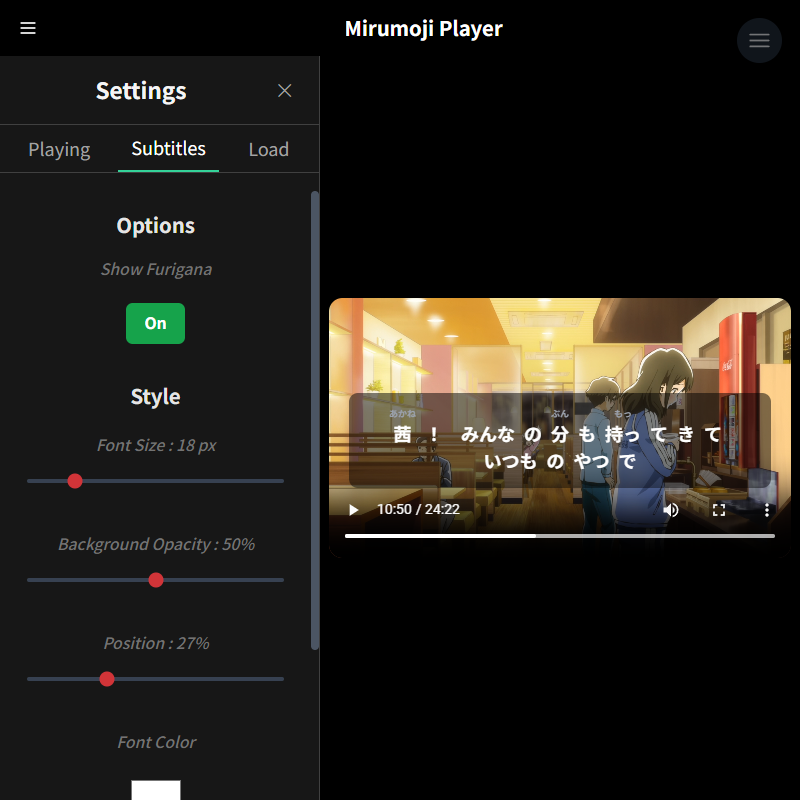
Upload your local anime/J-Drama espisodes or any Japanese video and
.SRTsubtitles.
Clickable Japanese Subtitles
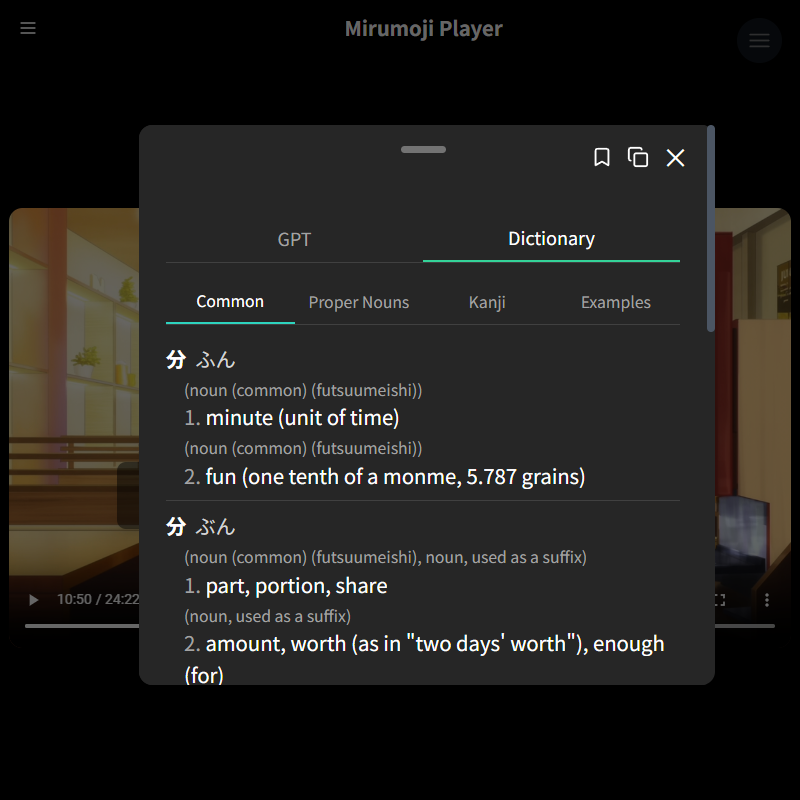
Subtitles are tokenized (
kuromoji.js), allowing you to click individual words with integrated offline JMDict for definitions.
OpenAI Integration
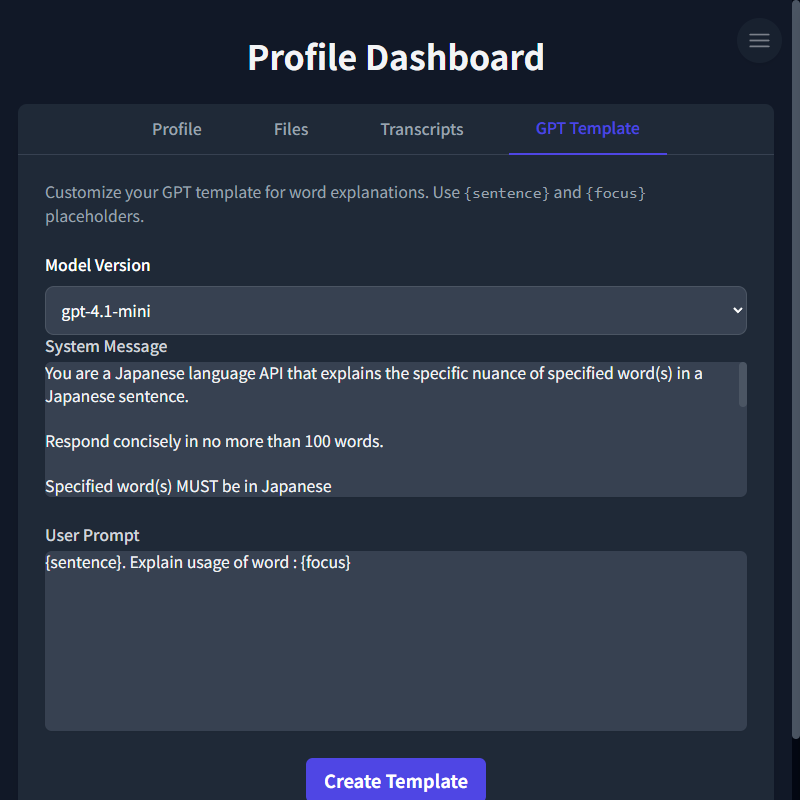
Modify System Message and User Prompt with
{sentence}and{word}variables.
Local Media Processing
Video Conversion
Upload videos in various formats; they can be converted to MP4 for optimal playback.
SRT Generation
Generate subtitles for your videos. Runs
FasterWhisperwith modified parameters to increase accuracy for longer media such as Anime/ J-Drama episodes.
Audio Transcription
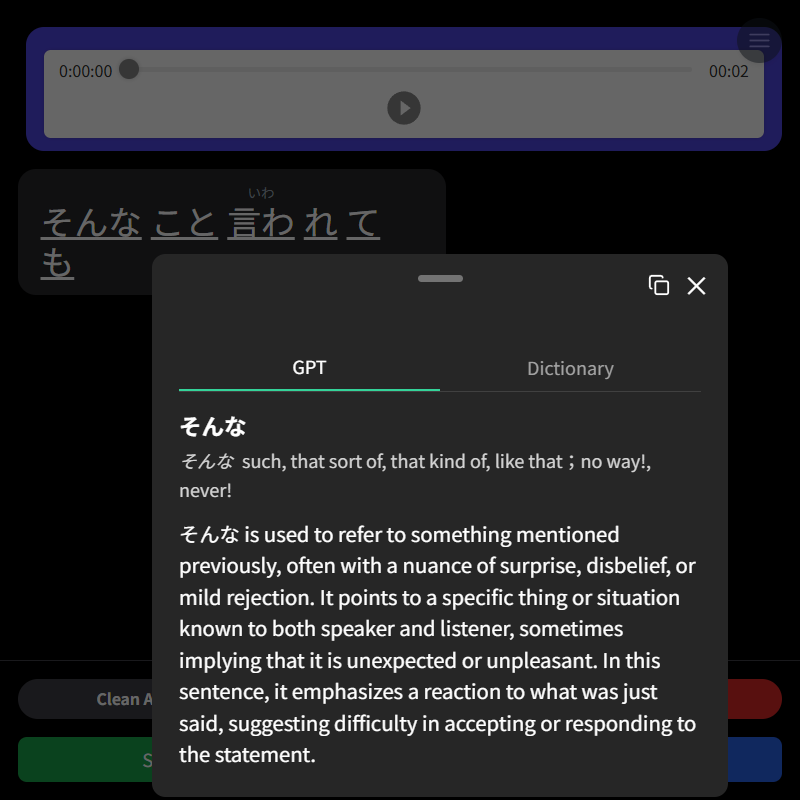
Transcribe Japanese audio from recordings or uploaded files.
Profile-Based Data Management:
Persistent Storage
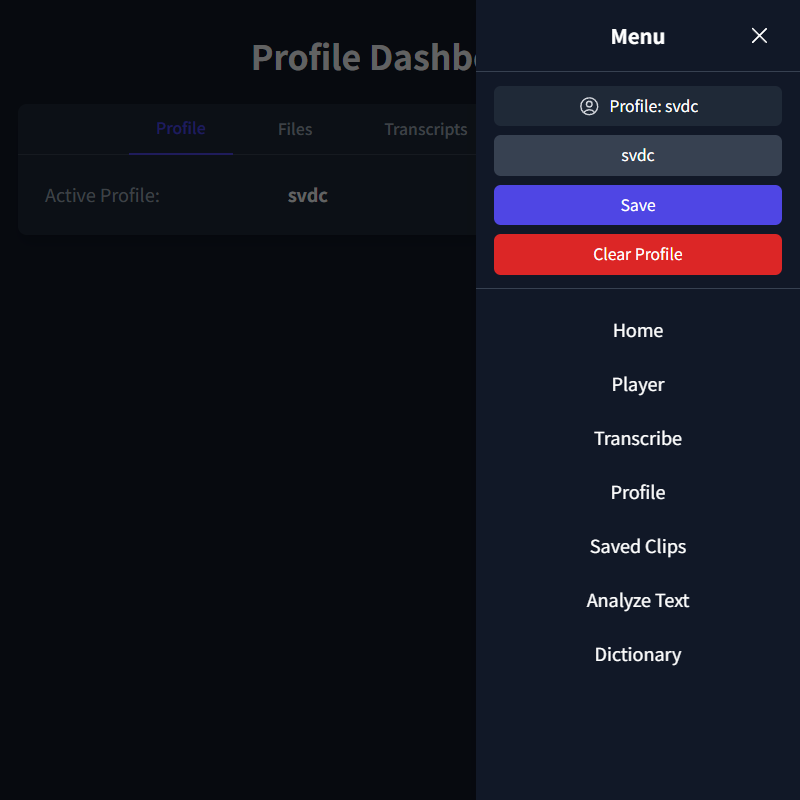
Profile configurations and all other profile-related data is stored and managed via SQLite database by the backend.
Clip Saving

Save important video segments with their associated word breakdowns and export as an Anki Deck
Setup
Both the
frontendandbackendhave pre-builtDockerimages and are set up to work with Docker Compose.
The easiest setup is to run the
launcherfor your platform. For detailed instructions please refer to theSetup Guide
You can also choose to
buildthe images locally with the Dockerfiles provided.
Project details
Verified details
These details have been verified by PyPIProject links
GitHub Statistics
Maintainers
Release history Release notifications | RSS feed


Download files
Download the file for your platform. If you're not sure which to choose, learn more about installing packages.
Source Distribution
Built Distribution
Filter files by name, interpreter, ABI, and platform.
If you're not sure about the file name format, learn more about wheel file names.
Copy a direct link to the current filters
File details
Details for the file mirumoji-2.5.2.tar.gz.
File metadata
- Download URL: mirumoji-2.5.2.tar.gz
- Upload date:
- Size: 32.0 kB
- Tags: Source
- Uploaded using Trusted Publishing? Yes
- Uploaded via: twine/6.1.0 CPython/3.12.9
File hashes
| Algorithm | Hash digest | |
|---|---|---|
| SHA256 |
04203e138c5feb8d1cfe5c1c5fd767543b0b2c3b61f00866bc208fa6b5e7d89d
|
|
| MD5 |
99c29c60f45dc71faaaf5f7f508e7f9a
|
|
| BLAKE2b-256 |
723ae7a2f84654bfc8370f385e66d956aadf9a21ffdc840156b0ca0193de73c9
|
Provenance
The following attestation bundles were made for mirumoji-2.5.2.tar.gz:
Publisher:
cli-pypi_release.yaml on svdC1/mirumoji
-
Statement:
-
Statement type:
https://in-toto.io/Statement/v1 -
Predicate type:
https://docs.pypi.org/attestations/publish/v1 -
Subject name:
mirumoji-2.5.2.tar.gz -
Subject digest:
04203e138c5feb8d1cfe5c1c5fd767543b0b2c3b61f00866bc208fa6b5e7d89d - Sigstore transparency entry: 423018873
- Sigstore integration time:
-
Permalink:
svdC1/mirumoji@4c1df9991ce8a74accf9feb0372634c9c84f8dfe -
Branch / Tag:
refs/tags/v2.5.2 - Owner: https://github.com/svdC1
-
Access:
public
-
Token Issuer:
https://token.actions.githubusercontent.com -
Runner Environment:
github-hosted -
Publication workflow:
cli-pypi_release.yaml@4c1df9991ce8a74accf9feb0372634c9c84f8dfe -
Trigger Event:
release
-
Statement type:
File details
Details for the file mirumoji-2.5.2-py3-none-any.whl.
File metadata
- Download URL: mirumoji-2.5.2-py3-none-any.whl
- Upload date:
- Size: 33.0 kB
- Tags: Python 3
- Uploaded using Trusted Publishing? Yes
- Uploaded via: twine/6.1.0 CPython/3.12.9
File hashes
| Algorithm | Hash digest | |
|---|---|---|
| SHA256 |
79d1c7a31ee29d91ab48c48e32dae6d01a0e02dd7db05d42527eef7e4f0fdc8c
|
|
| MD5 |
082aae2bd384cbadbaca0db295f59f80
|
|
| BLAKE2b-256 |
0969a61c08ae0bff9febdbb154b28140e2458dc145726b907698865a795a2f1a
|
Provenance
The following attestation bundles were made for mirumoji-2.5.2-py3-none-any.whl:
Publisher:
cli-pypi_release.yaml on svdC1/mirumoji
-
Statement:
-
Statement type:
https://in-toto.io/Statement/v1 -
Predicate type:
https://docs.pypi.org/attestations/publish/v1 -
Subject name:
mirumoji-2.5.2-py3-none-any.whl -
Subject digest:
79d1c7a31ee29d91ab48c48e32dae6d01a0e02dd7db05d42527eef7e4f0fdc8c - Sigstore transparency entry: 423018894
- Sigstore integration time:
-
Permalink:
svdC1/mirumoji@4c1df9991ce8a74accf9feb0372634c9c84f8dfe -
Branch / Tag:
refs/tags/v2.5.2 - Owner: https://github.com/svdC1
-
Access:
public
-
Token Issuer:
https://token.actions.githubusercontent.com -
Runner Environment:
github-hosted -
Publication workflow:
cli-pypi_release.yaml@4c1df9991ce8a74accf9feb0372634c9c84f8dfe -
Trigger Event:
release
-
Statement type:






