
Trace nested project function calls from decorated Python functions.
Verified details
These details have been verified by PyPIProject links
GitHub Statistics
Maintainers

Project description
mithra-flow
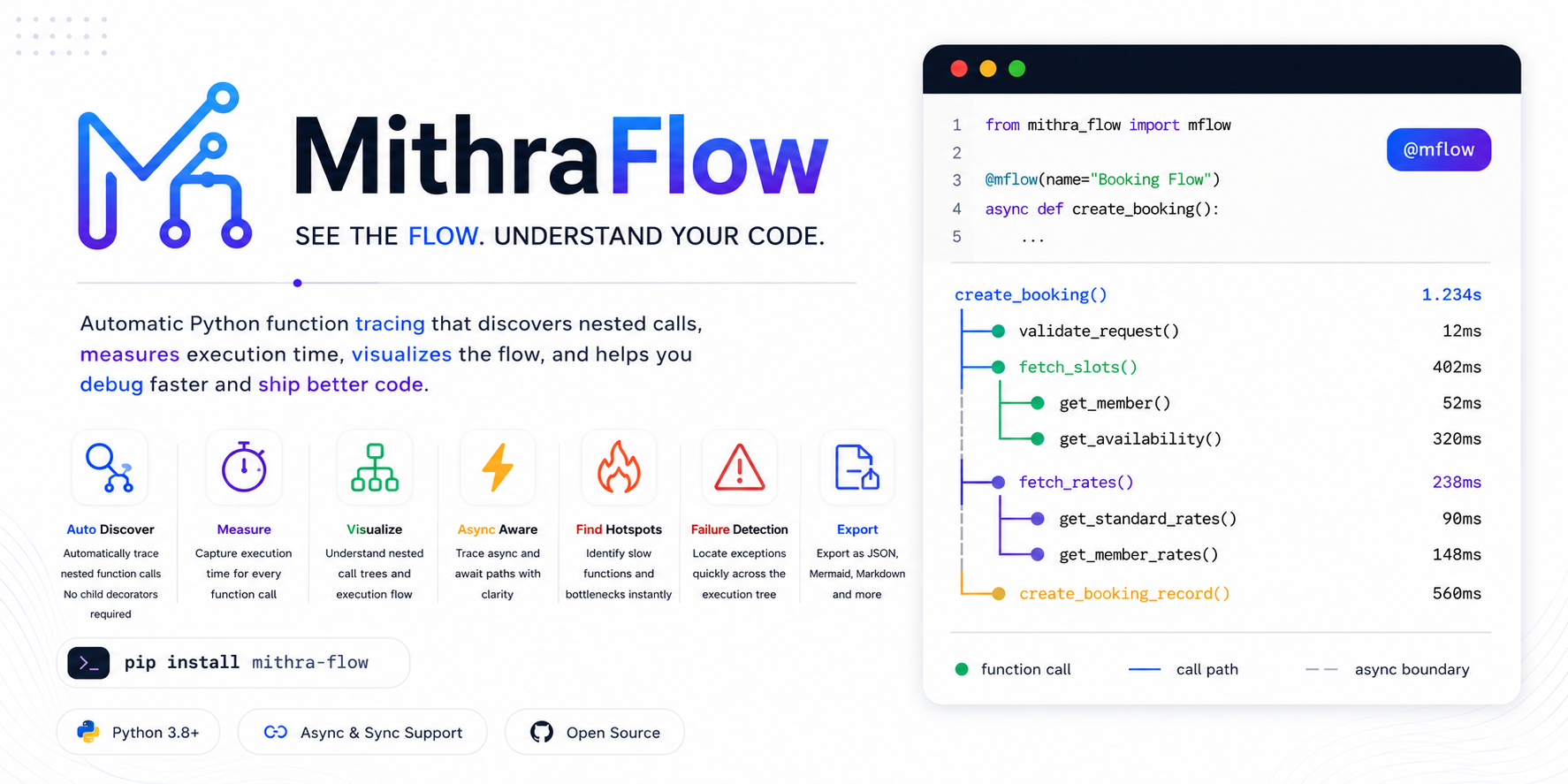




mithra-flow is a terminal-first Python tracing decorator. It shows the nested function calls executed inside one sync or async entry point, with timings, filters, manual spans, and export formats.
It is designed for debugging and code-flow understanding, without adding a web UI, database, agent, or framework integration.
──────── MITHRA FLOW  v1.0 ─────────
● basic_trace()  43.43 ms
┗━━ ● parent_flow()  43.42 ms
    ┣━━ ● child_one()  32.17 ms
    ┃   ┣━━ ● grandchild_a()  11.90 ms
    ┃   ┗━━ ● grandchild_b()  20.25 ms
    ┗━━ ● child_two()  11.24 ms
        ┗━━ ● grandchild_c()  11.23 ms
────────────────────────────────────
What It Does
- Traces sync and async decorated functions.
- Captures nested project-local child function calls with
sys.setprofile. - Isolates each trace with
contextvars. - Measures duration with
time.perf_counter. - Prints a colored Rich tree in the terminal.
- Supports filters, depth limits, duration thresholds, args, return values, errors, JSON, Mermaid, files, manual spans, and context manager traces.
Project Links
- PyPI: https://pypi.org/project/mithra-flow/
- GitHub: https://github.com/MITHUNMITS/mithra-flow
- Changelog: CHANGELOG.md
- License: LICENSE
Use Cases
mithra-flow is useful when you need to understand what your code is doing without opening a full profiler, adding a web UI, or wiring a database.
| Use Case | How It Helps |
|---|---|
| Debug complex flows | See the exact nested function path that ran during one request, job, or script execution. |
| Understand a new codebase | New developers can trace one entry function and quickly see the project flow. |
| Check performance hotspots | Durations make slow child calls visible without running a heavy profiler. |
| Compare before and after changes | Run the same function before and after a refactor to check if the call tree or timing changed. |
| Debug async behavior | See nested async calls across await points in one readable tree. |
| Investigate API requests | Decorate a FastAPI route and inspect the internal service/helper calls behind that endpoint. |
| Find noisy helper calls | Use min_duration_ms and max_depth to reduce clutter in large call trees. |
| Explain business logic | Export Mermaid or JSON traces to show how a workflow moves through functions. |
| Review errors faster | Use on_error=True to print traces only for failed executions. |
| Trace manual work blocks | Use span(...) for database queries, cache writes, external API calls, or other blocks that are not standalone functions. |
| Generate debugging artifacts | Use save_to="trace.json" to keep trace data for later review. |
| Teach project architecture | Include trace examples in onboarding docs so new team members see real runtime structure. |
Typical places to use it:
- FastAPI route handlers.
- CLI commands.
- Background jobs.
- Data processing pipelines.
- Test/debug scripts.
- Service-layer functions.
- Async workflows.
- Refactor verification.
Install
From PyPI:
python3 -m pip install mithra-flow
With FastAPI example dependencies:
python3 -m pip install 'mithra-flow[examples]'
For local development:
python3 -m pip install -e '.[test,examples]'
Run tests:
python3 -m pytest -q
Size And Performance Notes
The library is intentionally small. The first published wheel is roughly 11 KB, and the source distribution is roughly 12 KB.
Tracing uses sys.setprofile, so it is intended for debugging, local development, staging, tests, and targeted diagnostics. For production systems, keep it disabled by default and enable it only for specific routes, jobs, or error investigations.
Useful controls for larger projects:
include=[...]to trace only your app code.exclude=[...]to hide noisy helpers.min_duration_ms=...to focus on slower calls.max_depth=...to keep output compact.MITHRA_FLOW=0to disable globally.
Quick Start
from mithra_flow import mflow

def child():
    return "ok"

@mflow
def parent():
    return child()

parent()
Output:
──────── MITHRA FLOW  v1.0 ─────────
● parent()  0.04 ms
┗━━ ● child()  0.01 ms
────────────────────────────────────
Async Example
import asyncio
from mithra_flow import mflow

async def child():
    await asyncio.sleep(0.01)
    return "ok"

@mflow
async def parent():
    return await child()

asyncio.run(parent())
Output:
──────── MITHRA FLOW  v1.0 ─────────
● parent()  11.20 ms
┗━━ ● child()  11.14 ms
────────────────────────────────────
Decorator Options
| Option | Purpose |
|---|---|
name="checkout" |
Sets a custom banner title. |
title="checkout" |
Alias-style title input. |
include=["examples"] |
Trace only matching module/function/path values. |
exclude=["grandchild_b"] |
Hide matching module/function/path values. |
enabled=False |
Disable tracing for that function. |
min_duration_ms=15 |
Hide calls faster than the threshold. |
max_depth=1 |
Limit displayed/exported child depth. |
show_args=True |
Show function arguments. |
show_return=True |
Show return values. |
show_file=True |
Show source file names. |
show_line=True |
Show source line numbers. |
on_error=True |
Print only when an exception happens. |
output="terminal" |
Print a Rich tree. |
output="dict" |
Return a trace dictionary. |
output="json" |
Return a JSON trace string. |
output="mermaid" |
Return a Mermaid graph string. |
output="none" |
Collect/save without terminal printing. |
save_to="trace.json" |
Write trace output to disk. |
return_trace=True |
Return MFlowResult(value, trace). |
trace_dependencies=True |
Also trace dependency/library frames such as .venv and site-packages. Off by default. |
Disable globally:
MITHRA_FLOW=0 python3 your_script.py
By default, mithra-flow is code-level only: it ignores frames from .venv, venv, site-packages, dist-packages, and __pypackages__. This keeps SQLAlchemy, Passlib, FastAPI, and other dependency internals out of the tree unless you explicitly enable trace_dependencies=True.
FastAPI Example
Run the example API:
python3 -m uvicorn examples.nested_flow:app --reload
Open docs:
http://127.0.0.1:8000/docs
Or call endpoints directly:
curl http://127.0.0.1:8000/flow/basic
Example API Map
| Endpoint | Demonstrates |
|---|---|
/flow/basic |
Default nested async tracing. |
/flow/title |
Custom banner title with name=. |
/flow/args |
Arguments and return values. |
/flow/location |
File name and line number display. |
/flow/max-depth |
Depth-limited tree. |
/flow/min-duration |
Duration filtering. |
/flow/json |
JSON trace response. |
/flow/mermaid |
Mermaid graph response. |
/flow/return-trace |
Return value plus trace data. |
/flow/include-exclude |
Include/exclude filtering. |
/flow/save-to |
Save trace to /tmp/mithra-flow-example.json. |
/flow/manual-span |
Manual spans inside a trace. |
/flow/context |
Context manager tracing. |
/flow/on-error |
Print only when an error happens. |
/flow/disabled |
Disabled tracing. |
/flow/basic
Code:
@app.get("/flow/basic")
@mflow(include=["examples"])
async def basic_trace():
    return {"result": await parent_flow()}
Call:
curl http://127.0.0.1:8000/flow/basic
Response:
{"result":[["grandchild-a","grandchild-b"],["grandchild-c"]]}
Terminal graph:
──────── MITHRA FLOW  v1.0 ─────────
● basic_trace()  43.43 ms
┗━━ ● parent_flow()  43.42 ms
    ┣━━ ● child_one()  32.17 ms
    ┃   ┣━━ ● grandchild_a()  11.90 ms
    ┃   ┗━━ ● grandchild_b()  20.25 ms
    ┗━━ ● child_two()  11.24 ms
        ┗━━ ● grandchild_c()  11.23 ms
────────────────────────────────────
/flow/title
Code:
@app.get("/flow/title")
@mflow(name="checkout request", include=["examples"])
async def custom_title():
    return {"result": await parent_flow()}
Terminal graph:
────── checkout request  v1.0 ──────
● custom_title()  43.26 ms
┗━━ ● parent_flow()  43.26 ms
    ┣━━ ● child_one()  32.09 ms
    ┃   ┣━━ ● grandchild_a()  10.88 ms
    ┃   ┗━━ ● grandchild_b()  21.18 ms
    ┗━━ ● child_two()  11.16 ms
        ┗━━ ● grandchild_c()  11.15 ms
────────────────────────────────────
/flow/args
Code:
@app.get("/flow/args")
@mflow(include=["examples"], show_args=True, show_return=True)
def args_and_returns(amount: int = 100):
    return sync_receipt(amount)
Call:
curl "http://127.0.0.1:8000/flow/args?amount=100"
Terminal graph:
──────── MITHRA FLOW  v1.0 ─────────
● args_and_returns()(amount=100)  0.05 ms -> {'amount': 100, 'total': 105.0}
┗━━ ● sync_receipt()(amount=100)  0.03 ms -> {'amount': 100, 'total': 105.0}
    ┗━━ ● sync_price()(amount=100, tax=0.05)  0.01 ms -> 105.0
────────────────────────────────────
/flow/location
Code:
@app.get("/flow/location")
@mflow(include=["examples"], show_file=True, show_line=True)
async def file_and_line():
    return {"result": await parent_flow()}
Terminal graph:
──────── MITHRA FLOW  v1.0 ─────────
● file_and_line()  43.56 ms  nested_flow.py:75
┗━━ ● parent_flow()  43.55 ms  nested_flow.py:37
    ┣━━ ● child_one()  32.35 ms  nested_flow.py:26
    ┃   ┣━━ ● grandchild_a()  11.14 ms  nested_flow.py:11
    ┃   ┗━━ ● grandchild_b()  21.20 ms  nested_flow.py:16
    ┗━━ ● child_two()  11.19 ms  nested_flow.py:32
        ┗━━ ● grandchild_c()  11.18 ms  nested_flow.py:21
────────────────────────────────────
/flow/max-depth
Code:
@app.get("/flow/max-depth")
@mflow(include=["examples"], max_depth=1)
async def max_depth():
    return {"result": await parent_flow()}
Terminal graph:
──────── MITHRA FLOW  v1.0 ─────────
● max_depth()  42.98 ms
┗━━ ● parent_flow()  42.97 ms
────────────────────────────────────
/flow/min-duration
Code:
@app.get("/flow/min-duration")
@mflow(include=["examples"], min_duration_ms=15)
async def min_duration():
    return {"result": await parent_flow()}
Terminal graph:
──────── MITHRA FLOW  v1.0 ─────────
● min_duration()  43.54 ms
┗━━ ● parent_flow()  43.54 ms
    ┗━━ ● child_one()  32.37 ms
        ┗━━ ● grandchild_b()  21.20 ms
────────────────────────────────────
/flow/json
Code:
@app.get("/flow/json", response_class=PlainTextResponse)
@mflow(include=["examples"], output="json", show_args=True)
def json_trace():
    return sync_receipt(50)
Response:
{
  "name": "json_trace()",
  "duration_ms": 0.03,
  "args": "()",
  "exception": null,
  "is_span": false,
  "children": [
    {
      "name": "sync_receipt()",
      "duration_ms": 0.01,
      "args": "(amount=50)",
      "exception": null,
      "is_span": false,
      "children": [
        {
          "name": "sync_price()",
          "duration_ms": 0.0,
          "args": "(amount=50, tax=0.05)",
          "exception": null,
          "is_span": false,
          "children": []
        }
      ]
    }
  ]
}
/flow/mermaid
Code:
@app.get("/flow/mermaid", response_class=PlainTextResponse)
@mflow(include=["examples"], output="mermaid")
async def mermaid_trace():
    await parent_flow()
Response:
graph TD
  N0["mermaid_trace() 43.50 ms"]
  N1["parent_flow() 43.50 ms"]
  N2["child_one() 32.30 ms"]
  N3["grandchild_a() 11.15 ms"]
  N2 --> N3
  N4["grandchild_b() 21.15 ms"]
  N2 --> N4
  N1 --> N2
  N5["child_two() 11.13 ms"]
  N6["grandchild_c() 11.13 ms"]
  N5 --> N6
  N1 --> N5
  N0 --> N1
Rendered shape:
mermaid_trace()
└── parent_flow()
    ├── child_one()
    │   ├── grandchild_a()
    │   └── grandchild_b()
    └── child_two()
        └── grandchild_c()
/flow/return-trace
Code:
@app.get("/flow/return-trace")
@mflow(include=["examples"], return_trace=True, show_return=True)
async def return_trace():
    result = await parent_flow()
    return result
Response shape:
{
  "value": [["grandchild-a", "grandchild-b"], ["grandchild-c"]],
  "trace": {
    "name": "return_trace()",
    "duration_ms": 43.459,
    "children": []
  }
}
/flow/include-exclude
Code:
@app.get("/flow/include-exclude")
@mflow(include=["examples"], exclude=["grandchild_b"])
async def include_exclude():
    return {"result": await parent_flow()}
Terminal graph:
──────── MITHRA FLOW  v1.0 ─────────
● include_exclude()  42.71 ms
┗━━ ● parent_flow()  42.70 ms
    ┣━━ ● child_one()  32.33 ms
    ┃   ┗━━ ● grandchild_a()  11.17 ms
    ┗━━ ● child_two()  10.36 ms
        ┗━━ ● grandchild_c()  10.35 ms
────────────────────────────────────
grandchild_b() still executes, but it is hidden from the trace.
/flow/save-to
Code:
@app.get("/flow/save-to")
@mflow(include=["examples"], save_to="/tmp/mithra-flow-example.json")
async def save_to_file():
    await parent_flow()
    return {"saved_to": "/tmp/mithra-flow-example.json"}
Call:
curl http://127.0.0.1:8000/flow/save-to
cat /tmp/mithra-flow-example.json
On macOS, /tmp/mithra-flow-example.json resolves to:
/private/tmp/mithra-flow-example.json
/flow/manual-span
Code:
@app.get("/flow/manual-span")
@mflow(include=["examples"])
async def manual_span():
    with span("manual database query"):
        await asyncio.sleep(0.01)
    with span("manual cache write"):
        await asyncio.sleep(0)
    return {"ok": True}
Terminal graph:
──────── MITHRA FLOW  v1.0 ─────────
● manual_span()  11.54 ms
┣━━ ◆ manual database query()  11.30 ms
┗━━ ◆ manual cache write()  0.22 ms
────────────────────────────────────
Manual spans use ◆ instead of ●.
/flow/context
Code:
@app.get("/flow/context")
async def context_manager():
    with trace("context managed flow", include=["examples"], show_return=True) as traced:
        result = sync_receipt(25)
    return {"result": result, "trace": traced.result}
Terminal graph:
──── context managed flow  v1.0 ────
◆ context managed flow  0.12 ms
┗━━ ● sync_receipt()  0.01 ms -> {'amount': 25, 'total': 26.25}
    ┗━━ ● sync_price()  0.01 ms -> 26.25
────────────────────────────────────
/flow/on-error
Code:
@app.get("/flow/on-error")
@mflow(include=["examples"], on_error=True)
async def on_error_only():
    try:
        await failing_child()
    except RuntimeError as error:
        raise HTTPException(status_code=500, detail=str(error)) from error
Response:
{"detail":"example failure"}
Terminal graph:
──────── MITHRA FLOW  v1.0 ─────────
● on_error_only()  0.12 ms ! HTTPException: 500: example failure
┗━━ ● failing_child()  0.10 ms
────────────────────────────────────
/flow/disabled
Code:
@app.get("/flow/disabled")
@mflow(include=["examples"], enabled=False)
async def disabled_trace():
    return {"result": await parent_flow()}
Response:
{"result":[["grandchild-a","grandchild-b"],["grandchild-c"]]}
Terminal graph:
No trace is printed.
Context Manager
Use trace(...) when you do not want to decorate a function.
from mithra_flow import trace

with trace("batch job", include=["jobs"]) as traced:
    run_job()

print(traced.result)
Manual Spans
Use span(...) to mark work that is not naturally represented by a function call.
from mithra_flow import mflow, span

@mflow
def process():
    with span("database query"):
        query_database()
Output:
──────── MITHRA FLOW  v1.0 ─────────
● process()  12.30 ms
┗━━ ◆ database query()  11.80 ms
────────────────────────────────────
Return Trace Data
from mithra_flow import mflow

@mflow(return_trace=True)
def parent():
    return "ok"

result = parent()

print(result.value)
print(result.trace)
result is an MFlowResult:
MFlowResult(value="ok", trace={...})
Versioning
The banner version comes from the installed package version:
from mithra_flow import __version__

print(__version__)
Package versions are generated from Git tags.
Examples:
| Git Tag | PyPI Version |
|---|---|
v1.0 |
1.0 |
v1.0.1 |
1.0.1 |
v2.0.0 |
2.0.0 |
Release With VS Code And GitHub
Normal code changes:
- Make changes.
- Commit in VS Code Source Control.
- Push
mainfrom VS Code.
Publish a new PyPI version:
- Open the GitHub repository.
- Go to
Releases. - Click
Draft a new release. - Create a new tag, for example
v1.0.1. - Publish the release.
GitHub Actions will build and publish that tag to PyPI automatically.
Terminal version if you prefer commands:
git tag v1.0.1
git push origin v1.0.1
You do not need to edit src/mithra_flow/version.py for every release.
Project details
Verified details
These details have been verified by PyPIProject links
GitHub Statistics
Maintainers


Download files
Download the file for your platform. If you're not sure which to choose, learn more about installing packages.
Source Distribution
Built Distribution
Filter files by name, interpreter, ABI, and platform.
If you're not sure about the file name format, learn more about wheel file names.
Copy a direct link to the current filters
File details
Details for the file mithra_flow-1.0.3.tar.gz.
File metadata
- Download URL: mithra_flow-1.0.3.tar.gz
- Upload date:
- Size: 1.1 MB
- Tags: Source
- Uploaded using Trusted Publishing? Yes
- Uploaded via: twine/6.1.0 CPython/3.13.12
File hashes
| Algorithm | Hash digest | |
|---|---|---|
| SHA256 |
0330131dee2606068c216eb4656e8f6d633558daf124de9c1536e5b2fbc21ee1
|
|
| MD5 |
569221e2a94217b9f8d70182e3be13af
|
|
| BLAKE2b-256 |
f70b650face9d0f9e1cf76926bf9cb04560d827b522bd513a815029017f54fae
|
Provenance
The following attestation bundles were made for mithra_flow-1.0.3.tar.gz:
Publisher:
publish.yml on MITHUNMITS/mithra-flow
-
Statement:
-
Statement type:
https://in-toto.io/Statement/v1 -
Predicate type:
https://docs.pypi.org/attestations/publish/v1 -
Subject name:
mithra_flow-1.0.3.tar.gz -
Subject digest:
0330131dee2606068c216eb4656e8f6d633558daf124de9c1536e5b2fbc21ee1 - Sigstore transparency entry: 1709076119
- Sigstore integration time:
-
Permalink:
MITHUNMITS/mithra-flow@4c2817ec1ea8fc97984528113a622274389f8d1d -
Branch / Tag:
refs/tags/v1.0.3 - Owner: https://github.com/MITHUNMITS
-
Access:
public
-
Token Issuer:
https://token.actions.githubusercontent.com -
Runner Environment:
github-hosted -
Publication workflow:
publish.yml@4c2817ec1ea8fc97984528113a622274389f8d1d -
Trigger Event:
push
-
Statement type:
File details
Details for the file mithra_flow-1.0.3-py3-none-any.whl.
File metadata
- Download URL: mithra_flow-1.0.3-py3-none-any.whl
- Upload date:
- Size: 13.5 kB
- Tags: Python 3
- Uploaded using Trusted Publishing? Yes
- Uploaded via: twine/6.1.0 CPython/3.13.12
File hashes
| Algorithm | Hash digest | |
|---|---|---|
| SHA256 |
3b93e0b8a28778991a88eb98af323f31f1b56988776de72a58d582995f979fcf
|
|
| MD5 |
292e54d1c23aa3827efcc49de5bd7fee
|
|
| BLAKE2b-256 |
3a11b315f1f8ee907925b0c9a25b08a961e84af5a9ba65625b08879938295605
|
Provenance
The following attestation bundles were made for mithra_flow-1.0.3-py3-none-any.whl:
Publisher:
publish.yml on MITHUNMITS/mithra-flow
-
Statement:
-
Statement type:
https://in-toto.io/Statement/v1 -
Predicate type:
https://docs.pypi.org/attestations/publish/v1 -
Subject name:
mithra_flow-1.0.3-py3-none-any.whl -
Subject digest:
3b93e0b8a28778991a88eb98af323f31f1b56988776de72a58d582995f979fcf - Sigstore transparency entry: 1709076165
- Sigstore integration time:
-
Permalink:
MITHUNMITS/mithra-flow@4c2817ec1ea8fc97984528113a622274389f8d1d -
Branch / Tag:
refs/tags/v1.0.3 - Owner: https://github.com/MITHUNMITS
-
Access:
public
-
Token Issuer:
https://token.actions.githubusercontent.com -
Runner Environment:
github-hosted -
Publication workflow:
publish.yml@4c2817ec1ea8fc97984528113a622274389f8d1d -
Trigger Event:
push
-
Statement type:






