
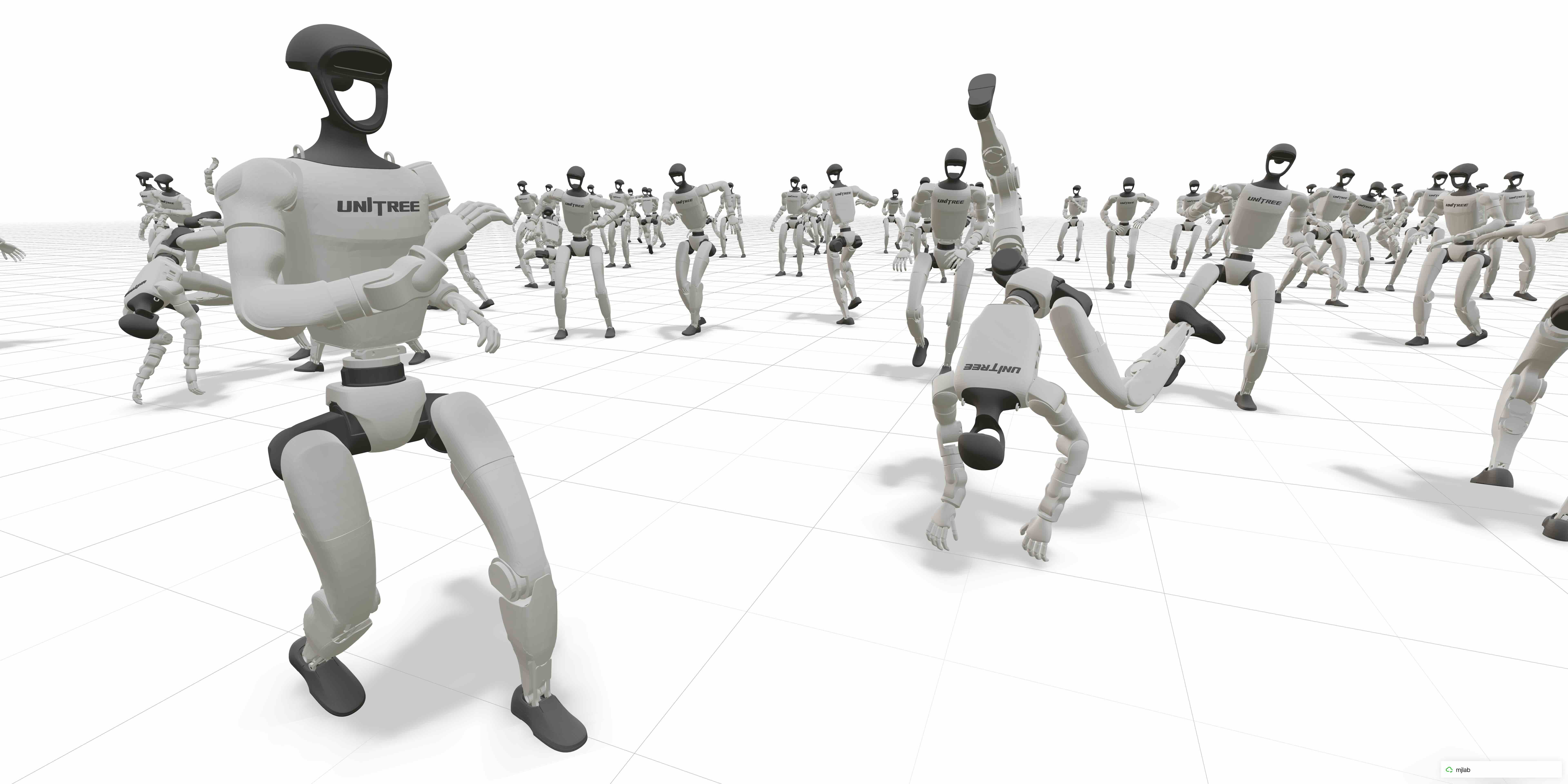
mjlab





mjlab combines Isaac Lab's manager-based API with MuJoCo Warp, a GPU-accelerated version of MuJoCo. The framework provides composable building blocks for environment design, with minimal dependencies and direct access to native MuJoCo data structures.
Getting Started
mjlab requires an NVIDIA GPU for training. macOS is supported for evaluation only.
Try it now:
Run the demo (no installation needed):
uvx --from mjlab --refresh demo
Or try in Google Colab (no local setup required).
Install from source:
git clone https://github.com/mujocolab/mjlab.git && cd mjlab
uv run demo
For alternative installation methods (PyPI, Docker), see the Installation Guide.
Training Examples
1. Velocity Tracking
Train a Unitree G1 humanoid to follow velocity commands on flat terrain:
uv run train Mjlab-Velocity-Flat-Unitree-G1 --env.scene.num-envs 4096
Multi-GPU Training: Scale to multiple GPUs using --gpu-ids:
uv run train Mjlab-Velocity-Flat-Unitree-G1 \
  --gpu-ids "[0, 1]" \
  --env.scene.num-envs 4096
See the Distributed Training guide for details.
Evaluate a policy while training (fetches latest checkpoint from Weights & Biases):
uv run play Mjlab-Velocity-Flat-Unitree-G1 --wandb-run-path your-org/mjlab/run-id
2. Motion Imitation
Train a humanoid to mimic reference motions. See the motion imitation guide for preprocessing setup.
uv run train Mjlab-Tracking-Flat-Unitree-G1 --registry-name your-org/motions/motion-name --env.scene.num-envs 4096
uv run play Mjlab-Tracking-Flat-Unitree-G1 --wandb-run-path your-org/mjlab/run-id
3. Sanity-check with Dummy Agents
Use built-in agents to sanity check your MDP before training:
uv run play Mjlab-Your-Task-Id --agent zero  # Sends zero actions
uv run play Mjlab-Your-Task-Id --agent random  # Sends uniform random actions
When running motion-tracking tasks, add --registry-name your-org/motions/motion-name to the command.
Documentation
Full documentation is available at mujocolab.github.io/mjlab.
Development
make test          # Run all tests
make test-fast     # Skip slow tests
make format        # Format and lint
make docs          # Build docs locally
For development setup: uvx pre-commit install
Citation
mjlab is used in published research and open-source robotics projects. See the Research page for publications and projects, or share your own in Show and Tell.
If you use mjlab in your research, please consider citing:
@misc{zakka2026mjlablightweightframeworkgpuaccelerated,
  title={mjlab: A Lightweight Framework for GPU-Accelerated Robot Learning},
  author={Kevin Zakka and Qiayuan Liao and Brent Yi and Louis Le Lay and Koushil Sreenath and Pieter Abbeel},
  year={2026},
  eprint={2601.22074},
  archivePrefix={arXiv},
  primaryClass={cs.RO},
  url={https://arxiv.org/abs/2601.22074},
}
License
mjlab is licensed under the Apache License, Version 2.0.
Third-Party Code
Some portions of mjlab are forked from external projects:
src/mjlab/utils/lab_api/— Utilities forked from NVIDIA Isaac Lab (BSD-3-Clause license, see file headers)
Forked components retain their original licenses. See file headers for details.
Acknowledgments
mjlab wouldn't exist without the excellent work of the Isaac Lab team, whose API design and abstractions mjlab builds upon.
Thanks to the MuJoCo Warp team — especially Erik Frey and Taylor Howell — for answering our questions, giving helpful feedback, and implementing features based on our requests countless times.
1 maintainer

Metadata
1 maintainer
Release files for mjlab 1.6.1
For a detailed explanation of source distributions (sdists) and built distributions (wheels), please see the package formats documentation.
Source distribution (sdist)
| File | Size | Uploaded | Provenance | Actions |
|---|---|---|---|---|
| mjlab-1.6.1.tar.gz | 14.1 MB | Without provenance | Details for mjlab-1.6.1.tar.gz |
Built distribution (wheel)
| File | Interpreter | ABI | Platform | Actions Reset |
|---|---|---|---|---|
| mjlab-1.6.1-py3-none-any.whl | Python 3 | none | any | Details for mjlab-1.6.1-py3-none-any.whl |
Total release size: 28.3 MB
Release files / mjlab-1.6.1.tar.gz
| Download URL | mjlab-1.6.1.tar.gz |
|---|---|
| Size | 14.1 MB |
| Tags | Source |
|
SHA-256 checksum How to use checksums |
f22522341f440b89607f30f5367659e5a6821b7b105ca84865b4ccfd933aafe2
|
|
BLAKE2b-256 checksum How to use checksums |
eb3fc2872386e957ea57998fde99bb0d949aa6ea787e70da0a21b9dfdaa1e9f8
|
| Upload date | |
|
Uploaded using Trusted Publishing? What is trusted publishing? |
Yes |
| Uploaded via |
uv/0.12.1 {"installer":{"name":"uv","version":"0.12.1","subcommand":["publish"]},"python":null,"implementation":{"name":null,"version":null},"distro":{"name":"Ubuntu","version":"24.04","id":"noble","libc":null},"system":{"name":null,"release":null},"cpu":null,"openssl_version":null,"setuptools_version":null,"rustc_version":null,"ci":true}
|
Release files / mjlab-1.6.1-py3-none-any.whl
| Download URL | mjlab-1.6.1-py3-none-any.whl |
|---|---|
| Size | 14.2 MB |
| Tags | Python 3 |
|
SHA-256 checksum How to use checksums |
584ae8d2006ceda61882da4288417c038eeb2b5d76b7dc4bb6ed9307834883ba
|
|
BLAKE2b-256 checksum How to use checksums |
4c3935934483e45a9a85af71b2b8e29097294394a5f6d3d6f890573a2cb53fac
|
| Upload date | |
|
Uploaded using Trusted Publishing? What is trusted publishing? |
Yes |
| Uploaded via |
uv/0.12.1 {"installer":{"name":"uv","version":"0.12.1","subcommand":["publish"]},"python":null,"implementation":{"name":null,"version":null},"distro":{"name":"Ubuntu","version":"24.04","id":"noble","libc":null},"system":{"name":null,"release":null},"cpu":null,"openssl_version":null,"setuptools_version":null,"rustc_version":null,"ci":true}
|
Security for mjlab 1.6.1
Provenance
Provenance describes where a file came from. On PyPI, provenance is shared via attestations, which provide a verifiable record of the build or publishing details. View details, limitations and caveats.
No provenance found
None of the files in this release were uploaded with provenance metadata.
A note on package security
PyPI is a repository for distributing packages, not a service for auditing them. While third-party security researchers and our staff do their best to detect and remove malicious packages, PyPI cannot guarantee the quality, security or suitability of any given package.
To learn more about protecting yourself from malicious actors, visit our package security documentation.














