
mkdocs-python-classy





Overview
A MkDocs plugin that helps you navigate the infuriating challenge of understanding a nested a Python class object. Trying to determine what attributes are available or what method does the class provide, and ultimately understanding the entire MRO (Method Resolution Order).
Screenshots
The library works like any other mkdocs plugin.
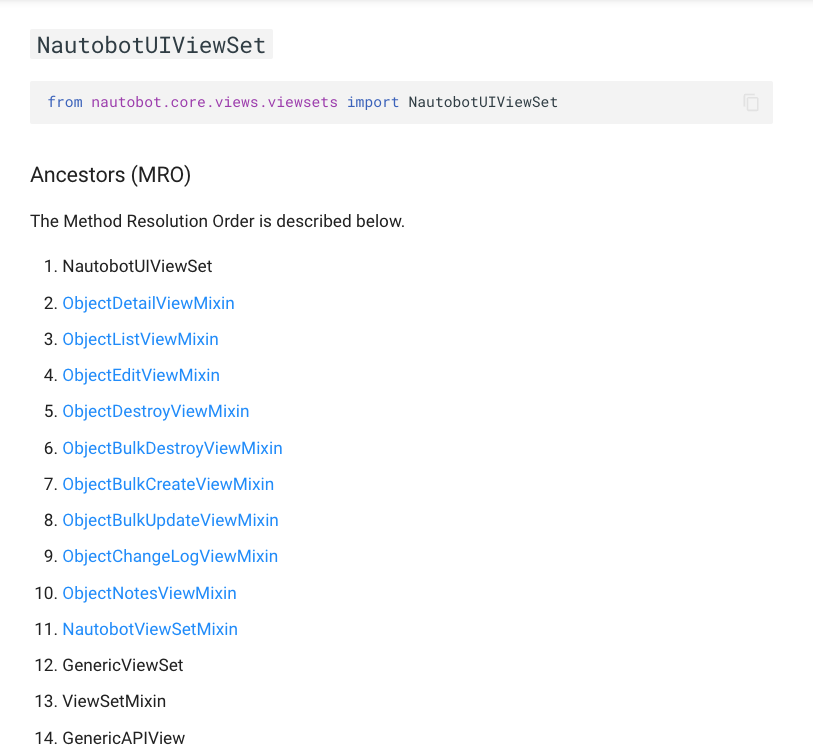
From here you can see how the MRO is described, links to other Classes covered in the docs, and a convenience Python import config.
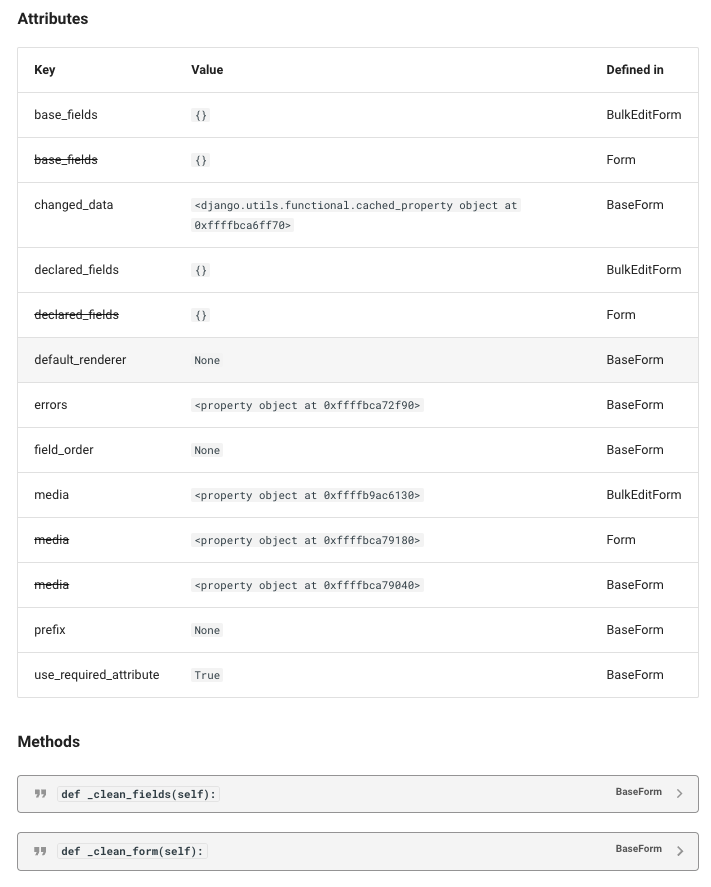
From here you can see the details of the attributes on the class.
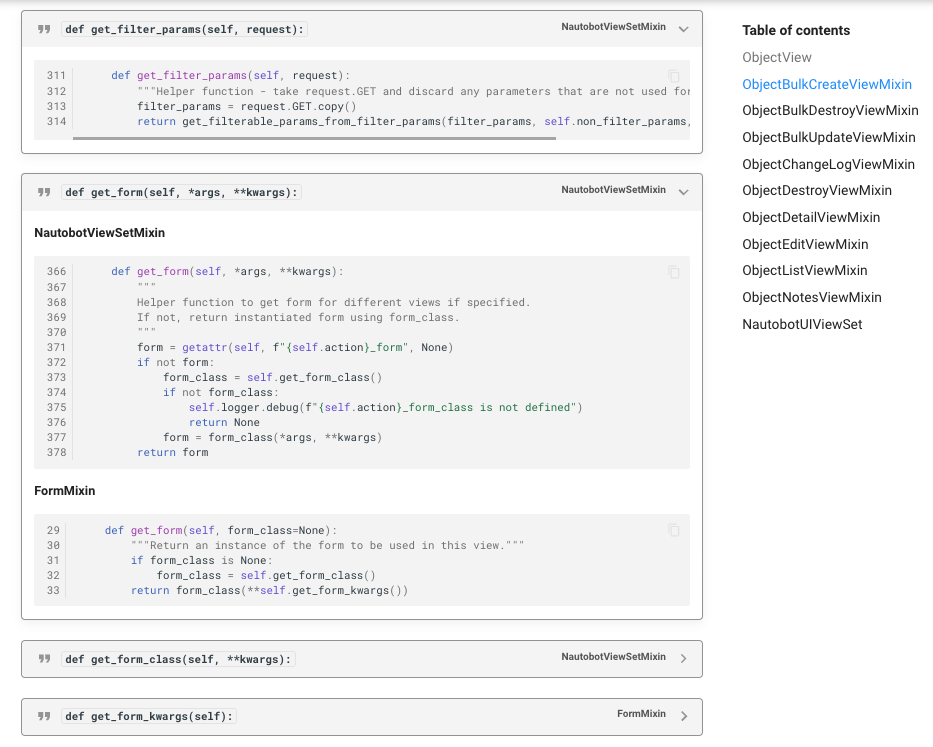
From here you can see how the code of the method is shown with line numbers, it is collapsible, and will even show multiple if the method is provided in multiple Classes in the MRO order! Additionally you can see the naviagation pane that is auto generated.
Documentation
Full web-based HTML documentation for this library can be found over on the mkdocs-python-classy Docs website:
- User Guide - Overview, Using the library, Getting Started.
- Administrator Guide - How to Install, Configure, Upgrade, or Uninstall the library.
- Developer Guide - Extending the library, Code Reference, Contribution Guide.
- Release Notes / Changelog.
- Frequently Asked Questions.
Contributing to the Docs
All the Markdown source for the library documentation can be found under the docs folder in this repository. For simple edits, a Markdown capable editor is sufficient - clone the repository and edit away.
If you need to view the fully generated documentation site, you can build it with mkdocs. A container hosting the docs will be started using the invoke commands (details in the Development Environment Guide) on http://localhost:8001. As your changes are saved, the live docs will be automatically reloaded.
Any PRs with fixes or improvements are very welcome!
Attribution
This project is largely based on the work of Classy Class-Based Views. and Classy Django REST Framework, see - Attribution for more details.
Questions
1 maintainer

Metadata
1 maintainer
Release files for mkdocs-python-classy 0.1.3
For a detailed explanation of source distributions (sdists) and built distributions (wheels), please see the package formats documentation.
Source distribution (sdist)
| File | Size | Uploaded | Provenance | |
|---|---|---|---|---|
| mkdocs_python_classy-0.1.3.tar.gz | 13.3 kB | Without provenance | Details |
Built distribution (wheel)
| File | Interpreter | ABI | Platform | Reset |
|---|---|---|---|---|
| mkdocs_python_classy-0.1.3-py3-none-any.whl | Python 3 | none | any | Details |
Total release size: 26.9 kB
Release files / mkdocs_python_classy-0.1.3.tar.gz
| Download URL | mkdocs_python_classy-0.1.3.tar.gz |
|---|---|
| Size | 13.3 kB |
| Tags | Source |
|
SHA-256 checksum How to use checksums |
a6ffdc7ac995b5773eaca97aea88cab43c10bb8e127b238ec052bd92389cc175
|
|
BLAKE2b-256 checksum How to use checksums |
51e8fbe71be16adc2669eae0809757526e66cc635f14b9bf3307d137eb5ecc5a
|
| Upload date | |
|
Uploaded using Trusted Publishing? What is trusted publishing? |
No |
| Uploaded via |
twine/4.0.2 CPython/3.11.4
|
Release files / mkdocs_python_classy-0.1.3-py3-none-any.whl
| Download URL | mkdocs_python_classy-0.1.3-py3-none-any.whl |
|---|---|
| Size | 13.6 kB |
| Tags | Python 3 |
|
SHA-256 checksum How to use checksums |
fdcfe1cffb39069abdd00873556a88493f463448fad27337ca781e39ad3472a8
|
|
BLAKE2b-256 checksum How to use checksums |
eab8993b7d8f1030e0bc2414dfc8537434730e8c5977e81766ff8da66792b2c3
|
| Upload date | |
|
Uploaded using Trusted Publishing? What is trusted publishing? |
No |
| Uploaded via |
twine/4.0.2 CPython/3.11.4
|
Security for mkdocs-python-classy 0.1.3
Provenance
Provenance describes where a file came from. On PyPI, provenance is shared via attestations, which provide a verifiable record of the build or publishing details. View details, limitations and caveats.
No provenance found
None of the files in this release were uploaded with provenance metadata.
A note on package security
PyPI is a repository for distributing packages, not a service for auditing them. While third-party security researchers and our staff do their best to detect and remove malicious packages, PyPI cannot guarantee the quality, security or suitability of any given package.
To learn more about protecting yourself from malicious actors, visit our package security documentation.














