
A simple theme for MkDocs using using the w3.css framework and configurable color schemes

Project description
mkdocs-risonia-theme



A simple theme for MkDocs. Based on this demo using the w3.css framework and configurable color schemes (inspiration here).
Demo
See a demo and documentation here
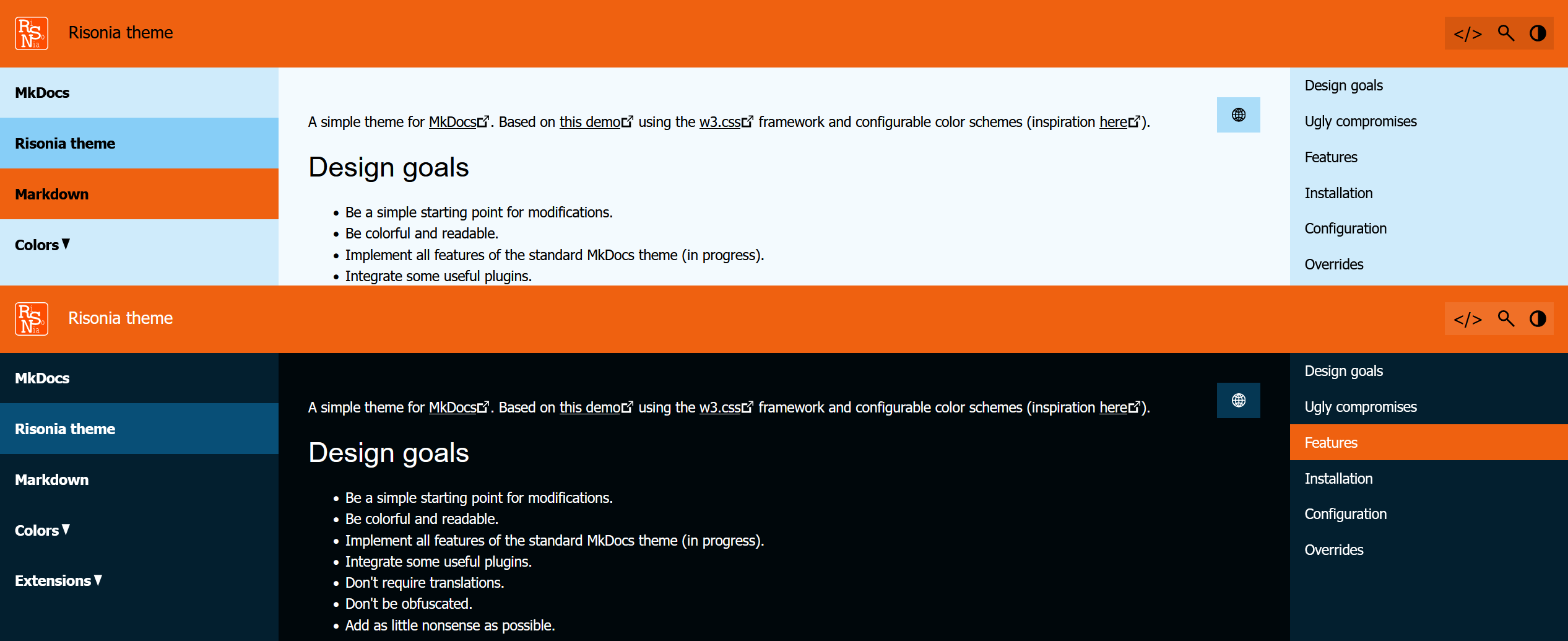
Design goals
- Be a simple starting point for modifications.
- Be colorful and readable.
- Implement all features of the standard MkDocs theme (in progress).
- Integrate some useful plugins.
- Don't require translations.
- Don't be obfuscated.
- Add as little nonsense as possible.
Ugly compromises
- To use w3css we need to add additional classes to the markdown output.
- The good part is, while we're at it, we are also able to mark externals links.
- The SVG icons need to be included in every page, because otherwise they can't be set to the text color.
Features
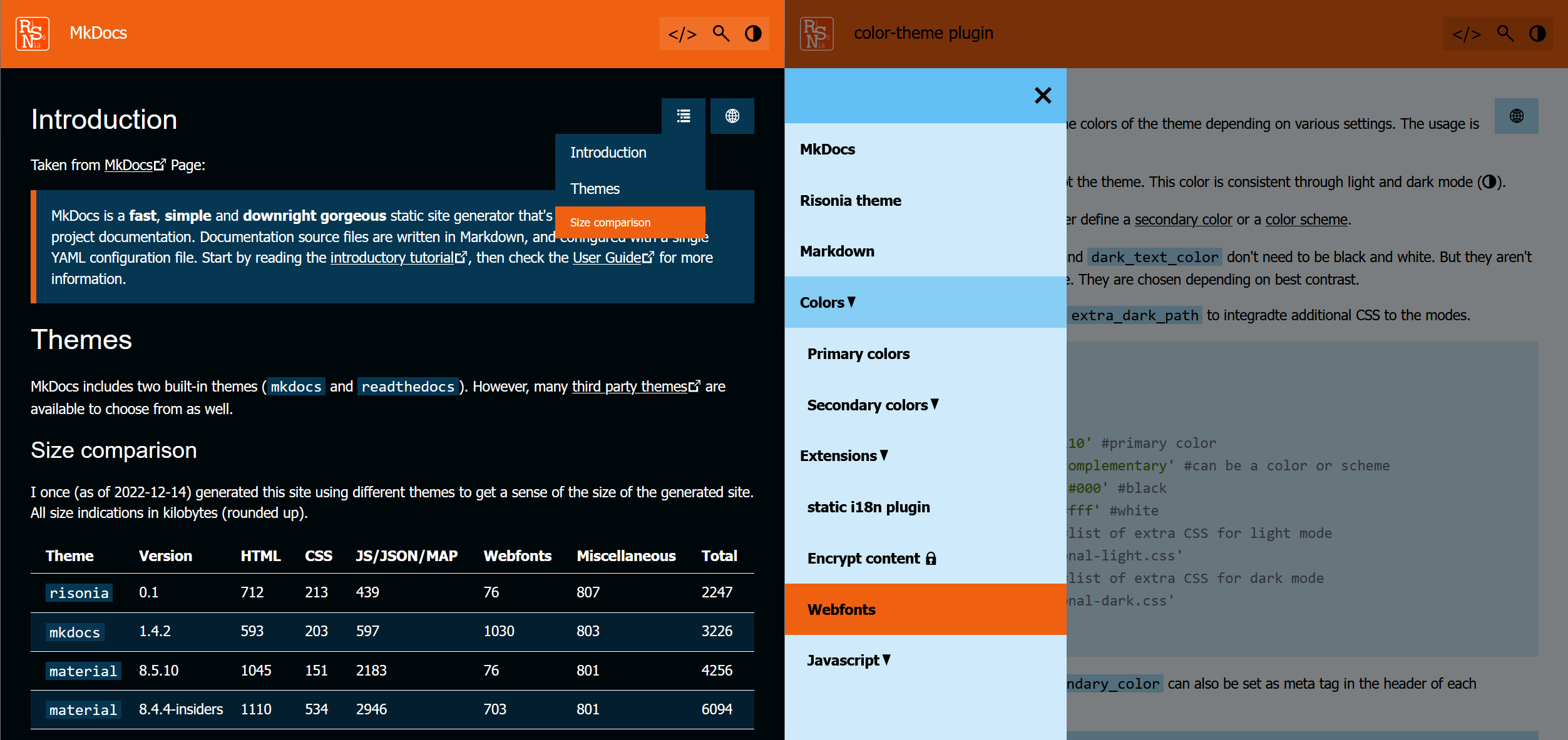
- Light and dark mode.
- Integration of
mkdocs-static-i18nplugin. - Integration of
mkdocs-encryptcontent-plugin. - Web app support.
- Rather lightweight
- Short (nav) and long (top panel) page titles
Installation
Install the package with pip:
pip install mkdocs-risonia-theme
Install the package from source with pip:
cd mkdocs-risonia-theme/
python setup.py sdist bdist_wheel
pip install dist/mkdocs_risonia_theme-0.1.13-py3-none-any.whl
Configuration
Enable the theme and plugins in your mkdocs.yml:
theme:
    name: risonia
    #custom_dir: theme_override/ # add static files or overrides
    #logo: img/logo.svg # if undefined a burger symbol is displayed on mobile devices
    #favicon: img/logo.ico # if undefined img/favicon.ico is used
    #manifest: manifest.json # manifest for installable webapp
    #serviceworker: service-worker.js # for webapp an empty file is sufficient
    #extlink: true # mark external links with symbol
    #extblank: true # send external links to new browser tab
    #toc_sidebar: true # If display is wide enough, then display TOC on the right side
    #zoom_img: true # click on images to view them bigger

plugins:
    - search: {}

    #- i18n: {...} # mkdocs-static-i18n

    - color-theme: # optional
        theme_color: '#ff6600' # primary color
        secondary_color: 'complementary' # can be a color or scheme
        light_text_color: '#000' # black
        dark_text_color: '#fff' # white
        extra_css_light: # list of extra CSS for light mode
            - 'css/additional-light.css'
        extra_css_dark:  # list of extra CSS for dark mode
            - 'css/additional-dark.css'
        additional: # build these themes also
          - theme_color: '#44bb4f'
            secondary_color: 'complementary'

    - w3css-classes: {} # mandatory

    #- encryptcontent: {...} # mkdocs-encryptcontent-plugin
Overrides
The file main.html in custom_dir can be used to further customize the template:
{% extends "base.html" %}
{% block exec_script %}
<script>
var DOMContentLoaded_fired = false;
</script>
<script id="theme">
function runWhenDOMContentLoaded() {
document.querySelectorAll('pre code').forEach((el) => {
hljs.highlightElement(el);
});
document.querySelectorAll('table').forEach(function(table) {
if (!table.hasAttribute('Tablesort')) {
new Tablesort(table);
table.setAttribute('Tablesort', '');
}
});
}
if (DOMContentLoaded_fired) {
runWhenDOMContentLoaded();
}
</script>
<script>
document.addEventListener('DOMContentLoaded',function(){
DOMContentLoaded_fired=true;
runWhenDOMContentLoaded();
});
</script>
{% endblock %}
{%- block footer_ext %}
<p class="w3-right w3-tiny">
{%- if i18n_config and i18n_page_file_locale %}
<a href="{{ (i18n_page_locale + '/imprint/') | url }}">Imprint</a>
{%- else %}
<a href="{{ 'imprint/' | url }}">Impressum</a>
{%- endif %}
</p>
{%- endblock %}
{%- block top_buttons %}
<a class="w3-button w3-theme-d1 w3-hover-theme w3-padding-small w3-right no-print" href="{{ config.repo_url }}" target="_blank"></></a>
{%- endblock %}
Page titles
Normally nav page titles would override # heading or title meta tag.
But in this theme the title meta tag will always be used for the top panel if defined.
For example define the navigation:
nav:
    - Short title: 'index.md'
And within index.md you define the long title like this:
title: Long long long title
Release history Release notifications | RSS feed


Download files
Download the file for your platform. If you're not sure which to choose, learn more about installing packages.
Source Distribution
Built Distribution
Filter files by name, interpreter, ABI, and platform.
If you're not sure about the file name format, learn more about wheel file names.
Copy a direct link to the current filters
File details
Details for the file mkdocs_risonia_theme-0.1.13.tar.gz.
File metadata
- Download URL: mkdocs_risonia_theme-0.1.13.tar.gz
- Upload date:
- Size: 24.8 kB
- Tags: Source
- Uploaded using Trusted Publishing? No
- Uploaded via: twine/6.2.0 CPython/3.10.12
File hashes
| Algorithm | Hash digest | |
|---|---|---|
| SHA256 |
7cc70627a00875a24e88f05fbecdba6d776d747e9cb071a80366b105694e0a28
|
|
| MD5 |
013056dcc29e2b938eec32d7eaae428d
|
|
| BLAKE2b-256 |
01c637462359bd3912d489eb24e932cb6221546053ebe8eca37ab3e55d633b01
|
File details
Details for the file mkdocs_risonia_theme-0.1.13-py3-none-any.whl.
File metadata
- Download URL: mkdocs_risonia_theme-0.1.13-py3-none-any.whl
- Upload date:
- Size: 27.2 kB
- Tags: Python 3
- Uploaded using Trusted Publishing? No
- Uploaded via: twine/6.2.0 CPython/3.10.12
File hashes
| Algorithm | Hash digest | |
|---|---|---|
| SHA256 |
14d4cf372520dd0e4a361492e232eaf80e705becf12fe0b877ff52759b6652fd
|
|
| MD5 |
f464cd0759a15ac0614667e8b5702f41
|
|
| BLAKE2b-256 |
4c0e705ba0a6dc4a4cd7450d1c544ce08ebd0c6673c2d0516a7c3d00dd779ec1
|






