
mkqr
QR codes from the command line, without friction. PNG, SVG, PDF, Wi-Fi, vCard, logo, clipboard.




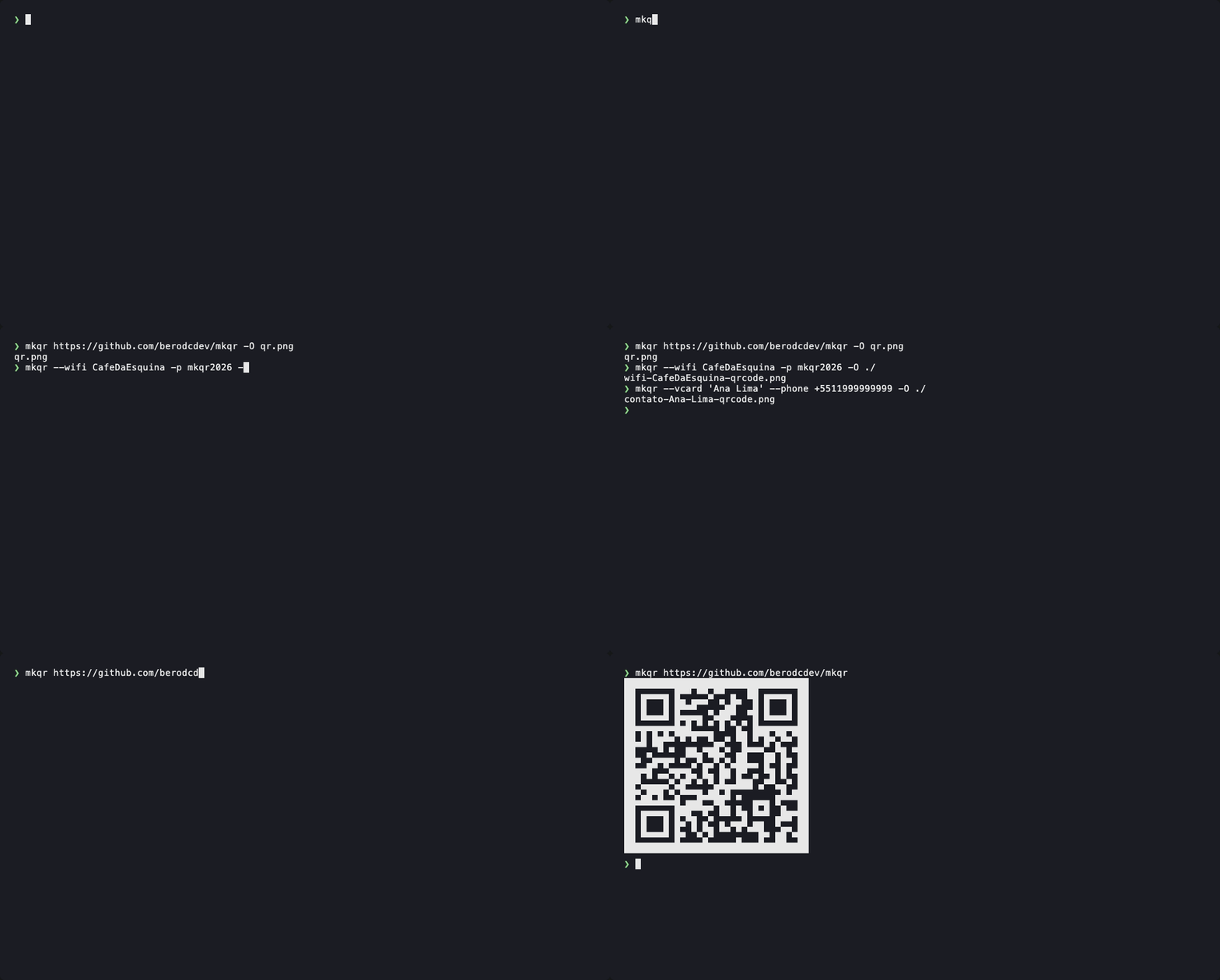
Note: mkqr's help text and messages are in Brazilian Portuguese. Flags and output formats are the usual English ones, so the examples below work as-is.
Install
pipx install mkqr        # recommended: isolated, on your PATH
pip install mkqr         # or into the current environment
Then, optionally, enable Tab completion for your shell:
mkqr --install-completion
No pipx?
pipx installs each CLI into its own virtualenv, so mkqr's dependencies never
collide with your projects. If you get pipx: command not found:
| macOS | brew install pipx |
| Debian / Ubuntu | sudo apt install pipx |
| Fedora | sudo dnf install pipx |
| Arch | sudo pacman -S python-pipx |
| openSUSE | sudo zypper install python3-pipx |
| anywhere else | python3 -m pip install --user pipx |
Then pipx ensurepath once, and open a new terminal — it adds ~/.local/bin
to your PATH, which is where the mkqr command lands.
In a hurry? pip install mkqr needs none of this.
Without PyPI
Straight from GitHub — same package, no PyPI involved. Useful if PyPI is unreachable, blocked on your network, or you want the latest commit:
pipx install git+https://github.com/berodcdev/mkqr.git          # latest from main
pipx install git+https://github.com/berodcdev/mkqr.git@v0.1.1   # a specific release
Prebuilt wheels are attached to every release if you'd rather not build from source.
Or from a clone, which installs and wires up completion in one go:
git clone https://github.com/berodcdev/mkqr.git && cd mkqr
./install.sh              # pipx + shell completion; -e for editable mode
./uninstall.sh            # removes everything
On Windows without bash, pipx install . is enough.
Usage
Type mkqr with no arguments for a quick guide, or mkqr -h for everything.
mkqr https://example.com                          # print the QR in the terminal
mkqr https://example.com -O qr.png                # save to a file
mkqr https://example.com -O ~/Documents/          # auto-name: example.com-qrcode.png
mkqr https://example.com -c                       # copy the PNG to the clipboard
mkqr https://example.com -O qr.png --open         # save and open in the default viewer
mkqr https://example.com -O qr.png --logo logo.png    # logo in the center
mkqr 'any text' -O card.svg --dark '#0a2540'      # custom color
mkqr --wifi MyNetwork -p hunter2 -O ./            # QR that joins the network
mkqr --vcard 'Ana Lima' --phone +15551234567 --email ana@example.com -O ./
echo -n 'read from stdin' | mkqr - -O out.pdf
The output format comes from the suffix of -O: .png .jpg .webp .svg .pdf .eps .txt.
Without -O, the QR is printed to the terminal.
PNG, WebP and SVG come out cropped and transparent (no quiet zone), ready to drop
into any layout. For the classic look with a white margin, use -b 4 --light white.
JPG, PDF and EPS have no alpha channel, so they get a white background and a margin of 4.
Platform support
| Linux | macOS | Windows | |
|---|---|---|---|
| generate QR (png, svg, pdf, terminal, Wi-Fi, vCard, logo) | ✓ | ✓ | ✓ |
-c clipboard |
wl-copy (Wayland) or xclip (X11) |
native (osascript) |
native (PowerShell) |
--open |
xdg-open |
native (open) |
native |
| shell completion | bash, zsh, fish | bash, zsh, fish | — |
| Tab lists nearby Wi-Fi networks | nmcli |
— | — |
install.sh / uninstall.sh |
✓ | ✓ (bash 3.2 ok) | use pipx install . |
mkqr --install-completion detects your $SHELL; override it with --shell zsh
(or bash, fish, all). mkqr --uninstall-completion reverses it.
CI runs the test suite on Ubuntu, macOS and Windows, from Python 3.10 to 3.14.
Options
| flag | description | default |
|---|---|---|
-O, --output |
output file or directory | terminal |
-s, --scale |
pixels per module | 10 |
-b, --border |
quiet zone in modules | 0 (png/svg/webp), 4 (others) |
-e, --error |
error correction L/M/Q/H | M (H with --logo) |
--dark, --light |
colors; --light white for a white background |
#000 / transparent |
--logo IMAGE |
image in the center (png/jpg/webp); --logo-size 0.1–0.3 |
0.22 |
-c, --copy |
copy the QR (as PNG) to the clipboard | |
--open |
open the generated file in the default viewer | |
--wifi SSID |
Wi-Fi QR; with -p PASSWORD, --security WPA/WEP/nopass, --hidden |
|
--vcard NAME |
contact QR; with --phone, --email, --url, --org, --title |
|
--micro |
allow Micro QR when the content fits | |
-f, --force |
overwrite an existing file | |
-q, --quiet |
don't print the output path | |
--install-completion |
install shell completion; --shell bash/zsh/fish/all |
|
--uninstall-completion |
remove completion from every shell | |
--no-color |
disable colors (or set NO_COLOR) |
The full help (mkqr -h) is also available as an image: docs/img/mkqr-help.svg,
and the quick guide as docs/img/mkqr.svg.
Built on
segno for QR generation, qrcode-artistic/Pillow for logos and jpg/webp, argcomplete for shell completion.
Development
git clone https://github.com/berodcdev/mkqr.git && cd mkqr
python -m venv .venv && . .venv/bin/activate
pip install -e ".[dev]"
pytest
See CONTRIBUTING.md for the full workflow, and CHANGELOG.md for what changed between releases.
License
MIT — see LICENSE.
1 maintainer

Metadata
1 maintainer
Release files for mkqr 0.1.1
For a detailed explanation of source distributions (sdists) and built distributions (wheels), please see the package formats documentation.
Source distribution (sdist)
| File | Size | Uploaded | |
|---|---|---|---|
| mkqr-0.1.1.tar.gz | 252.9 kB | Details |
Built distribution (wheel)
| File | Interpreter | ABI | Platform | Reset |
|---|---|---|---|---|
| mkqr-0.1.1-py3-none-any.whl | Python 3 | none | any | Details |
Total release size: 270.2 kB
Release files / mkqr-0.1.1.tar.gz
| Download URL | mkqr-0.1.1.tar.gz |
|---|---|
| Size | 252.9 kB |
| Tags | Source |
|
SHA-256 checksum How to use checksums |
fbbd7a40af214e355d40a47f0d19c0da1329d48fa414283bf72500aac7c79492
|
|
BLAKE2b-256 checksum How to use checksums |
fffce4b797ebd9f8a7a056c036a510e70a532129edc3cdcf1a65d174914399fd
|
| Upload date | |
|
Uploaded using Trusted Publishing? What is trusted publishing? |
Yes |
| Uploaded via |
twine/7.0.0 CPython/3.13.14
|
Provenance
Provenance describes where a file came from. On PyPI, provenance is shared via attestations, which provide a verifiable record of the build or publishing details. View details, limitations and caveats.


PyPI Publish Attestation
PyPI verified that this artifact, at this checksum, originated from the publisher listed below.
Signed by GitHub Actions, verified by PyPI on Sep 22, 2026.
Transparency logRelease files / mkqr-0.1.1-py3-none-any.whl
| Download URL | mkqr-0.1.1-py3-none-any.whl |
|---|---|
| Size | 17.3 kB |
| Tags | Python 3 |
|
SHA-256 checksum How to use checksums |
bf1d94c69263191e0b5f702ff620bd7d3b00a883535fc9a41056527916bd35f9
|
|
BLAKE2b-256 checksum How to use checksums |
9a0d83fd7cfc80998d4a5988b432fc00586006543bf6adda1da3b19809115da4
|
| Upload date | |
|
Uploaded using Trusted Publishing? What is trusted publishing? |
Yes |
| Uploaded via |
twine/7.0.0 CPython/3.13.14
|
Provenance
Provenance describes where a file came from. On PyPI, provenance is shared via attestations, which provide a verifiable record of the build or publishing details. View details, limitations and caveats.
PyPI Publish Attestation
PyPI verified that this artifact, at this checksum, originated from the publisher listed below.
Signed by GitHub Actions, verified by PyPI on Sep 22, 2026.
Transparency log















