
Lightweight Hyperparameter Optimization 🚂


The mle-hyperopt package provides a simple and intuitive API for hyperparameter optimization of your Machine Learning Experiment (MLE) pipeline. It supports real, integer & categorical search variables and single- or multi-objective optimization.
Core features include the following:
- API Simplicity:
strategy.ask(),strategy.tell()interface & space definition. - Strategy Diversity: Grid, random, coordinate search, SMBO & wrapping FAIR's
nevergrad, Successive Halving, Hyperband, Population-Based Training. - Search Space Refinement based on the top performing configs via
strategy.refine(top_k=10). - Export of configurations to execute via e.g.
python train.py --config_fname config.yaml. - Storage & reload search logs via
strategy.save(<log_fname>),strategy.load(<log_fname>).
For a quickstart check out the notebook blog 📖.
The API 🎮
from mle_hyperopt import RandomSearch

# Instantiate random search class
strategy = RandomSearch(real={"lrate": {"begin": 0.1,
                                        "end": 0.5,
                                        "prior": "log-uniform"}},
                        integer={"batch_size": {"begin": 32,
                                                "end": 128,
                                                "prior": "uniform"}},
                        categorical={"arch": ["mlp", "cnn"]})

# Simple ask - eval - tell API
configs = strategy.ask(5)
values = [train_network(**c) for c in configs]
strategy.tell(configs, values)
Implemented Search Types 🔭
| Search Type | Description | search_config |
|
|---|---|---|---|
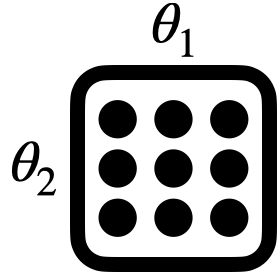 |
GridSearch |
Search over list of discrete values | - |
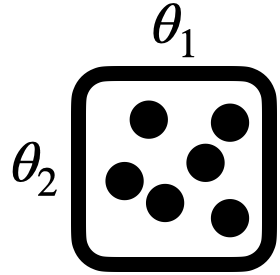 |
RandomSearch |
Random search over variable ranges | refine_after, refine_top_k |
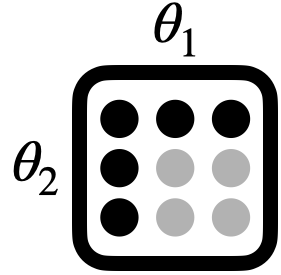 |
CoordinateSearch |
Coordinate-wise optimization with fixed defaults | order, defaults |
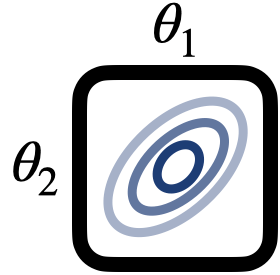 |
SMBOSearch |
Sequential model-based optimization (Hutter et al., 2011) | base_estimator, acq_function, n_initial_points |
 |
NevergradSearch |
Multi-objective nevergrad wrapper | optimizer, budget_size, num_workers |
 |
HalvingSearch |
Successive Halving (Karmin et al., 2013) | min_budget, num_arms, halving_coeff |
 |
HyperbandSearch |
Hyperband (Li et al., 2018) | max_resource, eta |
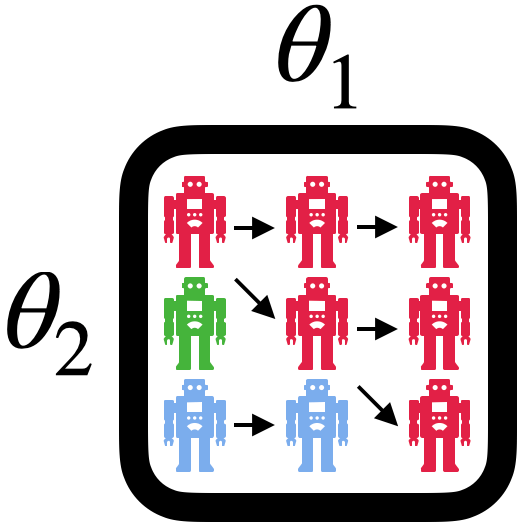 |
PBTSearch |
Population-Based Training (Jaderberg et al., 2017) | explore, exploit |
Variable Types & Hyperparameter Spaces 🌍
| Variable | Type | Space Specification | |
|---|---|---|---|
 |
real |
Real-valued | Dict: begin, end, prior/bins (grid) |
 |
integer |
Integer-valued | Dict: begin, end, prior/bins (grid) |
 |
categorical |
Categorical | List: Values to search over |
Installation ⏳
A PyPI installation is available via:
pip install mle-hyperopt
If you want to get the most recent commit, please install directly from the repository:
pip install git+https://github.com/mle-infrastructure/mle-hyperopt.git@main
Search Method Highlights 🔎
Grid Search 🟥
strategy = GridSearch(
    real={"lrate": {"begin": 0.1,
                    "end": 0.5,
                    "bins": 5}},
    integer={"batch_size": {"begin": 1,
                            "end": 5,
                            "bins": 1}},
    categorical={"arch": ["mlp", "cnn"]},
    fixed_params={"momentum": 0.9})  # Add fixed param setting to each config

configs = strategy.ask()
Hyperband 🎸
strategy = HyperbandSearch(
    real={"lrate": {"begin": 0.1,
                    "end": 0.5,
                    "prior": "uniform"}},
    integer={"batch_size": {"begin": 1,
                            "end": 5,
                            "prior": "log-uniform"}},
    categorical={"arch": ["mlp", "cnn"]},
    search_config={"max_resource": 81,
                   "eta": 3},
    seed_id=42,  # Fix randomness for reproducibility
    verbose=True)

configs = strategy.ask()
Population-Based Training 🦎
strategy = PBTSearch(
    real={"lrate": {"begin": 0.1,
                    "end": 0.5,
                    "prior": "uniform"}}
    search_config={
        "exploit": {"strategy": "truncation", "selection_percent": 0.2},
        "explore": {"strategy": "perturbation", "perturb_coeffs": [0.8, 1.2]},
        "steps_until_ready": 4,
        "num_workers": 10,
    },
    maximize_objective=True  # Max score instead of min
)

configs = strategy.ask()
Further Options 🚴
Saving & Reloading Logs 🏪
# Storing & reloading of results from .json/.yaml/.pkl
strategy.save("search_log.json")
strategy = RandomSearch(..., reload_path="search_log.json")

# Or manually add info after class instantiation
strategy = RandomSearch(...)
strategy.load("search_log.json")
Search Decorator 🧶
from mle_hyperopt import hyperopt

@hyperopt(strategy_type="Grid",
          num_search_iters=25,
          real={"x": {"begin": 0., "end": 0.5, "bins": 5},
                "y": {"begin": 0, "end": 0.5, "bins": 5}})
def circle(config):
    distance = abs((config["x"] ** 2 + config["y"] ** 2))
    return distance

strategy = circle()
Storing Configuration Files 📑
# Store 2 proposed configurations - eval_0.yaml, eval_1.yaml
strategy.ask(2, store=True)
# Store with explicit configuration filenames - conf_0.yaml, conf_1.yaml
strategy.ask(2, store=True, config_fnames=["conf_0.yaml", "conf_1.yaml"])
Storing Checkpoint Paths 🛥️
# Ask for 5 configurations to evaluate and get their scores
configs = strategy.ask(5)
values = ...
# Get list of checkpoint paths corresponding to config runs
ckpts = [f"ckpt_{i}.pt" for i in range(len(configs))]
# `tell` parameter configs, eval scores & ckpt paths
# Required for Halving, Hyperband and PBT
strategy.tell(configs, scores, ckpts)
Retrieving Top Performers & Visualizing Results 📉
# Get the top k best performing configurations
id, configs, values = strategy.get_best(top_k=4)

# Plot timeseries of best performing score over search iterations
strategy.plot_best()

# Print out ranking of best performers
strategy.print_ranking(top_k=3)
Refining the Search Space of Your Strategy 🪓
# Refine the search space after 5 & 10 iterations based on top 2 configurations
strategy = RandomSearch(real={"lrate": {"begin": 0.1,
                                        "end": 0.5,
                                        "prior": "log-uniform"}},
                        integer={"batch_size": {"begin": 1,
                                                "end": 5,
                                                "prior": "uniform"}},
                        categorical={"arch": ["mlp", "cnn"]},
                        search_config={"refine_after": [5, 10],
                                       "refine_top_k": 2})

# Or do so manually using `refine` method
strategy.tell(...)
strategy.refine(top_k=2)
Note that the search space refinement is only implemented for random, SMBO and nevergrad-based search strategies.
Simple Command Line interface ⌨️
You can also directly launch a search for your applications. This requires a couple of things: A python script <script>.py containing a function main(config), which runs your simulation for a given configuration dictionary. It should return a single scalar performance score, which will be logged.
def main(config):
    ...
    return score
Furthermore, you will need a search configuration <search>.yaml file and can add default fixed parameter settings in <base>.yaml.
mle-search <script>.py -base <base>.yaml -search <search>.yaml -iters <search_iters>
Have a look at the example, which can be executed via mle-search run_mle_search.py -search search.yaml -base base.yaml. You can reload a previous search log by adding the option -reload.
Citing the MLE-Infrastructure ✏️
If you use mle-hyperopt in your research, please cite it as follows:
@software{mle_infrastructure2021github,
  author = {Robert Tjarko Lange},
  title = {{MLE-Infrastructure}: A Set of Lightweight Tools for Distributed Machine Learning Experimentation},
  url = {http://github.com/mle-infrastructure},
  year = {2021},
}
Development 👷
You can run the test suite via python -m pytest -vv tests/. If you find a bug or are missing your favourite feature, feel free to create an issue and/or start contributing 🤗.
1 maintainer

Metadata
1 maintainer
Release files for mle-hyperopt 0.0.10
For a detailed explanation of source distributions (sdists) and built distributions (wheels), please see the package formats documentation.
Source distribution (sdist)
| File | Size | Uploaded | Provenance | Actions |
|---|---|---|---|---|
| mle_hyperopt-0.0.10.tar.gz | 45.0 kB | Without provenance | Details for mle_hyperopt-0.0.10.tar.gz |
Built distribution (wheel)
| File | Interpreter | ABI | Platform | Actions Reset |
|---|---|---|---|---|
| mle_hyperopt-0.0.10-py3-none-any.whl | Python 3 | none | any | Details for mle_hyperopt-0.0.10-py3-none-any.whl |
Total release size: 99.9 kB
Release files / mle_hyperopt-0.0.10.tar.gz
| Download URL | mle_hyperopt-0.0.10.tar.gz |
|---|---|
| Size | 45.0 kB |
| Tags | Source |
|
SHA-256 checksum How to use checksums |
a02fd42fa463b77f76f9e18331754bce15afdcde92f234f36e4cbf8a77f402c4
|
|
BLAKE2b-256 checksum How to use checksums |
c075f22cedcca6f63f9a2c5f4c3220ce8213259f64aaa48343ce3e2f05289bf1
|
| Upload date | |
|
Uploaded using Trusted Publishing? What is trusted publishing? |
No |
| Uploaded via |
twine/5.1.1 CPython/3.12.5
|
Release files / mle_hyperopt-0.0.10-py3-none-any.whl
| Download URL | mle_hyperopt-0.0.10-py3-none-any.whl |
|---|---|
| Size | 55.0 kB |
| Tags | Python 3 |
|
SHA-256 checksum How to use checksums |
53a12f2cb7d0816c698dc7538c5d1eb09f117c8108488d4ddaeb3a4c019dab21
|
|
BLAKE2b-256 checksum How to use checksums |
d8e7705d97b5210fc0f10ffc9e615b482f3b8e69bd3baf3dc5dc728b1792c039
|
| Upload date | |
|
Uploaded using Trusted Publishing? What is trusted publishing? |
No |
| Uploaded via |
twine/5.1.1 CPython/3.12.5
|
Security for mle-hyperopt 0.0.10
Provenance
Provenance describes where a file came from. On PyPI, provenance is shared via attestations, which provide a verifiable record of the build or publishing details. View details, limitations and caveats.
No provenance found
None of the files in this release were uploaded with provenance metadata.
A note on package security
PyPI is a repository for distributing packages, not a service for auditing them. While third-party security researchers and our staff do their best to detect and remove malicious packages, PyPI cannot guarantee the quality, security or suitability of any given package.
To learn more about protecting yourself from malicious actors, visit our package security documentation.














