
MLflow automatic tracing for txtai

Project description
MLflow Automatic Tracing for txtai






This project is an extension that adds MLflow automatic tracing for txtai.
Installation
The easiest way to install is via pip and PyPI
pip install mlflow-txtai
Examples
The following is a list of examples showing how this plugin works. This notebook also has all of these examples.
Initialization
The following code initializes the environment. It assumes a mlflow server is running locally. That can be started as follows.
mlflow server --host 127.0.0.1 --port 8000
import mlflow

mlflow.set_tracking_uri(uri="http://localhost:8000")
mlflow.set_experiment("txtai")

# Enable txtai automatic tracing
mlflow.txtai.autolog()
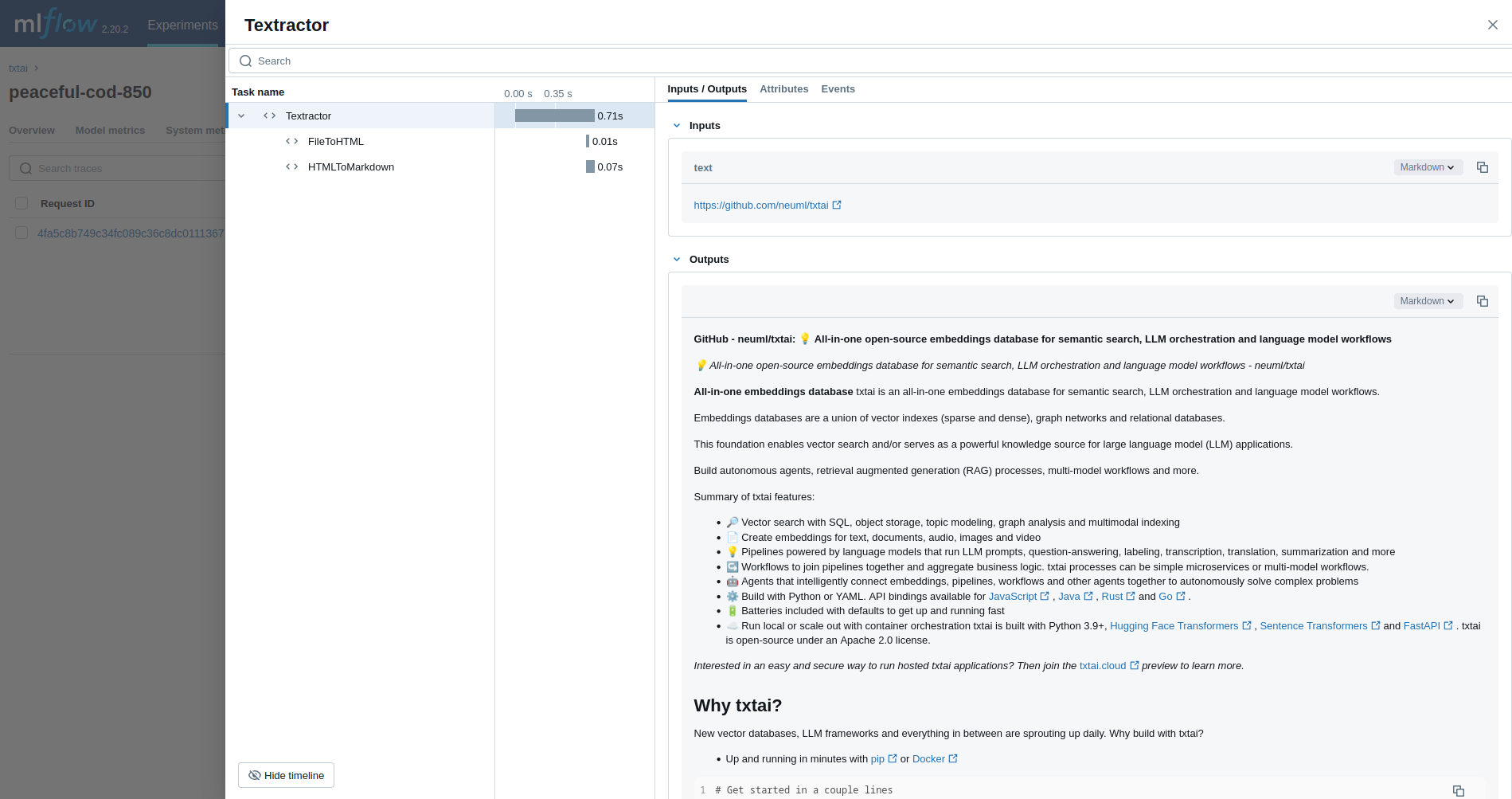
Textractor
The first example traces a Textractor pipeline.
from txtai.pipeline import Textractor

with mlflow.start_run():
    textractor = Textractor()
    textractor("https://github.com/neuml/txtai")
Embeddings
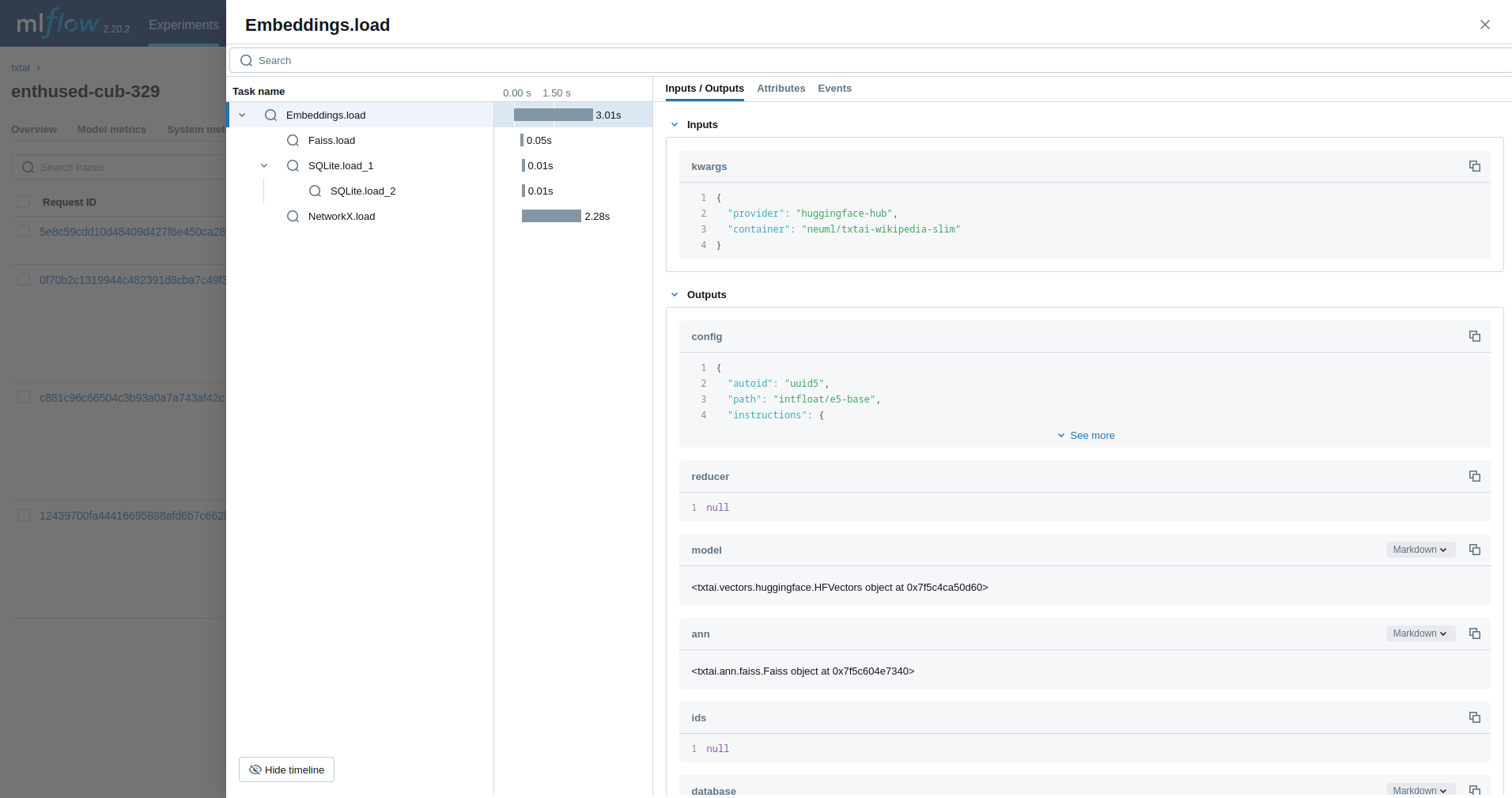
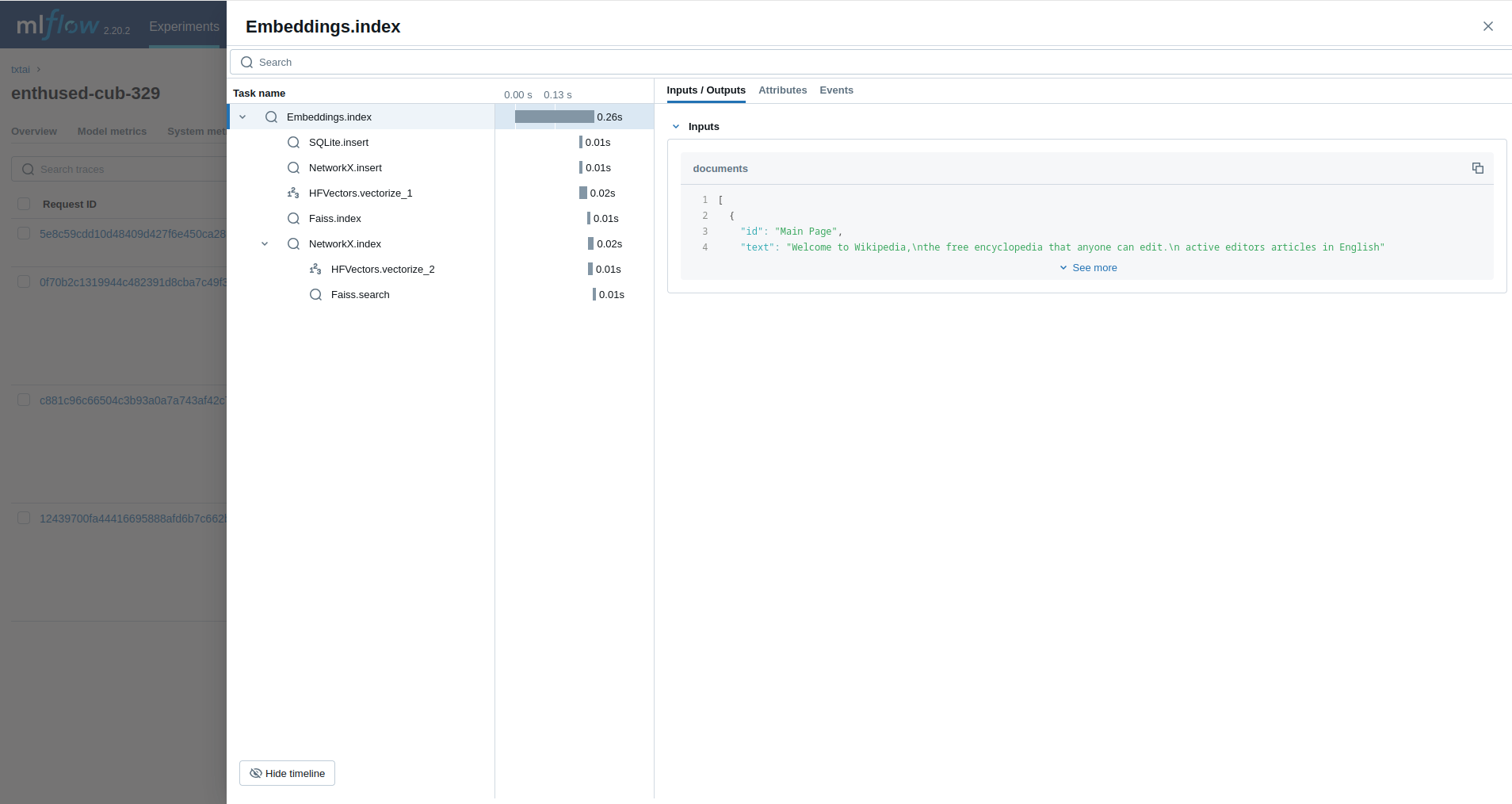
Next, we'll trace an Embeddings query.
from txtai import Embeddings

with mlflow.start_run():
    wiki = Embeddings()
    wiki.load(provider="huggingface-hub", container="neuml/txtai-wikipedia-slim")

    embeddings = Embeddings(content=True, graph=True)
    embeddings.index(wiki.search("SELECT id, text FROM txtai LIMIT 25"))

    embeddings.search("MATCH (A)-[]->(B) RETURN A")
Retrieval Augmented Generation (RAG)
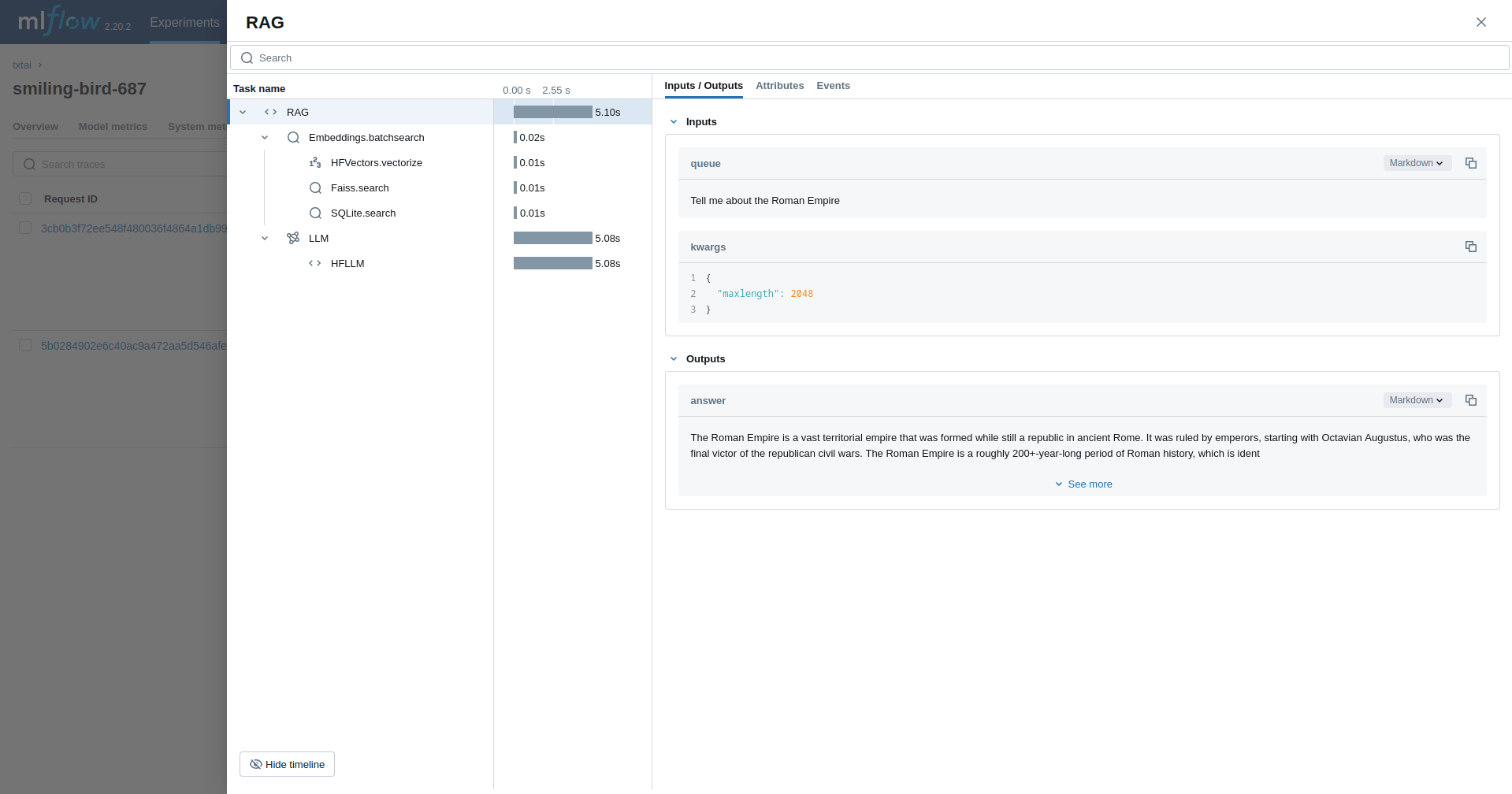
The next example traces a RAG pipeline.
from txtai import Embeddings, RAG

with mlflow.start_run():
    wiki = Embeddings()
    wiki.load(provider="huggingface-hub", container="neuml/txtai-wikipedia-slim")

    # Define prompt template
    template = """
    Answer the following question using only the context below. Only include information
    specifically discussed.

    question: {question}
    context: {context} """

    # Create RAG pipeline
    rag = RAG(
        wiki,
        "hugging-quants/Meta-Llama-3.1-8B-Instruct-AWQ-INT4",
        system="You are a friendly assistant. You answer questions from users.",
        template=template,
        context=10
    )

    rag("Tell me about the Roman Empire", maxlength=2048)
Workflow
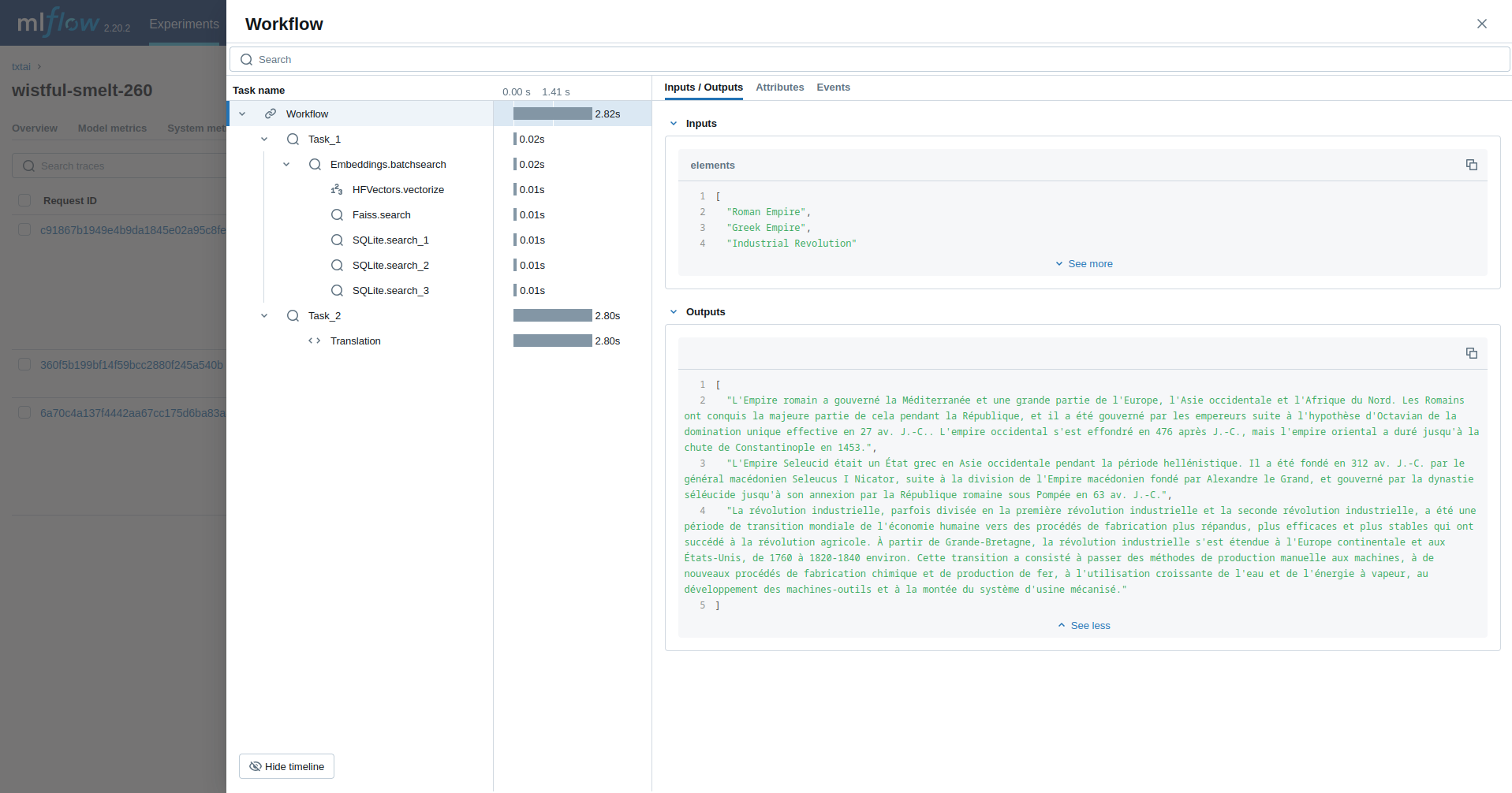
This example runs a workflow. This workflow runs an embeddings query and then translates each result to French.
from txtai import Embeddings, Workflow
from txtai.pipeline import Translation
from txtai.workflow import Task

with mlflow.start_run():
    wiki = Embeddings()
    wiki.load(provider="huggingface-hub", container="neuml/txtai-wikipedia-slim")

    # Translation instance
    translate = Translation()

    workflow = Workflow([
        Task(lambda x: [y[0]["text"] for y in wiki.batchsearch(x, 1)]),
        Task(lambda x: translate(x, "fr"))
    ])

    print(list(workflow(["Roman Empire", "Greek Empire", "Industrial Revolution"])))
Agent
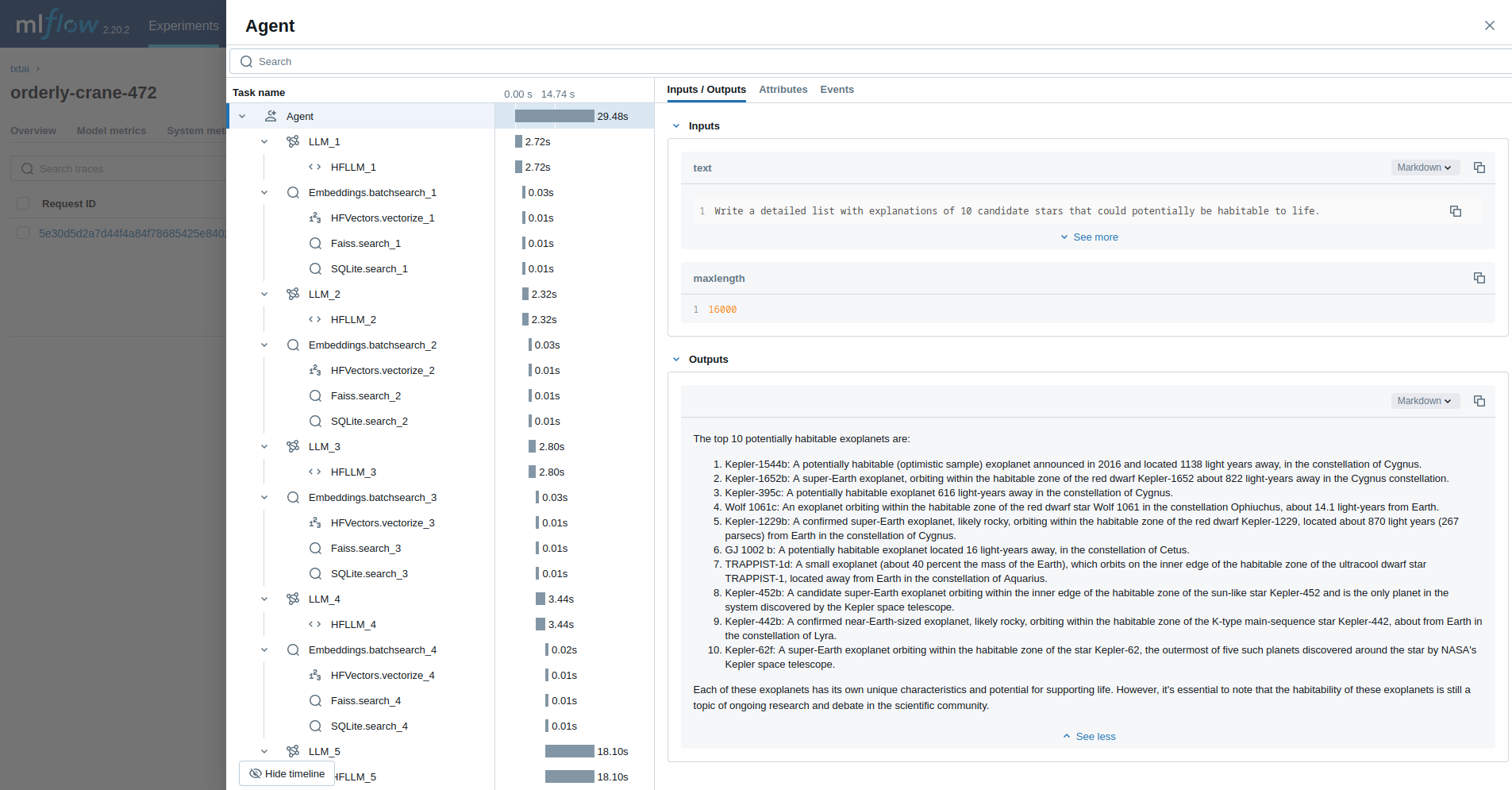
The last example runs a txtai agent designed to research questions on astronomy.
from txtai import Agent, Embeddings

def search(query: str) -> any:
    """
    Searches a database of astronomy data.

    Make sure to call this tool only with a string input, never use JSON.

    Args:
        query: concepts to search for using similarity search

    Returns:
        list of search results with for each match
    """

    return embeddings.search(
        "SELECT id, text, distance FROM txtai WHERE similar(:query)",
        10, parameters={"query": query}
    )

embeddings = Embeddings()
embeddings.load(provider="huggingface-hub", container="neuml/txtai-astronomy")

agent = Agent(
    tools=[search],
    llm="hugging-quants/Meta-Llama-3.1-8B-Instruct-AWQ-INT4",
    max_iterations=10,
)

researcher = """
{command}

Do the following.
 - Search for results related to the topic.
 - Analyze the results
 - Continue querying until conclusive answers are found
 - Write a Markdown report
"""

with mlflow.start_run():
    agent(researcher.format(command="""
    Write a detailed list with explanations of 10 candidate stars that could potentially be habitable to life.
    """), maxlength=16000)


Download files
Download the file for your platform. If you're not sure which to choose, learn more about installing packages.
Source Distribution
Built Distribution
Filter files by name, interpreter, ABI, and platform.
If you're not sure about the file name format, learn more about wheel file names.
Copy a direct link to the current filters
File details
Details for the file mlflow-txtai-0.4.0.tar.gz.
File metadata
- Download URL: mlflow-txtai-0.4.0.tar.gz
- Upload date:
- Size: 12.8 kB
- Tags: Source
- Uploaded using Trusted Publishing? No
- Uploaded via: twine/6.1.0 CPython/3.10.18
File hashes
| Algorithm | Hash digest | |
|---|---|---|
| SHA256 |
a1e8916e53bb915267bf42fdb97279f76b60041753ea018361ca28bca16de80f
|
|
| MD5 |
9b8c2e1227ff0d511c474d824042200c
|
|
| BLAKE2b-256 |
b843e19a100b7e46c970fb02ce43e3fe6febf20c283e2796c41a1b1b60200240
|
File details
Details for the file mlflow_txtai-0.4.0-py3-none-any.whl.
File metadata
- Download URL: mlflow_txtai-0.4.0-py3-none-any.whl
- Upload date:
- Size: 10.8 kB
- Tags: Python 3
- Uploaded using Trusted Publishing? No
- Uploaded via: twine/6.1.0 CPython/3.10.18
File hashes
| Algorithm | Hash digest | |
|---|---|---|
| SHA256 |
aabea4dae5dad7c5dfe4e55b73826b4003d8eaf244e1b5beab490d6412a47453
|
|
| MD5 |
59ec2ccbf9b5a2281de473207b06eca4
|
|
| BLAKE2b-256 |
b1b398c9d19d4a9729260ff007a7a3d979097fff32dd3877acbd55c493fcdd73
|






