
Machine-Learned Interatomic Potential eXploration

Project description







Machine-Learned Interatomic Potential eXploration
mlipx is a Python library designed for evaluating machine-learned interatomic
potentials (MLIPs). It offers a growing set of evaluation methods alongside
powerful visualization and comparison tools.
The goal of mlipx is to provide a common platform for MLIP evaluation and to
facilitate sharing results among researchers. This allows you to determine the
applicability of a specific MLIP to your research and compare it against others.
Installation
Install mlipx via pip:
pip install mlipx
[!NOTE] The
mlipxpackage does not include the installation of any MLIP code, as we aim to keep the package as lightweight as possible. If you encounter anyImportError, you may need to install the additional dependencies manually.
Quickstart
This section provides a brief overview of the core features of mlipx. For more detailed instructions, visit the documentation.
Most recipes support different input formats, such as data file paths, SMILES strings, or Materials Project structure IDs.
[!NOTE] Because
mlipxuses Git and DVC, you need to create a new project directory to run your experiments in. Here's how to set up your project:mkdir exp cd exp git init && dvc initIf you want to use datafiles, it is recommend to track them with
dvc add <file>instead ofgit add <file>.cp /your/data/file.xyz . dvc add file.xyz
Energy-Volume Curve
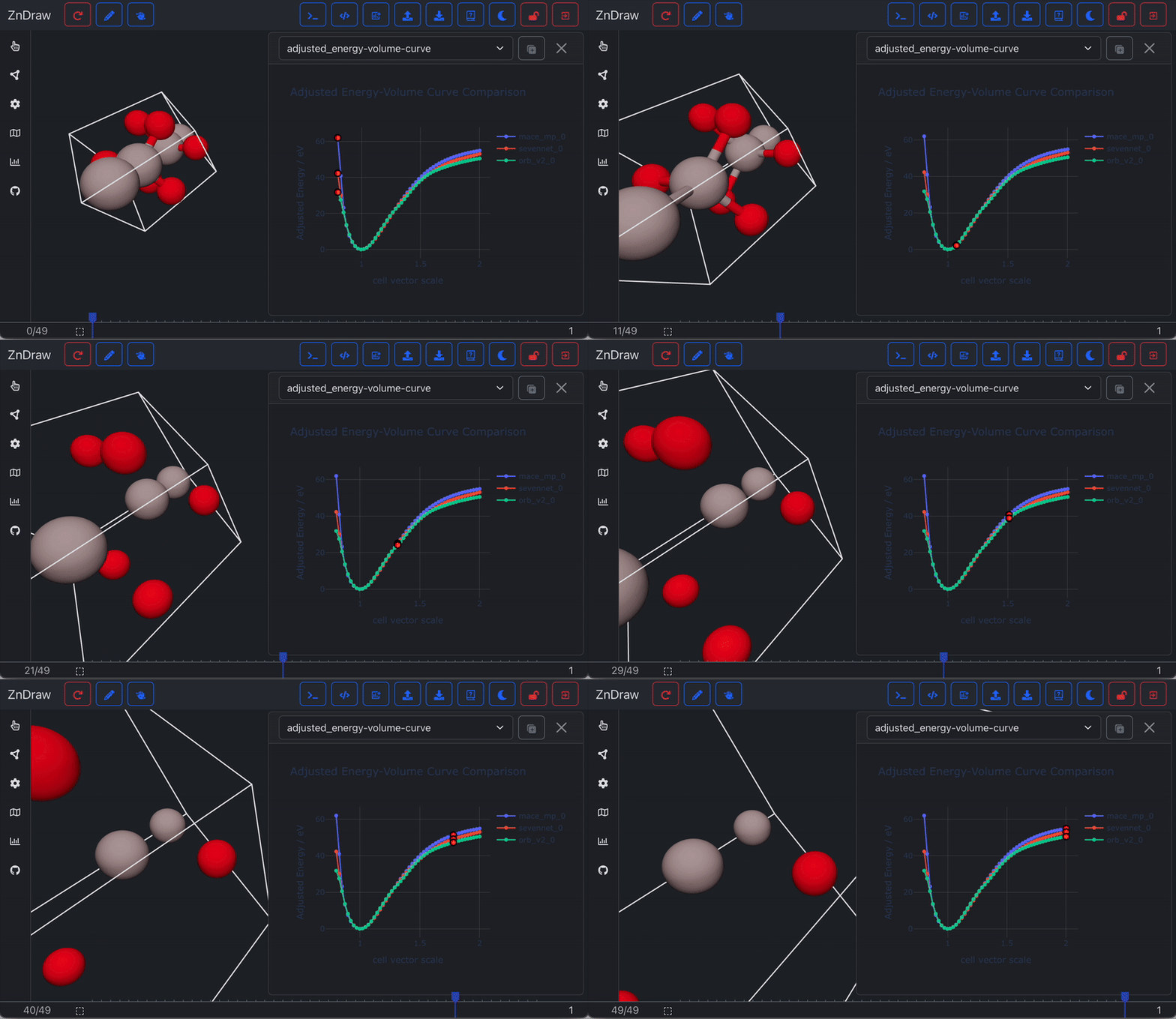
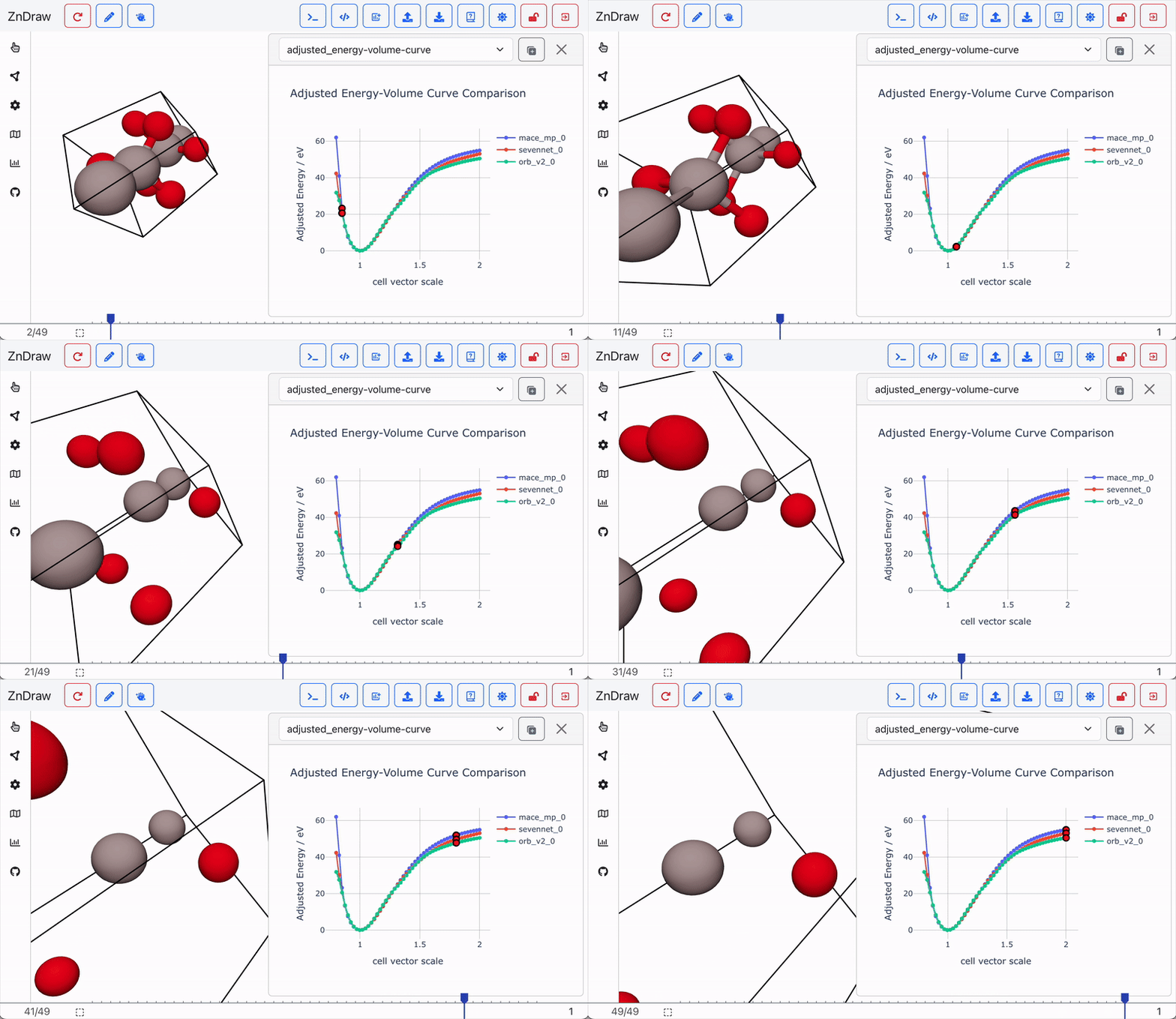
Compute an energy-volume curve using the mp-1143 structure from the Materials Project and MLIPs such as mace-mp, sevennet, and orb_v2:
mlipx recipes ev --models mace_mp,sevennet,orb_v2 --material-ids=mp-1143 --repro
mlipx compare --glob "*EnergyVolumeCurve"
[!NOTE]
mlipxutilizes ASE, meaning any ASE-compatible calculator for your MLIP can be used. If we do not provide a preset for your model, you can either adapt themodels.pyfile, raise an issue to request support, or submit a pull request to add your model directly.
Below is an example of the resulting comparison:
[!NOTE] Set your default visualizer path using:
export ZNDRAW_URL=http://localhost:1234.
Structure Optimization
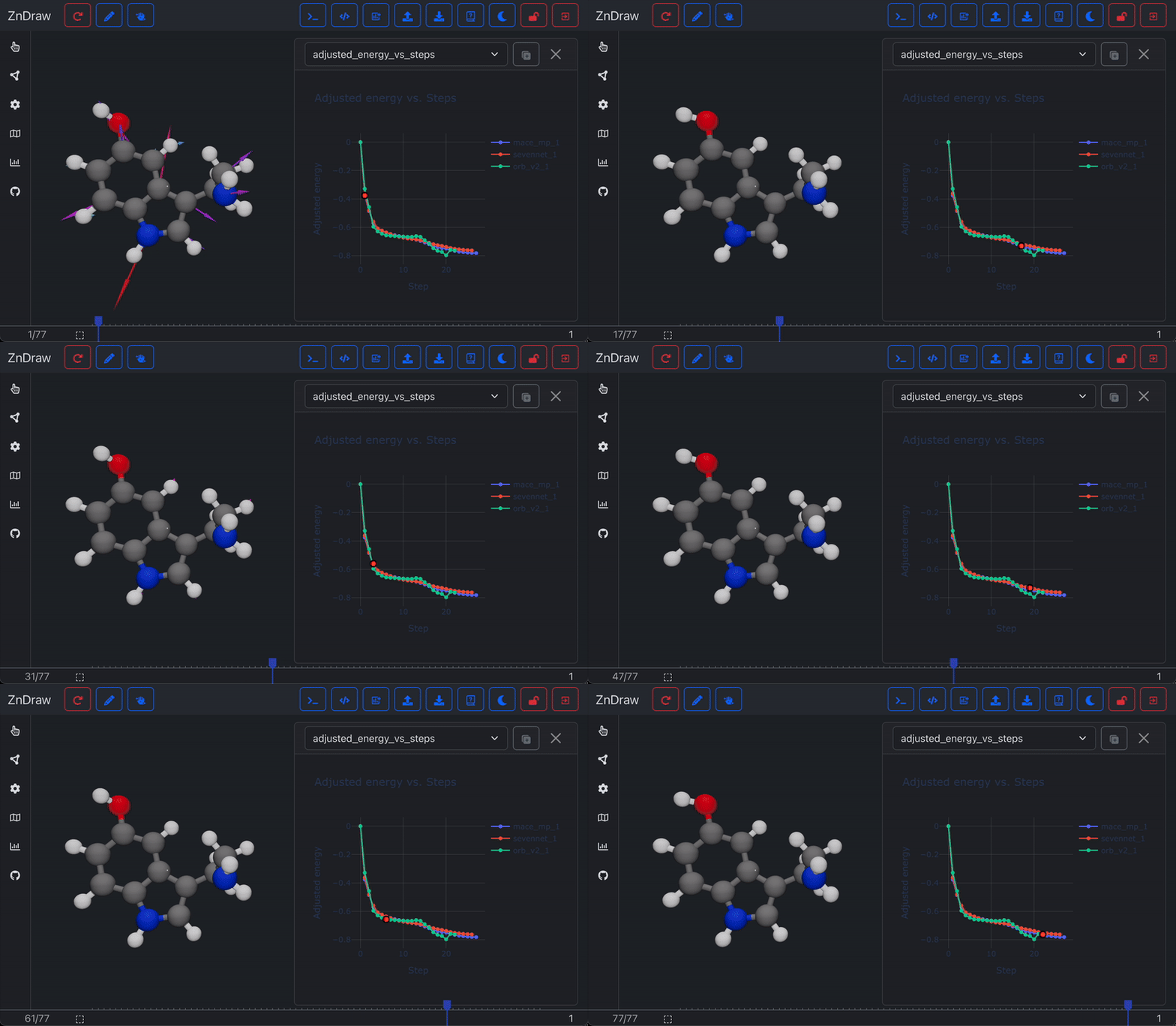
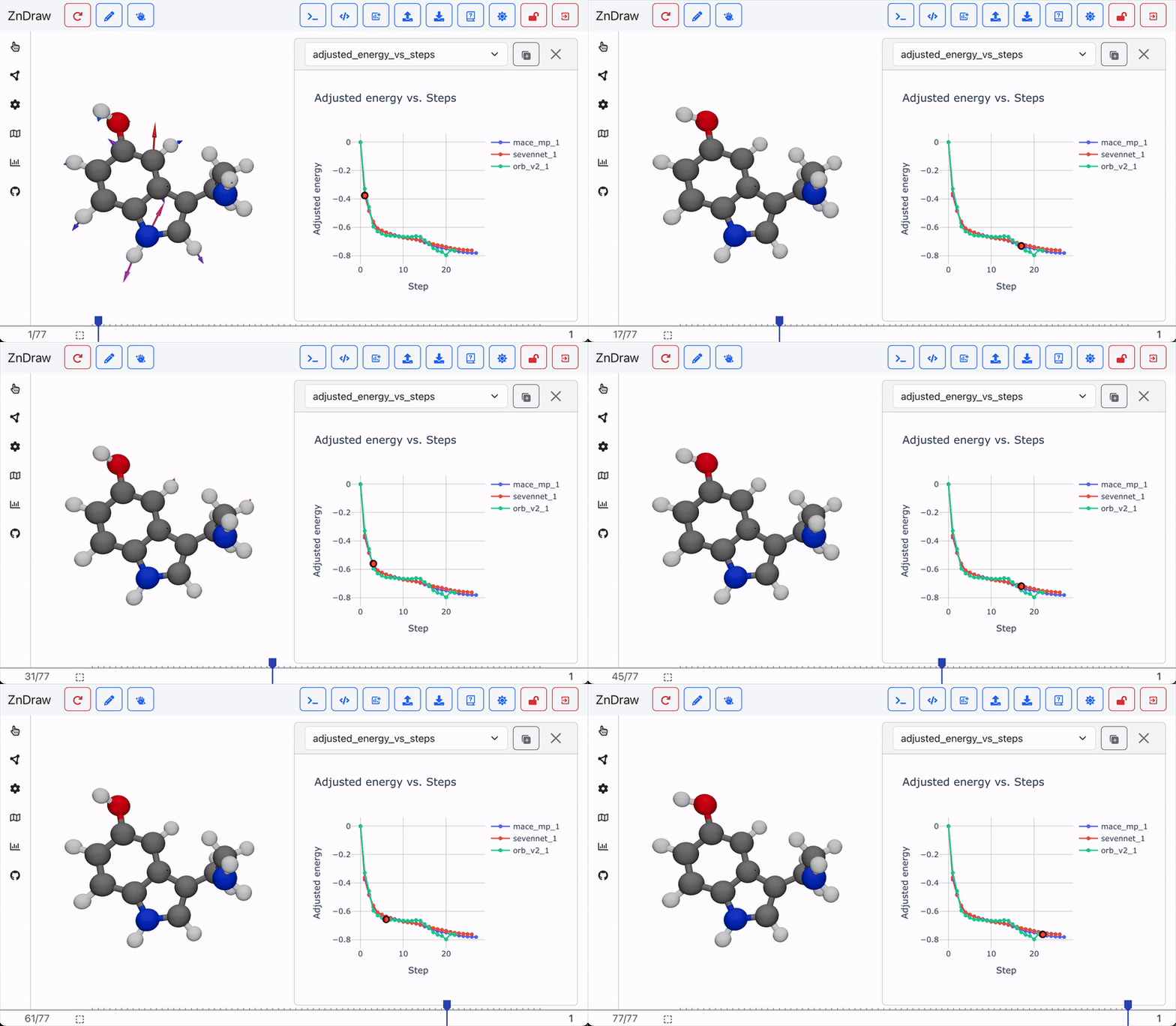
Compare the performance of different models in optimizing multiple molecular structures from SMILES representations:
mlipx recipes relax --models mace_mp,sevennet,orb_v2 --smiles "CCO,C1=CC2=C(C=C1O)C(=CN2)CCN" --repro
mlipx compare --glob "*0_StructureOptimization"
mlipx compare --glob "*1_StructureOptimization"
Nudged Elastic Band (NEB)
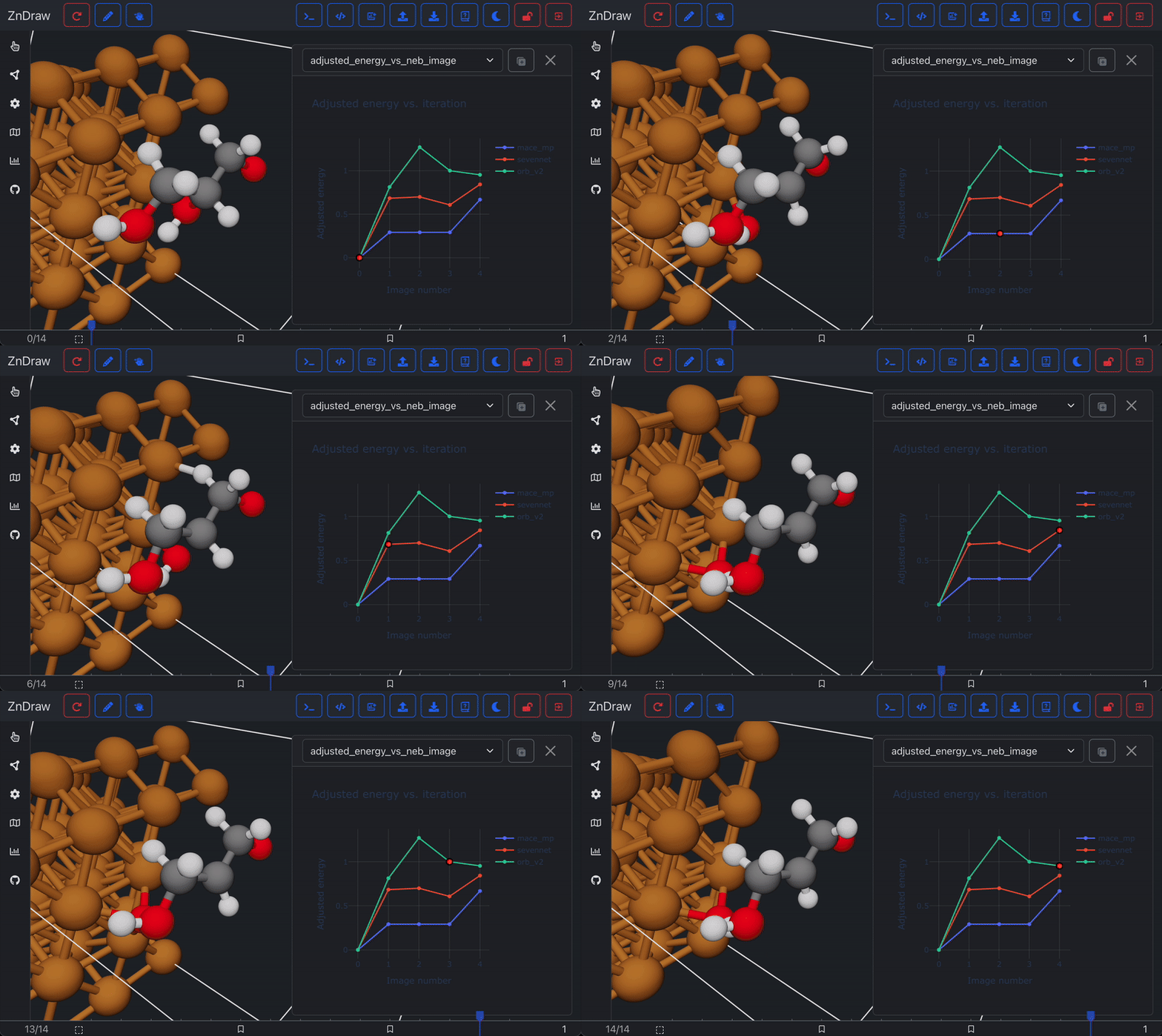
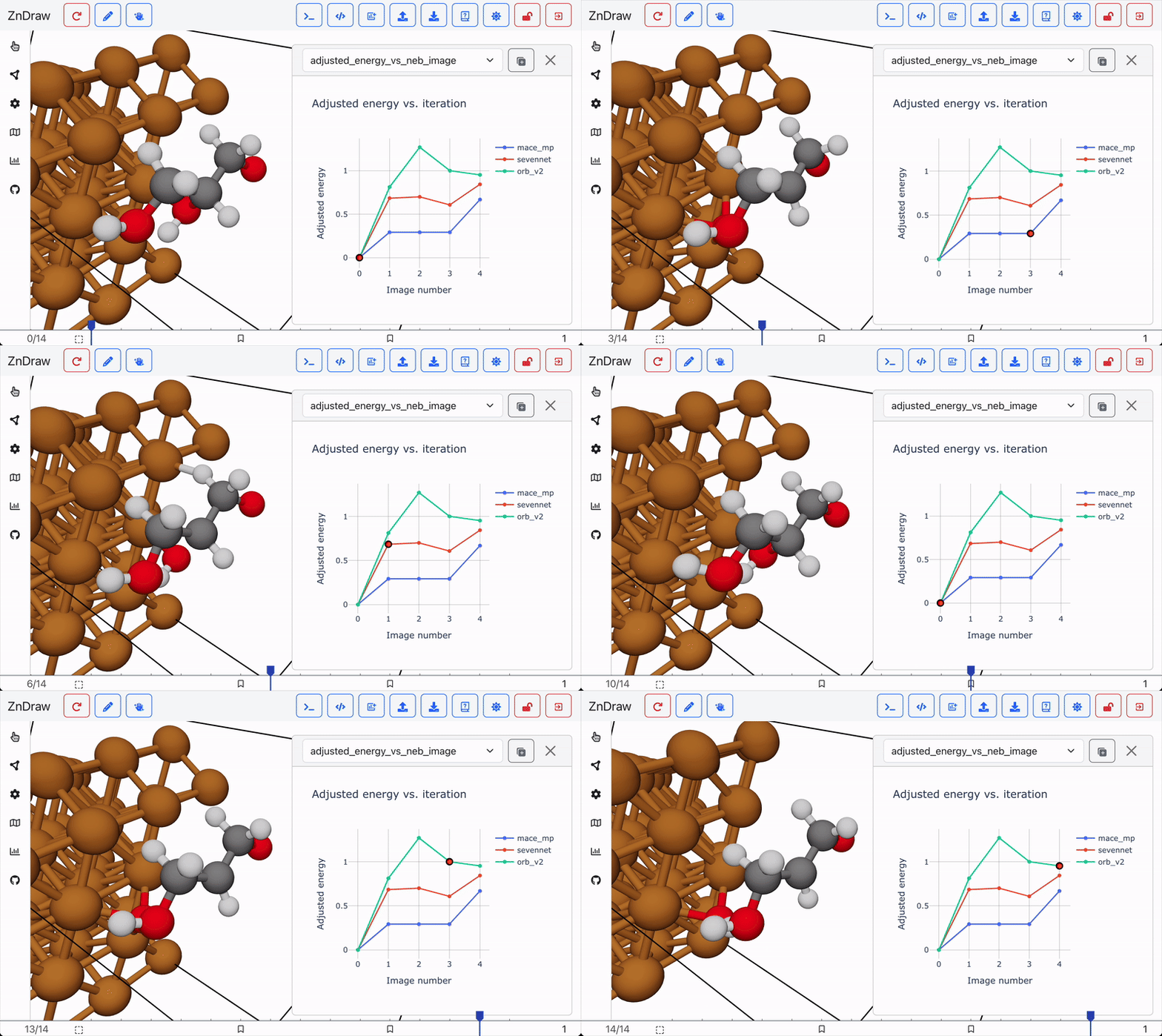
Run and compare nudged elastic band (NEB) calculations for a given start and end structure:
mlipx recipes neb --models mace_mp,sevennet,orb_v2 --datapath ../data/neb_end_p.xyz --repro
mlipx compare --glob "*NEBs"
Python API
You can also use all the recipes from the mlipx command-line interface
programmatically in Python.
[!NOTE] Whether you use the CLI or the Python API, you must work within a GIT and DVC repository. This setup ensures reproducibility and enables automatic caching and other features from DVC and ZnTrack.
import mlipx

# Initialize the project
project = mlipx.Project()

# Define an MLIP
mace_mp = mlipx.GenericASECalculator(
    module="mace.calculators",
    class_name="mace_mp",
    device="auto",
    kwargs={
        "model": "medium",
    },
)

# Use the MLIP in a structure optimization
with project:
    data = mlipx.LoadDataFile(path="/your/data/file.xyz")
    relax = mlipx.StructureOptimization(
        data=data.frames,
        data_id=-1,
        model=mace_mp,
        fmax=0.1
    )

# Reproduce the project state
project.repro()

# Access the results
print(relax.frames)
# >>> [ase.Atoms(...), ...]


Download files
Download the file for your platform. If you're not sure which to choose, learn more about installing packages.
Source Distribution
Built Distribution
Filter files by name, interpreter, ABI, and platform.
If you're not sure about the file name format, learn more about wheel file names.
Copy a direct link to the current filters
File details
Details for the file mlipx-0.1.2.tar.gz.
File metadata
- Download URL: mlipx-0.1.2.tar.gz
- Upload date:
- Size: 36.4 kB
- Tags: Source
- Uploaded using Trusted Publishing? No
- Uploaded via: poetry/1.8.4 CPython/3.12.7 Linux/6.5.0-1025-azure
File hashes
| Algorithm | Hash digest | |
|---|---|---|
| SHA256 |
7c166d6db2d9337ce9c6a7116a71ff73fda4b0af9cf5a80c418da33688b3df31
|
|
| MD5 |
9fbf1f008608b4a6641a1acffc34b29c
|
|
| BLAKE2b-256 |
e9a79e1e79f6bf425559b1673b43793fb9556833719915506ee542da7aa0d319
|
File details
Details for the file mlipx-0.1.2-py3-none-any.whl.
File metadata
- Download URL: mlipx-0.1.2-py3-none-any.whl
- Upload date:
- Size: 56.9 kB
- Tags: Python 3
- Uploaded using Trusted Publishing? No
- Uploaded via: poetry/1.8.4 CPython/3.12.7 Linux/6.5.0-1025-azure
File hashes
| Algorithm | Hash digest | |
|---|---|---|
| SHA256 |
8566ec174205048b054d8be4115158c266888a3ee4df0ff4c8c1860385868698
|
|
| MD5 |
505f9158227683f7668ba6c2c2598fff
|
|
| BLAKE2b-256 |
2f7cc84c1cafa5bd4a0a31462c1fd64f973269e33c4455b8387a422797c08c3f
|






