
Local MLX Engine

Project description
MLX Omni Server


MLX Omni Server is a local inference server powered by Apple's MLX framework, specifically designed for Apple Silicon (M-series) chips. It implements OpenAI-compatible API endpoints, enabling seamless integration with existing OpenAI SDK clients while leveraging the power of local ML inference.
Features
- 🚀 Apple Silicon Optimized: Built on MLX framework, optimized for M1/M2/M3/M4 series chips
- 🔌 OpenAI API Compatible: Drop-in replacement for OpenAI API endpoints
- 🎯 Multiple AI Capabilities:
- Audio Processing (TTS & STT)
- Chat Completion
- Image Generation
- ⚡ High Performance: Local inference with hardware acceleration
- 🔐 Privacy-First: All processing happens locally on your machine
- 🛠 SDK Support: Works with official OpenAI SDK and other compatible clients
Supported API Endpoints
The server implements OpenAI-compatible endpoints:
- Chat completions:
/v1/chat/completions- ✅ Chat
- ✅ Tools, Function Calling
- ✅ Structured Output
- ✅ LogProbs
- 🚧 Vision
- Audio
- ✅
/v1/audio/speech- Text-to-Speech - ✅
/v1/audio/transcriptions- Speech-to-Text
- ✅
- Models
- ✅
/v1/models- List models - ✅
/v1/models/{model}- Retrieve or Delete model
- ✅
- Images
- ✅
/v1/images/generations- Image generation
- ✅
Installation
# Install using pip
pip install mlx-omni-server
Quick Start
There are two ways to use MLX Omni Server:
Method 1: Using the HTTP Server
- Start the server:
# If installed via pip as a package
mlx-omni-server
You can use --port to specify a different port, such as: mlx-omni-server --port 10240. The default port is 10240.
You can view more startup parameters by using mlx-omni-server --help.
- Configure the OpenAI client to use your local server:
from openai import OpenAI

# Configure client to use local server
client = OpenAI(
    base_url="http://localhost:10240/v1",  # Point to local server
    api_key="not-needed"  # API key is not required for local server
)
Method 2: Using TestClient (No Server Required)
For development or testing, you can use TestClient to interact directly with the application without starting a server:
from openai import OpenAI
from fastapi.testclient import TestClient
from mlx_omni_server.main import app

# Use TestClient to interact directly with the application
client = OpenAI(
    http_client=TestClient(app)  # Use TestClient directly, no network service needed
)
Example Usage
Regardless of which method you choose, you can use the client in the same way:
# Chat Completion Example
chat_completion = client.chat.completions.create(
    model="mlx-community/Llama-3.2-1B-Instruct-4bit",
    messages=[
        {"role": "user", "content": "What can you do?"}
    ]
)

# Text-to-Speech Example
response = client.audio.speech.create(
    model="lucasnewman/f5-tts-mlx",
    input="Hello, welcome to MLX Omni Server!"
)

# Speech-to-Text Example
audio_file = open("speech.mp3", "rb")
transcript = client.audio.transcriptions.create(
    model="mlx-community/whisper-large-v3-turbo",
    file=audio_file
)

# Image Generation Example
image_response = client.images.generate(
    model="argmaxinc/mlx-FLUX.1-schnell",
    prompt="A serene landscape with mountains and a lake",
    n=1,
    size="512x512"
)
You can view more examples in examples.
Contributing
We welcome contributions! If you're interested in contributing to MLX Omni Server, please check out our Development Guide for detailed information about:
- Setting up the development environment
- Running the server in development mode
- Contributing guidelines
- Testing and documentation
For major changes, please open an issue first to discuss what you would like to change.
License
This project is licensed under the MIT License - see the LICENSE file for details.
Acknowledgments
- Built with MLX by Apple
- API design inspired by OpenAI
- Uses FastAPI for the server implementation
- Chat(text generation) by mlx-lm
- Image generation by diffusionkit
- Text-to-Speech by lucasnewman/f5-tts-mlx
- Speech-to-Text by mlx-whisper
Disclaimer
This project is not affiliated with or endorsed by OpenAI or Apple. It's an independent implementation that provides OpenAI-compatible APIs using Apple's MLX framework.
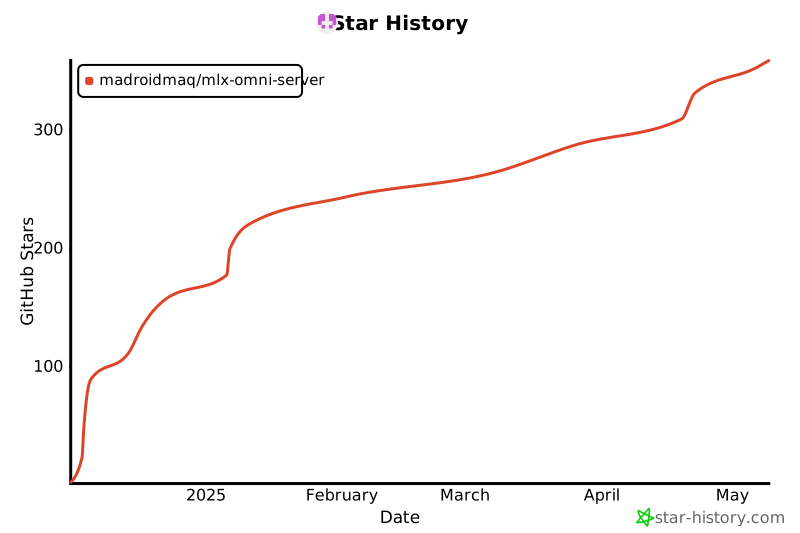
Star History 🌟


Download files
Download the file for your platform. If you're not sure which to choose, learn more about installing packages.
Source Distribution
Built Distribution
Filter files by name, interpreter, ABI, and platform.
If you're not sure about the file name format, learn more about wheel file names.
Copy a direct link to the current filters
File details
Details for the file mlxengine-0.0.1.tar.gz.
File metadata
- Download URL: mlxengine-0.0.1.tar.gz
- Upload date:
- Size: 26.4 kB
- Tags: Source
- Uploaded using Trusted Publishing? No
- Uploaded via: twine/6.1.0 CPython/3.13.2
File hashes
| Algorithm | Hash digest | |
|---|---|---|
| SHA256 |
1b68c8a1f66667687fedfaf5d7dbfce2ce56fdae9ebaa3d66dc61306c8a7b769
|
|
| MD5 |
0e14cbe973df6f71ddba1cb592f2c43b
|
|
| BLAKE2b-256 |
43a59b73ce6f96264c2e75fbdc8b68a007192b11bb3696ed5e3643fa141626e2
|
File details
Details for the file mlxengine-0.0.1-py3-none-any.whl.
File metadata
- Download URL: mlxengine-0.0.1-py3-none-any.whl
- Upload date:
- Size: 38.8 kB
- Tags: Python 3
- Uploaded using Trusted Publishing? No
- Uploaded via: twine/6.1.0 CPython/3.13.2
File hashes
| Algorithm | Hash digest | |
|---|---|---|
| SHA256 |
b625dc407b7e69813ccd0e8d9cbee8d8c2ee1b8836d54383b4b524dc83bac88a
|
|
| MD5 |
0df5d8042d482cad9d7e7f9c78b50e97
|
|
| BLAKE2b-256 |
83b533a39b1b0f7808a48d92f969e372168109b4e7a3a4e0ce9b833f33dc9647
|






