
MM-EvalKit (MuscleMimic Evaluation Kit)



mm-evalkit is the evaluation benchmark for MuscleMimic policies. It compares
rollout NPZ files with recorded human data at three physiological levels:
- kinematics: joint-angle RMSE and waveform correlation;
- kinetics: joint-moment and vertical-GRF RMSE and waveform correlation; and
- neuromuscular behavior: muscle-activation correlation and muscle RSA against human EMG.
The benchmark produces population and subject-matched metrics, human reference baselines, statistical reports, figures, and exclusion audits.
Supported datasets
| Dataset | Evaluation | Analysis unit |
|---|---|---|
| Gait120 | Joint angles, joint moments, vertical GRF, muscle activation, and EMG | Subject and gait cycle |
| Wang | Joint angles, muscle activation, and EMG | Population gait profile |
| ULTra-MoCap | Arm kinematics, muscle activation, and EMG | Subject, movement, and trial |
Gait120 provides all three evaluation levels over one retained subject cohort.
Install
The PyPI distribution is named mm-evalkit; it provides the mm_evalkit Python
package and the mm-evalkit command-line interface. Install it with Python 3.11 or
newer:
python -m pip install mm-evalkit
Synchronized visualization requires the render extra:
python -m pip install 'mm-evalkit[render]'
Configure data paths
mm-evalkit paths set gait120 /absolute/path/to/Gait120
mm-evalkit paths set wang /absolute/path/to/Wang
mm-evalkit paths set ultra-mocap /absolute/path/to/ULTra-MoCap
mm-evalkit paths show
An explicit --dataset_dir on an evaluation command overrides the saved path.
Define policies
Evaluation commands accept a YAML file containing one or more rollout exports:
policies:
  - id: policy-a
    label: "Policy A"
    trajectory_data_path: trajectory_data/policy-a/episodes.npz
    color: "#2a78d6"
    linestyle: "-"
The rollout motion_group and traj_id values determine subject and trial
identity. Compared policies must use the same ordered references.
Evaluate
Gait120
mm-evalkit evaluate gait120 \
  --motion_group GAIT120_TESTING \
  --policy_config_file policies.yaml \
  --plots_dir results/gait120 \
  --kinetics_reference_dir /path/to/gait120-kinetics
--kinetics_reference_dir enables the kinetics layer. The rollout NPZ provides
policy joint-force and foot-contact-force signals. Human joint moments come
from inverse dynamics; human GRF comes from corrected Gait120 force-plate
measurements.
Wang
mm-evalkit evaluate wang \
  --policy_config_file policies.yaml \
  --plots_dir results/wang
ULTra-MoCap
mm-evalkit evaluate ultra-mocap \
  --motion_group ULTRA_MOCAP_BIMANUAL_TESTING_SUBJECTS \
  --policy_config_file policies.yaml \
  --plots_dir results/ultramocap
Each run requires an empty output directory. Dataset-specific options are available through:
mm-evalkit evaluate --list-datasets
mm-evalkit evaluate gait120 --help
mm-evalkit evaluate wang --help
mm-evalkit evaluate ultra-mocap --help
Outputs
Evaluation outputs include:
- population and subject-matched metric tables;
- waveform and summary figures;
- paired Wilcoxon reports with Holm correction;
- retained-subject and exclusion audits; and
- run manifests where the workflow provides them.
Gait120 kinetics writes kinetics_profiles.svg, kinetics_metrics.svg,
kinetics_metrics.csv, and kinetics_input_omissions.csv.
Each dataset command documents its complete configuration through --help.
Input archives are validated before analysis starts.
Synchronized visualization
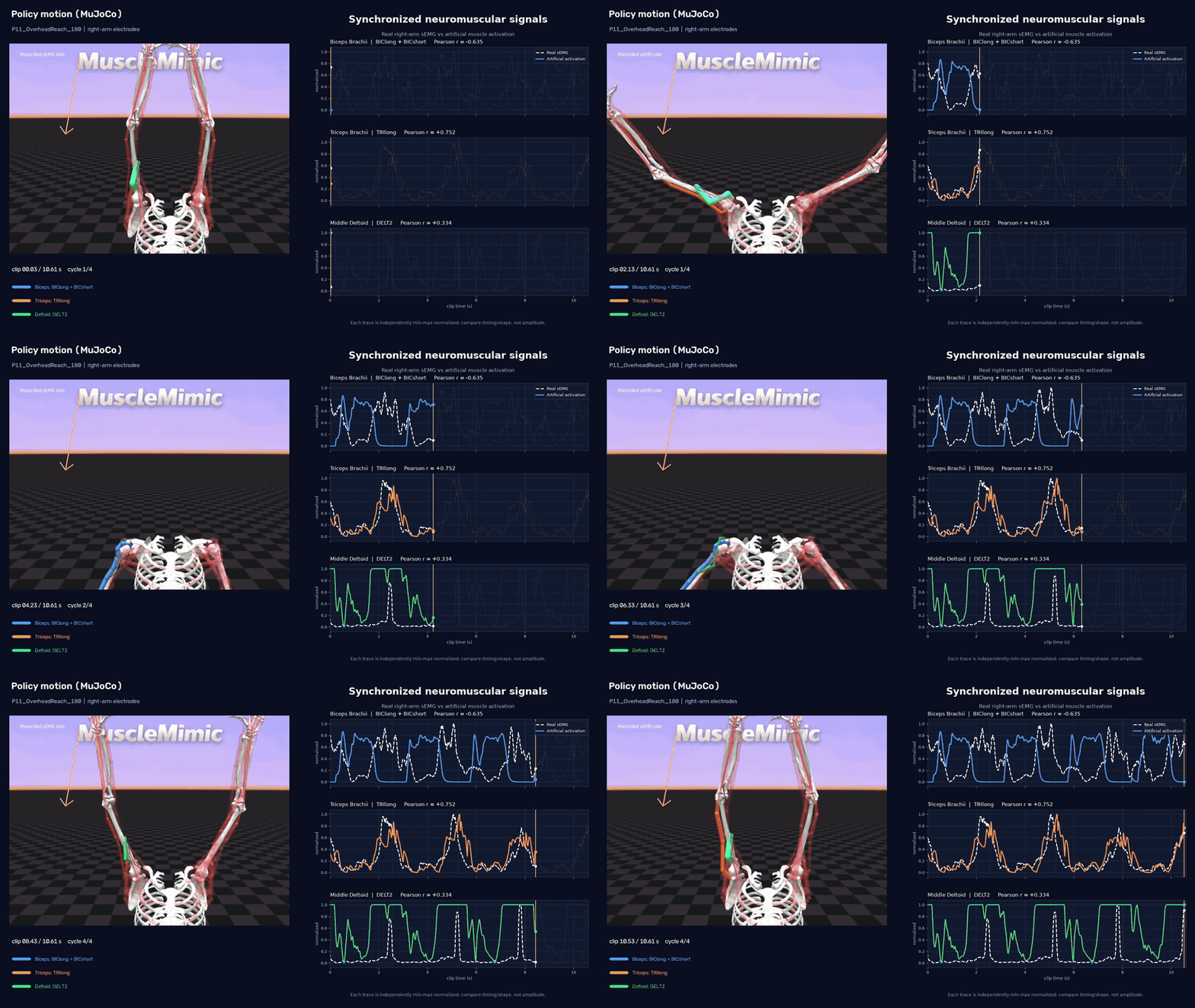
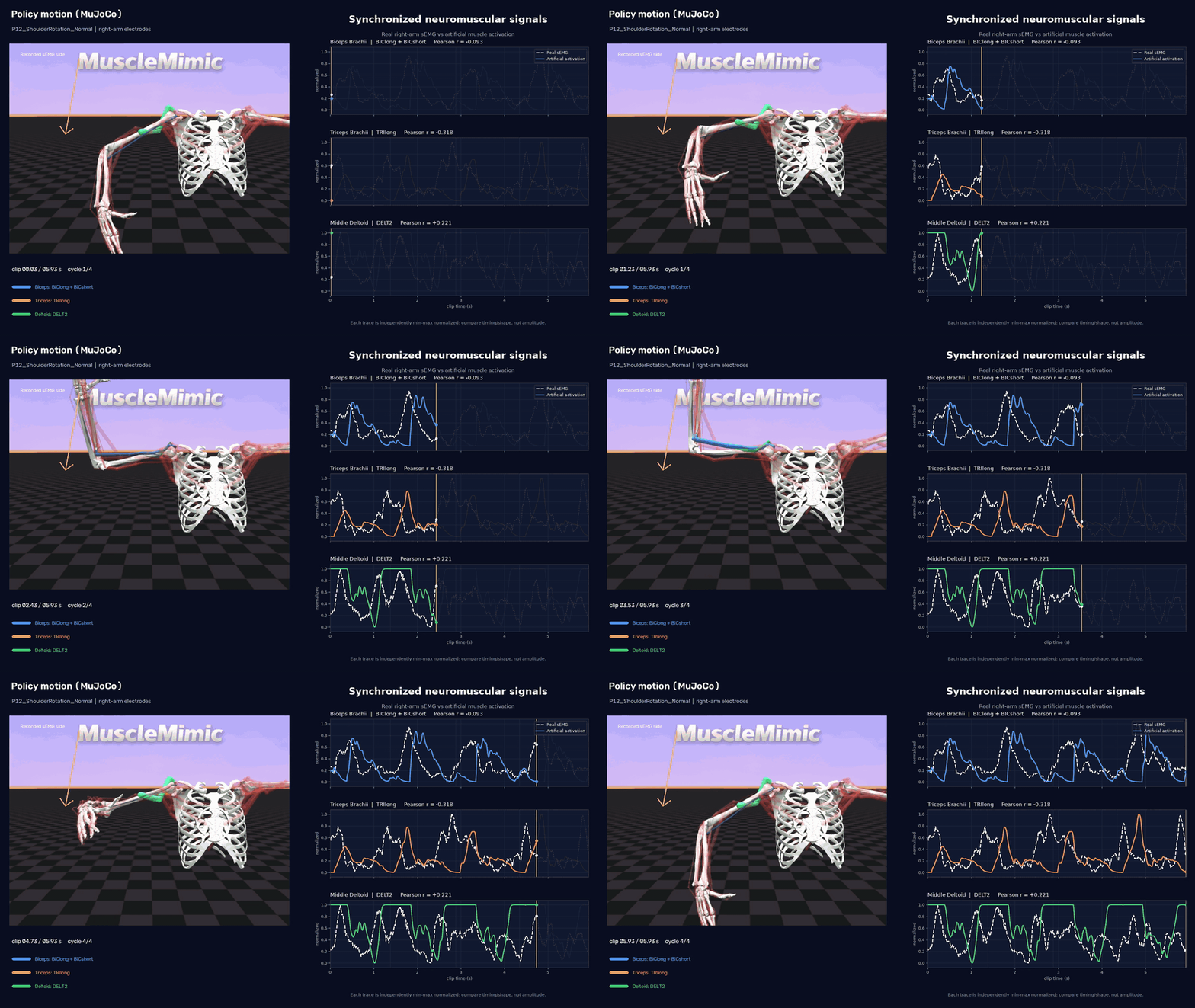
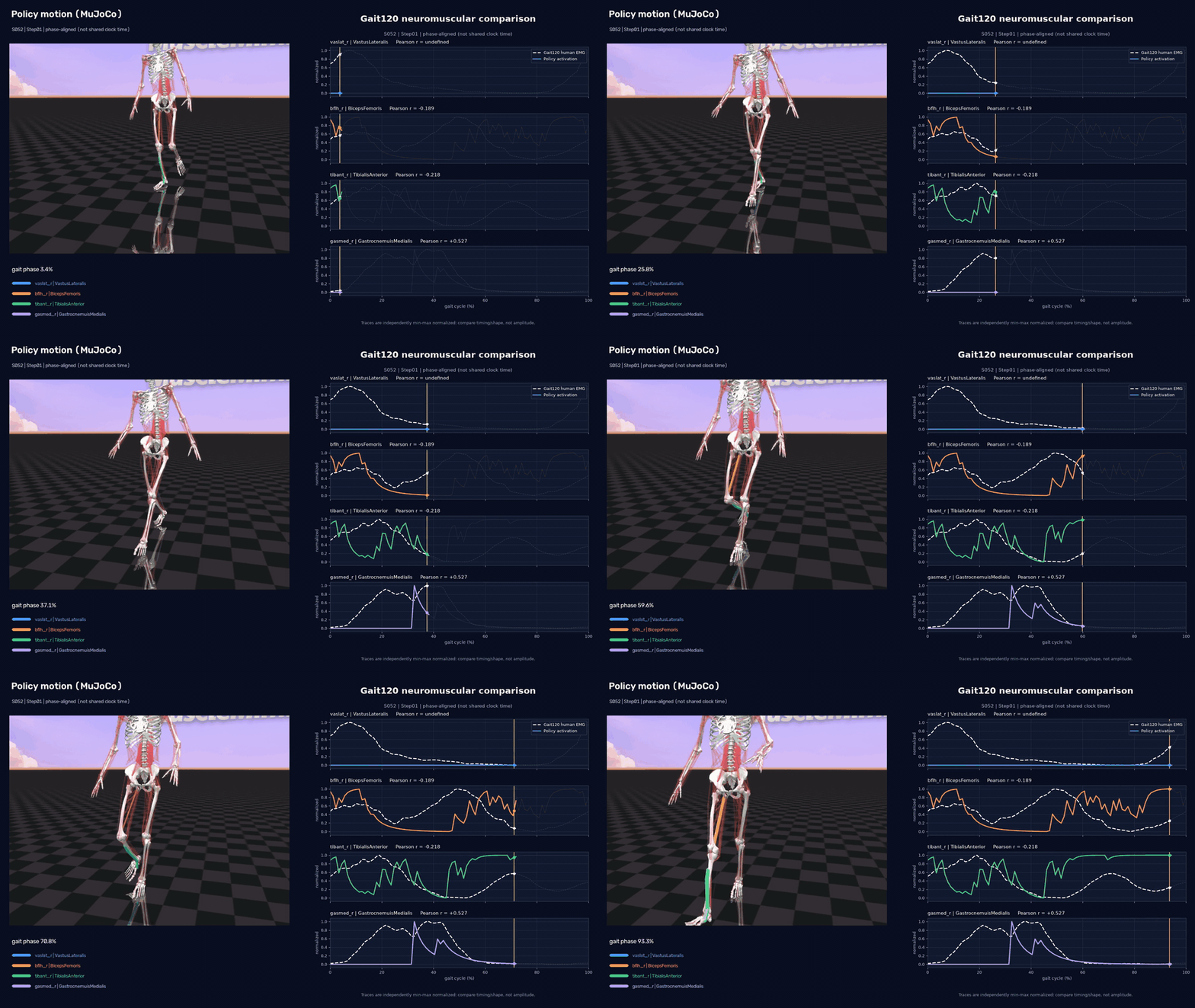
Renderers synchronize policy motion with human and artificial muscle signals:
mm-evalkit render gait120 --help
mm-evalkit render ultra-mocap --help
Demos
Overhead reach (P11_OverheadReach_180)
Shoulder rotation (P12_ShoulderRotation_Normal)
Gait step (S052_step01)
Add a dataset
Dataset adapters declare their source contract, workflow, CLI entrypoint, and tests. Keep dataset files outside the repository and document their license and access requirements.
External packages register adapters in pyproject.toml:
[project.entry-points."mm_evalkit.datasets"]
example = "example_package.cli:main"

[project.entry-points."mm_evalkit.renderers"]
example = "example_package.render:prepare_clip"
Validation should cover a minimal valid dataset, malformed inputs, alignment, normalization, metrics, registry discovery, and an end-to-end run. The architecture guide defines the extension boundaries.
Development
git clone https://github.com/amathislab/mm-evalkit.git
cd mm-evalkit
make install-dev
make format
make lint
make test
make precommit
Ruff and pre-commit cover every Python file in the repository.
See Architecture for data flow, module ownership, input contracts, and public extension points.
Citation
@article{Li2026MuscleMimic,
  title={Towards Embodied AI with MuscleMimic:
    Unlocking full-body musculoskeletal motor learning at scale},
  author={Li, Chengkun and Wang, Cheryl and Ziliotto, Bianca and
    Simos, Merkourios and Kovecses, Jozsef and Durandau, Guillaume and
    Mathis, Alexander},
  journal={arXiv preprint arXiv:2603.25544},
  year={2026}
}
1 maintainer

Release files for mm-evalkit 0.1.0
For a detailed explanation of source distributions (sdists) and built distributions (wheels), please see the package formats documentation.
Source distribution (sdist)
| File | Size | Uploaded | |
|---|---|---|---|
| mm_evalkit-0.1.0.tar.gz | 161.7 kB | Details |
Built distribution (wheel)
| File | Interpreter | ABI | Platform | Reset |
|---|---|---|---|---|
| mm_evalkit-0.1.0-py3-none-any.whl | Python 3 | none | any | Details |
Total release size: 355.6 kB
Release files / mm_evalkit-0.1.0.tar.gz
| Download URL | mm_evalkit-0.1.0.tar.gz |
|---|---|
| Size | 161.7 kB |
| Tags | Source |
|
SHA-256 checksum How to use checksums |
81db5675d6b0ea9a6965f32a4b136d82847bb97b31520c578c4e377859cb64c8
|
|
BLAKE2b-256 checksum How to use checksums |
e3f53db29ef321cbfae4af3d5556ee295dbaff71b276d4482b7ea67aa94192fa
|
| Upload date | |
|
Uploaded using Trusted Publishing? What is trusted publishing? |
Yes |
| Uploaded via |
twine/7.0.0 CPython/3.13.14
|
Provenance
Provenance describes where a file came from. On PyPI, provenance is shared via attestations, which provide a verifiable record of the build or publishing details. View details, limitations and caveats.


PyPI Publish Attestation
PyPI verified that this artifact, at this checksum, originated from the publisher listed below.
Signed by GitHub Actions, verified by PyPI on Aug 3, 2026.
Transparency logRelease files / mm_evalkit-0.1.0-py3-none-any.whl
| Download URL | mm_evalkit-0.1.0-py3-none-any.whl |
|---|---|
| Size | 193.9 kB |
| Tags | Python 3 |
|
SHA-256 checksum How to use checksums |
c7385220e3fdf1a71c24ccefa7396ddf863a9b49db900f7675cda3084af0c95d
|
|
BLAKE2b-256 checksum How to use checksums |
6cedc842772501603770e7aa35d8f8f95f8ddd4b50e70a90de364571ffcf3079
|
| Upload date | |
|
Uploaded using Trusted Publishing? What is trusted publishing? |
Yes |
| Uploaded via |
twine/7.0.0 CPython/3.13.14
|
Provenance
Provenance describes where a file came from. On PyPI, provenance is shared via attestations, which provide a verifiable record of the build or publishing details. View details, limitations and caveats.
PyPI Publish Attestation
PyPI verified that this artifact, at this checksum, originated from the publisher listed below.
Signed by GitHub Actions, verified by PyPI on Aug 3, 2026.
Transparency log












