
🤖 Multi-modal GPT
Train a multi-modal chatbot with visual and language instructions!
Based on the open-source multi-modal model OpenFlamingo, we create various visual instruction data with open datasets, including VQA, Image Captioning, Visual Reasoning, Text OCR, and Visual Dialogue. Additionally, we also train the language model component of OpenFlamingo using only language-only instruction data.
The joint training of visual and language instructions effectively improves the performance of the model!
Features
- Support various vision and language instruction data
- Parameter efficient fine-tuning with LoRA
- Tuning vision and language at the same time, complement each other
Installaion
To install the package in an existing environment, run
git clone https://github.com/open-mmlab/Multimodal-GPT.git
pip install -r requirements.txt
pip install -e. -v
or create a new conda environment
conda env create -f environment.yml
Demo
-
Download the pre-trained weights.
Use this script for converting LLaMA weights to HuggingFace format.
Download the OpenFlamingo pre-trained model from openflamingo/OpenFlamingo-9B
Download our LoRA Weight from here
Then place these models in checkpoints folders like this:
checkpoints ├── llama-7b_hf │ ├── config.json │ ├── pytorch_model-00001-of-00002.bin │ ├── ...... │ └── tokenizer.model ├── OpenFlamingo-9B │ └──checkpoint.pt ├──mmgpt-lora-v0-release.pt -
launch the gradio demo
python chat_gradio_demo.py
Examples
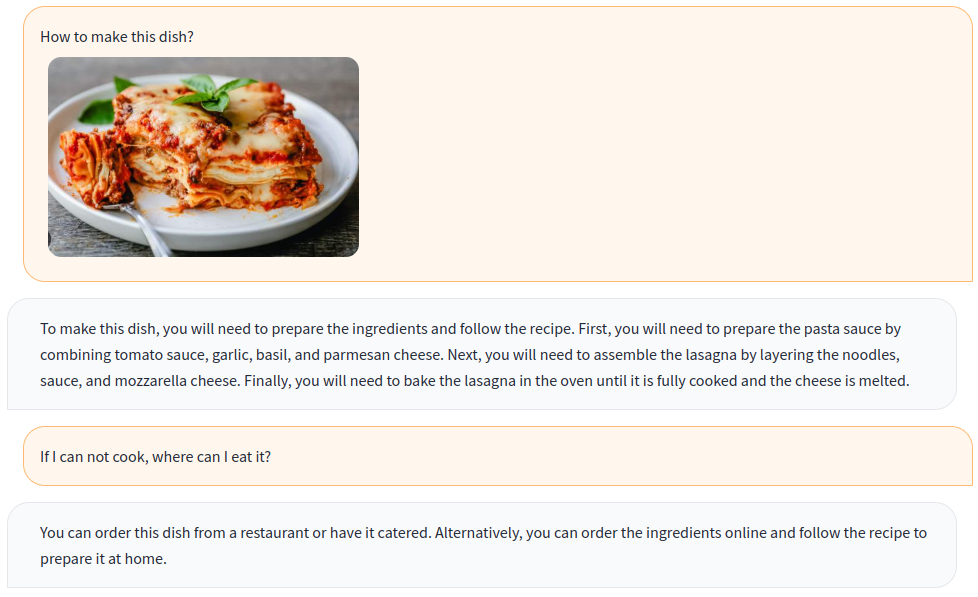
Recipe:
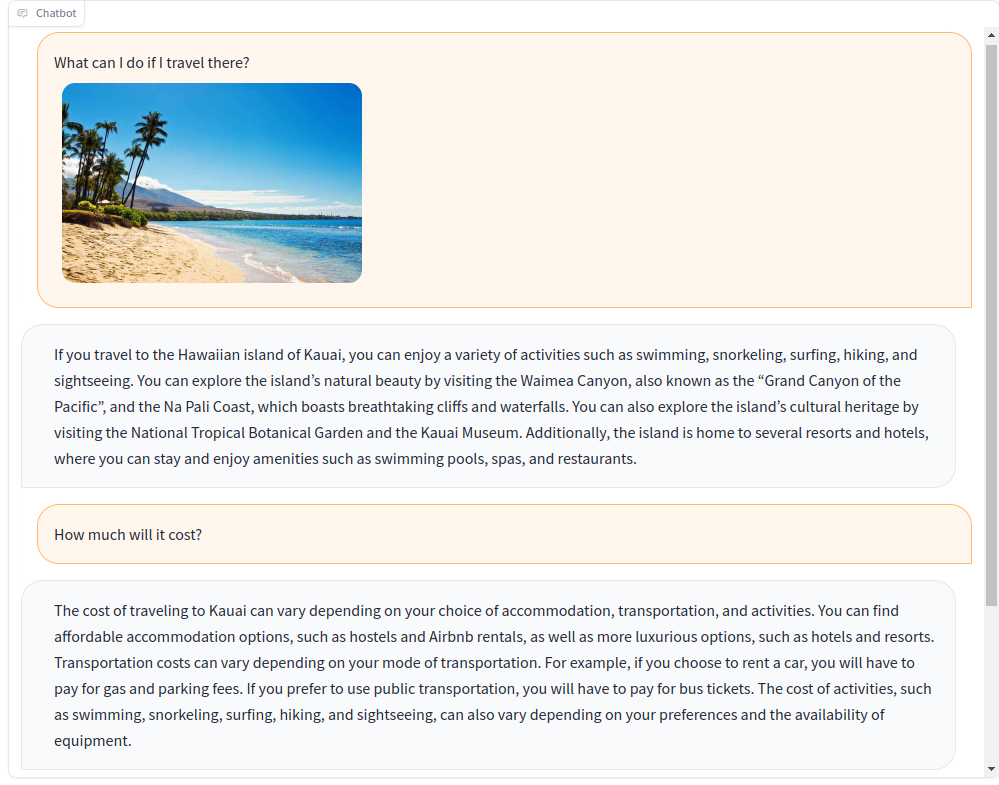
Travel plan:
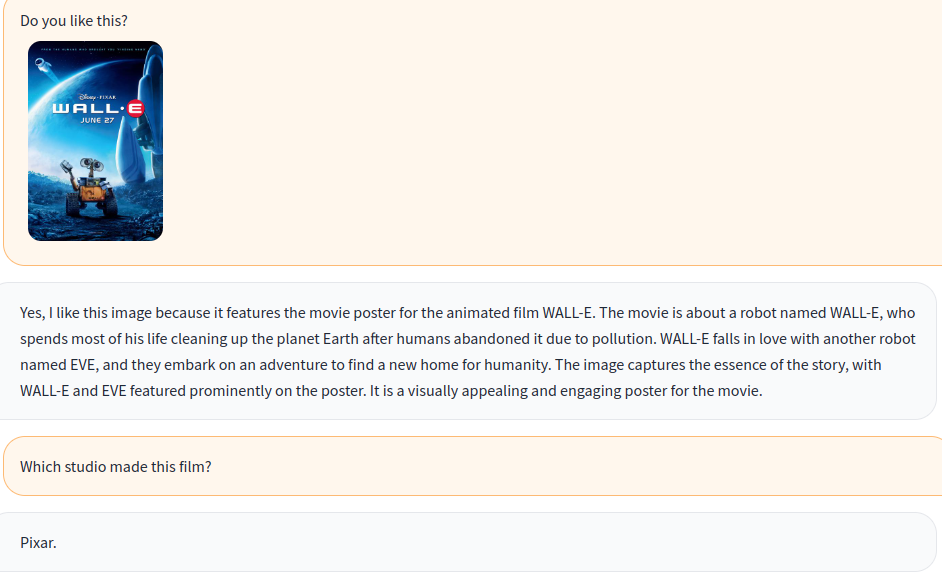
Movie:
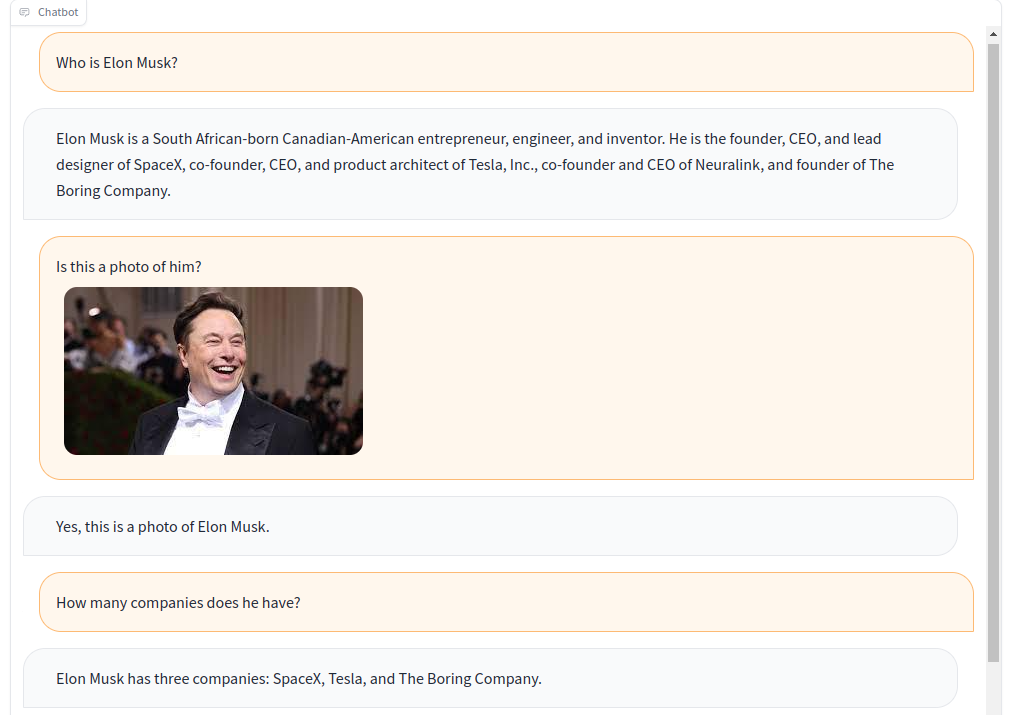
Famous person:
Fine-tuning
Prepare datasets
-
Download annotation from this link and unzip to
data/aokvqa/annotationsIt also requires images from coco dataset which can be downloaded from here.
-
Download from this link and unzip to
data/cocoIt also requires images from coco dataset which can be downloaded from here.
-
Download from this link and place in
data/OCR_VQA/ -
Download from liuhaotian/LLaVA-Instruct-150K and place in
data/llava/It also requires images from coco dataset which can be downloaded from here.
-
Download from Vision-CAIR/cc_sbu_align and place in
data/cc_sbu_align/ -
Download from databricks/databricks-dolly-15k and place it in
data/dolly/databricks-dolly-15k.jsonl -
Download it from this link and place it in
data/alpaca_gpt4/alpaca_gpt4_data.json
You can also customize the data path in the configs/dataset_config.py.
Start training
torchrun --nproc_per_node=8 mmgpt/train/instruction_finetune.py \
--lm_path checkpoints/llama-7b_hf \
--tokenizer_path checkpoints/llama-7b_hf \
--pretrained_path checkpoints/OpenFlamingo-9B/checkpoint.pt \
--run_name train-my-gpt4 \
--learning_rate 1e-5 \
--lr_scheduler cosine \
--batch_size 1 \
--tuning_config configs/lora_config.py \
--dataset_config configs/dataset_config.py \
--report_to_wandb \
Acknowledgements
1 maintainer

Metadata
1 maintainer
Release files for mmgpt 0.0.1
For a detailed explanation of source distributions (sdists) and built distributions (wheels), please see the package formats documentation.
Source distribution (sdist)
| File | Size | Uploaded | |
|---|---|---|---|
| mmgpt-0.0.1.tar.gz | 35.1 kB | Details |
Built distribution (wheel)
| File | Interpreter | ABI | Platform | Reset |
|---|---|---|---|---|
| mmgpt-0.0.1-py3-none-any.whl | Python 3 | none | any | Details |
Total release size: 84.5 kB
Release files / mmgpt-0.0.1.tar.gz
| Download URL | mmgpt-0.0.1.tar.gz |
|---|---|
| Size | 35.1 kB |
| Tags | Source |
|
SHA-256 checksum How to use checksums |
83350144458406b550bfbaee76d221514d7fde106d39c4e62cd354e0ff3a6fa7
|
|
BLAKE2b-256 checksum How to use checksums |
450270febd09c09cd1819b4962b1f666a3177651bc34c673f616b791adc496ca
|
| Upload date | |
|
Uploaded using Trusted Publishing? What is trusted publishing? |
No |
| Uploaded via |
twine/4.0.2 CPython/3.9.16
|
Release files / mmgpt-0.0.1-py3-none-any.whl
| Download URL | mmgpt-0.0.1-py3-none-any.whl |
|---|---|
| Size | 49.4 kB |
| Tags | Python 3 |
|
SHA-256 checksum How to use checksums |
f3d09a490b85ac5d61372a1350706cf9e525b61655118f1d775f4b8039050662
|
|
BLAKE2b-256 checksum How to use checksums |
9bdb928a76666ee9e8c2c0894af4212160ffeaf0a3a7d4acbf540ff3cc1b334f
|
| Upload date | |
|
Uploaded using Trusted Publishing? What is trusted publishing? |
No |
| Uploaded via |
twine/4.0.2 CPython/3.9.16
|













