
ModelPark
ModelPark provides a versatile platform to share and manage your ML models directly from your machine, offering a convenient Python API to manage these tasks programmatically, including controlling access and publishing applications.
This library provides a more Pythonic way of managing your applications with ModelPark compared to using the CLI directly.
See ModelPark website and platform for more details.
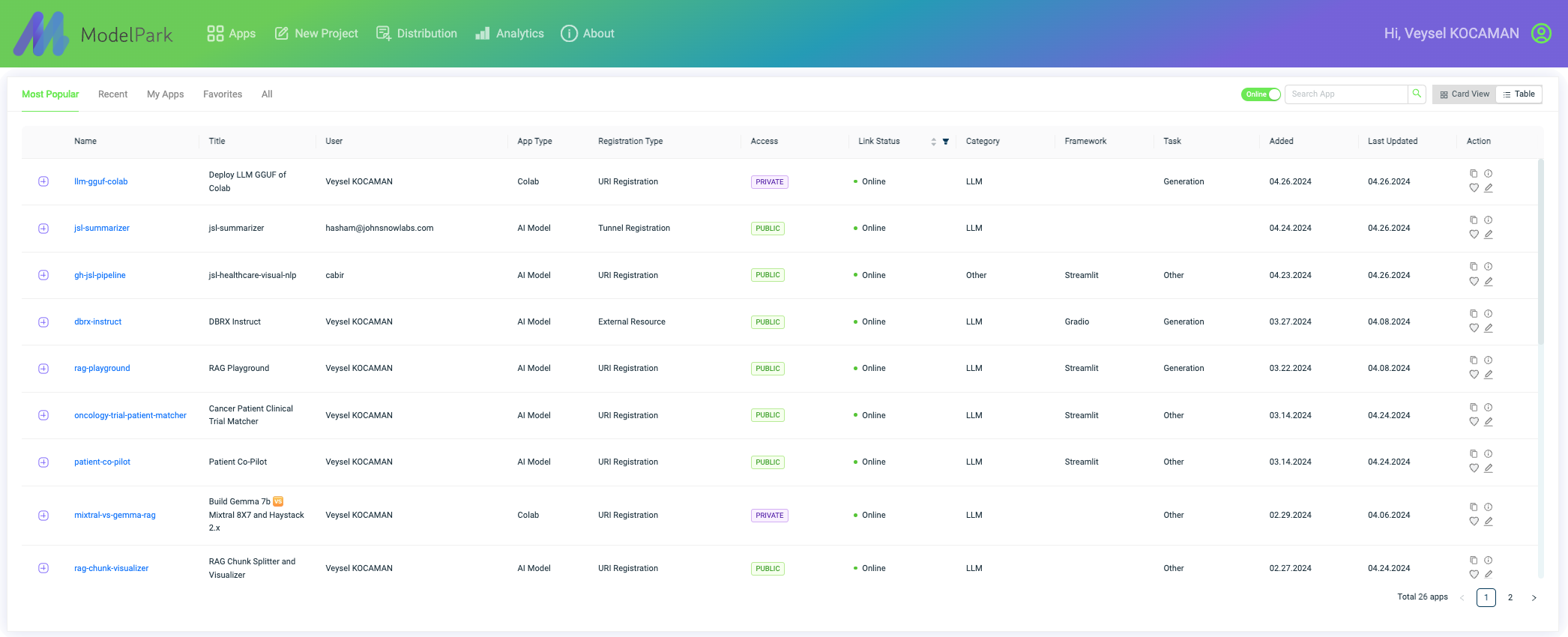
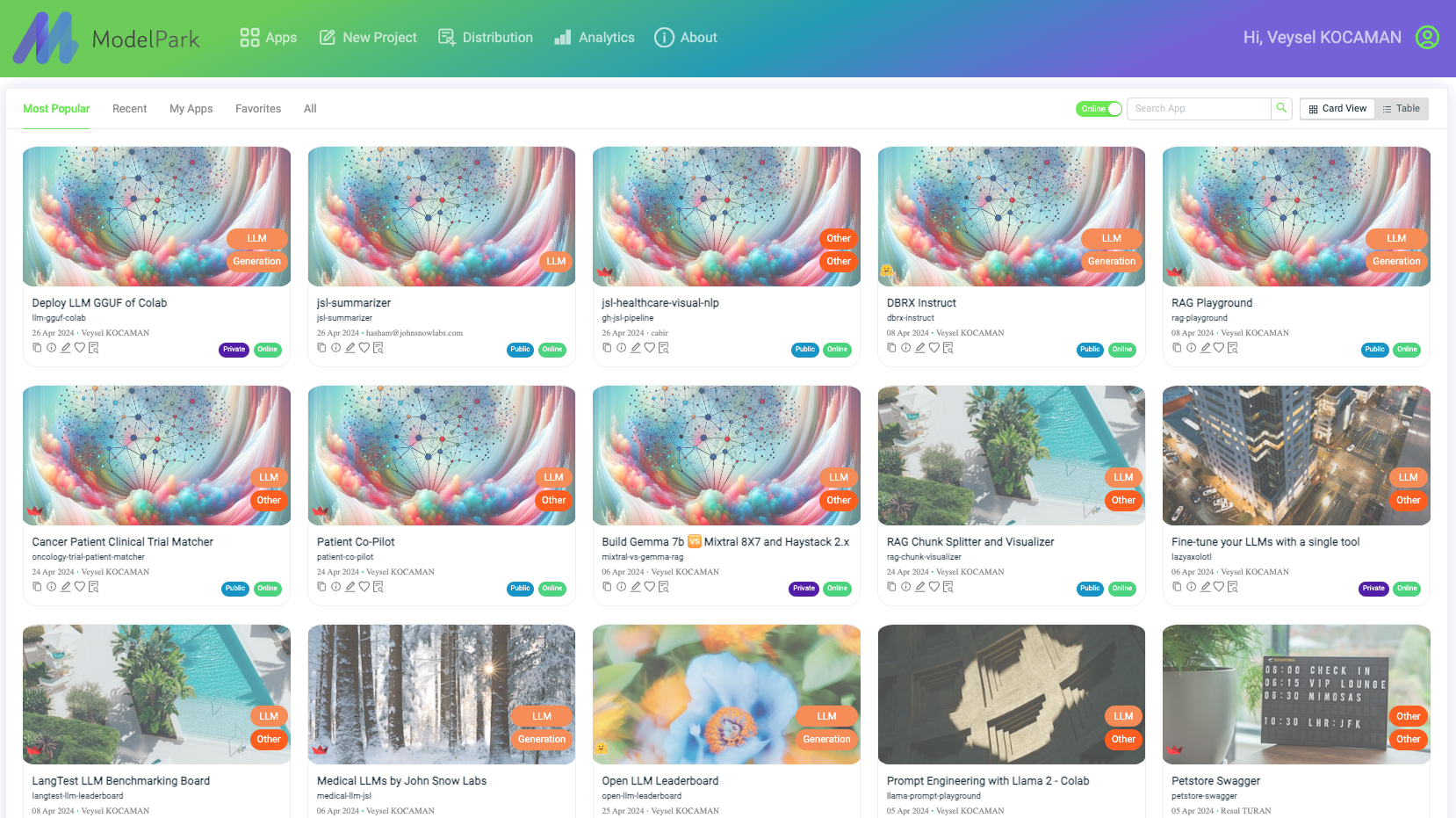
Features
- Share models directly from the Python API.
- Publish and manage applications using the ModelPark Python API.
- Configure access management according to your needs through Python methods.
Installation
To install ModelPark, you can use pip:
pip install modelpark
Configuration
Ensure Python and pip are installed on your machine. This API interfaces with the ModelPark CLI but manages interactions programmatically through Python.
Usage
Here's how you can use the ModelPark Python package:
Initialize and Login
from modelpark import ModelPark

mp = ModelPark() # downloads the modelpark CLI binary/ executable to your home folder as "~/modelpark'
mp.login(username="your_username", password="your_password")
mp.init()
clear cache while init (remove existing modelpark CLI binaries from system)
from modelpark import ModelPark

mp = ModelPark(clear_cache=True)
Register an Application
Register an app running on a certain port
mp.register(port=3000, name="my-app", access="public")
# access='private' if private (not visible/ accessible in modelpark dashboard)
Register a password protected app running on a certain port
mp.register_port(port=3000, name="my-app", access="public", password='123')
Register an app running on a certain port
mp.register_port(port=3000, name="my-app", access="public")
Register a streamlit app that is not run yet (this starts the app as well)
mp.run_with_streamlit_and_register(port=3000, name="my-app", file_path="~/my-app/streamlit-app.py", access="public", framework="streamlit")
# generic registration also works >>
# mp.register(port=3000, name="my-app", file_path="~/my-app/streamlit-app.py", access="public", framework="streamlit")
Register a streamlit app that is not run yet
mp.register(port=3000, name="my-app", file_path="~/my-app/streamlit-app.py", access="public", framework="streamlit")
Register a Fast API app while deploying
add register_port within startup_event() function in FAST API app
@app.on_event("startup")
async def startup_event():
    mp.register_port(port=5000, name="my-fast-api", access="public")
List Registered Applications
mp.ls()
# or mp.status()
Stop and Logout
mp.stop()
mp.logout()
Kill an Application
mp.kill(name="my-app")
Kill all the registrations in this session
mp.kill(all=True)
Make an API Call to a Registered Application
from modelpark import APIManager
mp_api = APIManager()

user_credentials = {'username': 'your_username', 'password': 'your_password'}
app_name = 'my-app'
extension = 'api_extension' # or None
password = 'psw' # or None if no password protection
request_payload = {'key': 'value'}  # Payload required by the application

# Make the API call
response = mp_api.make_api_call(app_name, user_credentials, request_payload=request_payload, password=password, extension=extension)
print(response.json())  # Assuming the response is in JSON format

# get an access token to hit a modelpark api endpoint

import requests

expire ='7d' # x days or None
password = '1234' # or None if no password protection
auth_token = mp_api.get_auth_token(user_credentials)
access_token = mp_api.get_access_token(app_name, auth_token, password=password, expire=expire)

headers = {
    "x-access-token": access_token}

query = {'key': 'value'}

requests.get(url, headers=headers, params=query).json()
1 maintainer

Metadata
1 maintainer
Release files for modelpark 0.1.19
For a detailed explanation of source distributions (sdists) and built distributions (wheels), please see the package formats documentation.
Source distribution (sdist)
| File | Size | Uploaded | Provenance | Actions |
|---|---|---|---|---|
| modelpark-0.1.19.tar.gz | 7.0 kB | Without provenance | Details for modelpark-0.1.19.tar.gz |
Built distribution (wheel)
| File | Interpreter | ABI | Platform | Actions Reset |
|---|---|---|---|---|
| modelpark-0.1.19-py3-none-any.whl | Python 3 | none | any | Details for modelpark-0.1.19-py3-none-any.whl |
Total release size: 14.1 kB
Release files / modelpark-0.1.19.tar.gz
| Download URL | modelpark-0.1.19.tar.gz |
|---|---|
| Size | 7.0 kB |
| Tags | Source |
|
SHA-256 checksum How to use checksums |
1e9d9e49bca7b3e7a7385692d4942ace8350f336c711058630e5171955a3810d
|
|
BLAKE2b-256 checksum How to use checksums |
0590761eb3df6defd79c1050ca7634f82cec2ed4f04cbd8784c57e0dcf802a46
|
| Upload date | |
|
Uploaded using Trusted Publishing? What is trusted publishing? |
No |
| Uploaded via |
twine/5.0.0 CPython/3.12.3
|
Release files / modelpark-0.1.19-py3-none-any.whl
| Download URL | modelpark-0.1.19-py3-none-any.whl |
|---|---|
| Size | 7.1 kB |
| Tags | Python 3 |
|
SHA-256 checksum How to use checksums |
63ab121896a1f2c62786ed9ef0d8ba5746ad4812e84d4f6eca3b5309531a2f7b
|
|
BLAKE2b-256 checksum How to use checksums |
ac9843c88603cd92a22a660e2afd86cfa13014e147e7712a14612b4f862c1377
|
| Upload date | |
|
Uploaded using Trusted Publishing? What is trusted publishing? |
No |
| Uploaded via |
twine/5.0.0 CPython/3.12.3
|
Security for modelpark 0.1.19
Provenance
Provenance describes where a file came from. On PyPI, provenance is shared via attestations, which provide a verifiable record of the build or publishing details. View details, limitations and caveats.
No provenance found
None of the files in this release were uploaded with provenance metadata.
A note on package security
PyPI is a repository for distributing packages, not a service for auditing them. While third-party security researchers and our staff do their best to detect and remove malicious packages, PyPI cannot guarantee the quality, security or suitability of any given package.
To learn more about protecting yourself from malicious actors, visit our package security documentation.














