
A modern API developer portal for Django REST Framework projects.

Project description
Modern DRF Swagger 🚀
A modern, team-based API developer portal for Django REST Framework projects with built-in analytics and granular access control.



📸 Screenshots
Login Page
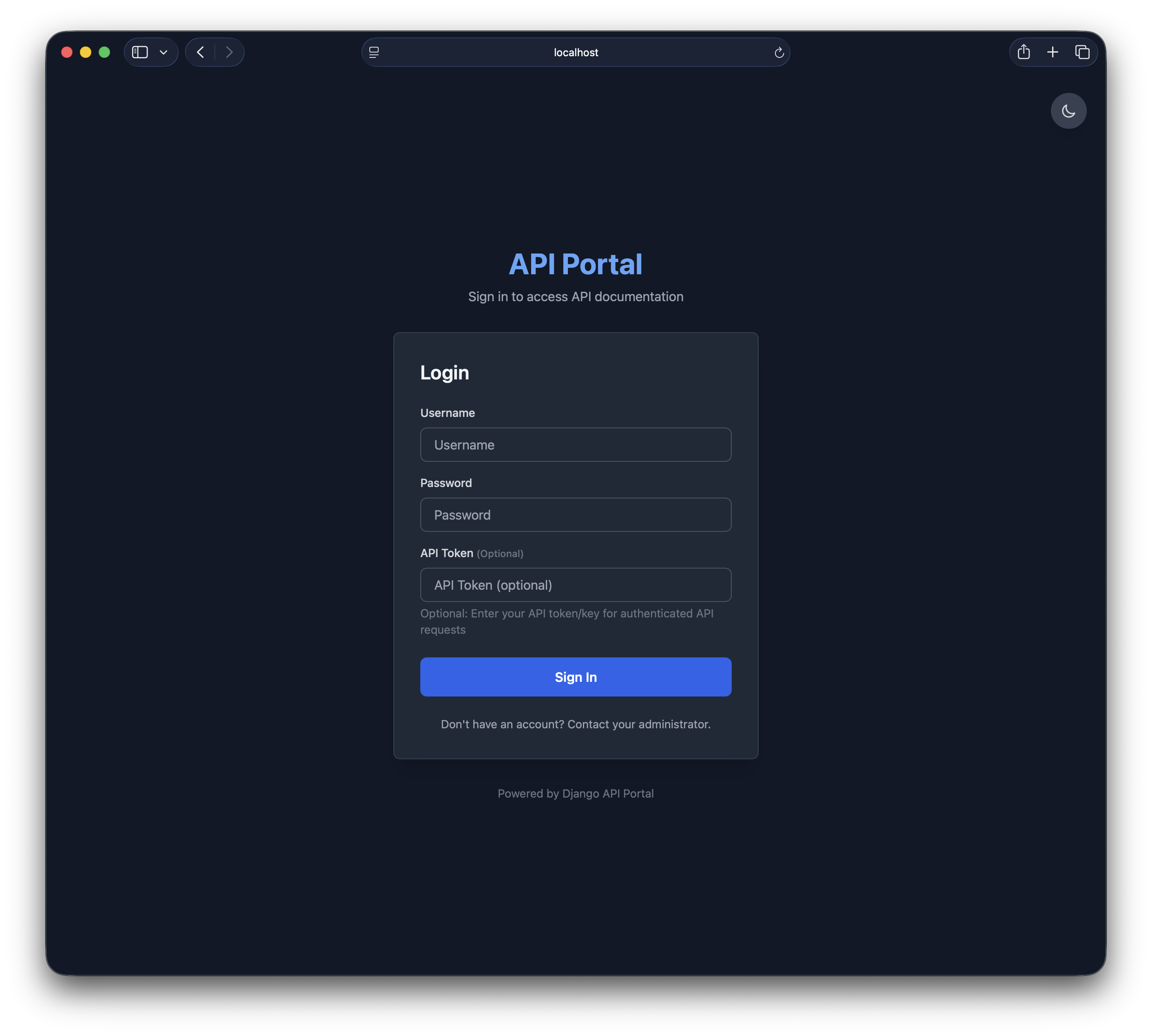
Secure login with dark/light theme support and password visibility toggle
API Explorer
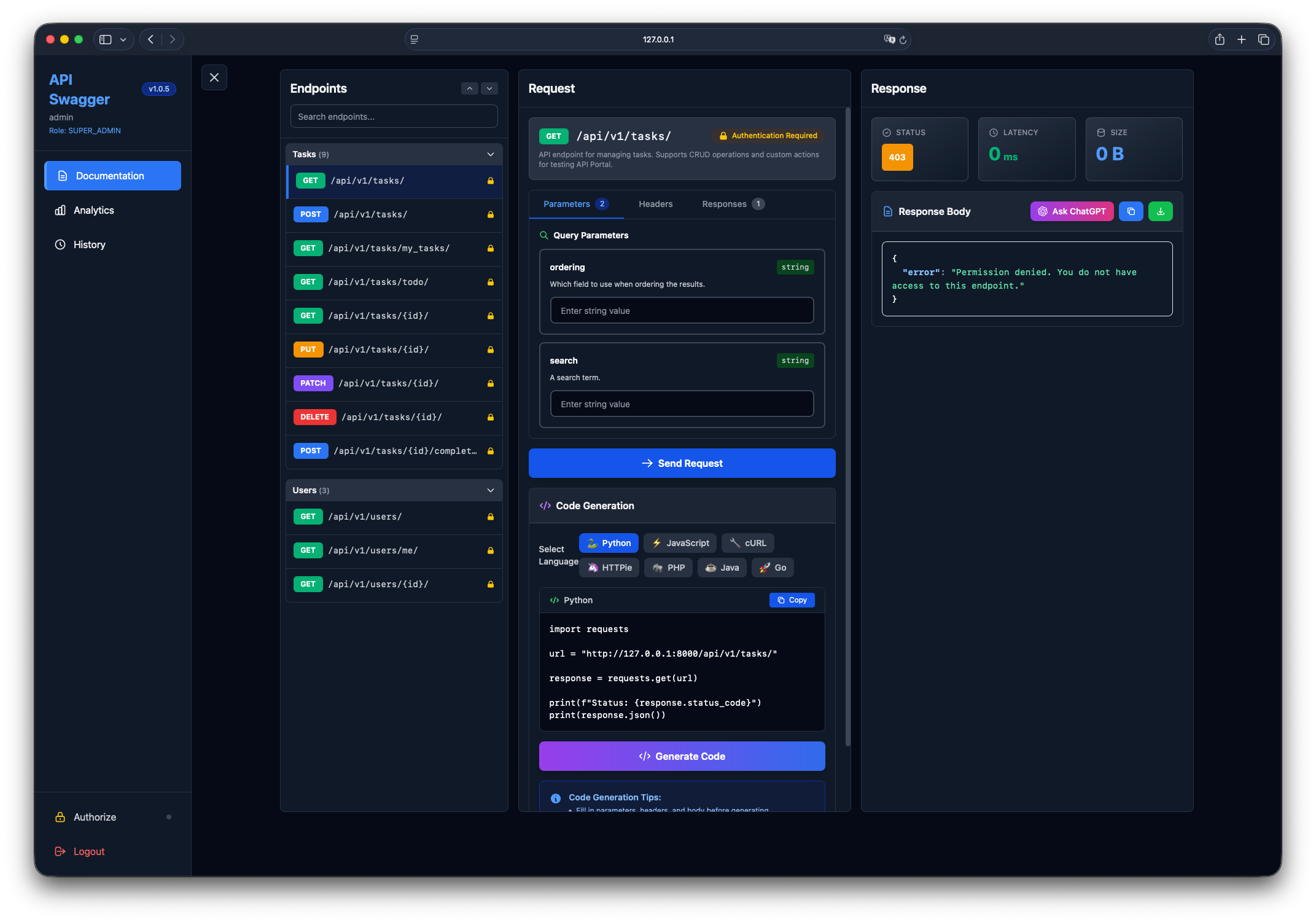
Modern interface for browsing, testing, and exploring your API endpoints
Analytics Dashboard
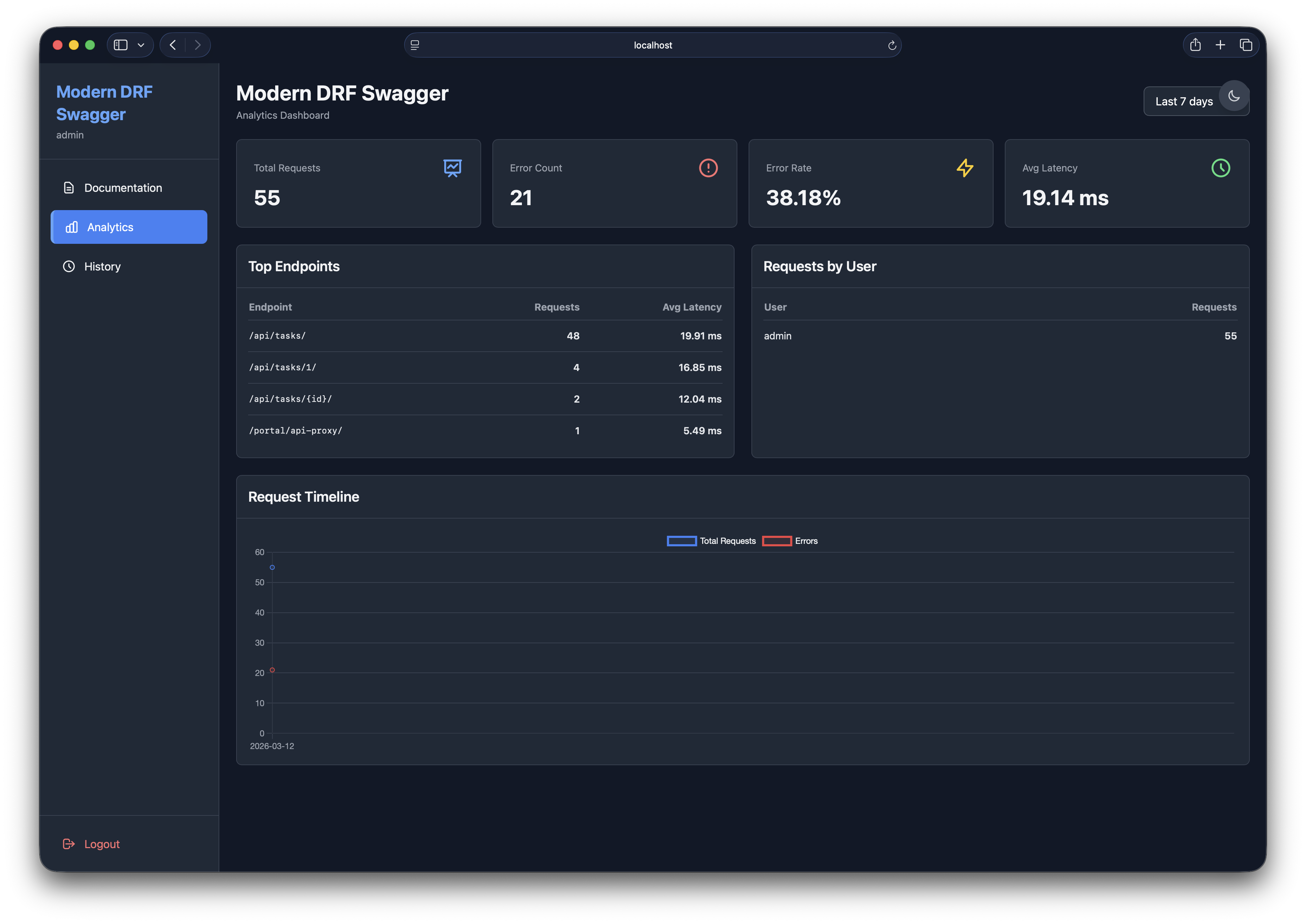
Track API usage, latency, and error rates with beautiful charts
Features
- 🎨 Modern API Explorer: Clean, dark-themed interface for exploring and testing DRF APIs
- 👥 Team Management: Role-based access control (Super Admin, Admin, Developer, Viewer)
- 🔒 Endpoint Permissions: Granular control over which teams can access specific endpoints
- 📊 Analytics Dashboard: Track API usage, latency, and error rates with charts
- 📝 Request History: Personal history with search, filtering, and request replay (auto-cleanup of old logs)
- ⚡ Real Request Proxy: Execute actual HTTP requests with accurate latency measurement
- 🎨 Syntax Highlighting: JSON responses with color-coded syntax
- 🔍 Search & Filter: Quickly find endpoints and past requests
- 🔖 Bookmarkable Endpoints: URL hash routing preserves selected endpoint on refresh
- 📦 Collapsible Groups: Organize endpoints by tags with collapse/expand controls
🚀 Quick Start
Want detailed step-by-step instructions? Check out the 📖 QUICKSTART.md guide!
1. Install the Package
Via PyPI (Recommended):
pip install modern-drf-swagger
Or via Git (Development):
git clone https://github.com/firdavsDev/modern-drf-swagger.git
cd modern-drf-swagger
pip install -e .
2. Add to INSTALLED_APPS
That's it! You only need to add modern_drf_swagger:
# settings.py
INSTALLED_APPS = [
    'django.contrib.admin',
    'django.contrib.auth',
    'django.contrib.contenttypes',
    'django.contrib.sessions',
    'django.contrib.messages',
    'django.contrib.staticfiles',

    # Third-party
    'rest_framework',

    # API Portal (auto-configures everything)
    'modern_drf_swagger',

    # Your apps
    'myapp',
]
3. Configure API Portal (Optional)
All configuration is done through one dictionary - API Portal handles drf-spectacular internally:
# settings.py
MODERN_DRF_SWAGGER = {
    # Basic Info (automatically configures drf-spectacular)
    'TITLE': 'My Company API Portal',
    'DESCRIPTION': 'Complete API documentation',
    'VERSION': '1.0.0',

    # Features
    'ANALYTICS_ENABLED': True,
    'HISTORY_LIMIT': 100,
    'ALLOW_ANONYMOUS': False,

    # Schema Settings
    'SCHEMA_PATH_PREFIX': r'/api/',  # Only show endpoints starting with /api/

    # Authentication (auto-detected from REST_FRAMEWORK['DEFAULT_AUTHENTICATION_CLASSES'])
    # 'DEFAULT_AUTH_METHODS': ['bearer', 'basic'],  # Optional override - only set if auto-detection fails

    # UI Settings
    'ENDPOINTS_COLLAPSIBLE': True,
    'ENDPOINTS_DEFAULT_COLLAPSED': False,

    # Filtering
    'EXCLUDE_PATHS': ['/admin/', '/internal/'],
}
Note: You don't need to configure REST_FRAMEWORK['DEFAULT_SCHEMA_CLASS'] or SPECTACULAR_SETTINGS - API Portal does this automatically!
Authentication is also auto-detected! The portal automatically detects authentication methods from your REST_FRAMEWORK['DEFAULT_AUTHENTICATION_CLASSES'] setting. No need to configure DEFAULT_AUTH_METHODS unless you want to override the auto-detection.
4. Add URL Routes
Good news! Unlike some API documentation tools, Modern DRF Swagger works at any URL prefix you choose:
# urls.py
from django.contrib import admin
from django.urls import path, include

urlpatterns = [
    path('admin/', admin.site.urls),
    path('api/', include('myapp.urls')),  # Your API

    # Choose ANY URL prefix that works for your project:
    path('api/docs/', include('modern_drf_swagger.urls')),  # Nested under API (shown in docs)
    # OR
    # path('portal/', include('modern_drf_swagger.urls')),        # Default/simple path
    # path('docs/', include('modern_drf_swagger.urls')),          # Short and sweet
    # path('swagger/', include('modern_drf_swagger.urls')),       # Swagger-style
    # path('api-explorer/', include('modern_drf_swagger.urls')),  # Descriptive
]
The portal automatically detects its mount point and adjusts all internal links!
5. Run Migrations
python manage.py migrate
6. Create Superuser and Setup Teams
python manage.py createsuperuser
python manage.py runserver
Visit http://localhost:8000/admin to:
- Create teams
- Add team members with roles
- Grant endpoint permissions to teams
7. Access the Portal
Visit http://localhost:8000/api/docs/ and login with your credentials.
📚 Full Documentation
- 📖 Complete Quickstart Guide - Detailed step-by-step installation and setup
- 📋 Changelog - Version history and updates
- 📜 License - MIT License
🚀 Roadmap
- WebSocket/GraphQL support
- API key authentication
- Request mocking
- Export analytics as CSV
- Custom themes
- OAuth2/SAML integration
- Comprehensive test suite
- Multi language support (i18n)
- OpenAPI spec editor
- Theme switcher (light/dark/auto)
- Request diffing
- API versioning support
- Chat with AI for solving API issues (via OpenAI share button)
- Mobile-friendly responsive design
- Team/User permissions for analytics access
- Generate client code from OpenAPI schema
- Keyboard shortcuts (cmd+k for search)
- Resizable panels
- Different layout modes (split, stacked)
- Send request (Cmd+Enter)
- Smart defaults based on schema
🤝 Contributing
Contributions welcome! Please:
- Fork the repository
- Create a feature branch (
git checkout -b feature/amazing-feature) - Commit changes (
git commit -m 'Add amazing feature') - Push to branch (
git push origin feature/amazing-feature) - Open a Pull Request
See .github/copilot-instructions.md for development guidelines and architecture details.
📄 License
MIT License - see LICENSE file for details.


Release history Release notifications | RSS feed


Download files
Download the file for your platform. If you're not sure which to choose, learn more about installing packages.
Source Distribution
Built Distribution
Filter files by name, interpreter, ABI, and platform.
If you're not sure about the file name format, learn more about wheel file names.
Copy a direct link to the current filters
File details
Details for the file modern_drf_swagger-1.0.4.tar.gz.
File metadata
- Download URL: modern_drf_swagger-1.0.4.tar.gz
- Upload date:
- Size: 72.8 kB
- Tags: Source
- Uploaded using Trusted Publishing? No
- Uploaded via: twine/6.2.0 CPython/3.11.14
File hashes
| Algorithm | Hash digest | |
|---|---|---|
| SHA256 |
ef977cf94199e0232a1e7957604dcc677fc06e4e6a49a5f1fbf9735fd107357a
|
|
| MD5 |
6a8d1bc0642cd01fbcaf92d36402f915
|
|
| BLAKE2b-256 |
09796e7e142e0333c8dff8fdea011720364c3627eb76a50ba51dbfc993ace4ce
|
File details
Details for the file modern_drf_swagger-1.0.4-py3-none-any.whl.
File metadata
- Download URL: modern_drf_swagger-1.0.4-py3-none-any.whl
- Upload date:
- Size: 77.0 kB
- Tags: Python 3
- Uploaded using Trusted Publishing? No
- Uploaded via: twine/6.2.0 CPython/3.11.14
File hashes
| Algorithm | Hash digest | |
|---|---|---|
| SHA256 |
090c56f69effdba58b1d8e3cc097c044a157581d696b73f3193637d1b69d913a
|
|
| MD5 |
fba8e18e55d90c4575fd23ca361f9c83
|
|
| BLAKE2b-256 |
c15868ea6b891f9657498f616f2742eff51aa601a86a7739100a3356588ef5b2
|






