





ℹ️ Created by Codra in 2023, developed and maintained by ModuleTester open-source project team with the support of Codra.
ℹ️ ModuleTester is powered by PlotPyStack 🚀.

Overview
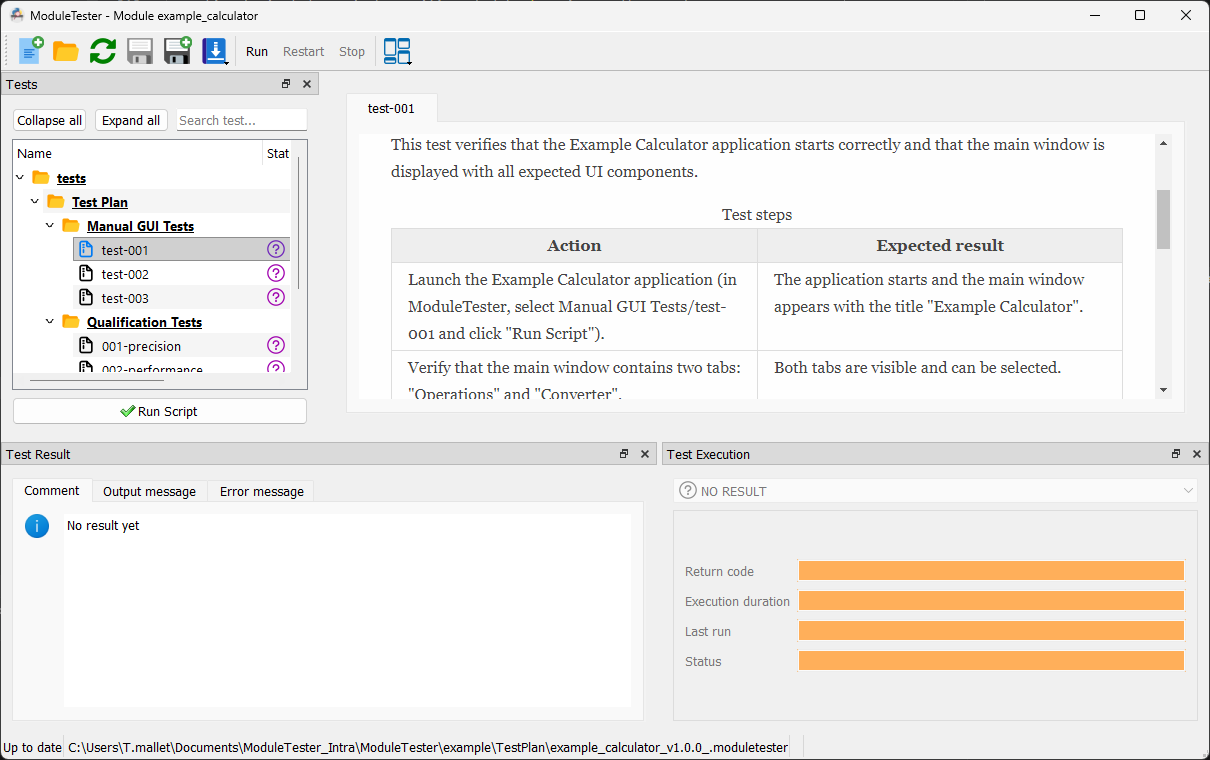
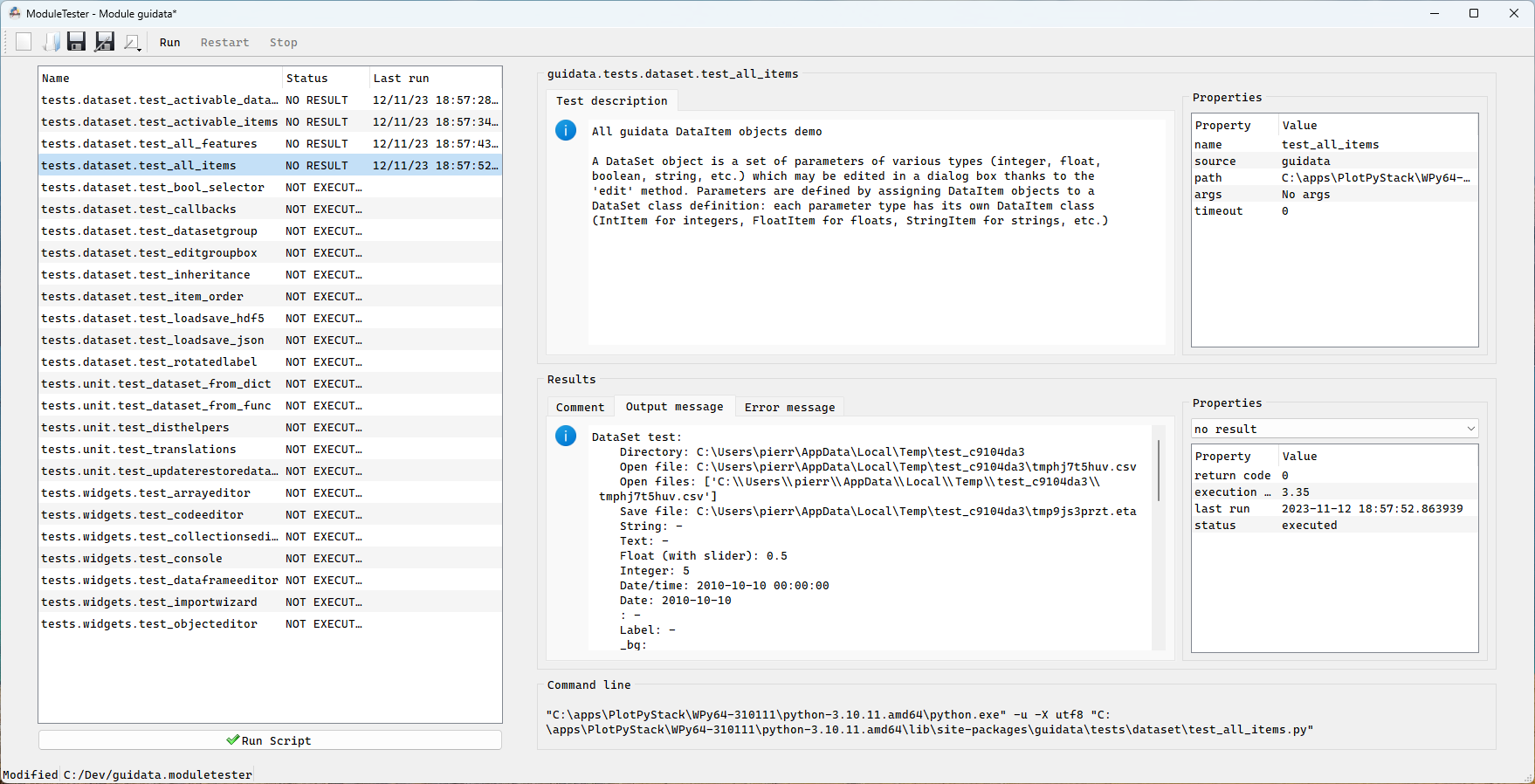
ModuleTester is a GUI and CLI test management tool for Python packages. It automatically discovers test scripts, runs them, and generates detailed reports in multiple formats.
Key features:
- Dockable panel layout — fully customizable workspace with resizable, floatable panels
- Tree view navigation — hierarchical test browser with status icons, notifications, and live spinner during execution
- Multi-format export — generate reports in HTML, DOCX, ODT, PDF, Markdown, and reStructuredText via a Jinja2-based engine
- CLI support — run tests and export reports without the GUI
(
moduletester-cli run,moduletester-cli export) - Built-in configuration editor — edit settings directly in the GUI with error handling and conflict resolution
- Notification system — visual indicators on tabs and tree items for new output and errors
ModuleTester is a spin-off of DataLab and is used to test PlotPyStack libraries.
Quick Start
-
Install ModuleTester:
pip install ModuleTester
-
Mark test scripts you want to see in the GUI by adding a comment at the top of each script:
# guitest: show -
Launch the GUI on your package:
moduletester --module mypackage
Or use the CLI to run tests headlessly:
moduletester-cli run mypackage
-
Export a report:
moduletester-cli export mypackage --output report.html
Example
ModuleTester ships with a complete Example Calculator project in the
example/ directory that demonstrates all three test categories:
manual GUI tests, unit tests with coverage, and qualification scripts.
See the integration guide for a step-by-step tutorial on adding ModuleTester to your own project.
Documentation
Full documentation is available at moduletester.readthedocs.io.
Credits
Copyrights and licensing:
Dependencies and other installation methods
See Installation section in the documentation for more details.
2 maintainers


Release files for ModuleTester 1.0.1
For a detailed explanation of source distributions (sdists) and built distributions (wheels), please see the package formats documentation.
Source distribution (sdist)
| File | Size | Uploaded | |
|---|---|---|---|
| moduletester-1.0.1.tar.gz | 847.9 kB | Details |
Built distribution (wheel)
| File | Interpreter | ABI | Platform | Reset |
|---|---|---|---|---|
| moduletester-1.0.1-py3-none-any.whl | Python 3 | none | any | Details |
Total release size: 1.3 MB
Release files / moduletester-1.0.1.tar.gz
| Download URL | moduletester-1.0.1.tar.gz |
|---|---|
| Size | 847.9 kB |
| Tags | Source |
|
SHA-256 checksum How to use checksums |
0d391d639a1ec9f9e49a66eb3be63e93fdf4dcaba4ee0e075ea7148bf1faed49
|
|
BLAKE2b-256 checksum How to use checksums |
5bad5184727bf13769d862a4aed0b86d7d2c7b5ab1682afe0d0f47a698f06113
|
| Upload date | |
|
Uploaded using Trusted Publishing? What is trusted publishing? |
No |
| Uploaded via |
twine/6.2.0 CPython/3.9.25
|
Release files / moduletester-1.0.1-py3-none-any.whl
| Download URL | moduletester-1.0.1-py3-none-any.whl |
|---|---|
| Size | 497.0 kB |
| Tags | Python 3 |
|
SHA-256 checksum How to use checksums |
1c1fa930986a835b85bac732923322fa610efaaf4639f23df3f9d2c527abd653
|
|
BLAKE2b-256 checksum How to use checksums |
5577d44f184db77c68042450702ba47ea1f8b170f829760ddbce70e45fc412b3
|
| Upload date | |
|
Uploaded using Trusted Publishing? What is trusted publishing? |
No |
| Uploaded via |
twine/6.2.0 CPython/3.9.25
|














