
MolecularNetwork
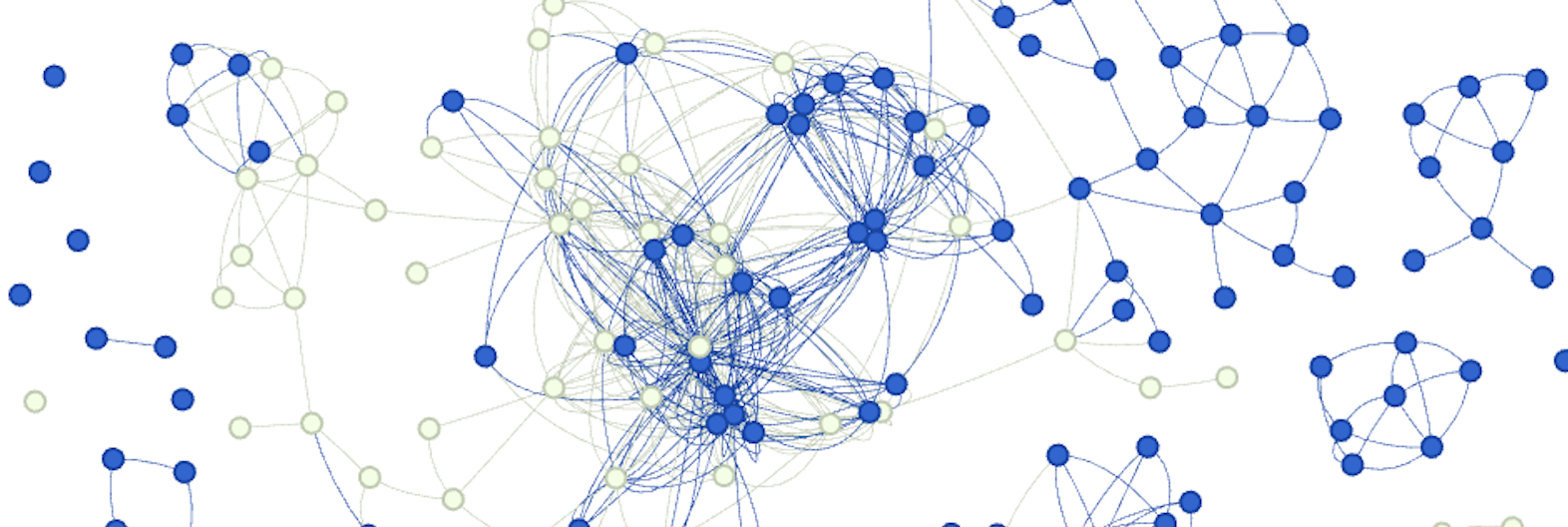
MolecularNetwork is a Python package that facilitates the creation of molecular networks based on molecular similarities. It leverages RDKit for molecular operations, and NetworkX for graph operations.
Features
-
Molecular Descriptors: Calculate molecular fingerprints using descriptor types (e.g., Morgan fingerprints, MACCS keys, AtomPairs).
-
Similarity Metrics: Choose from a variety of similarity metrics (e.g., Tanimoto, Cosine, Dice) to quantify molecular similarities.
-
Modularity: The code is organized into modular components, promoting easy extension and customization.
Installation
To install the MolecularNetwork package, you can use pip. Ensure you have Python and pip installed on your system.
pip install molecularnetwork
Usage
Here's a simple example of how to use the MolecularNetwork package:
from molecularnetwork import MolecularNetwork

# Define SMILES strings and classes
smiles_list = ["CCO", "CCN", "CCC", "CCF"]

# By default `0` is the categorical_label unless specified like following
classes = ["alcohol", "amine", "alkane", "fluoride"]

# Create MolecularNetwork instance
network = MolecularNetwork(descriptor="morgan2", sim_metric="tanimoto", sim_threshold=0.25)

# Generate the molecular network graph
graph = network.create_graph(smiles_list, classes) # network.get_graph() also returns graph

# Graph `Node` Attributes
graph.nodes[0]['fp'] # Returns ECFP4 fingerprint for node 0 ["CCO"].
graph.nodes[0]['smiles'] # Returns SMILES for node 0 ["CCO"].
graph.nodes[0]['categorical_label'] # Returns `alcohol`

# Graph `Edge` Attributes
graph[0][1]['similarity'] # Returns the edge weight attribute which is the similarity between node 0 and 1
# Returns 0.3333333333333333

# Save the graph to a file
network.save_graph("test_molecular_network.joblib")

# Read graph from a file
graph = network.read_graph("test_molecular_network.joblib")
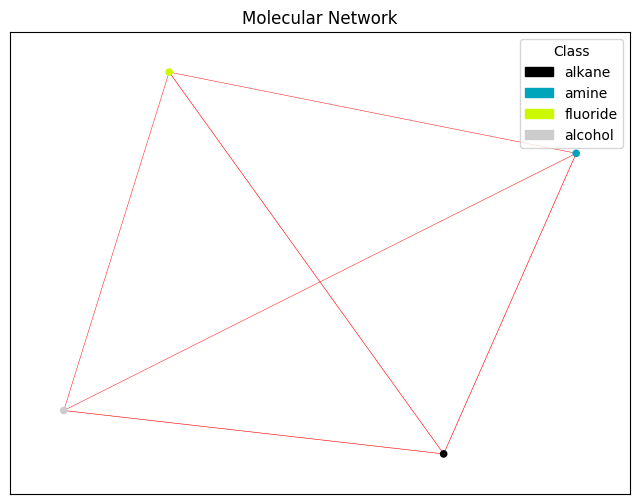
Plot Molecular Network
def draw_graph_with_attributes(G, node_attribute='categorical_label', edge_attribute='similarity'):
    """
    Draws a molecular network graph with node colors based on categorical labels and edge widths based on similarity.

    Args:
      G: NetworkX graph representing the molecular network.
      node_attribute: Name of the node attribute containing categorical labels (default: 'categorical_label').
      edge_attribute: Name of the edge attribute containing similarity (default: 'similarity').
    """

    # Extract unique categorical labels
    unique_labels = set(nx.get_node_attributes(G, node_attribute).values())
    num_labels = len(unique_labels)

    # Define a colormap
    colormap = plt.cm.get_cmap('nipy_spectral', num_labels)

    # Create a dictionary mapping labels to colors and a list of label names for legend
    color_map = {label: colormap(i) for i, label in enumerate(unique_labels)}
    label_names = list(color_map.keys())

    # Extract node colors based on categorical labels
    node_colors = [color_map[G.nodes[n][node_attribute]] for n in G.nodes]

    # Extract edge widths based on similarity
    edge_widths = [G[u][v][edge_attribute] for u, v in G.edges]

    # Draw the graph
    plt.figure(figsize=(8, 6))
    pos = nx.spring_layout(G, k=0.2)  # you can choose different layout algorithms

    # Draw nodes
    nx.draw_networkx_nodes(G, pos, node_color=node_colors, node_size=20, label=False)

    # Draw edges with widths corresponding to their weights
    for (u, v), width in zip(G.edges, edge_widths):
        nx.draw_networkx_edges(G, pos, edgelist=[(u, v)], width=width, edge_color='red', label=False)

    # Create legend entries with colored circles and labels
    legend_handles = [matplotlib.patches.Circle((0, 0), radius=0.4, color=color_map[label]) for label in label_names]
    plt.legend(legend_handles, label_names, loc='upper right', title='Class')  # Legend in upper right with title

    plt.title('Molecular Network')
    plt.show()
>>> draw_graph_with_attributes(graph)
Contributing
If you find any issues or have suggestions for improvements, feel free to open an issue or submit a pull request. I welcome contributions from the community.
License
This project is licensed under the MIT License - see the LICENSE file for details.
1 maintainer

Metadata
1 maintainer
Release files for molecularnetwork 0.4.6
For a detailed explanation of source distributions (sdists) and built distributions (wheels), please see the package formats documentation.
Source distribution (sdist)
| File | Size | Uploaded | |
|---|---|---|---|
| molecularnetwork-0.4.6.tar.gz | 4.8 kB | Details |
Built distribution (wheel)
| File | Interpreter | ABI | Platform | Reset |
|---|---|---|---|---|
| molecularnetwork-0.4.6-py3-none-any.whl | Python 3 | none | any | Details |
Total release size: 11.1 kB
Release files / molecularnetwork-0.4.6.tar.gz
| Download URL | molecularnetwork-0.4.6.tar.gz |
|---|---|
| Size | 4.8 kB |
| Tags | Source |
|
SHA-256 checksum How to use checksums |
79c0ec0cab0f03760b86a30e203bba0c978eff76dc265f41392397c8f8b3580c
|
|
BLAKE2b-256 checksum How to use checksums |
68d5a5b74d8b910544ed0fabcddb3caed058a7dcac21bdf9b5189f24a324e986
|
| Upload date | |
|
Uploaded using Trusted Publishing? What is trusted publishing? |
No |
| Uploaded via |
poetry/1.8.2 CPython/3.9.15 Darwin/24.0.0
|
Release files / molecularnetwork-0.4.6-py3-none-any.whl
| Download URL | molecularnetwork-0.4.6-py3-none-any.whl |
|---|---|
| Size | 6.2 kB |
| Tags | Python 3 |
|
SHA-256 checksum How to use checksums |
3f491ccb26a3793373b04ba263cd08f2214e5d39a6cc0486e4c2476cefa150b3
|
|
BLAKE2b-256 checksum How to use checksums |
47ee5108b43db3331ae55e0aceeb0a85eacbbd32ec0f50c20f5d540b29f1a0b7
|
| Upload date | |
|
Uploaded using Trusted Publishing? What is trusted publishing? |
No |
| Uploaded via |
poetry/1.8.2 CPython/3.9.15 Darwin/24.0.0
|














