
Molecular Nodes 🧬🍝💻










About
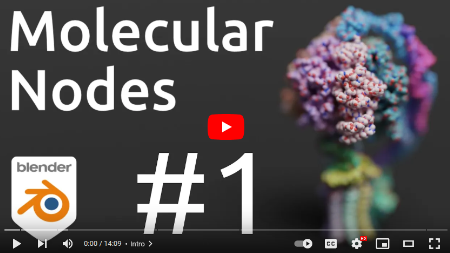
MolecularNodes enables quick import and visualisation of structural biology data inside of Blender. Blender provides advanced industry-leading visualisation and animation technology, while MolecularNodes provides the interface that allows Blender to understand the unique data formats used in structural biology.
The add-on enables creating animations from static crystal structures, styling proteins and other molecules in a variety of highly customisable styles, importing and playing back molecular dynamics trajectories from a wide variety of sources, and even importing of EM density maps.
Examples
See examples, tutorials and video projects that use Molecular Nodes in the documentation page, or academic papers that use Molecular Nodes in the citations page.
| Clockwork | Veritasium | BCON22 Talk |
|---|---|---|
 |
 |
 |
Installation
Molecular Nodes can be installed from within Blender in versions >=4.2, by using the Get Extensions menu. More details can be found on the installation page of the documentation.
Getting Started
There are video and written tutorials in the documentation that will walk you through the basics of using the addon.
Documentation for all of the individual nodes are also available in the node documentation page.
Contributing
If you would like to contribute to the project, please open an issue to discuss potential new features, or comment on an existing issue if you would like to help with fixing it. I welcome any and all potential PRs.
It's recommended to clone this repository using git clone --depth 1 as the complete commit history gets close to 1GB of data. I also recommend using VS Code with the Blender VS Code addon which streamlines the development process.
Once installed, you can use the Blender: Build and Start command with VS Code open in the addon directory, to start Blender with the addon built and installed. Any changes that are then made to the underlying addon code, can be quickly previewed inside of the running Blender by using the VS Code command Blender: Reload Addons.
Once happy with your code, open a pull request to discuss and get it reviewed by others working on the project. Open a draft pull request early, or open an issue to discuss the scope and feasability of potential features.
Citation
A paper has not yet been published on the addon, but if you use it in your academic work you can site it from Zenodo:

Thanks
A massive thanks to the Blender Foundation which develops Blender as a free and open source program, and to the python package developers who enable the functionality of the this add-on. Primarily Biotite and MDAnalysis teams.

1 maintainer

Metadata
1 maintainer
Release files for molecularnodes 520.0.1
For a detailed explanation of source distributions (sdists) and built distributions (wheels), please see the package formats documentation.
Source distribution (sdist)
| File | Size | Uploaded | |
|---|---|---|---|
| molecularnodes-520.0.1.tar.gz | 4.0 MB | Details |
Built distribution (wheel)
| File | Interpreter | ABI | Platform | Reset |
|---|---|---|---|---|
| molecularnodes-520.0.1-py3-none-any.whl | Python 3 | none | any | Details |
Total release size: 8.1 MB
Release files / molecularnodes-520.0.1.tar.gz
| Download URL | molecularnodes-520.0.1.tar.gz |
|---|---|
| Size | 4.0 MB |
| Tags | Source |
|
SHA-256 checksum How to use checksums |
4adfd7202675e062ca210bec4ac969c653d2ca6d9962d627330919aec71bd1fa
|
|
BLAKE2b-256 checksum How to use checksums |
2449c9038c93e63fda80ffa66f88b2843727c2404e25454493014e29382142af
|
| Upload date | |
|
Uploaded using Trusted Publishing? What is trusted publishing? |
Yes |
| Uploaded via |
twine/7.0.0 CPython/3.13.14
|
Provenance
Provenance describes where a file came from. On PyPI, provenance is shared via attestations, which provide a verifiable record of the build or publishing details. View details, limitations and caveats.


PyPI Publish Attestation
PyPI verified that this artifact, at this checksum, originated from the publisher listed below.
Signed by GitHub Actions, verified by PyPI on Sep 5, 2026.
Transparency logRelease files / molecularnodes-520.0.1-py3-none-any.whl
| Download URL | molecularnodes-520.0.1-py3-none-any.whl |
|---|---|
| Size | 4.1 MB |
| Tags | Python 3 |
|
SHA-256 checksum How to use checksums |
af6b9f70c73f4ec0810ca832962e3141b9baf819a124227847f6cb19ff8a9ebd
|
|
BLAKE2b-256 checksum How to use checksums |
177468f51495995cf4d7e9eb14b026e7c01979e9fa007a3714ccd6465dc1a7a5
|
| Upload date | |
|
Uploaded using Trusted Publishing? What is trusted publishing? |
Yes |
| Uploaded via |
twine/7.0.0 CPython/3.13.14
|
Provenance
Provenance describes where a file came from. On PyPI, provenance is shared via attestations, which provide a verifiable record of the build or publishing details. View details, limitations and caveats.
PyPI Publish Attestation
PyPI verified that this artifact, at this checksum, originated from the publisher listed below.
Signed by GitHub Actions, verified by PyPI on Sep 5, 2026.
Transparency log













