
MoloM
A standalone molecule viewer, builder and crystal visualiser in Python — Avogadro's chemistry with Blender's ergonomics, plus the crystallography that usually means opening VESTA or Mercury instead.
Instanced-OpenGL ball-and-stick over a UI-free, offline-testable core. 1282 tests, no display required to run them.
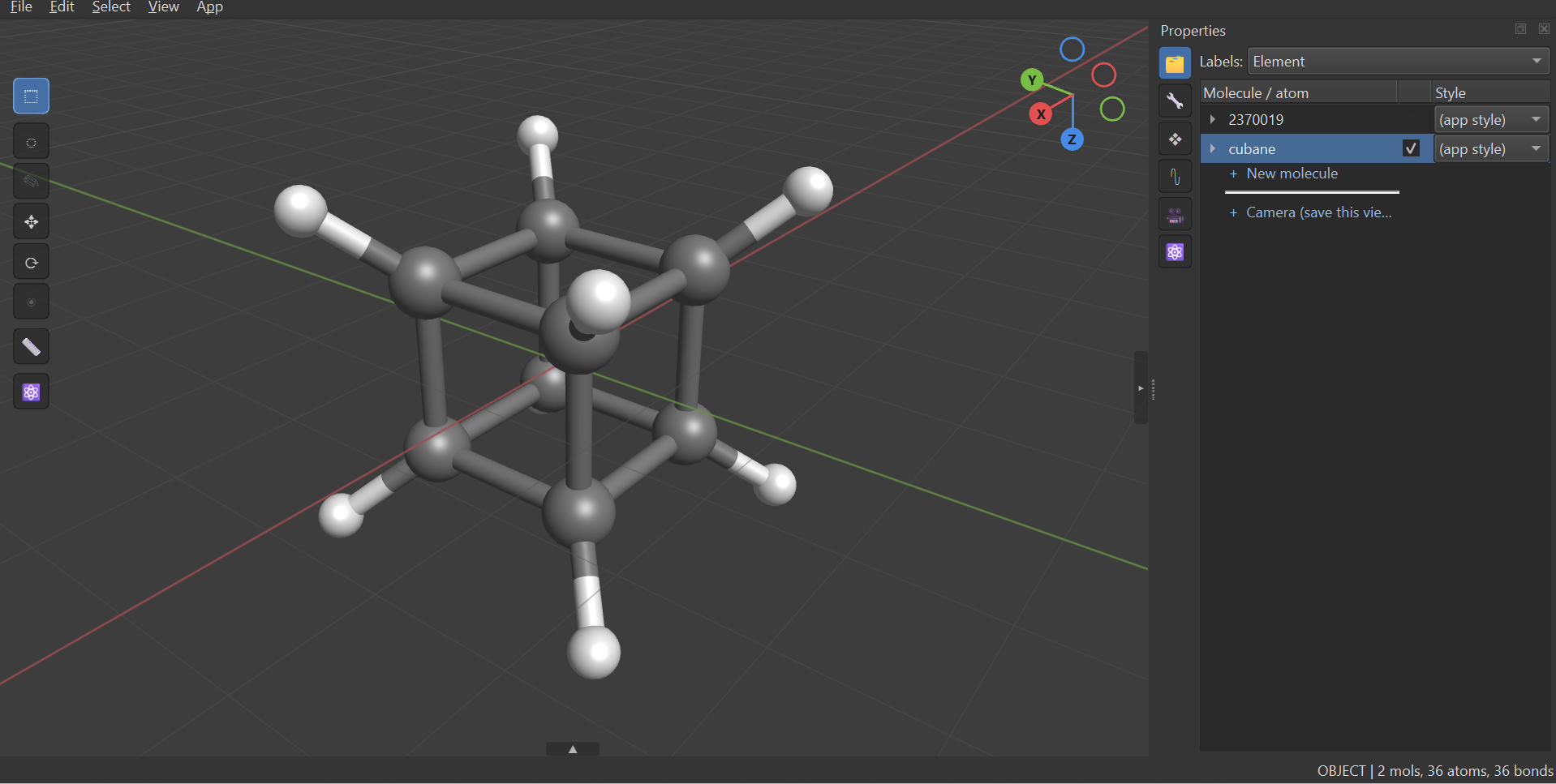
pip install molom
Then molom, or molom structure.cif.
What it does
Reads almost anything. Native multi-frame .xyz with JSON-comment
metadata, then a cascade: OpenBabel in a timeout-guarded subprocess (SWIG holds
the GIL, so a hung parse cannot be killed in a thread), an RDKit fallback, and
a last-resort Label x y z salvage that flags itself for checking. SMILES → 3D
via RDKit ETKDGv3 + MMFF with an OpenBabel UFF fallback. Paste XYZ straight in,
or fetch a structure by name (Ctrl+Shift+N) through OPSIN → PubChem → NIH
CACTUS, each tier degrading to the next rather than taking the answer down with
it.
Chemistry, not just distances. Bond perception follows Avogadro 2's
perceiveBondsSimple exactly — same covalent radii (Pyykkö 2009), same 0.45 Å
tolerance, same exclusions — and then adds what a distance rule cannot have:
covalent versus coordination bonds, per-element covalent valence caps, and a
refusal of contacts too short to be physical. Bond orders are perceived once at
import by length ratio plus an augmenting-path repair, so rings come out
Kekulé-alternating instead of stalling one double bond short.
Crystallography that survives the import
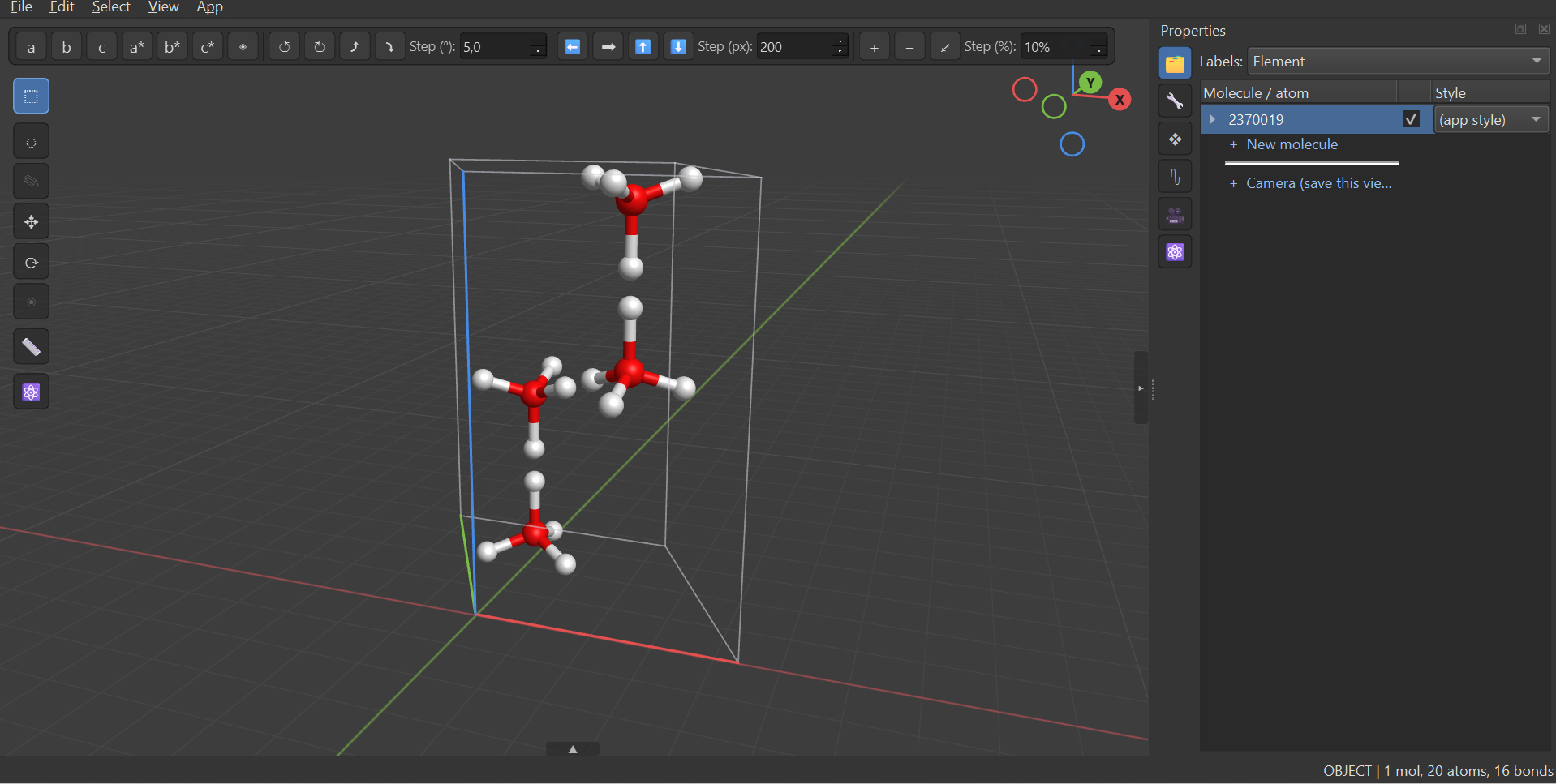
A CIF is not a coordinate file, so MoloM's own reader keeps the cell, the space group, the symmetry operators, the asymmetric unit, the occupancies and the disorder columns — all in structure metadata, so they ride undo and savefiles for free.
- Space groups by symbol, for the many files that name their group and omit
the operator loop. Resolved through spglib's 530-entry Hall database rather
than the 230 group numbers, because settings matter:
P 21/c,P 21/nandP 21/aare all number 14 with different operators, and expanding one file's coordinates with another's gives a confident, entirely wrong structure. The file's own loop always wins where it has one. - A labelled periodic bond graph, so connectivity is a property of the crystal and not of the display window. An atom lying on a cell face is drawn twice and each copy keeps its whole coordination sphere, instead of the two splitting one between them.
- Partial occupancy and disorder, with three resolution policies, and shared sites — several elements on one Gitterplatz — drawn as VESTA-style pie spheres.
- Coordination polyhedra, built from the periodic graph so they close whatever the display options, flat-shaded with a specular highlight that slides across a face as you turn it.
- A real CIF writer. An unedited structure round-trips its own operators, setting, site labels and occupancies verbatim; an edited one has its group re-derived from the coordinates, and says so. ASE and pymatgen both read the output exactly as they read the original.
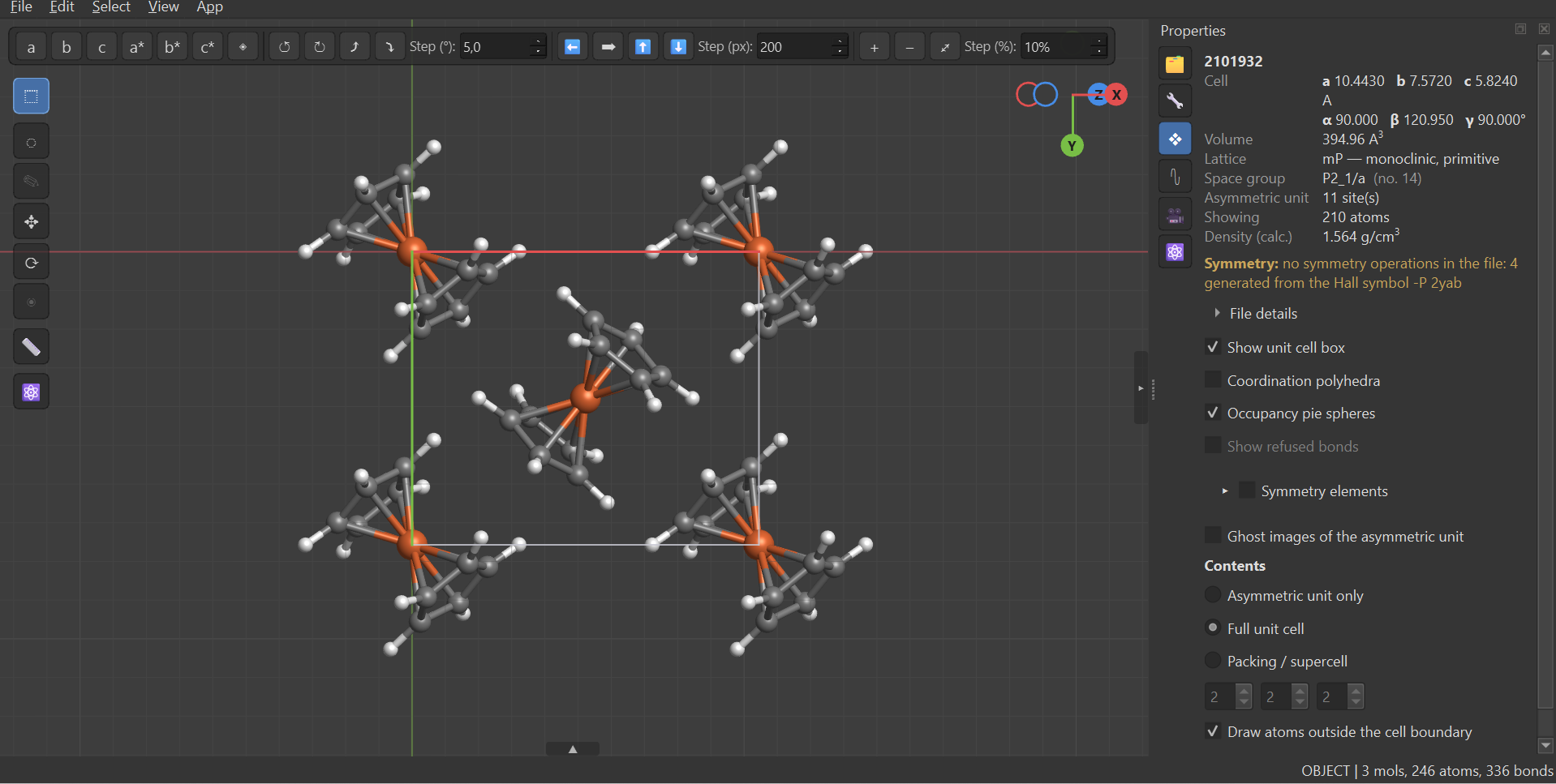
Molecules are wrapped by fragment and completed across the cell faces, so nothing is cut in half at a boundary — and a framework, which percolates through the boundary and has no "whole" to complete, is detected and left alone rather than marched across the cell forever. The properties page alongside it reads off the cell parameters, volume, calculated density and the space group actually used — re-derived from the file's own Hall symbol here, since the file names its group without listing the operators.
Editing that keeps the chemistry upright
Blender's mode system (Tab between object and edit mode), a draw tool, and
the periodic table as the only way to pick an element. Hydrogens are placed
from a full VSEPR domain count including lone pairs — computed once, not one
atom at a time — so methane is actually tetrahedral. Changing an element
adjusts the bond length; changing a bond order re-dresses the hydrogens.
Internal coordinates are directly editable: pick 2, 3 or 4 atoms and set the
bond length, angle or dihedral, and the molecule is split at the coordinate's
last bond so the trailing fragment follows rigidly, preserving every other
length and angle. T is the methyl rotor, which takes the smallest fragment
containing your selection that hangs off the rest by exactly one bridge — so
the carbon, one hydrogen or the whole CH₃ all name the same rotor. A ring
refuses honestly instead of deforming.
Non-destructive modifiers (array, symmetry, boundary) sit between the atoms you edit and the picture you see, so a 3000-atom slab still edits like one unit cell. Geometry cleanup runs MMFF94 → UFF → OpenBabel UFF, with meta atoms freezing a metal's coordination sphere so ligands relax around a centre no force field has parameters for.
Cameras, renders and Blender
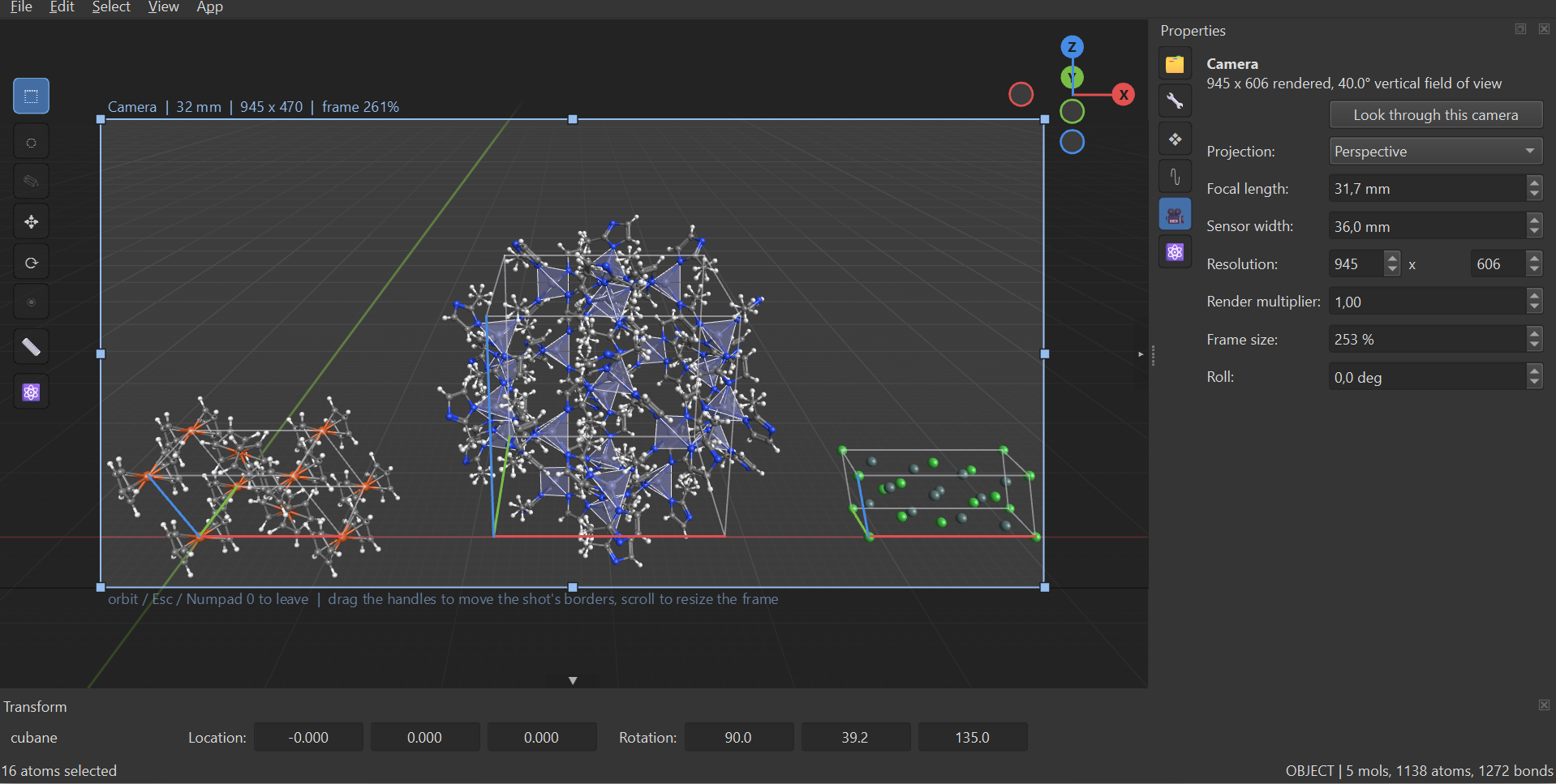
Camera objects are saved viewpoints that ride the savefile: a pose, a focal
length in millimetres against a sensor width, an explicit roll, and a
resolution plus a multiplier. Looking through one really frames the shot — the
projection follows the film back, so what is inside the rectangle is what gets
rendered. Drag a border to reshape the film, Shift+drag to re-frame, the
wheel to zoom the frame; the camera itself never moves unless you say so.
F12 renders exactly that — here composing three separate crystal structures,
a coordination compound, a polyhedral framework and a simple ionic lattice,
into one shot.
Export goes to a .blend, built by invoking Blender headlessly so the file
opens complete — no auto-run script, no trust prompt, just F12. Every atom and
half-bond is its own object sharing one mesh datablock, so nothing is merged
and everything stays selectable and recolourable; materials carry the element
colours (sRGB → linear), the camera arrives in the viewport's exact pose, and
coordination polyhedra come with it.
Animation
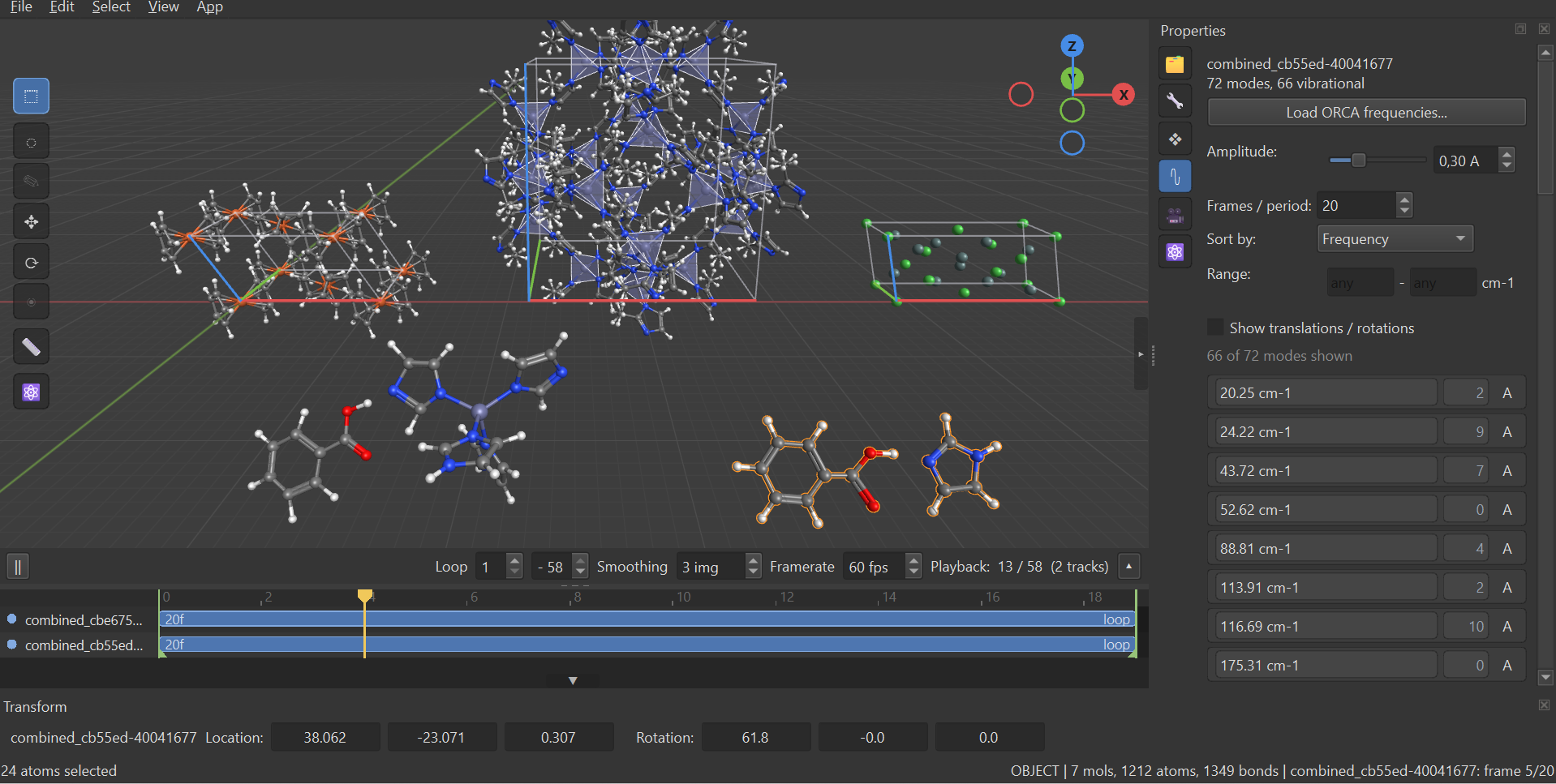
One scene clock, one playhead, a track per object with its own offset, speed and end mode — so several trajectories play together, staggered or at different rates. Frames interpolate, and the interpolation splits out the rigid Kabsch motion and rotates it properly rather than cutting the chord, which is what stops a turning molecule visibly contracting halfway through.
ORCA normal modes are baked onto that same clock as ordinary frames, so a vibration plays, scrubs and exports with no vibration-specific code anywhere in the UI — the two frequency jobs animating together above are just two more tracks, sharing the scene with everything else that has been imported into it.
Export is a PNG sequence with no dependency at all — which is what feeds
Blender or a journal anyway — or MP4/GIF through whatever ffmpeg you already
have. MoloM looks for one on PATH first, then in the usual install
locations, then falls back to the optional imageio-ffmpeg wheel, and the
export dialog says which it found before the render starts rather than after.
Video is always encoded from the written sequence, so a failed encode still
leaves every frame on disk. GIF frame rates are snapped to what the format can
actually store (whole centiseconds per frame), because 60 fps is not
representable and silently becomes a stutter.
Install
pip install molom              # core: numpy, PySide6, PyOpenGL, spglib
pip install "molom[chem]"      # + rdkit, openbabel-wheel (SMILES and non-xyz formats)
pip install "molom[video]"     # + imageio-ffmpeg (MP4/GIF export; PNG needs nothing)
pip install "molom[all]"       # everything
molom                          # opens with cubane, ready to edit
molom structure.cif
python -m molom --selftest     # headless core check, no GL needed
Needs a GPU context supporting OpenGL 3.3 core. spglib is a hard
dependency, not an optional tier: rdkit and openbabel degrade to "cannot read
this format", which is visible, whereas missing space-group resolution degrades
to a structure a quarter of its true size, which is not.
Getting around
Blender's habits, with a mouse-versus-trackpad preset that is decided per event rather than per install.
| Orbit / pan / zoom | MMB drag · Shift+MMB · Ctrl+MMB (Alt+LMB also orbits) |
| Wheel | zooms on a mouse, orbits on a trackpad — Ctrl and Shift mean zoom and pan on both |
| Fly | hold RMB (6DoF, WASD+QE, Shift boost, Alt creep); right-double-click latches |
Tab · G · R · A · X · D |
edit mode · grab · rotate · align · delete · duplicate |
F3 |
operator search over all 116 operators, with enabled-predicates |
F · / · O · Alt+O · N · M |
frame · local view · projection · origin edit · transform panel · outliner |
| Numpad 0 | look through the active camera, and press again to leave |
F12 · Ctrl+Shift+A · Ctrl+Shift+B |
render · animation export · Blender export |
Every shortcut comes from the operator registry, and a duplicated key is a startup error — two QActions on one shortcut makes Qt fire neither, which looks exactly like an unbound key.
Architecture
molom/core/ is UI-free and GL-free: pure numpy and stdlib, unit-testable
offline with no display. molom/ui/ is a thin PySide6/OpenGL shell over it —
the viewport uploads buffers and forwards events, the app wires menus to core
calls. A new feature is a core function plus a test first, then a UI hook.
Add-ons follow Blender's model: register(window) / unregister() plus an
ADDON dict, loaded from the bundled molom/addons/ or from
~/.molom/addons/, with full access to the live window. Metadata is parsed
with ast and never imported, so listing add-ons cannot execute third-party
code.
Known rough edges
CIF import is the least trustworthy part of the program and the place to look first if something seems wrong — it is also the most heavily measured, against ASE, pymatgen and each file's own formula × Z. Ligand templating works on synthetic cases but not yet reliably in real use. Editing a packed crystal is flagged rather than fully solved: the drawn boundary copies are independent atoms, so an edit is reported and you are pointed at "Asymmetric unit only". Occupancy pie spheres on a shared crystallographic site do not always survive switching from the asymmetric unit to the full cell — reported, not yet fixed.
Credits
Element data is transcoded from Avogadro 2 (BSD 3-Clause, Kitware) —
Alvarez 2013 van der Waals radii, Pyykkö 2009 covalent radii, Jmol-derived
colours — so bond perception and ball-and-stick sizing match Avogadro exactly.
See THIRD_PARTY_NOTICES.md. Space groups come from spglib. The import
cascade is a vendored port of ORCA
Workbench's, kept diffable so
fixes travel both ways.
Maintained by Christian Nelle (AG Henke, TU Dortmund). MIT licensed.
1 maintainer

Metadata
1 maintainer
Release files for molom 0.4.0
For a detailed explanation of source distributions (sdists) and built distributions (wheels), please see the package formats documentation.
Source distribution (sdist)
| File | Size | Uploaded | |
|---|---|---|---|
| molom-0.4.0.tar.gz | 1.0 MB | Details |
Built distribution (wheel)
| File | Interpreter | ABI | Platform | Reset |
|---|---|---|---|---|
| molom-0.4.0-py3-none-any.whl | Python 3 | none | any | Details |
Total release size: 1.7 MB
Release files / molom-0.4.0.tar.gz
| Download URL | molom-0.4.0.tar.gz |
|---|---|
| Size | 1.0 MB |
| Tags | Source |
|
SHA-256 checksum How to use checksums |
4a184d4b4ffe138f86675a7174e8f37b799ceaabf306937832b6814978369874
|
|
BLAKE2b-256 checksum How to use checksums |
a2eade6b8165e9b19064ec79ad2e93562a8e01b628060ceceb316b0e2ef14c76
|
| Upload date | |
|
Uploaded using Trusted Publishing? What is trusted publishing? |
No |
| Uploaded via |
twine/6.2.0 CPython/3.10.0
|
Release files / molom-0.4.0-py3-none-any.whl
| Download URL | molom-0.4.0-py3-none-any.whl |
|---|---|
| Size | 654.2 kB |
| Tags | Python 3 |
|
SHA-256 checksum How to use checksums |
b7d973de70126adedcff5c4d69931377ed6d7f56c52d88306c1c4d60a25832fd
|
|
BLAKE2b-256 checksum How to use checksums |
b7239b252ea36d589f6761913416ab7083c019d6dff2e3d239772020dd77e9ef
|
| Upload date | |
|
Uploaded using Trusted Publishing? What is trusted publishing? |
No |
| Uploaded via |
twine/6.2.0 CPython/3.10.0
|














