
mongars - count inbox emails
Count inbox emails using Gmail API or Gnome Online Accounts (limited support)
Description
mongars will take an email account as configured in Gnome Online account
(only oauth based email account is supported) or via the GMAIL API and will
output how many unread emails you have in there.
Usage
Gmail API
You need to generate a OAUTH credentials.json via the google API console.
When it's done using pass you need to insert it in your pass store:
pass insert -m google/$EMAIL.mail.credential
INSERT YOUR CREDENTIALS HERE
Run mongars on your terminal for the first time with the flag --gauth and
your $EMAIL as argument:
mongars --gauth $EMAIL
It will print a URL to open in your web browser and start the google Oauth flow
to allow it to access to read your email on your $EMAIL account. It stores and
refresh the temporary token in ~/.cache/mongars/token.$EMAIL.json.
You can define the pass key to other values by defining the flags
--gauth-pass-cred-key. If you want to use the same credentials for multiple
emails you would want to define this flag to the same value to both pass key
path.
If you want you can as well redefine the --gauth-pass-token-file somewhere else.
You will have notification on new email if you have the notify-send
command installed. The notifications include an Open and Archive option,
the Open is limited to a search because the Gmail interface don't have direct links support.
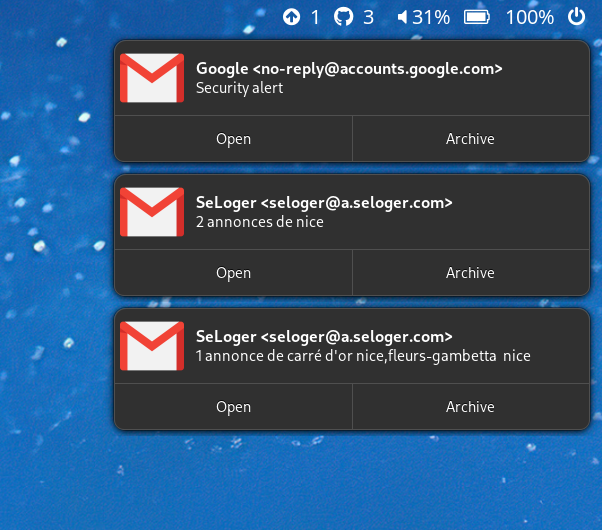
You can customize the template and the command with the
--notify-command-template flag the default is:
notify-send -i "{icon}" "{sender}" "{subject}"
The variables supported are icon, sender, subject and snippet
are replaced with the values from the email.
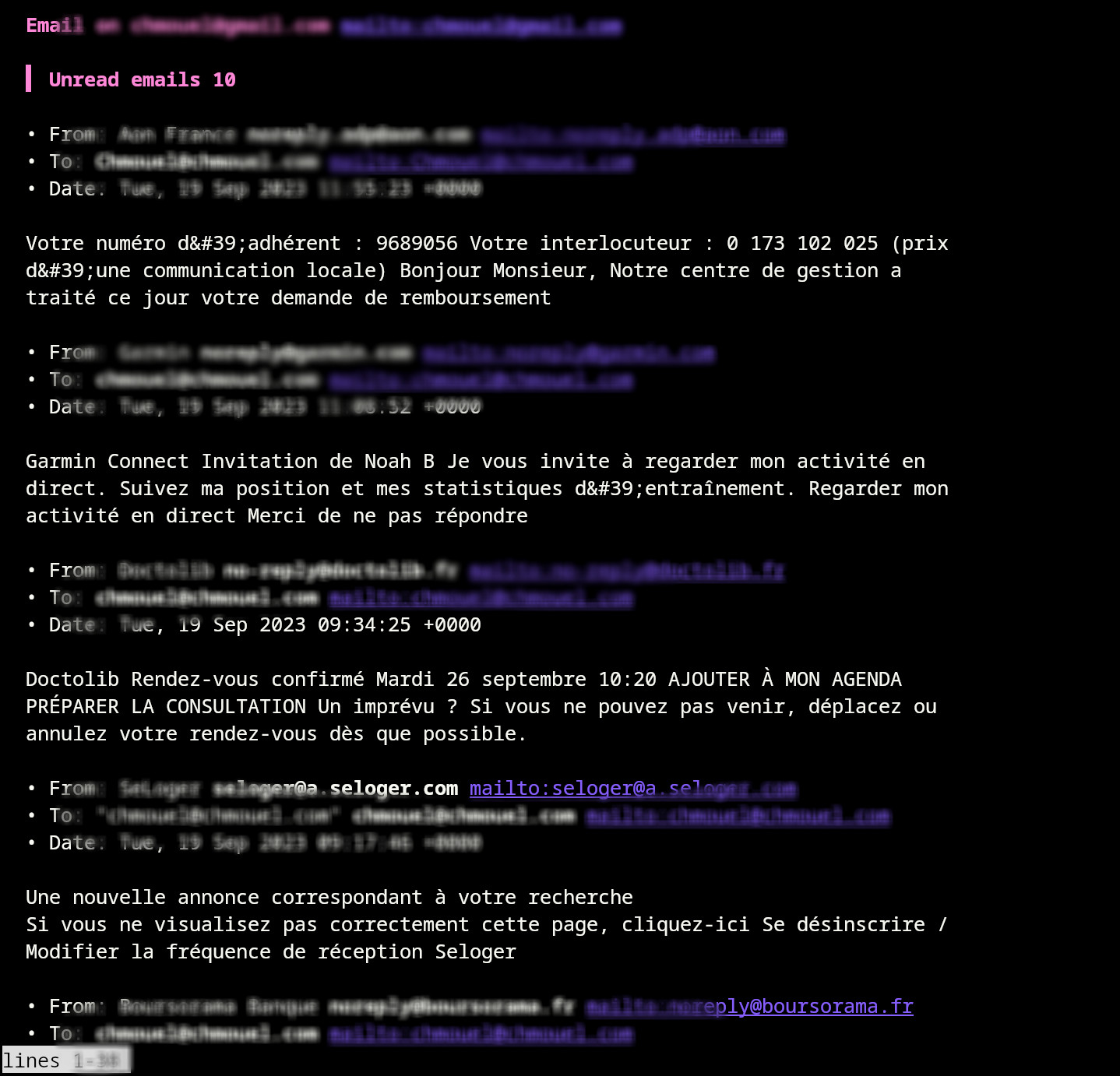
You can output a markdown formatted (optionally) with gum if you pass the
option -M/--show-markdown
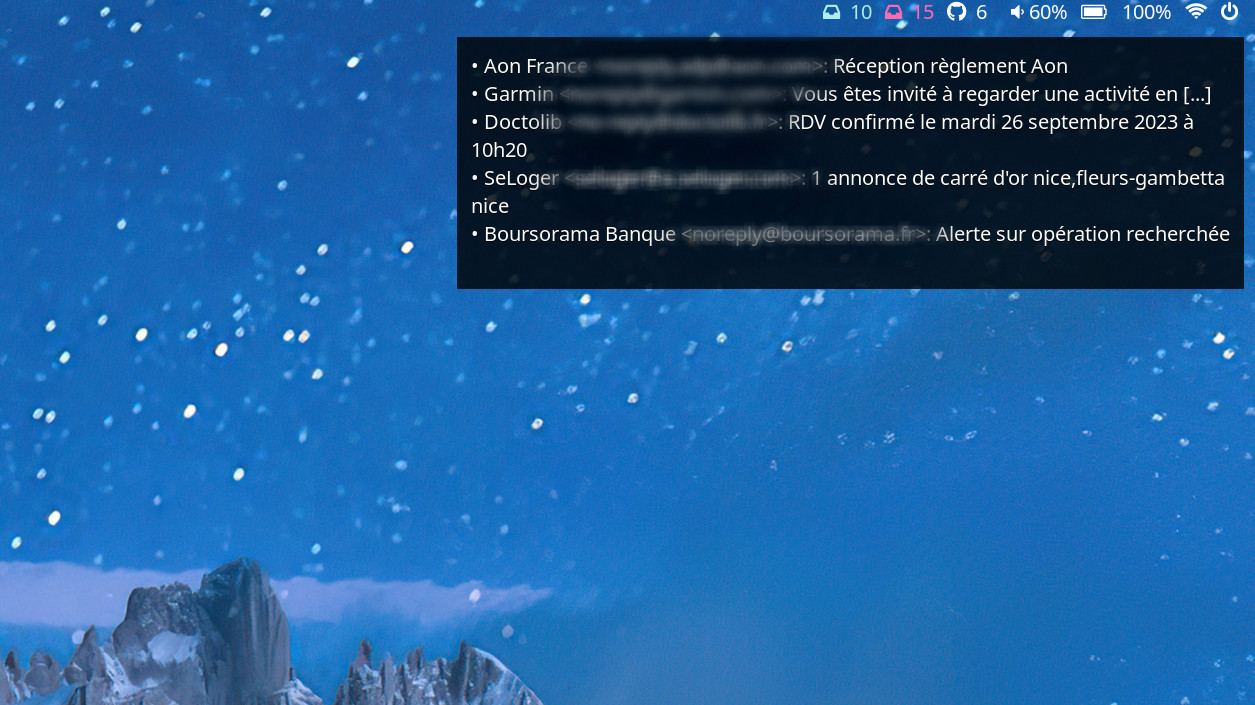
You can output as json for waybar with -J/--show-json and it will show a
tooltip of your last 5 message and subject snippet.
We are generally just quiet and don't output anything if there is an error,
just use -v to see the error.
Gnome Online Accounts
You just need to specify the email to check as an argument i.e:
mongars john.snow@gmail.com
By default it will output the number of messages from your mailbox with an icon of different colours if there is unread message or not.
The INBOX folder is the default folder, if you would like to count another folder you can specify the -m option to it :
mongars -m Label1 john.snow@gmail.com
You can further customize the colour output which uses lemonbar formatting with :
--icon: the glyph icon default to--icon-color-unreads: the color when unreads, default to a yellow#ffd700set this to empty if you don't want any color formatting.--icon-color-normal: the normal colors. (no default)
By default if you have no mail it will output a 0 unless you specify the flag --no-mail-no-zero
If you don't want any icons you can simply use the --no-icon and it will just output the number.
This currently only support oauth2 based accounts, imap account with username, password are not currently supported (patch welcome but you probably want to use something more secure).
I only tested it with Google/Gmail accounts (enterprise and personal) so let me know if it works or not on other oauth2 based email accounts.
Install
Arch
You can install this from aur with your aurhelper, like yay :
yay -S mongars
pip
With pip from pypip - https://pypi.org/project/mongars/
pip install --user mongars
(make sure $HOME/.local/bin is in your PATH)
Manual
Checkout this repository, install uv and run it with :
uv sync
uv run mongars [ARGS]
Running it without Gnome
If you run this outside of gnome environement (ie: from a windows manager), you have to configure the accounts first in Gnone Online Account settings from gnome and then you can use it from your windows manager.
From your window manager start scripts or somewhere else you need to make sure to run the goa-daemon, for example on arch the path is /usr/lib/goa-daemon and from your startup script you will do :
/usr/lib/goa-daemon --replace &
different distros may have a different path, see also this bugzilla bug #1340203)
Polybar
You can easily integrate this with Polybar :
[module/email]
type = custom/script
exec = mongars email@gmail.com
interval = 30
click-left = xdg-open https://mail.google.com/
exec-if = grep -q email@gmail.com ~/.config/goa-1.0/accounts.conf 2>/dev/null && ping -c1 mail.google.com
Waybar
    "custom/email": {
        "format": " {} ",
        "interval": 15,
        "exec": "mongars email@gmail.com --no-mail-no-zero --no-icon",
        "on-click": "xdg-open https://mail.google.com"
    },
and you can style it in style.css file :
#custom-email {
  color: #b22222;
}
Waybar as Json with Gauth
The gauth method support output to json, here is an example integrating it:
{
  "custom/email-work": {
    "format": "{} ",
    "return-type": "json",
    "tooltip": "true",
    "tooltip-format": "{tooltip}",
    "interval": 15,
    "exec": "uv run mongars --gauth myemail@gmail.com -J",
    "on-click-middle": "kitty -T \"Email for myemail@gmail.com\" bash -c \"mongars --gauth myemail@gmail.com -M|less -R\"",
    "on-click": "xdg-open https://mail.google.com/"
  }
}
License
Authors
© 2021 Chmouel Boudjnah (@chmouel) - https://chmouel.com
1 maintainer

Metadata
1 maintainer
Release files for mongars 1.4.5
For a detailed explanation of source distributions (sdists) and built distributions (wheels), please see the package formats documentation.
Source distribution (sdist)
| File | Size | Uploaded | |
|---|---|---|---|
| mongars-1.4.5.tar.gz | 26.5 kB | Details |
Built distribution (wheel)
| File | Interpreter | ABI | Platform | Reset |
|---|---|---|---|---|
| mongars-1.4.5-py3-none-any.whl | Python 3 | none | any | Details |
Total release size: 42.3 kB
Release files / mongars-1.4.5.tar.gz
| Download URL | mongars-1.4.5.tar.gz |
|---|---|
| Size | 26.5 kB |
| Tags | Source |
|
SHA-256 checksum How to use checksums |
7607318ed870cd4efd017ebf0f9800f43af35f9e1c21a08df61595d76d0df6cf
|
|
BLAKE2b-256 checksum How to use checksums |
5b274f40ba8c135d0da87444507dcaf6833ba47bf50a18726cc6e2719203e5ae
|
| Upload date | |
|
Uploaded using Trusted Publishing? What is trusted publishing? |
No |
| Uploaded via |
uv/0.5.2
|
Release files / mongars-1.4.5-py3-none-any.whl
| Download URL | mongars-1.4.5-py3-none-any.whl |
|---|---|
| Size | 15.8 kB |
| Tags | Python 3 |
|
SHA-256 checksum How to use checksums |
e45fb836d866454274ad849d879933686e68f2b4e386f7ebb4270edb08e3ccef
|
|
BLAKE2b-256 checksum How to use checksums |
34d2143202e93bb8c32009b2b12c146dfaf6ae80d66447e49e5d1116c711a3d9
|
| Upload date | |
|
Uploaded using Trusted Publishing? What is trusted publishing? |
No |
| Uploaded via |
uv/0.5.2
|














