
MongoDB Backup Exporter
A utility for exporting MongoDB collections to JSON or CSV format.

Features
- Export collections from MongoDB to JSON or CSV format.
- Automatically handles output directories.
- Supports exporting all collections or specified ones.
- Provides stats about each collection before exporting.
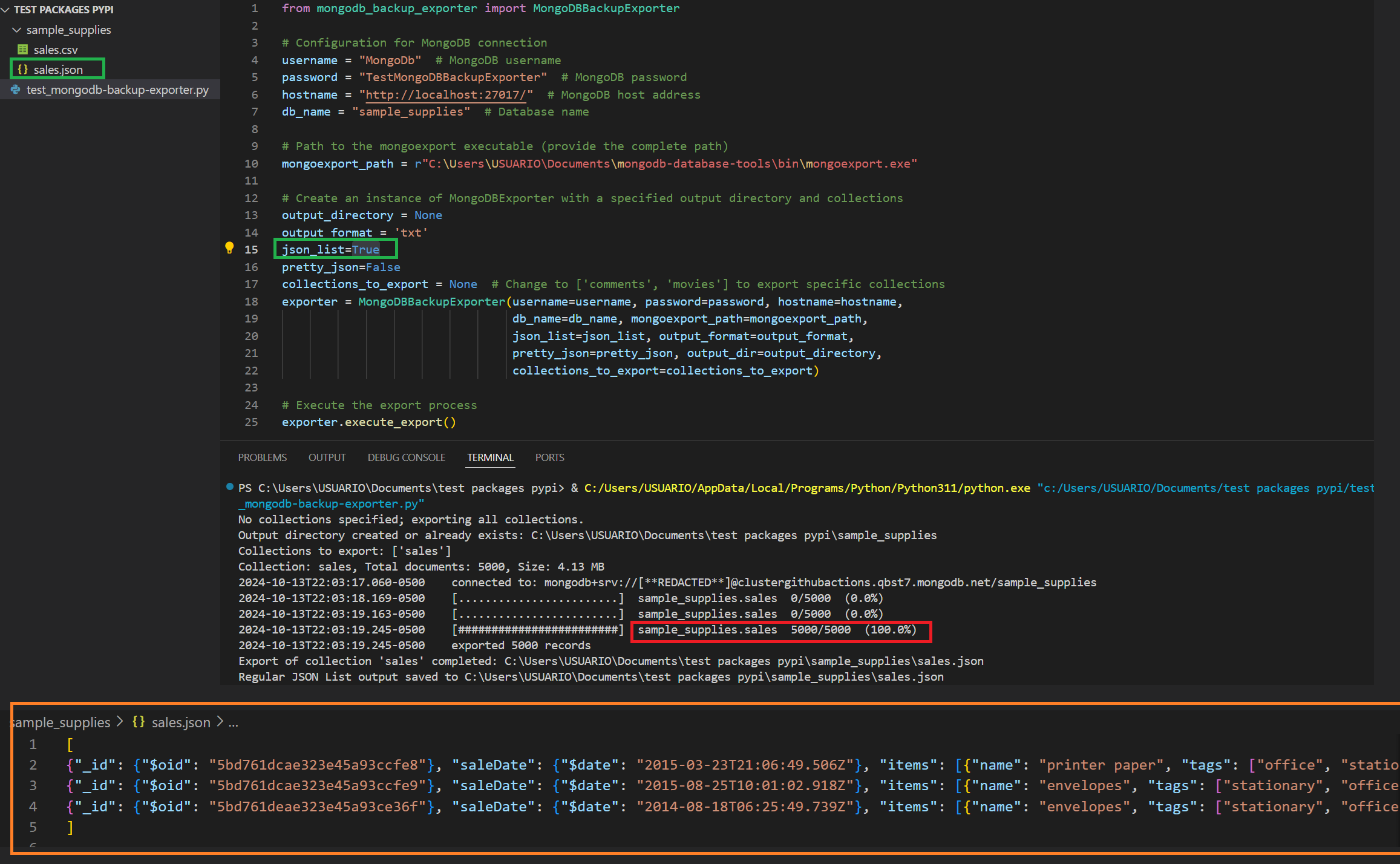
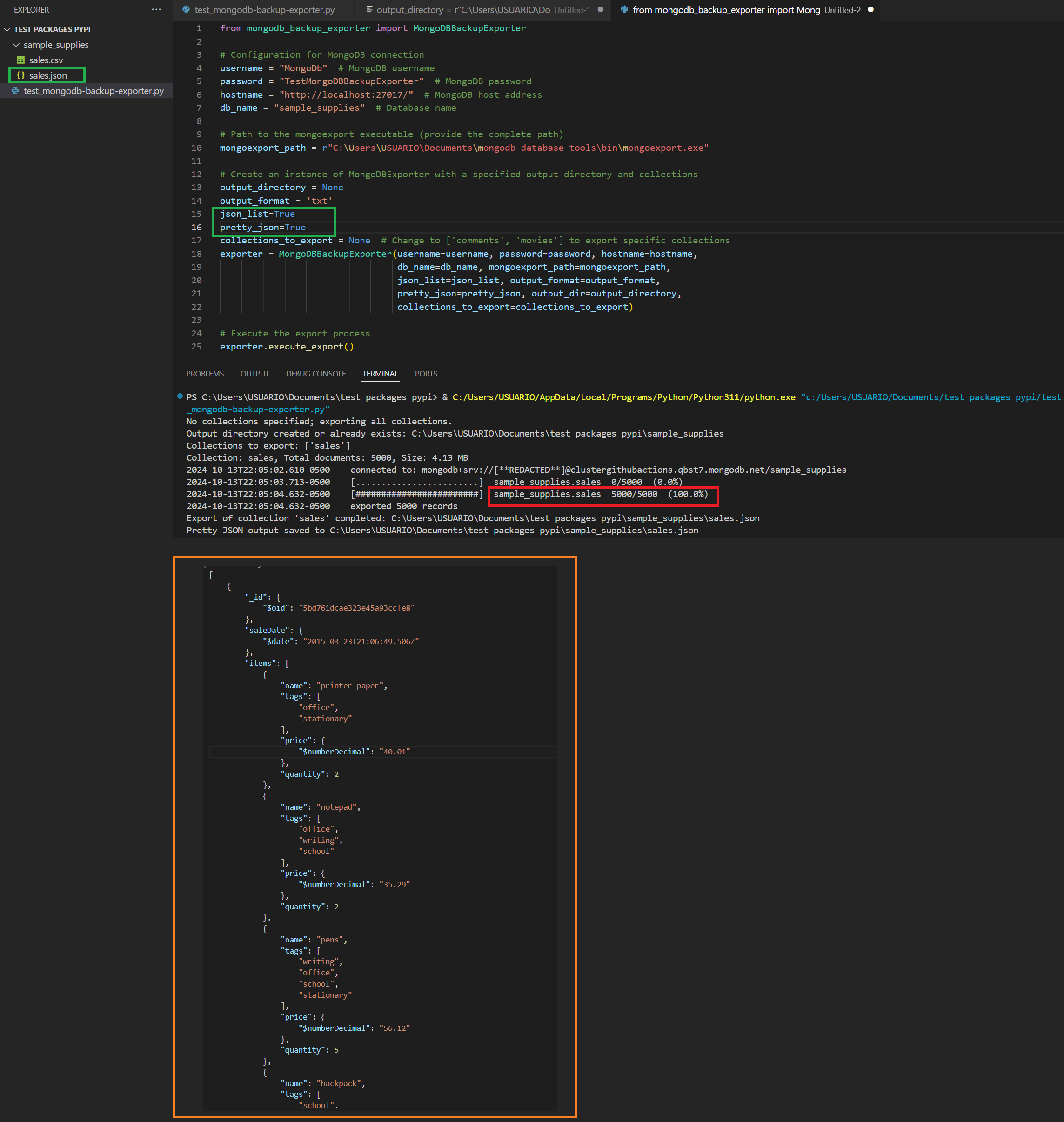
- Supports pretty-printing of JSON output and exporting JSON in list format.
Installation PyPI
You can install mongodb-backup-exporter directly from PyPI using pip:
pip install mongodb-backup-exporter
Installation Using Repository
-
Clone the repository:
git clone https://github.com/jorgecardona/mongodb-backup-exporter.git
cd mongodb-backup-exporter
-
Install required Python packages:
Create a virtual environment (optional but recommended):
python -m venv venv
source venv/bin/activate  # On Windows use: venv\Scripts\activate
Then, install the required packages:
pip install -r requirements.txt
-
Install
mongoexportfrom MongoDB Command Line Database Tools Download:-
Windows: Download the MongoDB Database Tools from the MongoDB official site. After installation, ensure that the
mongoexportexecutable is in your system's PATH. -
Linux: You can install the MongoDB Database Tools using the package manager for your distribution. For example, on Ubuntu, you can do:
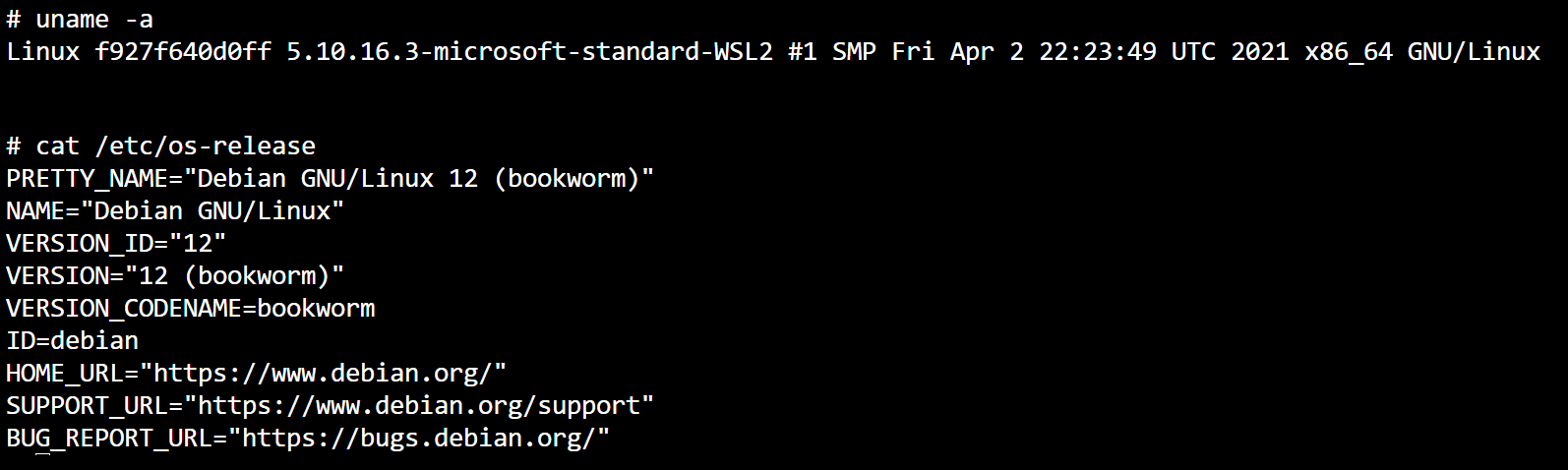
Validate Linux Version
uname -acat /etc/os-releaseInstall mongodb-database-tools
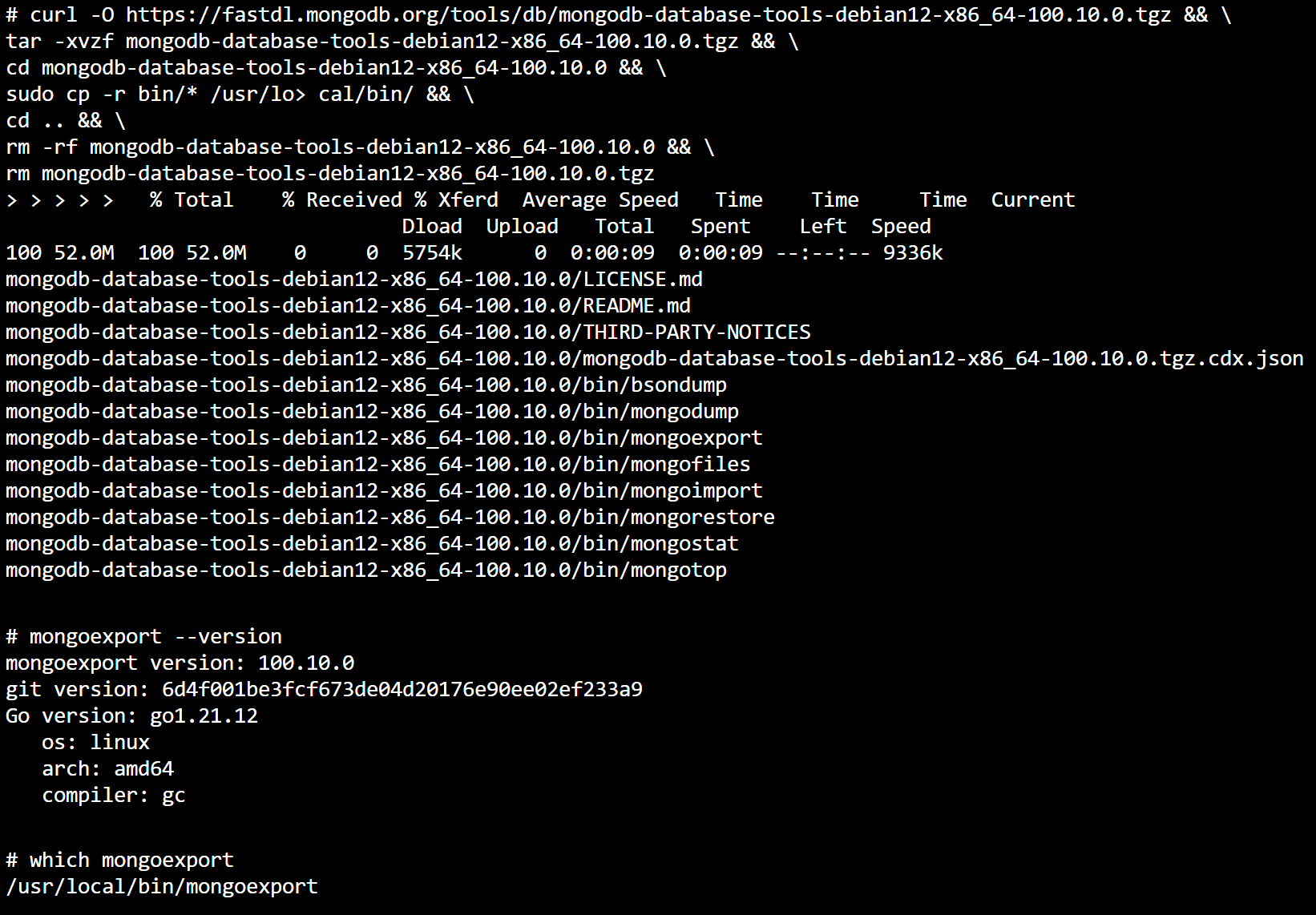
curl -O https://fastdl.mongodb.org/tools/db/mongodb-database-tools-debian12-x86_64-100.10.0.tgz && \
 tar -xvzf mongodb-database-tools-debian12-x86_64-100.10.0.tgz && \
 cd mongodb-database-tools-debian12-x86_64-100.10.0 && \
 sudo cp -r bin/* /usr/local/bin/ && \
 cd .. && \
 rm -rf mongodb-database-tools-debian12-x86_64-100.10.0 && \
 rm mongodb-database-tools-debian12-x86_64-100.10.0.tgz
Verify the version of MongoDB Database Tools
mongoexport --versionCheck the installation directory for MongoDB Database Tools
which mongoexportAlternatively, you can download the tools from the MongoDB official site.
-
Usage
To use the MongoDBBackupExporter, you can instantiate it in your script:
from mongodb_backup_exporter import MongoDBBackupExporter

# Configuration for MongoDB connection
username = "your_username"  # MongoDB username
password = "your_password"  # MongoDB password
hostname = "your_cluster.mongodb.net"  # MongoDB cluster address
db_name = "your_database_name"  # Database name
mongoexport_path = "path/to/mongoexport"  # Path to mongoexport executable

# Create an instance of MongoDBBackupExporter
exporter = MongoDBBackupExporter(
    username=username,  # The username for the MongoDB database
    password=password,  # The password for the MongoDB database
    hostname=hostname,  # The cluster address for the MongoDB connection
    db_name=db_name,  # The name of the database to be backed up
    mongoexport_path=mongoexport_path,  # Path to the mongoexport executable
    output_format='json',  # Specifies the format for the exported files; can be 'json' or 'csv'
    json_list=True,  # If True, each JSON object will be written on a new line in list format
    pretty_json=True,  # If True, the JSON output will be formatted for better readability
    output_dir='output_directory_path',  # Directory where output files will be saved; defaults to current working directory if None
    collections_to_export=['collection1', 'collection2'],  # Specify collections to export; if None, all collections will be exported
)

# Execute the export process
# This method will export the specified collections from the MongoDB database
# to the designated output directory in the specified format.
exporter.execute_export()
Requirements
- Python 3.6 or higher
pymongolibrary (install viapip install pymongo)mongoexportmust be installed and accessible in your system's PATH.
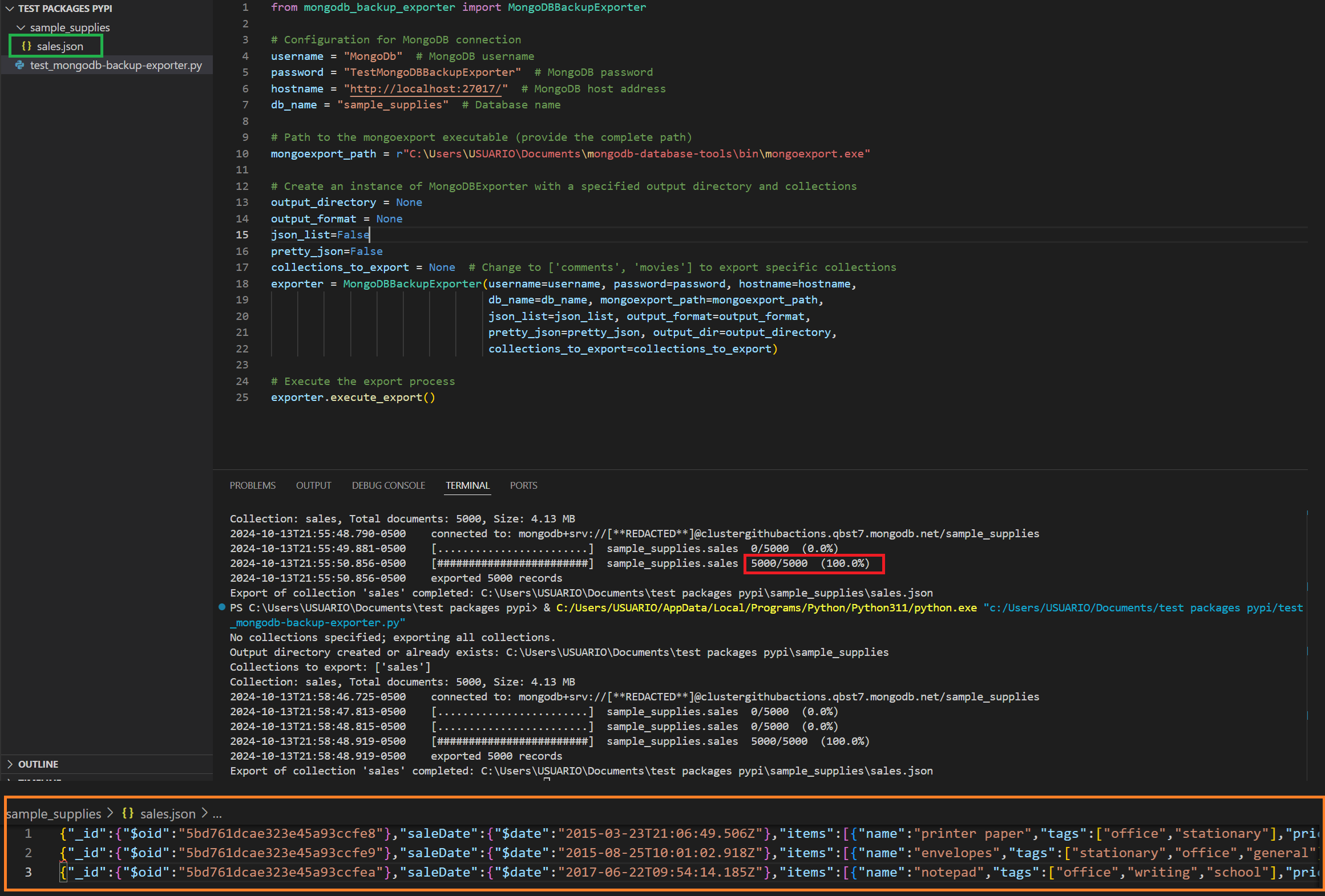
Extracts to Json
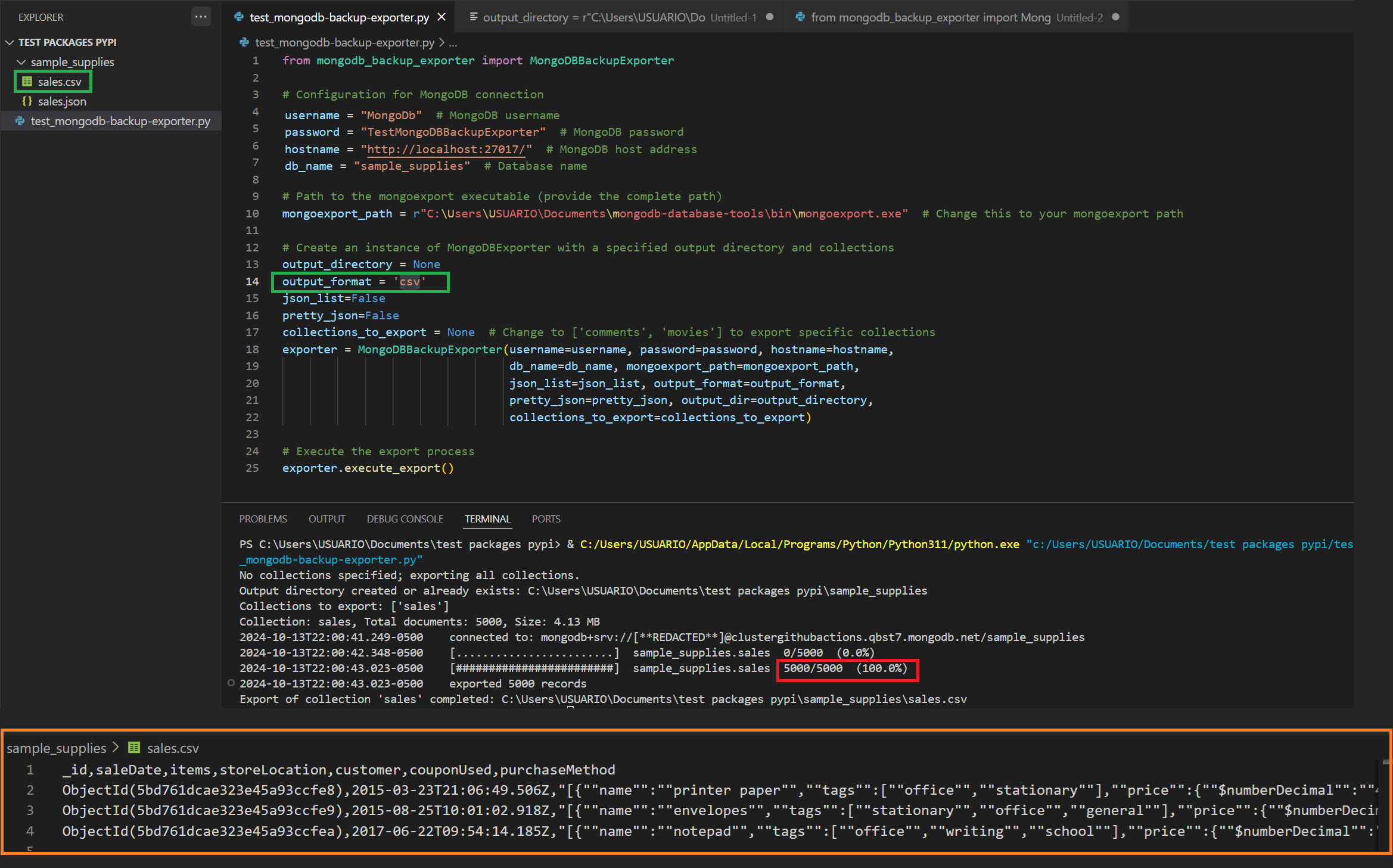
Extracts to CSV
Extracts to Json List
Extracts to Json Pretty
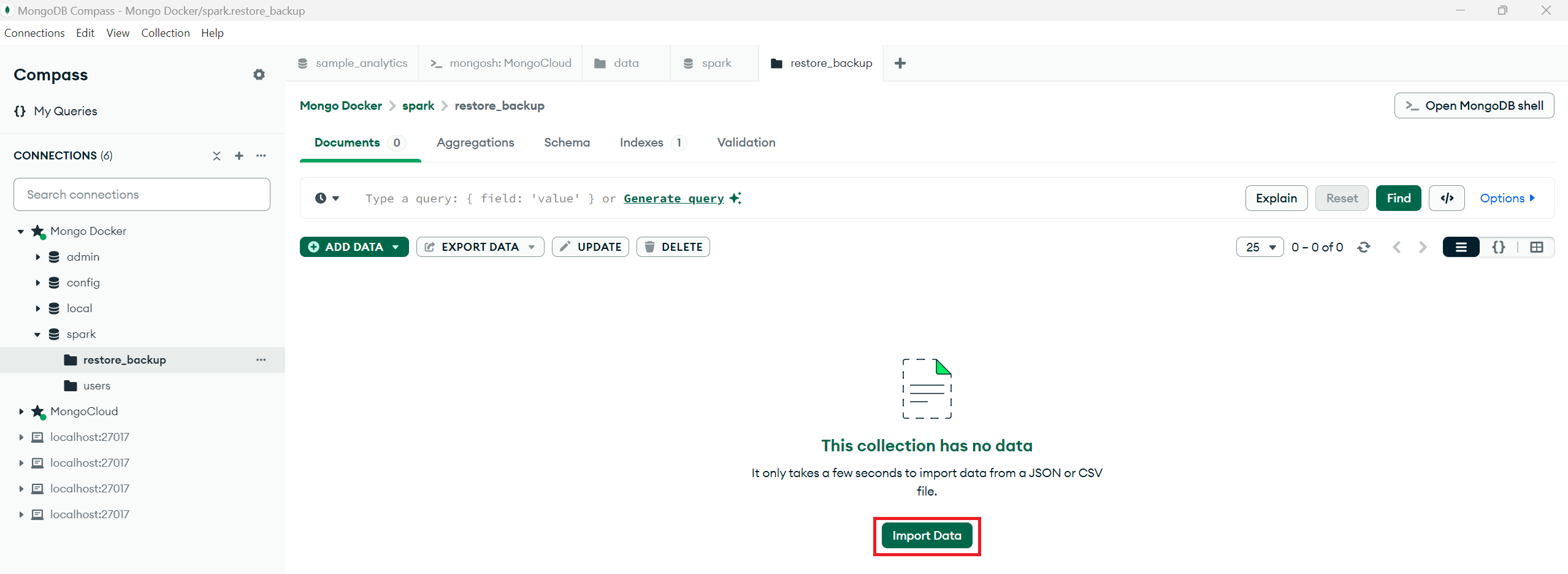
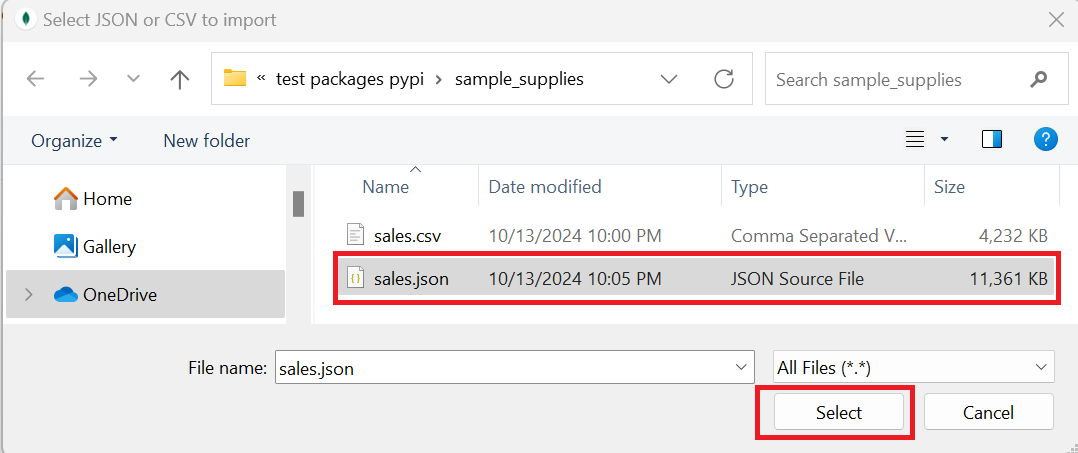
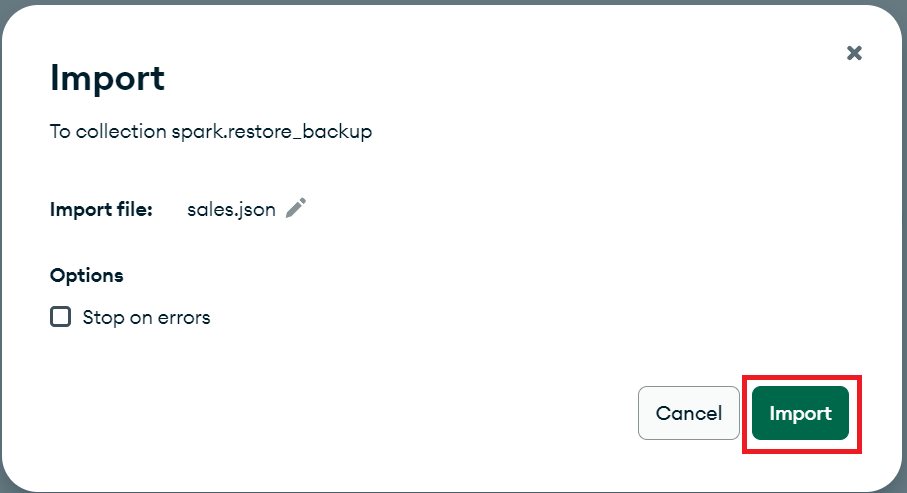
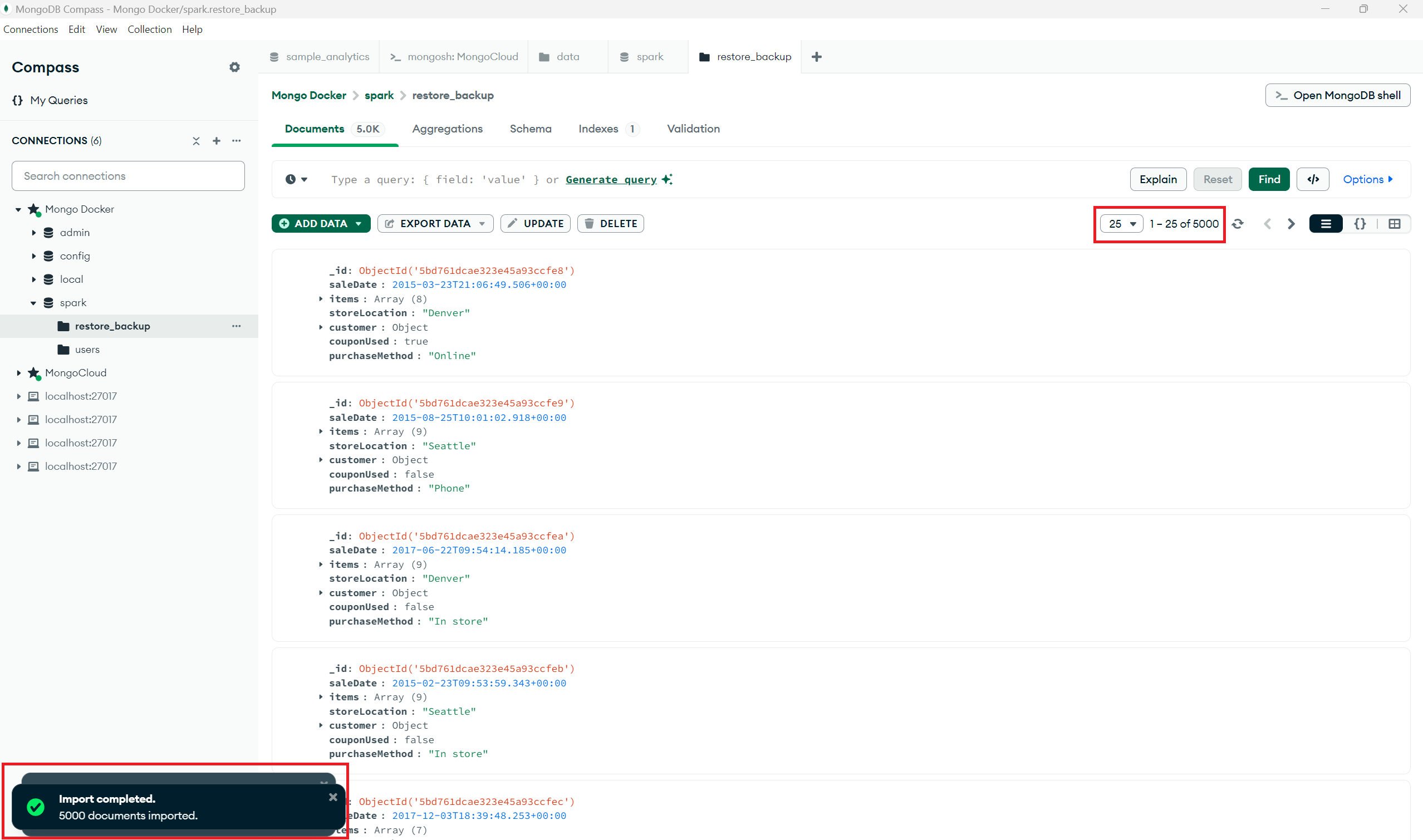
Restore Collection Using Json file
License
This project is licensed under the MIT License. See the LICENSE file for details.
1 maintainer

Release files for mongodb-backup-exporter 0.3.213
For a detailed explanation of source distributions (sdists) and built distributions (wheels), please see the package formats documentation.
Source distribution (sdist)
| File | Size | Uploaded | |
|---|---|---|---|
| mongodb-backup-exporter-0.3.213.tar.gz | 6.4 kB | Details |
Built distribution (wheel)
| File | Interpreter | ABI | Platform | Reset |
|---|---|---|---|---|
| mongodb_backup_exporter-0.3.213-py3-none-any.whl | Python 3 | none | any | Details |
Total release size: 13.3 kB
Release files / mongodb-backup-exporter-0.3.213.tar.gz
| Download URL | mongodb-backup-exporter-0.3.213.tar.gz |
|---|---|
| Size | 6.4 kB |
| Tags | Source |
|
SHA-256 checksum How to use checksums |
7ab709fe2bcd0cb1abc1f02f2a0c00dfb4e232a764d65adcee99348ecf78f2ad
|
|
BLAKE2b-256 checksum How to use checksums |
b57fe2007e559e82894fa6d590b7c8607b749c22046d770a5c2f5969aa4e9398
|
| Upload date | |
|
Uploaded using Trusted Publishing? What is trusted publishing? |
No |
| Uploaded via |
twine/5.1.1 CPython/3.9.20
|
Release files / mongodb_backup_exporter-0.3.213-py3-none-any.whl
| Download URL | mongodb_backup_exporter-0.3.213-py3-none-any.whl |
|---|---|
| Size | 6.9 kB |
| Tags | Python 3 |
|
SHA-256 checksum How to use checksums |
12efb1ce329de8525aa6efbf5f0e7083cc0f0837b3160007d3709296bd6918a6
|
|
BLAKE2b-256 checksum How to use checksums |
defd685422d573c5f41c98b3c205c5362a02ba2a1cda317b81fb065145018812
|
| Upload date | |
|
Uploaded using Trusted Publishing? What is trusted publishing? |
No |
| Uploaded via |
twine/5.1.1 CPython/3.9.20
|














