
MonochroMap
Monochromap is a small library to plot geographical information on top of a black and white map. Inspired and continued from StaticMap.
Major changes compare to the original package:
- changed default tile to stamen toner
- streamlined graphical component addition using single function
- supported graphical component alpha/transparency blending
- fixed IO error if you plot many iconmarker object to the map
Update as of August 2024 The original stamen toner tile styles provider is shutting down (https://maps.stamen.com/) and move the data to Stadia Maps. To use this library then you need to create an account at https://stadiamaps.com/stamen, and generate API key as parameter.
Example
Draw Lines
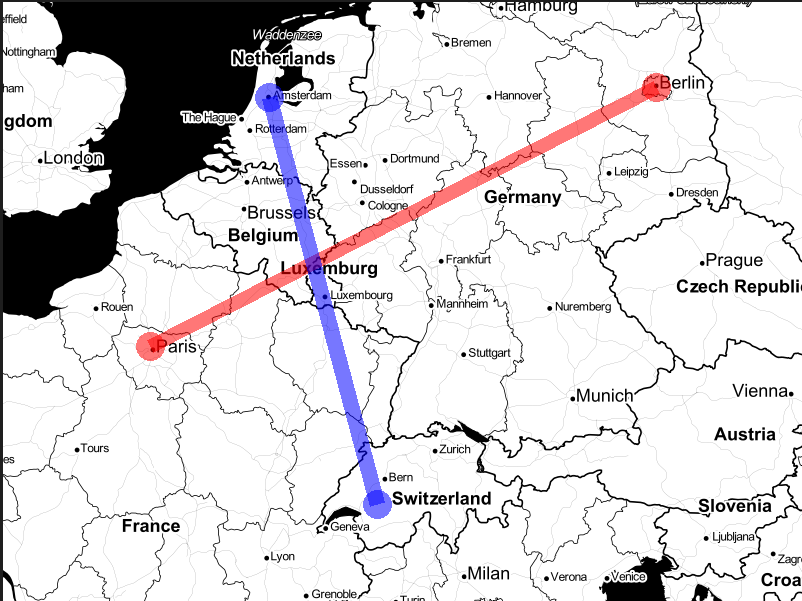
This example code will show the location of Laugh Tale from intersection of coordinates given by 4 road poneglyphs.
import os
from monochromap import MonochroMap, Line

m = MonochroMap(api_key=os.environ['STADIA_API_KEY'])
line = Line(((13.4, 52.5), (2.3, 48.9)), '#ff000088', 15)
m.add_feature(line)

line = Line(((4.9041, 52.3676), (7.27, 46.57)), '#0000ff88', 15)
m.add_feature(line)

m.render()
Draw Points
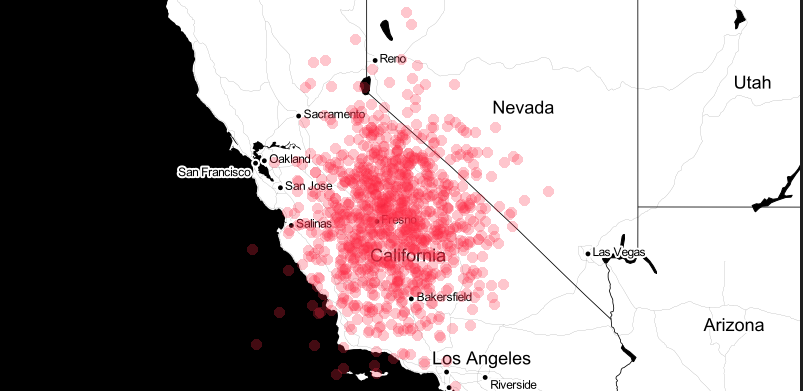
This example code will show the hotspot of California forest fire. Don't ask why there is fire in the ocean, it's global warming.
import os
from monochromap import MonochroMap, Point

m = MonochroMap(api_key=os.environ['STADIA_API_KEY'])
for i in range(1000):

    lat = 36.7783 + rng.normal()
    lon = -119.4179 + rng.normal()

    p = Point((lon, lat), '#fb294344', 5)
    m.add_feature(p)

m.render()
Draw (any) Polygon
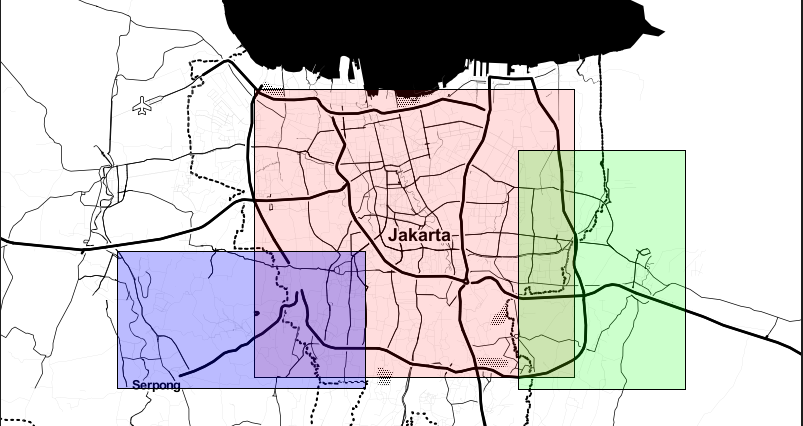
This example will show how to plot one instance of polygon, namely rectangle. Other shape of polygon is left as an exercise for the reader.
import os
from monochromap import MonochroMap, Polygon

m = MonochroMap(api_key=os.environ['STADIA_API_KEY'])

lon0, lat0 = (-6.114878, 106.731217)
lon1, lat1 = (-6.311491, 106.951200)
points = [[lat0, lon0], [lat0, lon1], [lat1, lon1], [lat1, lon0]]
m.add_feature(Polygon(points, '#ff000022', 'black'))

lon0, lat0 = (-6.156652, 106.912689)
lon1, lat1 = (-6.319975, 107.027262)
points = [[lat0, lon0], [lat0, lon1], [lat1, lon1], [lat1, lon0]]
m.add_feature(Polygon(points, '#00ff0033', 'black'))

lon0, lat0 = (-6.225684, 106.637555)
lon1, lat1 = (-6.319054, 106.807583)
points = [[lat0, lon0], [lat0, lon1], [lat1, lon1], [lat1, lon0]]
m.add_feature(Polygon(points, '#0000ff44', 'black'))

m.render()
Draw Icon (random image)
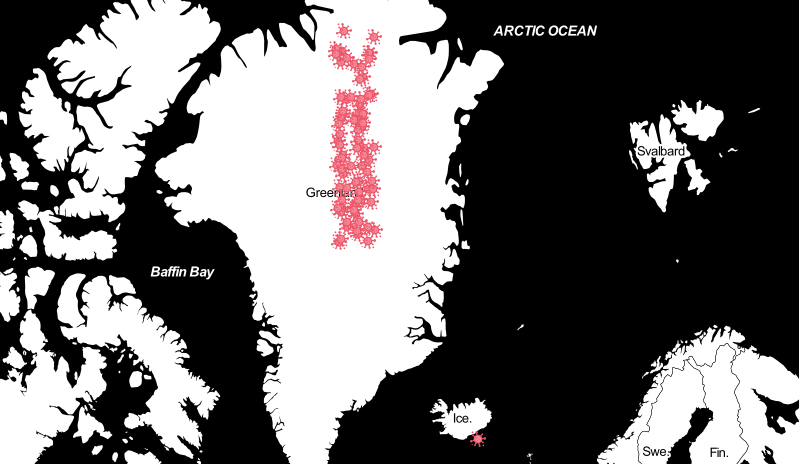
You can also plot any random image into the map. Here we will show the total number of covid patient on the world most adept country at defeating pandemic, according to reputable source, Plague inc.
import os
from monochromap import MonochroMap, IconMarker

m = MonochroMap(api_key=os.environ['STADIA_API_KEY'])
lat, lon = (75.939847, -42.161182)

for i in range(78):

    icon = IconMarker(np.array([lon, lat]) + np.random.uniform(-0.3, 6.7, 2), '../samples/covid.png', 0, 0)
    m.add_feature(icon)

icon = IconMarker(np.array([-17.456606, 63.992837]) + np.random.uniform(-0.1, 0.1, 2), '../samples/covid.png', 0, 0)
m.add_feature(icon)

m.render()
1 maintainer

Metadata
1 maintainer
Release files for monochromap 0.3.1
For a detailed explanation of source distributions (sdists) and built distributions (wheels), please see the package formats documentation.
Source distribution (sdist)
| File | Size | Uploaded | |
|---|---|---|---|
| monochromap-0.3.1.tar.gz | 8.0 kB | Details |
Built distribution (wheel)
| File | Interpreter | ABI | Platform | Reset |
|---|---|---|---|---|
| monochromap-0.3.1-py3-none-any.whl | Python 3 | none | any | Details |
Total release size: 16.0 kB
Release files / monochromap-0.3.1.tar.gz
| Download URL | monochromap-0.3.1.tar.gz |
|---|---|
| Size | 8.0 kB |
| Tags | Source |
|
SHA-256 checksum How to use checksums |
d483b6c2852920cfc995cf0b6b178c72933f80de27a58d2c61339b5e978c97eb
|
|
BLAKE2b-256 checksum How to use checksums |
f2eab1954e9a2dfb4d3909ef8dc0328365be724ebf54fa56d63d0f6e33e199ca
|
| Upload date | |
|
Uploaded using Trusted Publishing? What is trusted publishing? |
Yes |
| Uploaded via |
twine/5.1.0 CPython/3.12.5
|
Release files / monochromap-0.3.1-py3-none-any.whl
| Download URL | monochromap-0.3.1-py3-none-any.whl |
|---|---|
| Size | 8.0 kB |
| Tags | Python 3 |
|
SHA-256 checksum How to use checksums |
6ae4ca3654bdee384066fb1b56cf3d3dd23d0ac1c254fc3d143fe0bea4b6838a
|
|
BLAKE2b-256 checksum How to use checksums |
bc4b5bebb3c28f7f7d6871439a9aca4a9d63cadcd7e8e0005ffac8a1493e5a15
|
| Upload date | |
|
Uploaded using Trusted Publishing? What is trusted publishing? |
Yes |
| Uploaded via |
twine/5.1.0 CPython/3.12.5
|














