
MoonTex v1.1.1
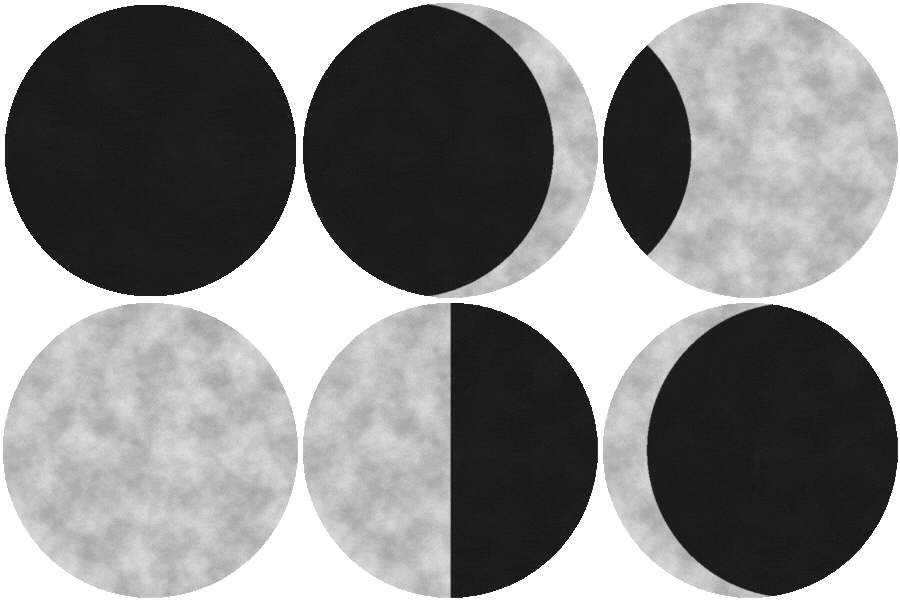
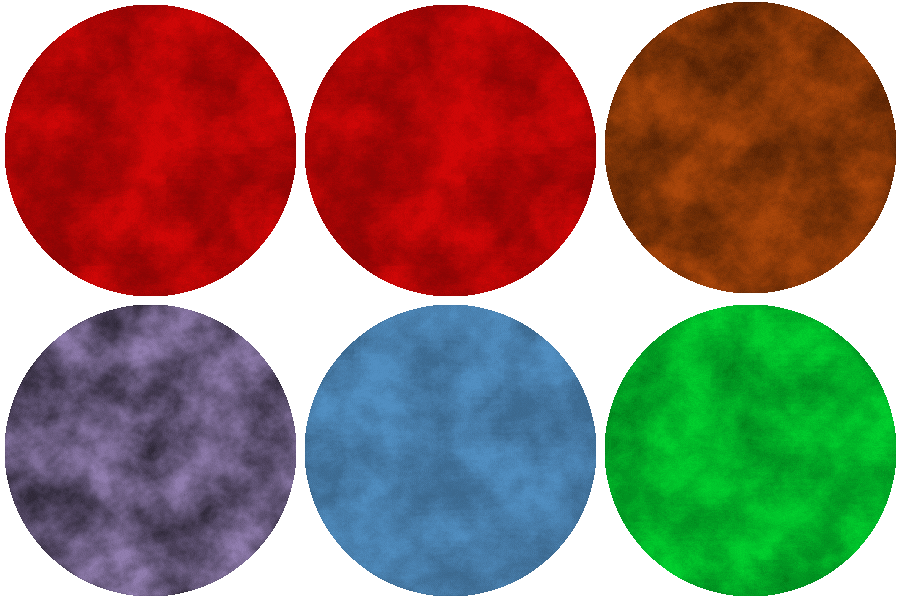
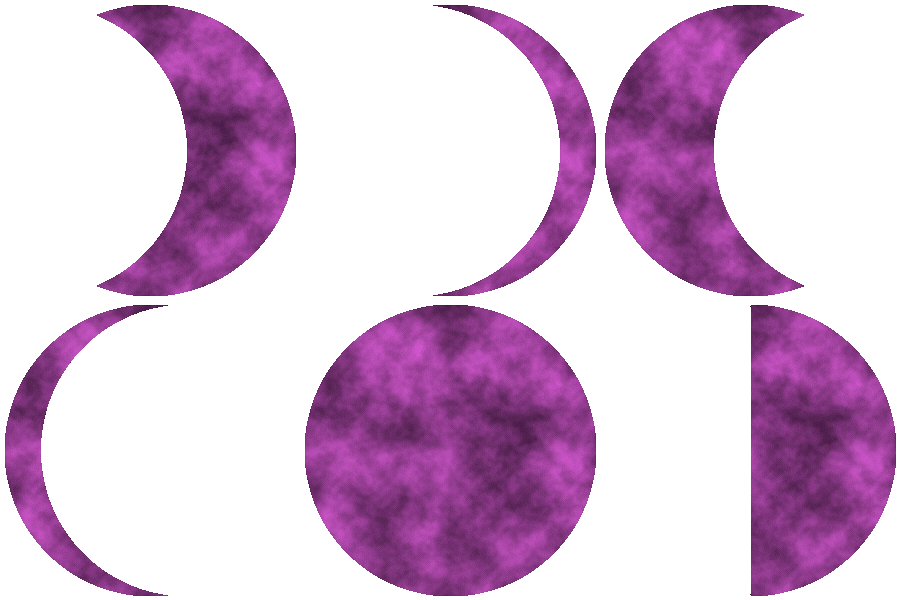
MoonTex is a procedural moon texture generator for Python that creates stylized, noise-based moon phase images with full control over surface detail, lighting geometry, color tinting, and export behavior.
MoonTex is designed for games, simulations, and procedural worlds, where moons are generated programmatically rather than painted by hand.
Key Features
- Procedural moon surface using 2D simplex noise
- Manual crescent / gibbous shaping via phase_offset
- Quarter (half-lit) moons via phase_offset = 0
- Color-tinted moons (RGB or hex, CQCalendar-compatible)
- Multiple shadow styles (blend, alpha, multiply, auto)
- Soft terminator edge for smooth light-to-dark transitions
- Optional transparent background (RGBA)
- Deterministic output via seeds
- Single-phase image export
- Batch export of full lunar cycles
- Support for custom / fantasy moon phase sets
Powered by Python, Pillow, and noise. No heavy dependencies or GPU requirements.
Example Usages
You probably already know what you're going to use MoonTex for but here are some example usages if you need ideas.
Day/Night Cycle Skybox
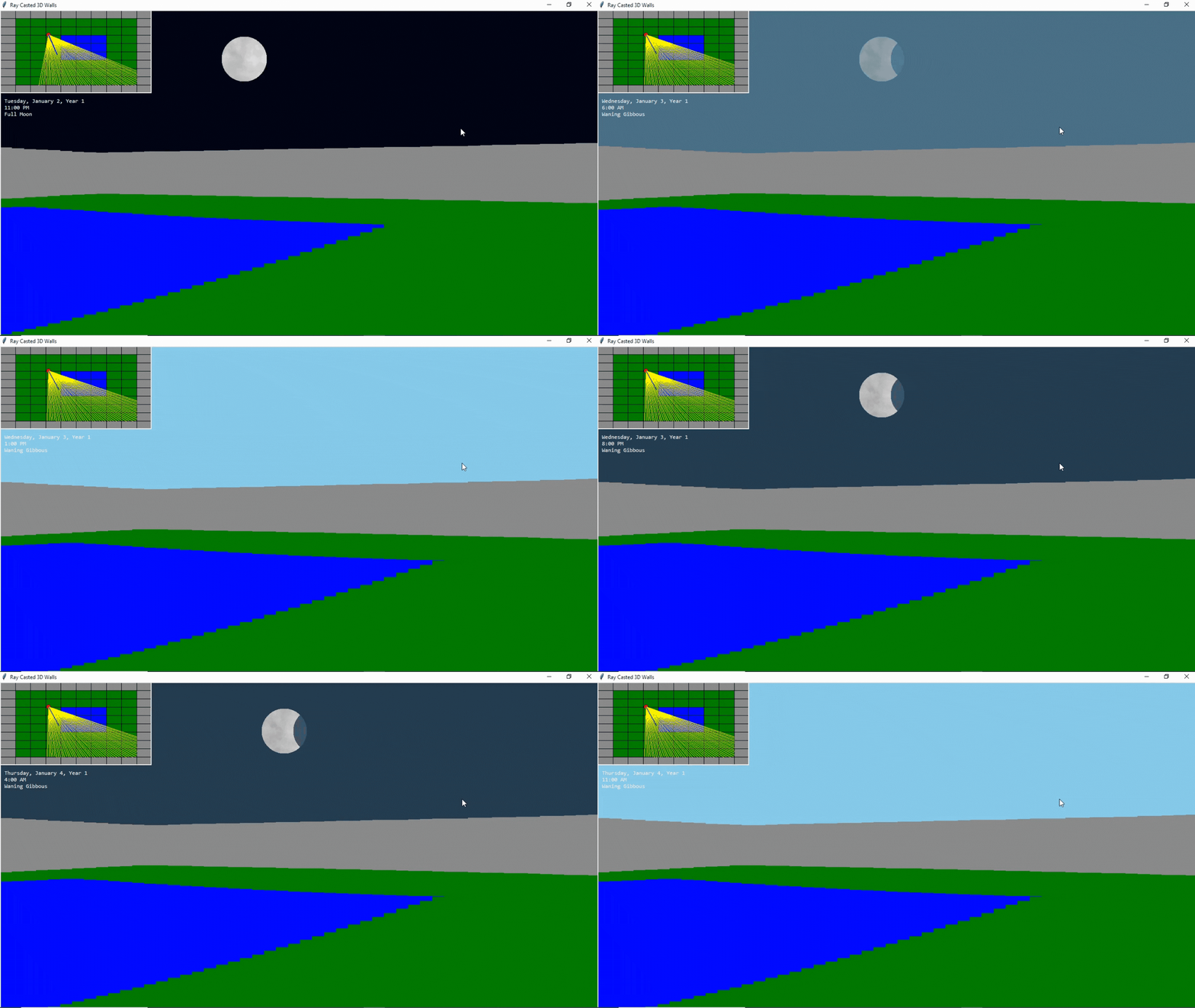
Here's an example of MoonTex being used in a raycasting demo made with Tkinter and CQCalendar. The player is in a walled off grassy area with a pond in the middle. Underneath the 2D minimap, you can see the current time/date/moon phase. Time passes on an hourly basis. As day turns into night an image of the moon is shown in the sky based on the current moon phase.
Dependency Installation
pip install -r requirements.txt
Installation
pip install moontex
How to Generate a Single Moon Phase Texture
MoonTex provides a convenience method for exporting individual moon phase textures.
Built-In Phase
#Initialize Generator
generator = moontex.MoonTex()

#You can specify the output directory if you want. Specify a moon phase name.
generator.export_png("full_moon.png", phase="Full Moon")
Custom Phase (Manual Geometry)
generator.export_png("blood_moon.png", phase="Blood Moon", phase_offset=0.35, moon_color_hex="#ff2b2b")
If a custom phase name is used, phase_offset is required.
How to Generate All Moon Phase Textures
#Initialize Generator
generator = moontex.MoonTex()

#You can specify the output directory if you want. Specify a moon phase name.
generator.export_all_moon_phase_images(output=".")
Export the Default Lunar Cycle
MoonTex can automatically generate and export all built-in lunar phases using a consistent moon style.
from moontex import MoonTex

mt = MoonTex(seed=42)

mt.export_cycle("default_cycle")
This exports:
- New Moon
- Waxing Crescent
- First Quarter
- Waxing Gibbous
- Full Moon
- Waning Gibbous
- Last Quarter
- Waning Crescent
All images share the same surface noise and visual style.
Export a Custom / Fantasy Lunar Cycle
You may define your own phase names and geometry using phase_offsets.
mt.export_cycle(
	"fantasy_cycle",
	phases=["Blood Moon", "Half Lit", "Thin Lune"],
	phase_offsets={
		"Blood Moon": 0.35,
		"Half Lit": 0.0,
		"Thin Lune": 0.85
	},
	moon_color_hex="#ff0000"
)
This is ideal for fantasy calendars, magical events, or stylized worlds.
Manual Shape & Color Control (Core Feature)
MoonTex does not force predefined lunar geometry. You can define moon shapes directly using a continuous phase_offset:
-1.0 → thin waxing crescent
0.0 → half moon
1.0 → thin waning crescent
Combined with color tinting, this allows custom moons, magical events, or stylized worlds.
generator.generate(
	phase="Custom",
	phase_offset=-0.9,
	moon_color_hex="#ff0000",   # blood moon
	terminator_softness=1.5
)
If you use a custom phase name, phase_offset is required. Built-in phase names work without it.
Customization Options
MoonTex(
	# --- Core image settings ---
	image_size=300,              # int or (width, height)
	bg_color=(5, 5, 20),         # background RGB (used if not transparent)

	# --- Noise / surface detail ---
	noise_scale=0.01,
	octaves=3,
	persistence=0.5,
	lacunarity=3,
	seed=0,
	intensity=0.4,
	invert_crater_noise=True,

	# --- Brightness ---
	brightness=(50, 230),

	# --- Rendering ---
	transparent_background=False,
	padding=4,
	edge_softness=1.5,

	# --- Shadow behavior ---
	shadow_factor=0.15,
	shadow_mode="bg",            # legacy compatibility
	dark_floor=0.0,
)
Shadow Styles (Per-Image)
When calling generate() you can choose how the dark side behaves:
- "blend" – blends into bg_color (classic look)
- "alpha" – uses transparency (best for skyboxes & overlays)
- "multiply" – multiplies light (stylized / painterly)
- "auto" – selects best option based on transparency
Skybox Usage (Raycasting, Overlays)
MoonTex(
    transparent_background=True,
    shadow_mode="neutral",
    dark_floor=0.0,
)
Standalone Image Usage
MoonTex(
    transparent_background=False,
    shadow_mode="bg",
)
Built-In Phase Names
- "New / New Moon"
- "Waxing Crescent"
- "First Quarter"
- "Waxing Gibbous"
- "Full / Full Moon"
- "Waning Gibbous"
- "Last Quarter"
- "Waning Crescent"
You may also use custom phase names when supplying phase_offset.
Related Tools
MoonTex Studio
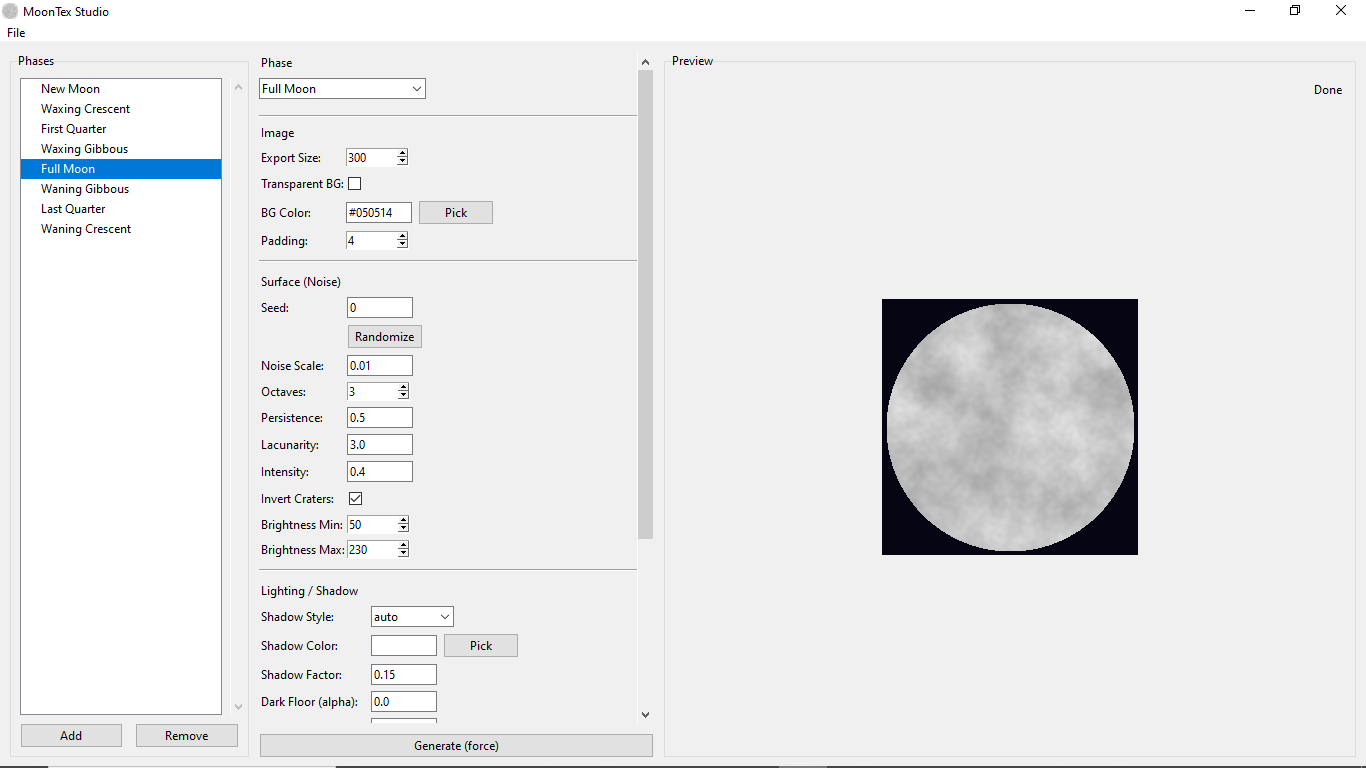
- MoonTex Studio is a visual GUI built on top of the MoonTex library that allows you to design, preview, and export procedural moon phases and full lunar cycles without writing code. It provides real-time previews, per-phase editing, and batch export tools for faster iteration in games and simulations.
Related Libraries
- CQCalendar: A lightweight, tick-based time and calendar system for Python games and simulations.
- TerraForge: A versatile Python toolset for procedural map generation.
1 maintainer

Download files
Download the file for your platform. If you're not sure which to choose, learn more about installing packages.
Source Distribution
Built Distribution
Filter files by name, interpreter, ABI, and platform.
If you're not sure about the file name format, learn more about wheel file names.
Copy a direct link to the current filters
File details
Details for the file moontex-1.1.1.tar.gz.
File metadata
- Download URL: moontex-1.1.1.tar.gz
- Upload date:
- Size: 10.9 kB
- Tags: Source
- Uploaded using Trusted Publishing? No
- Uploaded via:
twine/6.2.0 CPython/3.12.7
File hashes
| Algorithm | Hash digest | |
|---|---|---|
| SHA256 |
3da17789587491f9cea07010d9316cc8d79a5a70896200ac201d41c2e5a58d2c
|
|
| MD5 |
b51ec813dc14db542e8eb1e2dc63eb5b
|
|
| BLAKE2b-256 |
ff20a3157ebb111dfffd0f695dc78ceddac9fc3c4fbc3d1aa9767b4f3363f2a3
|
File details
Details for the file moontex-1.1.1-py3-none-any.whl.
File metadata
- Download URL: moontex-1.1.1-py3-none-any.whl
- Upload date:
- Size: 10.0 kB
- Tags: Python 3
- Uploaded using Trusted Publishing? No
- Uploaded via:
twine/6.2.0 CPython/3.12.7
File hashes
| Algorithm | Hash digest | |
|---|---|---|
| SHA256 |
5645e2b4e6dfa47fa292c3d6082e21de6ff0cf1347c69974debf783f212f31c3
|
|
| MD5 |
7a7992142d684292d00b080e349c67a9
|
|
| BLAKE2b-256 |
cfdddc25f910f86db5890a83e4f92df42eab9809e1370b3389d78ea206ffbb1b
|







