






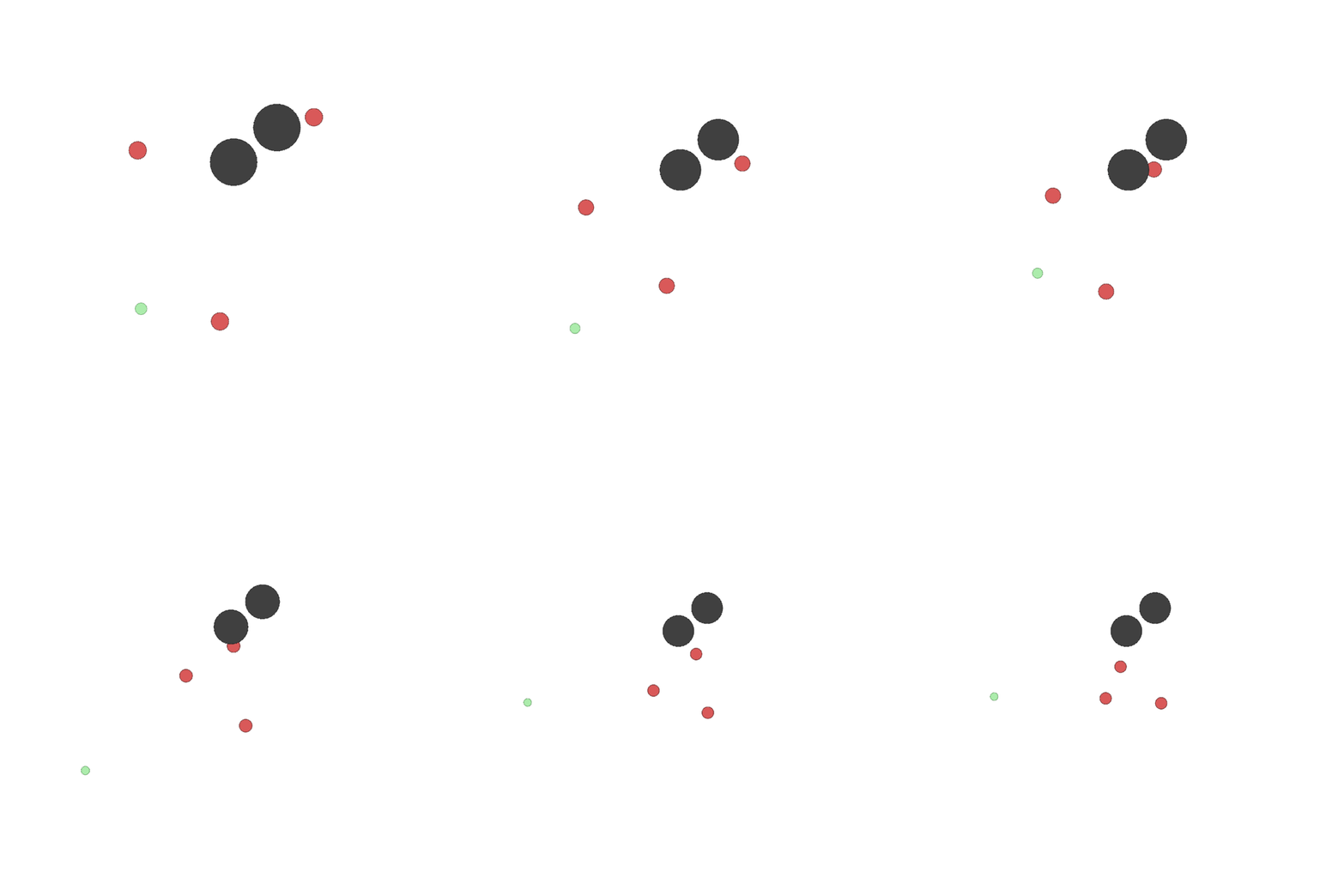
Multi Particle Environments 2 (MPE2) are a set of communication-oriented environments where particle agents can (sometimes) move, communicate, see each other, push each other around, and interact with fixed landmarks.
These environments are originally from OpenAI’s MPE codebase, with several minor fixes, mostly related to making the action space discrete by default, making the rewards consistent and cleaning up the observation space of certain environments. MPE2 additionally includes 3 new environments.
Installation
The unique dependencies for this set of environments can be installed via:
pip install mpe2
Usage
Basic Example
To launch a Simple Push environment with random agents:
from mpe2 import simple_push_v3

env = simple_push_v3.env(render_mode="human")
env.reset(seed=42)

for agent in env.agent_iter():
    observation, reward, termination, truncation, info = env.last()

    if termination or truncation:
        action = None
    else:
        # this is where you would insert your policy
        action = env.action_space(agent).sample()

    env.step(action)

env.close()
Types of Environments
The Simple Adversary, Simple Crypto, Simple Push, Simple Tag, and Simple World Comm environments are adversarial (a "good" agent being rewarded means an "adversary" agent is punished and vice versa, though not always in a perfectly zero-sum manner). In most of these environments, there are "good" agents rendered in green and an "adversary" team rendered in red.
Collect Treasure, Simple Formation, Simple Line, Simple Reference, Simple Speaker Listener, and Simple Spread are cooperative environments. Agents must work together to achieve their goals and receive a mixture of rewards based on their own success and the success of the other agents.
Key Concepts
-
Landmarks: Landmarks are static circular features of the environment that cannot be controlled. In some environments, like Simple, they are destinations that affect the rewards of the agents depending on how close the agents are to them. In other environments, they can be obstacles that block the motion of the agents. These are described in more detail in the documentation for each environment.
-
Visibility: When an agent is visible to another agent, that other agent's observation contains the first agent's relative position (and in Simple World Comm and Simple Tag, the first agent's velocity). If an agent is temporarily hidden (only possible in Simple World Comm), then the agent's position and velocity is set to zero.
-
Communication: Some agents in some environments can broadcast a message as a part of its action (see action space for more details) which will be transmitted to each agent that is allowed to see that message. In Simple Crypto, this message is used to signal that Bob and Eve have reconstructed the message.
-
Color: Since all agents are rendered as circles, the agents are only identifiable to a human by their color, so the color of the agents is described in most of the environments. The color is not observed by the agents.
-
Distances: The landmarks and agents typically start out uniformly randomly placed from -1 to 1 on the map. This means they are typically around 1-2 units apart. This is important to keep in mind when reasoning about the scale of the rewards (which often depend on distance) and the observation space, which contains relative and absolute positions.
Termination
The game terminates after the number of cycles specified by the max_cycles environment argument is executed. The default for all environments is 25 cycles, as in the original OpenAI source code.
Observation Space
The observation space of an agent is a vector generally composed of the agent's position and velocity, other agents' relative positions and velocities, landmarks' relative positions, landmarks' and agents' types, and communications received from other agents. The exact form of this is detailed in the environments' documentation.
If an agent cannot see or observe the communication of a second agent, then the second agent is not included in the first's observation space, resulting in different agents having different observation space sizes in certain environments.
Action Space
Note: OpenAI's MPE uses continuous action spaces by default.
Discrete action space (Default):
The action space is a discrete action space representing the combinations of movements and communications an agent can perform. Agents that can move can choose between the 4 cardinal directions or do nothing. Agents that can communicate choose between 2 and 10 environment-dependent communication options, which broadcast a message to all agents that can hear it.
Continuous action space (Set by continuous_actions=True):
The action space is a continuous action space representing the movements and communication an agent can perform. Agents that can move can input a velocity between 0.0 and 1.0 in each of the four cardinal directions, where opposing velocities e.g. left and right are summed together. Agents that can communicate can output a continuous value over each communication channel in the environment which they have access to.
Rendering
Rendering displays the scene in a window that automatically grows if agents wander beyond its border. Communication is rendered at the bottom of the scene. The render() method also returns the pixel map of the rendered area.
Citation
The MPE environments were originally described in the following work:
@article{mordatch2017emergence,
  title={Emergence of Grounded Compositional Language in Multi-Agent Populations},
  author={Mordatch, Igor and Abbeel, Pieter},
  journal={arXiv preprint arXiv:1703.04908},
  year={2017}
}
But were first released as a part of this work:
@article{lowe2017multi,
  title={Multi-Agent Actor-Critic for Mixed Cooperative-Competitive Environments},
  author={Lowe, Ryan and Wu, Yi and Tamar, Aviv and Harb, Jean and Abbeel, Pieter and Mordatch, Igor},
  journal={Neural Information Processing Systems (NIPS)},
  year={2017}
}
Please cite one or both of these if you use these environments in your research.


Release files for mpe2 1.1.1
For a detailed explanation of source distributions (sdists) and built distributions (wheels), please see the package formats documentation.
Source distribution (sdist)
| File | Size | Uploaded | |
|---|---|---|---|
| mpe2-1.1.1.tar.gz | 45.9 kB | Details |
Built distribution (wheel)
| File | Interpreter | ABI | Platform | Reset |
|---|---|---|---|---|
| mpe2-1.1.1-py3-none-any.whl | Python 3 | none | any | Details |
Total release size: 110.3 kB
Release files / mpe2-1.1.1.tar.gz
| Download URL | mpe2-1.1.1.tar.gz |
|---|---|
| Size | 45.9 kB |
| Tags | Source |
|
SHA-256 checksum How to use checksums |
489e0e4b108f387eea1d2a70e8c537b8b04d33d009306b4718e67586fbc9e22b
|
|
BLAKE2b-256 checksum How to use checksums |
f80713c054603ed4ee42c5b11fd6032828b50f2aa0ce8cfaa598e772f270a656
|
| Upload date | |
|
Uploaded using Trusted Publishing? What is trusted publishing? |
Yes |
| Uploaded via |
twine/7.0.0 CPython/3.13.14
|
Provenance
Provenance describes where a file came from. On PyPI, provenance is shared via attestations, which provide a verifiable record of the build or publishing details. View details, limitations and caveats.


PyPI Publish Attestation
PyPI verified that this artifact, at this checksum, originated from the publisher listed below.
Signed by GitHub Actions, verified by PyPI on Sep 11, 2026.
Transparency logRelease files / mpe2-1.1.1-py3-none-any.whl
| Download URL | mpe2-1.1.1-py3-none-any.whl |
|---|---|
| Size | 64.4 kB |
| Tags | Python 3 |
|
SHA-256 checksum How to use checksums |
cea9ffc0979f249d6fcf0faab097cf6e2af1bbec12f833c253bab80dca08d4c1
|
|
BLAKE2b-256 checksum How to use checksums |
a4994901701a076c2569cec067c94eb5605f59c86e62b34b3a1b5b2f8279361a
|
| Upload date | |
|
Uploaded using Trusted Publishing? What is trusted publishing? |
Yes |
| Uploaded via |
twine/7.0.0 CPython/3.13.14
|
Provenance
Provenance describes where a file came from. On PyPI, provenance is shared via attestations, which provide a verifiable record of the build or publishing details. View details, limitations and caveats.
PyPI Publish Attestation
PyPI verified that this artifact, at this checksum, originated from the publisher listed below.
Signed by GitHub Actions, verified by PyPI on Sep 11, 2026.
Transparency log













