MPint :: integration of peaks in multiple spectra
- The MPint package reads series of spectra...
- saves each spectrum as PNG image
- integrates peaks defined by the user
- and calculates indexes defined by the user.
- Explanation of key terms:
- Series of spectra = set of XY-files (ascii files with two columns: X,Y)
- User-defined peaks = peaks are defined by minimum and maximum X-values
- User-defined indexes = indexes are defined as ratios between peak areas
- Example: IR oxidation index = (area of C=O peak) / (standard peak area)
- Simple user definition of peaks and indexes:
- Both peaks and indexes are defined in a very simple PY-library.
- Editing/adjusting libraries is quite easy - see the documentation.
- Once the library is defined, all calculations are fully automatic.
Quick start
- Download example1.zip
- Unpack the data in a separate directory.
- Read the readme file in the main unpacked dir.
- Follow the instructions in readme, run the scripts and see the results.
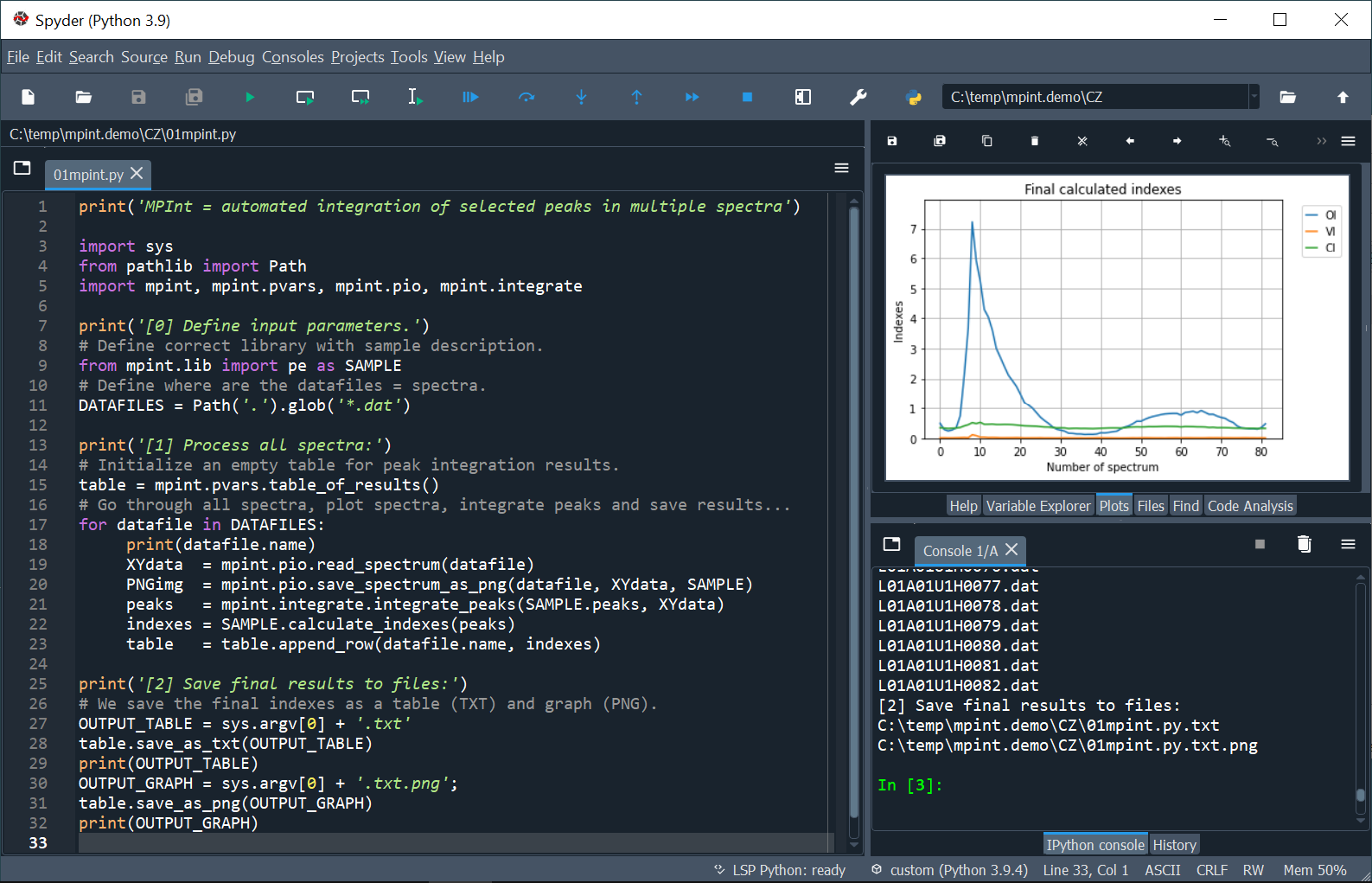
- If you run the scripts in Spyder, the MPint session looks like this.
Documentation, help, and examples
- PyPI repository.
- GitHub repository.
- GitHub Pages with documentation.
Brief history
- Old versions of MPINT: Perl + GNUplot; work fine, but not too user-friendly
- Version 1.0 = re-written in Python, tested on datafiles from CZ, IT, ES
- Version 1.1 = small improvements of code + improved documentation
1 maintainer

Metadata
1 maintainer
Release files for mpint 1.1.1
For a detailed explanation of source distributions (sdists) and built distributions (wheels), please see the package formats documentation.
Source distribution (sdist)
| File | Size | Uploaded | Provenance | |
|---|---|---|---|---|
| mpint-1.1.1.tar.gz | 9.9 kB | Without provenance | Details |
Built distribution (wheel)
| File | Interpreter | ABI | Platform | Reset |
|---|---|---|---|---|
| mpint-1.1.1-py3-none-any.whl | Python 3 | none | any | Details |
Total release size: 21.2 kB
Release files / mpint-1.1.1.tar.gz
| Download URL | mpint-1.1.1.tar.gz |
|---|---|
| Size | 9.9 kB |
| Tags | Source |
|
SHA-256 checksum How to use checksums |
400a59a21535c1eaa2465d4fe7e5b5a707fba29be328663f148d7726907f29c0
|
|
BLAKE2b-256 checksum How to use checksums |
eb0f95419a9f58f0aa37b4f211789afba64a0fa75e86fa81eca72b4916b61aa5
|
| Upload date | |
|
Uploaded using Trusted Publishing? What is trusted publishing? |
No |
| Uploaded via |
twine/4.0.1 CPython/3.10.5
|
Release files / mpint-1.1.1-py3-none-any.whl
| Download URL | mpint-1.1.1-py3-none-any.whl |
|---|---|
| Size | 11.3 kB |
| Tags | Python 3 |
|
SHA-256 checksum How to use checksums |
88a4a94e7ff92ea39939475019b0527c2a3f0abe62099da339cb87e7a15cfd6d
|
|
BLAKE2b-256 checksum How to use checksums |
5e90e913d4beac5ba40a26b4e1e132bf8c28073d510f34aa55ef5a080b748179
|
| Upload date | |
|
Uploaded using Trusted Publishing? What is trusted publishing? |
No |
| Uploaded via |
twine/4.0.1 CPython/3.10.5
|
Security for mpint 1.1.1
Provenance
Provenance describes where a file came from. On PyPI, provenance is shared via attestations, which provide a verifiable record of the build or publishing details. View details, limitations and caveats.
No provenance found
None of the files in this release were uploaded with provenance metadata.
A note on package security
PyPI is a repository for distributing packages, not a service for auditing them. While third-party security researchers and our staff do their best to detect and remove malicious packages, PyPI cannot guarantee the quality, security or suitability of any given package.
To learn more about protecting yourself from malicious actors, visit our package security documentation.