mpl2pptx
把 Matplotlib 或 Seaborn 导出的 SVG 转成可编辑的 PowerPoint 幻灯片。幻灯片采用 SVG 的物理画幅,并具有可编辑的文本、公式、曲线、填充和边框。
本项目在以下环境完成了端到端测试,均使用 Python 3.12 和 Matplotlib 3.11.2:
- Windows 11(测试桌面版 PowerPoint 2024 和 portable 两种模式)
- headless Ubuntu 24.04 LTS(仅测试 portable 模式)
支持的特性
| 项目 | 在 PowerPoint 中的效果 |
|---|---|
| 普通文字 | 标题、刻度和图例等可转为文本框,保留字体、字号、字重、水平/垂直对齐方式(SVG 缺少对齐信息时按位置推断)。 |
| 矢量图形 | 散点可逐个选中,曲线可调整顶点。网格、柱形、箱体和小提琴轮廓均可作为形状编辑。 |
| 填充与边框 | 沿用 SVG 中的颜色和透明度;对于虚线,可保留段长和间隔。 |
| 栅格图层 | imshow 和已栅格化的散点、色条(rasterized=True)保留为图片。Matplotlib 栅格化说明 |
| 数学公式 | $...$ 数学公式可转换为可编辑的 PPTX 公式,支持独立公式和行内公式。本功能依赖于 Matplotlib 导出为 SVG 时的公式源码注释。Office 行内公式说明 |
| 图案填充 | 横线、竖线、斜线和交叉线等 hatch 转换为 Office 预设的图案填充;圆点、星形等其他图案的 hatch 可能丢失。Matplotlib 填充图案说明 |
| 页面尺寸 | 沿用 SVG 的物理宽高,每边支持 2.54 至 142.24 cm。Office 页面尺寸说明 |
如果在您的 SVG 上表现异常,可以提交 GitHub Issue。
示例
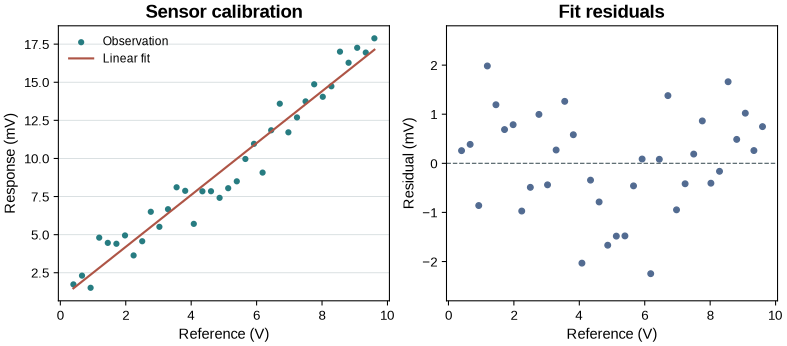
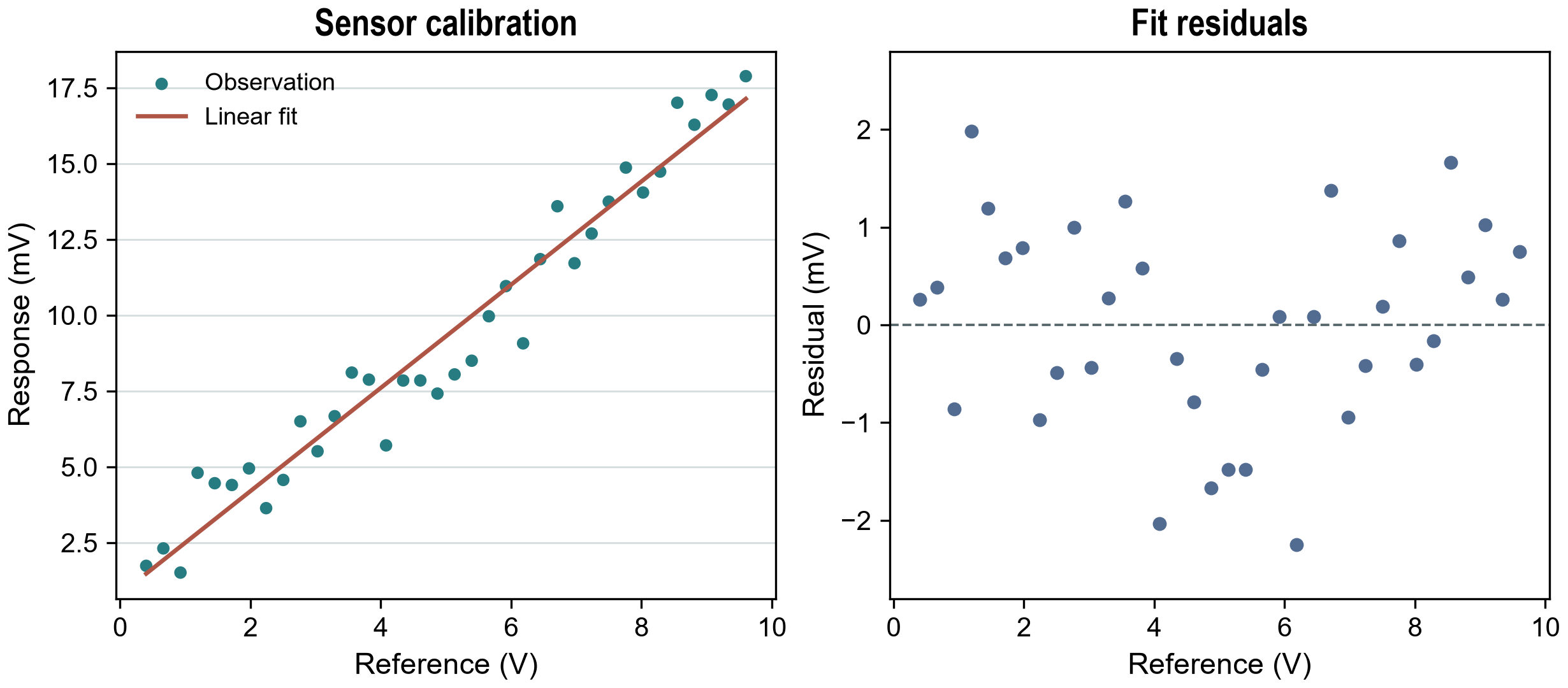
校准曲线与残差 | 绘图脚本 · 保存的 SVG · 可编辑 PPTX
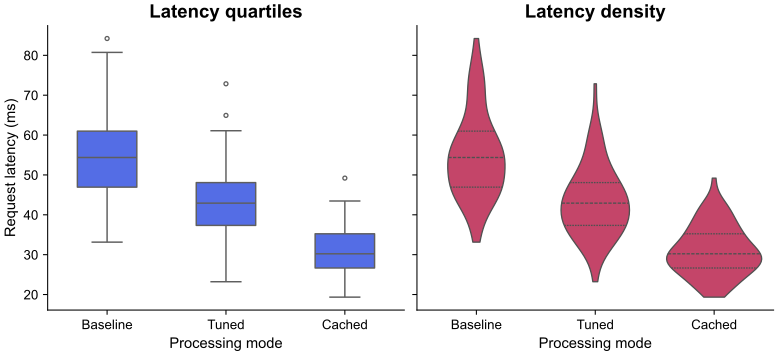
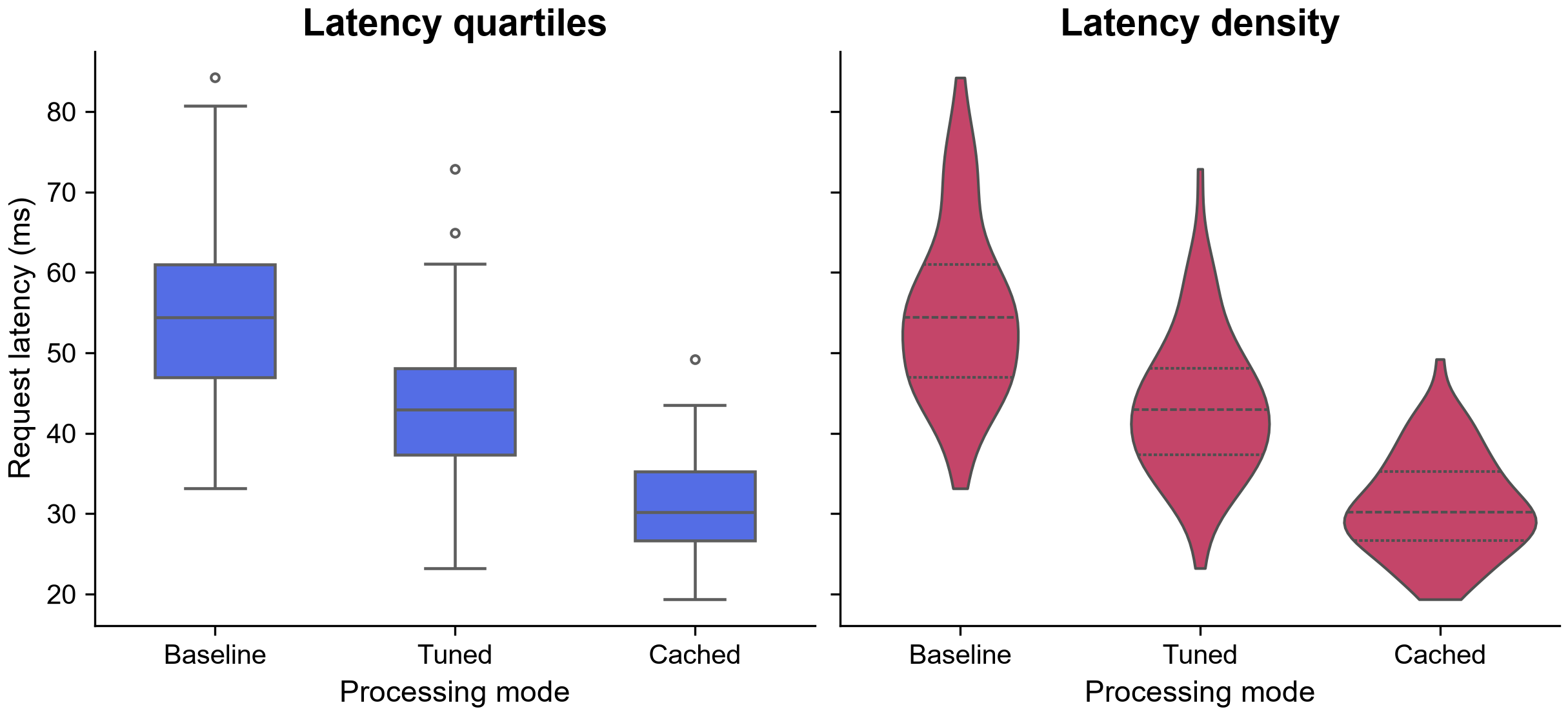
箱线图与小提琴图 | 绘图脚本 · 保存的 SVG · 可编辑 PPTX
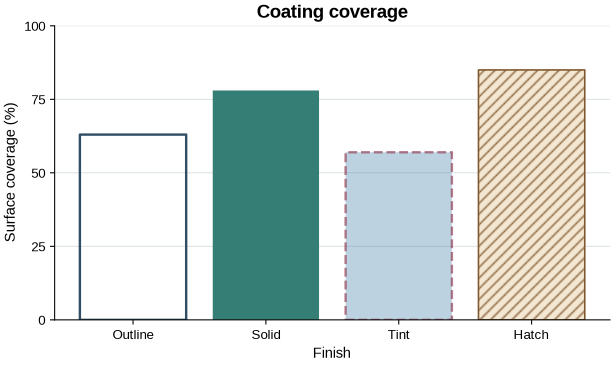
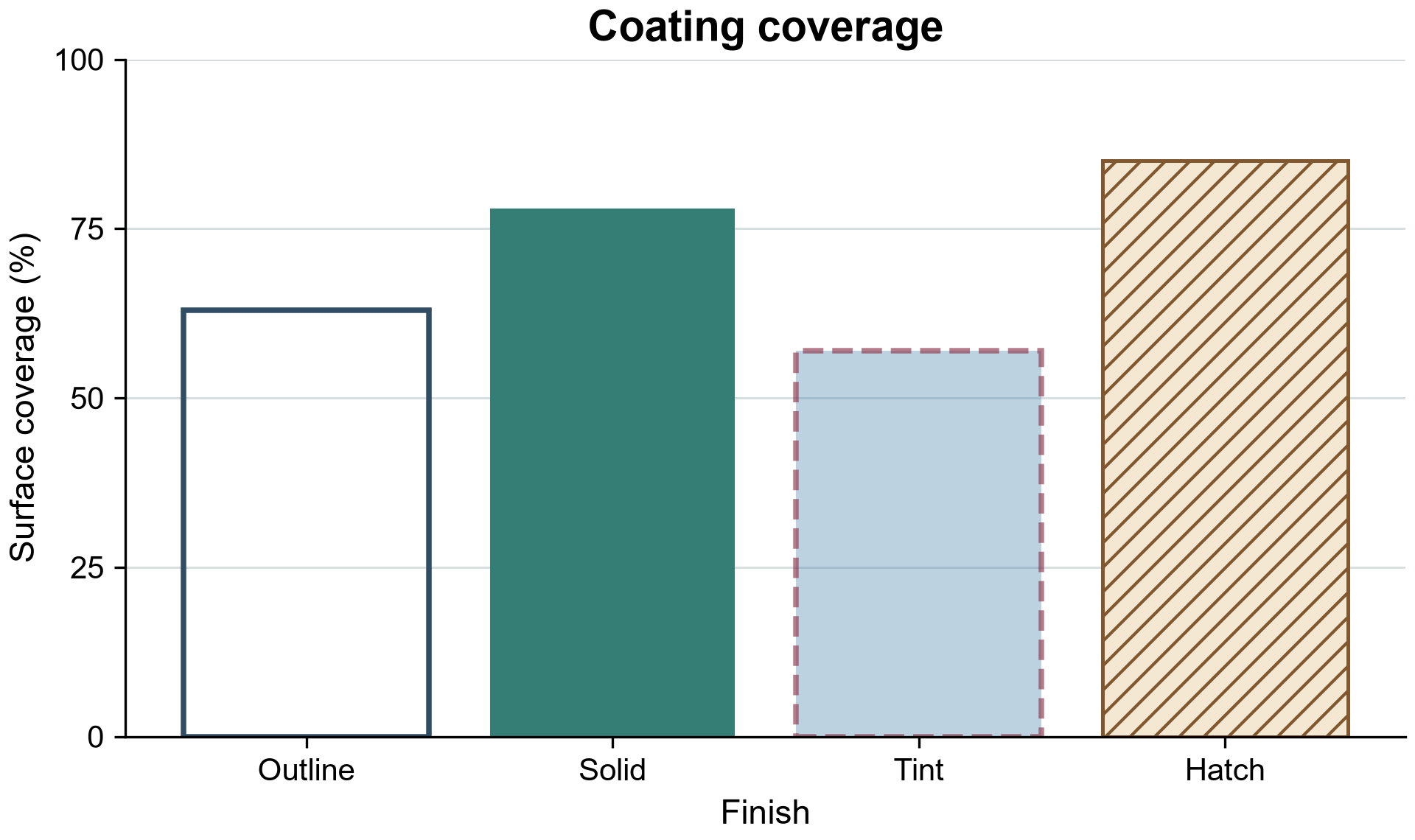
柱形的填充与边框 | 绘图脚本 · 保存的 SVG · 可编辑 PPTX
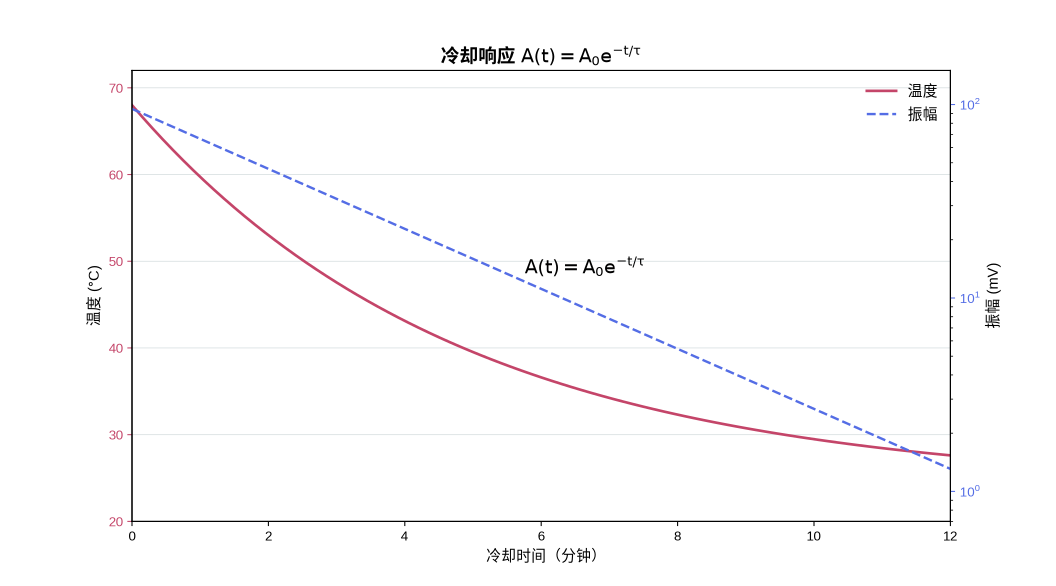
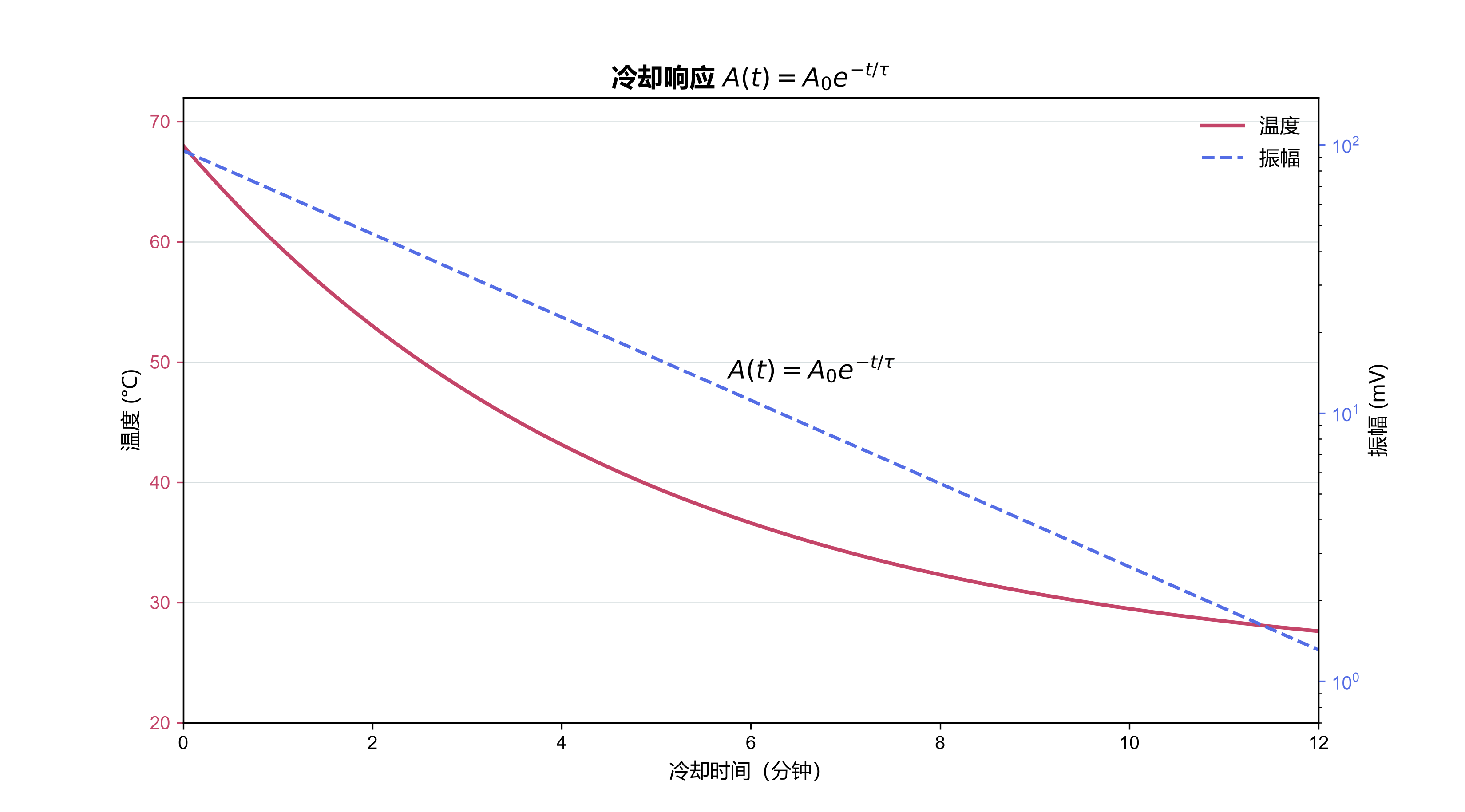
线性与对数双 Y 轴 | 绘图脚本 · 保存的 SVG · 可编辑 PPTX
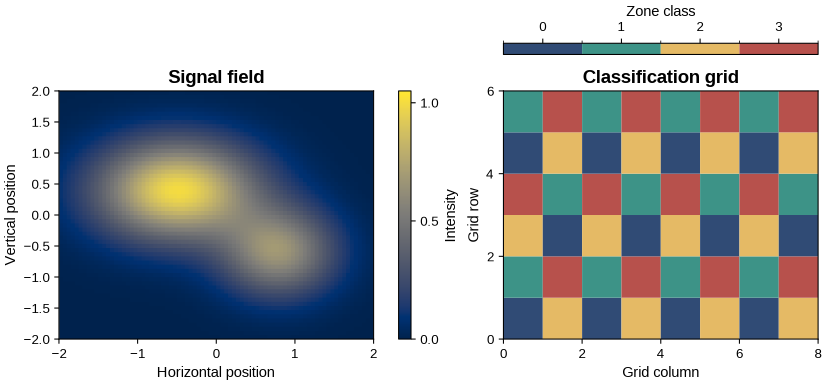
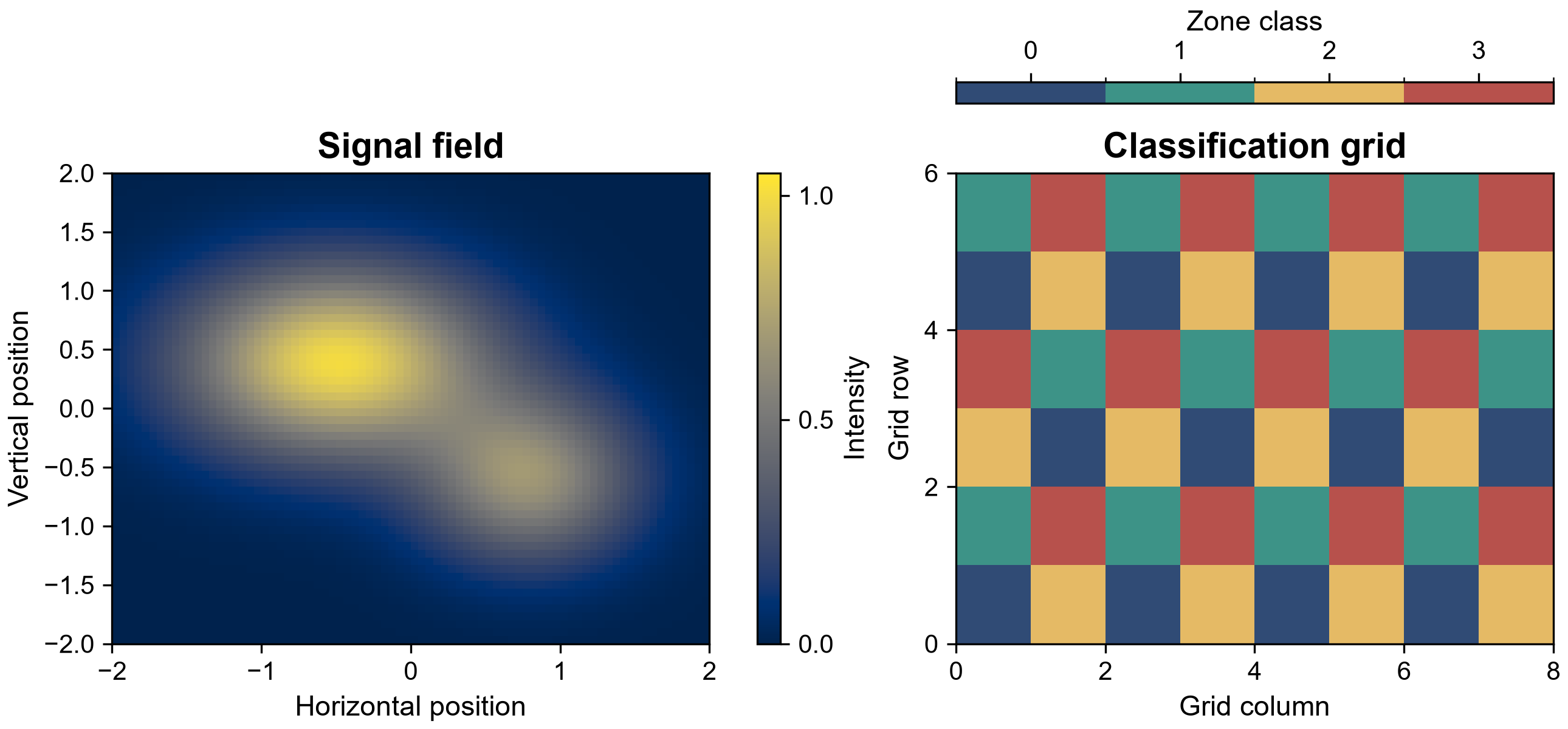
连续与离散色条 | 绘图脚本 · 保存的 SVG · 可编辑 PPTX
安装
通过下述指令安装,需要 Python 3.10 或更高版本:
pip install mpl2pptx
基础安装依赖于系统中预安装的 PowerPoint 2024 进行转换。如果计算机上不存在或无法安装 PowerPoint,可通过下述指令额外安装 svgslide 和 mathml2omml 以使用 portable 后端进行转换。
pip install "mpl2pptx[portable]"
从仓库安装时,使用 pip install . 或 pip install ".[portable]"。如需进一步维护和开发,也可使用 pip install ".[all]"。
使用
如果您手头没有可用的 SVG 文件,可使用仓库中的样例文件
assets/examples/dual_axis.svg。
从 SVG 文件转换
对于 matplotlib 创建的 svg 文件,通过 svg2pptx 将它转换为可编辑的 PPTX 文件。
import matplotlib.pyplot as plt
from mpl2pptx import svg2pptx

fig, ax = plt.subplots()
ax.plot([0, 1, 2], [0, 1, 0])
fig.savefig("test.svg")

# save 默认为 {svg-name}.pptx
# version 指输出的目标 PowerPoint 版本,当前为 2024
pptx_path = svg2pptx("test.svg", save="test.pptx", version="2024")
svg2pptx 的首个参数除了文件路径 test.svg,也支持 SVG 字节或二进制输入流。当使用二进制输入流且未指定 save 时,返回 PPTX 字节流。
svg2pptx 允许通过指定 return_details=True 以获取转换详情:
report = svg2pptx("test.svg", save="test.pptx", version="2024", return_details=True)

print(report["output"]) # 正常返回的路径、PPTX 字节或输出流
print(report["version"]) # 目标 PowerPoint 版本
print(report["backend"]) # 实际转换模式("powerpoint" 或 "portable")
print(report["detected"]) # 已识别的特殊元素总数
print(report["converted"]) # 成功写成原生元素的数量
print(report["unconverted"]) # detected 与 converted 两者之差
print(report["elements"])  # `text`、`equations`、`hatches`、`dashes` 等特殊元素的的 `detected` 与 `converted` 数量

# 含普通文字的一行计入 text 一次,每段 $...$ 分别计入 equations。
# 若行内某个公式无法转换,会提示并保留整行原图形,该行各项计入 unconverted。
# 同一根柱的 hatch 和虚线边框各计一项。栅格图层的输出数量单列于 pictures。

print(report["pictures"]) # 已处理的图片对象数
print(report["shapes"]) # 已处理的 PowerPoint 原生形状数(含文本框和公式)
print(report["figures"]) # 已处理的 SVG 图数
svg2pptx 允许通过 backend 显式指定转换所用的后端:
| 取值 | 行为 |
|---|---|
auto(默认,Python 也可传 None) |
优先使用桌面版 PowerPoint,仅在找不到 PowerPoint 时尝试 portable。已安装的后端转换失败时会报告原因并停止。 |
powerpoint |
只使用 Windows 桌面版 PowerPoint 2024,未安装时会提示。 |
portable |
只使用 svgslide 和 mathml2omml。缺少依赖时会列出缺少的包,并提示安装 mpl2pptx[portable]。 |
建议优先使用 powerpoint 后端。portable 后端依赖于 svgslide 和 mathml2omml 第三方库,存在以下已知限制:
- 滤镜、蒙版与裁剪:模糊、投影等滤镜和蒙版会被
svgslide忽略;非矩形裁剪可能只按外接矩形近似处理,导致边界外的图形仍然可见。svgslide 支持范围 - 公式:复杂表达式的间距和排版可能存在问题。遇到无法转换的公式时,程序会发出警告并尝试按原 SVG 绘制该行。mathml2omml 转换工具
- 外部图片:以文件路径或网址引用的图片会被
svgslide跳过。
注:matplotlib 中保存图片为 SVG 时默认使用轮廓模式,此时 svg2pptx 通过注释信息恢复原始文字和数学公式(参见 Matplotlib 字体导出说明)。也可通过指定
svg.fonttype="none"使得 svg 中文字直接以可读取的字符形式保存,这将允许处理其他机器导出的 SVG 时减少对原字体的依赖。
直接保存 Figure
save_pptx 在内存中生成 SVG,再调用同一转换流程。可指定 return_details=True 获取转换详情。也可通过 backend 显式指定转换后端。
import matplotlib.pyplot as plt
from mpl2pptx import save_pptx

fig, ax = plt.subplots()
ax.plot([0, 1, 2], [0, 1, 0])
path = save_pptx(fig, "test.pptx", version="2024")
从命令行转换
在 shell 中通过 mpl2pptx 指令,直接将 SVG 转换为可编辑的 PPTX 文件。完成转换后,指令会打印输出路径、逐类识别与实际转换数量,以及生成的原生形状和图片对象数等详细信息。
# `--output` (或 `-o`) 指定输出路径,默认为 {svg-name}.pptx
# `--powerpoint-version` 指定输出的目标版本,默认 2024
# `--backend` 指定转换后端,默认 auto
mpl2pptx test.svg --output test.pptx --powerpoint-version 2024 --backend auto
转换时必须显式指定输入路径。使用 mpl2pptx --help 查看完整选项。
运行测试
部分示例使用特定字体,包括 Arial, Arial Narrow, 和 Microsoft YaHei (未找到时使用 Noto Sans CJK)。
python -m pytest -q
tests/test_*.py为单元测试。可用-m "not integration"只运行单元测试,或用-m integration运行当前模式的端到端测试。tests/integration/检查公开接口生成的 PPTX,包括文字、行内公式、图片、样式和页面尺寸。tests/demo/提供五个可单独运行的绘图和转换示例。指定--output-dir时,每个脚本会写出 PNG 预览、SVG 和 PPTX。
python -m pytest -q --output-dir assets/examples
python tests/demo/test_bar_styles.py --output-dir my-plots
项目目录
src/mpl2pptx/
    api.py                      svg2pptx、save_pptx 和转换流程
    cli.py                      命令行参数、输入校验与结果显示
    report.py                   识别数量和实际转换数量
    namespaces.py               SVG、DrawingML、Office Math 的 XML 名称
    svg/
        document.py             读取 SVG、计算物理尺寸、解析坐标变换和样式
        text.py                 恢复文字、字体、对齐方式,识别数学标签
        prepare.py              标记待恢复的文字、图案填充和虚线
    pptx/
        portable.py             通过第三方 Python 包生成原生图形和 Office Math 公式
        powerpoint.py           调用 Windows 桌面 PowerPoint
        restore.py              恢复文字、公式、图案填充与虚线
        stage_svg.ps1           通过 PowerPoint COM 插入 SVG、转形状和取消组合
        writer.py               写入原生形状、文本框、公式和 PPTX 文件
        equations.py            将数学表达式转为 Office Math
tests/                          Python API、CLI、SVG 和 PPTX 的单元测试
    integration/                Linux 和 Windows 公开接口的端到端测试
    demo/                       五份可独立运行的绘图示例与集成测试
assets/examples/                示例 SVG、PPTX 和渲染预览
1 maintainer

Metadata
1 maintainer
Release files for mpl2pptx 0.4.0
For a detailed explanation of source distributions (sdists) and built distributions (wheels), please see the package formats documentation.
Source distribution (sdist)
| File | Size | Uploaded | Provenance | Actions |
|---|---|---|---|---|
| mpl2pptx-0.4.0.tar.gz | 791.0 kB | With provenance | Details for mpl2pptx-0.4.0.tar.gz |
Built distribution (wheel)
| File | Interpreter | ABI | Platform | Actions Reset |
|---|---|---|---|---|
| mpl2pptx-0.4.0-py3-none-any.whl | Python 3 | none | any | Details for mpl2pptx-0.4.0-py3-none-any.whl |
Total release size: 824.0 kB
Release files / mpl2pptx-0.4.0.tar.gz
| Download URL | mpl2pptx-0.4.0.tar.gz |
|---|---|
| Size | 791.0 kB |
| Tags | Source |
|
SHA-256 checksum How to use checksums |
352edaa4cd19c12d89994c6afa2d1976749a55738dcb47acee56f61cc4048a44
|
|
BLAKE2b-256 checksum How to use checksums |
eb4ec0048d3384032327d374103e9d757fc7b781e182d6a59337f4db488ebc13
|
| Upload date | |
|
Uploaded using Trusted Publishing? What is trusted publishing? |
Yes |
| Uploaded via |
twine/7.0.0 CPython/3.13.16
|
Provenance
Provenance describes where a file came from. On PyPI, provenance is shared via attestations, which provide a verifiable record of the build or publishing details. View details, limitations and caveats.


PyPI Publish Attestation
PyPI verified that this artifact, at this checksum, originated from the publisher listed below.
Signed by GitHub Actions, verified by PyPI on Nov 27, 2026.
Transparency logRelease files / mpl2pptx-0.4.0-py3-none-any.whl
| Download URL | mpl2pptx-0.4.0-py3-none-any.whl |
|---|---|
| Size | 33.0 kB |
| Tags | Python 3 |
|
SHA-256 checksum How to use checksums |
ace66b6edd05f7f6d698463de7e1b1791e7faec1beae9907f3d12d93ad947515
|
|
BLAKE2b-256 checksum How to use checksums |
2a9e3569564724b8ad4a19ced8bfe19de421bd53079580594da0461b38863086
|
| Upload date | |
|
Uploaded using Trusted Publishing? What is trusted publishing? |
Yes |
| Uploaded via |
twine/7.0.0 CPython/3.13.16
|
Provenance
Provenance describes where a file came from. On PyPI, provenance is shared via attestations, which provide a verifiable record of the build or publishing details. View details, limitations and caveats.
PyPI Publish Attestation
PyPI verified that this artifact, at this checksum, originated from the publisher listed below.
Signed by GitHub Actions, verified by PyPI on Nov 27, 2026.
Transparency logSecurity for mpl2pptx 0.4.0
Provenance
Provenance describes where a file came from. On PyPI, provenance is shared via attestations, which provide a verifiable record of the build or publishing details. View details, limitations and caveats.
Full provenance
Both files in this release have been uploaded with provenance metadata.
Attestation for mpl2pptx-0.4.0.tar.gz
PyPI Publish Attestation
PyPI verified that this artifact, at this checksum, originated from the publisher listed below.
Signed by GitHub Actions, verified by PyPI on Nov 27, 2026.
Transparency logA note on package security
PyPI is a repository for distributing packages, not a service for auditing them. While third-party security researchers and our staff do their best to detect and remove malicious packages, PyPI cannot guarantee the quality, security or suitability of any given package.
To learn more about protecting yourself from malicious actors, visit our package security documentation.