



MQTTStuff
Lightweight helper utilities for working with MQTT via Paho, with convenient wrappers for:
-
Connecting and subscribing to topics, including retained-message handling
-
Publishing one or many messages with consistent metadata and timestamps
-
Reading “last/most recent” messages with timeout-based collection and optional type conversion
-
Developer helpers for JSON pretty-printing, deep updates, and logging configuration
-
Repository: https://github.com/vroomfondel/mqttstuff
-
Package:
mqttstuff
Overview
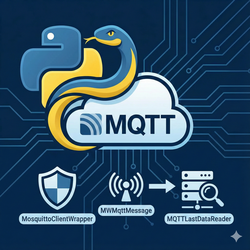
MQTTStuff provides a higher-level interface over paho-mqtt to simplify common patterns:
- A
MosquittoClientWrapperto configure, connect, subscribe, and publish with minimal boilerplate - A
MQTTLastDataReaderutility to retrieve the most recent messages for one or more topics quickly - A
MWMqttMessagenormalization data format for sending/receiving data (optional metadata) from/to IOT devices/sensors
Installation
Options:
-
From source (editable):
python -m venv .venv && source .venv/bin/activatepip install -r requirements-dev.txtpip install -e .
-
Build distributions with Hatch:
make pypibuild- Artifacts are created under
dist/
Quick Start
Simple publish and subscribe using the wrapper:
from mqttstuff import MosquittoClientWrapper

client = MosquittoClientWrapper(
    host="localhost", port=1883, username="user", password="pass",
    topics=["test/topic"],
)

def on_any_message(msg, userdata):
    # msg is an instance of MWMqttMessage with convenient fields
    print(msg.topic, msg.value)

client.set_on_msg_callback(on_any_message, rettype="valuemsg")
client.connect_and_start_loop_forever()

# elsewhere or in another process
client.publish_one("test/topic", {"hello": "world"}, retain=False)
TLS/SSL
Enable TLS with the keyword-only tls parameters — no reaching into .client required. Note: enabling TLS does not switch the port automatically; pass the broker's TLS port (typically 8883) yourself.
from mqttstuff import MosquittoClientWrapper

# Simplest case: server certificate validated against the system CA store
client = MosquittoClientWrapper(
    host="broker.example.com", port=8883, username="user", password="pass",
    tls=True,
)

# Custom CA and/or mTLS client certificate (certfile and keyfile only together)
client = MosquittoClientWrapper(
    host="broker.example.com", port=8883, username="user", password="pass",
    tls=True,
    tls_ca_certs="/etc/ssl/my-ca.pem",
    tls_certfile="/etc/ssl/client.pem",
    tls_keyfile="/etc/ssl/client.key",
)

# Self-signed / unknown-CA / reverse-proxy default certs during development:
# skips verification completely — no hostname check and no chain validation
# (implies cert_reqs=ssl.CERT_NONE). The connection stays encrypted but is
# MITM-able. Never use in production.
client = MosquittoClientWrapper(
    host="192.168.1.10", port=8883, username="user", password="pass",
    tls=True, tls_insecure=True,
)

# Chain validation but no hostname check: set cert_reqs explicitly — an explicit
# cert_reqs always wins over the CERT_NONE implied by tls_insecure.
client = MosquittoClientWrapper(
    host="192.168.1.10", port=8883,
    tls=MWTLSConfig(cert_reqs=ssl.CERT_REQUIRED, tls_insecure=True),
)
For full control (ciphers, ALPN, cert_reqs, TLS version, encrypted keyfiles), pass a MWTLSConfig instead:
from mqttstuff import MosquittoClientWrapper, MWTLSConfig

client = MosquittoClientWrapper(
    host="broker.example.com", port=8883, username="user", password="pass",
    tls=MWTLSConfig(
        ca_certs="/etc/ssl/my-ca.pem",
        certfile="/etc/ssl/client.pem",
        keyfile="/etc/ssl/client.key",
        keyfile_password="secret",
        alpn_protocols=["x-amzn-mqtt-ca"],
    ),
)
Mixing both styles (a MWTLSConfig plus tls_* parameters) or passing tls_* parameters while tls=False raises a ValueError. MQTTLastDataReader.get_most_recent_data_with_timeout(...) accepts the same tls/tls_* parameters.
Read last retained or recent messages with a timeout:
from mqttstuff import MQTTLastDataReader

data = MQTTLastDataReader.get_most_recent_data_with_timeout(
    host="localhost", port=1883, username="user", password="pass",
    topics=["tele/+/STATE", "stat/+/STATUS"],
    retained="only",  # "yes" | "no" | "only"
    rettype="str_raw", # or "json", "valuemsg", "str", "int", "float"
)
print(data)
Notes on configuration
This repository does not provide a central config.py anymore. Pass your MQTT connection settings directly to the wrapper (see examples above) or manage configuration in your own application code.
Python Modules
Each Python module provided by this repository is documented here with a focused explanation of its purpose and usage.
Package: mqttstuff
Key classes and responsibilities:
-
MWMqttMessage(Pydantic model)- Normalized container for incoming/outgoing MQTT messages
- Helpers like
from_pahomsg(...)and fields fortopic,qos,retain,payload,value,created_at, and optionalmetadata
-
MWTLSConfig(Pydantic model)- TLS/SSL configuration (
ca_certs,certfile/keyfilefor mTLS,keyfile_password,cert_reqs,tls_version,ciphers,alpn_protocols,tls_insecure) - Unset fields fall back to paho's secure defaults (system CA store,
ssl.CERT_REQUIRED) - Accepted by both
MosquittoClientWrapper(tls=...)andMQTTLastDataReader.get_most_recent_data_with_timeout(tls=...); alternatively use the flat keyword-onlytls=True+tls_ca_certs/tls_certfile/tls_keyfile/tls_insecureparameters
- TLS/SSL configuration (
-
MosquittoClientWrapper- Thin wrapper around
paho.mqtt.client.Client - Native TLS/SSL support via
tls=/tls_*keyword-only parameters (see TLS/SSL section above) - Simplifies connection setup and topic subscriptions via
set_topics([...]) - Register callbacks per-topic (
add_message_callback(topic, callback, rettype=...)) or a global callback (set_on_msg_callback) - Publish utilities:
publish_one(topic, value, created_at=None, metadata=None, rettype="valuemsg", retain=False, timeout=None)publish_multiple(list[MWMqttMessage], timeout=None)
- Connection loop helpers:
connect_and_start_loop_forever(topics=None, timeout_connect_seconds=None)wait_for_connect_and_start_loop()
- Convenience: automatic payload conversion for int/float/str/JSON/valuemsg
- Thin wrapper around
-
MQTTLastDataReader- Static helper to retrieve the most recent messages within a configurable timeout window
- Supports retained-only, no-retained, or mixed operation via
retainedparameter - Returns results in different representations via
rettypeandfallback_rettype
Example – per-topic callback with type conversion:
from mqttstuff import MosquittoClientWrapper

client = MosquittoClientWrapper(
    host="localhost", port=1883, username="user", password="pass",
    topics=["home/+/temperature"],
)

def on_temperature(msg, userdata):
    # msg.value is already a number if rettype="int"/"float"
    print("Temp:", msg.value)

client.add_message_callback("home/+/temperature", on_temperature, rettype="float")
client.connect_and_start_loop_forever()
Module: Helper
Small utilities used across the project:
ComplexEncoderfor JSON serialization of complex types (UUID, datetimes, dict/list pretty rendering)print_pretty_dict_json,get_pretty_dict_json,get_pretty_dict_json_no_sortupdate_deep(base, u)for deep dict/list merge/updateget_exception_tb_as_string(exc)for converting exception tracebacks to stringsget_loguru_logger_info()to introspect Loguru handlers and filters
Docker
Docker image building and publishing have been removed from this repository. If you need containerization, consider creating a separate Docker setup in your own project using this package from PyPI.
Development
Helpful Makefile targets:
make help– list available targets with short descriptionsmake install– create virtualenv and install development requirementsmake venv– ensure.venvexists and dev requirements are installedmake tests– run pytestmake lint– run Black code formattermake isort– fix and check import ordermake tcheck– run mypy type checks over*.py,scripts/, andmqttstuff/make commit-checks– run pre-commit hooks on all filesmake prepare– run tests and commit-checks (useful before committing/PRs)make pypibuild– build sdist and wheel with Hatch intodist/make pypipush– publish built artifacts with Hatch (configure credentials first)
Testing
Tests live under tests/. Run all tests with:
pytest -q
License
This project is licensed under the LGPL where applicable/possible — see LICENSE.md. Some files/parts may be governed by other licenses and/or licensors, such as MIT | GPL | LGPL. Please also check file headers/comments.
Acknowledgments
See inline comments in the codebase for inspirations and references.
⚠️ Disclaimer
This is a development/experimental project. For production use, review security settings, customize configurations, and test thoroughly in your environment. Provided "as is" without warranty of any kind, express or implied, including but not limited to the warranties of merchantability, fitness for a particular purpose and noninfringement. In no event shall the authors or copyright holders be liable for any claim, damages or other liability, whether in an action of contract, tort or otherwise, arising from, out of or in connection with the software or the use or other dealings in the software. Use at your own risk.
1 maintainer

Metadata
1 maintainer
Release files for mqttstuff 0.0.7
For a detailed explanation of source distributions (sdists) and built distributions (wheels), please see the package formats documentation.
Source distribution (sdist)
| File | Size | Uploaded | |
|---|---|---|---|
| mqttstuff-0.0.7.tar.gz | 17.5 kB | Details |
Built distribution (wheel)
| File | Interpreter | ABI | Platform | Reset |
|---|---|---|---|---|
| mqttstuff-0.0.7-py3-none-any.whl | Python 3 | none | any | Details |
Total release size: 34.7 kB
Release files / mqttstuff-0.0.7.tar.gz
| Download URL | mqttstuff-0.0.7.tar.gz |
|---|---|
| Size | 17.5 kB |
| Tags | Source |
|
SHA-256 checksum How to use checksums |
a255627f9b396642d541eb85c3cd189cb981fc05844001d019d5e211fd36d617
|
|
BLAKE2b-256 checksum How to use checksums |
dceea5f4bb1c0ecf2cb31f438975e6a7898cb897952c4c4df524425ae8a768f2
|
| Upload date | |
|
Uploaded using Trusted Publishing? What is trusted publishing? |
No |
| Uploaded via |
Hatch/1.16.2 cpython/3.14.4 HTTPX/0.28.1
|
Release files / mqttstuff-0.0.7-py3-none-any.whl
| Download URL | mqttstuff-0.0.7-py3-none-any.whl |
|---|---|
| Size | 17.2 kB |
| Tags | Python 3 |
|
SHA-256 checksum How to use checksums |
c26e0df9f87ac643f836f40a27c0f5015083717aa72485ea35be4b1740fe6f14
|
|
BLAKE2b-256 checksum How to use checksums |
91bf2b62a04d2a72f46ab4d84702115225ffa8c1bf0b4e5524d6a52b0ac7f496
|
| Upload date | |
|
Uploaded using Trusted Publishing? What is trusted publishing? |
No |
| Uploaded via |
Hatch/1.16.2 cpython/3.14.4 HTTPX/0.28.1
|














