
Mr. Black
A comprehensive text extraction and PII detection toolkit for Python.
Overview
Mr. Black is a powerful, versatile library for extracting text from virtually any source and detecting PII (Personally Identifiable Information) in extracted content. It provides a unified interface for text extraction from:
- Files (PDFs, DOCx, Excel, images, audio, and more)
- URLs and web pages (with JavaScript rendering)
- Screenshots
- Raw text
The library also includes robust PII detection capabilities with customizable regex patterns for various types of sensitive information.
Features
Text Extraction
- Universal Text Extraction: Extract text from almost any document format
- Web Content: Scrape and extract text from websites (with JS rendering)
- OCR Capabilities: Extract text from images and screenshots
- Audio Transcription: Convert audio to text
- Password-Protected Files: Support for extracting from encrypted documents
- Metadata Extraction: Get comprehensive file metadata
- Text Analysis: Summarization, language detection, and basic analytics
PII Detection
- Comprehensive Pattern Library: Detect a wide range of PII types
- Customizable Patterns: Extend with your own regex patterns
- Multiple Input Sources: Scan files, URLs, text, or screen content
- Batch Processing: Process entire directories efficiently
- Rich Output Options: Formatted display or JSON output
Installation
# pip installation
pip install mrblack

# pipx installation
pipx install mrblack
Command Line Interface
Mr. Black provides comprehensive command-line utilities for both text extraction and PII detection.
mrblack CLI
mrblack

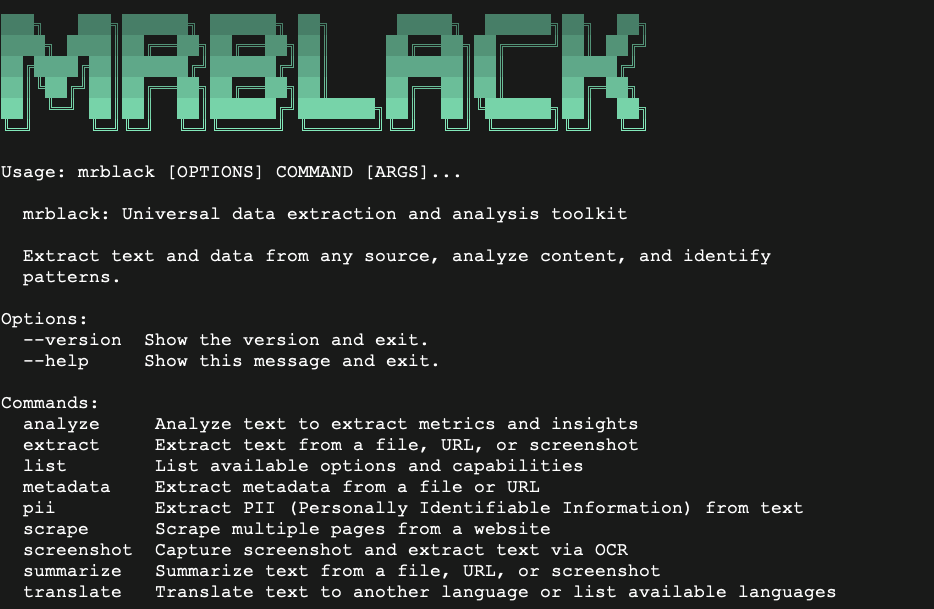
Usage: mrblack [OPTIONS] COMMAND [ARGS]...

  mrblack: Universal data extraction and analysis toolkit

  Extract text and data from any source, analyze content, and identify
  patterns.

Options:
  --version  Show the version and exit.
  --help     Show this message and exit.

Commands:
  analyze     Analyze text to extract metrics and insights
  extract     Extract text from a file, URL, or screenshot
  list        List available options and capabilities
  metadata    Extract metadata from a file or URL
  pii         Extract PII (Personally Identifiable Information) from text
  scrape      Scrape multiple pages from a website
  screenshot  Capture screenshot and extract text via OCR
  summarize   Summarize text from a file, URL, or screenshot
  translate   Translate text to another language or list available languages
mrblack Text Utils
# Basic usage
mrblack [ACTION] [SOURCE] [MODIFIER]

# Basic text extraction
mrblack extract document.pdf

# Extract from a URL
mrblack extract https://example.com

# Capture and extract from screen
mrblack screenshot

# Extract and summarize
mrblack summarize document.pdf --sentences 3

# Extract and translate
mrblack translate ja https://example.com

# Extract metadata only
mrblack metadata document.docx

# List available translation languages
mrblack translate

# Scrape multiple pages from a website
mrblack scrape 10 https://example.com

# Output results as plaintext
mrblack extract https://example.com --raw

# Process files in chunks (for large files)
mrblack extract large_document.docx --chunked

# Analyze text content of a file
mrblack analyze filename.wav

# Save output to a file
mrblack extract document.html --output outfile.txt

# Process text from images with OCR
mrblack extract image.png
mrblack PII Utils
# Detect PII in a file
mrblack pii document.pdf

# Detect PII from a URL
mrblack pii https://example.com

# Detect PII from screen capture
mrblack pii screenshot

# List all available PII labels
mrblack pii

# Filter for specific PII types
mrblack pii url,email document.pdf

# Output results as JSON
mrblack pii document.pdf --json

# Save results to a file
mrblack pii document.pdf --json --output results.json
mrblack Pipe Examples
Mrblack can process piped data input.
# Basic redirect
cat filename | mrblack [ACTION]

# Translate a website to Russian
curl https://example.com | mrblack translate ru
Use Cases
Some basic use cases for using mrblack.
# Extract email addresses from a website
mrblack pii email https://example.com

# Summarize a document
mrblack summarize document.pdf --raw

# Get the number of unique words in a document
mrblack analyze document.docx --json | jq ".unique_words"

# Extract information about any file on your system and it's content.
mrblack extract /bin/bash
Mr. Black Library Usage
Basic Text Extraction
from mrblack import extract_text, text_from_url, text_from_screenshot

# Extract text from a file
content = extract_text('document.pdf')
print(content)

# Extract text from a URL
web_text = text_from_url('https://example.com')
print(web_text)

# Capture and extract text from the screen
screen_text = text_from_screenshot()
print(screen_text)
Advanced Text Processing
from mrblack import (
    summarize_text,
    analyze_text,
    translate_text,
    detect_language,
    extract_metadata
)

# Extract and summarize text
text = extract_text('article.pdf')
summary = summarize_text(text, sentences=5)
print(summary)

# Analyze text content
analysis = analyze_text(text)
print(f"Word count: {analysis['word_count']}")
print(f"Language detected: {analysis['language']}")
print(f"Most common words: {analysis['most_common_words'][:5]}")

# Translate text
translated = translate_text(text, target_lang='es')
print(translated)

# Extract metadata
metadata = extract_metadata('document.docx')
print(metadata)
PII Detection
from mrblack import (
    extract_pii_text,
    extract_pii_file,
    extract_pii_url,
    extract_pii_screenshot
)

# Detect PII in raw text
text = "Contact John Doe at john.doe@example.com or (123) 456-7890"
pii = extract_pii_text(text)
print(pii)
# Output: {'email': ['john.doe@example.com'], 'phone_number': ['(123) 456-7890']}

# Detect PII in a file
file_pii = extract_pii_file('resume.pdf')
print(file_pii)

# Detect PII on a website
url_pii = extract_pii_url('https://example.com/contact')
print(url_pii)

# Capture screen and detect PII
screen_pii = extract_pii_screenshot()
print(screen_pii)
Filter By PII Types
from mrblack import extract_pii_text

text = "My SSN is 123-45-6789 and my credit card is 4111-1111-1111-1111"
# Extract only specific PII types
pii = extract_pii_text(text, labels=["social_security", "credit_card"])
print(pii)
Supported PII Types
Mr. Black can detect numerous types of PII and sensitive information:
| Category | PII Types |
|---|---|
| Personal Identifiers | Email, Phone, Social Security Numbers, Passport Numbers |
| Financial | Credit Card Numbers, Bank Account Numbers, Routing Numbers, SWIFT Codes |
| Geographic | Postal/ZIP Codes, Addresses |
| Technical | IP Addresses (v4/v6), MAC Addresses, UUIDs |
| Temporal | Dates, Times, Datetime formats |
| Files/Paths | Windows Paths, Unix Paths |
| Technology | Protocol names, Programming Languages, File Formats, OS names |
| Miscellaneous | VIN Numbers, Hex Numbers, Environment Variables |
Supported File Formats
Mr. Black supports text extraction from a wide range of file formats:
| Category | Supported Formats |
|---|---|
| Documents | PDF, DOC, DOCX, ODT, RTF, TXT |
| Spreadsheets | XLS, XLSX, CSV |
| Presentations | PPT, PPTX |
| Web | HTML, XML, JSON, YAML |
| Images | PNG, JPG, JPEG, GIF, TIFF, BMP, WebP |
| Audio | MP3, WAV, FLAC, AAC, OGG |
| E-Books | EPUB |
| Archives | ZIP (with extraction) |
1 maintainer

Metadata
1 maintainer
Release files for mrblack 0.2.7
For a detailed explanation of source distributions (sdists) and built distributions (wheels), please see the package formats documentation.
Source distribution (sdist)
| File | Size | Uploaded | |
|---|---|---|---|
| mrblack-0.2.7.tar.gz | 55.6 kB | Details |
Built distribution (wheel)
| File | Interpreter | ABI | Platform | Reset |
|---|---|---|---|---|
| mrblack-0.2.7-py3-none-any.whl | Python 3 | none | any | Details |
Total release size: 110.2 kB
Release files / mrblack-0.2.7.tar.gz
| Download URL | mrblack-0.2.7.tar.gz |
|---|---|
| Size | 55.6 kB |
| Tags | Source |
|
SHA-256 checksum How to use checksums |
b869ea9d1dda545ad63ac6c861fef98a9504f9bb4de66b491ef1a9c5a6eda143
|
|
BLAKE2b-256 checksum How to use checksums |
34cee8b2024598476c55ca72b3b61d0205959354cf4759822c463c63112200b9
|
| Upload date | |
|
Uploaded using Trusted Publishing? What is trusted publishing? |
No |
| Uploaded via |
twine/6.1.0 CPython/3.13.3
|
Release files / mrblack-0.2.7-py3-none-any.whl
| Download URL | mrblack-0.2.7-py3-none-any.whl |
|---|---|
| Size | 54.5 kB |
| Tags | Python 3 |
|
SHA-256 checksum How to use checksums |
211b7488ab5128672eb4294575a3de9c5910d1c657b6bedb1abf063ebdba5347
|
|
BLAKE2b-256 checksum How to use checksums |
0011244b0e8a4b24e1c5c536cfa387ce5d2d35d148c5f7f30e996ada4760310a
|
| Upload date | |
|
Uploaded using Trusted Publishing? What is trusted publishing? |
No |
| Uploaded via |
twine/6.1.0 CPython/3.13.3
|














