
Fused MCP: Setting up MCP Servers for Data Scientists

Project description
Fused MCP Agents: Setting up MCP Servers for Data



Documentation 🌪️ Read the announcement 🔥 Join Discord
MCP servers allow LLMs like Claude to make HTTP requests, connecting them to APIs & executable code. We built this repo for ourselves & anyone working with data to easily pass any Python code directly to your own desktop Claude app.
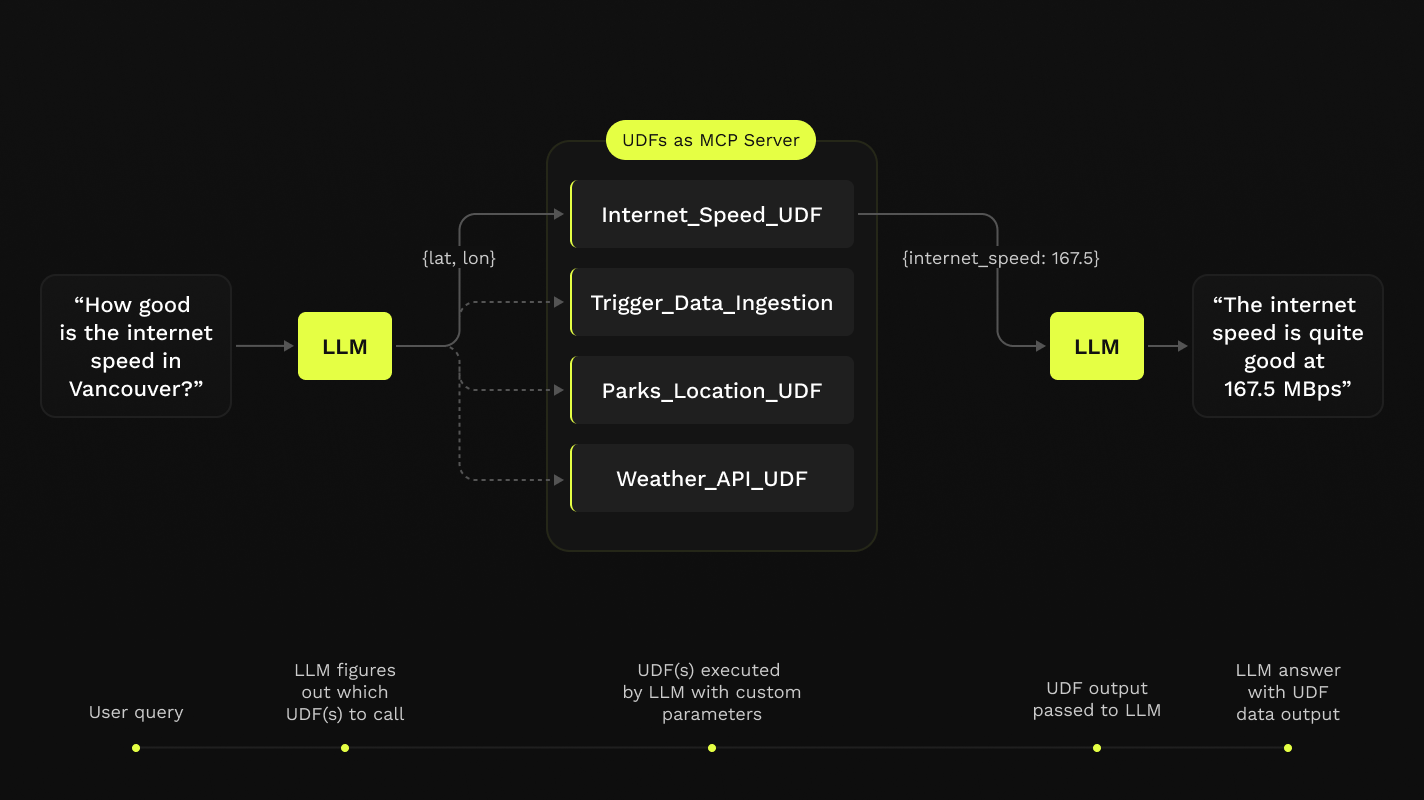
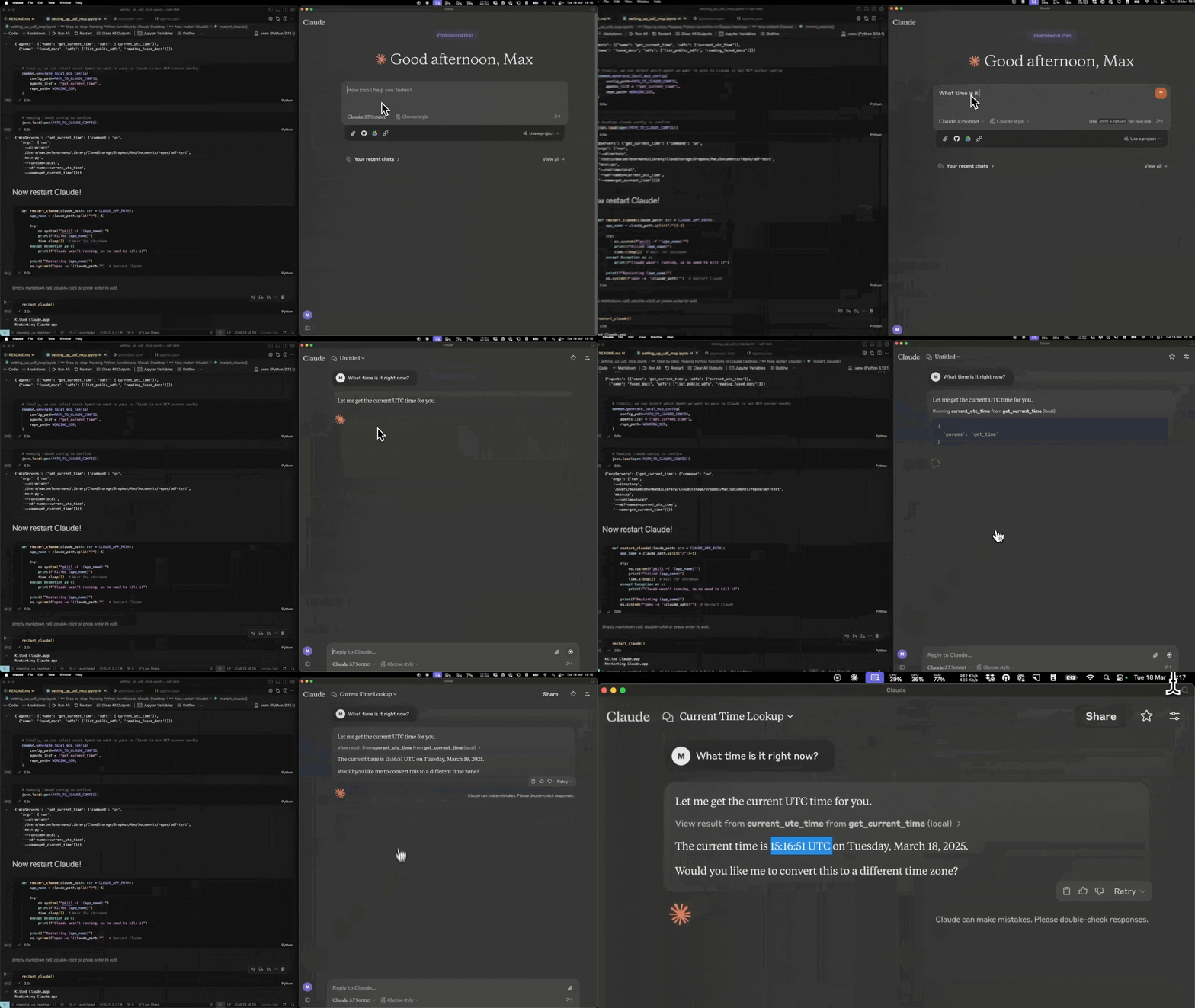
This repo offers a simple step-by-step notebook workflow to setup MCP Servers with Claude's Desktop App, all in Python built on top of Fused User Defined Functions (UDFs).
Requirements
- Python 3.11
- Latest Claude Desktop app installed (macOS & Windows)
If you're on Linux, the desktop app isn't available so we've made a simple client you can use to have it running locally too!
You do not need a Fused account to do any of this! All of this will be running on your local machine.
Installation
-
Clone this repo in any local directory, and navigate to the repo:
git clone https://github.com/fusedio/fused-mcp.git
cd fused-mcp/
-
Install
uvif you don't have it:macOS / Linux:
curl -LsSf https://astral.sh/uv/install.sh | sh
Windows:
powershell -ExecutionPolicy ByPass -c "irm https://astral.sh/uv/install.ps1 | iex" -
Test out the client by asking for its info:
uv run main.py -h
-
Start by following our getting-started notebook
fused_mcp_agents.ipynbin your favorite local IDE to get set up and then make your way to the more advanced notebook to make your own Agents & functions

Repository structure
This repo is build on top of MCP Server & Fused UDFs which are Python functions that can be run from anywhere.
Support & Community
Feel free to join our Discord server if you want some help getting unblocked!
Here are a few common steps to debug the setup:
- Running
uv run main.py -hshould return something like this:

- You might need to pass global paths to some functions to the
Claude_Desktop_Config.json. For example, by default we only passuv:
{
    "mcpServers": {
        "qgis": {
            "command": "uv",
            "args": ["..."]
        }

    }
}
But you might need to pass the full path to uv, which you can simply pass to common.generate_local_mcp_config in the notebook:
# in fused_mcp_agents.ipynb
import shutil

common.generate_local_mcp_config(
    config_path=PATH_TO_CLAUDE_CONFIG,
    agents_list = ["get_current_time"],
    repo_path= WORKING_DIR,
    uv_path=shutil.which('uv'),
)
Which would create a config like this:
{
    "mcpServers": {
        "qgis": {
            "command": "/Users/<YOUR_USERNAME>/.local/bin/uv",
            "args": ["..."]
        }

    }
}
- If Claude runs without showing any connected tools, take a look at the MCP Docs for troubleshooting the Claude Desktop setup
Contribute
Feel free to open PRs to add your own UDFs to udfs/ so others can play around with them locally too!
Using a local Claude client (without Claude Desktop app)
If you are unable to install the Claude Desktop app (e.g., on Linux), we provide a small example local client interface to use Claude with the MCP server configured in this repo:
NOTE: You'll need an API key for Claude here as you won't use the Desktop App
-
Create an Anthropic Console Account
-
Create an Anthropic API Key
-
Create a
.env:touch .env -
Add your key as
ANTHROPIC_API_KEYinside the.env:# .env ANTHROPIC_API_KEY = "your-key-here" -
Start the MCP server:
uv run main.py --agent get_current_time
-
In another terminal session, start the local client, pointing to the address of the server:
uv run client.py http://localhost:8080/sse


Download files
Download the file for your platform. If you're not sure which to choose, learn more about installing packages.
Source Distribution
Built Distribution
Filter files by name, interpreter, ABI, and platform.
If you're not sure about the file name format, learn more about wheel file names.
Copy a direct link to the current filters
File details
Details for the file mseep_fused_mcp-0.1.0.tar.gz.
File metadata
- Download URL: mseep_fused_mcp-0.1.0.tar.gz
- Upload date:
- Size: 4.7 kB
- Tags: Source
- Uploaded using Trusted Publishing? No
- Uploaded via: twine/6.1.0 CPython/3.11.12
File hashes
| Algorithm | Hash digest | |
|---|---|---|
| SHA256 |
08c18677668029530308a0630b55b088f00c2add353029ef7781e3907f50581e
|
|
| MD5 |
aab85a4fcde909211ac37bcbbdb2edc8
|
|
| BLAKE2b-256 |
1f06f4497e80aaaf6b85161572f03f85303356c159bbc3afeca6dea96ec8e120
|
File details
Details for the file mseep_fused_mcp-0.1.0-py3-none-any.whl.
File metadata
- Download URL: mseep_fused_mcp-0.1.0-py3-none-any.whl
- Upload date:
- Size: 4.6 kB
- Tags: Python 3
- Uploaded using Trusted Publishing? No
- Uploaded via: twine/6.1.0 CPython/3.11.12
File hashes
| Algorithm | Hash digest | |
|---|---|---|
| SHA256 |
e32e31d0d676492ccd09f2d1159b7c1660269559c35fa3d9fa9a686895c6d425
|
|
| MD5 |
5a793dd99e799b031d129bf844d23cf7
|
|
| BLAKE2b-256 |
cb4f1b679e94bebd23fd7a3ab62cf83a700dcd8673f9da9464f3c81aab3d09c4
|






