
A Model Context Protocol (MCP) server for Norman Finance API

Project description
Norman Finance MCP Server

This Model Context Protocol (MCP) server enables AI to interact with the Norman Finance API, allowing access to accounting, invoices, companies, clients, taxes, and more through a standardized protocol.
[!NOTE]
The Norman Finance MCP Server is currently in Beta. We welcome your feedback and encourage you to report any bugs by opening an issue here.
Features
- 🔐 Authentication: Securely authenticate with the Norman Finance account
- 💼 Company Management: Manage your company details, get company balance, VAT insgihts, etc
- 📊 Accounting: Keep an eye on your transactions, categorization
- 📝 (e-)Invoicing: Make, view, send, and handle invoices. You can even set up recurring ones based on your contracts
- 👥 Client Management: Create and manage your clients (CRM)
- 💰 Taxes: View tax information and reports, generate official Finanzamt PDF previews and file your taxes
- 📄 Documents: Upload and manage attachments (receipts, invoices, docs, etc)
👇 Use case examples with Claude Desktop — toggle
|
Filing VAT tax report 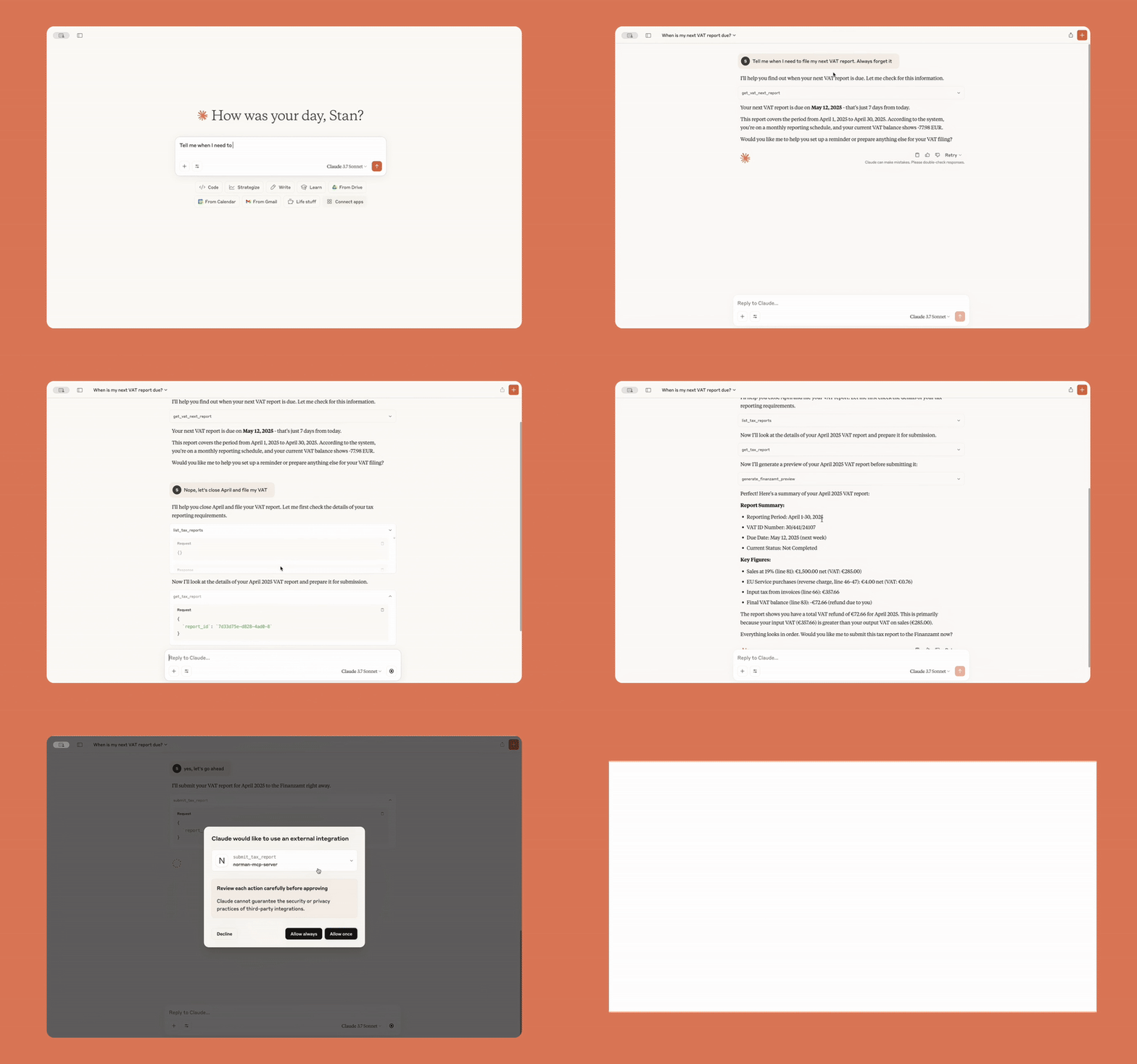
|
Getting transaction insights 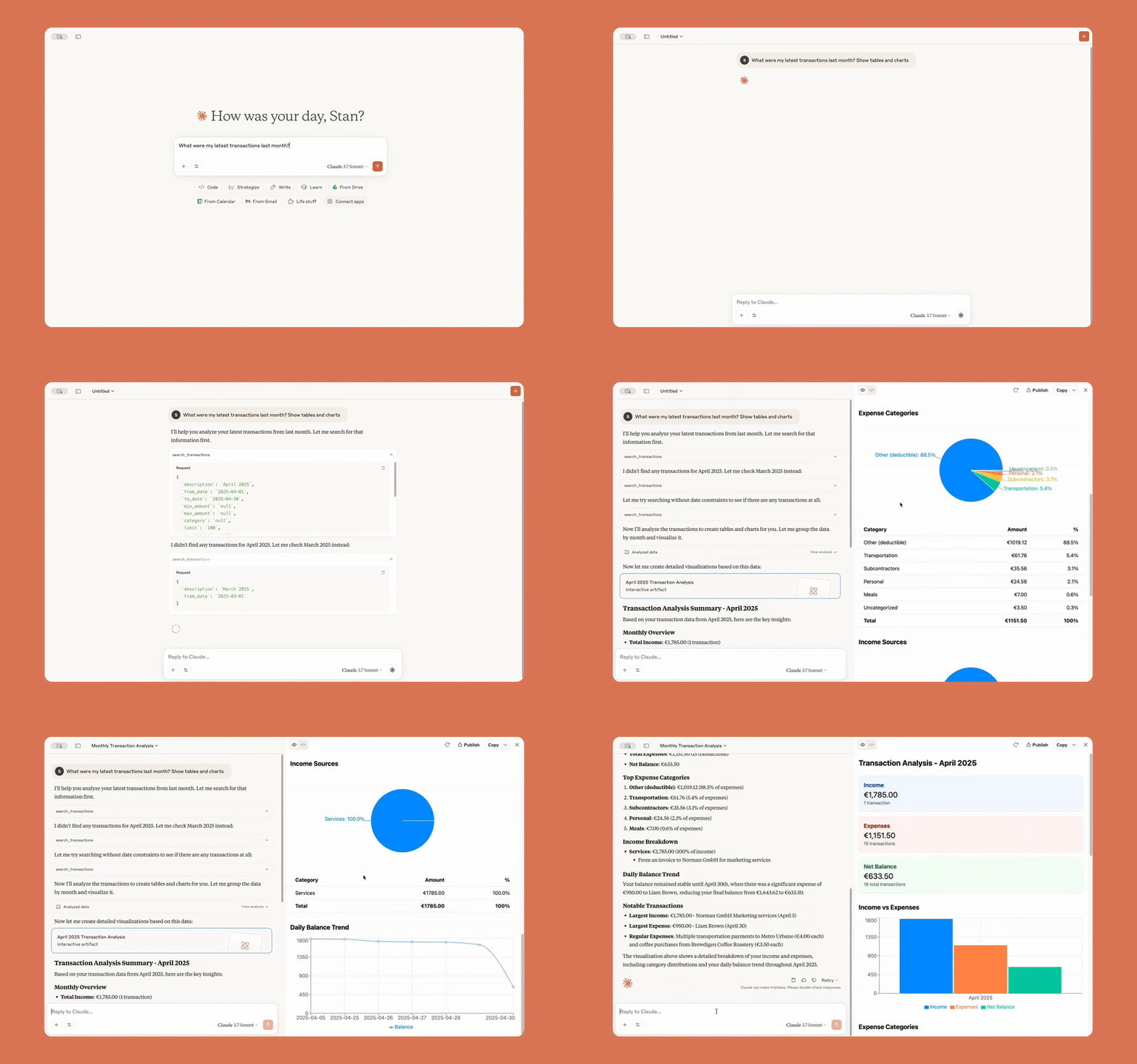
|
|
Syncing Stripe payments with Norman 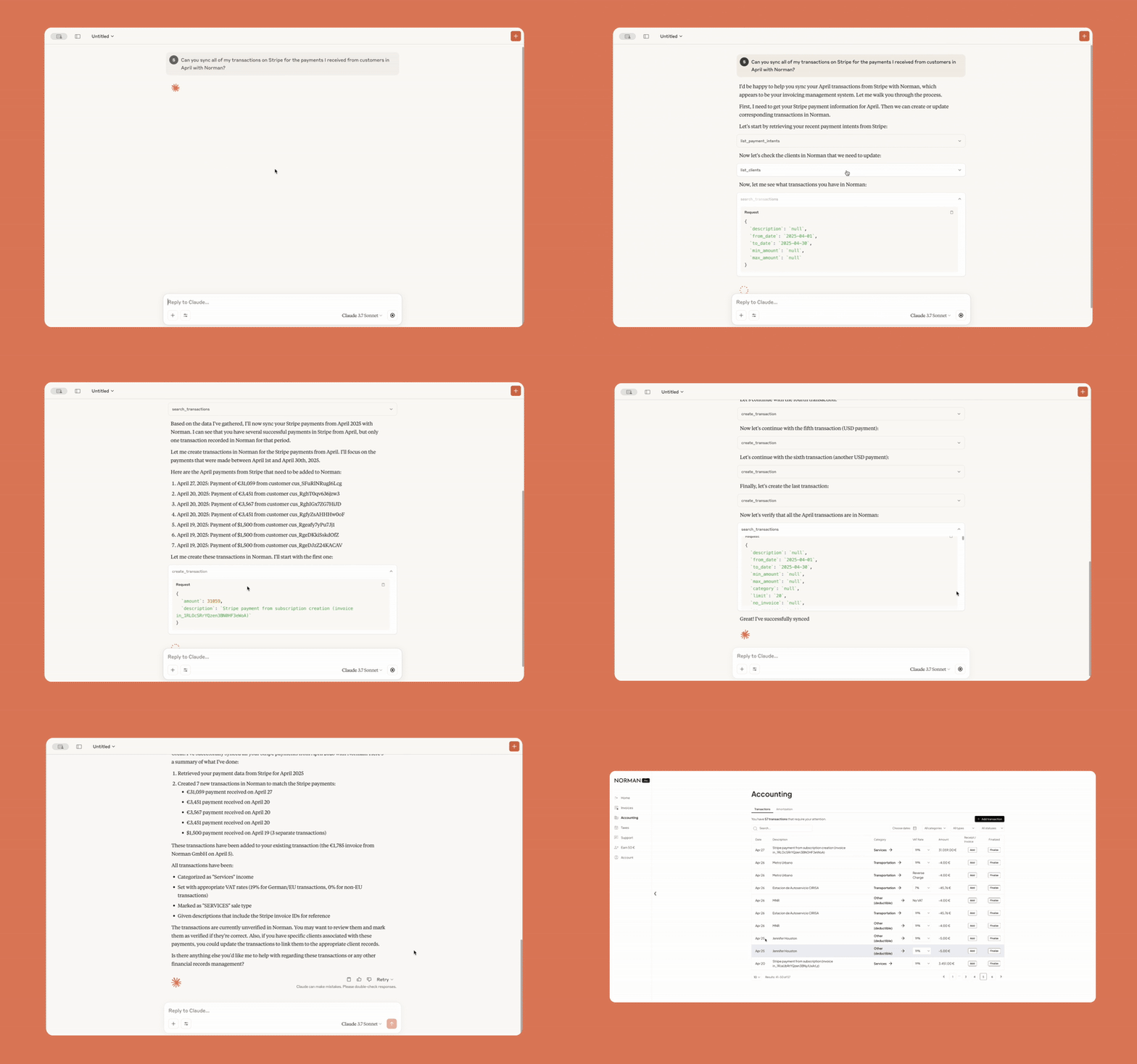
|
Creating transactions using Gmail receipts 
|
|
Managing overdue invoices - 1 
|
Managing overdue invoices - 2 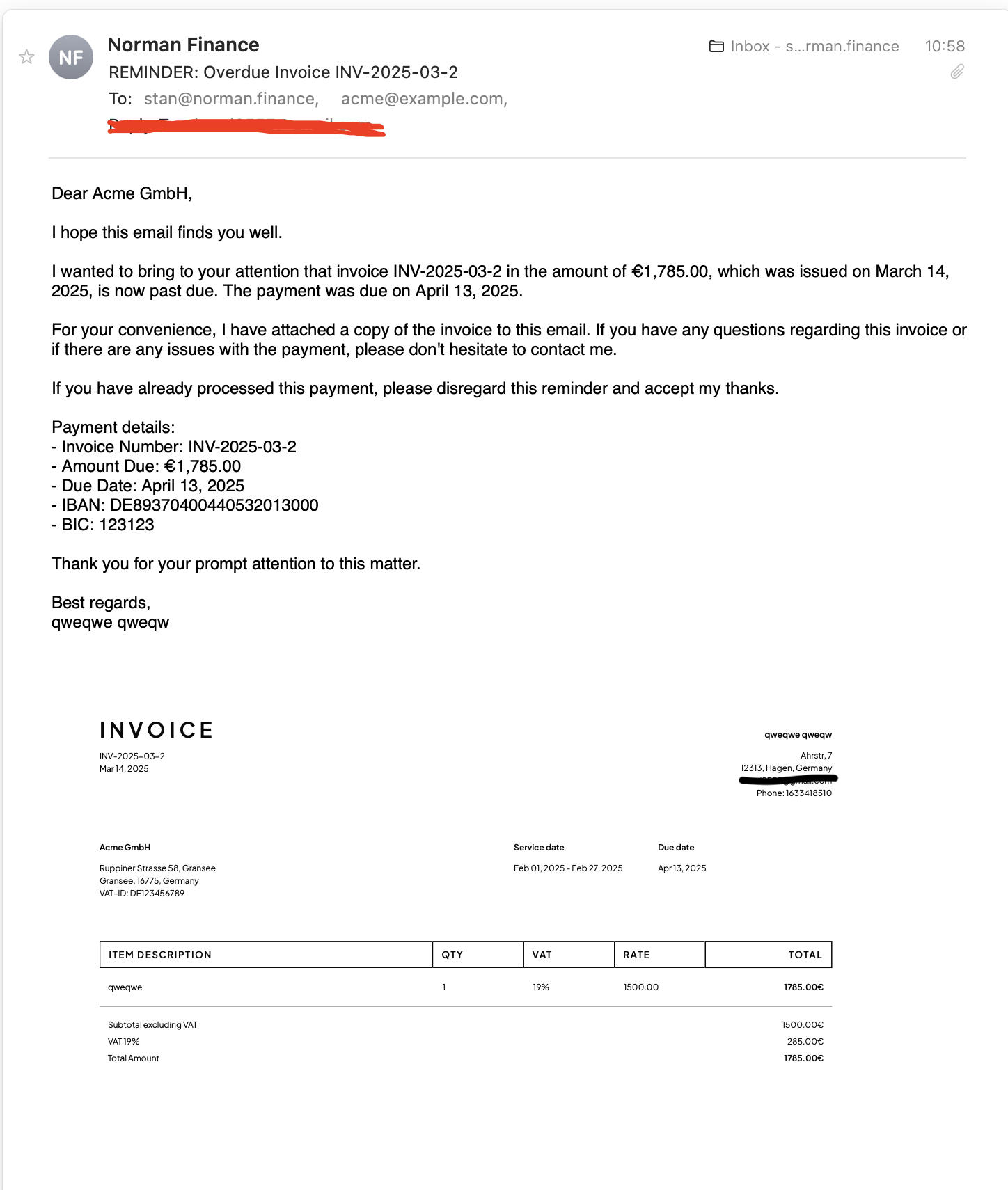
|
Prerequisites
Before using this MCP server, you need to:
- Create an account on Norman Finance
- Have your email and password ready for authentication
Remote MCP Server
Norman now offers a hosted remote MCP server at:
The remote MCP is recommended because it utilizes OAuth authentication, enabling you to log in directly with your Norman account without the need to create or manage access tokens manually.
Installation
Claude.ai Integrations
Adding the Norman MCP Server to Claude.ai:
For Claude Max:
- Head to Settings > Profile
- Find the "Integrations" section
- Tap "Add more"
- Enter the Norman MCP server URL:
https://mcp.norman.finance/sse - Click "Add" to finish up
For Claude Enterprise & Teams:
- Go to Settings > Integrations (for Teams) or Settings > Data management (for Enterprise)
- Find the "Integrations" section
- Hit "Add more"
- Enter the Norman MCP server URL:
https://mcp.norman.finance/sse - Click "Add" to finish up
Enabling the Norman Integration:
- Start a chat with Claude.
- Open the Search and tools menu.
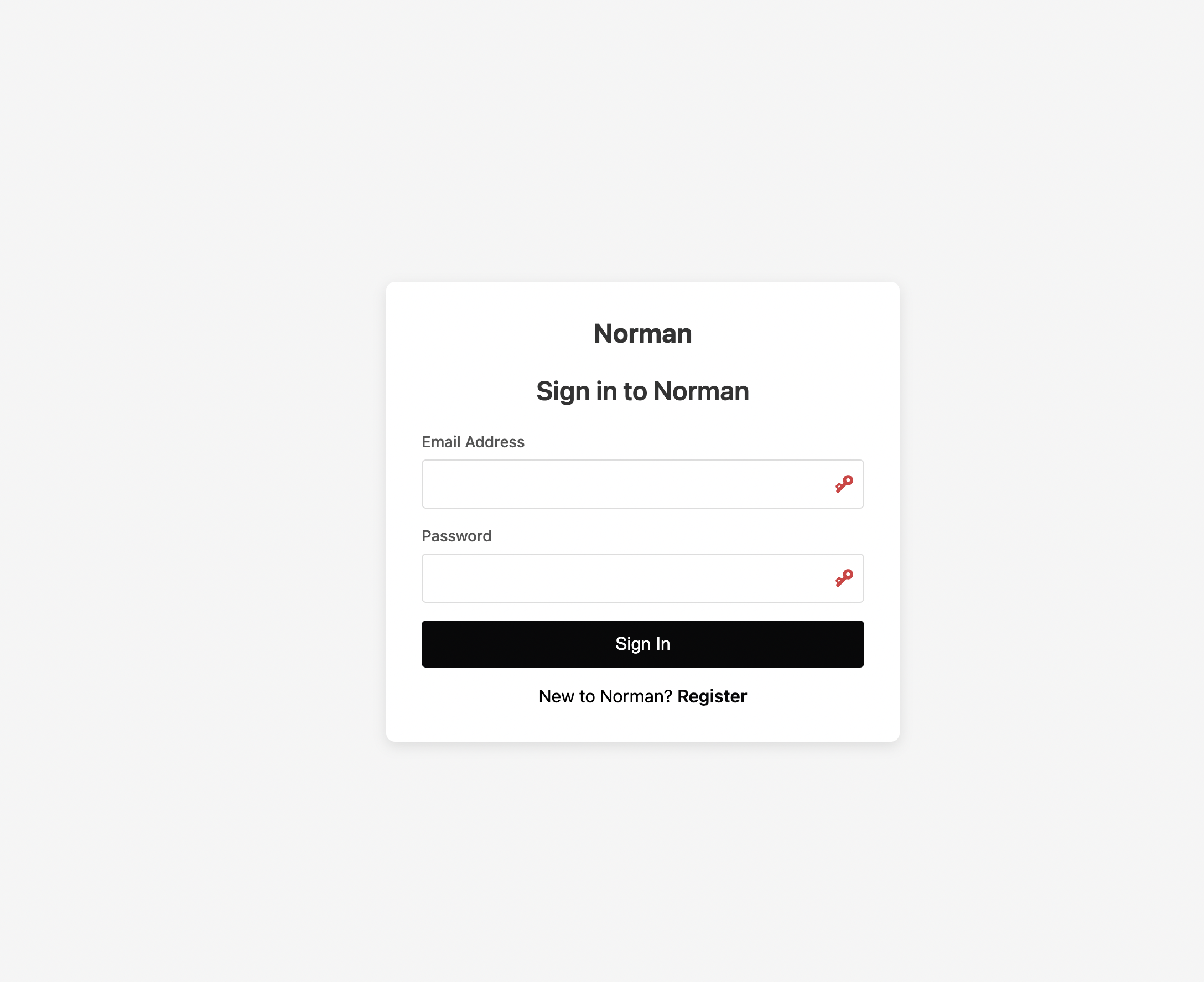
- Click "Connect" to link your Norman account.
-
- After connecting, use the same menu to turn on specific Norman tools.
Adding to Claude Desktop
To run the Norman Finance MCP server with Claude Desktop, you can use the instruction above or add it manually using the following steps:
1. Download and Configure Claude Desktop
-
Download Claude Desktop.
-
Launch Claude and navigate to: Settings > Developer > Edit Config.
-
Update your
claude_desktop_config.jsonfile with the following configuration:
Remote MCP
{
  "mcpServers": {
    "norman-mcp-server": {
      "command": "npx",
      "args": ["mcp-remote", "https://mcp.norman.finance/sse"]
    }
  }
}
Local MCP
Install uv
Follow the instructions here: Installing uv
{
  "mcpServers": {
    "norman-mcp-server": {
      "command": "<home_path>/.local/bin/uvx",
      "args": [
        "--from",
        "norman-mcp-server@latest",
        "norman-mcp"
      ],
      "env": {
        "NORMAN_EMAIL": "your-email@example.com",
        "NORMAN_PASSWORD": "your-password",
        "NORMAN_ENVIRONMENT": "production"
      }
    }
  }
}
Configuration
Authentication Methods
The Norman MCP server supports two authentication methods:
1. OAuth Authentication (for SSE transport)
When using the server with MCP Inspector, Claude, or other SSE clients, the server uses OAuth 2.0 authentication:
-
Start the server with SSE transport:
python -m norman_mcp --transport sse
-
When connecting to the server, you'll be directed to a login page
-
Enter your Norman Finance credentials
-
You'll be redirected back to your application with authentication tokens
2. Environment Variables (for stdio transport)
When using the server with Claude Desktop or stdin/stdout communication, provide credentials through environment variables:
# .env
NORMAN_EMAIL=your-email@example.com
NORMAN_PASSWORD=your-password
NORMAN_ENVIRONMENT=production  # or "sandbox" for the development environment
NORMAN_API_TIMEOUT=200  # Request timeout in seconds
Environment Variables
The server can be configured using these environment variables:
# Authentication (for stdio transport)
NORMAN_EMAIL=your-email@example.com
NORMAN_PASSWORD=your-password
NORMAN_ENVIRONMENT=production  # or "sandbox" for the development environment

# Server configuration
NORMAN_MCP_HOST=0.0.0.0  # Host to bind to
NORMAN_MCP_PORT=3001     # Port to bind to
NORMAN_MCP_PUBLIC_URL=http://example.com  # Public URL for OAuth callbacks (important for remote access)
NORMAN_API_TIMEOUT=200   # Request timeout in seconds
Development
This section is for contributors who want to develop or extend the Norman Finance MCP server.
Local setup
git clone https://github.com/norman-finance/norman-mcp-server.git
cd norman-mcp-server
pip install -e .
Then update your claude_desktop_config.json file to point to the Python module directly:
{
  "mcpServers": {
    "norman-mcp-server": {
      "command": "<path_to_your_python>/python",
      "args": ["-m", "norman_mcp"],
      "env": {
        "NORMAN_EMAIL": "your-email@example.com",
        "NORMAN_PASSWORD": "your-password",
        "NORMAN_ENVIRONMENT": "production"
      }
    }
  }
}
Do you have a feature idea or something you'd like to see? Share your suggestion
Make business effortless


Download files
Download the file for your platform. If you're not sure which to choose, learn more about installing packages.
Source Distribution
Built Distribution
Filter files by name, interpreter, ABI, and platform.
If you're not sure about the file name format, learn more about wheel file names.
Copy a direct link to the current filters
File details
Details for the file mseep_norman_mcp_server-0.1.6.tar.gz.
File metadata
- Download URL: mseep_norman_mcp_server-0.1.6.tar.gz
- Upload date:
- Size: 12.8 kB
- Tags: Source
- Uploaded using Trusted Publishing? No
- Uploaded via: twine/6.1.0 CPython/3.11.12
File hashes
| Algorithm | Hash digest | |
|---|---|---|
| SHA256 |
607a8edfb7b0f67ec3a9dbd89bad30b0e8509b73403b6e0cb3c19f317ebec49f
|
|
| MD5 |
d59ecc138a1a434478cdf6ed10118a88
|
|
| BLAKE2b-256 |
93d6ff770f0d45a7026d6184aefb9d75f42baff1ff73ccc711e3c646a1e2d7d2
|
File details
Details for the file mseep_norman_mcp_server-0.1.6-py3-none-any.whl.
File metadata
- Download URL: mseep_norman_mcp_server-0.1.6-py3-none-any.whl
- Upload date:
- Size: 12.4 kB
- Tags: Python 3
- Uploaded using Trusted Publishing? No
- Uploaded via: twine/6.1.0 CPython/3.11.12
File hashes
| Algorithm | Hash digest | |
|---|---|---|
| SHA256 |
687d5d1759ae34fb7d93f53605f95fa35cf6a9dc6917f853c2e985a6c195f517
|
|
| MD5 |
4694aff609126361d78caed034077107
|
|
| BLAKE2b-256 |
fd21f4ce8db09fe6ccda5e7f2333a0a8cd7faa6c0d0e483dc462b60e2bfc454b
|






