












msmhelper
This is a package with helper functions to work with discrete state trajectories and Markov state models. In contrast to pyemma and msmbuilder, it focuses on Markov state modeling based on an already existing state trajectory. Therefore, neither dimensionality reduction methods nor clustering methods are included. For a methodological overview, we recommend Sittel and Stock.
This package is published in:
msmhelper: A Python Package for Markov State Modeling of Protein Dynamics,
D. Nagel, and G. Stock,
J. Open Source Soft. 2023 8 (85), 5339,
doi: 10.21105/joss.05339
We kindly ask you to cite this article in case you use this software package for published works.
Features
- Simple usage with sleek function-based API
- High performance due to numba-optimized source code, checkout the benchmark comparing to PyEMMA
- Documentation including tutorials
- Powerful command-line interface (CLI) to create publication-ready figures
- Supports Python 3.8-3.11
Implemented Key Functionalities
- Hummer-Szabo projection of optimal dimensionality reduction by Hummer and Szabo 2014
- Dynamical coring by Nagel et al. 2019
- Fast extraction of pathways and MSM-based prediction of pathways based on the definition of Nagel et al. 2020
- Fast calculation of waiting times based on both, state trajectories and MSMs
- Blazing fast Chapman-Kolmogorov test implementation
- Entropy-based similarity measure to compare different state discretizations, this method will be published soon in Nagel 2023
- Contact representation by Nagel et al. 2023 for a compact structural representation of the states
- Command-line interface providing both, visualization and analysis methods
- Provide (non-reversible) transition matrix of all states (corresponds in pyemma to
connectivity='none', 'all'which will (probably) never be implemented)
Getting started
Installation
The package is called msmhelper and is available via PyPI or conda. To install it, simply call:
python3 -m pip install --upgrade msmhelper
or
conda install -c conda-forge msmhelper
or for the latest dev version
# via ssh key
python3 -m pip install git+ssh://git@github.com/moldyn/msmhelper.git

# or via password-based login
python3 -m pip install git+https://github.com/moldyn/msmhelper.git
Documentation and Tutorials
The documentation serves as a comprehensive resource, offering a broad range of information such as general guidelines, API code references, and command line tool details. It also includes a Frequently Asked Questions (FAQ) section and outlines the procedures for contributing to the project. Moreover, a suite of tutorials is available, covering all the primary functionalities of the package. These tutorials are provided in the form of Jupyter notebooks. You can easily obtain these notebooks either directly from the docs/tutorials directory on our GitHub repository or by clicking the download buttons available on each tutorial page within the documentation.
If you prefer, you can compile the documentation on your local machine by executing the following commands:
# install all additional dependencies
python -m pip install msmhelper[docs]
# build the docs inside the site directory
python -m mkdocs build
Shell Completion
Using the bash, zsh or fish shell click provides an easy way to
provide shell completion, checkout the
docs.
In the case of bash you need to add following line to your ~/.bashrc
eval "$(_MSMHELPER_COMPLETE=bash_source msmhelper)"
In general one can call the module directly by its entry point $ msmhelper
or by calling the module $ python -m msmhelper. The latter method is
preferred to ensure using the desired python environment. For enabling
the shell completion, the entry point needs to be used.
Usage
This package offers either a command line interface to run standalone analysis and to create commonly-used figures, or its much more powerful API can be used to embedded it into an existing Python workflow. Check out the documentation for an overview over all modules and some example workflows, and for some examples see the following section.
import msmhelper as mh

# open text files
traj = mh.openmicrostates(filename, limitsfile)
# create markov state model
tmat, states = mh.estimate_markov_model(traj, lagtime=1)
...
Hummer-Szabo Projection
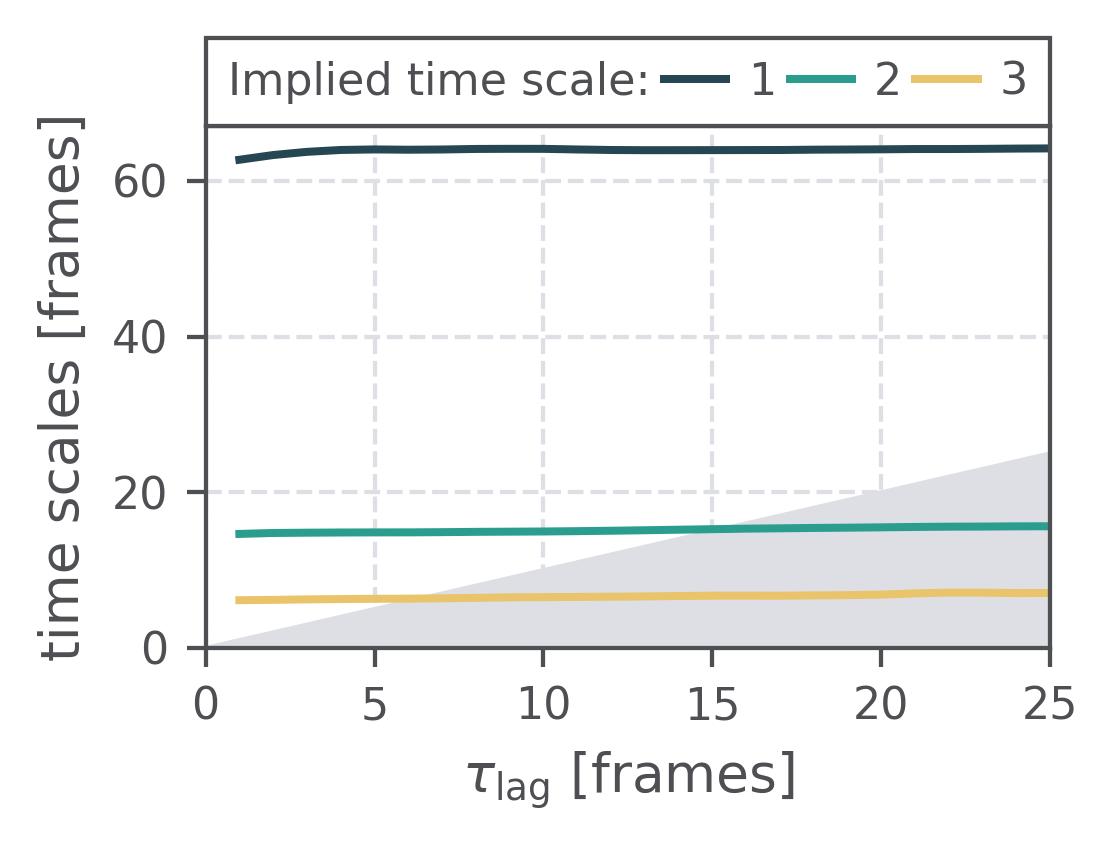
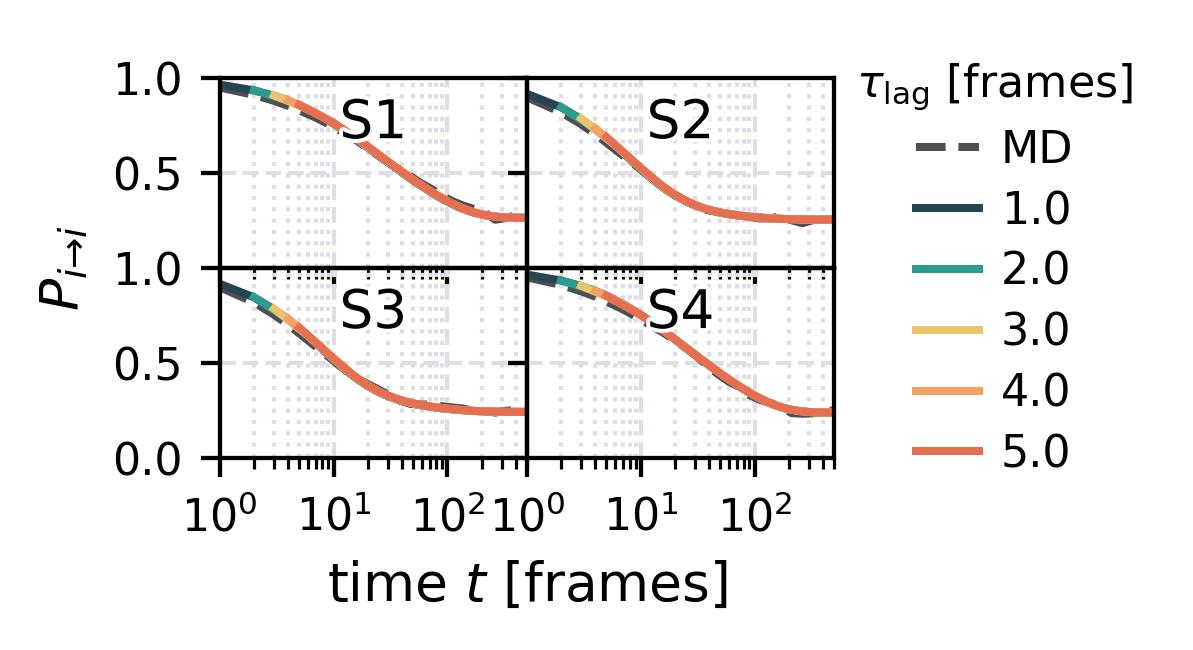
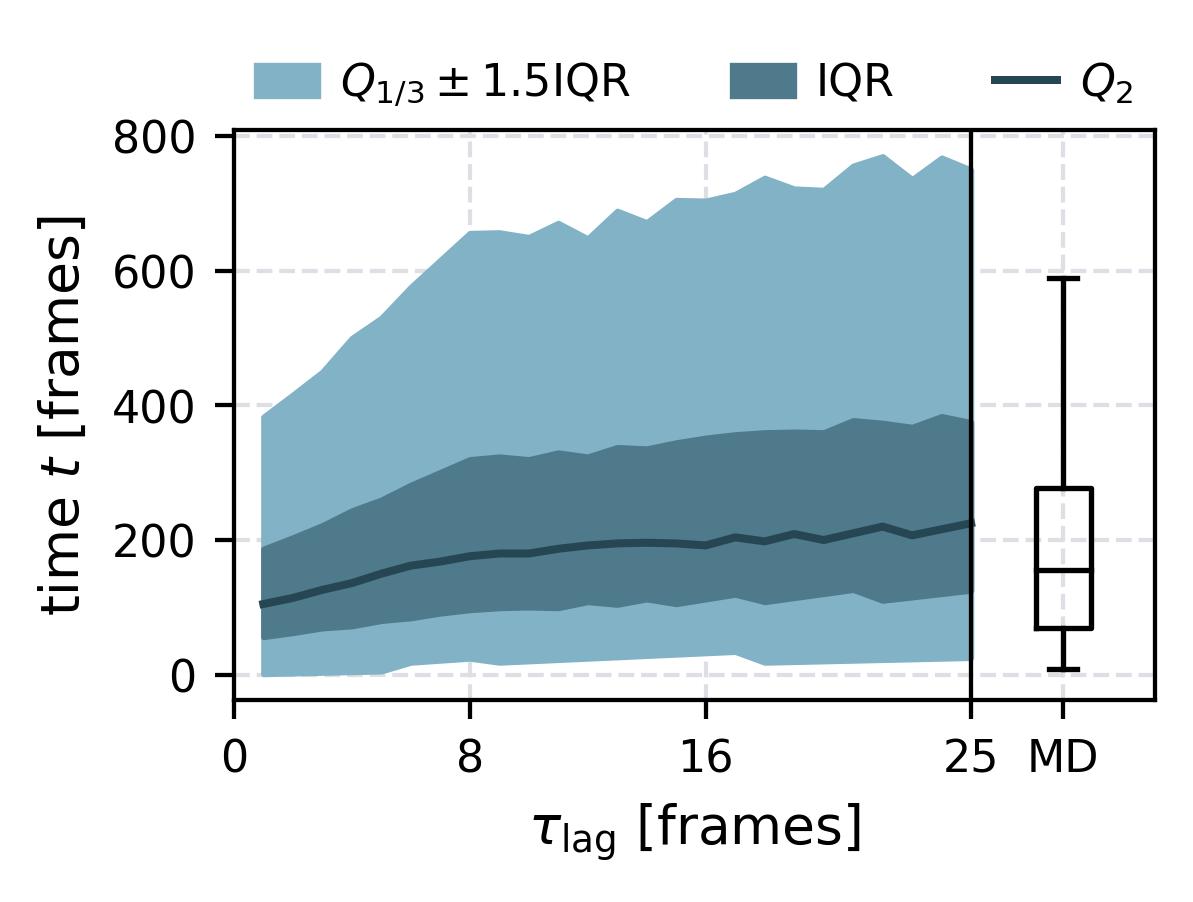
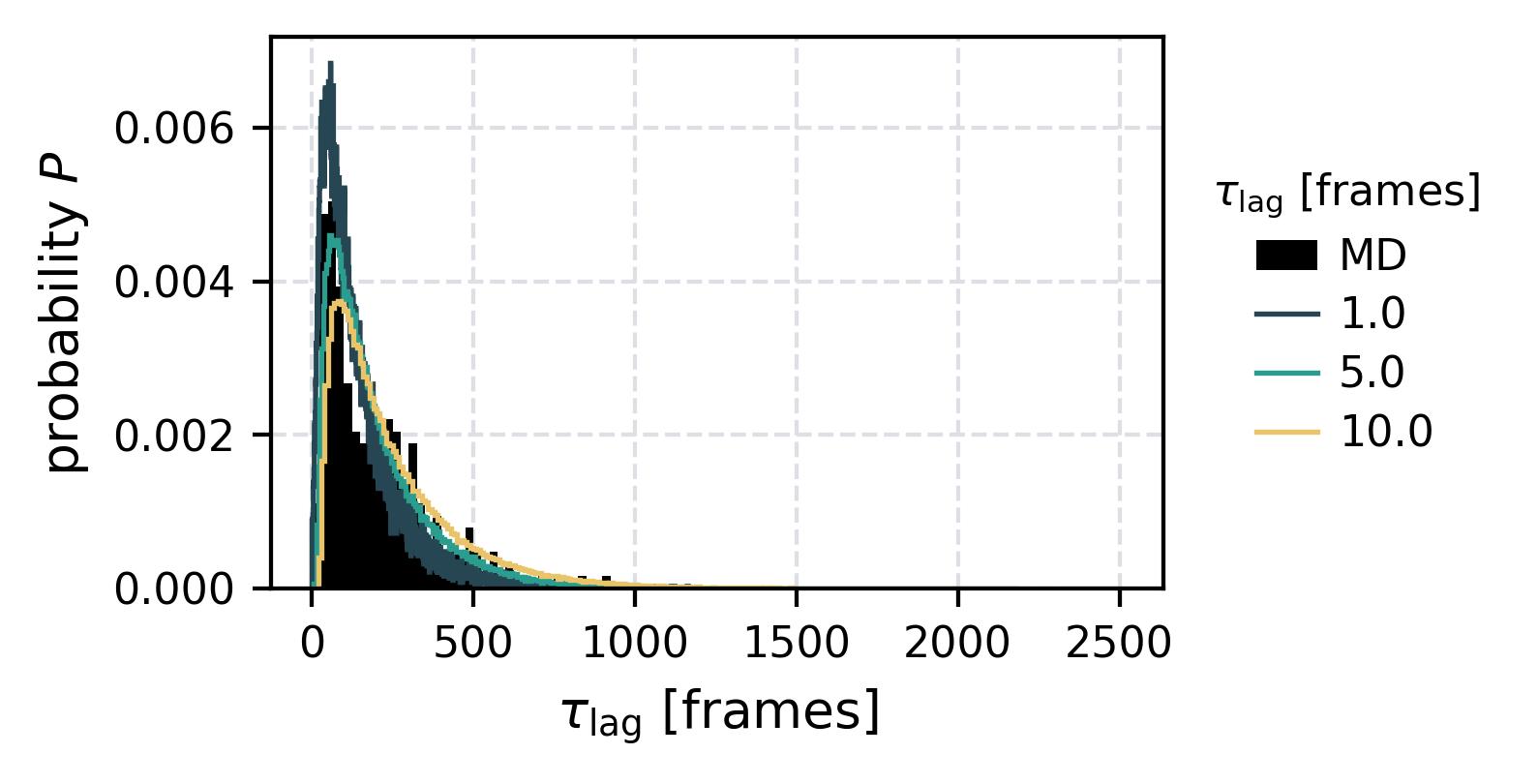
In the following we show some sample figures produced directly with the command line tools. For more information on that, there is a tutorial explaining the methods more in depth. In general we can see, that applying the HS-projection removes most projection artifacts based on coarse-graining many microstates into a few macrostates.
| Method | MSM | Hummer-Szabo MSM |
|---|---|---|
| Implied Timescales | 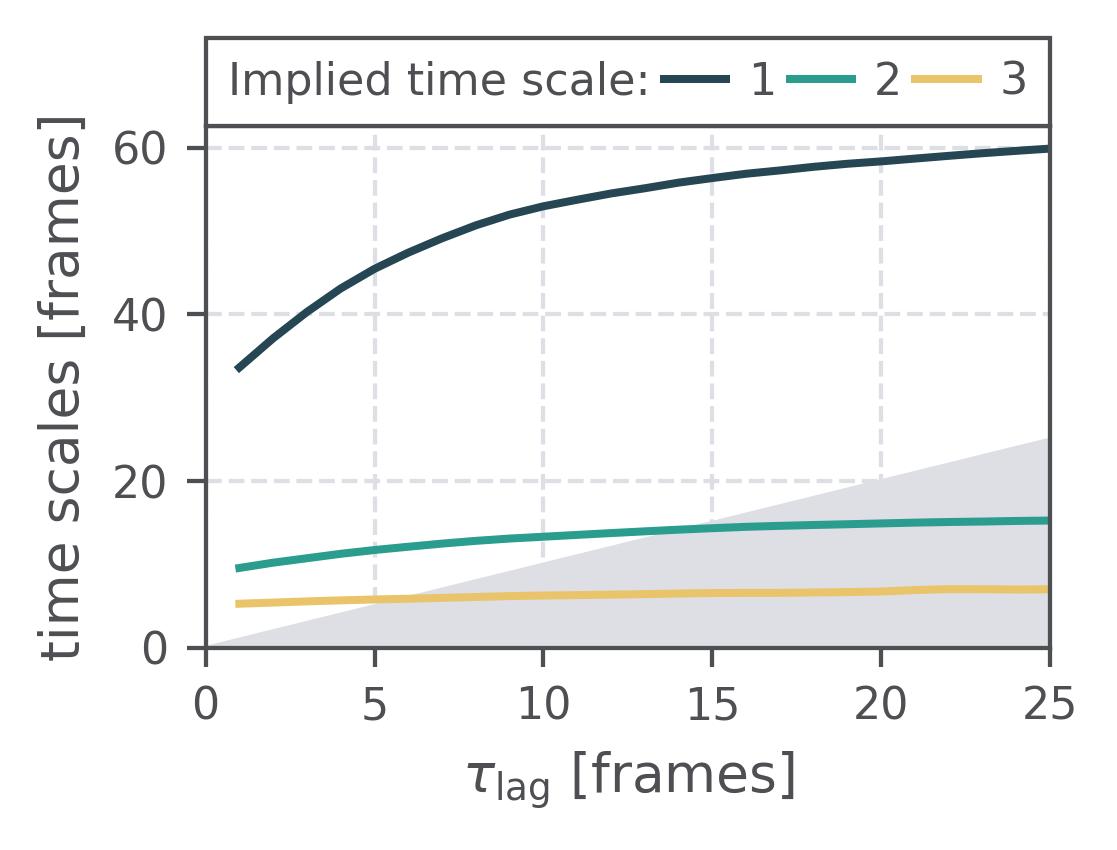 |
 |
| Chapman-Kolmogorov test | 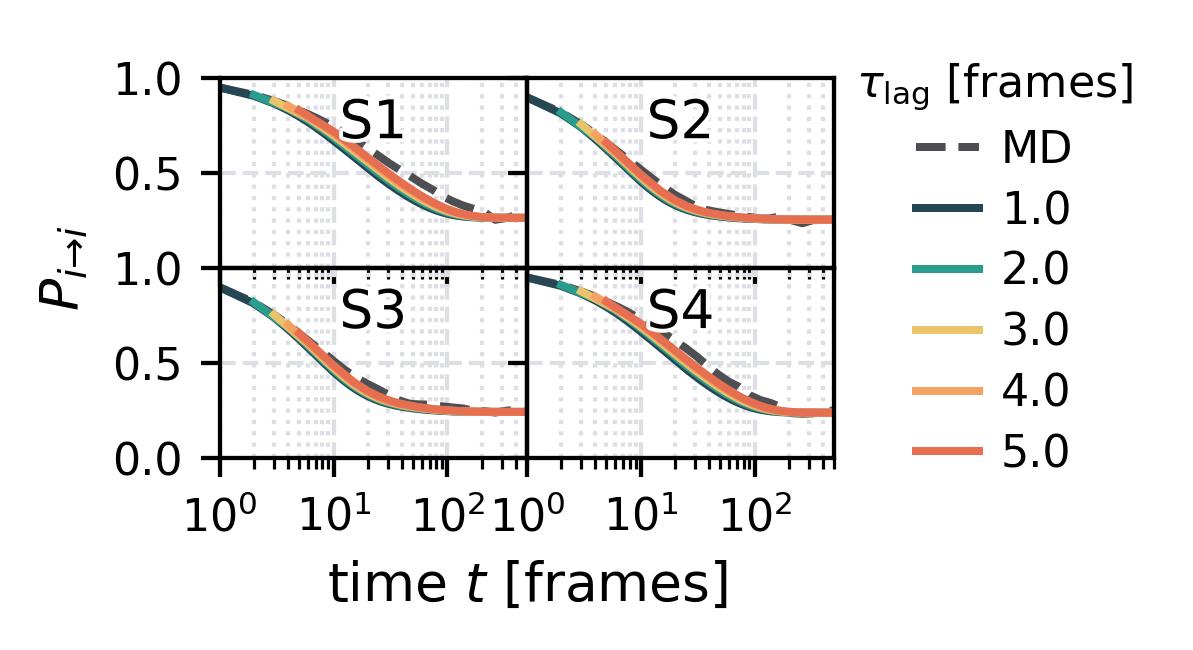 |
 |
| Waiting Time Distributions | 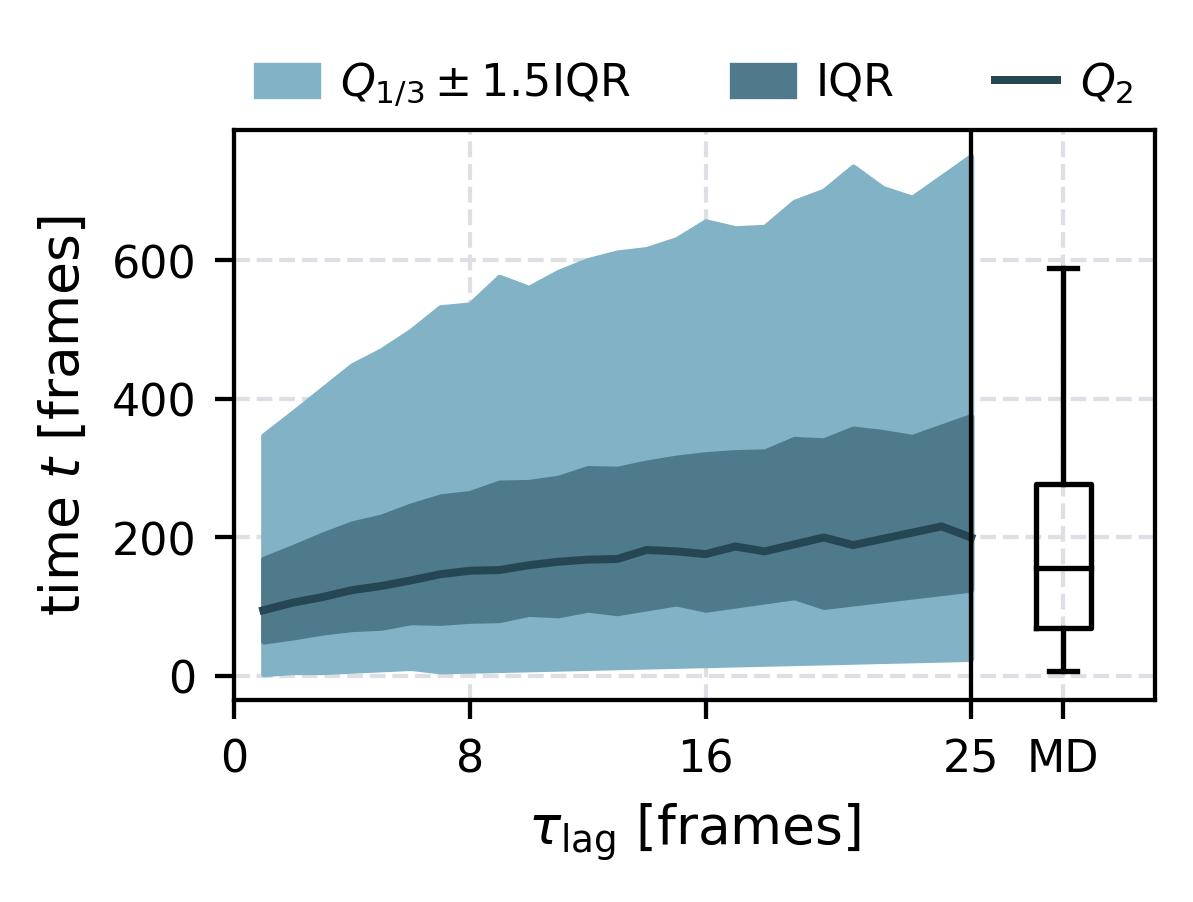 |
 |
| Waiting Times | 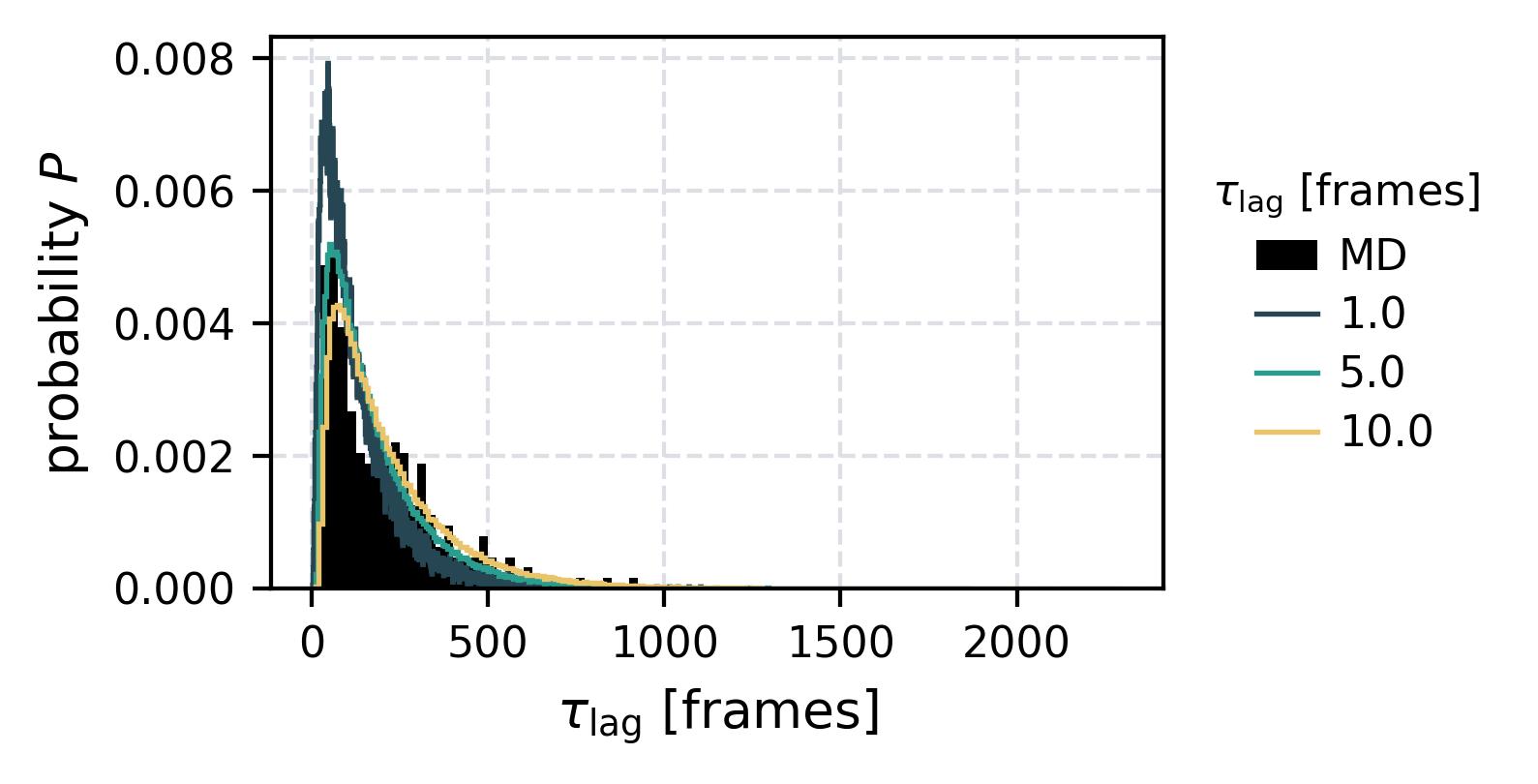 |
 |
| Contact Representation | 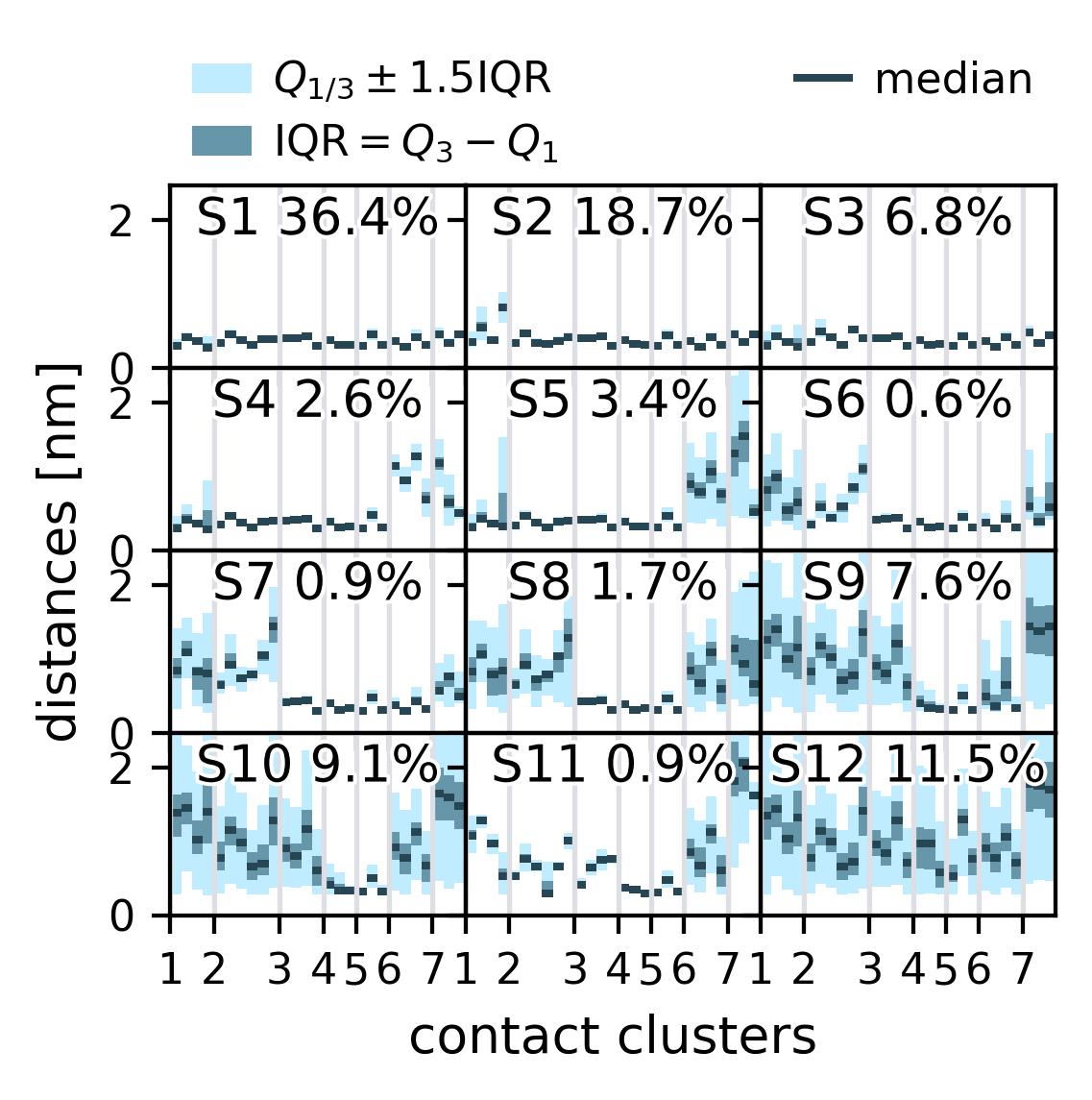 |
For more examples checkout the tutorials.
Roadmap
- Add Buchete-Hummer test as alternative for the Chapman-Kolmogorov test.
- Add a numba implementation of a parallelized autocorrelation function estimation.
- Use static type hints together with beartype
1 maintainer

Download files
Download the file for your platform. If you're not sure which to choose, learn more about installing packages.
Source Distribution
Built Distribution
Filter files by name, interpreter, ABI, and platform.
If you're not sure about the file name format, learn more about wheel file names.
Copy a direct link to the current filters
File details
Details for the file msmhelper-1.1.1.tar.gz.
File metadata
- Download URL: msmhelper-1.1.1.tar.gz
- Upload date:
- Size: 53.2 kB
- Tags: Source
- Uploaded using Trusted Publishing? No
- Uploaded via:
twine/4.0.2 CPython/3.11.6
File hashes
| Algorithm | Hash digest | |
|---|---|---|
| SHA256 |
3c442aa49034c1d9ef6c117605c32b161192c0c679f57cdb6ca990bcae7f83a0
|
|
| MD5 |
09902091fceba4bb3353f4f69a499a57
|
|
| BLAKE2b-256 |
746152c2695601351e2a5dd8bc82e8ec80218bd83fe84e33fc85bf2b2f1ccfa7
|
File details
Details for the file msmhelper-1.1.1-py3-none-any.whl.
File metadata
- Download URL: msmhelper-1.1.1-py3-none-any.whl
- Upload date:
- Size: 53.5 kB
- Tags: Python 3
- Uploaded using Trusted Publishing? No
- Uploaded via:
twine/4.0.2 CPython/3.11.6
File hashes
| Algorithm | Hash digest | |
|---|---|---|
| SHA256 |
d43c58f4f21fb8423252322e0e82cbf00543678bb63e71945a3296cab89481dc
|
|
| MD5 |
97bc67434c7b8f76ba0197210b87eb9b
|
|
| BLAKE2b-256 |
872d1375bfde7c8a49e3d28bca2f514b6724af59ccee61b20ef9c172055df0db
|







