
mud-aw.py 🧱🐍
A Python API for MUD worlds
Handle hundreds of bots across multiple chains on multiple worlds
Python tools for:
- Querying MUD tables
- Creating Python game wrappers
- Interacting with MUD worlds
Use Cases
- Create data dashboards for MUD worlds
- Automate in-game actions
- Build game-specific libraries for player interactions
Installation
pip install mud-aw.py
or build from source
cd mud-aw.py
pip install -e .
Possibilities
from mud import World, Player
from IPython.display import display

#Create world objects
biomes = World(rpc, world_address, abi_dir, indexer_url, mud_config_path)
cafecosmos = World(c_rpc, c_world_address, c_abi_dir, c_indexer_url, c_mud_config_path)
primodium = World(p_rpc, p_world_address, p_abi_dir, p_indexer_url, p_mud_config_path)

#Load player(s) and link worlds
player = Player(env_key_name="PLAYER1")
player.add_world(biomes, "biomes")
player.add_world(cafecosmos, "cafecosmos")
player.add_world(primodium, "primodium")

#Execute onchain actions
player.biomes.mine(...)
player.cafecosmos.placeItem(...)
player.primodium.fight(...)

#Query indexer
player.biomes.indexer.Map.get(x=1, y=2, z=1) #filter by row
player.cafecosmos.indexer.Inventory.get(landId=1337)
player.primodium.indexer.Alliance.get() #returns every entry in that table

#Download multiple or single world tables from the indexer as Pandas DataFrames with optional filtering params
biomes_tables_dfs = player.biomes.indexer.dl_tables_as_dataframes() #dl every table as dataframes
cafecosmos_inventories_df = player.cafecosmos.indexer.Inventory.to_dataframe() #dl individual tables

#Display DataFrames
display(biomes_tables_dfs["Map"])
display(cafecosmos_inventories_df)
Key Components
MUD Indexer SDK
The MUD Indexer SDK provides a simplified interface for querying MUD tables.
Inputs:
- MUD Indexer URL
- World Address
- Path to the
mud.config.tsfile
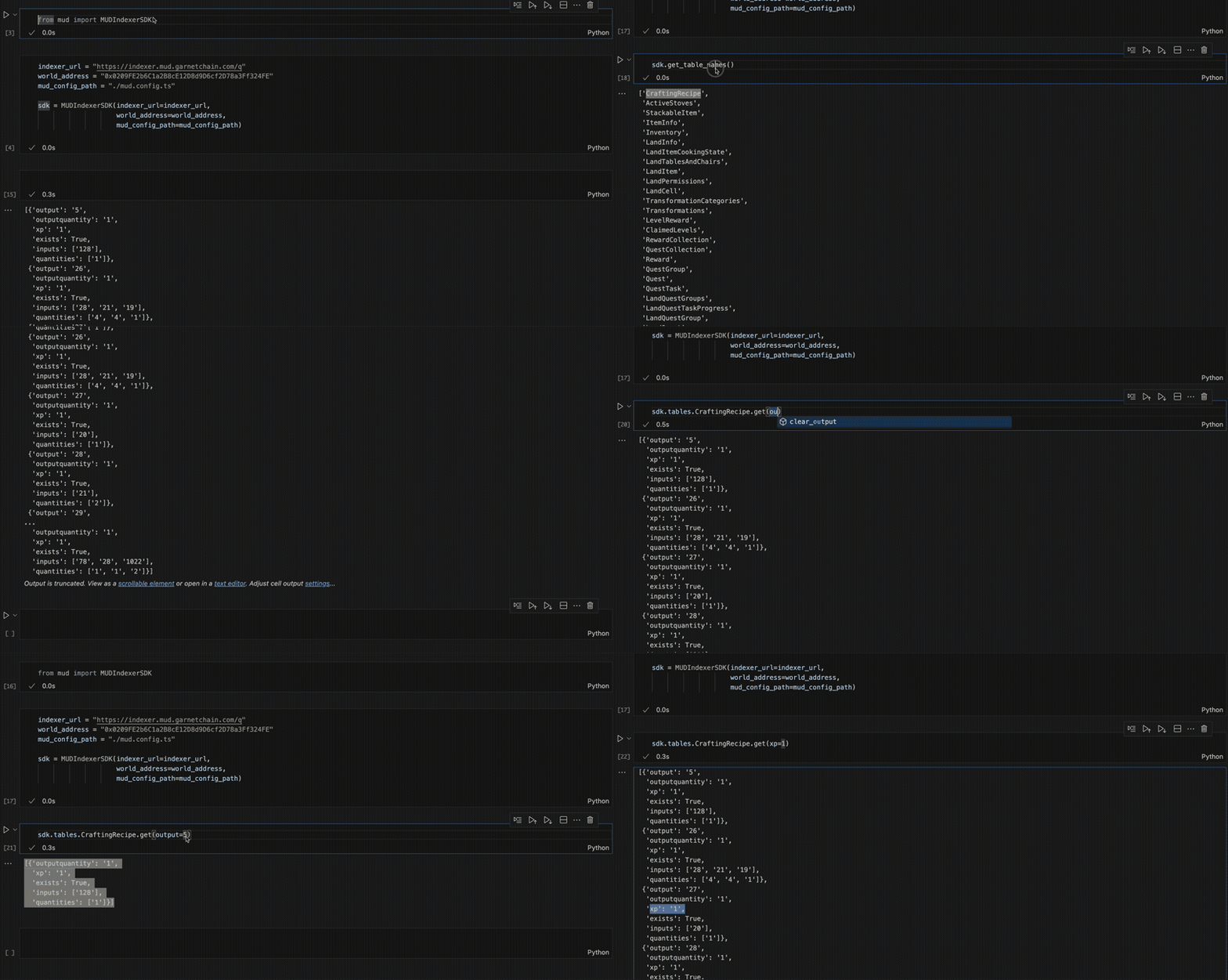
- Individual Table Downloads: Query individual tables and download their data as Pandas DataFrames.
crafting_recipe_df = sdk.tables.CraftingRecipe.to_dataframe()
- Batch Table Downloads: Download all tables as DataFrames for analysis.
all_tables = sdk.dl_tables_as_dataframes()
print(all_tables["CraftingRecipe"].head())
World Class
The World class allows you to interact with a MUD world and its smart contract functions. It dynamically registers functions based on the ABI, providing type-safe access and auto-completion in your IDE.
Features:
- Smart Contract Integration: Interact with world contract functions directly.
- Dynamic Typing: Input arguments and return types are dynamically typed based on the ABI.
- Integrated Indexer: Optionally link the MUD Indexer for seamless access to table data.
Player Class
The Player class simplifies interactions with a MUD world for a specific player. It can:
- Derive the player address from a private key
- Automatically sign and send transactions
- Dynamically wrap world functions for player-specific interactions
Usage
1. Initialize the World
The World class connects to a MUD world and optionally integrates the MUD Indexer.
from mud import World

abi_dir = "./path/to/abis_directory"
rpc = "https://rpc.mudchain.com"
world_address = "0x123...abc"
indexer_url = "https://indexer.mudchain.com"
mud_config_path = "./path/to/mud.config.ts"

# Initialize the World with an optional indexer
world = World(
    rpc=rpc,
    world_address=world_address,
    abi_dir=abi_dir,
    indexer_url=indexer_url,
    mud_config_path=mud_config_path
)
2. Access Contract Functions
Functions from the world's ABI are dynamically registered on the World instance with type-safe signatures.
# Call a smart contract function directly
land_items = world.getLandItems(user="0x123...")
print(land_items)

# Use IDE auto-completion for arguments and types
world.placeItem(x=1, y=2, z=3, itemId=42)
3. Query Tables with the Indexer
If the world is linked to a MUD Indexer, you can query tables directly.
# Fetch all entries from the Inventory table
inventories = world.indexer.Inventory.get()

# Filter entries by playerId and itemId
player_inventory = world.indexer.Inventory.get(playerId=PLAYER_ID, itemId=ITEM_ID)

# Limit results
limited_inventories = world.indexer.Inventory.get(limit=500)
Table Querying Methods:
-
Download Individual Tables
crafting_recipe_df = sdk.tables.CraftingRecipe.to_dataframe()
print(crafting_recipe_df)
-
Batch Download All Tables
all_tables_df = sdk.dl_tables_as_dataframes()
print(all_tables_df["CraftingRecipe"])
4. Initialize a Player
The Player class wraps interactions for a specific player.
from mud import Player

private_key = "0xYourPrivateKey"

# Initialize the Player
player = Player(private_key=private_key)

# Link the World to the Player
player.add_world(world, "cafecosmos")

# Call functions directly through the Player
player.cafecosmos.placeItem(x=1, y=1, z=1, itemId=100)
You can also load the private key from an environment variable:
player = Player(env_key_name="PLAYER1")
Features
- Dynamic Table Registration: Automatically register tables and schemas defined in a MUD configuration file.
- SQL-like Queries: Query tables with filtering.
- Smart Contract Interactions: Access world contract functions dynamically.
- Player-Specific Wrappers: Automate transactions and player actions.
- Individual and Batch Table Downloads: Flexible methods for accessing table data as DataFrames.
Contributing
- Fork the repository.
- Create a new feature branch.
- Submit a pull request.
1 maintainer

Metadata
1 maintainer
Release files for mud-aw.py 0.14
For a detailed explanation of source distributions (sdists) and built distributions (wheels), please see the package formats documentation.
Source distribution (sdist)
| File | Size | Uploaded | |
|---|---|---|---|
| mud-aw.py-0.14.tar.gz | 11.5 kB | Details |
Built distribution (wheel)
| File | Interpreter | ABI | Platform | Reset |
|---|---|---|---|---|
| mud_aw.py-0.14-py3-none-any.whl | Python 3 | none | any | Details |
Total release size: 21.1 kB
Release files / mud-aw.py-0.14.tar.gz
| Download URL | mud-aw.py-0.14.tar.gz |
|---|---|
| Size | 11.5 kB |
| Tags | Source |
|
SHA-256 checksum How to use checksums |
1c7c55a859524fb96154192042ab4cad3224ebbb684d736329145e95e974f660
|
|
BLAKE2b-256 checksum How to use checksums |
04ba719572ab2703d20ad3173be008a493536d985ad8810fddb525f44c321bc7
|
| Upload date | |
|
Uploaded using Trusted Publishing? What is trusted publishing? |
No |
| Uploaded via |
twine/6.0.1 CPython/3.9.21
|
Release files / mud_aw.py-0.14-py3-none-any.whl
| Download URL | mud_aw.py-0.14-py3-none-any.whl |
|---|---|
| Size | 9.7 kB |
| Tags | Python 3 |
|
SHA-256 checksum How to use checksums |
76ea5af2c5ecac1ae2329b24d0cea34a1fbcb7e7e3d5d871b898b5de14c5b7bb
|
|
BLAKE2b-256 checksum How to use checksums |
ce38cf2d2243ac5be0bb8caab4973b45669acb86608003c7e087a6709617736f
|
| Upload date | |
|
Uploaded using Trusted Publishing? What is trusted publishing? |
No |
| Uploaded via |
twine/6.0.1 CPython/3.9.21
|














