
Multimodal Dynamic Launcher - Shell script orchestrator

Project description
Mudyla - Multimodal Dynamic Launcher





A script orchestrator: define graphs of Python/Bash/etc actions in Markdown files and run them in parallel under Nix environments.
Totally Claude'd.
Based on some ideas from DIStage Dependency Injection, Grandmaster (our build tool which is currently under development) and ix package manager.
Successor of mobala
If you use Scala and SBT, Mudyla works well with Squish.
An example of a real project using this gloomy tool: Baboon.
Demo
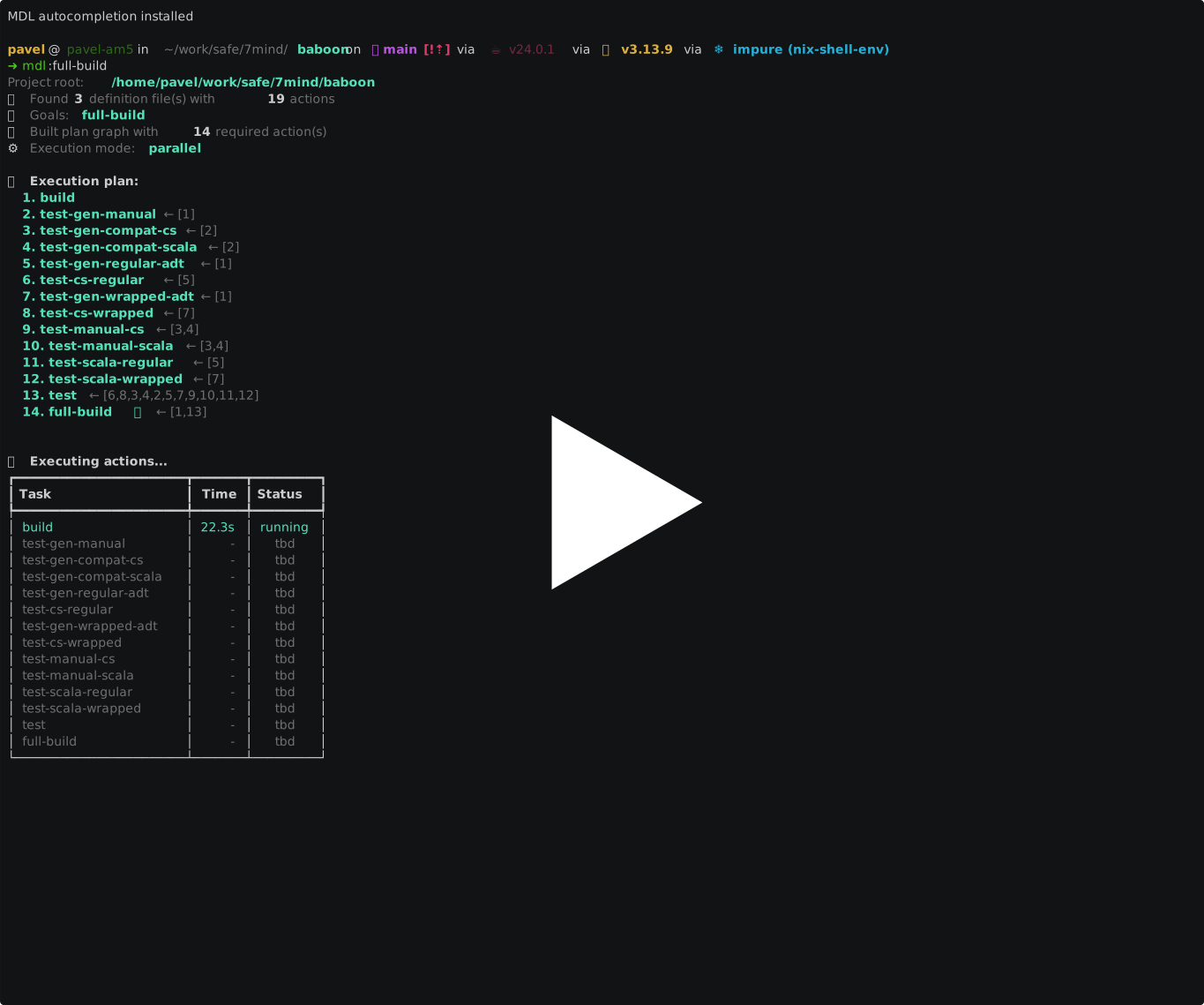
- Parallel build:
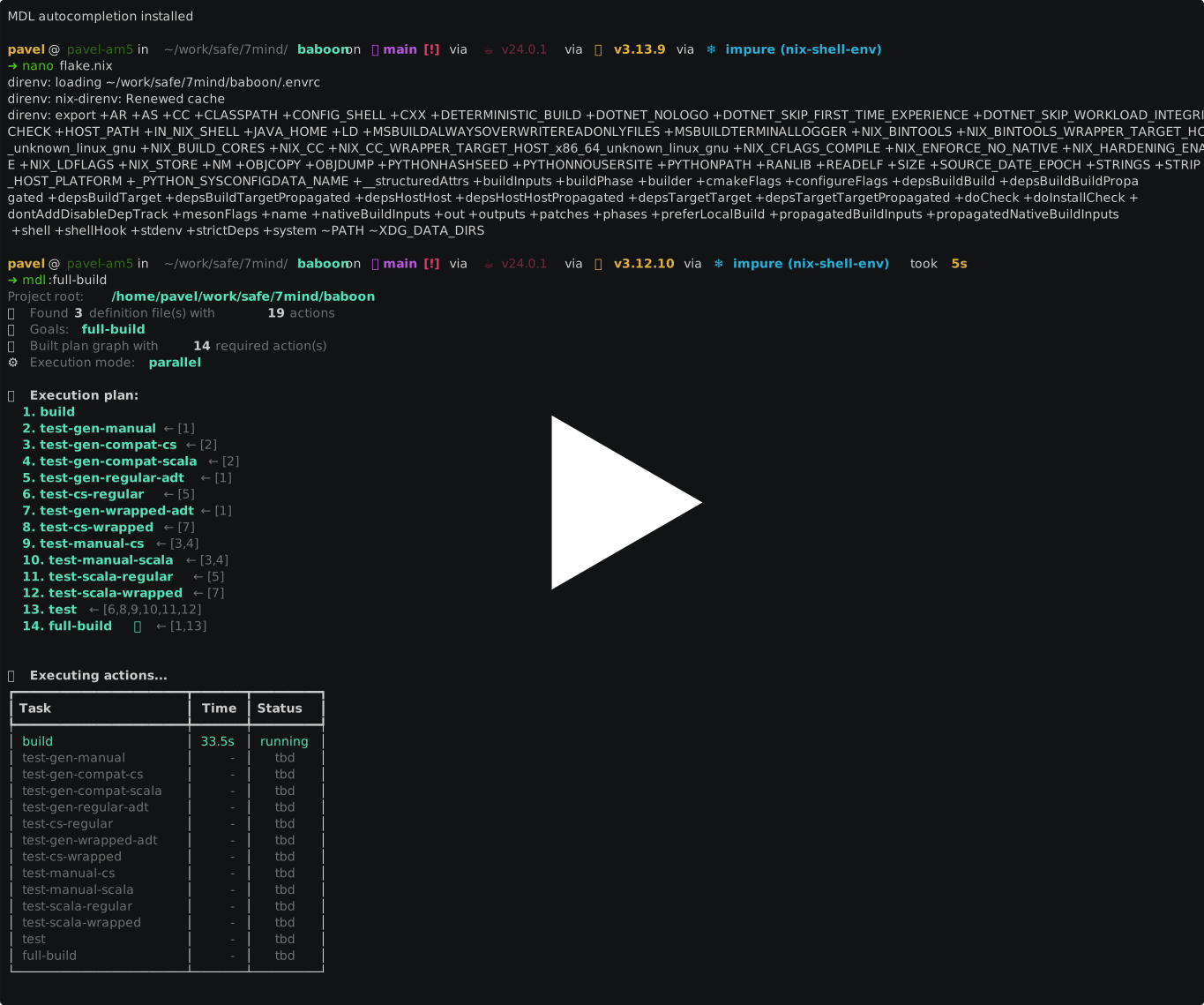
- Checkpoint recovery:
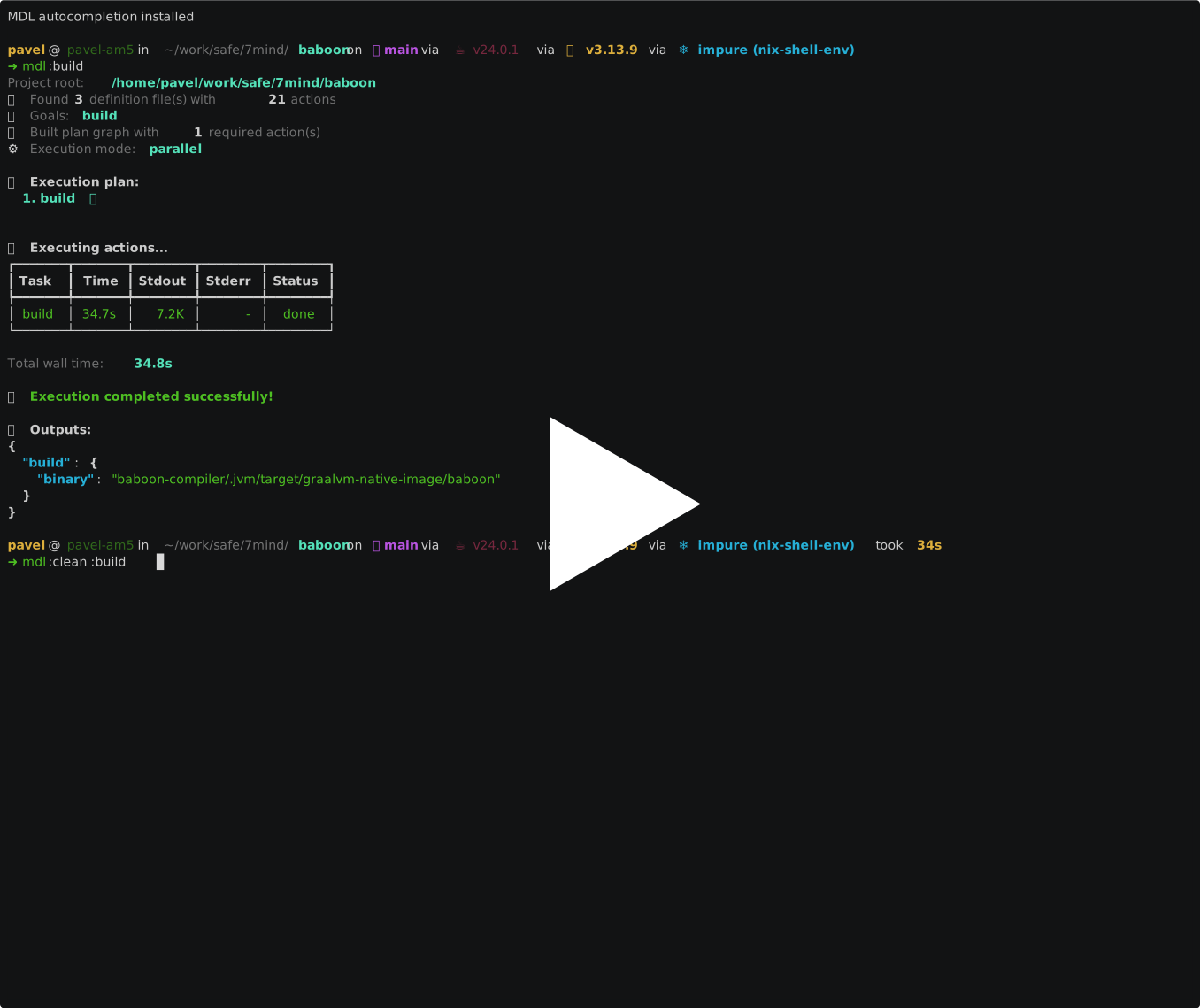
- Weak dependencies:
Features
- Markdown-based action definitions: Define actions in readable Markdown files
- Multi-language support: Write actions in Bash or Python
- Dependency graph execution: Automatic dependency resolution and execution
- Multi-version actions: Different implementations based on axis values (e.g., build-mode)
- Type-safe returns: Actions return typed values (int, string, bool, file, directory)
- Nix integration: All actions run in Nix development environment
- Command-line arguments and flags: Parameterize actions with arguments and flags
- Environment validation: Validates required environment variables before execution
Installation
Using pip/pipx (easiest)
# Install with pipx (recommended - isolated installation)
pipx install mudyla

# Or install with pip
pip install mudyla

# Run
mdl --help
Using Nix Flakes
# Run directly
nix run github:7mind/mudyla -- :your-action

# Install to profile
nix profile install github:7mind/mudyla

# Development environment (with uv)
nix develop
From Source
git clone https://github.com/7mind/mudyla
cd mudyla

# Option 1: With direnv (automatic)
direnv allow  # Environment loads automatically

# Option 2: Manual
nix develop  # Sets up uv environment manually
Using UV (without Nix)
# Install uv
curl -LsSf https://astral.sh/uv/install.sh | sh

# Clone and install
git clone https://github.com/7mind/mudyla
cd mudyla
uv venv
source .venv/bin/activate  # On Windows: .venv\Scripts\activate
uv pip install -e ".[dev]"

# Run
mdl --help
Quick Start
1. Create a Definition File
Create .mdl/defs/actions.md:
# arguments

- `args.output-dir`: Output directory for test results
  - type: `directory`
  - default: `"test-output"`

# action: hello-world

```bash
echo "Hello, World!" > "${args.output-dir}/hello.txt"
ret message-file:file=${args.output-dir}/hello.txt
\```
2. Run the Action
mdl :hello-world
Action Definition Format
Basic Action (Bash)
# action: action-name

```bash
echo "Running action"
ret output-value:string=success
\```
Basic Action (Python)
# action: python-action

```python
# Python actions use the mdl object
mdl.ret("output-value", "success", "string")
mdl.ret("count", 42, "int")
\```
Action with Dependencies
Bash:
# action: dependent-action

```bash
INPUT="${action.previous-action.output-value}"
echo "Using: $INPUT"
ret result:string=done
\```
Python:
# action: python-dependent

```python
# Declare dependency and access outputs
mdl.dep("action.previous-action")
input_value = mdl.actions["previous-action"]["output-value"]
print(f"Using: {input_value}")
mdl.ret("result", "done", "string")
\```
Multi-Version Action
# Axis

- `build-mode`=`{release|development*}`

# action: build

## definition when `build-mode: release`

```bash
echo "Release build"
ret mode:string=release
\```

## definition when `build-mode: development`

```bash
echo "Development build"
ret mode:string=development
\```
Python Actions
Mudyla supports Python code blocks alongside Bash. Python actions use the mdl object for interacting with the Mudyla runtime.
Available Python API:
# Return values
mdl.ret(name: str, value: Any, type: str)

# Declare dependencies
mdl.dep(dependency: str)  # e.g., "action.build" or "env.API_KEY"

# Access system variables
mdl.sys["project-root"]  # Project root directory

# Access environment variables
mdl.env.get("VARIABLE_NAME", default)
mdl.env["VARIABLE_NAME"]  # Without default

# Access command-line arguments
mdl.args.get("arg-name", default)
mdl.args["arg-name"]  # Without default

# Access command-line flags
mdl.flags.get("flag-name", False)

# Access outputs from other actions
mdl.actions["action-name"]["output-variable"]
Example: Python action with file operations
# action: process-data

```python
import pathlib
import json

# Access context
project_root = mdl.sys["project-root"]
output_dir = mdl.args.get("output-dir", "output")

# Create output file
output_path = pathlib.Path(project_root) / output_dir / "results.json"
output_path.parent.mkdir(parents=True, exist_ok=True)

# Process data
data = {"status": "success", "count": 42}

with output_path.open("w") as f:
    json.dump(data, f, indent=2)

mdl.ret("output-file", str(output_path), "file")
mdl.ret("count", data["count"], "int")
\```
Example: Mixed Bash and Python workflow
# action: prepare-env

```bash
# Bash action creates directory structure
mkdir -p build/artifacts
echo "Environment prepared"
ret status:string=ready
\```

# action: build-artifacts

```python
# Python action uses the prepared environment
mdl.dep("action.prepare-env")

import pathlib
import shutil

project_root = mdl.sys["project-root"]
build_dir = pathlib.Path(project_root) / "build" / "artifacts"

# Create multiple artifacts
for i in range(3):
    artifact_file = build_dir / f"artifact-{i}.txt"
    artifact_file.write_text(f"Artifact {i} content")

mdl.ret("artifacts-dir", str(build_dir), "directory")
mdl.ret("count", 3, "int")
\```
Expansion Syntax
Bash Actions
Bash actions use ${...} expansion syntax:
${sys.project-root}: Project root directory${env.VARIABLE_NAME}: Environment variable${args.argument-name}: Command-line argument${flags.flag-name}: Command-line flag (1 if present, 0 otherwise)${action.action-name.variable-name}: Output from another action
Python Actions
Python actions use the mdl object (see Python Actions section for details)
Return Types
int: Integer valuestring: String valuebool: Boolean (0 or 1)file: File path (validated for existence)directory: Directory path (validated for existence)
Command-Line Usage
# Execute goals
mdl :goal1 :goal2

# With arguments
mdl --arg-name=value :goal

# With flags
mdl --flag-name :goal

# With axis
mdl --axis build-mode=release :goal

# List available actions
mdl --list-actions

# Dry run (show plan without executing)
mdl --dry-run :goal

# Save output to file
mdl --out results.json :goal
Testing
Mudyla uses pytest for comprehensive testing with unit and integration tests.
# Run all tests
./run-tests.sh

# Run only integration tests (tests the built Nix package)
./run-tests.sh integration

# Run only unit tests
./run-tests.sh unit

# Generate HTML report
./run-tests.sh --html

# Verbose output
./run-tests.sh --verbose
See TESTING.md for detailed testing documentation, including:
- Writing new tests
- Using fixtures and assertions
- Running specific tests
- Debugging and coverage
The test suite includes:
- Unit tests (20 tests): Test individual components without subprocess calls
- Integration tests (28 tests): Test the full CLI by running the built Nix package
Documentation
License
MIT


Download files
Download the file for your platform. If you're not sure which to choose, learn more about installing packages.
Source Distribution
Built Distribution
Filter files by name, interpreter, ABI, and platform.
If you're not sure about the file name format, learn more about wheel file names.
Copy a direct link to the current filters
File details
Details for the file mudyla-0.1.0.tar.gz.
File metadata
- Download URL: mudyla-0.1.0.tar.gz
- Upload date:
- Size: 9.6 kB
- Tags: Source
- Uploaded using Trusted Publishing? Yes
- Uploaded via: twine/6.1.0 CPython/3.13.7
File hashes
| Algorithm | Hash digest | |
|---|---|---|
| SHA256 |
0c92654a346e841973ab75816d20c67357ab70153e7213cba68c0b4b42fd48f0
|
|
| MD5 |
70482e3461e8d7099275ea9b72b6f418
|
|
| BLAKE2b-256 |
00d29df839e1aaa899c7fb7e718e02aeaeaa0c2d01b155c2477266581f20b6d9
|
Provenance
The following attestation bundles were made for mudyla-0.1.0.tar.gz:
Publisher:
ci.yml on 7mind/mudyla
-
Statement:
-
Statement type:
https://in-toto.io/Statement/v1 -
Predicate type:
https://docs.pypi.org/attestations/publish/v1 -
Subject name:
mudyla-0.1.0.tar.gz -
Subject digest:
0c92654a346e841973ab75816d20c67357ab70153e7213cba68c0b4b42fd48f0 - Sigstore transparency entry: 721321998
- Sigstore integration time:
-
Permalink:
7mind/mudyla@c7755930b62a4bfb819618895976b47665732df4 -
Branch / Tag:
refs/tags/v0.1.0 - Owner: https://github.com/7mind
-
Access:
public
-
Token Issuer:
https://token.actions.githubusercontent.com -
Runner Environment:
github-hosted -
Publication workflow:
ci.yml@c7755930b62a4bfb819618895976b47665732df4 -
Trigger Event:
push
-
Statement type:
File details
Details for the file mudyla-0.1.0-py3-none-any.whl.
File metadata
- Download URL: mudyla-0.1.0-py3-none-any.whl
- Upload date:
- Size: 10.6 kB
- Tags: Python 3
- Uploaded using Trusted Publishing? Yes
- Uploaded via: twine/6.1.0 CPython/3.13.7
File hashes
| Algorithm | Hash digest | |
|---|---|---|
| SHA256 |
2725a7e82b6a6c0c79585a6628ee40a296ce7b233dc09f01ff6cb36a89450bb5
|
|
| MD5 |
33a240036e12996351709c6469552e8e
|
|
| BLAKE2b-256 |
9019fb1d0168fb3cec0a05ece896da4a9bc33cc6819fa0e5d6dd368bf96f8f35
|
Provenance
The following attestation bundles were made for mudyla-0.1.0-py3-none-any.whl:
Publisher:
ci.yml on 7mind/mudyla
-
Statement:
-
Statement type:
https://in-toto.io/Statement/v1 -
Predicate type:
https://docs.pypi.org/attestations/publish/v1 -
Subject name:
mudyla-0.1.0-py3-none-any.whl -
Subject digest:
2725a7e82b6a6c0c79585a6628ee40a296ce7b233dc09f01ff6cb36a89450bb5 - Sigstore transparency entry: 721322003
- Sigstore integration time:
-
Permalink:
7mind/mudyla@c7755930b62a4bfb819618895976b47665732df4 -
Branch / Tag:
refs/tags/v0.1.0 - Owner: https://github.com/7mind
-
Access:
public
-
Token Issuer:
https://token.actions.githubusercontent.com -
Runner Environment:
github-hosted -
Publication workflow:
ci.yml@c7755930b62a4bfb819618895976b47665732df4 -
Trigger Event:
push
-
Statement type:






