
Multi-Agent Generator
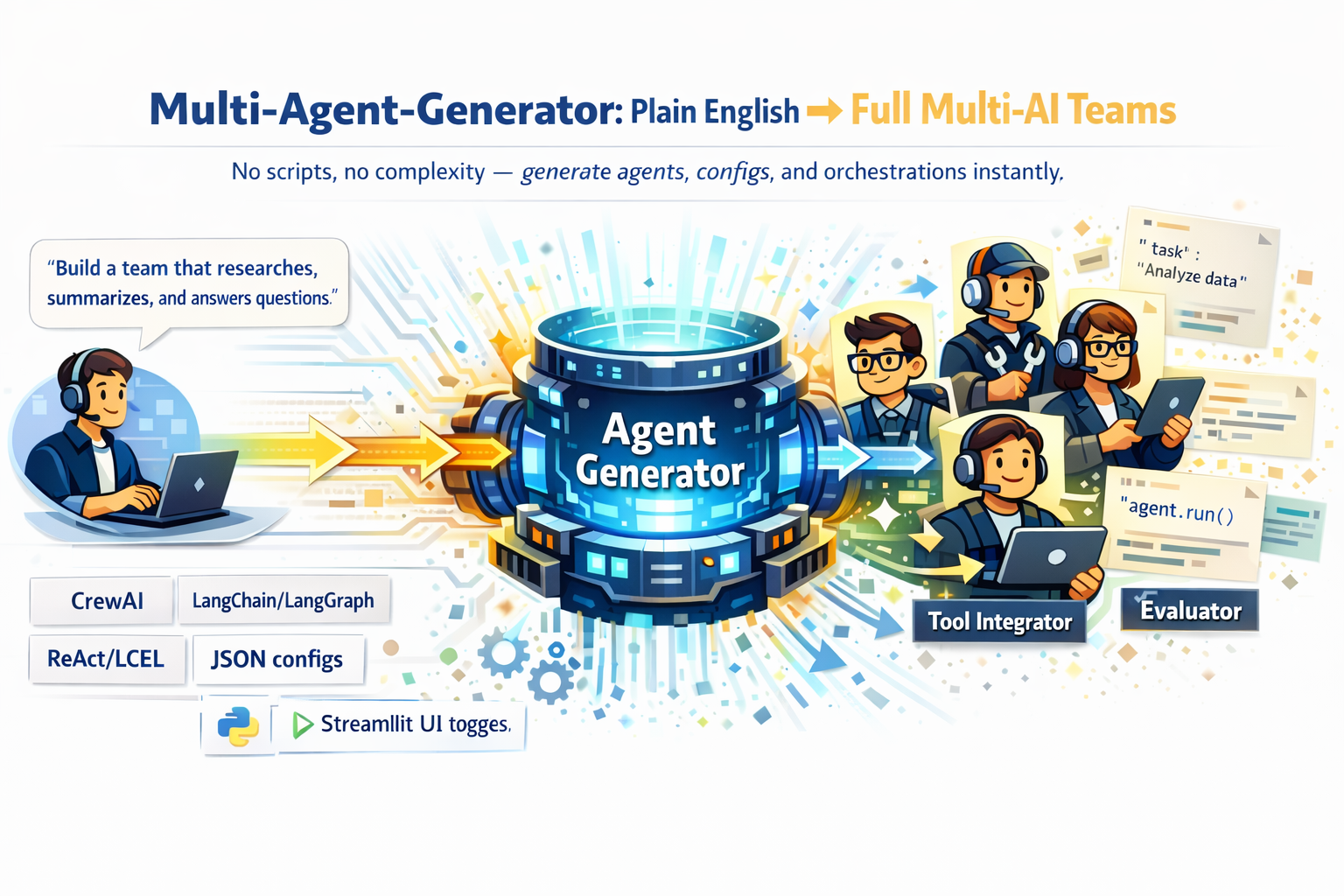







A powerful low-code/no-code tool that transforms plain English instructions into fully configured multi-agent AI teams — no scripting, no complexity. Powered by LiteLLM for provider-agnostic support (OpenAI, WatsonX, Ollama, Anthropic, etc.) with both a CLI and an optional Streamlit UI.
What's New in v1.0.0
- Tool Auto-Discovery & Generation - 15+ pre-built tools + natural language tool creation
- Multi-Agent Orchestration Patterns - Supervisor, Debate, Voting, Pipeline, MapReduce
- Evaluation & Testing Framework - Auto-generated tests + output quality metrics
- CLI Support - Full CLI commands for tools, evaluation, and orchestration
Features
Agent Generation
-
Generate agent code for multiple frameworks:
- CrewAI: Structured workflows for multi-agent collaboration
- CrewAI Flow: Event-driven workflows with state management
- LangGraph: LangChain's framework for stateful, multi-actor applications
- Agno: Agno framework for Agents Team orchestration
- ReAct (classic): Reasoning + Acting agents using
AgentExecutor - ReAct (LCEL): Future-proof ReAct built with LangChain Expression Language (LCEL)
-
Provider-Agnostic Inference via LiteLLM:
- Supports OpenAI, IBM WatsonX, Ollama, Anthropic, and more
- Swap providers with a single CLI flag or environment variable
-
Flexible Output:
- Generate Python code
- Generate JSON configs
- Or both combined
Tool Auto-Discovery & Generation (NEW!)
Create tools for your agents using plain English — no coding required:
from multi_agent_generator.tools import ToolRegistry, ToolGenerator

# Browse 15+ pre-built tools across 10 categories
registry = ToolRegistry()
web_tools = registry.list_by_category("web_search")
all_tools = registry.list_all()

# Generate custom tools from natural language
generator = ToolGenerator()
tool = generator.generate_from_description("Create a tool that fetches weather data for a city")
print(tool.code)  # Ready-to-use Python code!
Pre-built Tool Categories:
| Category | Examples |
|---|---|
| Web Search | Google search, web scraper |
| File Operations | Read, write, list files |
| Data Processing | CSV parser, JSON transformer |
| Code Execution | Python executor, shell runner |
| API Integration | REST client, webhook handler |
| Database | SQL query, document store |
| Communication | Email sender, Slack notifier |
| Math | Calculator, statistics |
| Text Processing | Summarizer, translator |
| Image Processing | Resizer, format converter |
Multi-Agent Orchestration Patterns (NEW!)
Choose from 5 battle-tested patterns to coordinate your agents:
from multi_agent_generator.orchestration import Orchestrator, PatternType

orchestrator = Orchestrator()

# Generate orchestrated system from description
result = orchestrator.generate_from_description(
    "I need a research team where a manager delegates to specialists"
)
print(result["code"])  # Complete LangGraph/CrewAI code!

# Or configure manually
config = orchestrator.create_pattern_config(
    pattern_type=PatternType.SUPERVISOR,
    agents=["researcher", "writer", "reviewer"],
    task_description="Analyze market trends"
)
Available Patterns:
| Pattern | Use Case | How It Works |
|---|---|---|
| Supervisor | Delegating tasks to specialists | Central coordinator routes work |
| Debate | Reaching consensus | Agents discuss & refine answers |
| Voting | Democratic decisions | Agents vote on best response |
| Pipeline | Sequential processing | Chain of specialized steps |
| MapReduce | Parallel processing | Split, process, aggregate |
Evaluation & Testing Framework (NEW!)
Auto-generate tests and evaluate agent quality:
from multi_agent_generator.evaluation import TestGenerator, AgentEvaluator

# Generate pytest test suites automatically
test_gen = TestGenerator()
test_suite = test_gen.generate_test_suite(
    agent_config=your_config,
    test_types=["unit", "integration", "e2e"]
)
test_suite.save("tests/")  # Ready to run with pytest!

# Evaluate agent output quality
evaluator = AgentEvaluator()
result = evaluator.evaluate(
    agent_output="The analysis shows...",
    expected_output="Market trends indicate...",
    task_description="Analyze Q4 sales data"
)
print(result.overall_score)  # 0.0 - 1.0
print(result.metrics)  # relevance, completeness, coherence, accuracy
Test Types:
- Unit Tests - Individual component testing
- Integration Tests - Multi-agent interaction
- End-to-End Tests - Full workflow validation
- Performance Tests - Response time & throughput
- Reliability Tests - Error handling & recovery
- Quality Tests - Output quality metrics
Streamlit UI
- Interactive prompt entry
- Framework selection
- Tool discovery & generation (NEW!)
- Orchestration pattern configuration (NEW!)
- Evaluation & testing dashboard (NEW!)
- Config visualization
- Copy or download generated code
Installation
Basic Installation
pip install multi-agent-generator
Prerequisites
-
At least one supported LLM provider (OpenAI, WatsonX, Ollama, etc.)
-
Environment variables setup:
OPENAI_API_KEY(for OpenAI)WATSONX_API_KEY,WATSONX_PROJECT_ID,WATSONX_URL(for WatsonX)OLLAMA_URL(for Ollama)- Or a generic
API_KEY/API_BASEif supported by LiteLLM
-
Be aware
Agnoonly works withOPENAI_API_KEYwithout tools for Now, and will be expanded for further API's and tools in the future.
You can freely switch providers using
--providerin CLI or by setting environment variables.
Usage
Command Line
Basic usage with OpenAI (default):
multi-agent-generator "I need a research assistant that summarizes papers and answers questions" --framework crewai
Using WatsonX instead:
multi-agent-generator "I need a research assistant that summarizes papers and answers questions" --framework crewai --provider watsonx
Using Agno:
multi_agent_generator "build a researcher and writer" --framework agno --provider openai --output agno.py --format code
Using Ollama locally:
multi-agent-generator "Build me a ReAct assistant for customer support" --framework react-lcel --provider ollama
Save output to a file:
multi-agent-generator "I need a team to create viral social media content" --framework langgraph --output social_team.py
Get JSON configuration only:
multi-agent-generator "I need a team to analyze customer data" --framework react --format json
Tool Generation via CLI
Generate custom tools from natural language:
# Generate a custom tool
multi-agent-generator --tool "Create a tool to fetch weather data from an API"

# Save to file
multi-agent-generator --tool "Create a web scraper tool" --output scraper_tool.py

# List all available tools
multi-agent-generator --list-tools

# List tools by category
multi-agent-generator --list-tools --tool-category api_integration
Evaluation via CLI
Evaluate agent outputs directly from the command line:
# Basic evaluation
multi-agent-generator --evaluate --query "What is AI?" --response "AI is artificial intelligence..."

# With expected output for accuracy scoring
multi-agent-generator --evaluate \
  --query "Summarize machine learning" \
  --response "ML is a subset of AI that learns from data" \
  --expected "Machine learning is an AI technique" \
  --threshold 0.8

# Save results to file
multi-agent-generator --evaluate --query "Test" --response "Response" --output results.json
Orchestration via CLI
Create orchestrated multi-agent systems:
# Get pattern suggestion from description
multi-agent-generator --orchestrate "I need agents to debate and reach consensus"

# Generate code for a specific pattern
multi-agent-generator --pattern supervisor --framework langgraph --output supervisor.py

# List all available patterns
multi-agent-generator --list-patterns

# Customize number of agents
multi-agent-generator --pattern voting --num-agents 5 --framework crewai
Streamlit UI
Launch the interactive web interface:
streamlit run streamlit_app.py
Navigate between pages:
- Agent Generator - Generate agent code from natural language
- Tool Discovery - Browse and create tools
- Orchestration Patterns - Configure multi-agent coordination
- Evaluation & Testing - Generate tests and evaluate outputs
Examples
Research Assistant
I need a research assistant that summarizes papers and answers questions
Content Creation Team
I need a team to create viral social media content and manage our brand presence
Customer Support (LangGraph)
Build me a LangGraph workflow for customer support
Orchestrated Team (NEW!)
from multi_agent_generator.orchestration import Orchestrator

orchestrator = Orchestrator()
result = orchestrator.generate_from_description(
    "Build a content team with a supervisor managing writers and editors"
)
Frameworks
CrewAI
Role-playing autonomous AI agents with goals, roles, and backstories.
CrewAI Flow
Event-driven workflows with sequential, parallel, or conditional execution.
LangGraph
Directed graph of agents/tools with stateful execution.
Agno
Role-playing Team orchestration AI agents with goals, roles, backstories and instructions.
ReAct (classic)
Reasoning + Acting agents built with AgentExecutor.
ReAct (LCEL)
Modern ReAct implementation using LangChain Expression Language — better for debugging and future-proof orchestration.
LLM Providers
OpenAI
State-of-the-art GPT models (default: gpt-4o-mini).
IBM WatsonX
Enterprise-grade access to Llama and other foundation models (default: llama-3-70b-instruct).
Ollama
Run Llama and other models locally.
Anthropic
Use Claude models for agent generation.
...and more, via LiteLLM.
API Reference
Tools Module
from multi_agent_generator.tools import (
    ToolRegistry,      # Browse pre-built tools
    ToolGenerator,     # Generate custom tools
    ToolCategory,      # Tool category enum
    ToolDefinition,    # Tool data class
)
Orchestration Module
from multi_agent_generator.orchestration import (
    Orchestrator,      # High-level orchestration interface
    PatternType,       # Pattern type enum
    SupervisorPattern, # Supervisor pattern
    DebatePattern,     # Debate pattern
    VotingPattern,     # Voting pattern
    PipelinePattern,   # Pipeline pattern
    MapReducePattern,  # MapReduce pattern
)
Evaluation Module
from multi_agent_generator.evaluation import (
    TestGenerator,     # Auto-generate test suites
    TestCase,          # Individual test case
    TestSuite,         # Collection of tests
    AgentEvaluator,    # Evaluate agent outputs
    EvaluationResult,  # Evaluation results
    Benchmark,         # Performance benchmarking
)
License
MIT
Maintainers: Nabarko Roy
Made with love. If you like star the repo and share it with AI Enthusiasts.
1 maintainer

Metadata
1 maintainer
Release files for multi-agent-generator 1.0.0
For a detailed explanation of source distributions (sdists) and built distributions (wheels), please see the package formats documentation.
Source distribution (sdist)
| File | Size | Uploaded | |
|---|---|---|---|
| multi_agent_generator-1.0.0.tar.gz | 1.4 MB | Details |
Built distribution (wheel)
| File | Interpreter | ABI | Platform | Reset |
|---|---|---|---|---|
| multi_agent_generator-1.0.0-py3-none-any.whl | Python 3 | none | any | Details |
Total release size: 1.5 MB
Release files / multi_agent_generator-1.0.0.tar.gz
| Download URL | multi_agent_generator-1.0.0.tar.gz |
|---|---|
| Size | 1.4 MB |
| Tags | Source |
|
SHA-256 checksum How to use checksums |
3086f6bead809241cdafd6032351705ad414c2301e93fdc64e5b9e063225cc6c
|
|
BLAKE2b-256 checksum How to use checksums |
3368117ba4b60f0d79582bcd35aa43ea31e3a393e2042b88f65be35f23779db6
|
| Upload date | |
|
Uploaded using Trusted Publishing? What is trusted publishing? |
No |
| Uploaded via |
twine/6.2.0 CPython/3.11.9
|
Release files / multi_agent_generator-1.0.0-py3-none-any.whl
| Download URL | multi_agent_generator-1.0.0-py3-none-any.whl |
|---|---|
| Size | 64.4 kB |
| Tags | Python 3 |
|
SHA-256 checksum How to use checksums |
c1b7d8cda8721059ba1d740f70657e6c53cf289c362eec8d27277f8d34e4e0e8
|
|
BLAKE2b-256 checksum How to use checksums |
52a0a0477a13b1e7083ae4d487d2f415013b439aa0a19f5658ff6c6f1a0067cc
|
| Upload date | |
|
Uploaded using Trusted Publishing? What is trusted publishing? |
No |
| Uploaded via |
twine/6.2.0 CPython/3.11.9
|














