
MultiSSHift Terminal
Overview
MultiSSHift Terminal is an advanced SSH management tool designed for network professionals who require a robust and efficient way to manage multiple SSH sessions. Built with PyQt6 and integrating a web-based terminal interface, it offers a comprehensive solution for managing network devices and servers.
Key Features
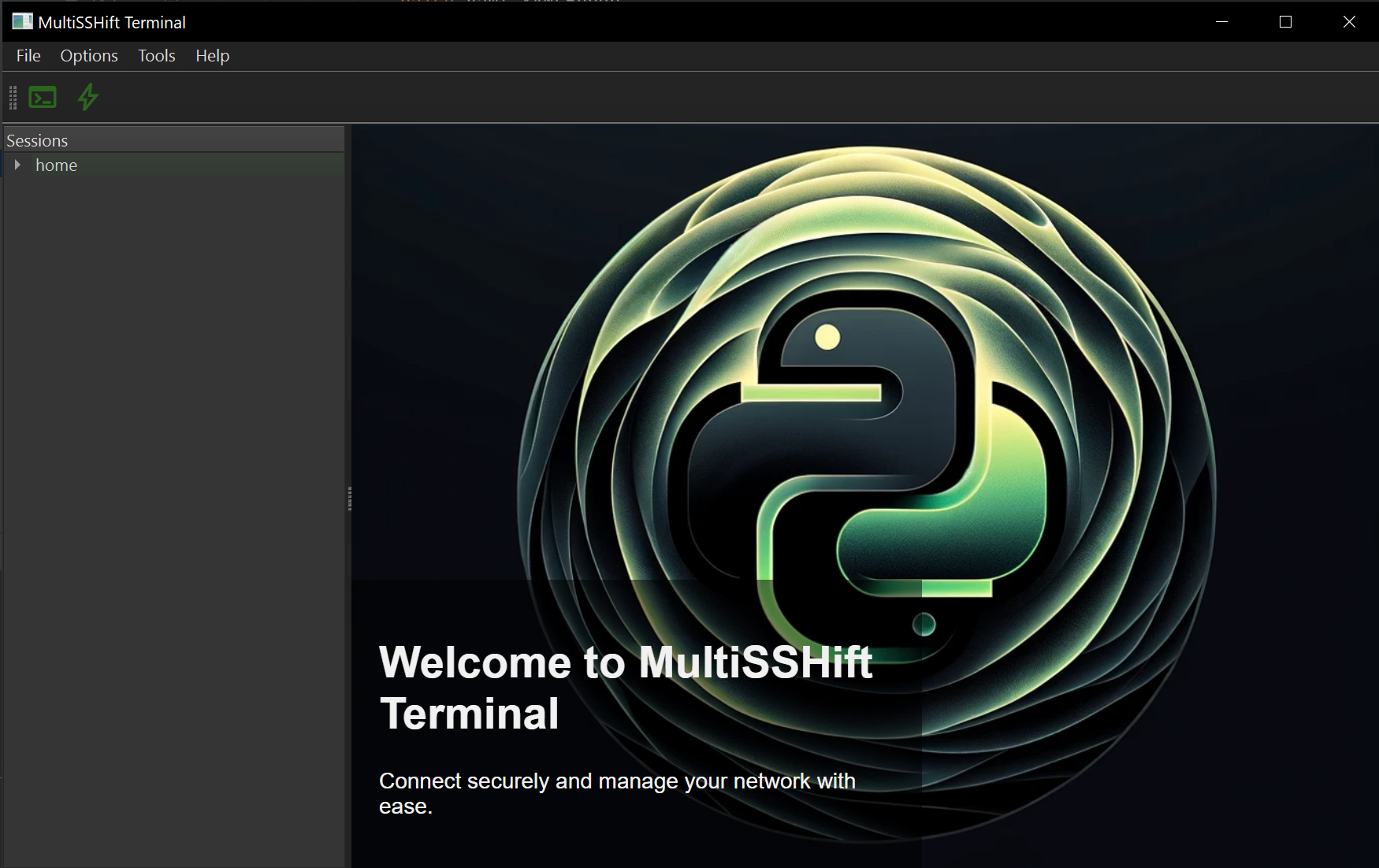
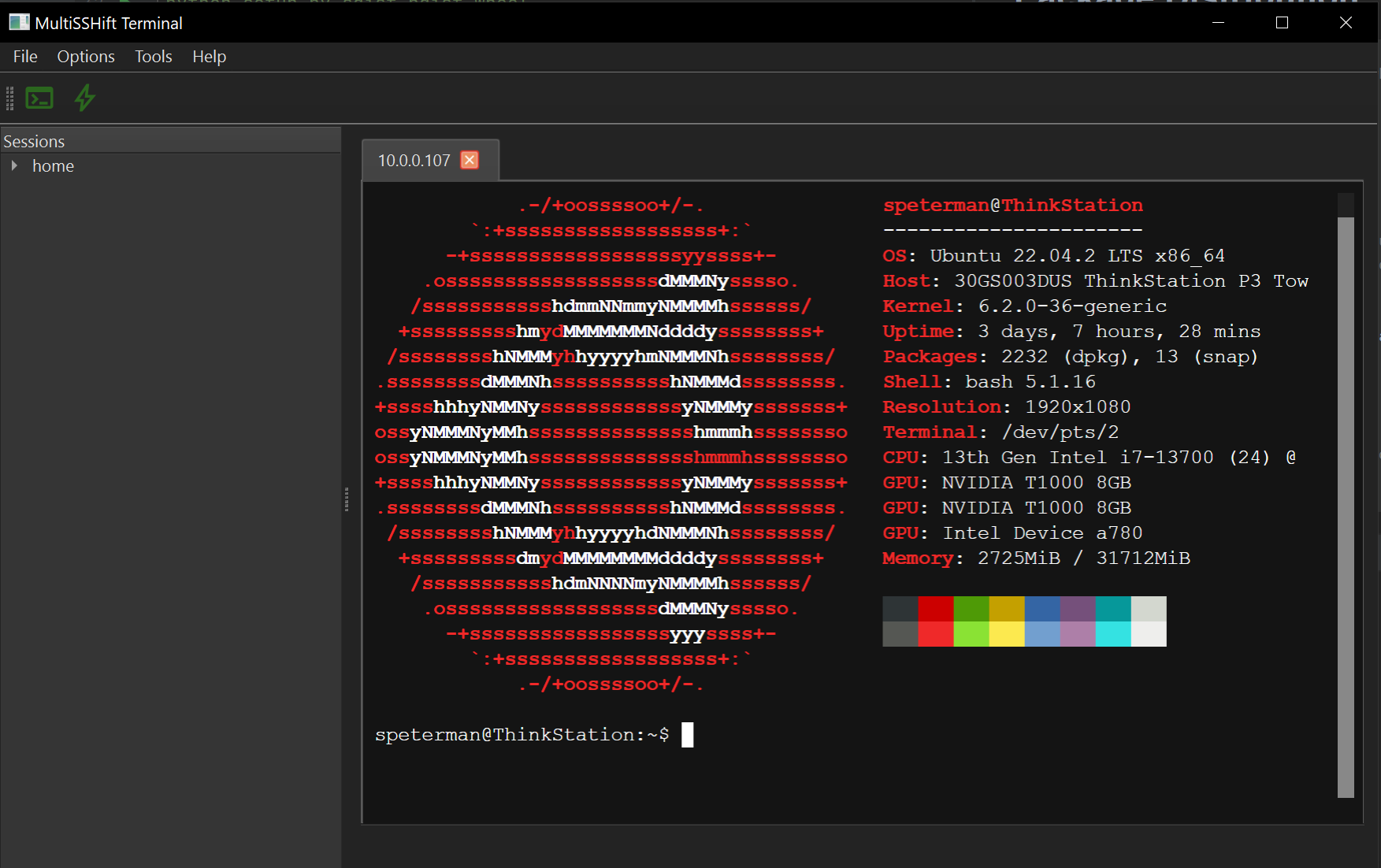
- Session Management: Effortlessly manage multiple SSH sessions with an intuitive tree-view interface. Organize and access your sessions with ease.
- Embedded Web View: Integrated web view for seamless interaction with web-based management tools and documentation.
- Versatile Tools: Includes built-in features such as a log viewer, file editor, and ad-hoc connection dialog, providing a one-stop solution for various network management tasks.
- Themes: Choose between light standard Qt and dark emerald themes for optimal user experience. Personalize your workspace according to your preference.
- Dynamic Toolbar: Quick access toolbar with essential shortcuts, enhancing your workflow efficiency.
- Centralized Settings Management: Manage credentials and application settings in a centralized manner, ensuring a streamlined and consistent configuration.
Technical Highlights
- Built with PyQt6, providing a modern and responsive user interface.
- Utilizes YAML for session and settings management, offering a human-readable and easily configurable format.
- Implements a sophisticated logging, error handling and notification system for reliability and ease of debugging.
- Integrates seamlessly with QWebEngineView for embedded browser functionality.
- Supports custom JavaScript and CSS for a personalized user experience.
Installation and Setup
- To do
Usage
- To do
Package Distribution
# Create a source distribution and a wheel
python setup.py sdist bdist_wheel

# Set up a new virtual environment
python -m venv test_env

# Activate the virtual environment
source test_env/bin/activate  # On Linux/Mac
test_env\Scripts\activate     # On Windows

# Install the wheel
pip install dist/uglypty-0.1-py3-none-any.whl

# Test your script
python or pythonw -m uglypty

# Use `twine` to upload your package to PyPI:
twine upload dist/*
1 maintainer

Metadata
1 maintainer
Release files for multisshift 0.1.1
For a detailed explanation of source distributions (sdists) and built distributions (wheels), please see the package formats documentation.
Source distribution (sdist)
| File | Size | Uploaded | |
|---|---|---|---|
| multisshift-0.1.1.tar.gz | 10.0 MB | Details |
Built distribution (wheel)
| File | Interpreter | ABI | Platform | Reset |
|---|---|---|---|---|
| multisshift-0.1.1-py3-none-any.whl | Python 3 | none | any | Details |
Total release size: 20.4 MB
Release files / multisshift-0.1.1.tar.gz
| Download URL | multisshift-0.1.1.tar.gz |
|---|---|
| Size | 10.0 MB |
| Tags | Source |
|
SHA-256 checksum How to use checksums |
48ed9adc3d23170cef394a83f5fde49c535a929be92a6f38705e48c492800dcb
|
|
BLAKE2b-256 checksum How to use checksums |
0f0815d6fba197999a04262f9ff1608f05965d5e9441ef45e576b455b7e46b13
|
| Upload date | |
|
Uploaded using Trusted Publishing? What is trusted publishing? |
No |
| Uploaded via |
twine/4.0.2 CPython/3.9.13
|
Release files / multisshift-0.1.1-py3-none-any.whl
| Download URL | multisshift-0.1.1-py3-none-any.whl |
|---|---|
| Size | 10.4 MB |
| Tags | Python 3 |
|
SHA-256 checksum How to use checksums |
7f83c925c7110e31b8b575659090689805bbe6c209b825d7f664fd795e547e39
|
|
BLAKE2b-256 checksum How to use checksums |
05b8920da5a3865fc0f164a0a0ca63ca4ee8d81ae287650425e74b70bff3ac8f
|
| Upload date | |
|
Uploaded using Trusted Publishing? What is trusted publishing? |
No |
| Uploaded via |
twine/4.0.2 CPython/3.9.13
|














