
MultivariateView
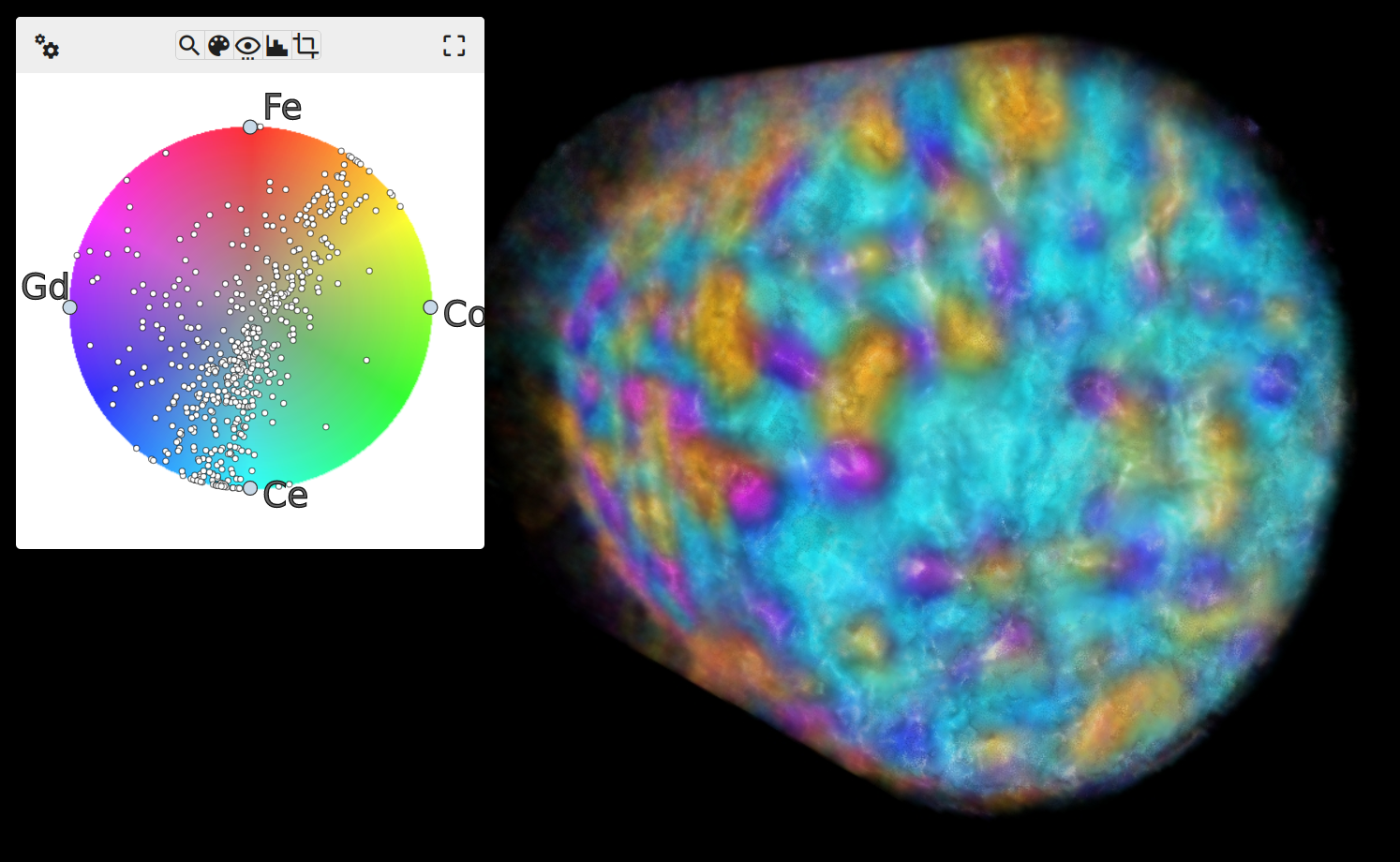
A multivariate/multimodal volume visualizer!
This RadVolViz-inspired prototype utilizes trame and VTK to render multi-channel volumetric datasets.
Install and Run
To install, first ensure you are in an environment using Python3.10 or newer, and then run the following command:
pip install multivariate-view
Next, run multivariate-view, or mv-view, to start the application. If no --data path is provided, it will
automatically download and load the example dataset pictured above.
Development build
cd vue-components
npm i
npm run build
cd -
pip install -U pip
pip install -e .
Example Data
The example dataset pictured above is from the reconstruction of an X-ray fluorescence tomography of a mixed ionic-electronic conductor (MIEC) from the following article:
Ge, M., Huang, X., Yan, H. et al. Three-dimensional imaging of grain boundaries via quantitative fluorescence X-ray tomography analysis. Commun Mater 3, 37 (2022). https://doi.org/10.1038/s43246-022-00259-x
This example dataset is downloaded automatically and loaded if the application is started without providing a --data path. Utilizing the lens in MultivariateView produces visualizations of the following phases:
CGO Phase (ionic conductor)
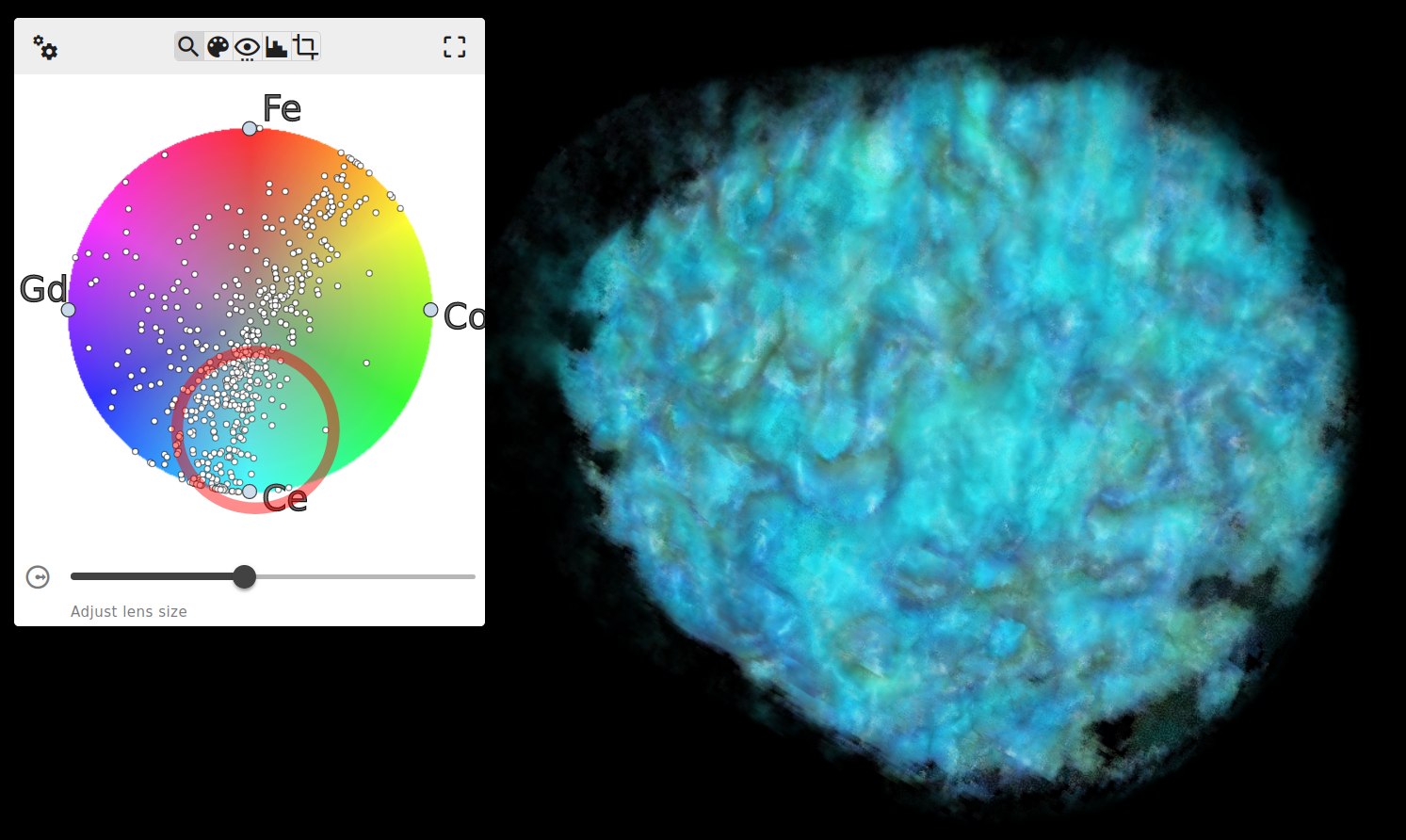
CFO Phase (electronic conductor)
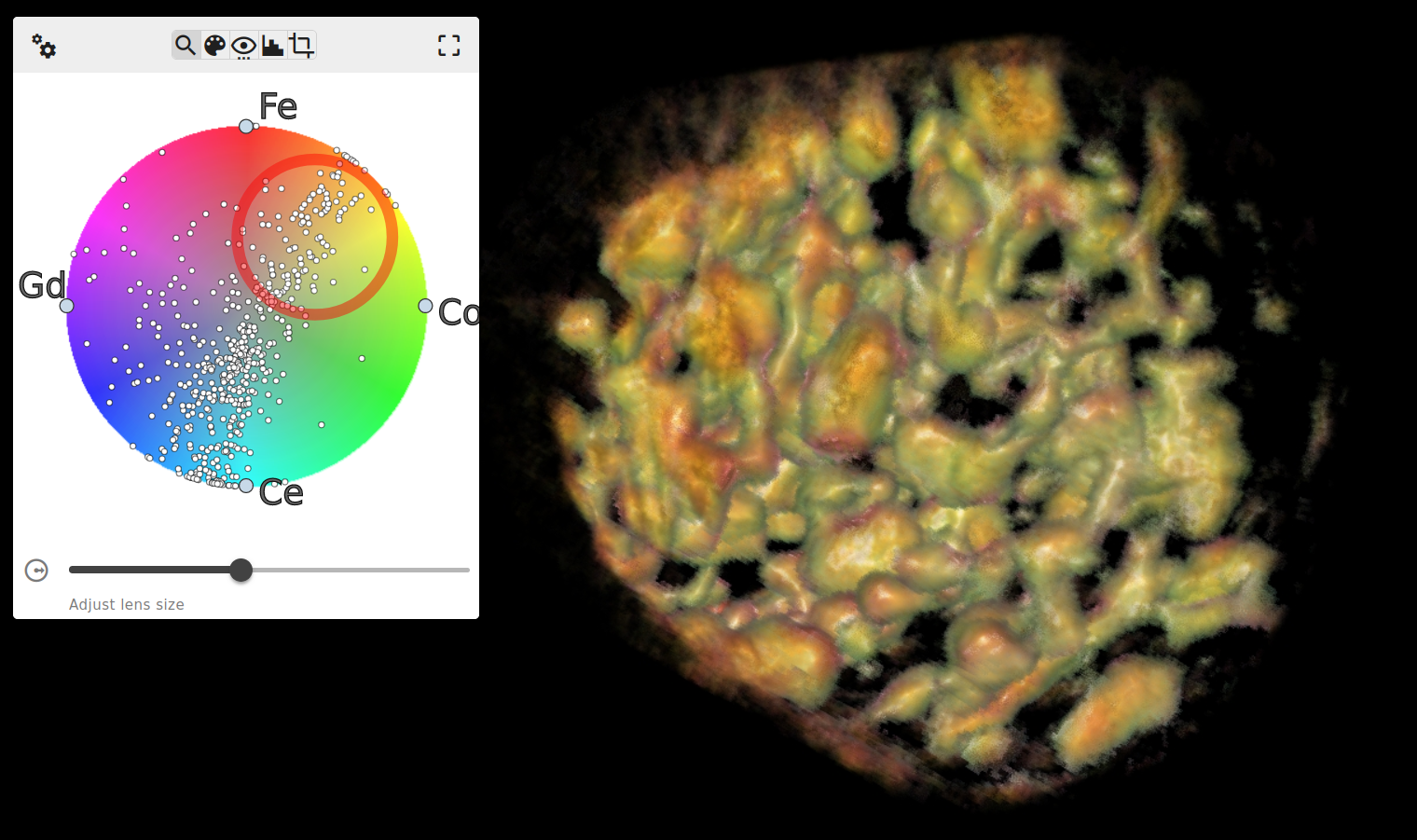
EP2 Phase (emergent phase)
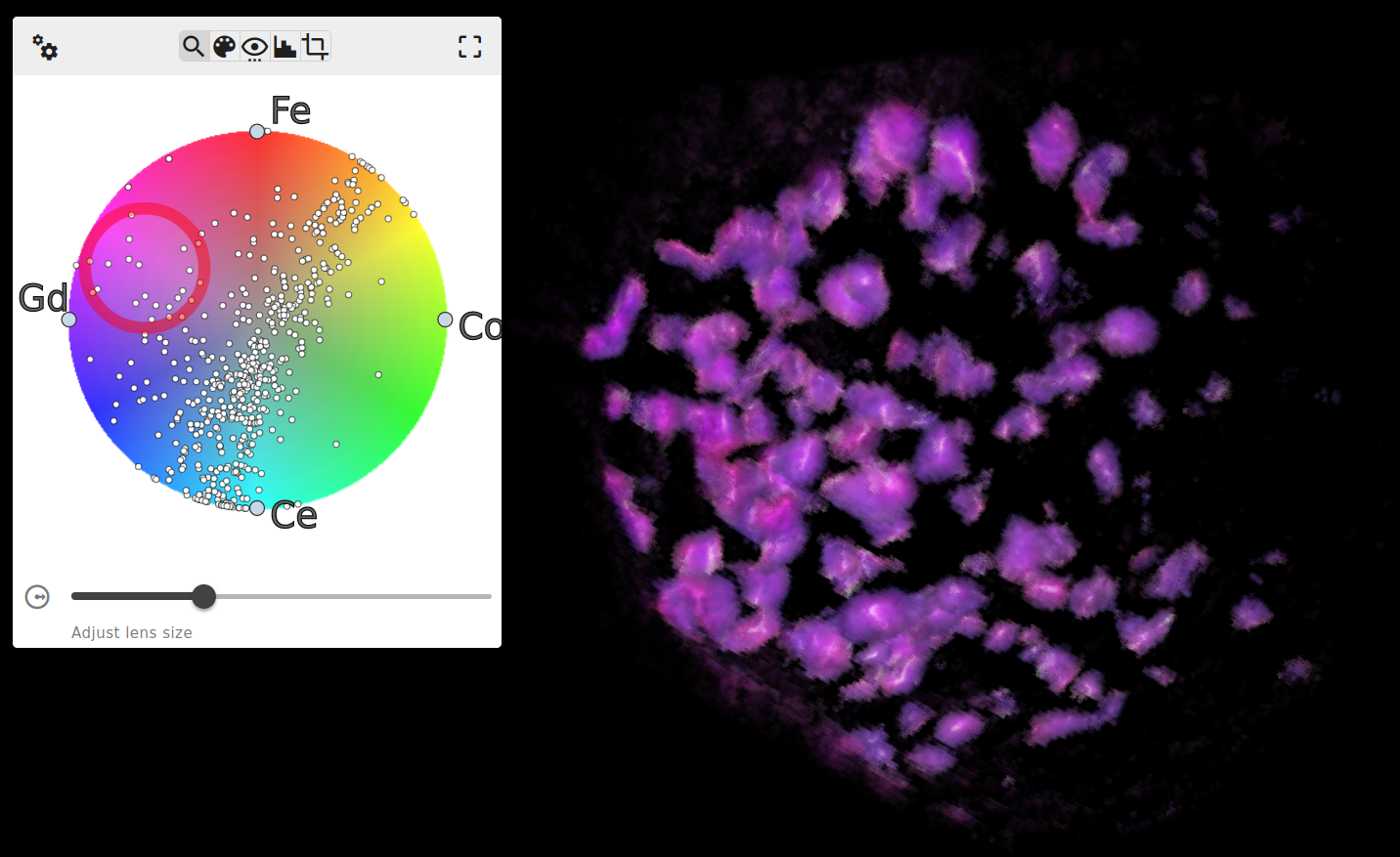
Note: the EP1 phase from the paper is comprised of fewer voxels and is more difficult to visualize without data filters
Data Loading
Two of the easiest formats to use are HDF5 and NPZ. For both of these file types, each channel of the volume should have its own dataset at the top level, and each dataset must be identical in shape and datatype. There should be no other datasets present.
If the application is started with multivariate-view --data /path/to/data.h5, then all root level datasets will be loaded automatically and visualized.
Acknowledgements
MultivariateView was developed by Kitware under DOE SBIR Award DE-SC0024765.
1 maintainer

Metadata
1 maintainer
Release files for multivariate-view 0.1.5
For a detailed explanation of source distributions (sdists) and built distributions (wheels), please see the package formats documentation.
Source distribution (sdist)
| File | Size | Uploaded | |
|---|---|---|---|
| multivariate_view-0.1.5.tar.gz | 1.8 MB | Details |
Built distribution (wheel)
| File | Interpreter | ABI | Platform | Reset |
|---|---|---|---|---|
| multivariate_view-0.1.5-py3-none-any.whl | Python 3 | none | any | Details |
Total release size: 3.6 MB
Release files / multivariate_view-0.1.5.tar.gz
| Download URL | multivariate_view-0.1.5.tar.gz |
|---|---|
| Size | 1.8 MB |
| Tags | Source |
|
SHA-256 checksum How to use checksums |
0260a8e58a8dd81cbc90ebfabc57492922f2af3422ad93619d57870b80cc5b29
|
|
BLAKE2b-256 checksum How to use checksums |
a74813c47d3f76e5ced06d82ef858290be8caf8dd9e114602ae325de5182ad45
|
| Upload date | |
|
Uploaded using Trusted Publishing? What is trusted publishing? |
No |
| Uploaded via |
twine/6.2.0 CPython/3.13.11
|
Release files / multivariate_view-0.1.5-py3-none-any.whl
| Download URL | multivariate_view-0.1.5-py3-none-any.whl |
|---|---|
| Size | 1.8 MB |
| Tags | Python 3 |
|
SHA-256 checksum How to use checksums |
8a1be36af0da1cfa4ce286259a19f9f79863bae5c9c2887a511618a5fe588e8a
|
|
BLAKE2b-256 checksum How to use checksums |
1b732282b15c28cd7335f7efd611cc0b98356687299aaa98a318f6d9691c6f10
|
| Upload date | |
|
Uploaded using Trusted Publishing? What is trusted publishing? |
No |
| Uploaded via |
twine/6.2.0 CPython/3.13.11
|














