
No project description provided

Project description
Murf Python SDK



Table of Contents
- Overview
- Installation
- Getting Started
- Features
- Asynchronous Usage
- Exception Handling
- Advanced Configuration
- Contributing
- License
Overview
The Murf Python SDK offers seamless integration with the Murf AI text-to-speech software, enabling developers and creators to convert text into lifelike speech effortlessly. With over 130 natural-sounding voices across 21 languages and 20+ speaking styles, Murf provides unparalleled speech customization for a wide range of applications. The SDK is designed for both synchronous and asynchronous workflows, featuring robust error handling, advanced configuration options, and support for real-time applications.
Installation
Check out the HTTP API documentation.
Install the SDK using pip:
pip install murf
Getting Started
Here's a quick example to get you started with the Murf SDK:
from murf import Murf

client = Murf(
    api_key="YOUR_API_KEY",
)
client.text_to_speech.generate(
    format="MP3",
    sample_rate=44100.0,
    text="Hello, world!",
    voice_id="en-US-natalie",
)
For more detailed information, refer to the official documentation.
Features
- Text-to-Speech Conversion: Transform text into natural-sounding speech.
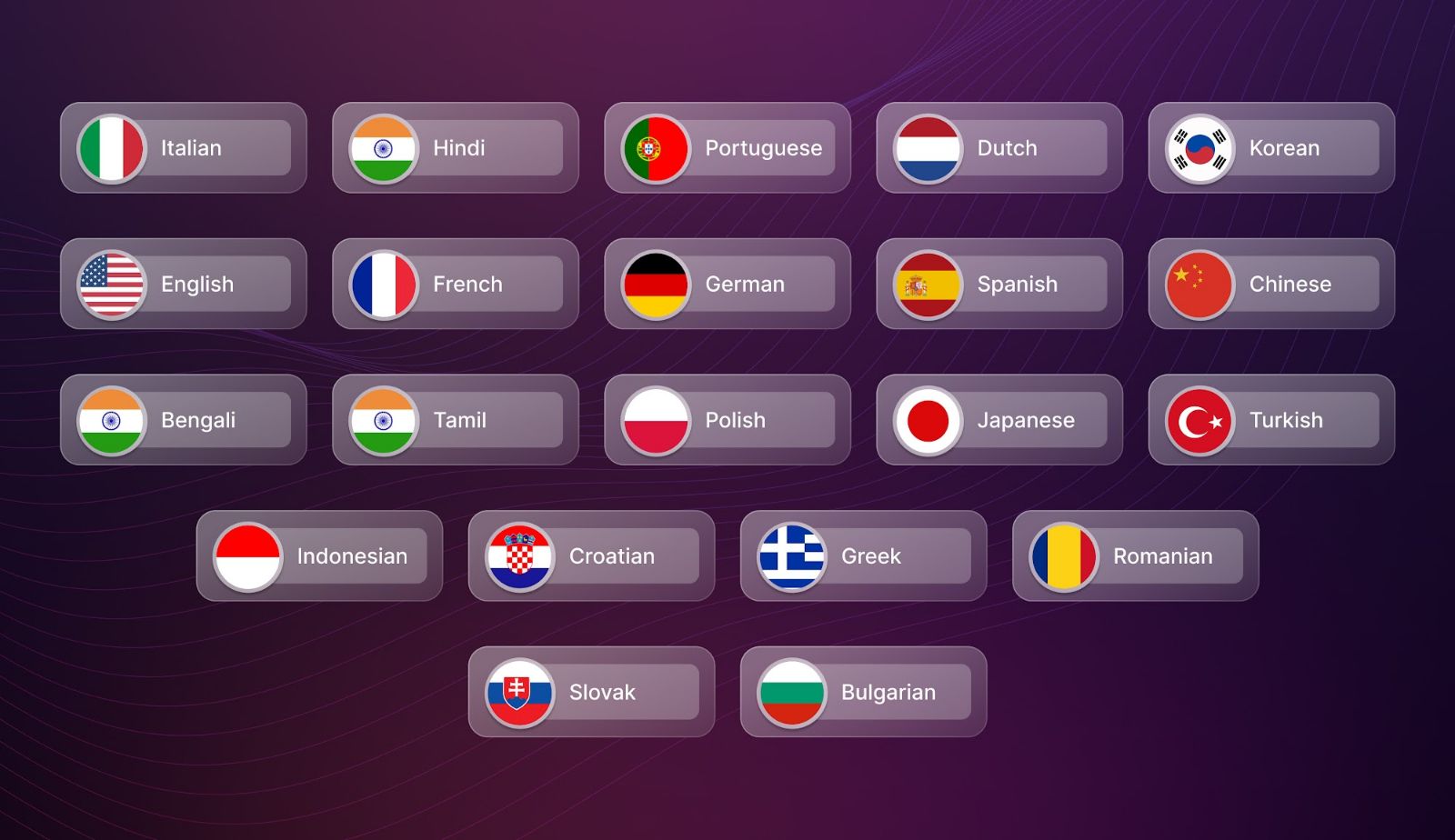
- Multilingual Support: Access voices in over 21 languages, including English, French, German, Spanish, Italian, Hindi, Portuguese, Dutch, Korean, Chinese (Mandarin), Bengali, Tamil, Polish, Japanese, Turkish, Indonesian, Croatian, Greek, Romanian, Slovak, and Bulgarian.
- Multiple Voice Styles: Choose from 20+ speaking styles to suit your application's needs.
- Advanced Voice Customization: Adjust parameters like pitch, speed, pauses, and pronunciation for optimal output. Fine-grained controls let you tailor the voice output to match your specific requirements.
- Multiple Audio Formats: Generate audio in various formats (e.g., MP3, WAV) with configurable sample rates for optimal quality.
- Real-Time Processing: Benefit from asynchronous API calls that support non-blocking, real-time audio generation and streaming scenarios.
Async Client
The SDK also exports an async client so that you can make non-blocking calls to our API.
import asyncio

from murf import AsyncMurf

client = AsyncMurf(
    api_key="YOUR_API_KEY",
)


async def main() -> None:
    await client.text_to_speech.generate(
        format="MP3",
        sample_rate=44100.0,
        text="Hello, world!",
        voice_id="en-US-natalie",
    )


asyncio.run(main())
Exception Handling
When the API returns a non-success status code (4xx or 5xx response), a subclass of the following error will be thrown.
from murf.core.api_error import ApiError

try:
    client.text_to_speech.generate(...)
except ApiError as e:
    print(e.status_code)
    print(e.body)
Advanced
Retries
The SDK is instrumented with automatic retries with exponential backoff. A request will be retried as long as the request is deemed retriable and the number of retry attempts has not grown larger than the configured retry limit (default: 2).
A request is deemed retriable when any of the following HTTP status codes is returned:
Use the max_retries request option to configure this behavior.
client.text_to_speech.generate(..., request_options={
    "max_retries": 1
})
Timeouts
The SDK defaults to a 60 second timeout. You can configure this with a timeout option at the client or request level.
from murf import Murf

client = Murf(
    ...,
    timeout=20.0,
)


# Override timeout for a specific method
client.text_to_speech.generate(..., request_options={
    "timeout_in_seconds": 1
})
Custom Client
You can override the httpx client to customize it for your use-case. Some common use-cases include support for proxies
and transports.
import httpx
from murf import Murf

client = Murf(
    ...,
    httpx_client=httpx.Client(
        proxies="http://my.test.proxy.example.com",
        transport=httpx.HTTPTransport(local_address="0.0.0.0"),
    ),
)
Contributing
We welcome contributions to enhance the Murf Python SDK. Please note that this library is generated programmatically, so direct modifications may be overwritten. We suggest opening an issue first to discuss your ideas or improvements. Contributions to the documentation are especially appreciated! For any support queries email to support@murf.ai
License
Murf Python SDK is released under the MIT License.
Release history Release notifications | RSS feed


Download files
Download the file for your platform. If you're not sure which to choose, learn more about installing packages.
Source Distribution
Built Distribution
Filter files by name, interpreter, ABI, and platform.
If you're not sure about the file name format, learn more about wheel file names.
Copy a direct link to the current filters
File details
Details for the file murf-2.2.0.tar.gz.
File metadata
- Download URL: murf-2.2.0.tar.gz
- Upload date:
- Size: 41.5 kB
- Tags: Source
- Uploaded using Trusted Publishing? No
- Uploaded via: poetry/1.5.1 CPython/3.8.18 Linux/6.11.0-1018-azure
File hashes
| Algorithm | Hash digest | |
|---|---|---|
| SHA256 |
5f1cb99fc2731eab5f496ca46b156a393a31737ebff0bc5d00e6deb39103aa20
|
|
| MD5 |
f1819610e8a8e5cab251dea8c4a79c6c
|
|
| BLAKE2b-256 |
92b0cc45e122e9f8245a6ccbc511810d2fc3a0ce0ac10cef39505b903c90db05
|
File details
Details for the file murf-2.2.0-py3-none-any.whl.
File metadata
- Download URL: murf-2.2.0-py3-none-any.whl
- Upload date:
- Size: 77.7 kB
- Tags: Python 3
- Uploaded using Trusted Publishing? No
- Uploaded via: poetry/1.5.1 CPython/3.8.18 Linux/6.11.0-1018-azure
File hashes
| Algorithm | Hash digest | |
|---|---|---|
| SHA256 |
ebbd41dde3b7b064de7a0b4ca2c6d6f538360e8fb969ccf3bd4cd1644b776ab3
|
|
| MD5 |
b5c01e141f7e52e3f0fd2c4138a6ed8f
|
|
| BLAKE2b-256 |
5571830f0c0858321f1994d1c145dc966fbfd7142f999e32ba6dae22793a2824
|






